Wikis#ctccweb20(Twitter Hashtag)Kathleen Cercone PT, Phd&Brandon T. Bisceglia (student)
Project IntroductionTopic: Laboratory Safety- to develop a safety manual and get other students to participate in the futureCollaboration between 2 Biology 105 classesOne F2f
One Hybrid
Blackboard used significantly in F2F classWhat is a wiki?	A collaborative web 2.0 tool:Allows authorized user to edit and create pagesShared repository of knowledgeSimple and easy to use structurePages can be made private, public.
PedagogyActive learningStudent  has some controlBuilding  of knowledge Democratic- allows even those without a strong technology background to participateThis activity was:Authentic, real-world and interactiveDebate between Blog vs. WikiA blog is sequenced by date and can not be edited by anyone but the author. It is not collaborative in nature. Blogs are more personal and usually written by one authorWikis organize information into topics while blogs organize in reverse chronological order, thus more historical in natureThe Wiki is actually controlled by the owner and this person can allow access to pages as needed
Project ChallengeHow do we get students to work together when they don’t even have time to be together?BB does not allow collaboration between sections. Using alternate technology allows this to happen.
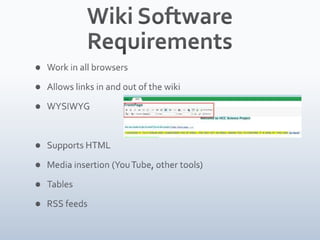
Wiki Software RequirementsWork in all browsersAllows links in and out of the wikiWYSIWYGSupports HTMLMedia insertion (You Tube, other tools)TablesRSS feeds
PbWikiPbWiki was one of 25-30 wikis to choooseIt is rated very highly with educatorsProvided usernames/ passwords for 100 students.Did not need an email account.Private vs. public
Wiki concernsSomeone may post inappropriate contentMonitor all website postings via RSSSomeone can delete another students work inadvertentlyThere is a history of all work and you can go back to a previous edition of the work that was created
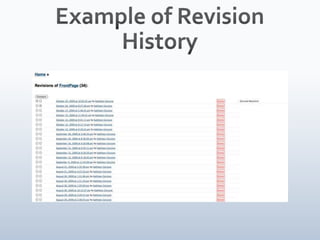
Example of Revision History
Educate users First Provide tutorial/help pages/videos/orientation: http://www.screencast.com/users/drcercone/folders/Jing/media/a069ee4c-b7f0-427c-9140-1662c64570d0Practice page with introductory activitiesAllow creativityStudents are encouraged to comment across topicsCreate a culture of trust
Guidelines Clear expectations posted on the wiki/BB VistaClear grading criteria with rubric postedTimeline recommendations/Final DateCommunication ideas sharedInstructor discussed the project in class
The ProjectProcess and Discussion
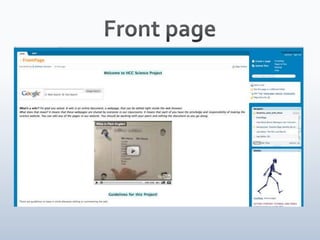
Front page
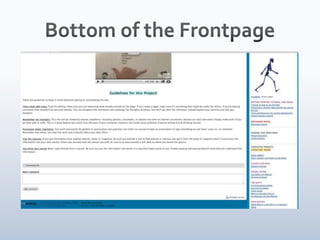
Bottom of the Frontpage
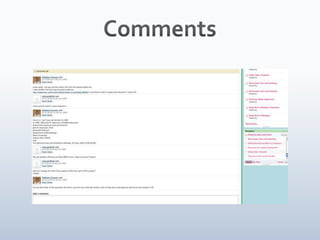
CommunicationComments allowed on every wiki page. Picture following slide. Unless you subscribe via RSS, you do not know a comment was made.This was not like a discussion boardThe problem: How to get my 2 classes to collaborate together???????
Comments
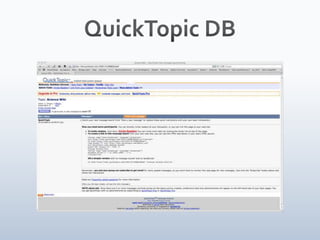
Inter-class collaborationSeveral methods were attempted:Collected all emails and made a list. I then emailed the entire class so they had the email listings. Sharing also was encouraged in class.Tried Google Groups for discussions but students had to enroll in it and no one didTried embedding a Discussion boardhttp://test.quicktopic.com/about.htmlStudents did not use it once. Announcements were done many times. I feel that this board was too “busy” and looked complicated
QuickTopic DB
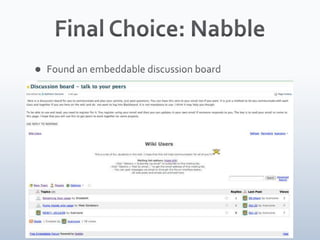
Final Choice: NabbleFound an embeddable discussion board
Student use issuesThe F2F class was more active and did more on the wiki, earlier. Several students formed groups easily. The hybrid class was more resistant and complained more about doing a project.Making sure that they referenced and cited all of their work. Some of them copied material.
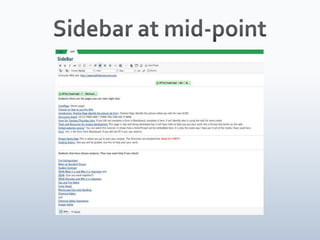
Problems with PbWikiNot a typical web page layoutRight sided navigation with several different boxes that were not similar to other web sitesUnable to get a site map of linksInstructor added the side bar and had to keep adding links to the projects or else no one would know where to go- I finally fixed it when the project was done
Sidebar at mid-point
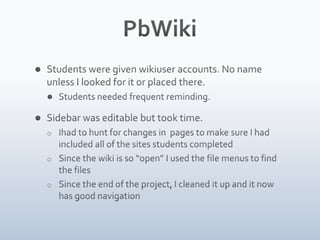
PbWikiStudents were given wikiuser accounts. No name unless I looked for it or placed there.Students needed frequent reminding. Sidebar was editable but took time. I had to hunt for changes in  pages to make sure I had included all of the sites students completed
Since the wiki is so “open” I used the file menus to find the files
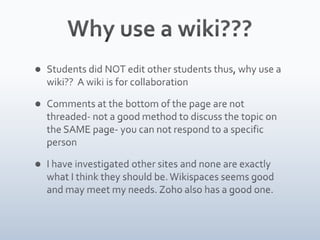
Since the end of the project, I cleaned it up and it now has good navigationWhy use a wiki???Students did NOT edit other students thus, why use a wiki??  A wiki is for collaborationComments at the bottom of the page are not threaded- not a good method to discuss the topic on the SAME page- you can not respond to a specific personI have investigated other sites and none are exactly what I think they should be. Wikispaces seems good and may meet my needs. Zoho also has a good one.
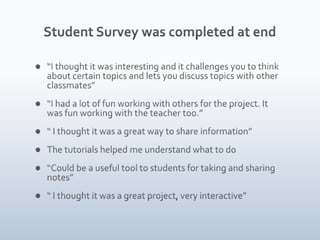
Student Survey was completed at end“I thought it was interesting and it challenges you to think about certain topics and lets you discuss topics with other classmates”“I had a lot of fun working with others for the project. It was fun working with the teacher too.”“ I thought it was a great way to share information”The tutorials helped me understand what to do“Could be a useful tool to students for taking and sharing notes”“ I thought it was a great project, very interactive”
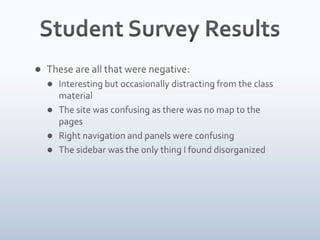
Student Survey ResultsThese are all that were negative:Interesting but occasionally distracting from the class materialThe site was confusing as there was no map to the pagesRight navigation and panels were confusingThe sidebar was the only thing I found disorganized
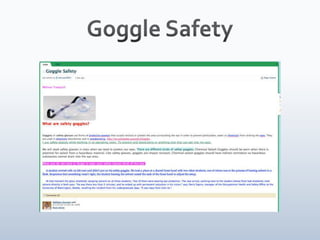
Goggle Safety
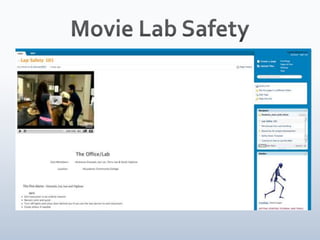
Movie Lab Safety
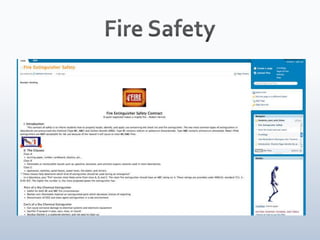
Fire Safety
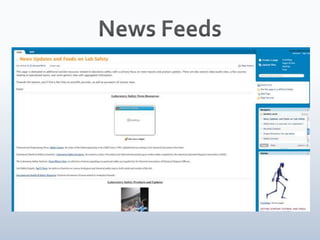
News Feeds
PlansAction ResearchContinue to want collaboration between groups and classesOverall Goal to have students learn in an interactive method and share with other students.Possible: Google Sites and Google Groups for discussion. Instructor set up and led. Possible Wikispaces or Zoho.
Action ResearchAction research is a form of applied research whose primary purpose is the improvement of something in which the researcher is personally involved. Action research allows researchers to test ideas in practice in order to improve social conditions and increase knowledge.
Other Sites to considerNing: http://learn-online.ning.com/Gou.pshttp://grou.ps/hcc_science/homeZohohttp://www.zoho.comWikispaceshttp://www.wikispaces.com/

Wiki Presentation2009a

  • 1.
    Wikis#ctccweb20(Twitter Hashtag)Kathleen CerconePT, Phd&Brandon T. Bisceglia (student)
  • 2.
    Project IntroductionTopic: LaboratorySafety- to develop a safety manual and get other students to participate in the futureCollaboration between 2 Biology 105 classesOne F2f
  • 3.
  • 4.
    Blackboard used significantlyin F2F classWhat is a wiki? A collaborative web 2.0 tool:Allows authorized user to edit and create pagesShared repository of knowledgeSimple and easy to use structurePages can be made private, public.
  • 5.
    PedagogyActive learningStudent has some controlBuilding of knowledge Democratic- allows even those without a strong technology background to participateThis activity was:Authentic, real-world and interactiveDebate between Blog vs. WikiA blog is sequenced by date and can not be edited by anyone but the author. It is not collaborative in nature. Blogs are more personal and usually written by one authorWikis organize information into topics while blogs organize in reverse chronological order, thus more historical in natureThe Wiki is actually controlled by the owner and this person can allow access to pages as needed
  • 6.
    Project ChallengeHow dowe get students to work together when they don’t even have time to be together?BB does not allow collaboration between sections. Using alternate technology allows this to happen.
  • 7.
    Wiki Software RequirementsWorkin all browsersAllows links in and out of the wikiWYSIWYGSupports HTMLMedia insertion (You Tube, other tools)TablesRSS feeds
  • 8.
    PbWikiPbWiki was oneof 25-30 wikis to choooseIt is rated very highly with educatorsProvided usernames/ passwords for 100 students.Did not need an email account.Private vs. public
  • 9.
    Wiki concernsSomeone maypost inappropriate contentMonitor all website postings via RSSSomeone can delete another students work inadvertentlyThere is a history of all work and you can go back to a previous edition of the work that was created
  • 10.
  • 11.
    Educate users FirstProvide tutorial/help pages/videos/orientation: http://www.screencast.com/users/drcercone/folders/Jing/media/a069ee4c-b7f0-427c-9140-1662c64570d0Practice page with introductory activitiesAllow creativityStudents are encouraged to comment across topicsCreate a culture of trust
  • 12.
    Guidelines Clear expectationsposted on the wiki/BB VistaClear grading criteria with rubric postedTimeline recommendations/Final DateCommunication ideas sharedInstructor discussed the project in class
  • 13.
  • 14.
  • 15.
    Bottom of theFrontpage
  • 16.
    CommunicationComments allowed onevery wiki page. Picture following slide. Unless you subscribe via RSS, you do not know a comment was made.This was not like a discussion boardThe problem: How to get my 2 classes to collaborate together???????
  • 17.
  • 18.
    Inter-class collaborationSeveral methodswere attempted:Collected all emails and made a list. I then emailed the entire class so they had the email listings. Sharing also was encouraged in class.Tried Google Groups for discussions but students had to enroll in it and no one didTried embedding a Discussion boardhttp://test.quicktopic.com/about.htmlStudents did not use it once. Announcements were done many times. I feel that this board was too “busy” and looked complicated
  • 19.
  • 20.
    Final Choice: NabbleFoundan embeddable discussion board
  • 21.
    Student use issuesTheF2F class was more active and did more on the wiki, earlier. Several students formed groups easily. The hybrid class was more resistant and complained more about doing a project.Making sure that they referenced and cited all of their work. Some of them copied material.
  • 22.
    Problems with PbWikiNota typical web page layoutRight sided navigation with several different boxes that were not similar to other web sitesUnable to get a site map of linksInstructor added the side bar and had to keep adding links to the projects or else no one would know where to go- I finally fixed it when the project was done
  • 23.
  • 24.
    PbWikiStudents were givenwikiuser accounts. No name unless I looked for it or placed there.Students needed frequent reminding. Sidebar was editable but took time. I had to hunt for changes in pages to make sure I had included all of the sites students completed
  • 25.
    Since the wikiis so “open” I used the file menus to find the files
  • 26.
    Since the endof the project, I cleaned it up and it now has good navigationWhy use a wiki???Students did NOT edit other students thus, why use a wiki?? A wiki is for collaborationComments at the bottom of the page are not threaded- not a good method to discuss the topic on the SAME page- you can not respond to a specific personI have investigated other sites and none are exactly what I think they should be. Wikispaces seems good and may meet my needs. Zoho also has a good one.
  • 27.
    Student Survey wascompleted at end“I thought it was interesting and it challenges you to think about certain topics and lets you discuss topics with other classmates”“I had a lot of fun working with others for the project. It was fun working with the teacher too.”“ I thought it was a great way to share information”The tutorials helped me understand what to do“Could be a useful tool to students for taking and sharing notes”“ I thought it was a great project, very interactive”
  • 28.
    Student Survey ResultsTheseare all that were negative:Interesting but occasionally distracting from the class materialThe site was confusing as there was no map to the pagesRight navigation and panels were confusingThe sidebar was the only thing I found disorganized
  • 29.
  • 30.
  • 31.
  • 32.
  • 33.
    PlansAction ResearchContinue towant collaboration between groups and classesOverall Goal to have students learn in an interactive method and share with other students.Possible: Google Sites and Google Groups for discussion. Instructor set up and led. Possible Wikispaces or Zoho.
  • 34.
    Action ResearchAction researchis a form of applied research whose primary purpose is the improvement of something in which the researcher is personally involved. Action research allows researchers to test ideas in practice in order to improve social conditions and increase knowledge.
  • 35.
    Other Sites toconsiderNing: http://learn-online.ning.com/Gou.pshttp://grou.ps/hcc_science/homeZohohttp://www.zoho.comWikispaceshttp://www.wikispaces.com/

Editor's Notes

  • #2 Welcome, introductions
  • #3 The project included 2 classes……
  • #4 ASK:How many know what a wiki is?How many have used one?Wikipedia!So- let’s go over the type of tool that was used. As I indicate it is a Web 2.0 tools that allows collaboration by authorized users. The owner can control single page access. It can be private or public. It can allow you to be a writer or just able to view the page. This was highly controlled by me.
  • #5 The student can actually leave their own imprint on the course if this is used in the futureWriting for a real audience can be very motivating which may increase the students desire to write better
  • #6 So, I actually had control over the process. I was able to set page configurations and only allow public viewing of those pages I felt able to be viewed publicly. I gave students write access so they could edit and see the pages. These pages were not public. Due to the reverse chronological order it is often difficult to find informationWikis tend to expand and may become similar to a permanent knowledge baseBlog- go over the notes and explain why a blog was not used but is appropriate for many situations.
  • #7 BB is a great tool and I use it all the time but I wanted to get classes together. The tool has the potential- but did it work? I will let you know! Let’s talk about them first and then I will present my findings. Brandon will follow
  • #8 What you see is what you get- looks like a word processorSome of the wikis have different forms of how to input text and you need to know this “markup language” to use it. The easiest to use are the wiki with the wysiwygMany wikis use a simplified hypertext markup- they strip HTML to simplest formSome wikis allow anyone to edit- there are no controls, permissions, passwordsSome wikis do not allow spaces between words in the title of the pageMany wikis allow anonymous postingAuthorship and ownership is altered in many wikis as They are organized by context or other categories and concepts that emerge.As you can see, there are many wikis and what they can and can not do. I reviewed wikis all summer in preparation of this course.
  • #9 Same biology class,Same material,Same sequence,Same labsObjectives and outcomes are the sameF2F class has access to most of the mateial that
  • #10 There are also problems- I have yet to find the “perfect” solution but here are a few that we may see.
  • #12 Practice makes perfect- and here it was very important to allow practice. Students need to get comfortable so there must be time in class to practice as well as a practice pageI added how to videos and there was a help section from the wikiIn the end I helped students posting powerpoints and other more complex activities. My goals were to just get them on, post up to 500 words on a topic either of their own choosing or one that I suggestedGive topics but allow them to choose how they want to do themAllow to work in groups or not
  • #13 Clear guidelines were in place and discussed in class as well as online and on the wiki.
  • #17 Comments are not the same as a discussion thread. It is just a block of text under the page. For me, they were useful as the students would often ask me questions about the wiki project.
  • #18 Here is a graphic from the wiki and it shows how comments could be added at the end of the wiki page. Here there was active communication between me and the student doing that page. They are not threaded nor like a discussion board. Unless you have RSS enabled, no one knows that these comments are there.