Some tips based on the BaW experience
Teresa Almeida d’Eça
Moodle MOOC (Jun 2013)
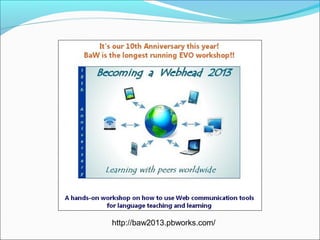
http://baw2013.pbworks.com/
Tips based on experience
the suggestions given are based on a 10-year experience
of co-coordinating and co-moderating a 5-week online
workshop, Becoming a Webhead, for learning about Web
communication tools for EFL/ESL
main tools used
 Yahoo Groups and its email feature as the main communication
mode
 a wiki as the content repository and collaborative site to promote
participant collaboration
 numerous Web communication tools (text, audio, video,
vclassroom)
Planning
start weeks in advance
consider every little detail
try to make everything clear and logical
write clear and to the point instructions (a ‘must’
element in online teaching)
create content during this phase
Team & team roles
coordinators (two of them are co-founders of the group)
moderators are all former BaW participants
mods volunteer for the week/s they prefer
prepare the corresponding page, add tools, links &
suggested readings to those pages
are given flexibility by the coords.
moderate their week, reply to email and moderate the
live session
First steps
on registering, participants receive a welcome message
that includes the main content & tools in the workshop
moderators reply to emails in a timely way, either
individually or in groups (always write the names of each
recipient)
give help as soon as possible (it may make the difference
between ‘making it’ or ‘breaking it’)
Workshop organization
• motivating syllabus, clearly laid out
• content organized by weeks, each week based on a different
topic
• different sections in the ToC in bold to call attention to
different categories
• course pages
• weekly activities
• forums
• participants’ pages (only editable by participants)
• useful sites (includes a Help page and a Glossary)
• ToC should appear in all pages to help participants keep track
of everything
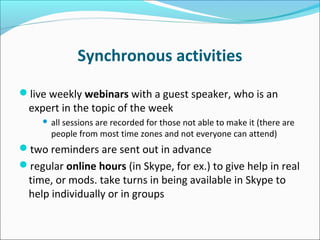
Synchronous activities
live weekly webinars with a guest speaker, who is an
expert in the topic of the week
 all sessions are recorded for those not able to make it (there are
people from most time zones and not everyone can attend)
two reminders are sent out in advance
regular online hours (in Skype, for ex.) to give help in real
time, or mods. take turns in being available in Skype to
help individually or in groups
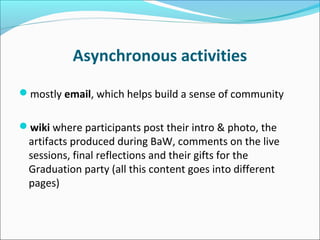
Asynchronous activities
mostly email, which helps build a sense of community
wiki where participants post their intro & photo, the
artifacts produced during BaW, comments on the live
sessions, final reflections and their gifts for the
Graduation party (all this content goes into different
pages)
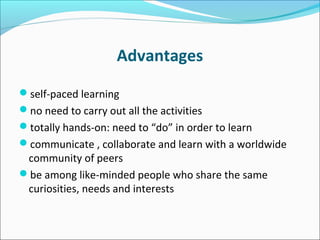
Advantages
self-paced learning
no need to carry out all the activities
totally hands-on: need to “do” in order to learn
communicate , collaborate and learn with a worldwide
community of peers
be among like-minded people who share the same
curiosities, needs and interests
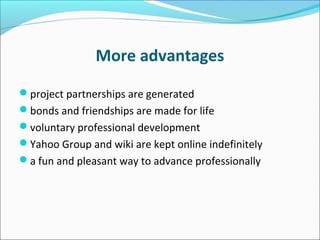
More advantages
project partnerships are generated
bonds and friendships are made for life
voluntary professional development
Yahoo Group and wiki are kept online indefinitely
a fun and pleasant way to advance professionally
Disadvantages
time consuming (if you wish to carry out all activities &
participate in all live sessions)
work overload
 difficult to follow and carry all activities due to problems in
compromising work, family and professional development
hard to keep up with immense message flow, esp. in
week 1 (then it reduces gradually)
This was a brief overview of an online professional
development “recipe” that has worked for 10 years.
Many other things could be said, but not in a short
presentation as this one.
Thank you!
-- Becoming a Webhead (http://baw2013.pbworks.com/)
-- Becoming a Webhead: First Steps in Blended and
Online EFL/ESL Teaching (http://www.tewtjournal.org/ :
search for this title)
-- Becoming a Webhead: Bridging the Gap from
Classroom to Blended and Online Teaching
(http://bit.ly/107n4Ok)

Teaching & learning online

  • 1.
    Some tips basedon the BaW experience Teresa Almeida d’Eça Moodle MOOC (Jun 2013)
  • 2.
  • 3.
    Tips based onexperience the suggestions given are based on a 10-year experience of co-coordinating and co-moderating a 5-week online workshop, Becoming a Webhead, for learning about Web communication tools for EFL/ESL main tools used  Yahoo Groups and its email feature as the main communication mode  a wiki as the content repository and collaborative site to promote participant collaboration  numerous Web communication tools (text, audio, video, vclassroom)
  • 4.
    Planning start weeks inadvance consider every little detail try to make everything clear and logical write clear and to the point instructions (a ‘must’ element in online teaching) create content during this phase
  • 5.
    Team & teamroles coordinators (two of them are co-founders of the group) moderators are all former BaW participants mods volunteer for the week/s they prefer prepare the corresponding page, add tools, links & suggested readings to those pages are given flexibility by the coords. moderate their week, reply to email and moderate the live session
  • 6.
    First steps on registering,participants receive a welcome message that includes the main content & tools in the workshop moderators reply to emails in a timely way, either individually or in groups (always write the names of each recipient) give help as soon as possible (it may make the difference between ‘making it’ or ‘breaking it’)
  • 7.
    Workshop organization • motivatingsyllabus, clearly laid out • content organized by weeks, each week based on a different topic • different sections in the ToC in bold to call attention to different categories • course pages • weekly activities • forums • participants’ pages (only editable by participants) • useful sites (includes a Help page and a Glossary) • ToC should appear in all pages to help participants keep track of everything
  • 8.
    Synchronous activities live weeklywebinars with a guest speaker, who is an expert in the topic of the week  all sessions are recorded for those not able to make it (there are people from most time zones and not everyone can attend) two reminders are sent out in advance regular online hours (in Skype, for ex.) to give help in real time, or mods. take turns in being available in Skype to help individually or in groups
  • 9.
    Asynchronous activities mostly email,which helps build a sense of community wiki where participants post their intro & photo, the artifacts produced during BaW, comments on the live sessions, final reflections and their gifts for the Graduation party (all this content goes into different pages)
  • 10.
    Advantages self-paced learning no needto carry out all the activities totally hands-on: need to “do” in order to learn communicate , collaborate and learn with a worldwide community of peers be among like-minded people who share the same curiosities, needs and interests
  • 11.
    More advantages project partnershipsare generated bonds and friendships are made for life voluntary professional development Yahoo Group and wiki are kept online indefinitely a fun and pleasant way to advance professionally
  • 12.
    Disadvantages time consuming (ifyou wish to carry out all activities & participate in all live sessions) work overload  difficult to follow and carry all activities due to problems in compromising work, family and professional development hard to keep up with immense message flow, esp. in week 1 (then it reduces gradually)
  • 13.
    This was abrief overview of an online professional development “recipe” that has worked for 10 years. Many other things could be said, but not in a short presentation as this one. Thank you!
  • 14.
    -- Becoming aWebhead (http://baw2013.pbworks.com/) -- Becoming a Webhead: First Steps in Blended and Online EFL/ESL Teaching (http://www.tewtjournal.org/ : search for this title) -- Becoming a Webhead: Bridging the Gap from Classroom to Blended and Online Teaching (http://bit.ly/107n4Ok)