











Or, Why do these guys Not talk to each other?


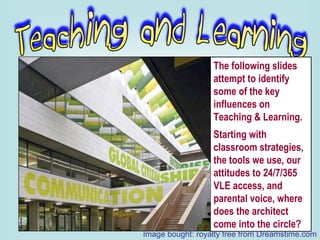
The following slides attempt to identify some of the key influences on Teaching & Learning. Starting with classroom strategies, the tools we use, our attitudes to 24/7/365 VLE access, and parental voice, where does the architect come into the circle? Image bought: royalty free from Dreamstime.com
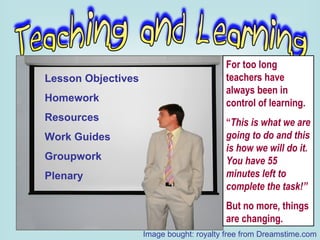
Lesson Objectives Homework Resources Work Guides Groupwork Plenary For too long teachers have always been in control of learning. “ This is what we are going to do and this is how we will do it.  You have 55 minutes left to complete the task!” But no more, things are changing. Image bought: royalty free from Dreamstime.com
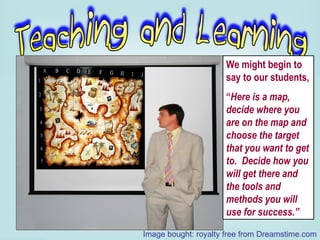
We might begin to say to our students, “ Here is a map, decide where you are on the map and choose the target that you want to get to.  Decide how you will get there and the tools and methods you will use for success.” Image bought: royalty free from Dreamstime.com
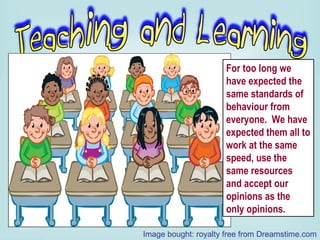
For too long we have expected the same standards of behaviour from everyone.  We have expected them all to work at the same speed, use the same resources and accept our opinions as the only opinions. Image bought: royalty free from Dreamstime.com
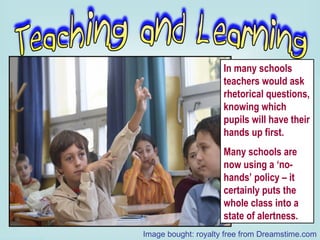
In many schools teachers would ask rhetorical questions, knowing which pupils will have their hands up first. Many schools are now using a ‘no-hands’ policy – it certainly puts the whole class into a state of alertness. Image bought: royalty free from Dreamstime.com
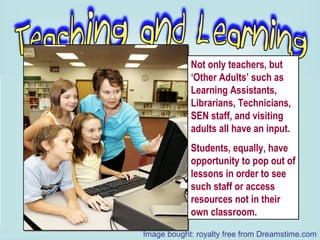
Not only teachers, but ‘Other Adults’ such as Learning Assistants, Librarians, Technicians, SEN staff, and visiting adults all have an input. Students, equally, have opportunity to pop out of lessons in order to see such staff or access resources not in their own classroom. Image bought: royalty free from Dreamstime.com
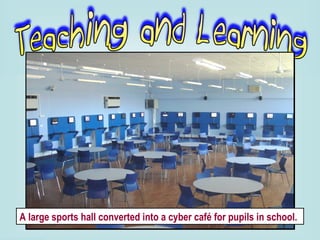
A large sports hall converted into a cyber café for pupils in school.
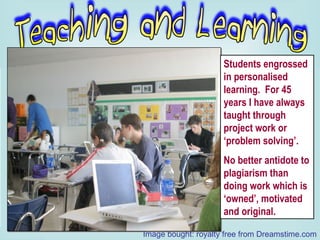
Students engrossed in personalised learning.  For 45 years I have always taught through project work or ‘problem solving’.  No better antidote to plagiarism than doing work which is ‘owned’, motivated and original. Image bought: royalty free from Dreamstime.com
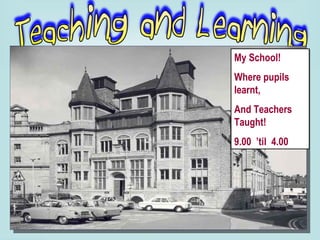
My School! Where pupils learnt, And Teachers Taught! 9.00  ’til  4.00
Where and when do students learn best? Jay Cross sheds some interesting insights into the workplace and what makes for good productivity in his book,  ‘Informal Learning’.  Some students log-on even at 3.00 am! Image bought: royalty free from Dreamstime.com
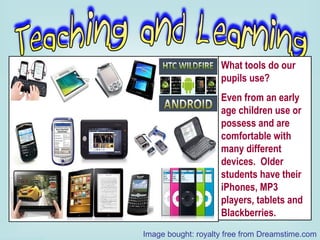
What tools do our pupils use?  Even from an early age children use or possess and are comfortable with many different devices.  Older students have their iPhones, MP3 players, tablets and Blackberries. Image bought: royalty free from Dreamstime.com
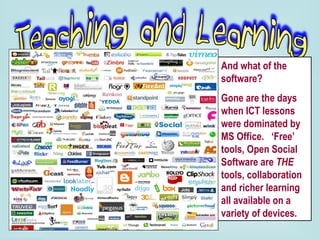
And what of the software?  Gone are the days when ICT lessons were dominated by MS Office.  ‘Free’ tools, Open Social Software are  THE  tools, collaboration and richer learning all available on a variety of devices.
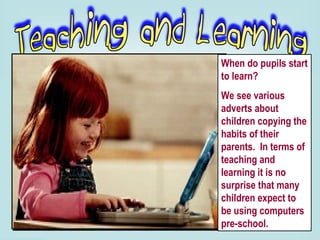
When do pupils start to learn?  We see various adverts about children copying the habits of their parents.  In terms of teaching and learning it is no surprise that many children expect to be using computers pre-school.
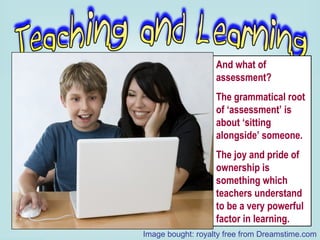
And what of assessment?  The grammatical root of ‘assessment’ is about ‘sitting  alongside’ someone. The joy and pride of ownership is something which teachers understand to be a very powerful factor in learning. Image bought: royalty free from Dreamstime.com
Teaching and learning is no longer confined to the school day or building.  VLEs make access available to pupils, staff, parents, 24/7. Home schooling is the best solution for some.  And what of children or families who are always on the move?  Children at school can often benefit from the interest and support shown by parents and carers at home. Image bought: royalty free from Dreamstime.com
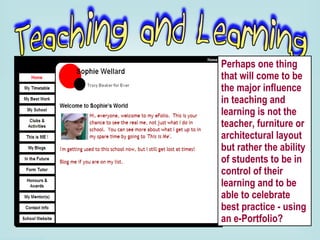
Perhaps one thing that will come to be the major influence in teaching and learning is not the teacher, furniture or architectural layout but rather the ability of students to be in control of their learning and to be able to celebrate best practice - using an e-Portfolio?
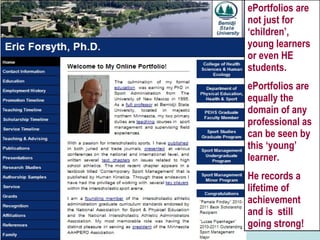
ePortfolios are not just for ‘children’, young learners or even HE students. ePortfolios are equally the domain of any professional as can be seen by this ‘young’ learner. He records a lifetime of achievement and is  still going strong!
 
Imagine a generally impoverished and very large area of countryside, with a limited transport infrastructure, little ownership of personal transport, high unemployment and limited educational access.  Here is a very real challenge, therefore: to provide a Distance Learning service which would meet the needs of a deprived, disparate and scattered community.  http://issuu.com/efoliouk/docs/the_joy_of_e-learning
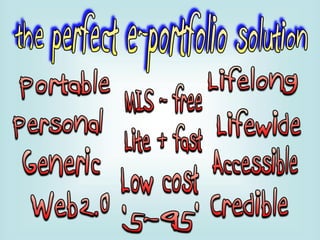
Portable Personal Generic Web2.0 MIS free ‘ Light’ Lifelong Lifewide Accessible Credible. Low-cost ‘ 5-95’ http://issuu.com/efoliouk/docs/ten_prime_directives
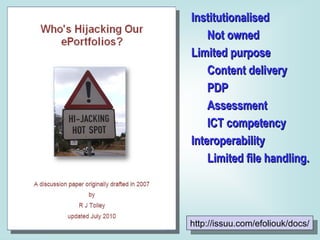
Institutionalised Not owned Limited purpose Content delivery PDP Assessment ICT competency Interoperability Limited file handling. http://issuu.com/efoliouk/docs/
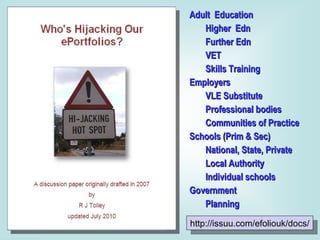
http://issuu.com/efoliouk/docs/ Adult  Education Higher  Edn Further Edn VET Skills Training Employers VLE Substitute Professional bodies Communities of Practice Schools (Prim & Sec) National, State, Private Local Authority Individual schools Government Planning
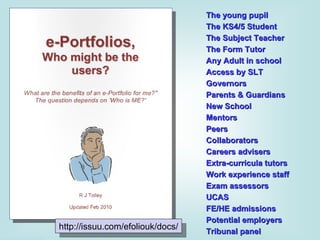
The young pupil The KS4/5 Student The Subject Teacher The Form Tutor Any Adult in school Access by SLT Governors Parents & Guardians New School Mentors Peers Collaborators Careers advisers Extra-curricula tutors Work experience staff Exam assessors UCAS FE/HE admissions Potential employers Tribunal panel http://issuu.com/efoliouk/docs/
http://issuu.com/efoliouk/docs/ Nothing but problems: Pedagogy Insularity Funding CPD ePortfolio training ePortfolio culture Resources Technicians Software development Courseware.
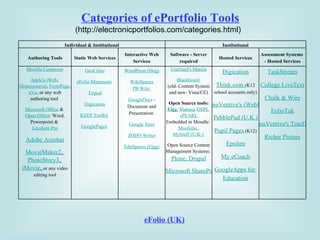
Categories of ePortfolio Tools (http://electronicportfolios.com/categories.html) eFolio (UK) Individual & Institutional Institutional Authoring Tools Static Web Services Interactive Web Services Software - Server required Hosted Services Assessment Systems  - Hosted Services Mozilla Composer Apple's iWeb ,  Dreamweaver ,  FrontPage ,  nVu , or any web authoring tool  Microsoft Office  &  Open Office : Word, Powerpoint &  Lecshare Pro Adobe Acrobat MovieMaker2 ,  PhotoStory3 ,  iMovie ,  or any video editing tool GeoCities eFolio Minnesota   Tripod Digication KEEP Toolkit   GooglePages   WordPress (blog) WikiSpaces PB Wiki   GoogleDocs  - Document and Presentation  Google Sites ZOHO Writer EduSpaces (Elgg) Userland's Manila Blackboard   (old: Content System and new: Vista/CE) Open Source tools: Elgg ,  Mahara ,  OSPI ,  ePEARL Embedded in Moodle:  Moofolio ,  MyStuff (U.K.)   Open Source Content Management Systems:  Plone ,  Drupal Microsoft SharePoint   Digication Think.com   (K12 school accounts only) nuVentive's iWebfolio PebblePad (U.K.) Pupil Pages  (K12) Epsilen My eCoach GoogleApps for  Education TaskStream College LiveText Chalk & Wire FolioTek nuVentive's TracDat Richer Picture


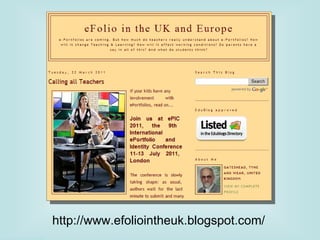
http://www.efoliointheuk.blogspot.com/
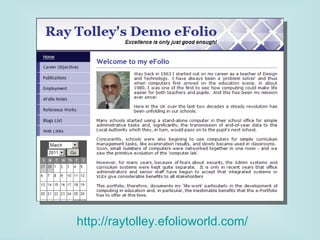
http://raytolley.efolioworld.com/
http://www.efoliointheuk.blogspot.com/ http://issuu.com/efoliouk/docs [email_address] http://www.slideshare.net/maximise/presentations http://raytolley.efolioworld.com/

Why so slow?

  • 1.
  • 2.
    Or, Why dothese guys Not talk to each other?
  • 3.
  • 4.
  • 5.
  • 6.
  • 7.
    The following slidesattempt to identify some of the key influences on Teaching & Learning. Starting with classroom strategies, the tools we use, our attitudes to 24/7/365 VLE access, and parental voice, where does the architect come into the circle? Image bought: royalty free from Dreamstime.com
  • 8.
    Lesson Objectives HomeworkResources Work Guides Groupwork Plenary For too long teachers have always been in control of learning. “ This is what we are going to do and this is how we will do it. You have 55 minutes left to complete the task!” But no more, things are changing. Image bought: royalty free from Dreamstime.com
  • 9.
    We might beginto say to our students, “ Here is a map, decide where you are on the map and choose the target that you want to get to. Decide how you will get there and the tools and methods you will use for success.” Image bought: royalty free from Dreamstime.com
  • 10.
    For too longwe have expected the same standards of behaviour from everyone. We have expected them all to work at the same speed, use the same resources and accept our opinions as the only opinions. Image bought: royalty free from Dreamstime.com
  • 11.
    In many schoolsteachers would ask rhetorical questions, knowing which pupils will have their hands up first. Many schools are now using a ‘no-hands’ policy – it certainly puts the whole class into a state of alertness. Image bought: royalty free from Dreamstime.com
  • 12.
    Not only teachers,but ‘Other Adults’ such as Learning Assistants, Librarians, Technicians, SEN staff, and visiting adults all have an input. Students, equally, have opportunity to pop out of lessons in order to see such staff or access resources not in their own classroom. Image bought: royalty free from Dreamstime.com
  • 13.
    A large sportshall converted into a cyber café for pupils in school.
  • 14.
    Students engrossed inpersonalised learning. For 45 years I have always taught through project work or ‘problem solving’. No better antidote to plagiarism than doing work which is ‘owned’, motivated and original. Image bought: royalty free from Dreamstime.com
  • 15.
    My School! Wherepupils learnt, And Teachers Taught! 9.00 ’til 4.00
  • 16.
    Where and whendo students learn best? Jay Cross sheds some interesting insights into the workplace and what makes for good productivity in his book, ‘Informal Learning’. Some students log-on even at 3.00 am! Image bought: royalty free from Dreamstime.com
  • 17.
    What tools doour pupils use? Even from an early age children use or possess and are comfortable with many different devices. Older students have their iPhones, MP3 players, tablets and Blackberries. Image bought: royalty free from Dreamstime.com
  • 18.
    And what ofthe software? Gone are the days when ICT lessons were dominated by MS Office. ‘Free’ tools, Open Social Software are THE tools, collaboration and richer learning all available on a variety of devices.
  • 19.
    When do pupilsstart to learn? We see various adverts about children copying the habits of their parents. In terms of teaching and learning it is no surprise that many children expect to be using computers pre-school.
  • 20.
    And what ofassessment? The grammatical root of ‘assessment’ is about ‘sitting alongside’ someone. The joy and pride of ownership is something which teachers understand to be a very powerful factor in learning. Image bought: royalty free from Dreamstime.com
  • 21.
    Teaching and learningis no longer confined to the school day or building. VLEs make access available to pupils, staff, parents, 24/7. Home schooling is the best solution for some. And what of children or families who are always on the move? Children at school can often benefit from the interest and support shown by parents and carers at home. Image bought: royalty free from Dreamstime.com
  • 22.
    Perhaps one thingthat will come to be the major influence in teaching and learning is not the teacher, furniture or architectural layout but rather the ability of students to be in control of their learning and to be able to celebrate best practice - using an e-Portfolio?
  • 23.
    ePortfolios are notjust for ‘children’, young learners or even HE students. ePortfolios are equally the domain of any professional as can be seen by this ‘young’ learner. He records a lifetime of achievement and is still going strong!
  • 24.
  • 25.
    Imagine a generallyimpoverished and very large area of countryside, with a limited transport infrastructure, little ownership of personal transport, high unemployment and limited educational access. Here is a very real challenge, therefore: to provide a Distance Learning service which would meet the needs of a deprived, disparate and scattered community. http://issuu.com/efoliouk/docs/the_joy_of_e-learning
  • 26.
    Portable Personal GenericWeb2.0 MIS free ‘ Light’ Lifelong Lifewide Accessible Credible. Low-cost ‘ 5-95’ http://issuu.com/efoliouk/docs/ten_prime_directives
  • 27.
    Institutionalised Not ownedLimited purpose Content delivery PDP Assessment ICT competency Interoperability Limited file handling. http://issuu.com/efoliouk/docs/
  • 28.
    http://issuu.com/efoliouk/docs/ Adult Education Higher Edn Further Edn VET Skills Training Employers VLE Substitute Professional bodies Communities of Practice Schools (Prim & Sec) National, State, Private Local Authority Individual schools Government Planning
  • 29.
    The young pupilThe KS4/5 Student The Subject Teacher The Form Tutor Any Adult in school Access by SLT Governors Parents & Guardians New School Mentors Peers Collaborators Careers advisers Extra-curricula tutors Work experience staff Exam assessors UCAS FE/HE admissions Potential employers Tribunal panel http://issuu.com/efoliouk/docs/
  • 30.
    http://issuu.com/efoliouk/docs/ Nothing butproblems: Pedagogy Insularity Funding CPD ePortfolio training ePortfolio culture Resources Technicians Software development Courseware.
  • 31.
    Categories of ePortfolioTools (http://electronicportfolios.com/categories.html) eFolio (UK) Individual & Institutional Institutional Authoring Tools Static Web Services Interactive Web Services Software - Server required Hosted Services Assessment Systems - Hosted Services Mozilla Composer Apple's iWeb , Dreamweaver , FrontPage , nVu , or any web authoring tool Microsoft Office & Open Office : Word, Powerpoint & Lecshare Pro Adobe Acrobat MovieMaker2 , PhotoStory3 , iMovie , or any video editing tool GeoCities eFolio Minnesota Tripod Digication KEEP Toolkit GooglePages WordPress (blog) WikiSpaces PB Wiki GoogleDocs - Document and Presentation Google Sites ZOHO Writer EduSpaces (Elgg) Userland's Manila Blackboard (old: Content System and new: Vista/CE) Open Source tools: Elgg , Mahara , OSPI , ePEARL Embedded in Moodle: Moofolio , MyStuff (U.K.) Open Source Content Management Systems: Plone , Drupal Microsoft SharePoint Digication Think.com (K12 school accounts only) nuVentive's iWebfolio PebblePad (U.K.) Pupil Pages (K12) Epsilen My eCoach GoogleApps for Education TaskStream College LiveText Chalk & Wire FolioTek nuVentive's TracDat Richer Picture
  • 32.
  • 33.
  • 34.
  • 35.
  • 36.
  • 37.
  • 38.
  • 39.
  • 40.
    http://www.efoliointheuk.blogspot.com/ http://issuu.com/efoliouk/docs [email_address]http://www.slideshare.net/maximise/presentations http://raytolley.efolioworld.com/

Editor's Notes

  • #4 VLEs – in UK schools alone there are more than 40 different VLEs. Almost every VLE has some form of ePortfolio embedded. BUT, the ePortfolios within them are generally institutionalised, designed for a specific purpose and of very limited interoperability. Becta’s somewhat open-ended specification allowed VLE suppliers to design, or ignore in varying degrees, the specification of an ePortfolio - ‘Every man did that which was right in his own eyes.’ 13/01/2010 R J Tolley [email_address] The ORT International Wingate Seminar
  • #5 Web2.0 applications are here! But how many institutions understand or even try to use the tools which are the ‘lingua franca’ or patois of many of our younger learners. Teaching and learning has changed but many administrators and senior management are far too cautious of these strange new applications. Technicians, too, would rather block all such usage rather than trust our students to recognise Appropriate Use Policies.
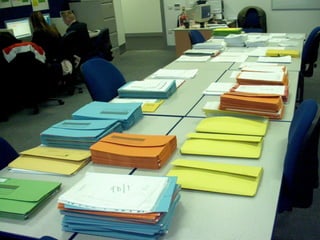
  • #6 The workload of any teacher is quite massive. Here we see the number of ‘paper Portfolios’, all of which the teacher needs to assess in order to meet the end of term deadline. On-line assessment tools can be used to avoid a lot of this paperwork. However such on-line assessment tools should also be supported by the students’ ePortfolios which can supplement the teacher’s knowledge of each student.
  • #7 Firstly, let us remember that Teaching and Learning methods HAVE changed a lot over the last ten years, in many different ways, but in many schools things are NOT changing. Is it that vendors do not understand teachers? Is it that Network Managers are too frightened to release their grip on ‘their’ systems? Is it that teachers are not getting the real CPD that they need in order to demand change?
  • #26 Many ePortfolio systems do not meet this basic need to be attractive, enjoyable and ‘a pleasure to come home to’.
  • #27 This slide is a summary of my paper ‘Ten Prime Directives for an ePortfolio’ . The Issuu version can be seen at: http://issuu.com/efoliouk/docs/ten_prime_directives . My conclusion is quite simple: If a so-called ePortfolio system does not come up to these 10 basic criteria it can hardly be called an ePortfolio.
  • #28 The document covers in detail my complaints against most institutionalised systems.
  • #29 The document covers in detail my complaints against most institutionalised systems.
  • #30 My paper lists, in detail some 19 different possible users of an ePortfolio. However, I forgot to mention what should be the first on this list, ‘The Young Parents’. It was suggested some years ago that parents, celebrating the birth of a new baby might establish an ePortfolio for the new child, initially to record the baby’s initial milestones. Certainly, by the time that the child enters Pre-school or the Nursery Class, a staggering 119 criteria have to be checked against. - What better way than through an ePortfolio ?
  • #31 The uptake of ePortfolios in the FE sector has been seriously disappointing. This paper attempt to identify some of the problems of take-up in this sector.
  • #32 Dr Helen Barrett’s website is a mine of information concerning ePortfolios. However, of late she has tended to pursue the Google Docs solution. The table above, last update at 2008, lists but a few ePortfolio systems. Many more have emerged over the last few years including a number of Mahara adaptations. State-wide implementations such as eFolio-Minnesota, Scotland’s country-wide GLOW or Sth. Korea’s CyberHome could also be documented.
  • #33 Institutionally-based VLEs do *NOT* provide the simple transition that mobile learners require. The dream of interoperability is a very long way off realisation. Limited ‘black-box’ interoperability has been established between a few products using IMS or Leap2A to provide single export-import interoperability between, say, Blackboard-to-Mahara but this is not a practical solution for those learners who are not competent in this sort of technical management.
  • #34 Hundreds if not thousands of Web2.0 applications denote a young user-base. However this culture does not *FIT* comfortably within our institutional culture. As indicated previously, the ‘tools’ that learners may wish to use are only an indication of the potential learning strategies. If institutions cannot adapt to a Web2.0 pedagogy they will increasingly loose their ‘footfall’ in an increasingly on-line age.
  • #35 Quite simply resplendent architectural edifices, not designed *For* today’s learners. ‘Schools without walls’, or ‘Classrooms without walls’ and liberated teaching and learning strategies, however attractive, will not work if the ownership of learning as can be exhibited through an ePortfolio is not also present. Our whole educational infrastructure or even our ‘megastructure’ deserves better.
  • #36 Since ‘Leitch’ we have all realised that we are all ‘Lifelong Learners’ and that people of all abilities, disabilities and interests have a right to learning. The ePortfolio is an essential tool for representing one’s self, sharing learning, interests, progress and reflections. A common ePortfolio system that all can use for whatever purpose they choose seems to be the only logical solution. It is my conclusion that almost all ePortfolio systems, designed as they are for specific uses do not meet the ten criteria I list. As long as there is this incompatibility between separate systems, confusion will reign.
  • #37 In summary: Unless an ePortfolio system meets my 10 or even 12 criteria, there will never be a ‘popular’ uptake of ePortfolios. They will only be part of ‘the institution’ and not personally owned, lifelong and lifewide.
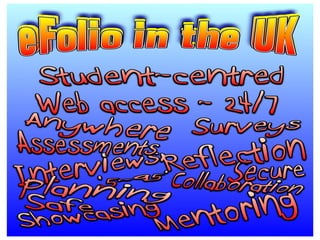
  • #38 A montage of just a few of the functionalities of an ePortfolio. Quite simply, it is the author’s view that an ePortfolio system should be capable of delivering all of these, and more, if the learner is to keep and maintain the one ePortfolio, lifelong and lifewide.
  • #39 See my blog for regular updates on the ‘War of the Worlds’.
  • #40 I also (not surprisingly) have an ePortfolio which further expands upon ‘ME’ and my work.
  • #41 Thanks – and please respond on my blog or contact me by email.