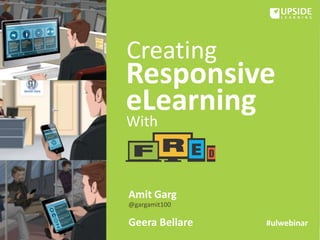
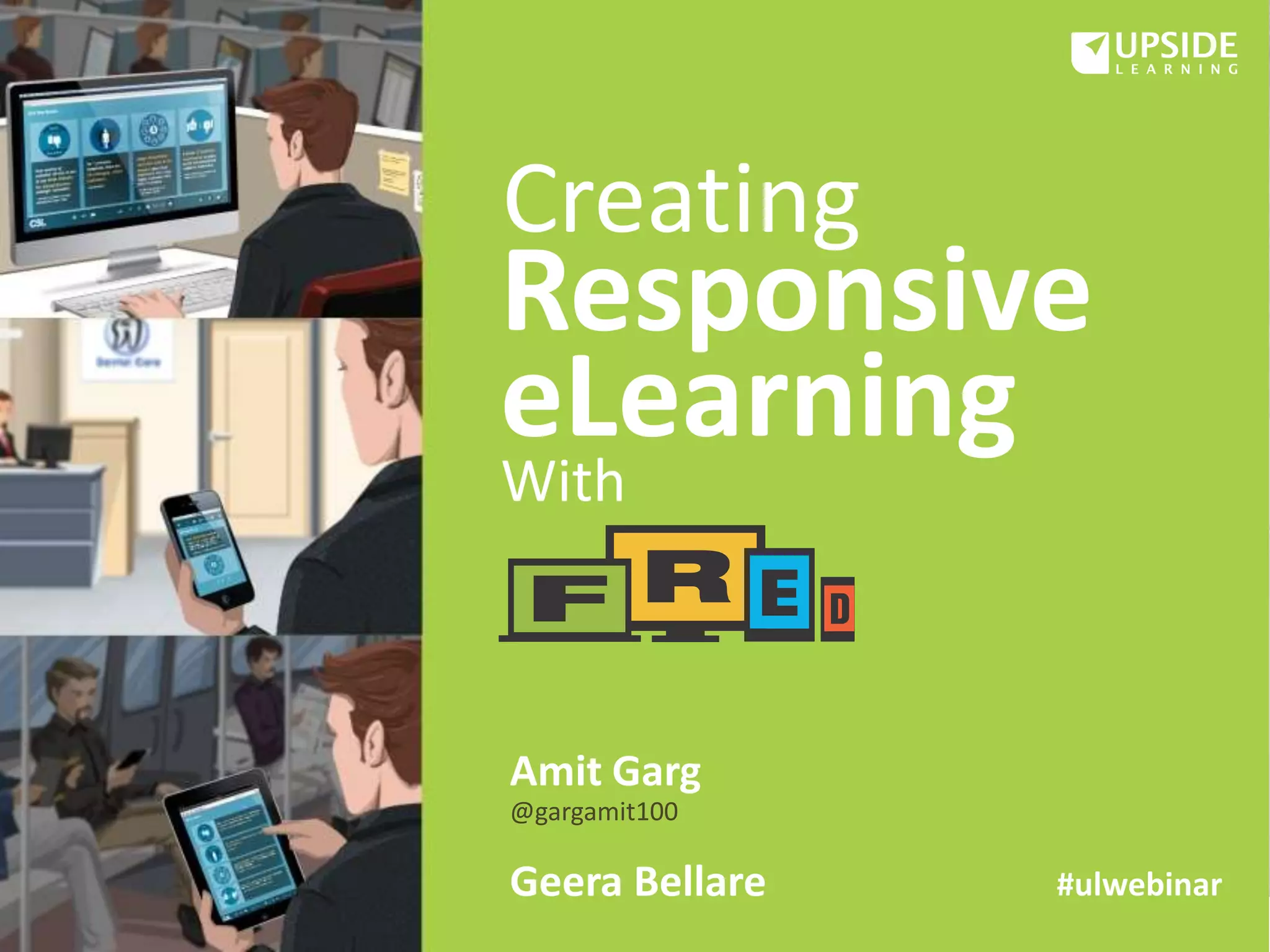
Responsive
eLearning
Creating
With
Amit Garg
@gargamit100
Geera Bellare #ulwebinar
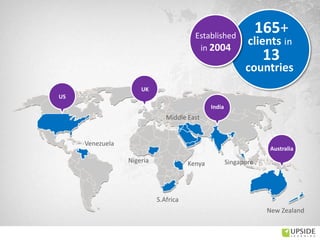
India
UK
US
Middle East
New Zealand
S.Africa
Nigeria Kenya Singapore
Venezuela
13
165+
clients in
countries
Established
in 2004
Australia
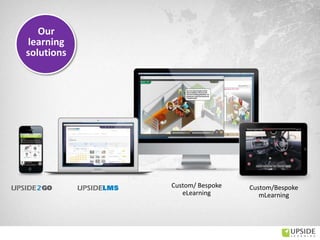
Custom/ Bespoke
eLearning
Custom/Bespoke
mLearning
Our
learning
solutions
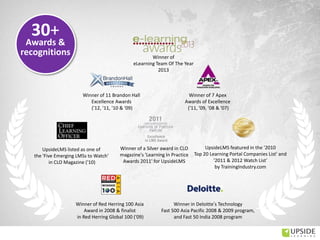
Winner of a Silver award in CLO
magazine's 'Learning In Practice
Awards 2011' for UpsideLMS
UpsideLMS listed as one of
the 'Five Emerging LMSs to Watch'
in CLO Magazine ('10)
Winner of 7 Apex
Awards of Excellence
('11, '09, '08 & '07)
Winner of 11 Brandon Hall
Excellence Awards
(‘12, '11, '10 & '09)
UpsideLMS featured in the '2010
Top 20 Learning Portal Companies List' and
'2011 & 2012 Watch List‘
by TrainingIndustry.com
Winner of Red Herring 100 Asia
Award in 2008 & finalist
in Red Herring Global 100 ('09)
Winner in Deloitte’s Technology
Fast 500 Asia Pacific 2008 & 2009 program,
and Fast 50 India 2008 program
30+
Awards &
recognitions Winner of
eLearning Team Of The Year
2013
Geera Bellare
Amit Garg
Founder & Director – Custom Learning Solutions
AVP – Learning Design
Presenters
• The Multi-Device World
• Responsive eLearning – What? Why?
• FRED
• Challenges and Key Considerations
Agenda
How many devices do you use in a day?
(for professional and/or personal use)
• 1
• 2
• 3
• More than 3
Poll
Poll
On which OS do your devices run?
 iOS
 Android
 BlackBerry OS
 Windows
 Other
Multi Device World
Multi Device World
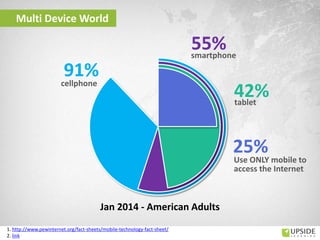
Jan 2014 - American Adults
cellphone
smartphone
tablet
Use ONLY mobile to
access the Internet
1. http://www.pewinternet.org/fact-sheets/mobile-technology-fact-sheet/
2. link
http://services.google.com/fh/files/misc/multiscreenworld_final.pdf
Multi Device World
Multi Device World
http://services.google.com/fh/files/misc/multiscreenworld_final.pdf
Eric Schmidt
Gartner Symposium / IT Expo 2013
"it looks to us like the majority of enterprise
computing is being done on mobile devices,
in particular on tablets”
Multi Device World
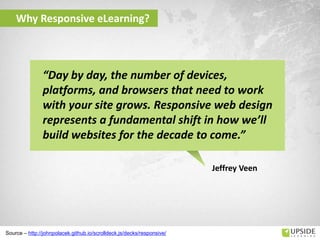
Why Responsive eLearning?
Source – http://johnpolacek.github.io/scrolldeck.js/decks/responsive/
Jeffrey Veen
“Day by day, the number of devices,
platforms, and browsers that need to work
with your site grows. Responsive web design
represents a fundamental shift in how we’ll
build websites for the decade to come.”
Poll
What do you know about responsive eLearning?
o Not much; have just heard the term.
o Know what it is but have not had any hands-on
experience.
o Have designed/developed some responsive eLearning.
o Have designed/developed a lot of responsive
eLearning.
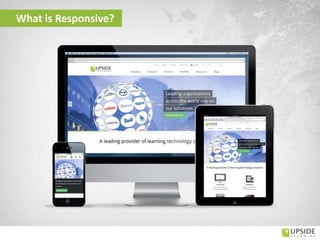
What is Responsive?
Poll
How do you think responsive eLearning can be
useful in your organization?
 To reach out to mobile and/or shop floor workers (e.g.
sales staff, field technicians, production staff, etc)
 To allow employees to access eLearning on their own
devices
 To allow employees to access eLearning outside office
hours including during travel and waiting times
 To make (compliance) training programs more
convenient to complete
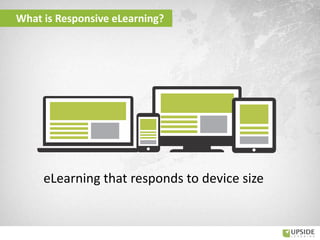
What is Responsive eLearning?
eLearning that responds to device size
Poll
Does exactly the same content need to be
delivered on all devices?
o Yes
o No
o Not sure
Does Mobile Need a Full Version
• People are USED to the
standard Interfaces
• Some people access the
Internet only via their phones
• When targeting Desktops &
Tablets (not smartphones)
• Compliance courses
• When focus is on providing
resources
• Mobile Context is important
• Need a lightweight solution.
• Software simulations
Benefits of Responsive eLearning
• Enhanced reach – higher uptake
• Single source
• Cost effectiveness
• Easy Maintenance
• Content Consistency
• Track across devices
• Allow sequencing
An HTML – CSS – Javascript
based framework to create
responsive eLearning
easily
Our Solution
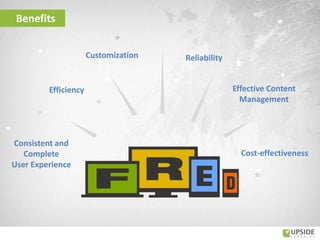
Benefits
Customization Reliability
Consistent and
Complete
User Experience
Efficiency
Cost-effectiveness
Effective Content
Management
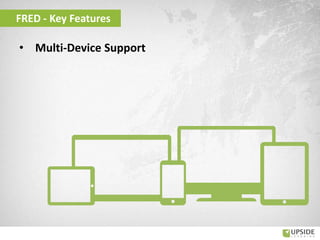
• Multi-Device Support
FRED - Key Features
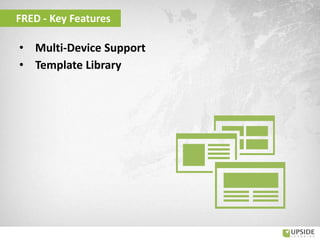
• Multi-Device Support
• Template Library
FRED - Key Features
• Multi-Device Support
• Template Library
• Responsive Menu
FRED - Key Features
• Multi-Device Support
• Template Library
• Responsive Menu
• Multimedia Support
FRED - Key Features
• Multi-Device Support
• Template Library
• Responsive Menu
• Multimedia Support
• Multi-Lingual Support
FRED - Key Features
• Multi-Device Support
• Template Library
• Responsive Menu
• Multimedia Support
• Multi-Lingual Support
• Multiple Delivery Options
FRED - Key Features
• Multi-Device Support
• Template Library
• Responsive Menu
• Multimedia Support
• Multi-Lingual Support
• Multiple Delivery Options
• Learning Standards Compliance
FRED - Key Features
• Multi-Device Support
• Template Library
• Responsive Menu
• Multimedia Support
• Multi-Lingual Support
• Multiple Delivery Options
• Learning Standards Compliance
• Accessibility Support
FRED - Key Features
• Multi-Device Support
• Template Library
• Responsive Menu
• Multimedia Support
• Multi-Lingual Support
• Multiple Delivery Options
• Learning Standards Compliance
• Accessibility Support
• Social Media Integration
FRED - Key Features
• Multi-Device Support
• Template Library
• Responsive Menu
• Multimedia Support
• Multi-Lingual Support
• Multiple Delivery Options
• Learning Standards Compliance
• Accessibility Support
• Social Media Integration
• Developer Aids
FRED - Key Features
• Browser-Platform-OS-Device Combinations
• Usability
• Content Display and Treatment
• Standards and Compliances
• Development Process
Key Considerations & Challenges
Creating Responsive eLearning
Browser-Platform-OS-Device Combinations
Scope narrowed during project scoping – but still a wide variety
How to display content in the same or similar manner and achieve
the same behavior?
• Code differently for different browsers
Creating Responsive eLearning
Key Considerations & Challenges
It should work on every possible device!
Creating Responsive eLearning
Key Considerations & Challenges
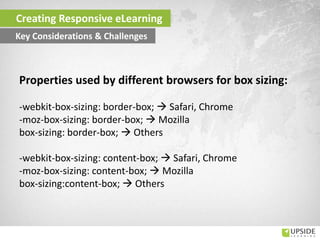
Properties used by different browsers for box sizing:
-webkit-box-sizing: border-box;  Safari, Chrome
-moz-box-sizing: border-box;  Mozilla
box-sizing: border-box;  Others
-webkit-box-sizing: content-box;  Safari, Chrome
-moz-box-sizing: content-box;  Mozilla
box-sizing:content-box;  Others
Scope narrowed during project scoping – but still a wide variety…
How to display content in the same or similar manner and achieve
the same behavior?
• Code differently for different browsers
• Know every individual user-agent string
Creating Responsive eLearning
Key Considerations & Challenges
Browser-Platform-OS-Device Combinations
It should work on every possible device!
Testing:
• Takes longer
• More complex and intricate
• Costlier
Test on actual target devices:
• Primary devices
• Most popular or largest volume of devices
Creating Responsive eLearning
Key Considerations & Challenges
Browser-Platform-OS-Device Combinations
Lower Browser Versions (IE):
• IE6 is planned to be phased out in April 2014
• IE7 and IE8 use is declining
But IE8 doesn’t support HTML5 elements…
http://en.wikipedia.org/wiki/Internet_Explorer_6 || theie7countdown.com || theie8countdown.com
Creating Responsive eLearning
Key Considerations & Challenges
Browser-Platform-OS-Device Combinations
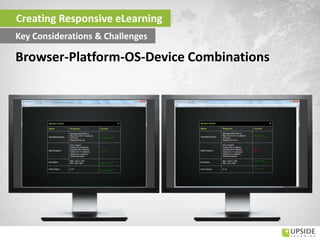
FRED:
• Uses HTML4 and HTML5
• Includes a system check
Creating Responsive eLearning
Key Considerations & Challenges
Browser-Platform-OS-Device Combinations
Creating Responsive eLearning
Key Considerations & Challenges
Browser-Platform-OS-Device Combinations
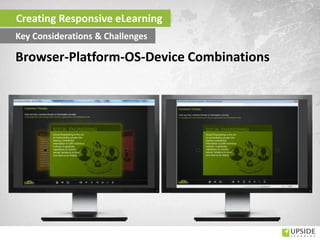
FRED:
• Uses HTML4 and HTML5
• Includes a system check
• Includes templates whose treatment changes based on browser
version
Creating Responsive eLearning
Key Considerations & Challenges
Browser-Platform-OS-Device Combinations
Creating Responsive eLearning
Key Considerations & Challenges
Browser-Platform-OS-Device Combinations
FRED:
• Uses HTML4 and HTML5
• Includes a system check
• Includes templates whose treatment changes based on browser
version
• Is tested on actual devices
Creating Responsive eLearning
Key Considerations & Challenges
Browser-Platform-OS-Device Combinations
Video and audio formats loaded based on browser
Video:
• MP4
• OGV
Audio:
• MP3
• OGG
Can affect package size…
Creating Responsive eLearning
Key Considerations & Challenges
Browser-Platform-OS-Device Combinations
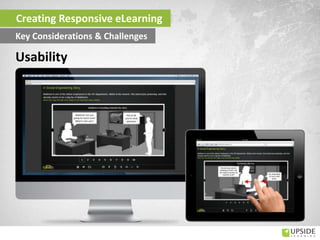
Touch friendliness:
• Large
• Far apart
• Gestural navigation
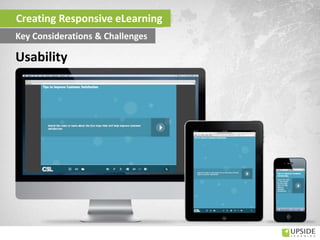
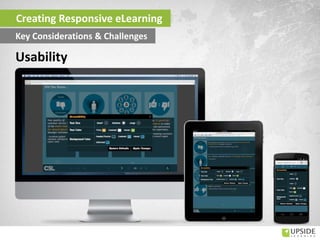
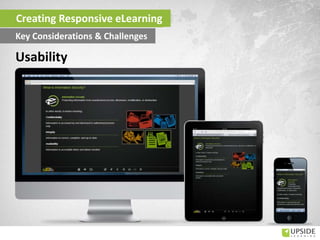
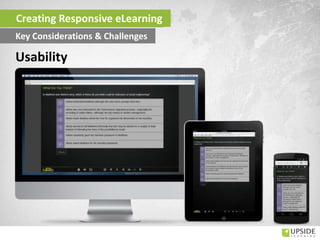
Usability
Creating Responsive eLearning
Key Considerations & Challenges
Usability
Creating Responsive eLearning
Key Considerations & Challenges
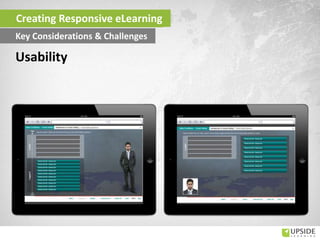
Touch friendliness:
• Large
• Far apart
• Gestural navigation
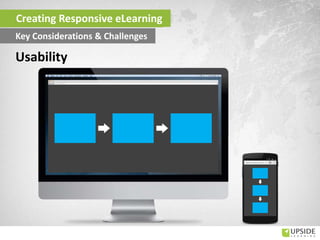
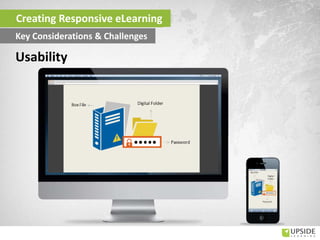
• Layout
Usability
Creating Responsive eLearning
Key Considerations & Challenges
Usability
Creating Responsive eLearning
Key Considerations & Challenges
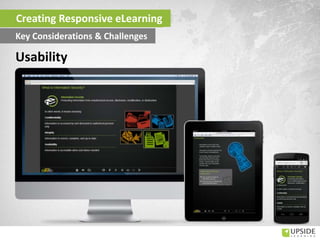
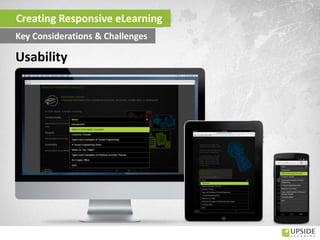
Global Navigation:
• Shift it?
• Group it?
• Layer it?
• Are all required?
• Are some more common?
FRED:
• Responsive menu
• Controls displayed/hidden based on device
Usability
Creating Responsive eLearning
Key Considerations & Challenges
Usability
Creating Responsive eLearning
Key Considerations & Challenges
Usability
Creating Responsive eLearning
Key Considerations & Challenges
Interactivity Instructions:
• Device-neutral
• Device-appropriate
• Task-specific
Usability
Creating Responsive eLearning
Key Considerations & Challenges
Usability
Creating Responsive eLearning
Key Considerations & Challenges
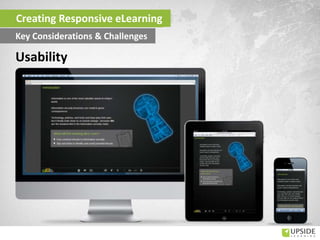
Text Readability:
• Common size that is comfortably readable on all devices
Usability
Creating Responsive eLearning
Key Considerations & Challenges
Usability
Creating Responsive eLearning
Key Considerations & Challenges
Text Readability:
• Common size that is comfortably readable on all devices
• Dynamic sizing
Overridden by device and eLearning accessibility settings
Usability
Creating Responsive eLearning
Key Considerations & Challenges
Usability
Creating Responsive eLearning
Key Considerations & Challenges
Layout and transformation based on screen size:
• Retain meaning
• Achieve consistent look and feel
• Achieve user-friendly experience
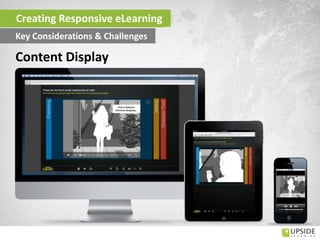
Content Display
Creating Responsive eLearning
Key Considerations & Challenges
Usability
Creating Responsive eLearning
Key Considerations & Challenges
Usability
Creating Responsive eLearning
Key Considerations & Challenges
Usability
Creating Responsive eLearning
Key Considerations & Challenges
Usability
Creating Responsive eLearning
Key Considerations & Challenges
Images:
• Scaling
• Cropping
• Scaling pre-cropped images
Content Display
Creating Responsive eLearning
Key Considerations & Challenges
Treatment restrictions and alternatives based on HTML:
• Animations published as videos
Creating Responsive eLearning
Key Considerations & Challenges
Content Display
Content Display
Creating Responsive eLearning
Key Considerations & Challenges
Audio Strategy:
• Introductory audio
• Closely-synched audio in animations published as videos
Content Display
Creating Responsive eLearning
Key Considerations & Challenges
Multimedia Components:
• Audio, video
• Images, graphics
• Animations
• Sprite animations
• SVG graphics/animations
Content Display
Creating Responsive eLearning
Key Considerations & Challenges
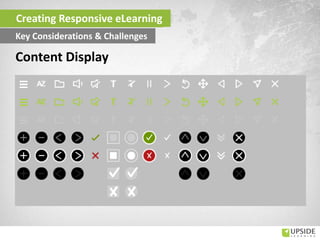
Content Display
Creating Responsive eLearning
Key Considerations & Challenges
Layering Interactivities:
• Levels of content chunking depending on learners’
comfort with scrolling on desktops and laptops
Content Display
Creating Responsive eLearning
Key Considerations & Challenges
Should these be shown on smaller devices?
• Application simulations
• Complex technical diagrams
• Animated stories / scenarios where you need to see details of the
environment or objects
• Animated stories / scenarios where there is important text within
the animation
• Exploratory interactivities where you need to identify or locate
areas to explore
Content Display
Creating Responsive eLearning
Key Considerations & Challenges
• SCORM or Tin Can compliance for LMS delivery
• SCORM or Tin Can compliance for apps (with customization for
SCORM)
• Accessibility provisions
Standards and Compliances
Creating Responsive eLearning
Key Considerations & Challenges
• Fluid, iterative
• Higher interdependence
• Storyboard focused on core content and visuals
• Higher testing time
Process
Creating Responsive eLearning
Key Considerations & Challenges
Creating Responsive eLearning With FRED

Creating Responsive eLearning With FRED

  • 1.
  • 2.
    India UK US Middle East New Zealand S.Africa NigeriaKenya Singapore Venezuela 13 165+ clients in countries Established in 2004 Australia
  • 3.
  • 4.
    Winner of aSilver award in CLO magazine's 'Learning In Practice Awards 2011' for UpsideLMS UpsideLMS listed as one of the 'Five Emerging LMSs to Watch' in CLO Magazine ('10) Winner of 7 Apex Awards of Excellence ('11, '09, '08 & '07) Winner of 11 Brandon Hall Excellence Awards (‘12, '11, '10 & '09) UpsideLMS featured in the '2010 Top 20 Learning Portal Companies List' and '2011 & 2012 Watch List‘ by TrainingIndustry.com Winner of Red Herring 100 Asia Award in 2008 & finalist in Red Herring Global 100 ('09) Winner in Deloitte’s Technology Fast 500 Asia Pacific 2008 & 2009 program, and Fast 50 India 2008 program 30+ Awards & recognitions Winner of eLearning Team Of The Year 2013
  • 5.
    Geera Bellare Amit Garg Founder& Director – Custom Learning Solutions AVP – Learning Design Presenters
  • 6.
    • The Multi-DeviceWorld • Responsive eLearning – What? Why? • FRED • Challenges and Key Considerations Agenda
  • 7.
    How many devicesdo you use in a day? (for professional and/or personal use) • 1 • 2 • 3 • More than 3 Poll
  • 8.
    Poll On which OSdo your devices run?  iOS  Android  BlackBerry OS  Windows  Other
  • 9.
  • 10.
    Multi Device World Jan2014 - American Adults cellphone smartphone tablet Use ONLY mobile to access the Internet 1. http://www.pewinternet.org/fact-sheets/mobile-technology-fact-sheet/ 2. link
  • 11.
  • 12.
  • 13.
    Eric Schmidt Gartner Symposium/ IT Expo 2013 "it looks to us like the majority of enterprise computing is being done on mobile devices, in particular on tablets” Multi Device World
  • 14.
    Why Responsive eLearning? Source– http://johnpolacek.github.io/scrolldeck.js/decks/responsive/ Jeffrey Veen “Day by day, the number of devices, platforms, and browsers that need to work with your site grows. Responsive web design represents a fundamental shift in how we’ll build websites for the decade to come.”
  • 15.
    Poll What do youknow about responsive eLearning? o Not much; have just heard the term. o Know what it is but have not had any hands-on experience. o Have designed/developed some responsive eLearning. o Have designed/developed a lot of responsive eLearning.
  • 16.
  • 17.
    Poll How do youthink responsive eLearning can be useful in your organization?  To reach out to mobile and/or shop floor workers (e.g. sales staff, field technicians, production staff, etc)  To allow employees to access eLearning on their own devices  To allow employees to access eLearning outside office hours including during travel and waiting times  To make (compliance) training programs more convenient to complete
  • 18.
    What is ResponsiveeLearning? eLearning that responds to device size
  • 19.
    Poll Does exactly thesame content need to be delivered on all devices? o Yes o No o Not sure
  • 20.
    Does Mobile Needa Full Version • People are USED to the standard Interfaces • Some people access the Internet only via their phones • When targeting Desktops & Tablets (not smartphones) • Compliance courses • When focus is on providing resources • Mobile Context is important • Need a lightweight solution. • Software simulations
  • 21.
    Benefits of ResponsiveeLearning • Enhanced reach – higher uptake • Single source • Cost effectiveness • Easy Maintenance • Content Consistency • Track across devices • Allow sequencing
  • 22.
    An HTML –CSS – Javascript based framework to create responsive eLearning easily Our Solution
  • 23.
    Benefits Customization Reliability Consistent and Complete UserExperience Efficiency Cost-effectiveness Effective Content Management
  • 24.
  • 25.
    • Multi-Device Support •Template Library FRED - Key Features
  • 26.
    • Multi-Device Support •Template Library • Responsive Menu FRED - Key Features
  • 27.
    • Multi-Device Support •Template Library • Responsive Menu • Multimedia Support FRED - Key Features
  • 28.
    • Multi-Device Support •Template Library • Responsive Menu • Multimedia Support • Multi-Lingual Support FRED - Key Features
  • 29.
    • Multi-Device Support •Template Library • Responsive Menu • Multimedia Support • Multi-Lingual Support • Multiple Delivery Options FRED - Key Features
  • 30.
    • Multi-Device Support •Template Library • Responsive Menu • Multimedia Support • Multi-Lingual Support • Multiple Delivery Options • Learning Standards Compliance FRED - Key Features
  • 31.
    • Multi-Device Support •Template Library • Responsive Menu • Multimedia Support • Multi-Lingual Support • Multiple Delivery Options • Learning Standards Compliance • Accessibility Support FRED - Key Features
  • 32.
    • Multi-Device Support •Template Library • Responsive Menu • Multimedia Support • Multi-Lingual Support • Multiple Delivery Options • Learning Standards Compliance • Accessibility Support • Social Media Integration FRED - Key Features
  • 33.
    • Multi-Device Support •Template Library • Responsive Menu • Multimedia Support • Multi-Lingual Support • Multiple Delivery Options • Learning Standards Compliance • Accessibility Support • Social Media Integration • Developer Aids FRED - Key Features
  • 34.
    • Browser-Platform-OS-Device Combinations •Usability • Content Display and Treatment • Standards and Compliances • Development Process Key Considerations & Challenges Creating Responsive eLearning
  • 35.
    Browser-Platform-OS-Device Combinations Scope narrowedduring project scoping – but still a wide variety How to display content in the same or similar manner and achieve the same behavior? • Code differently for different browsers Creating Responsive eLearning Key Considerations & Challenges It should work on every possible device!
  • 36.
    Creating Responsive eLearning KeyConsiderations & Challenges Properties used by different browsers for box sizing: -webkit-box-sizing: border-box;  Safari, Chrome -moz-box-sizing: border-box;  Mozilla box-sizing: border-box;  Others -webkit-box-sizing: content-box;  Safari, Chrome -moz-box-sizing: content-box;  Mozilla box-sizing:content-box;  Others
  • 37.
    Scope narrowed duringproject scoping – but still a wide variety… How to display content in the same or similar manner and achieve the same behavior? • Code differently for different browsers • Know every individual user-agent string Creating Responsive eLearning Key Considerations & Challenges Browser-Platform-OS-Device Combinations It should work on every possible device!
  • 38.
    Testing: • Takes longer •More complex and intricate • Costlier Test on actual target devices: • Primary devices • Most popular or largest volume of devices Creating Responsive eLearning Key Considerations & Challenges Browser-Platform-OS-Device Combinations
  • 39.
    Lower Browser Versions(IE): • IE6 is planned to be phased out in April 2014 • IE7 and IE8 use is declining But IE8 doesn’t support HTML5 elements… http://en.wikipedia.org/wiki/Internet_Explorer_6 || theie7countdown.com || theie8countdown.com Creating Responsive eLearning Key Considerations & Challenges Browser-Platform-OS-Device Combinations
  • 40.
    FRED: • Uses HTML4and HTML5 • Includes a system check Creating Responsive eLearning Key Considerations & Challenges Browser-Platform-OS-Device Combinations
  • 41.
    Creating Responsive eLearning KeyConsiderations & Challenges Browser-Platform-OS-Device Combinations
  • 42.
    FRED: • Uses HTML4and HTML5 • Includes a system check • Includes templates whose treatment changes based on browser version Creating Responsive eLearning Key Considerations & Challenges Browser-Platform-OS-Device Combinations
  • 43.
    Creating Responsive eLearning KeyConsiderations & Challenges Browser-Platform-OS-Device Combinations
  • 44.
    FRED: • Uses HTML4and HTML5 • Includes a system check • Includes templates whose treatment changes based on browser version • Is tested on actual devices Creating Responsive eLearning Key Considerations & Challenges Browser-Platform-OS-Device Combinations
  • 45.
    Video and audioformats loaded based on browser Video: • MP4 • OGV Audio: • MP3 • OGG Can affect package size… Creating Responsive eLearning Key Considerations & Challenges Browser-Platform-OS-Device Combinations
  • 46.
    Touch friendliness: • Large •Far apart • Gestural navigation Usability Creating Responsive eLearning Key Considerations & Challenges
  • 47.
  • 48.
    Touch friendliness: • Large •Far apart • Gestural navigation • Layout Usability Creating Responsive eLearning Key Considerations & Challenges
  • 49.
  • 50.
    Global Navigation: • Shiftit? • Group it? • Layer it? • Are all required? • Are some more common? FRED: • Responsive menu • Controls displayed/hidden based on device Usability Creating Responsive eLearning Key Considerations & Challenges
  • 51.
  • 52.
  • 53.
    Interactivity Instructions: • Device-neutral •Device-appropriate • Task-specific Usability Creating Responsive eLearning Key Considerations & Challenges
  • 54.
  • 55.
    Text Readability: • Commonsize that is comfortably readable on all devices Usability Creating Responsive eLearning Key Considerations & Challenges
  • 56.
  • 57.
    Text Readability: • Commonsize that is comfortably readable on all devices • Dynamic sizing Overridden by device and eLearning accessibility settings Usability Creating Responsive eLearning Key Considerations & Challenges
  • 58.
  • 59.
    Layout and transformationbased on screen size: • Retain meaning • Achieve consistent look and feel • Achieve user-friendly experience Content Display Creating Responsive eLearning Key Considerations & Challenges
  • 60.
  • 61.
  • 62.
  • 63.
  • 64.
    Images: • Scaling • Cropping •Scaling pre-cropped images Content Display Creating Responsive eLearning Key Considerations & Challenges
  • 65.
    Treatment restrictions andalternatives based on HTML: • Animations published as videos Creating Responsive eLearning Key Considerations & Challenges Content Display
  • 66.
    Content Display Creating ResponsiveeLearning Key Considerations & Challenges
  • 67.
    Audio Strategy: • Introductoryaudio • Closely-synched audio in animations published as videos Content Display Creating Responsive eLearning Key Considerations & Challenges
  • 68.
    Multimedia Components: • Audio,video • Images, graphics • Animations • Sprite animations • SVG graphics/animations Content Display Creating Responsive eLearning Key Considerations & Challenges
  • 69.
    Content Display Creating ResponsiveeLearning Key Considerations & Challenges
  • 70.
    Layering Interactivities: • Levelsof content chunking depending on learners’ comfort with scrolling on desktops and laptops Content Display Creating Responsive eLearning Key Considerations & Challenges
  • 71.
    Should these beshown on smaller devices? • Application simulations • Complex technical diagrams • Animated stories / scenarios where you need to see details of the environment or objects • Animated stories / scenarios where there is important text within the animation • Exploratory interactivities where you need to identify or locate areas to explore Content Display Creating Responsive eLearning Key Considerations & Challenges
  • 72.
    • SCORM orTin Can compliance for LMS delivery • SCORM or Tin Can compliance for apps (with customization for SCORM) • Accessibility provisions Standards and Compliances Creating Responsive eLearning Key Considerations & Challenges
  • 73.
    • Fluid, iterative •Higher interdependence • Storyboard focused on core content and visuals • Higher testing time Process Creating Responsive eLearning Key Considerations & Challenges

Editor's Notes

  • #3 Make the countries blue…not purple
  • #5 Add elearningAge awards
  • #9 Get some research on this to quote after the poll questions
  • #12 In his book Tapworthy: Designing Great iPhone Apps, Josh Clark defines the three different mindsets of the mobile user: “I am microtasking,” “I am local,” and “I am bored” (see References).
  • #16 Get some research on this to quote after the poll questions
  • #18 Get some research on this to quote after the poll questions
  • #19 Learning and performance support interventions delivered from one source on multiple devices without any content loss.Content responds to or moulds itself to the devices' dimensions and rearranges itself accordingly.Content changes its form or gets layered where required for better user experience.
  • #24 FRED delivers the same – or similar – content across different devices, ensuring a consistent and complete user experience.FRED is a reusable framework with an existing library of 20+ templates, allowing for efficiency during development. At the same time, FRED is flexible enough to be customized to meet your specific requirements. And FRED is reliable, having been thoroughly tested across multiple devices.Once a single base version has been developed,content management is easier and much more effective as updates or additions need only be made once to reflect across all devices.All these combine to make FRED a cost-effective solution for responsive eLearning development.