Razoo Training for Live PC Give PC 2015
September 2, 2015
@Razoo Razoo Giving
SEND US YOUR QUESTIONS!
Razoo is crowdfunding for causes.
Together, we can lift the world.
Bethany Natoli
Senior Account Manager
bethany@razoo.com
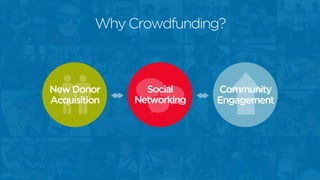
Why Crowdfunding?
New Donor
Acquisition
Social
Networking
Community
Engagement
Getting Started
Create Your Page
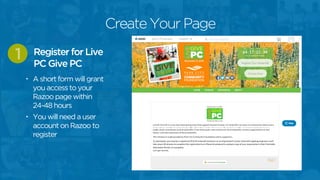
• A short form will grant
you access to your
Razoo page within
24-48 hours
• You will need a user
account on Razoo to
register
Register for Live
PC Give PC
1
Create Your Page
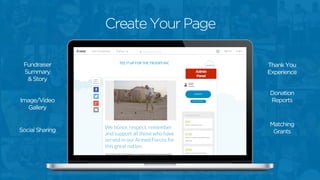
Image/Video
Gallery
Social Sharing
Fundraiser
Summary
& Story
Donation
Reports
Matching
Grants
Admin Panel
Thank You
ExperienceAdmin
Panel
Create Your Page
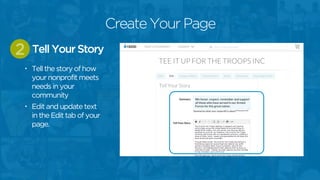
• Tell the story of how
your nonprofit meets
needs in your
community
• Edit and update text
in the Edit tab of your
page.
Tell Your Story2
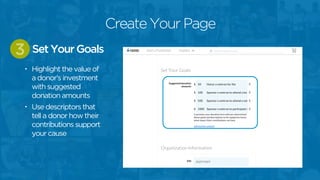
• Highlight the value of
a donor’s investment
with suggested
donation amounts
• Use descriptors that
tell a donor how their
contributions support
your cause
Set Your Goals3
Create Your Page
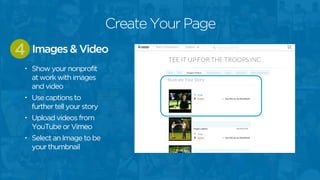
• Show your nonprofit
at work with images
and video
• Use captions to
further tell your story
• Upload videos from
YouTube or Vimeo
• Select an Image to be
your thumbnail
Images & Video4
Create Your Page
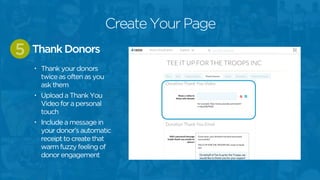
• Thank your donors
twice as often as you
ask them
• Upload a Thank You
Video for a personal
touch
• Include a message in
your donor’s automatic
receipt to create that
warm fuzzy feeling of
donor engagement
Thank Donors5
Create Your Page
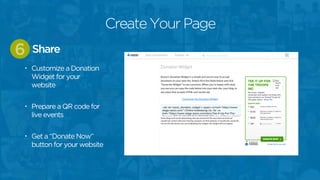
• Customize a Donation
Widget for your
website
• Prepare a QR code for
live events
• Get a “Donate Now”
button for your website
Share6
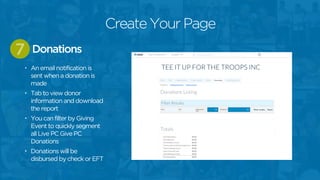
Create Your Page
• An email notification is
sent when a donation is
made
• Tab to view donor
information and download
the report
• You can filter by Giving
Event to quickly segment
all Live PC Give PC
Donations
• Donations will be
disbursed by check or EFT
Donations7
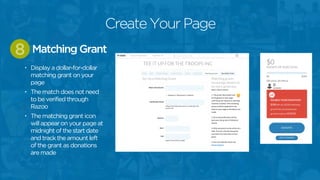
Create Your Page
• Display a dollar-for-dollar
matching grant on your
page
• The match does not need
to be verified through
Razoo
• The matching grant icon
will appear on your page at
midnight of the start date
and track the amount left
of the grant as donations
are made
Matching Grant8
Create Your Page
What’s new with
LIVE PC GIVE PC 2015?
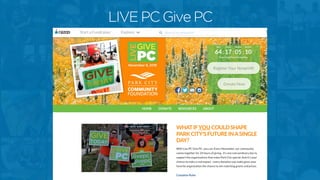
LIVE PC Give PC
Live PC Give PC
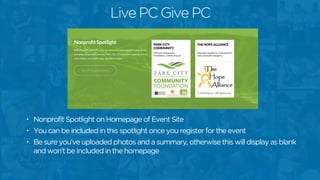
• Nonprofit Spotlight on Homepage of Event Site
• You can be included in this spotlight once you register for the event
• Be sure you’ve uploaded photos and a summary, otherwise this will display as blank
and won’t be included in the homepage
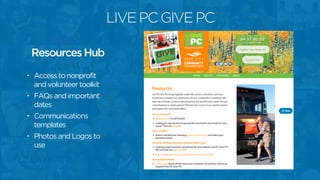
LIVE PC GIVE PC
• Access to nonprofit
and volunteer toolkit
• FAQs and important
dates
• Communications
templates
• Photos and Logos to
use
Resources Hub
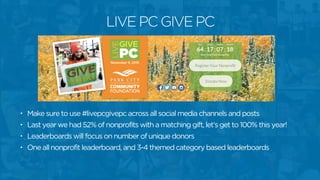
• Make sure to use #livepcgivepc across all social media channels and posts
• Last year we had 52% of nonprofits with a matching gift, let’s get to 100% this year!
• Leaderboards will focus on number of unique donors
• One all nonprofit leaderboard, and 3-4 themed category based leaderboards
LIVE PC GIVE PC
What’s new on Razoo?
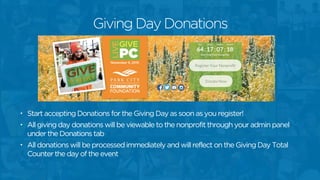
• Start accepting Donations for the Giving Day as soon as you register!
• All giving day donations will be viewable to the nonprofit through your admin panel
under the Donations tab
• All donations will be processed immediately and will reflect on the Giving Day Total
Counter the day of the event
Giving Day Donations
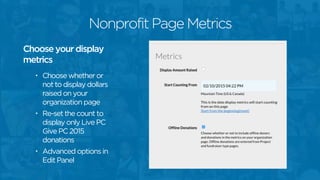
• Choose whether or
not to display dollars
raised on your
organization page
• Re-set the count to
display only Live PC
Give PC 2015
donations
• Advanced options in
Edit Panel
Choose your display
metrics
Nonprofit Page Metrics
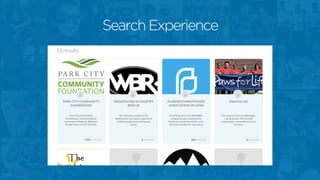
Search Experience
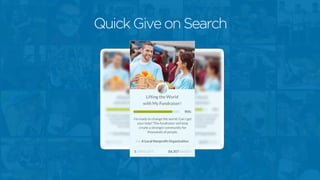
Quick Give on Search
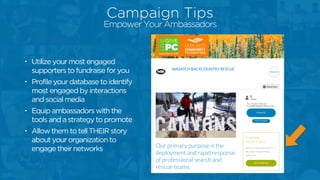
Campaign Tips
• Utilize your most engaged
supporters to fundraise for you
• Profile your database to identify
most engaged by interactions
and social media
• Equip ambassadors with the
tools and a strategy to promote
• Allow them to tell THEIR story
about your organization to
engage their networks
Campaign Tips
Empower Your Ambassadors
Campaign Tips
• Create a communication plan, draft templates
• Recruit others to amplify your message
• Media Sponsors
• Business Partners
• Use multiple channels
• Facebook/Twitter/Google+
• E-mail, e-mail signatures, e-newsletters
• Word of mouth
• Flyers in a local business
• Video
Communication
Campaign Tips
• Send 3 main e-mails
• Fundraising progress
• Reminder of goals and prize incentives
• Reason to give again and share to social network
• Be on the ground
• Invite people in – open house, happy hour
• Go to where the people are with iPads and on
mobile.
On the Giving Day
Campaign Tips
• Thank in real-time
• Use social media for shout outs
• Send follow-up e-mails
• Follow-up 2-5 days after the event
• Physical notes to top donors
• Make phone calls
• Long-term
• Provide ways for them to receive updates
• Let them know the end results
Thank Your Donors
Campaign Tips
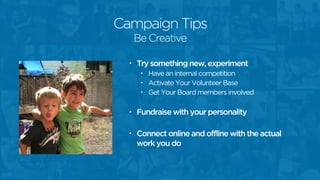
• Try something new, experiment
• Have an internal competition
• Activate Your Volunteer Base
• Get Your Board members involved
• Fundraise with your personality
• Connect online and offline with the actual
work you do
Be Creative
Campaign Tips
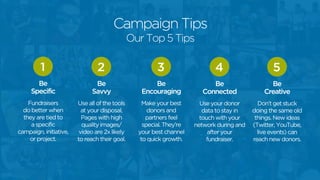
Be
Specific
1
Fundraisers
do better when
they are tied to
a specific
campaign, initiative,
or project.
Be
Savvy
2
Use all of the tools
at your disposal.
Pages with high
quality images/
video are 2x likely
to reach their goal.
Be
Encouraging
3
Make your best
donors and
partners feel
special. They’re
your best channel
to quick growth.
Be
Connected
4
Use your donor
data to stay in
touch with your
network during and
after your
fundraiser.
Be
Creative
5
Don’t get stuck
doing the same old
things. New ideas
(Twitter, YouTube,
live events) can
reach new donors.
Our Top 5 Tips
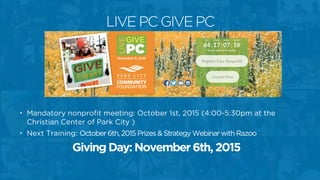
• Mandatory nonprofit meeting: October 1st, 2015 (4:00-5:30pm at the
Christian Center of Park City )
• Next Training: October 6th, 2015 Prizes & Strategy Webinar with Razoo
Giving Day: November 6th, 2015
LIVE PC GIVE PC
Thank you!
support@razoo.com

What's new with LIVE PC GIVE PC 2015

  • 1.
    Razoo Training forLive PC Give PC 2015 September 2, 2015
  • 2.
    @Razoo Razoo Giving SENDUS YOUR QUESTIONS!
  • 3.
    Razoo is crowdfundingfor causes. Together, we can lift the world.
  • 4.
    Bethany Natoli Senior AccountManager bethany@razoo.com
  • 5.
  • 6.
  • 7.
    Create Your Page •A short form will grant you access to your Razoo page within 24-48 hours • You will need a user account on Razoo to register Register for Live PC Give PC 1
  • 8.
    Create Your Page Image/Video Gallery SocialSharing Fundraiser Summary & Story Donation Reports Matching Grants Admin Panel Thank You ExperienceAdmin Panel
  • 9.
    Create Your Page •Tell the story of how your nonprofit meets needs in your community • Edit and update text in the Edit tab of your page. Tell Your Story2
  • 10.
    • Highlight thevalue of a donor’s investment with suggested donation amounts • Use descriptors that tell a donor how their contributions support your cause Set Your Goals3 Create Your Page
  • 11.
    • Show yournonprofit at work with images and video • Use captions to further tell your story • Upload videos from YouTube or Vimeo • Select an Image to be your thumbnail Images & Video4 Create Your Page
  • 12.
    • Thank yourdonors twice as often as you ask them • Upload a Thank You Video for a personal touch • Include a message in your donor’s automatic receipt to create that warm fuzzy feeling of donor engagement Thank Donors5 Create Your Page
  • 13.
    • Customize aDonation Widget for your website • Prepare a QR code for live events • Get a “Donate Now” button for your website Share6 Create Your Page
  • 14.
    • An emailnotification is sent when a donation is made • Tab to view donor information and download the report • You can filter by Giving Event to quickly segment all Live PC Give PC Donations • Donations will be disbursed by check or EFT Donations7 Create Your Page
  • 15.
    • Display adollar-for-dollar matching grant on your page • The match does not need to be verified through Razoo • The matching grant icon will appear on your page at midnight of the start date and track the amount left of the grant as donations are made Matching Grant8 Create Your Page
  • 16.
    What’s new with LIVEPC GIVE PC 2015?
  • 17.
  • 18.
    Live PC GivePC • Nonprofit Spotlight on Homepage of Event Site • You can be included in this spotlight once you register for the event • Be sure you’ve uploaded photos and a summary, otherwise this will display as blank and won’t be included in the homepage
  • 19.
    LIVE PC GIVEPC • Access to nonprofit and volunteer toolkit • FAQs and important dates • Communications templates • Photos and Logos to use Resources Hub
  • 20.
    • Make sureto use #livepcgivepc across all social media channels and posts • Last year we had 52% of nonprofits with a matching gift, let’s get to 100% this year! • Leaderboards will focus on number of unique donors • One all nonprofit leaderboard, and 3-4 themed category based leaderboards LIVE PC GIVE PC
  • 21.
  • 22.
    • Start acceptingDonations for the Giving Day as soon as you register! • All giving day donations will be viewable to the nonprofit through your admin panel under the Donations tab • All donations will be processed immediately and will reflect on the Giving Day Total Counter the day of the event Giving Day Donations
  • 23.
    • Choose whetheror not to display dollars raised on your organization page • Re-set the count to display only Live PC Give PC 2015 donations • Advanced options in Edit Panel Choose your display metrics Nonprofit Page Metrics
  • 24.
  • 25.
  • 26.
  • 27.
    • Utilize yourmost engaged supporters to fundraise for you • Profile your database to identify most engaged by interactions and social media • Equip ambassadors with the tools and a strategy to promote • Allow them to tell THEIR story about your organization to engage their networks Campaign Tips Empower Your Ambassadors
  • 28.
    Campaign Tips • Createa communication plan, draft templates • Recruit others to amplify your message • Media Sponsors • Business Partners • Use multiple channels • Facebook/Twitter/Google+ • E-mail, e-mail signatures, e-newsletters • Word of mouth • Flyers in a local business • Video Communication
  • 29.
    Campaign Tips • Send3 main e-mails • Fundraising progress • Reminder of goals and prize incentives • Reason to give again and share to social network • Be on the ground • Invite people in – open house, happy hour • Go to where the people are with iPads and on mobile. On the Giving Day
  • 30.
    Campaign Tips • Thankin real-time • Use social media for shout outs • Send follow-up e-mails • Follow-up 2-5 days after the event • Physical notes to top donors • Make phone calls • Long-term • Provide ways for them to receive updates • Let them know the end results Thank Your Donors
  • 31.
    Campaign Tips • Trysomething new, experiment • Have an internal competition • Activate Your Volunteer Base • Get Your Board members involved • Fundraise with your personality • Connect online and offline with the actual work you do Be Creative
  • 32.
    Campaign Tips Be Specific 1 Fundraisers do betterwhen they are tied to a specific campaign, initiative, or project. Be Savvy 2 Use all of the tools at your disposal. Pages with high quality images/ video are 2x likely to reach their goal. Be Encouraging 3 Make your best donors and partners feel special. They’re your best channel to quick growth. Be Connected 4 Use your donor data to stay in touch with your network during and after your fundraiser. Be Creative 5 Don’t get stuck doing the same old things. New ideas (Twitter, YouTube, live events) can reach new donors. Our Top 5 Tips
  • 33.
    • Mandatory nonprofitmeeting: October 1st, 2015 (4:00-5:30pm at the Christian Center of Park City ) • Next Training: October 6th, 2015 Prizes & Strategy Webinar with Razoo Giving Day: November 6th, 2015 LIVE PC GIVE PC
  • 34.