What is Pragmatics?Group 1AsepApriantoBobby SanderRichoArifiantoSandi JuandiEnglish Language and Literature StudiesIndonesia University of Education
Welcometo the World of Meaning!
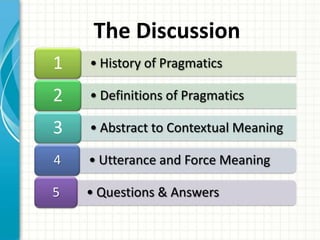
The Discussion
1. History of PragmaticsThe weather is nice, isn’t it?
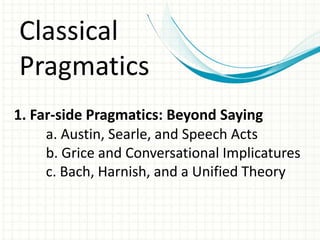
Classical Pragmatics1. Far-side Pragmatics: Beyond Sayinga. Austin, Searle, and Speech Acts	b. Grice and Conversational Implicatures	c. Bach, Harnish, and a Unified Theory
Syntax…the study of the relationship between linguistics forms, how they arranged… (Yule, 1996)
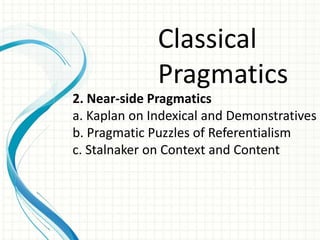
Classical Pragmatics2. Near-side Pragmaticsa. Kaplan on Indexical and Demonstrativesb. Pragmatic Puzzles of Referentialismc. Stalnaker on Context and Content
Semantics…the study of the relationship between linguistics forms and entities in the world… (Yule, 1996)
Contemporary Pragmatic Theory1. Two models of Linguistic Communication2. Relevance Theory2.1 The Principles of Relevance	2.2 Implicated Premises and Conclusions3. Levinson's Theory of Utterance-Type-Meaning4. Literalists, Minimalists, Contextualists and Others
Pragmatics…the study of meaning as communicated by a speaker and interpretedby a listener… (Yule, 1996)
2. Definition of Pragmatics
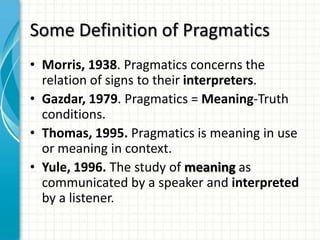
Some Definition of PragmaticsMorris, 1938. Pragmatics concerns the relation of signs to their interpreters.Gazdar, 1979. Pragmatics = Meaning-Truth conditions.Thomas, 1995. Pragmatics is meaning in use or meaning in context.Yule, 1996. The study of meaning as communicated by a speaker and interpreted by a listener.
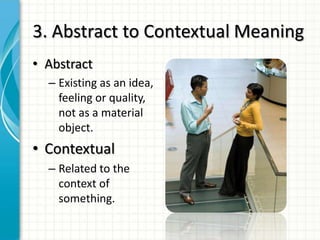
3. Abstract to Contextual MeaningAbstractExisting as an idea, feeling or quality, not as a material object.ContextualRelated to the context of something.
In the ContextSenseReferenceStructural Ambiguity Interaction Sense, Reference and Structural AmbiguityAmbiguity and Intentionality
4. Utterance and Force Meaning
“She wasn’t came…”
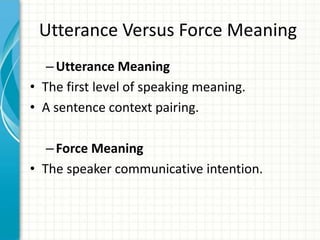
Utterance Versus Force MeaningUtterance MeaningThe first level of speaking meaning.A sentence context pairing.Force MeaningThe speaker communicative intention.
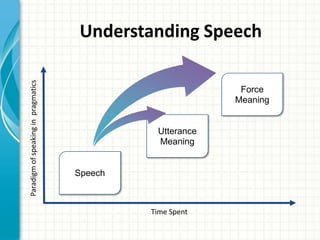
Understanding SpeechForce MeaningUtterance MeaningParadigm of speaking in  pragmaticsSpeechTime Spent
Case StudyJeremyHis first dayMistakes madeSuccesses achievedThe moral of the story

What is pragmatics

Editor's Notes

  • #2 This template can be used as a starter file for presenting training materials in a group setting.SectionsRight-click on a slide to add sections. Sections can help to organize your slides or facilitate collaboration between multiple authors.NotesUse the Notes section for delivery notes or to provide additional details for the audience. View these notes in Presentation View during your presentation. Keep in mind the font size (important for accessibility, visibility, videotaping, and online production)Coordinated colors Pay particular attention to the graphs, charts, and text boxes.Consider that attendees will print in black and white or grayscale. Run a test print to make sure your colors work when printed in pure black and white and grayscale.Graphics, tables, and graphsKeep it simple: If possible, use consistent, non-distracting styles and colors.Label all graphs and tables.
  • #4 This is another option for an Overview slide.
  • #6 This is another option for an Overview slides using transitions.
  • #7 This is another option for an Overview slides using transitions.
  • #12 Use a section header for each of the topics, so there is a clear transition to the audience.
  • #14 What will the audience be able to do after this training is complete? Briefly describe each objective how the audiencewill benefit from this presentation.
  • #15 Add slides to each topic section as necessary, including slides with tables, graphs, and images. See next section for sampletable, graph, image, and video layouts.
  • #16 Keep it brief. Make your text as brief as possible to maintain a larger font size.
  • #20 Add a case study or class simulation to encourage discussion and apply lessons.
  • #21 Discuss outcomes of the case study or class simulation.Cover best practices.
  • #23 Summarize presentation content by restating the important points from the lessons.What do you want the audience to remember when they leave your presentation?Save your presentation to a video for easy distribution (To create a video, click the File tab, and then click Share.  Under File Types, click Create a Video.)