THREE STEPS TO
TRANSFORM YOUR
MOBILE APP INTO A
SECURITY FACTOR
August, 2017
1 Copyright ©2017 Ping Identity Corporation. All rights reserved.
SECURE & CONVENIENT INTERACTIONS
Customer Security
Two-factor authentication is
increasingly important [for CIAM]
Copyright ©2017 Ping Identity Corporation. All rights reserved.2
“
“
Customer Experience
Customers have a low tolerance
for poor user experience
“
“
Security
Customer
Experience
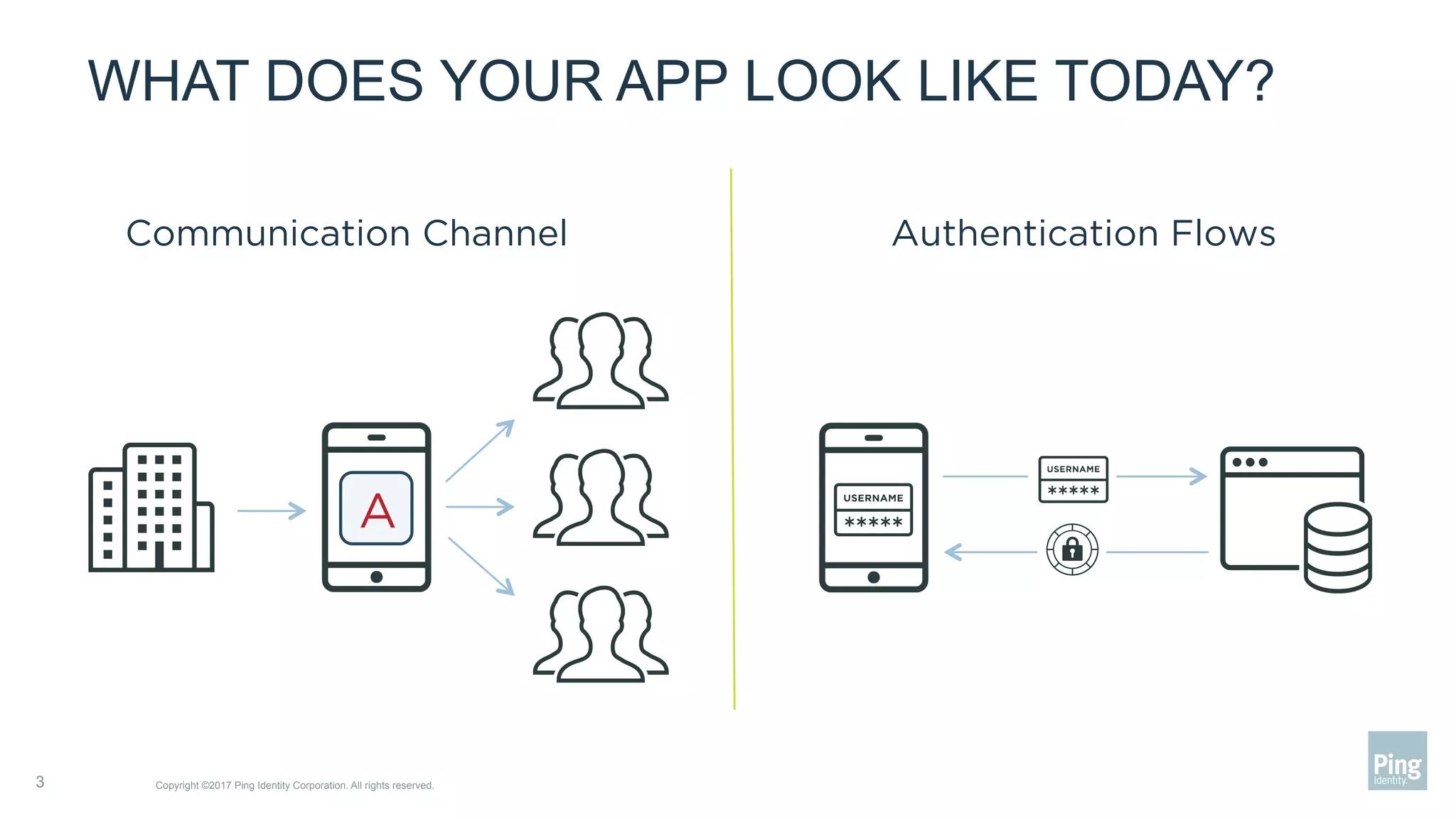
WHAT DOES YOUR APP LOOK LIKE TODAY?
Copyright ©2017 Ping Identity Corporation. All rights reserved.3
Communication Channel Authentication Flows
A
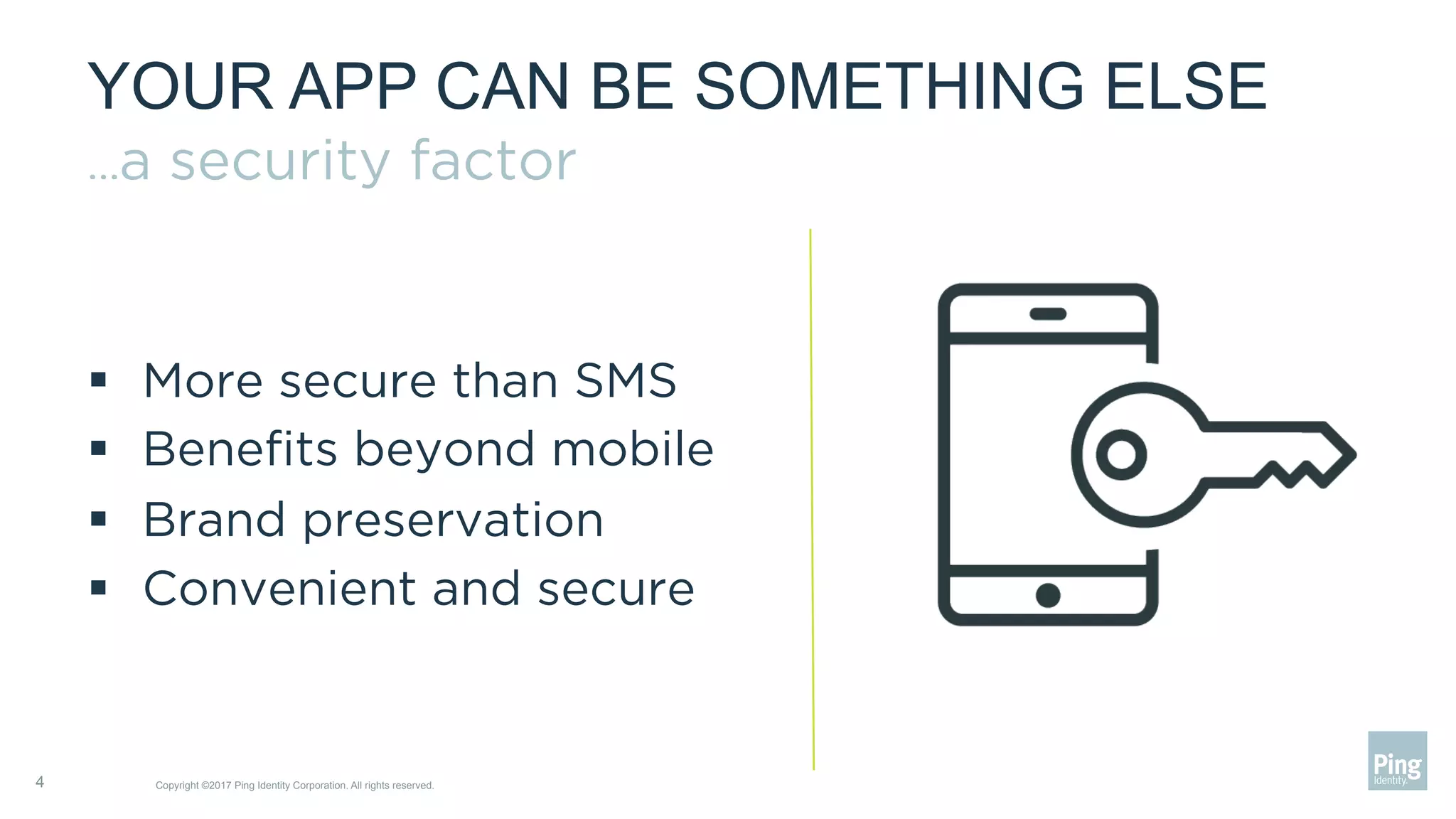
YOUR APP CAN BE SOMETHING ELSE
…a security factor
§  More secure than SMS
§  Benefits beyond mobile
§  Brand preservation
§  Convenient and secure
4 Copyright ©2017 Ping Identity Corporation. All rights reserved.
CREATING A TRUSTED DEVICE
Copyright ©2017 Ping Identity Corporation. All rights reserved.5
§  Your app has
access to device
secrets
§  Device secrets
associated with
a user, create a
trusted device
§  Device secrets
are secure
A
******Device Secrets
Your Server
and Database
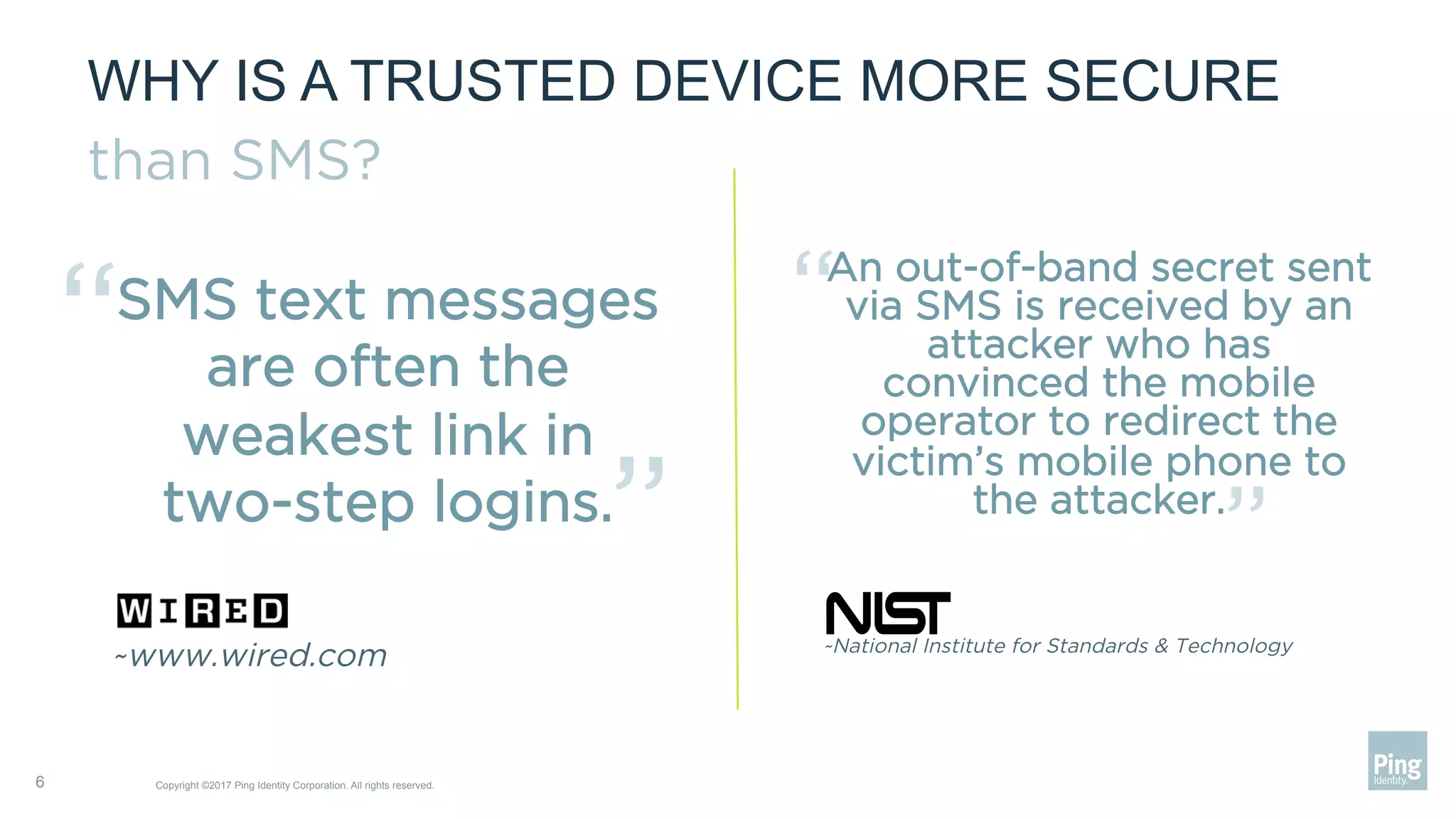
WHY IS A TRUSTED DEVICE MORE SECURE
than SMS?
6 Copyright ©2017 Ping Identity Corporation. All rights reserved.
SMS text messages
are often the
weakest link in
two-step logins.
~www.wired.com
“ “
An out-of-band secret sent
via SMS is received by an
attacker who has
convinced the mobile
operator to redirect the
victim’s mobile phone to
the attacker.
~National Institute for Standards & Technology
“
“
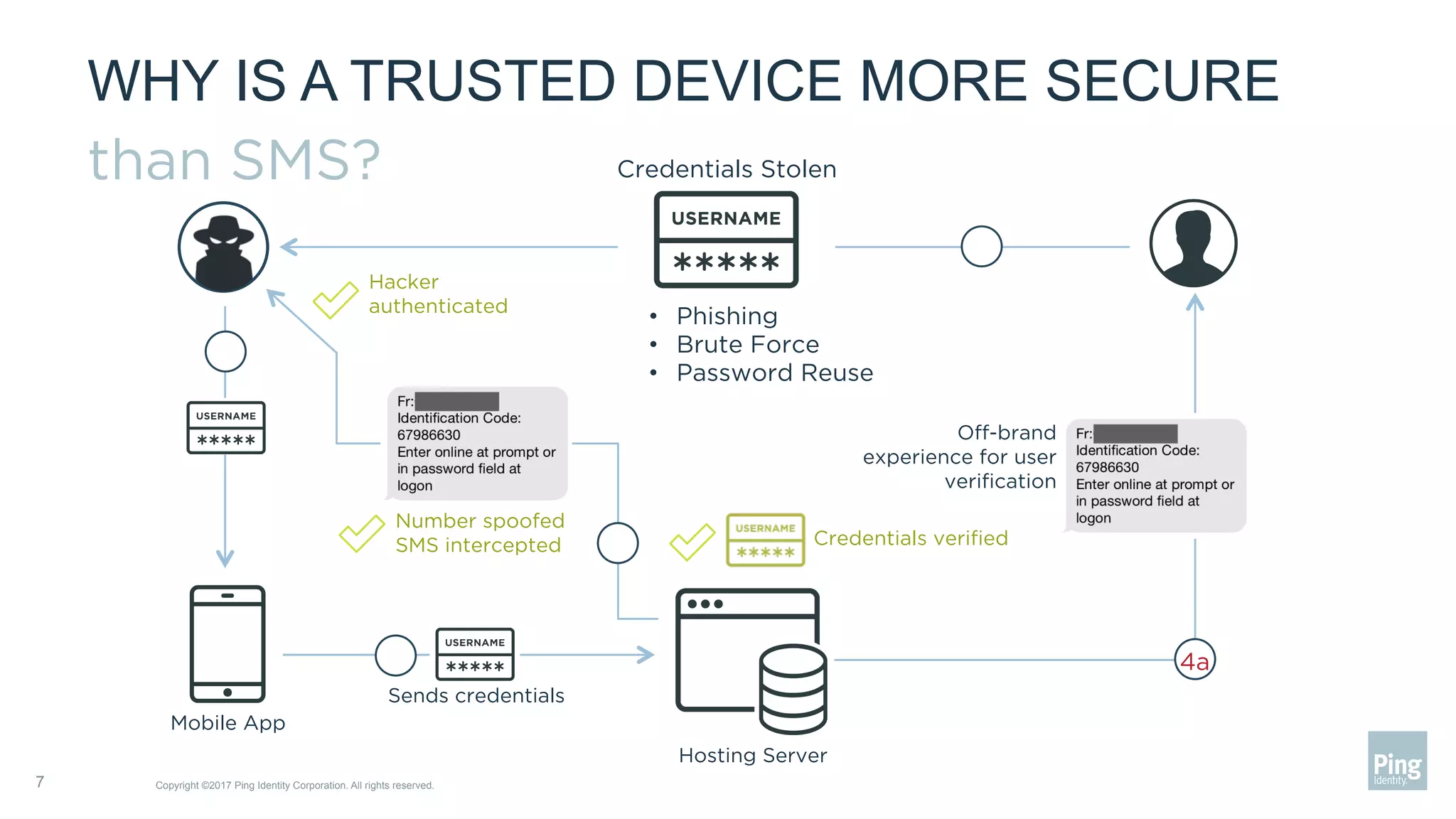
WHY IS A TRUSTED DEVICE MORE SECURE
than SMS?
Copyright ©2017 Ping Identity Corporation. All rights reserved.7
Credentials Stolen
•  Phishing
•  Brute Force
•  Password Reuse
Number spoofed
SMS intercepted
Off-brand
experience for user
verification
Hacker
authenticated
Credentials verified
Sends credentials
4a
Mobile App
Hosting Server
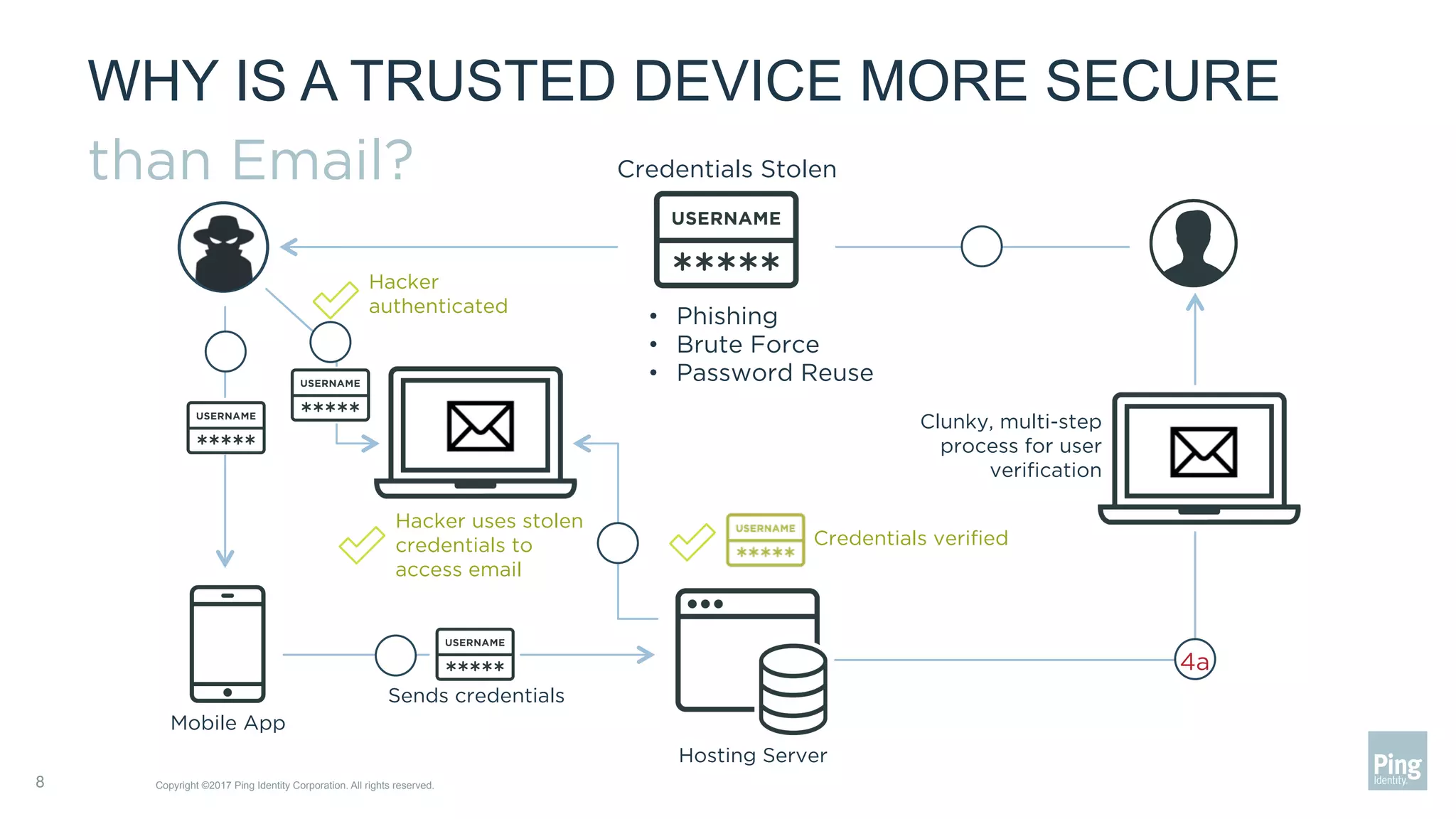
WHY IS A TRUSTED DEVICE MORE SECURE
than Email?
Copyright ©2017 Ping Identity Corporation. All rights reserved.8
Credentials Stolen
•  Phishing
•  Brute Force
•  Password Reuse
Hacker uses stolen
credentials to
access email
Clunky, multi-step
process for user
verification
Hacker
authenticated
Credentials verified
Sends credentials
4a
Mobile App
Hosting Server
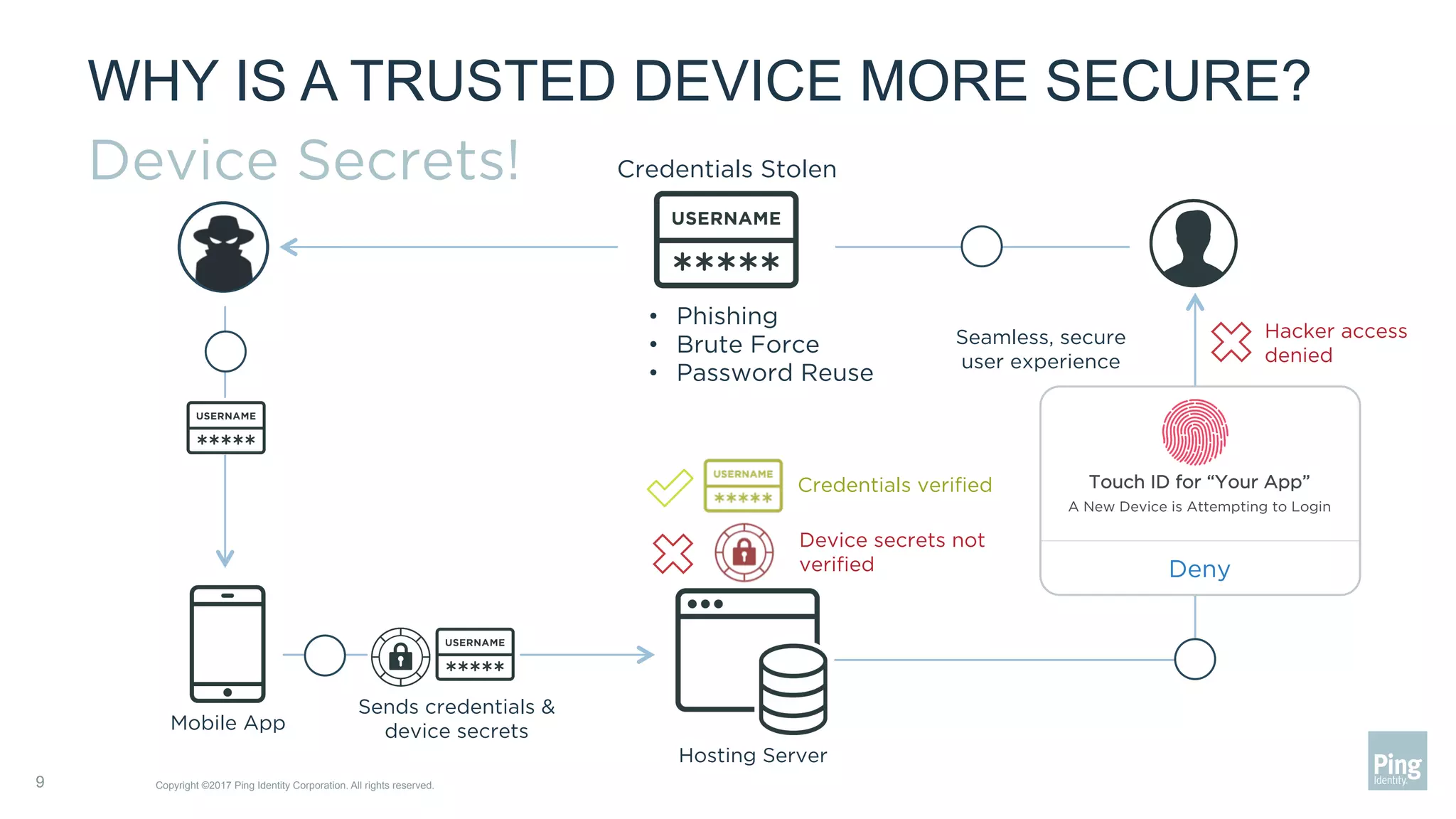
WHY IS A TRUSTED DEVICE MORE SECURE?
Device Secrets!
Copyright ©2017 Ping Identity Corporation. All rights reserved.9
Credentials Stolen
•  Phishing
•  Brute Force
•  Password Reuse
Deny
Touch ID for “Your App”
A New Device is Attempting to Login
Seamless, secure
user experience
Credentials verified
Device secrets not
verified
Hacker access
denied
Sends credentials &
device secretsMobile App
Hosting Server
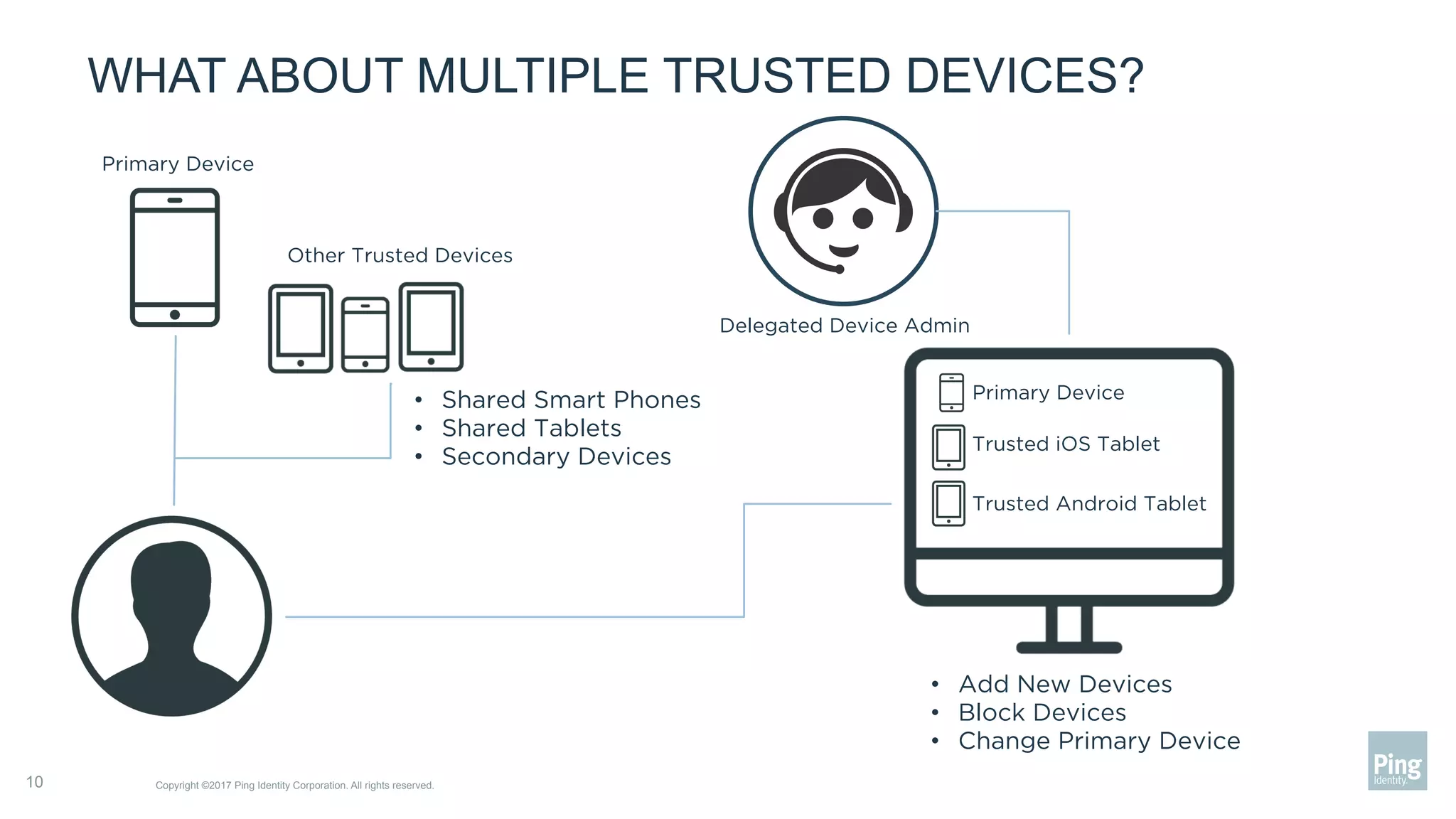
WHAT ABOUT MULTIPLE TRUSTED DEVICES?
Copyright ©2017 Ping Identity Corporation. All rights reserved.10
Primary Device
Other Trusted Devices
•  Shared Smart Phones
•  Shared Tablets
•  Secondary Devices
Primary Device
Trusted iOS Tablet
Trusted Android Tablet
•  Add New Devices
•  Block Devices
•  Change Primary Device
Delegated Device Admin
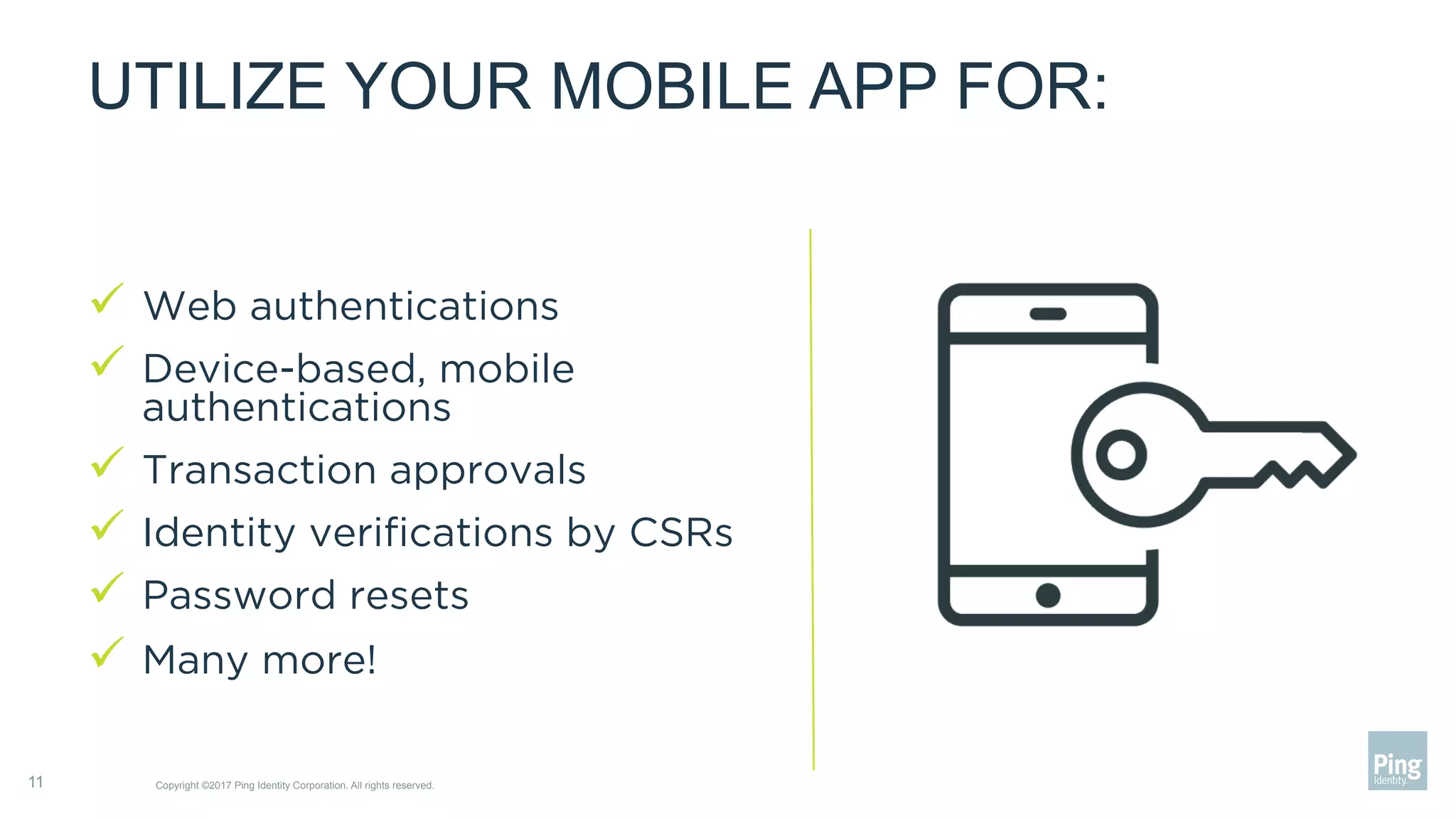
UTILIZE YOUR MOBILE APP FOR:
ü  Web authentications
ü  Device-based, mobile
authentications
ü  Transaction approvals
ü  Identity verifications by CSRs
ü  Password resets
ü  Many more!
Copyright ©2017 Ping Identity Corporation. All rights reserved.11
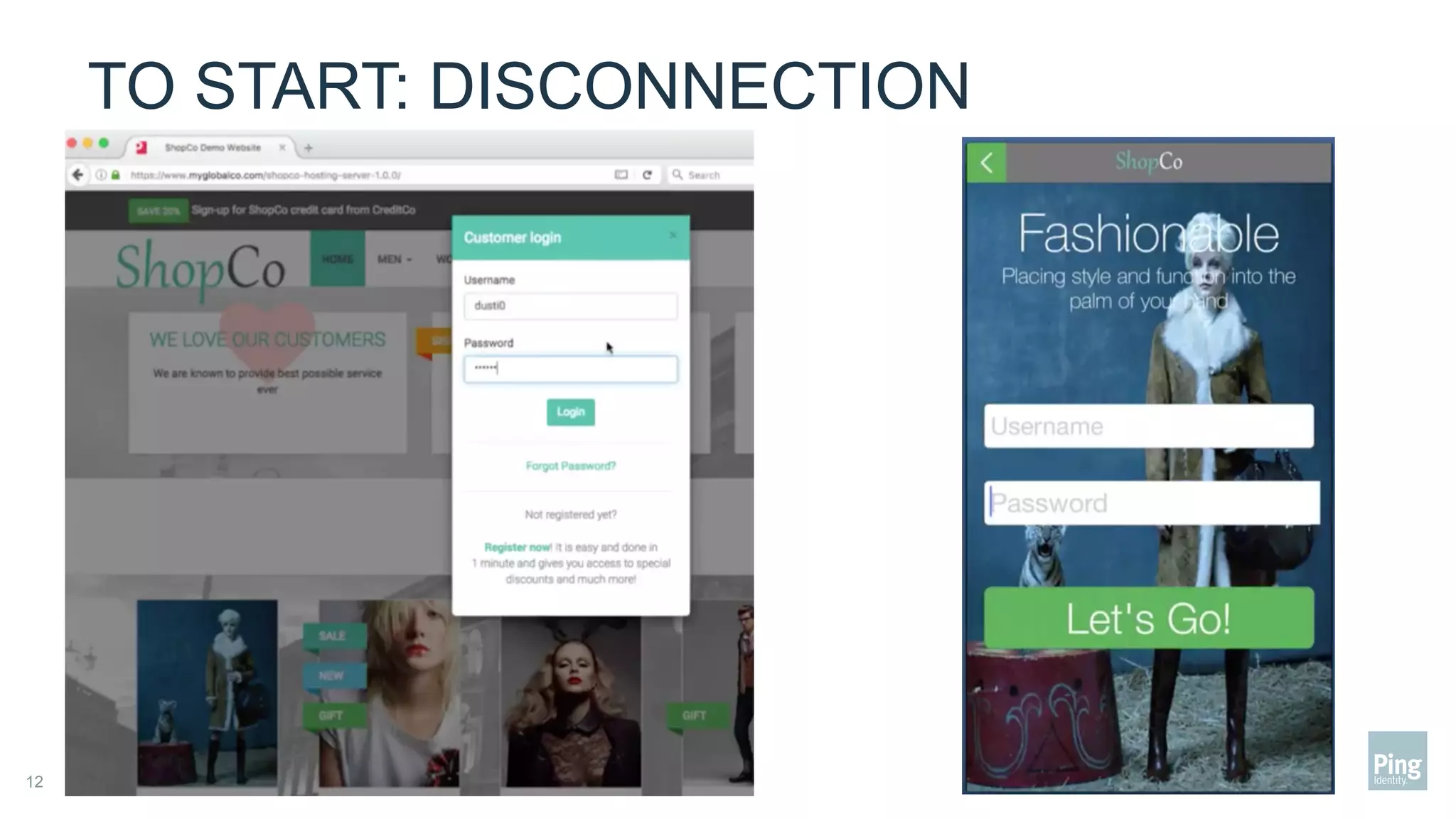
TO START: DISCONNECTION
Confidential | Do not distribute — Copyright ©2017 Ping Identity Corporation. All rights reserved.12
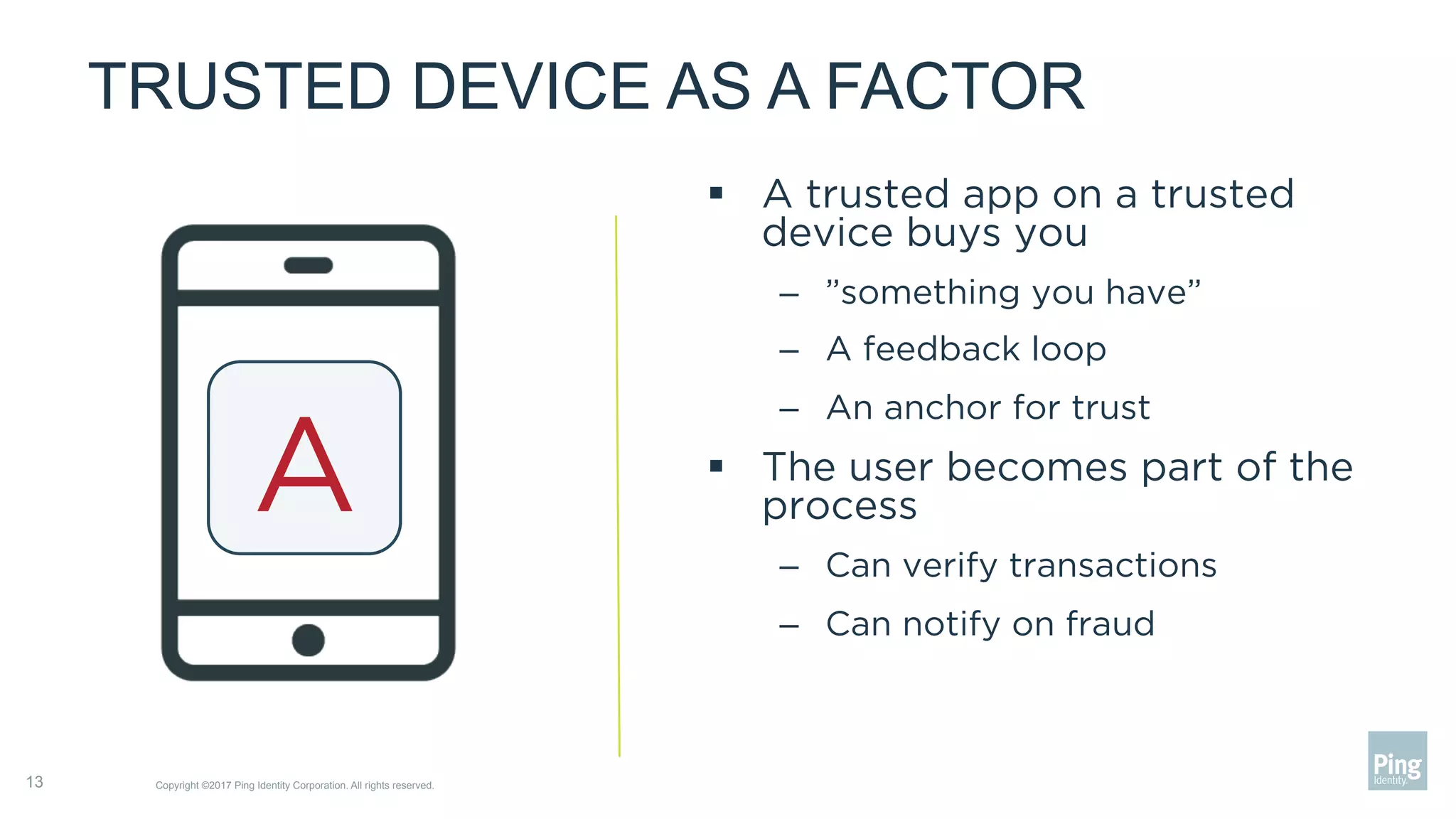
TRUSTED DEVICE AS A FACTOR
§  A trusted app on a trusted
device buys you
–  ”something you have”
–  A feedback loop
–  An anchor for trust
§  The user becomes part of the
process
–  Can verify transactions
–  Can notify on fraud
Copyright ©2017 Ping Identity Corporation. All rights reserved.13
A
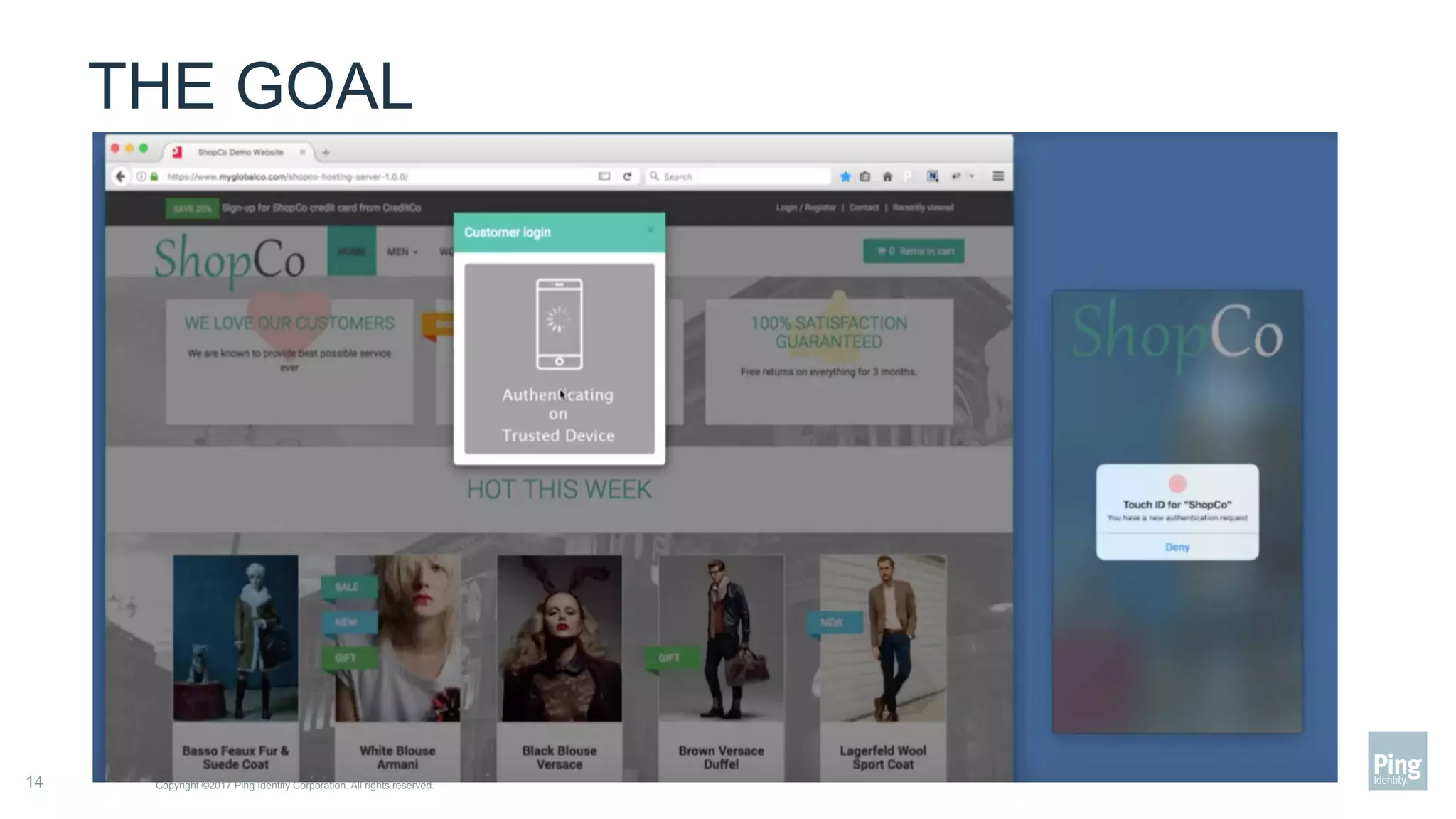
THE GOAL
Copyright ©2017 Ping Identity Corporation. All rights reserved.14
THREE STEPS TO APP AS A FACTOR
1.  Enrollment
–  What is your strategy to
turn on a trusted device
2.  Execution
–  How will you use the
feedback loop
3.  Emergencies
–  What happens when things
go wrong
–  Offline, theft
Copyright ©2017 Ping Identity Corporation. All rights reserved.15
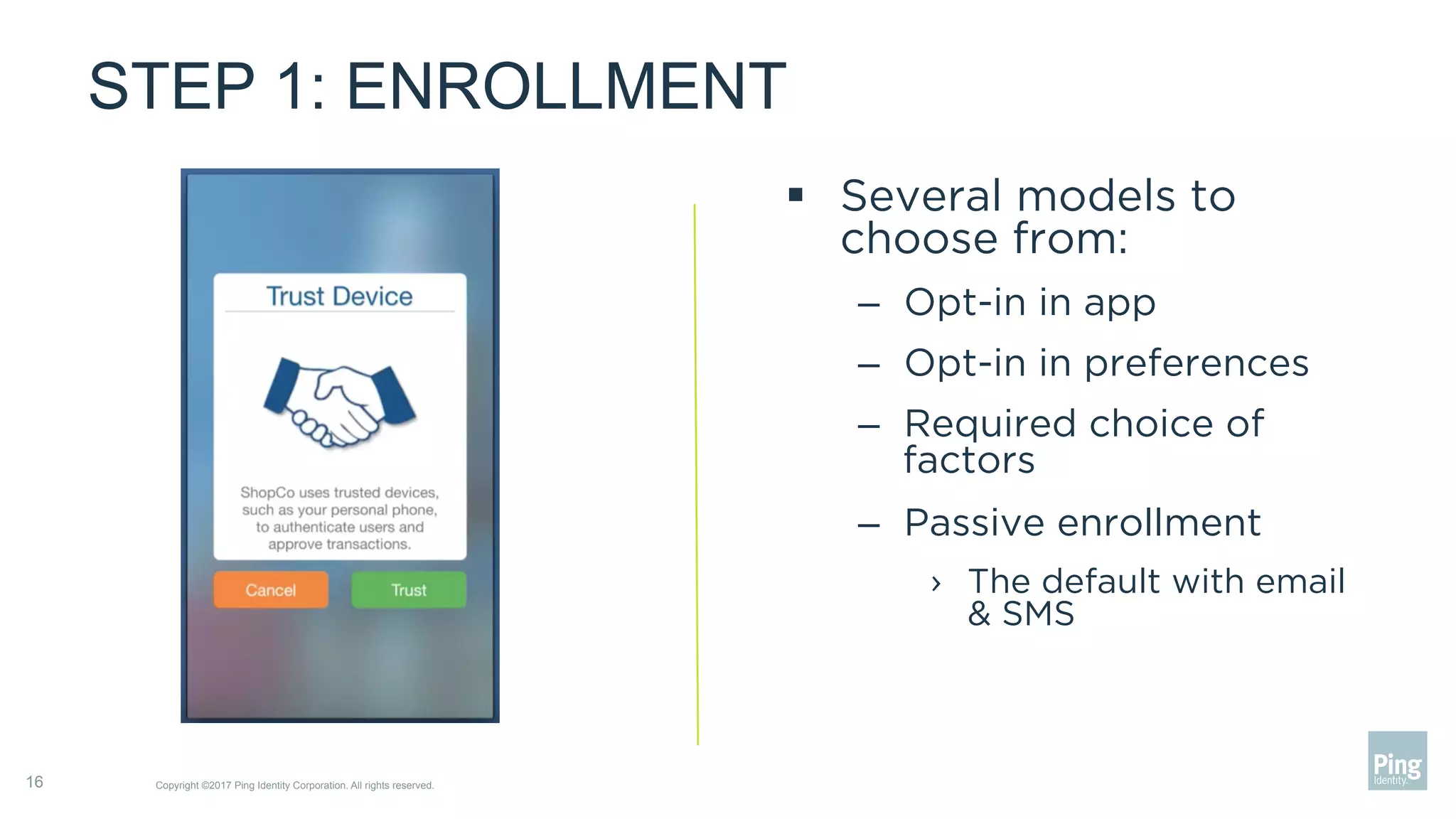
STEP 1: ENROLLMENT
§  Several models to
choose from:
–  Opt-in in app
–  Opt-in in preferences
–  Required choice of
factors
–  Passive enrollment
›  The default with email
& SMS
Copyright ©2017 Ping Identity Corporation. All rights reserved.16
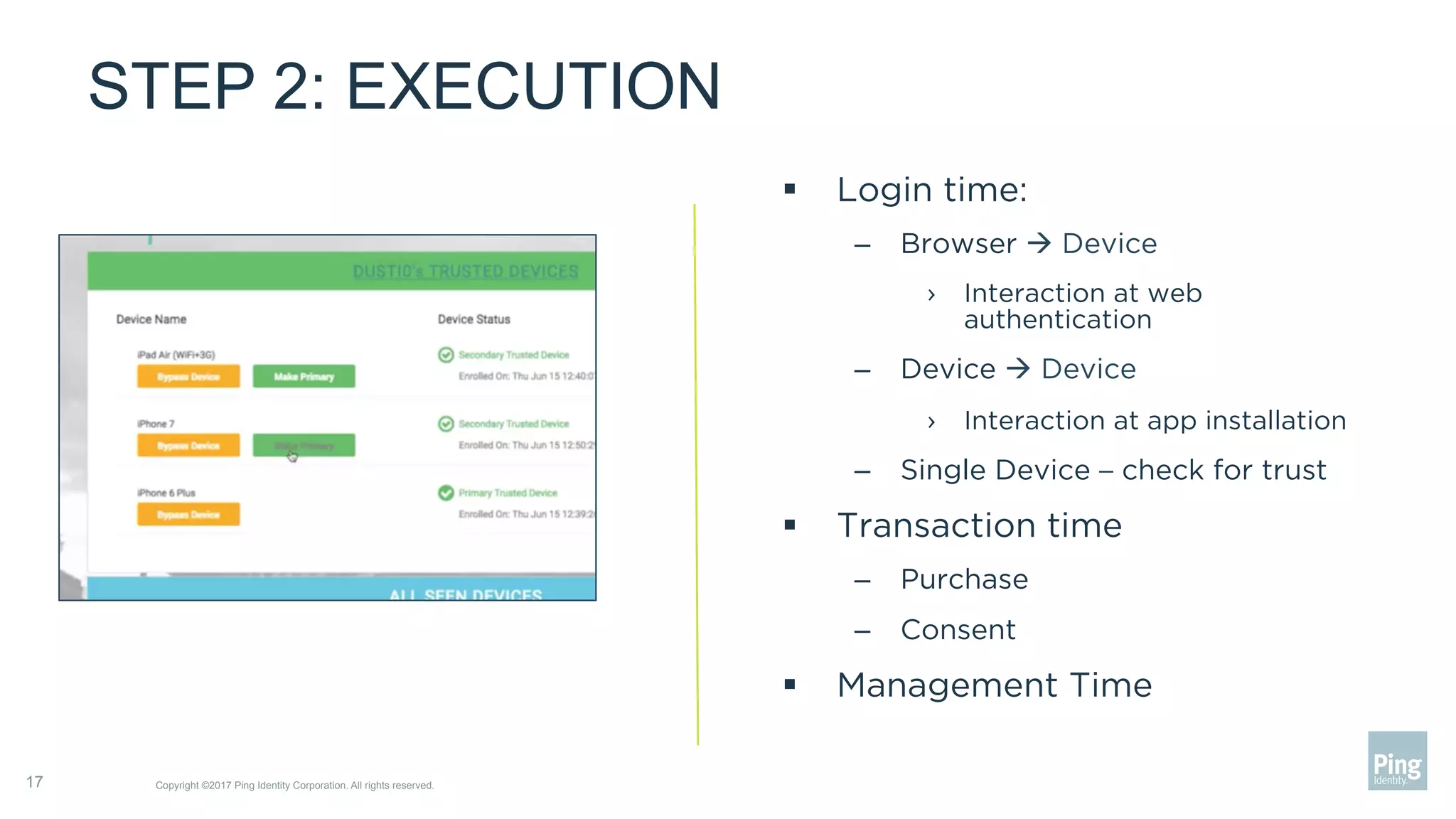
STEP 2: EXECUTION
Copyright ©2017 Ping Identity Corporation. All rights reserved.17
§  Login time:
–  Browser à Device
›  Interaction at web
authentication
–  Device à Device
›  Interaction at app installation
–  Single Device – check for trust
§  Transaction time
–  Purchase
–  Consent
§  Management Time
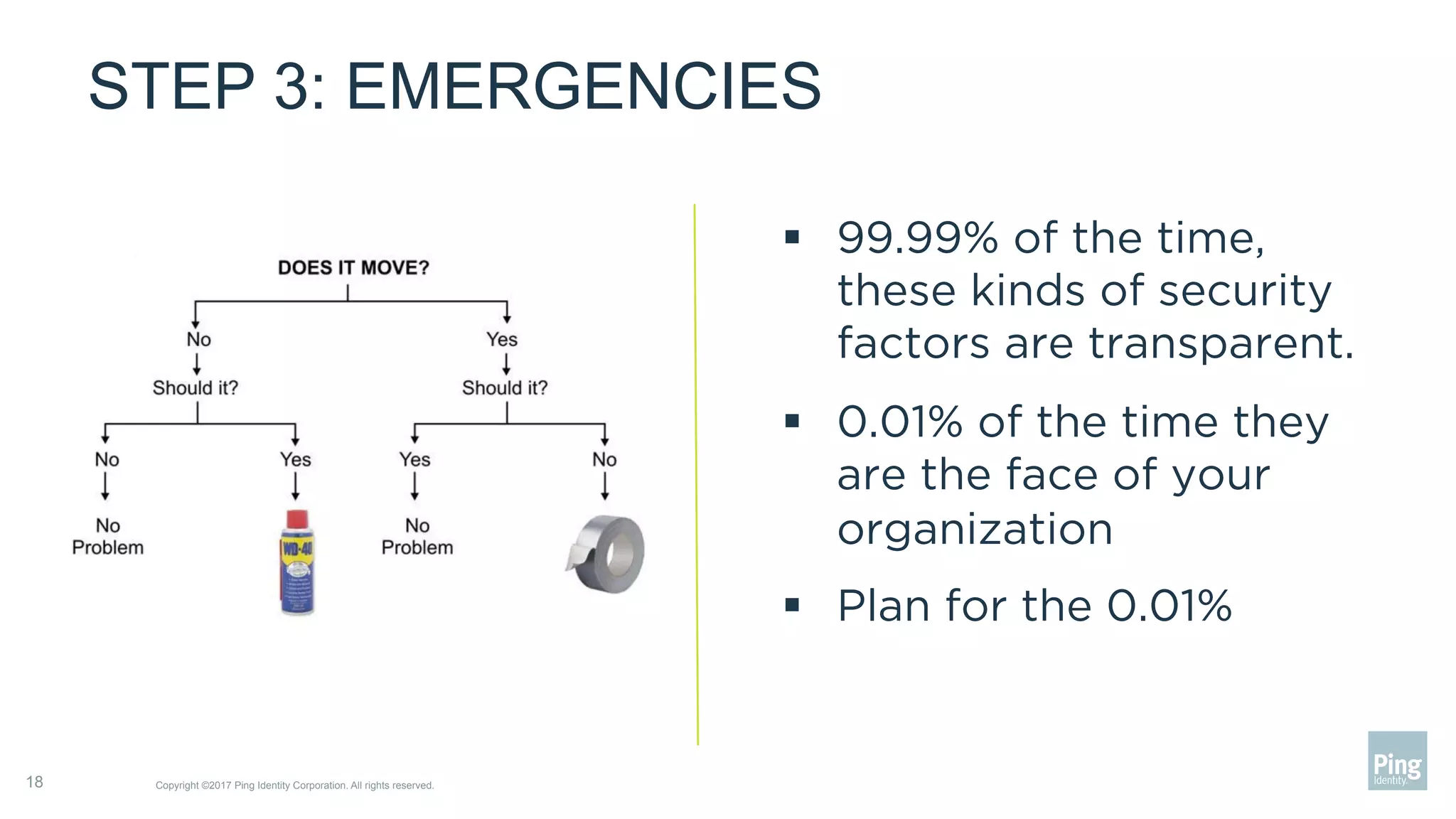
STEP 3: EMERGENCIES
§  99.99% of the time,
these kinds of security
factors are transparent.
§  0.01% of the time they
are the face of your
organization
§  Plan for the 0.01%
Copyright ©2017 Ping Identity Corporation. All rights reserved.18
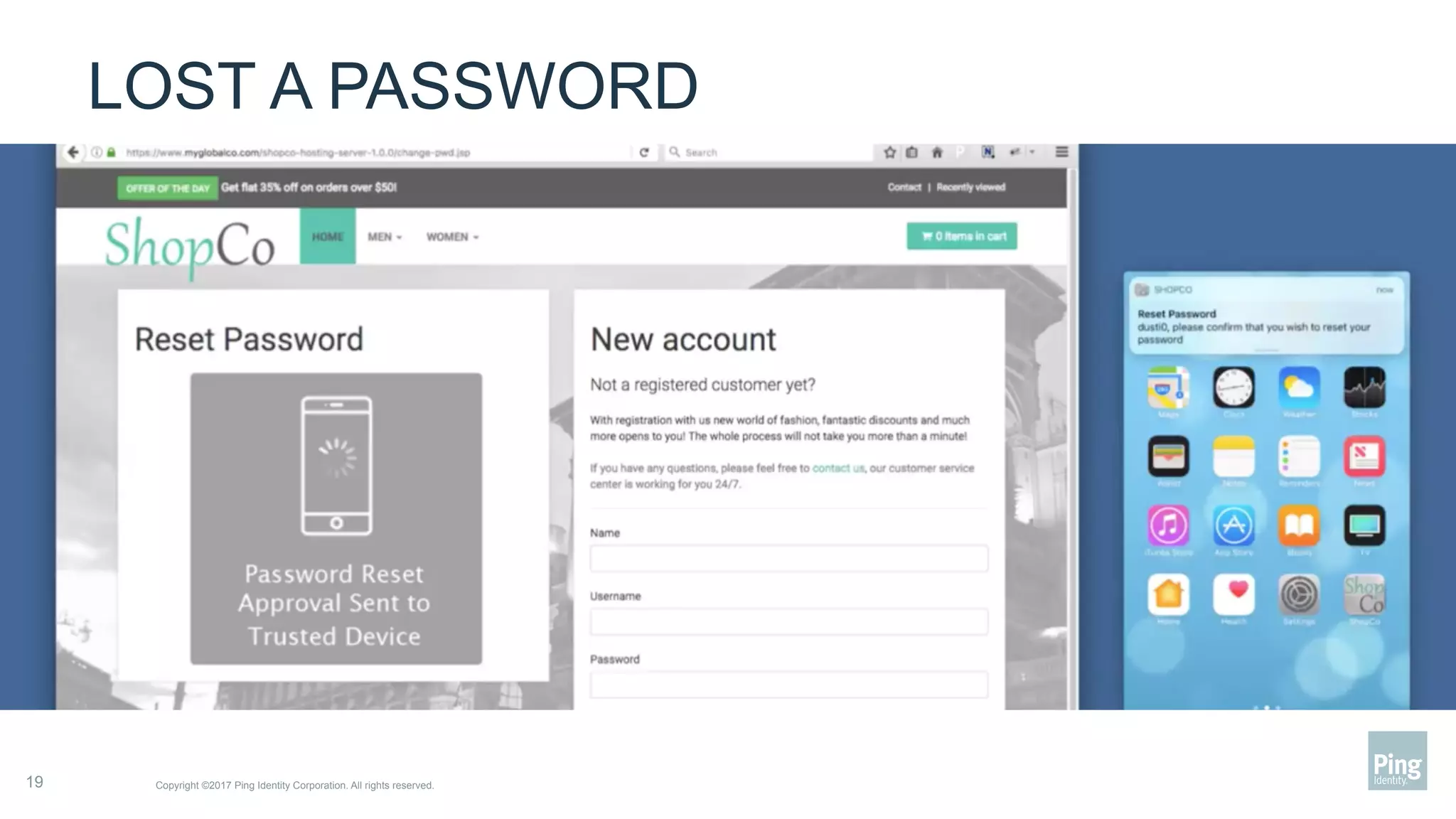
LOST A PASSWORD
Copyright ©2017 Ping Identity Corporation. All rights reserved.19
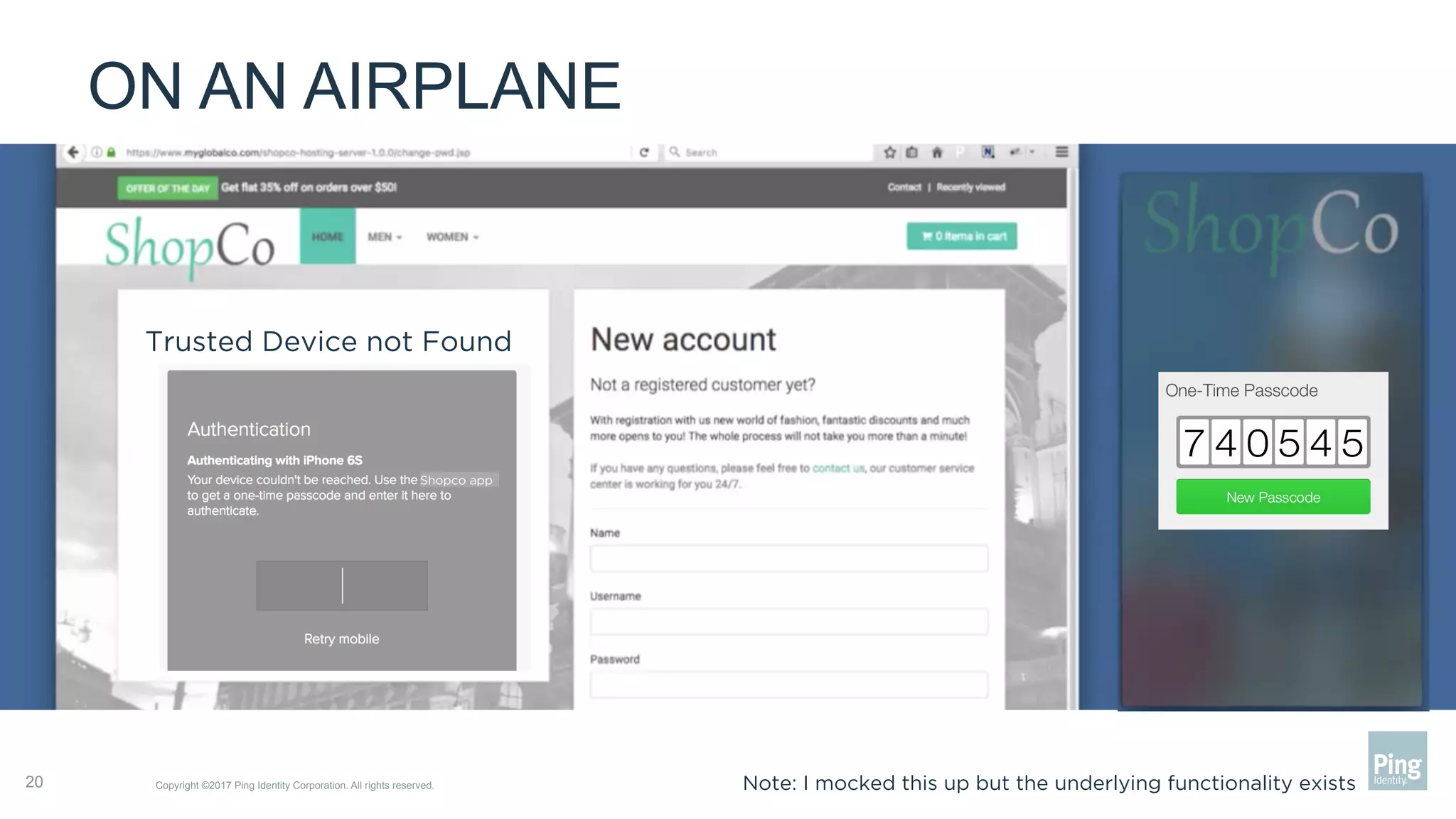
ON AN AIRPLANE
Copyright ©2017 Ping Identity Corporation. All rights reserved.20
Trusted Device not Found
Shopco app
Note: I mocked this up but the underlying functionality exists
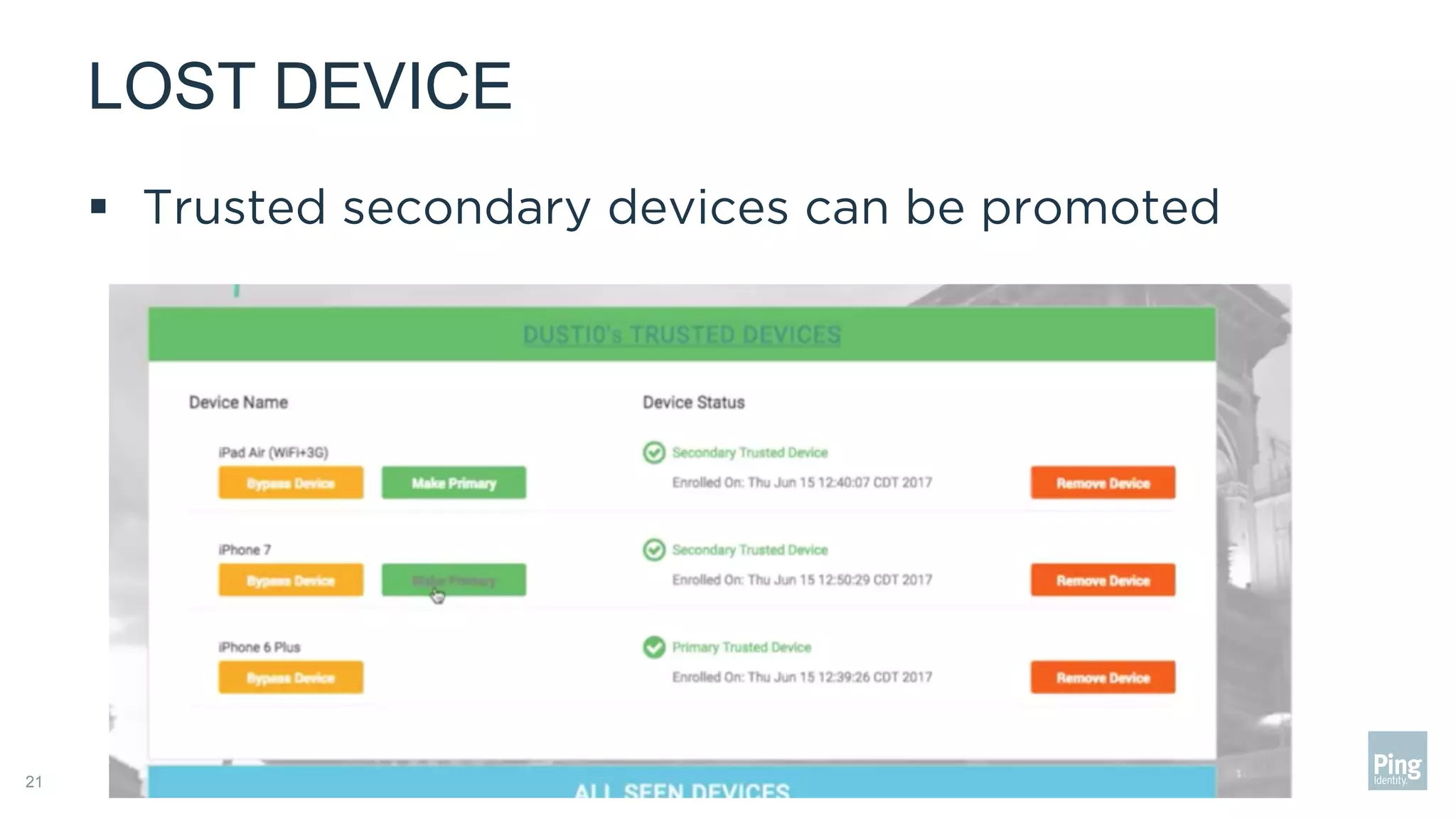
LOST DEVICE
21
§  Trusted secondary devices can be promoted
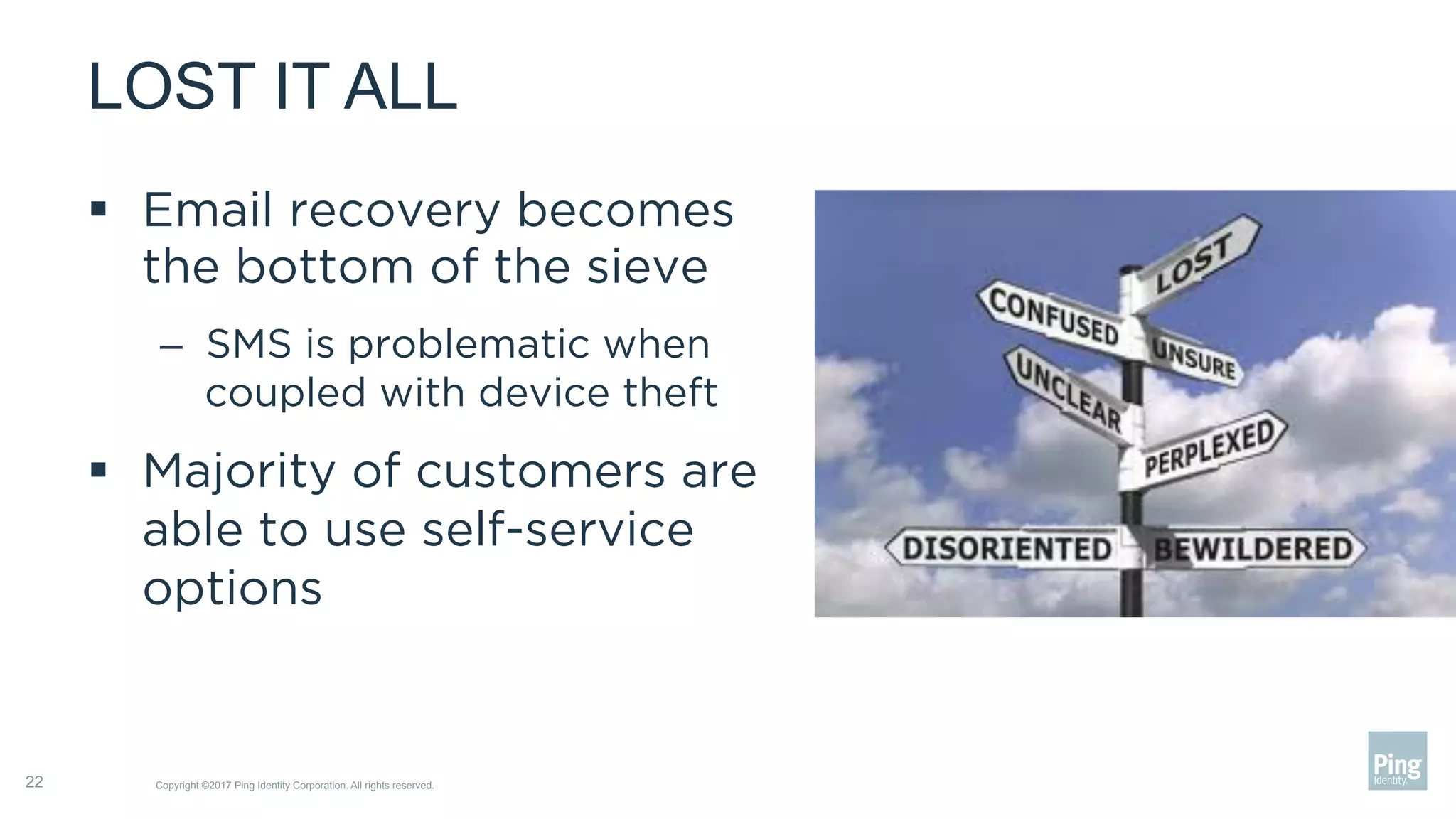
LOST IT ALL
§  Email recovery becomes
the bottom of the sieve
–  SMS is problematic when
coupled with device theft
§  Majority of customers are
able to use self-service
options
Copyright ©2017 Ping Identity Corporation. All rights reserved.22
SUMMARY
§  Converting your app into a security factor is not
difficult but it takes planning
§  Advantages are huge and the organization has a
lot of control over how the user participates
§  Be sure to spend time on failure cases, but don’t
forget the large population that can navigate in a
completely self-service and secure way
Copyright ©2017 Ping Identity Corporation. All rights reserved.23
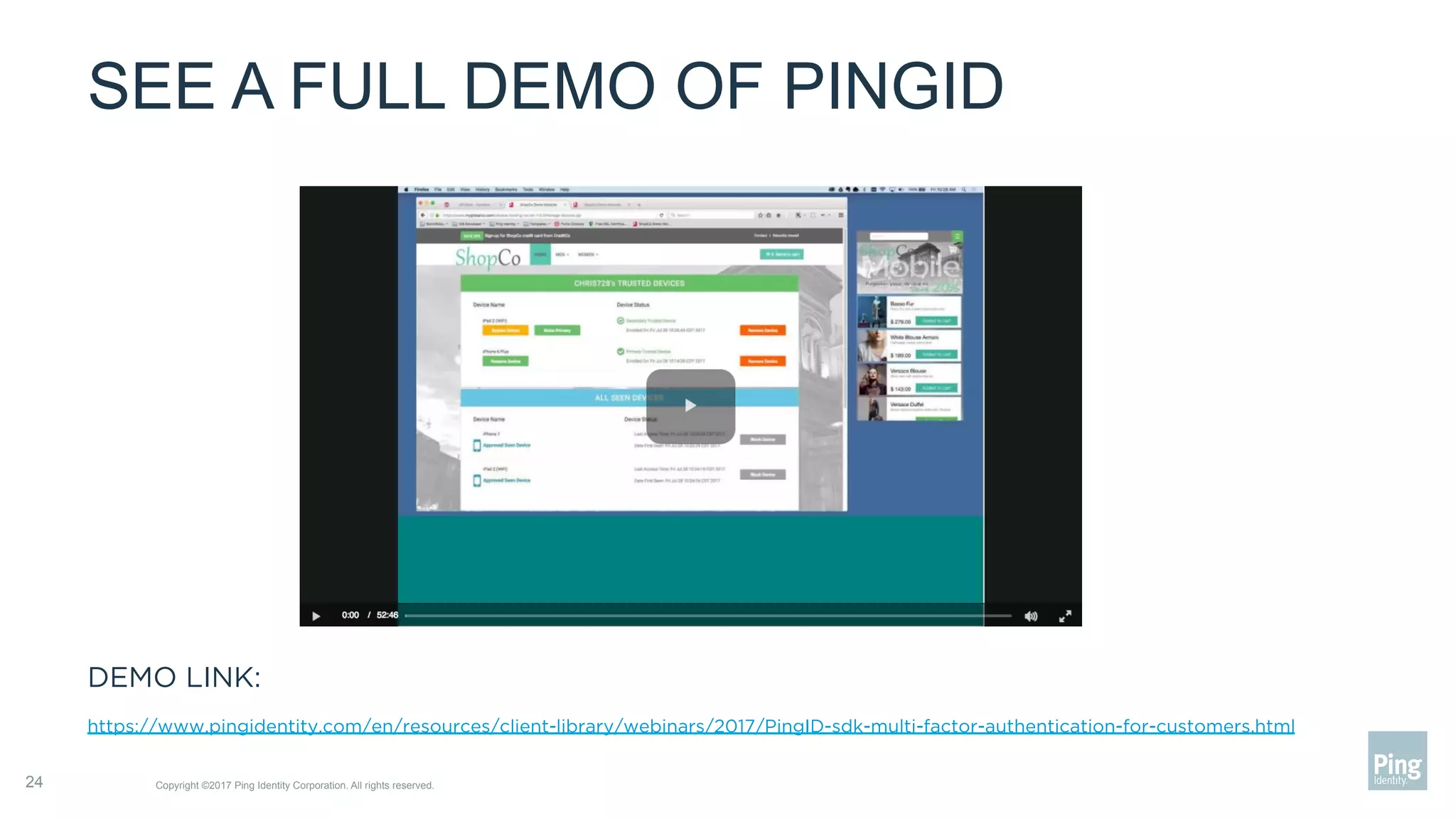
SEE A FULL DEMO OF PINGID
DEMO LINK:
https://www.pingidentity.com/en/resources/client-library/webinars/2017/PingID-sdk-multi-factor-authentication-for-customers.html
Copyright ©2017 Ping Identity Corporation. All rights reserved.24
25
Q&A

Webinar: Three Steps to Transform Your Mobile App into a Security Factor

  • 1.
    THREE STEPS TO TRANSFORMYOUR MOBILE APP INTO A SECURITY FACTOR August, 2017 1 Copyright ©2017 Ping Identity Corporation. All rights reserved.
  • 2.
    SECURE & CONVENIENTINTERACTIONS Customer Security Two-factor authentication is increasingly important [for CIAM] Copyright ©2017 Ping Identity Corporation. All rights reserved.2 “ “ Customer Experience Customers have a low tolerance for poor user experience “ “ Security Customer Experience
  • 3.
    WHAT DOES YOURAPP LOOK LIKE TODAY? Copyright ©2017 Ping Identity Corporation. All rights reserved.3 Communication Channel Authentication Flows A
  • 4.
    YOUR APP CANBE SOMETHING ELSE …a security factor §  More secure than SMS §  Benefits beyond mobile §  Brand preservation §  Convenient and secure 4 Copyright ©2017 Ping Identity Corporation. All rights reserved.
  • 5.
    CREATING A TRUSTEDDEVICE Copyright ©2017 Ping Identity Corporation. All rights reserved.5 §  Your app has access to device secrets §  Device secrets associated with a user, create a trusted device §  Device secrets are secure A ******Device Secrets Your Server and Database
  • 6.
    WHY IS ATRUSTED DEVICE MORE SECURE than SMS? 6 Copyright ©2017 Ping Identity Corporation. All rights reserved. SMS text messages are often the weakest link in two-step logins. ~www.wired.com “ “ An out-of-band secret sent via SMS is received by an attacker who has convinced the mobile operator to redirect the victim’s mobile phone to the attacker. ~National Institute for Standards & Technology “ “
  • 7.
    WHY IS ATRUSTED DEVICE MORE SECURE than SMS? Copyright ©2017 Ping Identity Corporation. All rights reserved.7 Credentials Stolen •  Phishing •  Brute Force •  Password Reuse Number spoofed SMS intercepted Off-brand experience for user verification Hacker authenticated Credentials verified Sends credentials 4a Mobile App Hosting Server
  • 8.
    WHY IS ATRUSTED DEVICE MORE SECURE than Email? Copyright ©2017 Ping Identity Corporation. All rights reserved.8 Credentials Stolen •  Phishing •  Brute Force •  Password Reuse Hacker uses stolen credentials to access email Clunky, multi-step process for user verification Hacker authenticated Credentials verified Sends credentials 4a Mobile App Hosting Server
  • 9.
    WHY IS ATRUSTED DEVICE MORE SECURE? Device Secrets! Copyright ©2017 Ping Identity Corporation. All rights reserved.9 Credentials Stolen •  Phishing •  Brute Force •  Password Reuse Deny Touch ID for “Your App” A New Device is Attempting to Login Seamless, secure user experience Credentials verified Device secrets not verified Hacker access denied Sends credentials & device secretsMobile App Hosting Server
  • 10.
    WHAT ABOUT MULTIPLETRUSTED DEVICES? Copyright ©2017 Ping Identity Corporation. All rights reserved.10 Primary Device Other Trusted Devices •  Shared Smart Phones •  Shared Tablets •  Secondary Devices Primary Device Trusted iOS Tablet Trusted Android Tablet •  Add New Devices •  Block Devices •  Change Primary Device Delegated Device Admin
  • 11.
    UTILIZE YOUR MOBILEAPP FOR: ü  Web authentications ü  Device-based, mobile authentications ü  Transaction approvals ü  Identity verifications by CSRs ü  Password resets ü  Many more! Copyright ©2017 Ping Identity Corporation. All rights reserved.11
  • 12.
    TO START: DISCONNECTION Confidential| Do not distribute — Copyright ©2017 Ping Identity Corporation. All rights reserved.12
  • 13.
    TRUSTED DEVICE ASA FACTOR §  A trusted app on a trusted device buys you –  ”something you have” –  A feedback loop –  An anchor for trust §  The user becomes part of the process –  Can verify transactions –  Can notify on fraud Copyright ©2017 Ping Identity Corporation. All rights reserved.13 A
  • 14.
    THE GOAL Copyright ©2017Ping Identity Corporation. All rights reserved.14
  • 15.
    THREE STEPS TOAPP AS A FACTOR 1.  Enrollment –  What is your strategy to turn on a trusted device 2.  Execution –  How will you use the feedback loop 3.  Emergencies –  What happens when things go wrong –  Offline, theft Copyright ©2017 Ping Identity Corporation. All rights reserved.15
  • 16.
    STEP 1: ENROLLMENT § Several models to choose from: –  Opt-in in app –  Opt-in in preferences –  Required choice of factors –  Passive enrollment ›  The default with email & SMS Copyright ©2017 Ping Identity Corporation. All rights reserved.16
  • 17.
    STEP 2: EXECUTION Copyright©2017 Ping Identity Corporation. All rights reserved.17 §  Login time: –  Browser à Device ›  Interaction at web authentication –  Device à Device ›  Interaction at app installation –  Single Device – check for trust §  Transaction time –  Purchase –  Consent §  Management Time
  • 18.
    STEP 3: EMERGENCIES § 99.99% of the time, these kinds of security factors are transparent. §  0.01% of the time they are the face of your organization §  Plan for the 0.01% Copyright ©2017 Ping Identity Corporation. All rights reserved.18
  • 19.
    LOST A PASSWORD Copyright©2017 Ping Identity Corporation. All rights reserved.19
  • 20.
    ON AN AIRPLANE Copyright©2017 Ping Identity Corporation. All rights reserved.20 Trusted Device not Found Shopco app Note: I mocked this up but the underlying functionality exists
  • 21.
    LOST DEVICE 21 §  Trustedsecondary devices can be promoted
  • 22.
    LOST IT ALL § Email recovery becomes the bottom of the sieve –  SMS is problematic when coupled with device theft §  Majority of customers are able to use self-service options Copyright ©2017 Ping Identity Corporation. All rights reserved.22
  • 23.
    SUMMARY §  Converting yourapp into a security factor is not difficult but it takes planning §  Advantages are huge and the organization has a lot of control over how the user participates §  Be sure to spend time on failure cases, but don’t forget the large population that can navigate in a completely self-service and secure way Copyright ©2017 Ping Identity Corporation. All rights reserved.23
  • 24.
    SEE A FULLDEMO OF PINGID DEMO LINK: https://www.pingidentity.com/en/resources/client-library/webinars/2017/PingID-sdk-multi-factor-authentication-for-customers.html Copyright ©2017 Ping Identity Corporation. All rights reserved.24
  • 25.