VP Products at InSync Tech-Fin Solutions Ltd.
Most Valuable Professional at Microsoft
Software Innovator at Intel | Author
Presented By
Abhishek Sur
/ abhi2434@abhi2434
 What is an iPaaS.
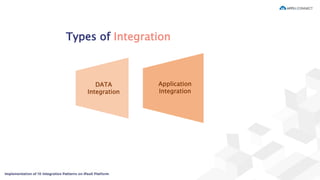
 Types of Integration
Application Integration
Data Integration
 Integration Design Guidelines
 Messaging Patterns
 Sync Strategy
 Some use cases
Agenda
“Integration Platform as a Service (iPaaS) is a suite of cloud services enabling
development, execution and governance of integration flows connecting any
combination of on premise and cloud – based processes, services, applications and
data within individual or across multiple organizations. “
What is an iPaaS
Gartner IT Glossary
Types of Integration
Application
Integration
DATA
Integration
Data Integration
 Basic for every data processing
 Integrate business processes
 Uses standard protocols for communication
 Used beyond iPaaS
 Common examples – File system, FTP, Database, ETL Tools etc.
Why Application Integration?
 Knowing background is effective
 API rather than Data Oriented Integration improves intelligence
 Standard / Secure authentication.
 API – First approach is recommended.
 Easier to develop and deploy.
 Allows Agility
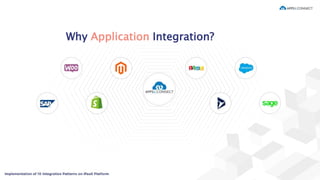
Why Application Integration?
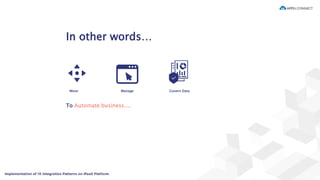
In other words…
Move Manage Govern Data
To Automate business....
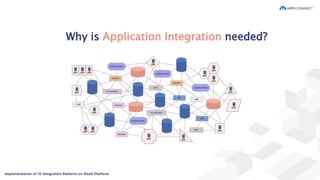
Why is Application Integration needed?
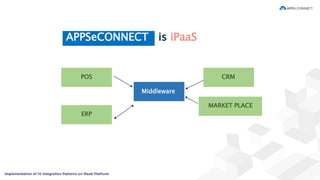
APPSeCONNECT is iPaaS
POS
ERP
MARKET PLACE
CRM
Middleware
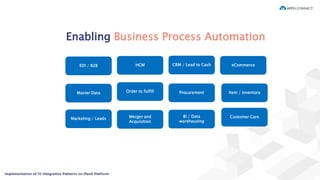
Enabling Business Process Automation
EDI / B2B
Master Data
Marketing / Leads
HCM
Order to fulfill
Merger and
Acquisition
CRM / Lead to Cash
Procurement
BI / Data
warehousing
eCommerce
Item / Inventory
Customer Care
Integration Design
Guidelines
Criteria for best Application Design
 Application Coupling
 Simplicity
 Identification of Technology
 Timeliness
 Asynchronicity
 Sharing both Data and functionalities.
 Standard format for Data exchange
Why Messaging ?
Messages are an unit of data block that is fetched from one application or data
source and consumed by one or more application or data source. A messaging is a
way of communicating data in an iPaaS platform.
A Message Channel is a flow where messages are written such that someone can
fetch or consume at later stage.
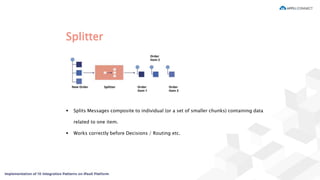
Splitter
 Splits Messages composite to individual (or a set of smaller chunks) containing data
related to one item.
 Works correctly before Decisions / Routing etc.
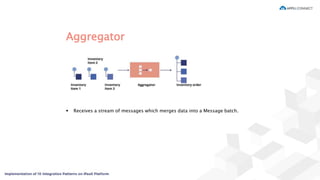
Aggregator
 Receives a stream of messages which merges data into a Message batch.
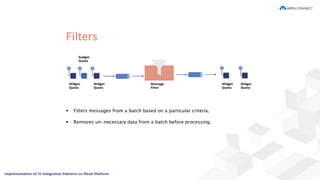
Filters
 Filters messages from a batch based on a particular criteria.
 Removes un-necessary data from a batch before processing.
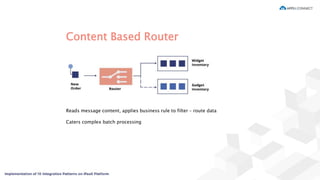
Content Based Router
Reads message content, applies business rule to filter – route data
Caters complex batch processing
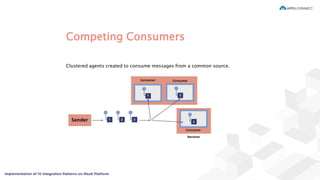
Competing Consumers
Clustered agents created to consume messages from a common source.
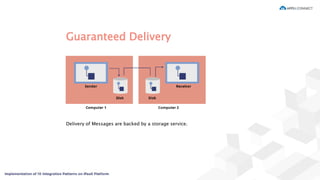
Guaranteed Delivery
Delivery of Messages are backed by a storage service.
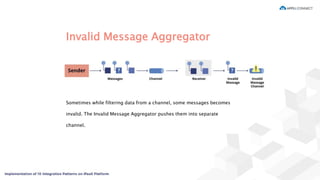
Invalid Message Aggregator
Sometimes while filtering data from a channel, some messages becomes
invalid. The Invalid Message Aggregator pushes them into separate
channel.
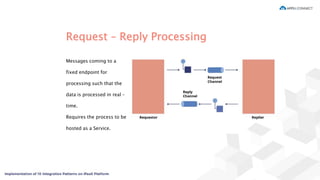
Request – Reply Processing
Messages coming to a
fixed endpoint for
processing such that the
data is processed in real –
time.
Requires the process to be
hosted as a Service.
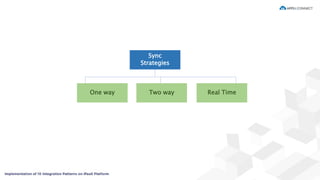
Sync
Strategy
Sync
Strategies
Two way Real TimeOne way
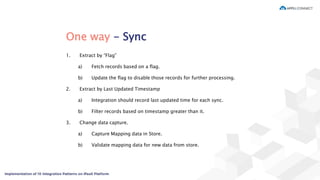
One way - Sync
1. Extract by “Flag”
a) Fetch records based on a flag.
b) Update the flag to disable those records for further processing.
2. Extract by Last Updated Timestamp
a) Integration should record last updated time for each sync.
b) Filter records based on timestamp greater than it.
3. Change data capture.
a) Capture Mapping data in Store.
b) Validate mapping data for new data from store.
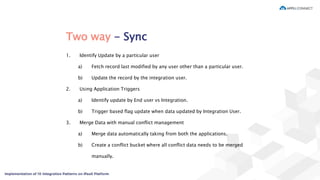
Two way - Sync
1. Identify Update by a particular user
a) Fetch record last modified by any user other than a particular user.
b) Update the record by the integration user.
2. Using Application Triggers
a) Identify update by End user vs Integration.
b) Trigger based flag update when data updated by Integration User.
3. Merge Data with manual conflict management
a) Merge data automatically taking from both the applications.
b) Create a conflict bucket where all conflict data needs to be merged
manually.
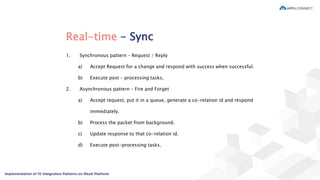
Real-time - Sync
1. Synchronous pattern – Request / Reply
a) Accept Request for a change and respond with success when successful.
b) Execute post – processing tasks.
2. Asynchronous pattern – Fire and Forget
a) Accept request, put it in a queue, generate a co-relation id and respond
immediately.
b) Process the packet from background.
c) Update response to that co-relation id.
d) Execute post-processing tasks.
Use cases
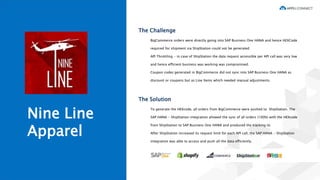
Nine Line
Apparel
The Challenge
BigCommerce orders were directly going into SAP Business One HANA and hence HEXCode
required for shipment via ShipStation could not be generated
API Throttling - in case of ShipStation the data request accessible per API call was very low
and hence efficient business was working was compromised.
Coupon codes generated in BigCommerce did not sync into SAP Business One HANA as
discount or coupons but as Line Items which needed manual adjustments.
The Solution
To generate the HEXcode, all orders from BigCommerce were pushed to ShipStation. The
SAP HANA - ShipStation integration allowed the sync of all orders (100%) with the HEXcode
from ShipStation to SAP Business One HANA and produced the tracking id.
After ShipStation increased its request limit for each API call, the SAP HANA - ShipStation
integration was able to access and push all the data efficiently.
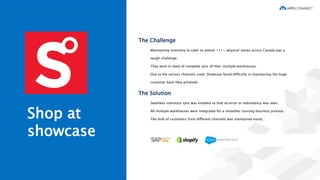
Shop at
showcase
The Challenge
Maintaining inventory to cater to almost 111+ physical stores across Canada was a
tough challenge.
They were in need of complete sync of their multiple warehouses.
Due to the various channels used, Showcase faced difficulty in maintaining the huge
customer base they achieved.
The Solution
Seamless inventory sync was enabled so that no error or redundancy was seen.
All multiple warehouses were integrated for a smoother running business process.
The bulk of customers from different channels was maintained easily.
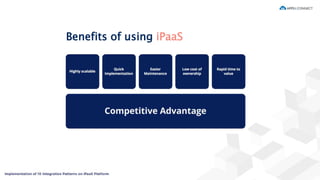
Benefits of using iPaaS
Thank You!
/insync /Appseconnect /appseconnect//InSyncSolutions
FOR INTEGRATION RELATED DISCUSSION, REACH OUT TO US AT
sales@appseconnect.com

Webinar: Implementation of 10 Integration Patterns on iPaaS Platform

  • 2.
    VP Products atInSync Tech-Fin Solutions Ltd. Most Valuable Professional at Microsoft Software Innovator at Intel | Author Presented By Abhishek Sur / abhi2434@abhi2434
  • 3.
     What isan iPaaS.  Types of Integration Application Integration Data Integration  Integration Design Guidelines  Messaging Patterns  Sync Strategy  Some use cases Agenda
  • 4.
    “Integration Platform asa Service (iPaaS) is a suite of cloud services enabling development, execution and governance of integration flows connecting any combination of on premise and cloud – based processes, services, applications and data within individual or across multiple organizations. “ What is an iPaaS Gartner IT Glossary
  • 5.
  • 6.
    Data Integration  Basicfor every data processing  Integrate business processes  Uses standard protocols for communication  Used beyond iPaaS  Common examples – File system, FTP, Database, ETL Tools etc.
  • 7.
    Why Application Integration? Knowing background is effective  API rather than Data Oriented Integration improves intelligence  Standard / Secure authentication.  API – First approach is recommended.  Easier to develop and deploy.  Allows Agility
  • 8.
  • 9.
    In other words… MoveManage Govern Data To Automate business....
  • 10.
    Why is ApplicationIntegration needed?
  • 11.
  • 12.
    Enabling Business ProcessAutomation EDI / B2B Master Data Marketing / Leads HCM Order to fulfill Merger and Acquisition CRM / Lead to Cash Procurement BI / Data warehousing eCommerce Item / Inventory Customer Care
  • 13.
  • 14.
    Criteria for bestApplication Design  Application Coupling  Simplicity  Identification of Technology  Timeliness  Asynchronicity  Sharing both Data and functionalities.  Standard format for Data exchange
  • 15.
    Why Messaging ? Messagesare an unit of data block that is fetched from one application or data source and consumed by one or more application or data source. A messaging is a way of communicating data in an iPaaS platform. A Message Channel is a flow where messages are written such that someone can fetch or consume at later stage.
  • 16.
    Splitter  Splits Messagescomposite to individual (or a set of smaller chunks) containing data related to one item.  Works correctly before Decisions / Routing etc.
  • 17.
    Aggregator  Receives astream of messages which merges data into a Message batch.
  • 18.
    Filters  Filters messagesfrom a batch based on a particular criteria.  Removes un-necessary data from a batch before processing.
  • 19.
    Content Based Router Readsmessage content, applies business rule to filter – route data Caters complex batch processing
  • 20.
    Competing Consumers Clustered agentscreated to consume messages from a common source.
  • 21.
    Guaranteed Delivery Delivery ofMessages are backed by a storage service.
  • 22.
    Invalid Message Aggregator Sometimeswhile filtering data from a channel, some messages becomes invalid. The Invalid Message Aggregator pushes them into separate channel.
  • 23.
    Request – ReplyProcessing Messages coming to a fixed endpoint for processing such that the data is processed in real – time. Requires the process to be hosted as a Service.
  • 24.
  • 25.
  • 26.
    One way -Sync 1. Extract by “Flag” a) Fetch records based on a flag. b) Update the flag to disable those records for further processing. 2. Extract by Last Updated Timestamp a) Integration should record last updated time for each sync. b) Filter records based on timestamp greater than it. 3. Change data capture. a) Capture Mapping data in Store. b) Validate mapping data for new data from store.
  • 27.
    Two way -Sync 1. Identify Update by a particular user a) Fetch record last modified by any user other than a particular user. b) Update the record by the integration user. 2. Using Application Triggers a) Identify update by End user vs Integration. b) Trigger based flag update when data updated by Integration User. 3. Merge Data with manual conflict management a) Merge data automatically taking from both the applications. b) Create a conflict bucket where all conflict data needs to be merged manually.
  • 28.
    Real-time - Sync 1.Synchronous pattern – Request / Reply a) Accept Request for a change and respond with success when successful. b) Execute post – processing tasks. 2. Asynchronous pattern – Fire and Forget a) Accept request, put it in a queue, generate a co-relation id and respond immediately. b) Process the packet from background. c) Update response to that co-relation id. d) Execute post-processing tasks.
  • 29.
  • 30.
    Nine Line Apparel The Challenge BigCommerceorders were directly going into SAP Business One HANA and hence HEXCode required for shipment via ShipStation could not be generated API Throttling - in case of ShipStation the data request accessible per API call was very low and hence efficient business was working was compromised. Coupon codes generated in BigCommerce did not sync into SAP Business One HANA as discount or coupons but as Line Items which needed manual adjustments. The Solution To generate the HEXcode, all orders from BigCommerce were pushed to ShipStation. The SAP HANA - ShipStation integration allowed the sync of all orders (100%) with the HEXcode from ShipStation to SAP Business One HANA and produced the tracking id. After ShipStation increased its request limit for each API call, the SAP HANA - ShipStation integration was able to access and push all the data efficiently.
  • 31.
    Shop at showcase The Challenge Maintaininginventory to cater to almost 111+ physical stores across Canada was a tough challenge. They were in need of complete sync of their multiple warehouses. Due to the various channels used, Showcase faced difficulty in maintaining the huge customer base they achieved. The Solution Seamless inventory sync was enabled so that no error or redundancy was seen. All multiple warehouses were integrated for a smoother running business process. The bulk of customers from different channels was maintained easily.
  • 32.
  • 33.
    Thank You! /insync /Appseconnect/appseconnect//InSyncSolutions FOR INTEGRATION RELATED DISCUSSION, REACH OUT TO US AT sales@appseconnect.com