Understanding
Integration Patterns
with
Spring Integration
What's & Why Integration?
Many business may have multiple sub-applications serving
different functions for one main application and its goal
Let's take for example an Insurance company that sells different
kinds of insurance products (Life,Heath,Auto,Home etc). the
enterprise consists of separate applications for managing the
company's different insurance products
An insurance agent trying to sell a customer several different
types of policies must log into a separate system for each policy,
wasting effort and increasing the opportunity for mistakes
The individual product applications need to be
able to work together, perhaps to offer a discount when
purchasing more than one policy, and perhaps to process a claim
that is covered by more than one policy
Where the Patterns fit in?
 It all started back in 2002
 Gregor Hohpe & Bobby Woolf are the founders of the site & the
book that became the main specification for Integration Design
Patterns
 http://www.eaipatterns.com/
 More books are on the subject can be found
 Implementers to the patterns aren't mandated to answer to
a specification, but most answer to the general accepted
specification mentioned above
 Spring Integration is becoming more compliant to the specs
over the versions (currently 4.1.3)
 Spring also adds more features that the specs not
necessarily defines or even talks about
Integration is out there, big time!
 There are many solutions for Integrating your
applications
 In the Java world, the known solutions are
MuleESB, Spring Integration, Camel, JBossESB,
OpenESB and there a few others
 Spring is among the youngest in the integration
world, but is keep growing with more then 20
connectors to date
 Camel has the most connectors with more 100+
and counting
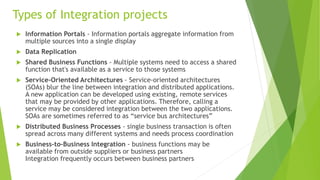
Types of Integration projects
 Information Portals - Information portals aggregate information from
multiple sources into a single display
 Data Replication
 Shared Business Functions - Multiple systems need to access a shared
function that's available as a service to those systems
 Service-Oriented Architectures - Service-oriented architectures
(SOAs) blur the line between integration and distributed applications.
A new application can be developed using existing, remote services
that may be provided by other applications. Therefore, calling a
service may be considered integration between the two applications.
SOAs are sometimes referred to as “service bus architectures”
 Distributed Business Processes - single business transaction is often
spread across many different systems and needs process coordination
 Business-to-Business Integration - business functions may be
available from outside suppliers or business partners
Integration frequently occurs between business partners
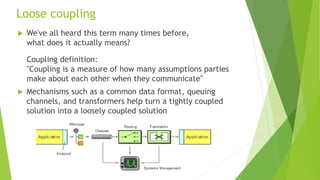
Loose coupling
 We've all heard this term many times before,
what does it actually means?
Coupling definition:
"Coupling is a measure of how many assumptions parties
make about each other when they communicate"
 Mechanisms such as a common data format, queuing
channels, and transformers help turn a tightly coupled
solution into a loosely coupled solution
4 options of Integration
 File Transfer — Have each application produce
files of shared data for others to consume, and
consume files that others have produced
 Shared Database — Have the applications store
the data they wish to share in a common database
 Remote Procedure Invocation — Have each
application expose some of its procedures so that
they can be invoked remotely, and have
applications invoke those to run behavior and
exchange data
 Messaging — Have each application connect to a
common messaging system, and exchange data
and invoke behavior using messages
It's all about Messaging
 Messaging makes applications loosely
coupled by communicating asynchronously or
synchronously
 Messaging makes the messaging system
responsible for transferring data from one
application to another, so the applications
can focus on what data they need to share
but not worry so much about how to share it
Basic Messaging conecpts
 Channels — Messaging applications transmit data through a Message
Channel, a virtual pipe that connects a sender to a receiver
 Messages — A Message is an atomic packet of data that can be
transmitted on a channel
 Multi-step delivery - actions often need to be performed on the message
after it is sent by its original sender but before it is received by its final
receiver.
A Pipes and Filters architecture describes how multiple processing steps
can be chained together using channels
 Routing - Message Router, an application component and filter in the
pipes-and-filters architecture, which will determine how to navigate the
channel topology and direct the message to the final receiver, or at least
to the next router
 Transformation - converting the message from one format to another
 Endpoints - A Special kind of a channel adapter, which mostly acts as a
last destination (more on that later)
Messaging Dreams
 It's a misconception to think you can just throw your application into to
some sort of a message infrastructure and all will work togther
Immaculately
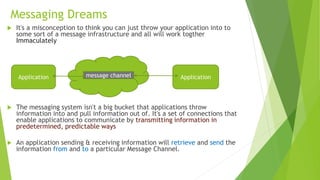
 The messaging system isn't a big bucket that applications throw
information into and pull information out of. It's a set of connections that
enable applications to communicate by transmitting information in
predetermined, predictable ways
 An application sending & receiving information will retrieve and send the
information from and to a particular Message Channel.
Application Applicationmessage channel
Two pivotal points of Messaging
 Point-to-Point Channels
 Publish-Subscribe Channels
Forms of Messaging out there
 Sender & Receiver — an application sends a message to a
Message Channel to be received by another application
 Producer & Consumer. Equally popular is Publisher and
Subscriber — they are more geared towards Publish-Subscribe
Channels, but are often times used in generic form. (Sometimes
we also say that an application listens on a channel that
another application talks to)
 World of Web services, we generally talk about a Requester &
Provider.
These terms usually imply that the requester sends a message
to the provider and receives a response back. (In the old days
we called these Client and Server)
 With Web services, sometimes the application that sends a
message to the provider is considered a Consumer of the
service
 An application that sends or receives messages may be called a
Client of the messaging system; a more specific term is
Endpoint or Message Endpoint
More key words to familiar with
With the Design Patterns for Integration comes key words used sometimes as
self sustained component, sometimes as a part of a larger complex pattern
 Pipes & Filters
 Message Router
 Message Translator
 Levels of Transformation
 Chaining Transforamations
 Message EndPoint
 Splitters & Aggregators
 Channel Adapter
 Service Activator
 Messaging Bridge
 Message Gateway
 Message Bus
 Control Bus
We'll get back to those concepts later on
Channels key words & conecpts
 Topic - Publisher Channel ( used by JMS Spec)
 One-To-Many Messaging Channel
 DataType Channel
 Invalid Message Channel
 Dead Letter Channel
 Guaranteed Delivery
 WireTap
So, what is a Message?
 A Message in the IT world is some form of data, being
passed from one place to another
A Message consists of two parts -
1. Header – Information used by the messaging system
that describes the data being transmitted, its origin,
its destination, and so on
2. Body/Payload– The data being transmitted; generally
ignored by the messaging system and simply transmitted
as-is
 For example the JmsMessage & SoapMessage are
messages that have the Integration message
characteristics
The Message road taken
 The Life of a message beings somewhere in the
system
 Integration solutions are typically a collection of
heterogeneous systems, which tells us that the
message may be passed around different systems on
different machines
 In most cases we'll want to use asynchronous
messaging, taking advantage of the
asynchronous aspects of sending messages from one
component to another
Starting Spring Integration
Like all Spring projects, you can configure your context via XML,
Annotations or JavaConfig
 Like most spring projects, working with XML is the default
choice and holds the most convenient methods of configuration
 With Spring Integration 4.0 came the Integration-java-dsl
(preferably used with java 8 since it highly lies on lambda
expressions)
Best practice:
 Combine component-scan & @Configuration classes with your
main XML context, but do use XML since it's the easiest to work
with and to change without re-compiling
 The new java dsl is easy to work with, try to utilize it in Testing
 Start your project small, test your flow (Channels, Adapters,
EndPoints) it can and should be tested aside from your services
& Business-logic code
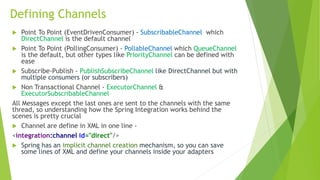
Defining Channels
 Point To Point (EventDrivenConsumer) - SubscribableChannel which
DirectChannel is the default channel
 Point To Point (PollingConsumer) - PollableChannel which QueueChannel
is the default, but other types like PriorityChannel can be defined with
ease
 Subscribe-Publish - PublishSubscribeChannel like DirectChannel but with
multiple consumers (or subscribers)
 Non Transactional Channel - ExecutorChannel &
ExecutorSubscribableChannel
All Messages except the last ones are sent to the channels with the same
thread, so understanding how the Spring Integration works behind the
scenes is pretty crucial
 Channel are define in XML in one line -
<integration:channel id="direct"/>
 Spring has an implicit channel creation mechanism, so you can save
some lines of XML and define your channels inside your adapters
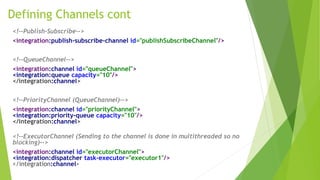
Defining Channels cont
<!--Publish-Subscribe-->
<integration:publish-subscribe-channel id="publishSubscribeChannel"/>
<!--QueueChannel-->
<integration:channel id="queueChannel">
<integration:queue capacity="10"/>
</integration:channel>
<!--PriorityChannel (QueueChannel)-->
<integration:channel id="priorityChannel">
<integration:priority-queue capacity="10"/>
</integration:channel>
<!--ExecutorChannel (Sending to the channel is done in multithreaded so no
blocking)-->
<integration:channel id="executorChannel">
<integration:dispatcher task-executor="executor1"/>
</integration:channel>
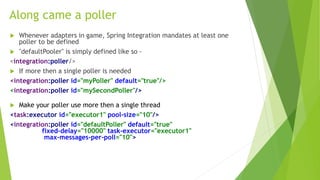
Along came a poller
 Whenever adapters in game, Spring Integration mandates at least one
poller to be defined
 "defaultPooler" is simply defined like so -
<integration:poller/>
 If more then a single poller is needed
<integration:poller id="myPoller" default="true"/>
<integration:poller id="mySecondPoller"/>
 Make your poller use more then a single thread
<task:executor id="executor1" pool-size="10"/>
<integration:poller id="defaultPoller" default="true"
fixed-delay="10000" task-executor="executor1"
max-messages-per-poll="10">
Inbound Channel Adpaters
 Inbound channel adapters are the components that holds the
MessageSource which produces the Message itself
 Sending messages to the pipe/wire will be handled by Inbound
adapters
 Basic inbound channel adapters will be created by spring via
the MethodInvokingMessageSource
 Spring Integration comes with 20+ connectors = inbound-
channel-adapters out of the box for your common & not so
common uses
 When no Poller is defined for the inbound-channel-adapter,
Spring will use the mandatory "defaultPooler"
 The thread mechanism used by the inbound-channel-adapter is
controlled via the poller
Gateways,
A way into the messaging system
 The easiest way for placing a message into a channel is to use a
Gateway
 With that in mind, Spring Gateways are the most complicated
component of all other Spring Integration components
 A Gateway is an interface which Spring will proxy for you, and with
this interface pass & receive messages to & from any desired channel
 Spring has smart mechanism using reflections to determine proper
channels & handlers when using gateways, use with caution!
 One of the most used feature of the gateway is to enrich message
headers
Define Gateway
1. Must define a default request channel - the entry to the messaging
system
2. You can define a default reply channel - acts as an endpoint for
receiving messages from another source
3. You can declare multiple entry points in your gateway interface
(Spring's reflection mechanism can works wonders in some scenarios)
Gateways cont
Best practice:
 Use gateways whenever you can and need a fast entry point to the
messaging system
 Spring reflection mechanism is really smart and will detect most
wrongly configured Interfaces & Stubs, understanding the
mechanism will save you a lot of time in the long run
 Don't use gateways when there's an inbound channel adapter
already which has all the logic needed to both create an entry point
& to create a valid message to pass on to the wire
 Since gateways are in fact Java Proxies, it's really easy to use them
sporadically, as best practice, avoid redundant declarations of
gateways
 Like other parts in Spring Integration, the Gateway is just another
way to take actions that probably can be accomplished by other
means
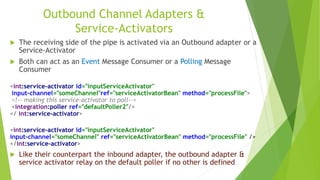
Outbound Channel Adapters &
Service-Activators
 The receiving side of the pipe is activated via an Outbound adapter or a
Service-Activator
 Both can act as an Event Message Consumer or a Polling Message
Consumer
<int:service-activator id="inputServiceActivator"
input-channel="someChannel"ref="serviceActivatorBean" method="processFile">
<!-- making this service-activator to poll-->
<integration:poller ref="defaultPoller2"/>
</ int:service-activator>
<int:service-activator id="inputServiceActivator"
input-channel="someChannel" ref="serviceActivatorBean" method="processFile" />
</int:service-activator>
 Like their counterpart the inbound adapter, the outbound adapter &
service activator relay on the default poller if no other is defined
@MessageEndPoint or @Service
 There aren't any differences between the MessageEndPoint or a
regular Spring bean, it's just a marker
 MessageEndPoint is a @Component to be used in Spring Integration
environments
 When using XML, you can use any marked component (whether it's
marked as @Service,@MessageEndPoint or with methods marked
with @ServiceActivator)
as a reference to your Message handler (whether it's service-
activator or outbound-channel-adapter)
 Keeping your design according to the specifications will keep your
application loosely coupled & will provide better understanding
for future readers and for yourself!
 When using JavaConfig and component-scan without XML, then
your annotations will play a more valid metadata for configuring a
proper integration flow ( Spring 4.1 has all features available via
annotations)
Filtering it out
 Filters, routers & transformers are a big part in the "Specification" and
Spring Integration makes it easy to integrate those patterns to your
application
Filters
Message Filter is used to eliminate undesired messages from a channel
based on a set of criteria
 Using Spring's way, you'll need to implement the MessageSelector which
has the one method boolean accept(Message<?> message) to be used
 Filtering will decided the message destination, to a valid output-channel
or to the invalid discard-channel
 Spring comes with some components out of the box like
PayloadTypeSelector & MessageSelectorChain that can be used as filters
when used with other components (see filters code examples)
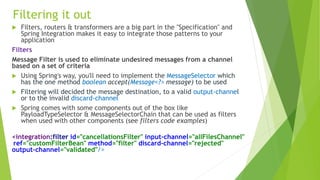
<integration:filter id="cancellationsFilter" input-channel="allFilesChannel"
ref="customFilterBean" method="filter" discard-channel="rejected"
output-channel="validated"/>
Transformers, more then meets the eye
Transformers
 Message passing from channel to channel may require
transformations, it can be adding or removing information for
a given message or creating and passing a newly message
entirely
 writing a transformer is really simple
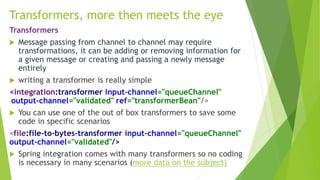
<integration:transformer input-channel="queueChannel"
output-channel="validated" ref="transformerBean"/>
 You can use one of the out of box transformers to save some
code in specific scenarios
<file:file-to-bytes-transformer input-channel="queueChannel"
output-channel="validated"/>
 Spring integration comes with many transformers so no coding
is necessary in many scenarios (more data on the subject)
Enrichers
"When sending messages from one system to another it is common for the
target system to require more information than the source system can provide"
Content Enricher Pattern
 Spring comes with Header & Payload enrichers which are in fact
transformers
 Enrichers can only be used via XML (another reason to use XML)
 To add information to a passing message, you can pass it through an
Enricher, just like other components (Transformers) the Enricher
need an input & output channel to pass the message from & to
 SpEL comes really handy with Headers enrichment, you can easily
add & remove headers while passing the message along the wire
 The Header-Enricher counterpart is the Header-Filter, described as
Content Filter in the spec. Spring implements it as a Transformer,
but only for removing headers, if you need a more complicated
filter, better to use a filter or transformer
Transformers, cont
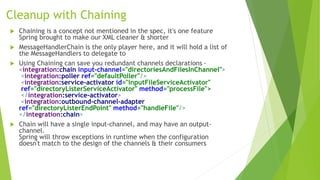
Cleanup with Chaining
 Chaining is a concept not mentioned in the spec, it's one feature
Spring brought to make our XML cleaner & shorter
 MessageHandlerChain is the only player here, and it will hold a list of
the MessageHandlers to delegate to
 Using Chaining can save you redundant channels declarations -
<integration:chain input-channel="directoriesAndFilesInChannel">
<integration:poller ref="defaultPoller"/>
<integration:service-activator id="inputFileServiceActivator"
ref="directoryListerServiceActivator" method="processFile">
</integration:service-activator>
<integration:outbound-channel-adapter
ref="directoryListerEndPoint" method="handleFile"/>
</integration:chain>
 Chain will have a single input-channel, and may have an output-
channel.
Spring will throw exceptions in runtime when the configuration
doesn't match to the design of the channels & their consumers
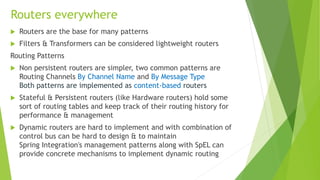
Routers everywhere
 Routers are the base for many patterns
 Filters & Transformers can be considered lightweight routers
Routing Patterns
 Non persistent routers are simpler, two common patterns are
Routing Channels By Channel Name and By Message Type
Both patterns are implemented as content-based routers
 Stateful & Persistent routers (like Hardware routers) hold some
sort of routing tables and keep track of their routing history for
performance & management
 Dynamic routers are hard to implement and with combination of
control bus can be hard to design & to maintain
Spring Integration's management patterns along with SpEL can
provide concrete mechanisms to implement dynamic routing
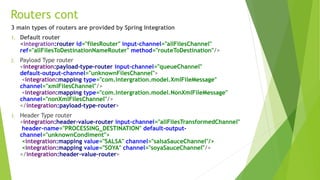
3 main types of routers are provided by Spring Integration
1. Default router
<integration:router id="filesRouter" input-channel="allFilesChannel"
ref="allFilesToDestinationNameRouter" method="routeToDestination"/>
2. Payload Type router
<integration:payload-type-router input-channel="queueChannel"
default-output-channel="unknownFilesChannel">
<integration:mapping type="com.intergration.model.XmlFileMessage"
channel="xmlFilesChannel"/>
<integration:mapping type="com.intergration.model.NonXmlFileMessage"
channel="nonXmlFilesChannel"/>
</integration:payload-type-router>
3. Header Type router
<integration:header-value-router input-channel="allFilesTransformedChannel"
header-name="PROCESSING_DESTINATION" default-output-
channel="unknownCondiment">
<integration:mapping value="SALSA" channel="salsaSauceChannel"/>
<integration:mapping value="SOYA" channel="soyaSauceChannel"/>
</integration:header-value-router>
Routers cont
Splitting, breaking stuff is easy
 In many scenarios you'll need to split big messages to little
pieces, making handling the parts more efficient & will
answer to a more loose coupled design
 Spiltter is defined in EIP as Sequencer
 Spring integration comes with a splitter element that is
easy to use
 SpEL comes really handy with the Splitter element
 When using custom Splitter service, your method needs to
return a collection of objects that will be passed
individually to the output-channel
 Like I said, breaking things up is easy, like most stuff in
life. And like in life, putting things back together is always
harder
Aggregating, assembling is hard
 Aggregation is the assembly of pieces to one part, so after Splitting
we need to assemble the part to a message (can be of same origin,
and also cannot)
 The Aggregator will release the grouped messages as a single message
to an output-channel, making the aggregator highly stateful
 Like other patterns in EIP, Spring implemented the Aggregator using
MessageStore interface, which holds all messages in memory
(indefinitely!)
 The Aggregator has two important parts - The @CorrelationStrategy &
@ReleaseStrategy.
The first correlates the incoming messages by creating a MessageStore
Id to each message and passes it along to latter in a List form, which
in turn will provide the logic whether to release the messages to the
@Aggregator marked method
 Spring's Aggregator is the most verbose component to define, it has
more then 20 properties to be defined, and for many cases they
provide all the logic you'll need.
 In some occasions, you will need to implement a ReleaseStrategy & a
CorrelationStrategy, check out Spring's Delayer for more ideas how to
do it
Scatter-Gather & Resequencer
 We all heard of Map-Reduce, and some may confuse
Scatter-Gather pattern with it, but they are different, mainly the
Map-Reduce is a subtype of Scatter-Gather which will have the
same workers for each piece it disassembled, and all end up at a
main junction endpoint
 The Scatter-Gather is one of the Aggregator choices, but can hold
much more, since scattering can send the messages to different
workers with different routes, which also all end at a main
endpoint
 With Sequencing messages at mind, consider the this rule:
Avoid ordering if possible
Sequencing messages comes with a price of statefulness (at
times), making scaling and performance a problem
 If you do choose ordering your messages, always use a timeout
until the entire sequence is handled successfully
 TimedPollable Aggregator is a pattern which mostly use ordering
to control the objects arrival and handling in a given timeframe
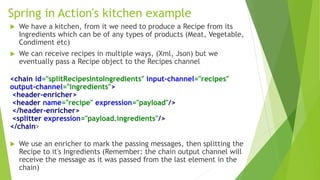
Spring in Action's kitchen example
 We have a kitchen, from it we need to produce a Recipe from its
Ingredients which can be of any types of products (Meat, Vegetable,
Condiment etc)
 We can receive recipes in multiple ways, (Xml, Json) but we
eventually pass a Recipe object to the Recipes channel
<chain id="splitRecipesIntoIngredients" input-channel="recipes"
output-channel="ingredients">
<header-enricher>
<header name="recipe" expression="payload"/>
</header-enricher>
<splitter expression="payload.ingredients"/>
</chain>
 We use an enricher to mark the passing messages, then splitting the
Recipe to it's Ingredients (Remember: the chain output channel will
receive the message as it was passed from the last element in the
chain)
Spring in Action cont
 We then need to aggregate the Ingredients to be send to the proper handling
channel (for each product type)
<chain id="ingredientsToShoppingLists" input-channel="ingredients"
output-channel="shoppinglists">
<header-enricher>
<header name="sequenceSize"
expression="headers['recipe'].itemsOfType(payload.type)"
overwrite="true"/>
</header-enricher>
<aggregator ref="shoppingListWriter" release-strategy="shoppingListWriter"
/>
</chain>
 The aggregator will have @CorrelationStrategy marked method which will
store the messages with the product type as an Id
 We can provide more logic in the ReleaseStrategy before passing the
Ingredients to Aggregator handling method (returned is a boolean whether to
release to the aggreagor)
Spring in Action cont
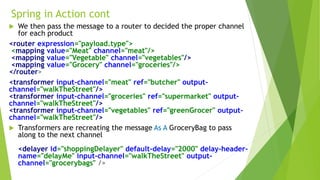
 We then pass the message to a router to decided the proper channel
for each product
<router expression="payload.type">
<mapping value="Meat" channel="meat"/>
<mapping value="Vegetable" channel="vegetables"/>
<mapping value="Grocery" channel="groceries"/>
</router>
<transformer input-channel="meat" ref="butcher" output-
channel="walkTheStreet"/>
<transformer input-channel="groceries" ref="supermarket" output-
channel="walkTheStreet"/>
<transformer input-channel="vegetables" ref="greenGrocer" output-
channel="walkTheStreet"/>
 Transformers are recreating the message As A GroceryBag to pass
along to the next channel
<delayer id="shoppingDelayer" default-delay="2000" delay-header-
name="delayMe" input-channel="walkTheStreet" output-
channel="grocerybags" />
Spring in Action cont
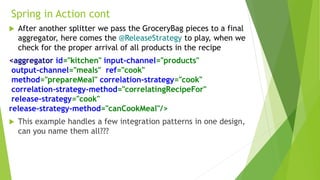
 After another splitter we pass the GroceryBag pieces to a final
aggregator, here comes the @ReleaseStrategy to play, when we
check for the proper arrival of all products in the recipe
<aggregator id="kitchen" input-channel="products"
output-channel="meals" ref="cook"
method="prepareMeal" correlation-strategy="cook"
correlation-strategy-method="correlatingRecipeFor"
release-strategy="cook"
release-strategy-method="canCookMeal"/>
 This example handles a few integration patterns in one design,
can you name them all???
Parting our ways
 This is it for now, there are a few other subjects that
worth mentioning but kinda didn't in this slide
 Transactions & AOP in Spring Integration is a major part
 Hope to continue with the examples on those parts in the
future.
 Thanks, hope you enjoyed it :-)

Integration Patterns With Spring integration

  • 1.
  • 2.
    What's & WhyIntegration? Many business may have multiple sub-applications serving different functions for one main application and its goal Let's take for example an Insurance company that sells different kinds of insurance products (Life,Heath,Auto,Home etc). the enterprise consists of separate applications for managing the company's different insurance products An insurance agent trying to sell a customer several different types of policies must log into a separate system for each policy, wasting effort and increasing the opportunity for mistakes The individual product applications need to be able to work together, perhaps to offer a discount when purchasing more than one policy, and perhaps to process a claim that is covered by more than one policy
  • 3.
    Where the Patternsfit in?  It all started back in 2002  Gregor Hohpe & Bobby Woolf are the founders of the site & the book that became the main specification for Integration Design Patterns  http://www.eaipatterns.com/  More books are on the subject can be found  Implementers to the patterns aren't mandated to answer to a specification, but most answer to the general accepted specification mentioned above  Spring Integration is becoming more compliant to the specs over the versions (currently 4.1.3)  Spring also adds more features that the specs not necessarily defines or even talks about
  • 4.
    Integration is outthere, big time!  There are many solutions for Integrating your applications  In the Java world, the known solutions are MuleESB, Spring Integration, Camel, JBossESB, OpenESB and there a few others  Spring is among the youngest in the integration world, but is keep growing with more then 20 connectors to date  Camel has the most connectors with more 100+ and counting
  • 5.
    Types of Integrationprojects  Information Portals - Information portals aggregate information from multiple sources into a single display  Data Replication  Shared Business Functions - Multiple systems need to access a shared function that's available as a service to those systems  Service-Oriented Architectures - Service-oriented architectures (SOAs) blur the line between integration and distributed applications. A new application can be developed using existing, remote services that may be provided by other applications. Therefore, calling a service may be considered integration between the two applications. SOAs are sometimes referred to as “service bus architectures”  Distributed Business Processes - single business transaction is often spread across many different systems and needs process coordination  Business-to-Business Integration - business functions may be available from outside suppliers or business partners Integration frequently occurs between business partners
  • 6.
    Loose coupling  We'veall heard this term many times before, what does it actually means? Coupling definition: "Coupling is a measure of how many assumptions parties make about each other when they communicate"  Mechanisms such as a common data format, queuing channels, and transformers help turn a tightly coupled solution into a loosely coupled solution
  • 7.
    4 options ofIntegration  File Transfer — Have each application produce files of shared data for others to consume, and consume files that others have produced  Shared Database — Have the applications store the data they wish to share in a common database  Remote Procedure Invocation — Have each application expose some of its procedures so that they can be invoked remotely, and have applications invoke those to run behavior and exchange data  Messaging — Have each application connect to a common messaging system, and exchange data and invoke behavior using messages
  • 8.
    It's all aboutMessaging  Messaging makes applications loosely coupled by communicating asynchronously or synchronously  Messaging makes the messaging system responsible for transferring data from one application to another, so the applications can focus on what data they need to share but not worry so much about how to share it
  • 9.
    Basic Messaging conecpts Channels — Messaging applications transmit data through a Message Channel, a virtual pipe that connects a sender to a receiver  Messages — A Message is an atomic packet of data that can be transmitted on a channel  Multi-step delivery - actions often need to be performed on the message after it is sent by its original sender but before it is received by its final receiver. A Pipes and Filters architecture describes how multiple processing steps can be chained together using channels  Routing - Message Router, an application component and filter in the pipes-and-filters architecture, which will determine how to navigate the channel topology and direct the message to the final receiver, or at least to the next router  Transformation - converting the message from one format to another  Endpoints - A Special kind of a channel adapter, which mostly acts as a last destination (more on that later)
  • 10.
    Messaging Dreams  It'sa misconception to think you can just throw your application into to some sort of a message infrastructure and all will work togther Immaculately  The messaging system isn't a big bucket that applications throw information into and pull information out of. It's a set of connections that enable applications to communicate by transmitting information in predetermined, predictable ways  An application sending & receiving information will retrieve and send the information from and to a particular Message Channel. Application Applicationmessage channel
  • 11.
    Two pivotal pointsof Messaging  Point-to-Point Channels  Publish-Subscribe Channels
  • 12.
    Forms of Messagingout there  Sender & Receiver — an application sends a message to a Message Channel to be received by another application  Producer & Consumer. Equally popular is Publisher and Subscriber — they are more geared towards Publish-Subscribe Channels, but are often times used in generic form. (Sometimes we also say that an application listens on a channel that another application talks to)  World of Web services, we generally talk about a Requester & Provider. These terms usually imply that the requester sends a message to the provider and receives a response back. (In the old days we called these Client and Server)  With Web services, sometimes the application that sends a message to the provider is considered a Consumer of the service  An application that sends or receives messages may be called a Client of the messaging system; a more specific term is Endpoint or Message Endpoint
  • 13.
    More key wordsto familiar with With the Design Patterns for Integration comes key words used sometimes as self sustained component, sometimes as a part of a larger complex pattern  Pipes & Filters  Message Router  Message Translator  Levels of Transformation  Chaining Transforamations  Message EndPoint  Splitters & Aggregators  Channel Adapter  Service Activator  Messaging Bridge  Message Gateway  Message Bus  Control Bus We'll get back to those concepts later on
  • 14.
    Channels key words& conecpts  Topic - Publisher Channel ( used by JMS Spec)  One-To-Many Messaging Channel  DataType Channel  Invalid Message Channel  Dead Letter Channel  Guaranteed Delivery  WireTap
  • 15.
    So, what isa Message?  A Message in the IT world is some form of data, being passed from one place to another A Message consists of two parts - 1. Header – Information used by the messaging system that describes the data being transmitted, its origin, its destination, and so on 2. Body/Payload– The data being transmitted; generally ignored by the messaging system and simply transmitted as-is  For example the JmsMessage & SoapMessage are messages that have the Integration message characteristics
  • 16.
    The Message roadtaken  The Life of a message beings somewhere in the system  Integration solutions are typically a collection of heterogeneous systems, which tells us that the message may be passed around different systems on different machines  In most cases we'll want to use asynchronous messaging, taking advantage of the asynchronous aspects of sending messages from one component to another
  • 17.
    Starting Spring Integration Likeall Spring projects, you can configure your context via XML, Annotations or JavaConfig  Like most spring projects, working with XML is the default choice and holds the most convenient methods of configuration  With Spring Integration 4.0 came the Integration-java-dsl (preferably used with java 8 since it highly lies on lambda expressions) Best practice:  Combine component-scan & @Configuration classes with your main XML context, but do use XML since it's the easiest to work with and to change without re-compiling  The new java dsl is easy to work with, try to utilize it in Testing  Start your project small, test your flow (Channels, Adapters, EndPoints) it can and should be tested aside from your services & Business-logic code
  • 18.
    Defining Channels  PointTo Point (EventDrivenConsumer) - SubscribableChannel which DirectChannel is the default channel  Point To Point (PollingConsumer) - PollableChannel which QueueChannel is the default, but other types like PriorityChannel can be defined with ease  Subscribe-Publish - PublishSubscribeChannel like DirectChannel but with multiple consumers (or subscribers)  Non Transactional Channel - ExecutorChannel & ExecutorSubscribableChannel All Messages except the last ones are sent to the channels with the same thread, so understanding how the Spring Integration works behind the scenes is pretty crucial  Channel are define in XML in one line - <integration:channel id="direct"/>  Spring has an implicit channel creation mechanism, so you can save some lines of XML and define your channels inside your adapters
  • 19.
    Defining Channels cont <!--Publish-Subscribe--> <integration:publish-subscribe-channelid="publishSubscribeChannel"/> <!--QueueChannel--> <integration:channel id="queueChannel"> <integration:queue capacity="10"/> </integration:channel> <!--PriorityChannel (QueueChannel)--> <integration:channel id="priorityChannel"> <integration:priority-queue capacity="10"/> </integration:channel> <!--ExecutorChannel (Sending to the channel is done in multithreaded so no blocking)--> <integration:channel id="executorChannel"> <integration:dispatcher task-executor="executor1"/> </integration:channel>
  • 20.
    Along came apoller  Whenever adapters in game, Spring Integration mandates at least one poller to be defined  "defaultPooler" is simply defined like so - <integration:poller/>  If more then a single poller is needed <integration:poller id="myPoller" default="true"/> <integration:poller id="mySecondPoller"/>  Make your poller use more then a single thread <task:executor id="executor1" pool-size="10"/> <integration:poller id="defaultPoller" default="true" fixed-delay="10000" task-executor="executor1" max-messages-per-poll="10">
  • 21.
    Inbound Channel Adpaters Inbound channel adapters are the components that holds the MessageSource which produces the Message itself  Sending messages to the pipe/wire will be handled by Inbound adapters  Basic inbound channel adapters will be created by spring via the MethodInvokingMessageSource  Spring Integration comes with 20+ connectors = inbound- channel-adapters out of the box for your common & not so common uses  When no Poller is defined for the inbound-channel-adapter, Spring will use the mandatory "defaultPooler"  The thread mechanism used by the inbound-channel-adapter is controlled via the poller
  • 22.
    Gateways, A way intothe messaging system  The easiest way for placing a message into a channel is to use a Gateway  With that in mind, Spring Gateways are the most complicated component of all other Spring Integration components  A Gateway is an interface which Spring will proxy for you, and with this interface pass & receive messages to & from any desired channel  Spring has smart mechanism using reflections to determine proper channels & handlers when using gateways, use with caution!  One of the most used feature of the gateway is to enrich message headers Define Gateway 1. Must define a default request channel - the entry to the messaging system 2. You can define a default reply channel - acts as an endpoint for receiving messages from another source 3. You can declare multiple entry points in your gateway interface (Spring's reflection mechanism can works wonders in some scenarios)
  • 23.
    Gateways cont Best practice: Use gateways whenever you can and need a fast entry point to the messaging system  Spring reflection mechanism is really smart and will detect most wrongly configured Interfaces & Stubs, understanding the mechanism will save you a lot of time in the long run  Don't use gateways when there's an inbound channel adapter already which has all the logic needed to both create an entry point & to create a valid message to pass on to the wire  Since gateways are in fact Java Proxies, it's really easy to use them sporadically, as best practice, avoid redundant declarations of gateways  Like other parts in Spring Integration, the Gateway is just another way to take actions that probably can be accomplished by other means
  • 24.
    Outbound Channel Adapters& Service-Activators  The receiving side of the pipe is activated via an Outbound adapter or a Service-Activator  Both can act as an Event Message Consumer or a Polling Message Consumer <int:service-activator id="inputServiceActivator" input-channel="someChannel"ref="serviceActivatorBean" method="processFile"> <!-- making this service-activator to poll--> <integration:poller ref="defaultPoller2"/> </ int:service-activator> <int:service-activator id="inputServiceActivator" input-channel="someChannel" ref="serviceActivatorBean" method="processFile" /> </int:service-activator>  Like their counterpart the inbound adapter, the outbound adapter & service activator relay on the default poller if no other is defined
  • 25.
    @MessageEndPoint or @Service There aren't any differences between the MessageEndPoint or a regular Spring bean, it's just a marker  MessageEndPoint is a @Component to be used in Spring Integration environments  When using XML, you can use any marked component (whether it's marked as @Service,@MessageEndPoint or with methods marked with @ServiceActivator) as a reference to your Message handler (whether it's service- activator or outbound-channel-adapter)  Keeping your design according to the specifications will keep your application loosely coupled & will provide better understanding for future readers and for yourself!  When using JavaConfig and component-scan without XML, then your annotations will play a more valid metadata for configuring a proper integration flow ( Spring 4.1 has all features available via annotations)
  • 26.
    Filtering it out Filters, routers & transformers are a big part in the "Specification" and Spring Integration makes it easy to integrate those patterns to your application Filters Message Filter is used to eliminate undesired messages from a channel based on a set of criteria  Using Spring's way, you'll need to implement the MessageSelector which has the one method boolean accept(Message<?> message) to be used  Filtering will decided the message destination, to a valid output-channel or to the invalid discard-channel  Spring comes with some components out of the box like PayloadTypeSelector & MessageSelectorChain that can be used as filters when used with other components (see filters code examples) <integration:filter id="cancellationsFilter" input-channel="allFilesChannel" ref="customFilterBean" method="filter" discard-channel="rejected" output-channel="validated"/>
  • 27.
    Transformers, more thenmeets the eye Transformers  Message passing from channel to channel may require transformations, it can be adding or removing information for a given message or creating and passing a newly message entirely  writing a transformer is really simple <integration:transformer input-channel="queueChannel" output-channel="validated" ref="transformerBean"/>  You can use one of the out of box transformers to save some code in specific scenarios <file:file-to-bytes-transformer input-channel="queueChannel" output-channel="validated"/>  Spring integration comes with many transformers so no coding is necessary in many scenarios (more data on the subject)
  • 28.
    Enrichers "When sending messagesfrom one system to another it is common for the target system to require more information than the source system can provide" Content Enricher Pattern  Spring comes with Header & Payload enrichers which are in fact transformers  Enrichers can only be used via XML (another reason to use XML)  To add information to a passing message, you can pass it through an Enricher, just like other components (Transformers) the Enricher need an input & output channel to pass the message from & to  SpEL comes really handy with Headers enrichment, you can easily add & remove headers while passing the message along the wire  The Header-Enricher counterpart is the Header-Filter, described as Content Filter in the spec. Spring implements it as a Transformer, but only for removing headers, if you need a more complicated filter, better to use a filter or transformer Transformers, cont
  • 29.
    Cleanup with Chaining Chaining is a concept not mentioned in the spec, it's one feature Spring brought to make our XML cleaner & shorter  MessageHandlerChain is the only player here, and it will hold a list of the MessageHandlers to delegate to  Using Chaining can save you redundant channels declarations - <integration:chain input-channel="directoriesAndFilesInChannel"> <integration:poller ref="defaultPoller"/> <integration:service-activator id="inputFileServiceActivator" ref="directoryListerServiceActivator" method="processFile"> </integration:service-activator> <integration:outbound-channel-adapter ref="directoryListerEndPoint" method="handleFile"/> </integration:chain>  Chain will have a single input-channel, and may have an output- channel. Spring will throw exceptions in runtime when the configuration doesn't match to the design of the channels & their consumers
  • 30.
    Routers everywhere  Routersare the base for many patterns  Filters & Transformers can be considered lightweight routers Routing Patterns  Non persistent routers are simpler, two common patterns are Routing Channels By Channel Name and By Message Type Both patterns are implemented as content-based routers  Stateful & Persistent routers (like Hardware routers) hold some sort of routing tables and keep track of their routing history for performance & management  Dynamic routers are hard to implement and with combination of control bus can be hard to design & to maintain Spring Integration's management patterns along with SpEL can provide concrete mechanisms to implement dynamic routing
  • 31.
    3 main typesof routers are provided by Spring Integration 1. Default router <integration:router id="filesRouter" input-channel="allFilesChannel" ref="allFilesToDestinationNameRouter" method="routeToDestination"/> 2. Payload Type router <integration:payload-type-router input-channel="queueChannel" default-output-channel="unknownFilesChannel"> <integration:mapping type="com.intergration.model.XmlFileMessage" channel="xmlFilesChannel"/> <integration:mapping type="com.intergration.model.NonXmlFileMessage" channel="nonXmlFilesChannel"/> </integration:payload-type-router> 3. Header Type router <integration:header-value-router input-channel="allFilesTransformedChannel" header-name="PROCESSING_DESTINATION" default-output- channel="unknownCondiment"> <integration:mapping value="SALSA" channel="salsaSauceChannel"/> <integration:mapping value="SOYA" channel="soyaSauceChannel"/> </integration:header-value-router> Routers cont
  • 32.
    Splitting, breaking stuffis easy  In many scenarios you'll need to split big messages to little pieces, making handling the parts more efficient & will answer to a more loose coupled design  Spiltter is defined in EIP as Sequencer  Spring integration comes with a splitter element that is easy to use  SpEL comes really handy with the Splitter element  When using custom Splitter service, your method needs to return a collection of objects that will be passed individually to the output-channel  Like I said, breaking things up is easy, like most stuff in life. And like in life, putting things back together is always harder
  • 33.
    Aggregating, assembling ishard  Aggregation is the assembly of pieces to one part, so after Splitting we need to assemble the part to a message (can be of same origin, and also cannot)  The Aggregator will release the grouped messages as a single message to an output-channel, making the aggregator highly stateful  Like other patterns in EIP, Spring implemented the Aggregator using MessageStore interface, which holds all messages in memory (indefinitely!)  The Aggregator has two important parts - The @CorrelationStrategy & @ReleaseStrategy. The first correlates the incoming messages by creating a MessageStore Id to each message and passes it along to latter in a List form, which in turn will provide the logic whether to release the messages to the @Aggregator marked method  Spring's Aggregator is the most verbose component to define, it has more then 20 properties to be defined, and for many cases they provide all the logic you'll need.  In some occasions, you will need to implement a ReleaseStrategy & a CorrelationStrategy, check out Spring's Delayer for more ideas how to do it
  • 34.
    Scatter-Gather & Resequencer We all heard of Map-Reduce, and some may confuse Scatter-Gather pattern with it, but they are different, mainly the Map-Reduce is a subtype of Scatter-Gather which will have the same workers for each piece it disassembled, and all end up at a main junction endpoint  The Scatter-Gather is one of the Aggregator choices, but can hold much more, since scattering can send the messages to different workers with different routes, which also all end at a main endpoint  With Sequencing messages at mind, consider the this rule: Avoid ordering if possible Sequencing messages comes with a price of statefulness (at times), making scaling and performance a problem  If you do choose ordering your messages, always use a timeout until the entire sequence is handled successfully  TimedPollable Aggregator is a pattern which mostly use ordering to control the objects arrival and handling in a given timeframe
  • 35.
    Spring in Action'skitchen example  We have a kitchen, from it we need to produce a Recipe from its Ingredients which can be of any types of products (Meat, Vegetable, Condiment etc)  We can receive recipes in multiple ways, (Xml, Json) but we eventually pass a Recipe object to the Recipes channel <chain id="splitRecipesIntoIngredients" input-channel="recipes" output-channel="ingredients"> <header-enricher> <header name="recipe" expression="payload"/> </header-enricher> <splitter expression="payload.ingredients"/> </chain>  We use an enricher to mark the passing messages, then splitting the Recipe to it's Ingredients (Remember: the chain output channel will receive the message as it was passed from the last element in the chain)
  • 36.
    Spring in Actioncont  We then need to aggregate the Ingredients to be send to the proper handling channel (for each product type) <chain id="ingredientsToShoppingLists" input-channel="ingredients" output-channel="shoppinglists"> <header-enricher> <header name="sequenceSize" expression="headers['recipe'].itemsOfType(payload.type)" overwrite="true"/> </header-enricher> <aggregator ref="shoppingListWriter" release-strategy="shoppingListWriter" /> </chain>  The aggregator will have @CorrelationStrategy marked method which will store the messages with the product type as an Id  We can provide more logic in the ReleaseStrategy before passing the Ingredients to Aggregator handling method (returned is a boolean whether to release to the aggreagor)
  • 37.
    Spring in Actioncont  We then pass the message to a router to decided the proper channel for each product <router expression="payload.type"> <mapping value="Meat" channel="meat"/> <mapping value="Vegetable" channel="vegetables"/> <mapping value="Grocery" channel="groceries"/> </router> <transformer input-channel="meat" ref="butcher" output- channel="walkTheStreet"/> <transformer input-channel="groceries" ref="supermarket" output- channel="walkTheStreet"/> <transformer input-channel="vegetables" ref="greenGrocer" output- channel="walkTheStreet"/>  Transformers are recreating the message As A GroceryBag to pass along to the next channel <delayer id="shoppingDelayer" default-delay="2000" delay-header- name="delayMe" input-channel="walkTheStreet" output- channel="grocerybags" />
  • 38.
    Spring in Actioncont  After another splitter we pass the GroceryBag pieces to a final aggregator, here comes the @ReleaseStrategy to play, when we check for the proper arrival of all products in the recipe <aggregator id="kitchen" input-channel="products" output-channel="meals" ref="cook" method="prepareMeal" correlation-strategy="cook" correlation-strategy-method="correlatingRecipeFor" release-strategy="cook" release-strategy-method="canCookMeal"/>  This example handles a few integration patterns in one design, can you name them all???
  • 39.
    Parting our ways This is it for now, there are a few other subjects that worth mentioning but kinda didn't in this slide  Transactions & AOP in Spring Integration is a major part  Hope to continue with the examples on those parts in the future.  Thanks, hope you enjoyed it :-)

Editor's Notes

  • #18 A few things I wasn't able to do with annotations, only in XML:Gateway method header enrichment & payload generation Chaining Header & Payload enrichers
  • #19 EventDrivenConsumer extends the AbtractEndPoint and holds a ref for the SubscribableChannel It has 2 methods - doStart & doStop. which calls the subscribe of the ref channel with the passed serviceHandler