Carlos Pinheiro, Fevereiro de 2009 School Library 2.0 IASL 2009  38th Annual Conference Abano Terme (Padua), Italy, 2 - 4 September 2009 Carlos Pinheiro, Portugal
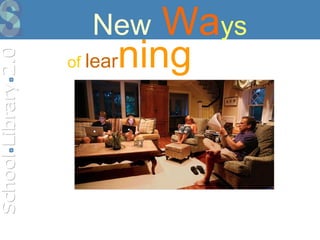
New  Wa ys of   lear ning
Different media lead to…  …  different skills
 
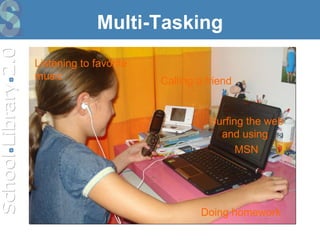
Multi-Tasking Listening to favorite music Doing homework Calling a friend Surfing the web and using  MSN
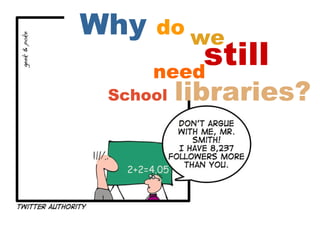
Why  do   we School   libraries? need still
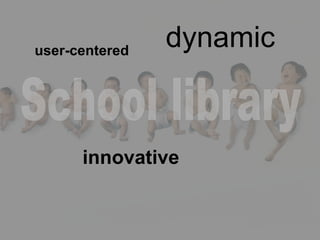
innovative user-centered dynamic School library
Web 2.0 Web 2.0 provides tools to «get inside the heads of people who are using these new environments for social interaction» (Kukulska-Hulme, 2006)
Web 2.0+Library = Library 2.0
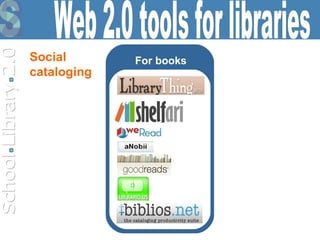
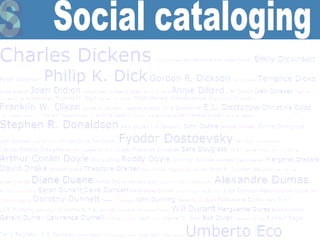
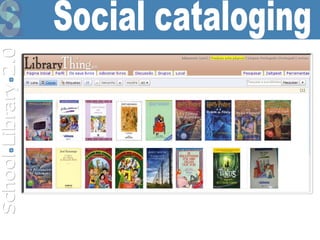
For books Web 2.0 tools for libraries Social  cataloging
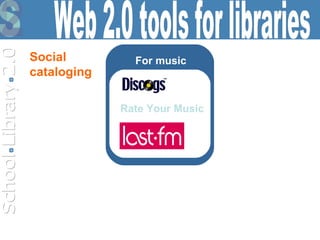
For music Web 2.0 tools for libraries Social  cataloging Rate Your Music
For movies Web 2.0 tools for libraries Social  cataloging
For academic publications Web 2.0 tools for libraries Social  cataloging
For computer and video games Web 2.0 tools for libraries Social  cataloging
Social OPAC* exlibrisgroup.com encoreforlibraries.com *Online Public Access Catalog Web 2.0 tools for libraries
Communicate blogger.com wordpress.com wikispaces.com Web 2.0 tools for libraries
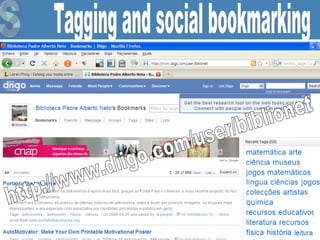
Organize bloglines.com diigo.com Web 2.0 tools for libraries
Share slideshare.net Web 2.0 tools for libraries
Rating fresqui.com digg.com Web 2.0 tools for libraries
Social Networks  hi5.com Web 2.0 tools for libraries
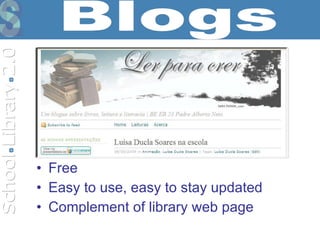
Free  Easy to use, easy to stay updated   Complement of library web page Blogs
We use it for: Support for curriculum, literacy and reading. Encourage students to write. Provide resources to students and teachers. Provide news and announcements. Present collections of links for specific topics. Supply lists of new acquisitions, reading lists and book reviews. Facilitate access to podcasts, slideshows and videos.  Platform of social bookmarking. Blogs
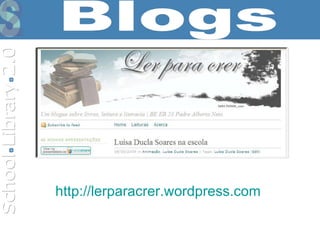
http:// lerparacrer.wordpress.com   Blogs
Can be used to teach citizenship in the online world being a starting point for discussions about web research, copyright, illegal downloads… We also provide resources on information literacy, advertise library collections and services, share pictures/music/videos/virtual exhibitions and we use commenting feature to ask students to suggest books and videos for the collection.  Social network sites
RSS feeds provide libraries a way to syndicate and republish content on the Web. Can be used to republish content from other sites or blogs on the library sites or blogs, or to delivery information to the users, new items in a collection, new services, and new content. RSS Feeds
Allows real-time interaction through a computer using text.   Why to use Instant Messaging (IM) in the SL?  Students love it (MSN is the most popular tool in the school computers); It's free!  Easy to use.  Students may access the library remotely  (in our school  students use it as an online helpdesk).   Instant messaging
Easy to use.  Anyone can make changes.  Free and open source. Very useful for group working. We use wikis for many different purposes: library and information skills tutorials, reading lists, book reviews… http://netescola.wikispaces.com   Wikis
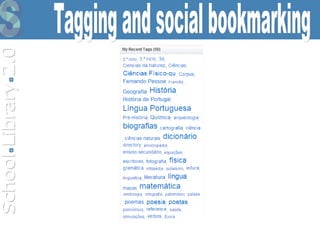
Tagging and social bookmarking
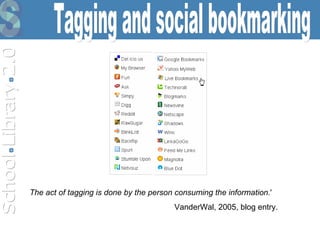
Tagging and social bookmarking The act of tagging is done by the person consuming the information. ' VanderWal, 2005, blog entry.
Tagging and social bookmarking http://www.diigo.com/user/biblionet
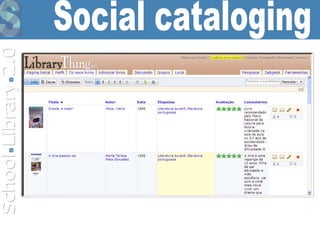
Social cataloging
Social cataloging
Social cataloging
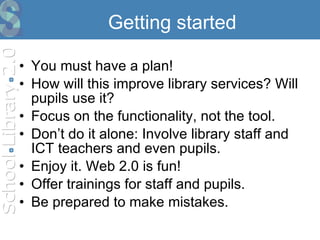
Getting started You must have a plan! How will this improve library services? Will pupils use it? Focus on the functionality, not the tool.  Don’t do it alone: Involve library staff and ICT teachers and even pupils. Enjoy it. Web 2.0 is fun!  Offer trainings for staff and pupils.  Be prepared to make mistakes.
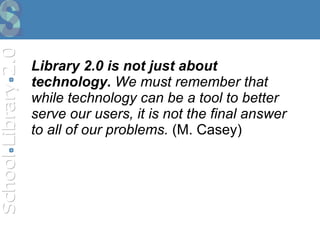
Library 2.0 is not just about technology.  We must remember that while technology can be a tool to better serve our users, it is not the final answer to all of our problems.  (M. Casey)
It is not a new technology,  but a new attitude
Library 2.0 it's all of us
Thank you [email_address]

School Library 2.0

  • 1.
    Carlos Pinheiro, Fevereirode 2009 School Library 2.0 IASL 2009 38th Annual Conference Abano Terme (Padua), Italy, 2 - 4 September 2009 Carlos Pinheiro, Portugal
  • 2.
    New Ways of lear ning
  • 3.
    Different media leadto… … different skills
  • 4.
  • 5.
    Multi-Tasking Listening tofavorite music Doing homework Calling a friend Surfing the web and using MSN
  • 6.
    Why do we School libraries? need still
  • 7.
  • 8.
    Web 2.0 Web2.0 provides tools to «get inside the heads of people who are using these new environments for social interaction» (Kukulska-Hulme, 2006)
  • 9.
    Web 2.0+Library =Library 2.0
  • 10.
    For books Web2.0 tools for libraries Social cataloging
  • 11.
    For music Web2.0 tools for libraries Social cataloging Rate Your Music
  • 12.
    For movies Web2.0 tools for libraries Social cataloging
  • 13.
    For academic publicationsWeb 2.0 tools for libraries Social cataloging
  • 14.
    For computer andvideo games Web 2.0 tools for libraries Social cataloging
  • 15.
    Social OPAC* exlibrisgroup.comencoreforlibraries.com *Online Public Access Catalog Web 2.0 tools for libraries
  • 16.
    Communicate blogger.com wordpress.comwikispaces.com Web 2.0 tools for libraries
  • 17.
    Organize bloglines.com diigo.comWeb 2.0 tools for libraries
  • 18.
    Share slideshare.net Web2.0 tools for libraries
  • 19.
    Rating fresqui.com digg.comWeb 2.0 tools for libraries
  • 20.
    Social Networks hi5.com Web 2.0 tools for libraries
  • 21.
    Free Easyto use, easy to stay updated Complement of library web page Blogs
  • 22.
    We use itfor: Support for curriculum, literacy and reading. Encourage students to write. Provide resources to students and teachers. Provide news and announcements. Present collections of links for specific topics. Supply lists of new acquisitions, reading lists and book reviews. Facilitate access to podcasts, slideshows and videos. Platform of social bookmarking. Blogs
  • 23.
  • 24.
    Can be usedto teach citizenship in the online world being a starting point for discussions about web research, copyright, illegal downloads… We also provide resources on information literacy, advertise library collections and services, share pictures/music/videos/virtual exhibitions and we use commenting feature to ask students to suggest books and videos for the collection. Social network sites
  • 25.
    RSS feeds providelibraries a way to syndicate and republish content on the Web. Can be used to republish content from other sites or blogs on the library sites or blogs, or to delivery information to the users, new items in a collection, new services, and new content. RSS Feeds
  • 26.
    Allows real-time interactionthrough a computer using text. Why to use Instant Messaging (IM) in the SL? Students love it (MSN is the most popular tool in the school computers); It's free! Easy to use. Students may access the library remotely (in our school students use it as an online helpdesk). Instant messaging
  • 27.
    Easy to use. Anyone can make changes. Free and open source. Very useful for group working. We use wikis for many different purposes: library and information skills tutorials, reading lists, book reviews… http://netescola.wikispaces.com Wikis
  • 28.
    Tagging and socialbookmarking
  • 29.
    Tagging and socialbookmarking The act of tagging is done by the person consuming the information. ' VanderWal, 2005, blog entry.
  • 30.
    Tagging and socialbookmarking http://www.diigo.com/user/biblionet
  • 31.
  • 32.
  • 33.
  • 34.
    Getting started Youmust have a plan! How will this improve library services? Will pupils use it? Focus on the functionality, not the tool. Don’t do it alone: Involve library staff and ICT teachers and even pupils. Enjoy it. Web 2.0 is fun! Offer trainings for staff and pupils. Be prepared to make mistakes.
  • 35.
    Library 2.0 isnot just about technology. We must remember that while technology can be a tool to better serve our users, it is not the final answer to all of our problems. (M. Casey)
  • 36.
    It is nota new technology, but a new attitude
  • 37.
  • 38.

Editor's Notes

  • #3 Aprendizagem individual e autónoma fora da sala de aula
  • #7 Se os alunos podem aprender em qualquer lado, com ferramentas e recursos que não estão exclusivamente disponíveis na escola, porque precisamos de uma biblioteca escolar?
  • #8 Procura constantemente a inovação e acompanha as mudanças que ocorrem na comunidade, adaptando os seus serviços para permitir aos utilizadores procurar, encontrar e utilizar a informação
  • #9 Web 2.0 provides tools to «get inside the heads of people who are using these new environments for social interaction» (Kukulska-Hulme, 2006)
  • #10 A partir de 2005, começaram a surgir os primeiros estudos internacionais sobre Web 2.0 envolvendo bibliotecas, bibliotecários e ferramentas tecnológicas, originando o conceito de Biblioteca 2.0. O termo Biblioteca 2.0 (Library 2.0) foi concebido por Michael Casey no seu blogue LibrayCrunch ( http:// www.librarycrunch.com ) em 2005.
  • #29 A tag is a keyword that is added to a digital object (e.g. a website, picture or video clip) to describe it, but not as part of a formal classification system. Tagging is also known as social classification or social indexing. When an item has a tag added to it, the tag becomes a clickable link to more items associated with that tag. Users can create tag clouds that reveal the most popular tags: tags with higher frequency of use are displayed in larger text.
  • #30 Tagging is also known as democratic indexing: Every single item includes descriptive cataloguing and subject indexing based on user perceptions of the item; the ability of individual users to record their private indexes, offering a democratic approach to indexing. Democratic indexing is a challenge how to involve users in creating metadata. Metadata created by professionals have high quality but are expensive. User-created metadata are an alternative tagging is essentially Web 2.0 because it allows users to add and change not only content (data), but content describing content (metadata). In Library 2.0, users could tag the library's collection and thereby participate in the cataloging process.
  • #35 Technolust" -- a insatiable need to acquire the latest, fastest, most exotic computer gadgets, whether teachers and students need them or want them.
  • #38 Interage com os utilizadores quer de forma síncrona (por ex. IM – mensagens instantâneas) quer de forma assíncrona (por ex. wikis).