A
Colloquium
On
VOICE BROWSER
Submitted By:
ABHISHEK PRAJAPATI
Roll No.1573713001
Under the supervision of
MR. RAKESH KUMAR
DEPARTMENT OF INFORMATION TECHNOLOGY
RAJKIYA ENGINEERING COLLEGE, AMBEDKAR NAGAR (UP)-224122
09/02/2017 1
What is Voice browser?
Why is a Voice browser?
Motivation
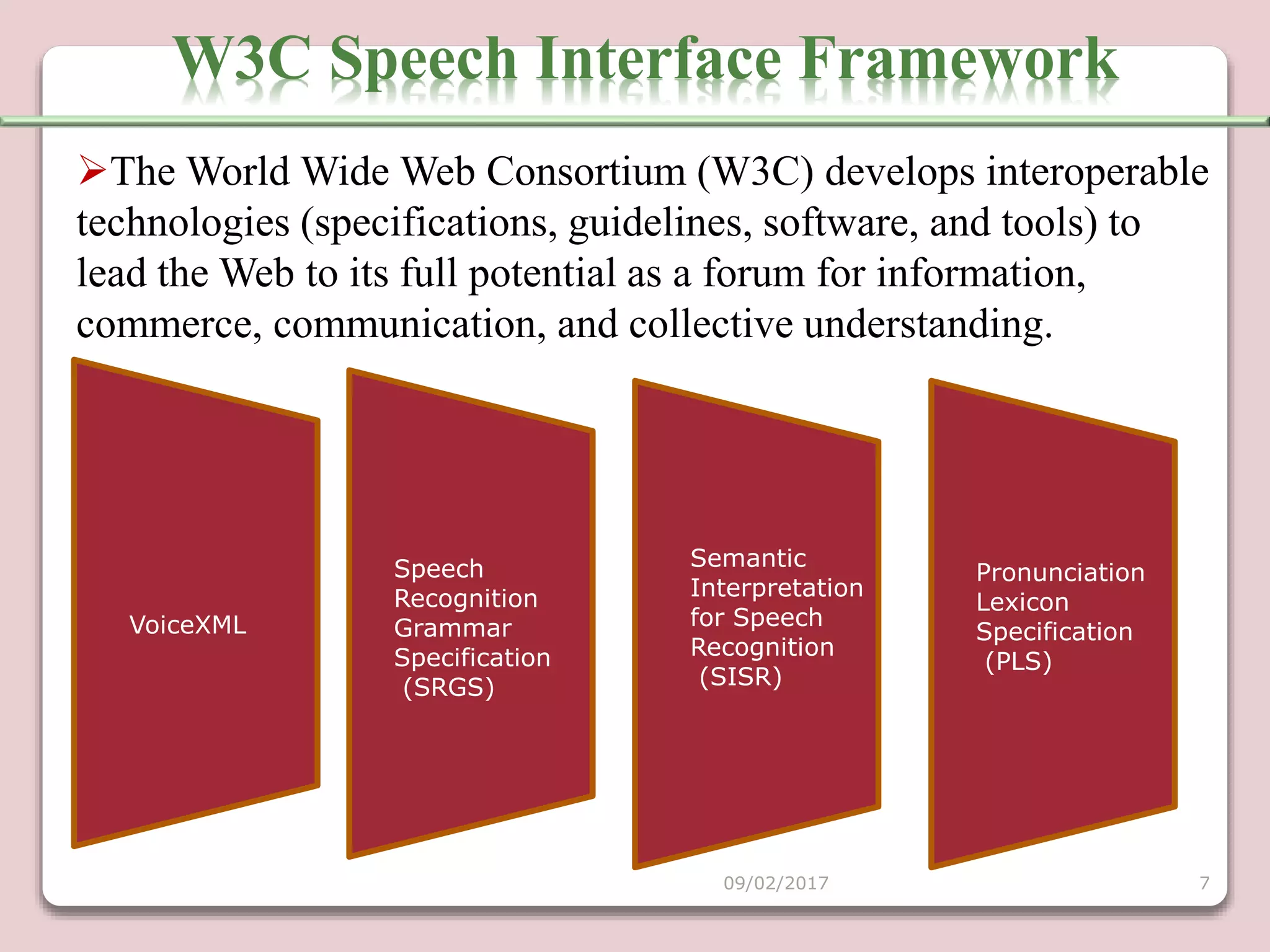
W3C Interface Framework.
Voice XML
Speech Recognition Grammar Specification (SRGS)
Semantic Interpretation for Speech Recognition(SISR)
Pronunciation Lexicon Specification (PLS)
Call control
 Applications
Advantages and disadvantages
Conclusion
09/02/2017 2
A voice browser is a software application that presents an
interactive voice user interface to the user in a manner analogous to
the functioning of a web browser.
Dialog documents interpreted by voice browser are often encoded
in standards-based markup languages, such as (VoiceXML).
A voice browser presents information aurally, using pre-recorded
audio file playback or text-to-speech synthesis software.
A voice browser obtains information using speech recognition and
keypad entry, such as DTMF detection.
WHAT IS A VOICE BROWSER?
09/02/2017 3
Use of the hands during browsing might prove inconvenient
or impossible.
Voice input is a natural solution for such ands-busy
situations.
Even in standard browser applications, using voice input is
simply more fun than the alternatives.
Voice input provides direct "see and say" access to links,
eliminating the wrist strain associated with holding the mouse
for often hours at a time.
This is most helpful for the disabled persons.
Why is a Voice Browser?
09/02/2017 4
Far more people today have access to a telephone than have
access to a computer with an Internet connection.
Many of us have already or soon will have a mobile phone within
reach wherever we go.
Voice interaction can escape the physical limitations on keypads
and displays as mobile devices become ever smaller.
Disadvantages to existing methods:WAP (Cellular phones, Palm
Pilots)
1. Access Speed
2. Limited or fragmented availability
3. Price
4. Lack of user habit
MOTIVATION
09/02/2017 5
Differences Between Graphical & Voice
Browsing
Graphical browsing is more
passive due to the persistence of
the visual information.
Graphical Browsers are
client-based.
Voice browsing is more active
since the user has to issue
commands.
whereas Voice Browsers are
server-based.
09/02/2017 6
Semantic
Interpretation
for Speech
Recognition
(SISR)
Pronunciation
Lexicon
Specification
(PLS)
VoiceXML
Speech
Recognition
Grammar
Specification
(SRGS)
W3C Speech Interface Framework
09/02/2017 7
The World Wide Web Consortium (W3C) develops interoperable
technologies (specifications, guidelines, software, and tools) to
lead the Web to its full potential as a forum for information,
commerce, communication, and collective understanding.
VoiceXML (VXML) is a digital document standard for
specifying interactive media and voice dialogs between humans
and computers.
The VoiceXML document format is based on Extensible
Markup Language(XML).
INTERNET
WEB
SERVER
text.html VOICE Xml
VOICE XML
09/02/2017 8
09/02/2017 9
A speech recognition grammar is a set of word patterns, and tells a
speech recognition system what to expect a human to say.
SRGS specifies two alternate but equivalent syntaxes, one based on
XML, and one using augmented BNF format. In practice, the XML
syntax is used more frequently.
Speech Recognition Grammar Specification
09/02/2017 10
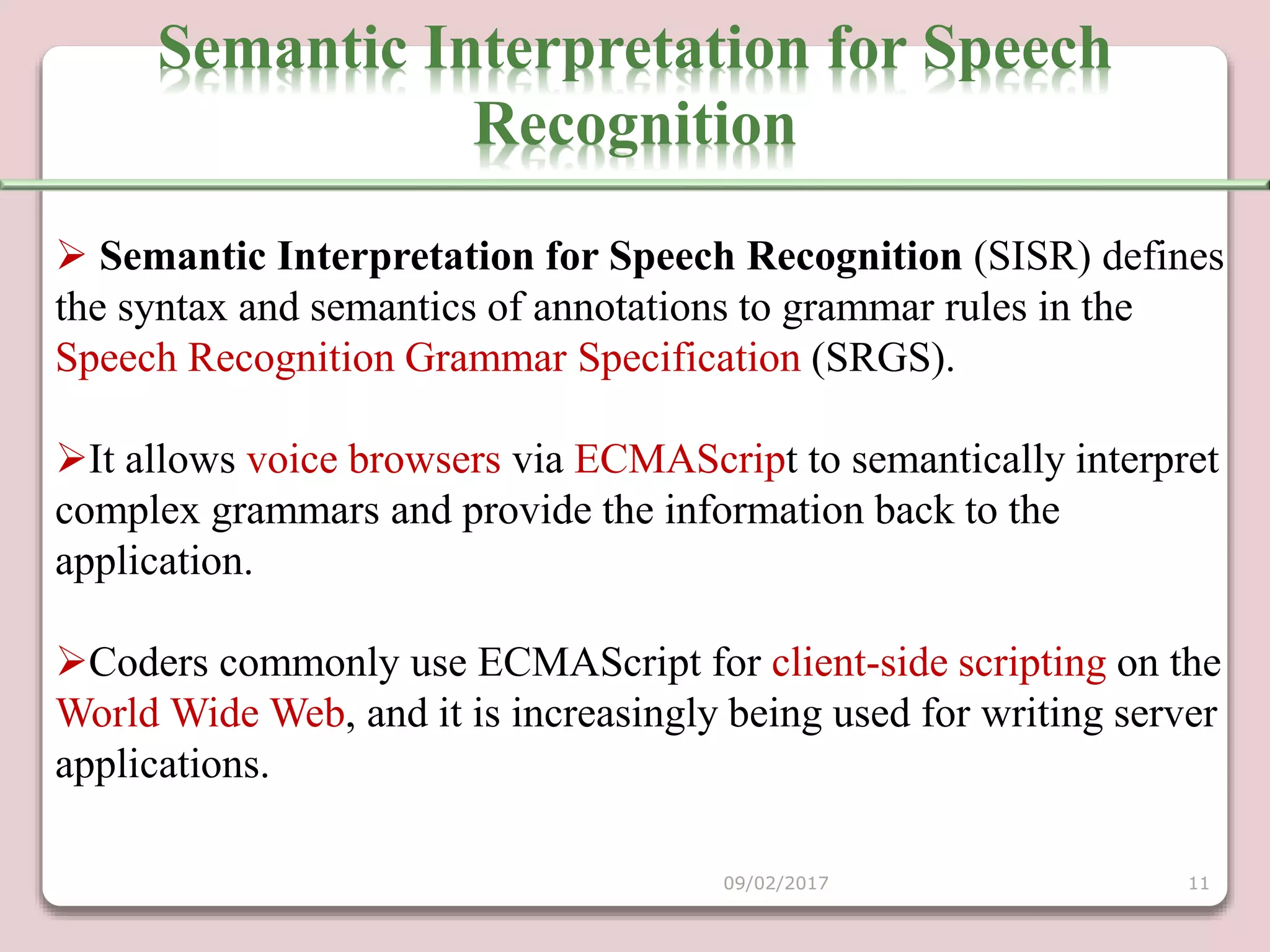
 Semantic Interpretation for Speech Recognition (SISR) defines
the syntax and semantics of annotations to grammar rules in the
Speech Recognition Grammar Specification (SRGS).
It allows voice browsers via ECMAScript to semantically interpret
complex grammars and provide the information back to the
application.
Coders commonly use ECMAScript for client-side scripting on the
World Wide Web, and it is increasingly being used for writing server
applications.
Semantic Interpretation for Speech
Recognition
09/02/2017 11
The Pronunciation Lexicon Specification (PLS) is a W3C
Recommendation which is designed to enable interoperable
specification of pronunciation information for both speech
recognition and speech synthesis engines within voice browsing
applications.
Pronunciations are grouped together into a PLS document which
may be referenced from other markup languages.
PRONUNCIATION LEXICON
09/02/2017 12
CCXML is designed to inform the voice browser how to handle
the telephony control of the voice channel.
The two XML applications are wholly separate and are not
required by each other to be implemented - however, they have been
designed with interoperability in mind
CALL CONTROL
09/02/2017 13
09/02/2017 14
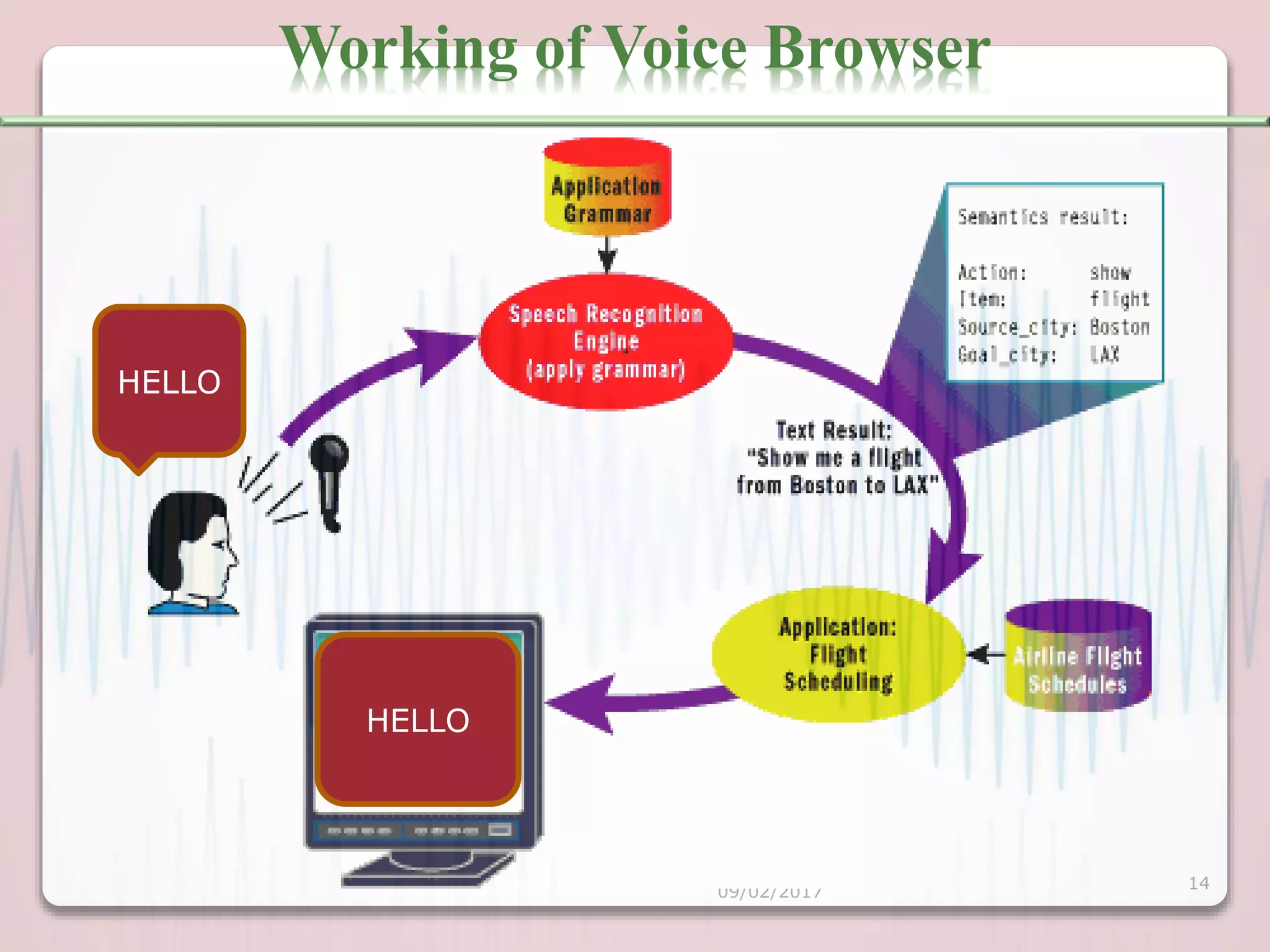
Working of Voice Browser
HELLO
HELLO
Accessing business information:
1. The corporate "front desk" which asks callers who or what they wa
2. Automated telephone ordering service .
3. Airline arrival and departure information.
4. Home banking services.
Accessing public information:
Application
1. Community information such as weather, traffic condition,
school closures, directions and events.
2. Local, national and international news.
3. National and international stock market information.
4. Business and e-commerce transactions.
09/02/2017 15
1. Voice mail.
2. Calendars, address and telephone lists
3. Personal horoscope.
4. Personal newsletter.
5. To-do lists, shopping lists, and calorie counters.
 Accessing personal information:
Application
09/02/2017 16
Advantages of Voice Browser
Voice is very natural user interface which speeds up browsing.
Less space requirements.
Portable voice browser can also be implemented.
Practical interface for blind users.
User can browse web while keeping there hands and eyes for
other jobs.
09/02/2017 17
Disadvantages of voice browser
This is useful if only a restricted volume of phrases and sentences
is used.
It require large storage.
Limited vocabulary.
09/02/2017 18
If voice browsers are meant to replace human operator dialog,
they must be fast in response.
Speech Recognition / Interpretation / Synthesis depend on
implementation
When a user requests a certain document, several related
documents can be downloaded for easier access.
CONCLUSION
09/02/2017 19
https://en.wikipedia.org/wiki/Voice_browser
www.w3.org/standards/webofdevices/voice
www.pcworld.com/article/230305/google
www.hwg.org/opcenter/w3c/voicebrowsers.html
09/02/2017 20
09/02/2017 21

Voice browser

  • 1.
    A Colloquium On VOICE BROWSER Submitted By: ABHISHEKPRAJAPATI Roll No.1573713001 Under the supervision of MR. RAKESH KUMAR DEPARTMENT OF INFORMATION TECHNOLOGY RAJKIYA ENGINEERING COLLEGE, AMBEDKAR NAGAR (UP)-224122 09/02/2017 1
  • 2.
    What is Voicebrowser? Why is a Voice browser? Motivation W3C Interface Framework. Voice XML Speech Recognition Grammar Specification (SRGS) Semantic Interpretation for Speech Recognition(SISR) Pronunciation Lexicon Specification (PLS) Call control  Applications Advantages and disadvantages Conclusion 09/02/2017 2
  • 3.
    A voice browseris a software application that presents an interactive voice user interface to the user in a manner analogous to the functioning of a web browser. Dialog documents interpreted by voice browser are often encoded in standards-based markup languages, such as (VoiceXML). A voice browser presents information aurally, using pre-recorded audio file playback or text-to-speech synthesis software. A voice browser obtains information using speech recognition and keypad entry, such as DTMF detection. WHAT IS A VOICE BROWSER? 09/02/2017 3
  • 4.
    Use of thehands during browsing might prove inconvenient or impossible. Voice input is a natural solution for such ands-busy situations. Even in standard browser applications, using voice input is simply more fun than the alternatives. Voice input provides direct "see and say" access to links, eliminating the wrist strain associated with holding the mouse for often hours at a time. This is most helpful for the disabled persons. Why is a Voice Browser? 09/02/2017 4
  • 5.
    Far more peopletoday have access to a telephone than have access to a computer with an Internet connection. Many of us have already or soon will have a mobile phone within reach wherever we go. Voice interaction can escape the physical limitations on keypads and displays as mobile devices become ever smaller. Disadvantages to existing methods:WAP (Cellular phones, Palm Pilots) 1. Access Speed 2. Limited or fragmented availability 3. Price 4. Lack of user habit MOTIVATION 09/02/2017 5
  • 6.
    Differences Between Graphical& Voice Browsing Graphical browsing is more passive due to the persistence of the visual information. Graphical Browsers are client-based. Voice browsing is more active since the user has to issue commands. whereas Voice Browsers are server-based. 09/02/2017 6
  • 7.
    Semantic Interpretation for Speech Recognition (SISR) Pronunciation Lexicon Specification (PLS) VoiceXML Speech Recognition Grammar Specification (SRGS) W3C SpeechInterface Framework 09/02/2017 7 The World Wide Web Consortium (W3C) develops interoperable technologies (specifications, guidelines, software, and tools) to lead the Web to its full potential as a forum for information, commerce, communication, and collective understanding.
  • 8.
    VoiceXML (VXML) isa digital document standard for specifying interactive media and voice dialogs between humans and computers. The VoiceXML document format is based on Extensible Markup Language(XML). INTERNET WEB SERVER text.html VOICE Xml VOICE XML 09/02/2017 8
  • 9.
  • 10.
    A speech recognitiongrammar is a set of word patterns, and tells a speech recognition system what to expect a human to say. SRGS specifies two alternate but equivalent syntaxes, one based on XML, and one using augmented BNF format. In practice, the XML syntax is used more frequently. Speech Recognition Grammar Specification 09/02/2017 10
  • 11.
     Semantic Interpretationfor Speech Recognition (SISR) defines the syntax and semantics of annotations to grammar rules in the Speech Recognition Grammar Specification (SRGS). It allows voice browsers via ECMAScript to semantically interpret complex grammars and provide the information back to the application. Coders commonly use ECMAScript for client-side scripting on the World Wide Web, and it is increasingly being used for writing server applications. Semantic Interpretation for Speech Recognition 09/02/2017 11
  • 12.
    The Pronunciation LexiconSpecification (PLS) is a W3C Recommendation which is designed to enable interoperable specification of pronunciation information for both speech recognition and speech synthesis engines within voice browsing applications. Pronunciations are grouped together into a PLS document which may be referenced from other markup languages. PRONUNCIATION LEXICON 09/02/2017 12
  • 13.
    CCXML is designedto inform the voice browser how to handle the telephony control of the voice channel. The two XML applications are wholly separate and are not required by each other to be implemented - however, they have been designed with interoperability in mind CALL CONTROL 09/02/2017 13
  • 14.
    09/02/2017 14 Working ofVoice Browser HELLO HELLO
  • 15.
    Accessing business information: 1.The corporate "front desk" which asks callers who or what they wa 2. Automated telephone ordering service . 3. Airline arrival and departure information. 4. Home banking services. Accessing public information: Application 1. Community information such as weather, traffic condition, school closures, directions and events. 2. Local, national and international news. 3. National and international stock market information. 4. Business and e-commerce transactions. 09/02/2017 15
  • 16.
    1. Voice mail. 2.Calendars, address and telephone lists 3. Personal horoscope. 4. Personal newsletter. 5. To-do lists, shopping lists, and calorie counters.  Accessing personal information: Application 09/02/2017 16
  • 17.
    Advantages of VoiceBrowser Voice is very natural user interface which speeds up browsing. Less space requirements. Portable voice browser can also be implemented. Practical interface for blind users. User can browse web while keeping there hands and eyes for other jobs. 09/02/2017 17
  • 18.
    Disadvantages of voicebrowser This is useful if only a restricted volume of phrases and sentences is used. It require large storage. Limited vocabulary. 09/02/2017 18
  • 19.
    If voice browsersare meant to replace human operator dialog, they must be fast in response. Speech Recognition / Interpretation / Synthesis depend on implementation When a user requests a certain document, several related documents can be downloaded for easier access. CONCLUSION 09/02/2017 19
  • 20.
  • 21.