CONTENTS
SPIROMETRY
NEED OF SPIROMETRY
SPIROMETER
SPIROMETRY PC SOFTWARE
PC REQUIREMENTS OF SCPS
OS REQUIREMENT FOR SCPS
PROCEDURE TO INSTALL SCPS
SPIROMETRY PC SOFTWARE SETTING
USES OF SCPS
CONCLUSION
REFERENCES
SPIROMETRY
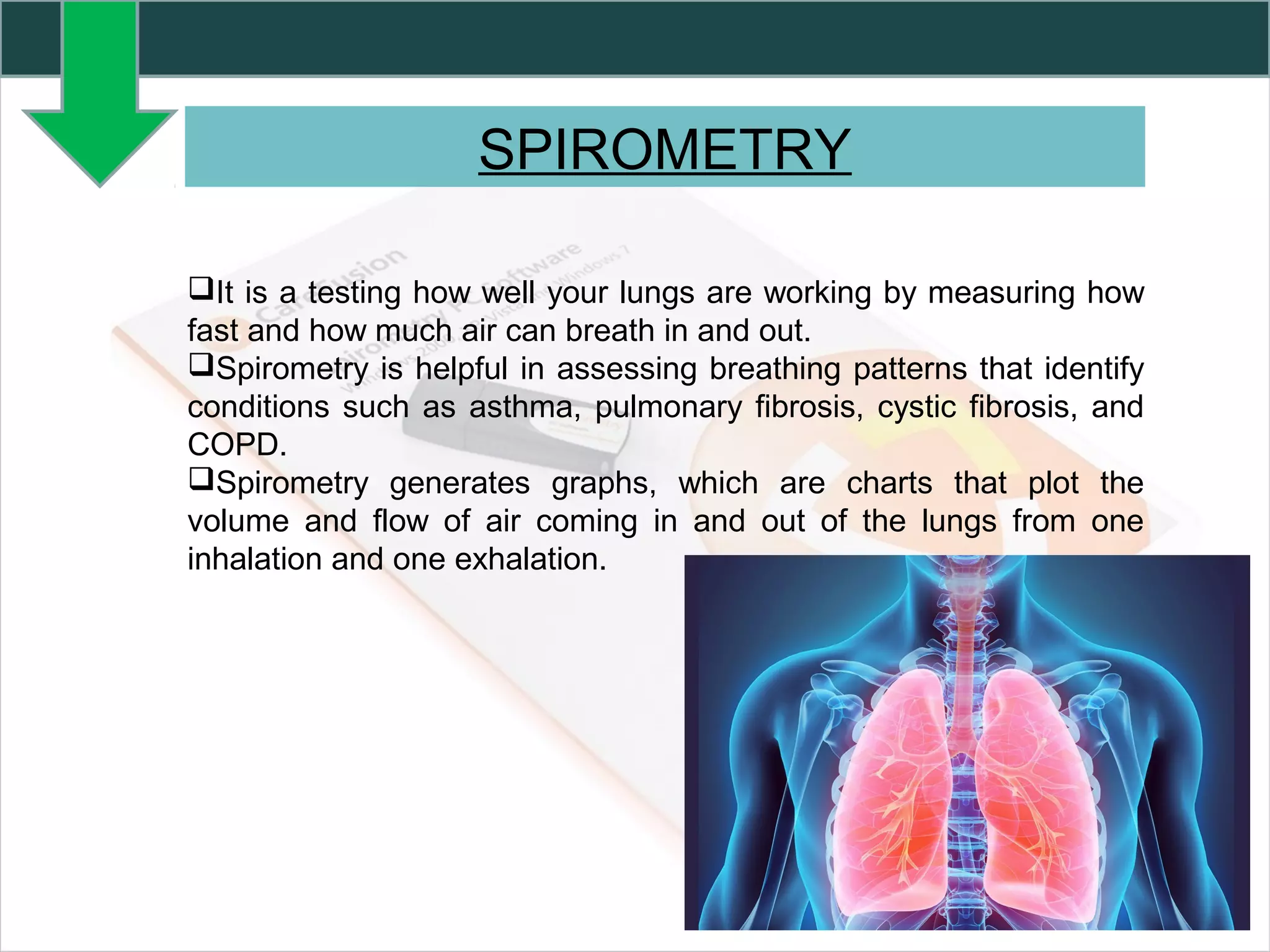
It is a testing how well your lungs are working by measuring how
fast and how much air can breath in and out.
Spirometry is helpful in assessing breathing patterns that identify
conditions such as asthma, pulmonary fibrosis, cystic fibrosis, and
COPD.
Spirometry generates graphs, which are charts that plot the
volume and flow of air coming in and out of the lungs from one
inhalation and one exhalation.
NEED OF SPIROMETRY
 To diagnose or manage asthma,
 To detect respiratory disease in patients presenting with symptoms of
breathlessness,
 To distinguish respiratory from cardiac disease as the cause,
 To diagnose and differentiate between obstructive lung disease and
restrictive lung disease,
 To measure response to treatment of conditions which spirometry
detects,
 To diagnose the vocal cord dysfunction,
SPIROMETER
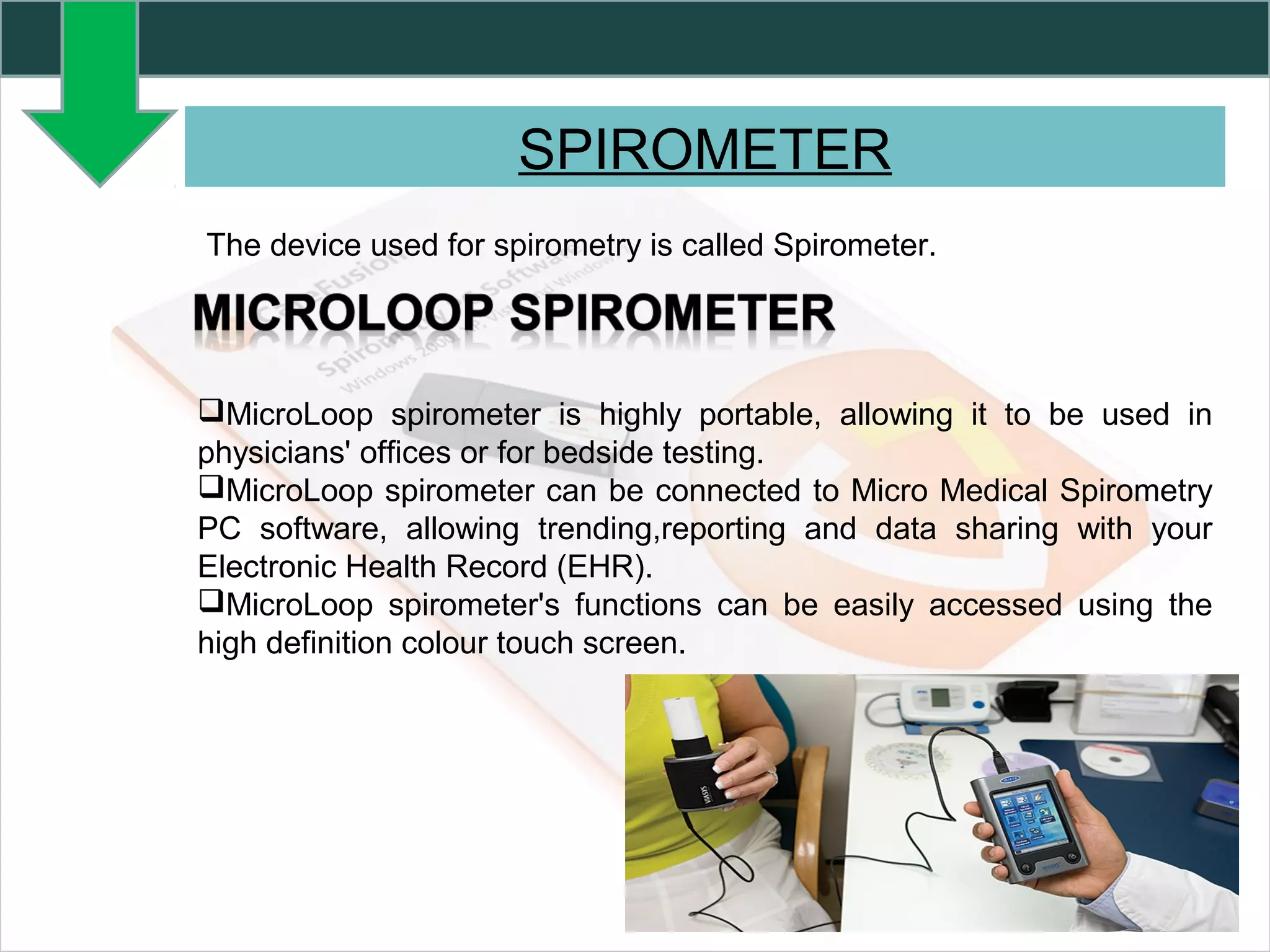
The device used for spirometry is called Spirometer.
MicroLoop spirometer is highly portable, allowing it to be used in
physicians' offices or for bedside testing.
MicroLoop spirometer can be connected to Micro Medical Spirometry
PC software, allowing trending,reporting and data sharing with your
Electronic Health Record (EHR).
MicroLoop spirometer's functions can be easily accessed using the
high definition colour touch screen.
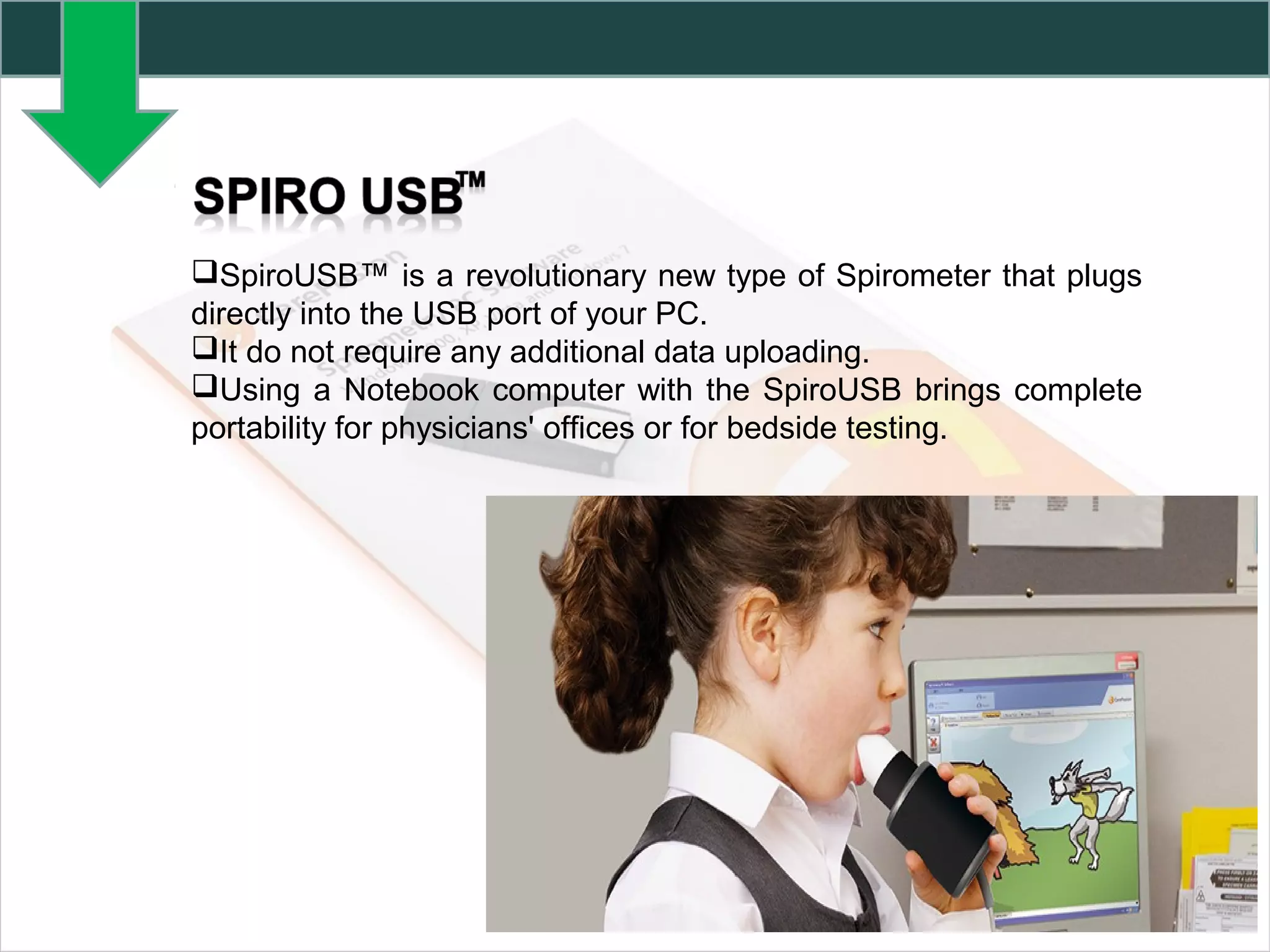
SpiroUSB™ is a revolutionary new type of Spirometer that plugs
directly into the USB port of your PC.
It do not require any additional data uploading.
Using a Notebook computer with the SpiroUSB brings complete
portability for physicians' offices or for bedside testing.
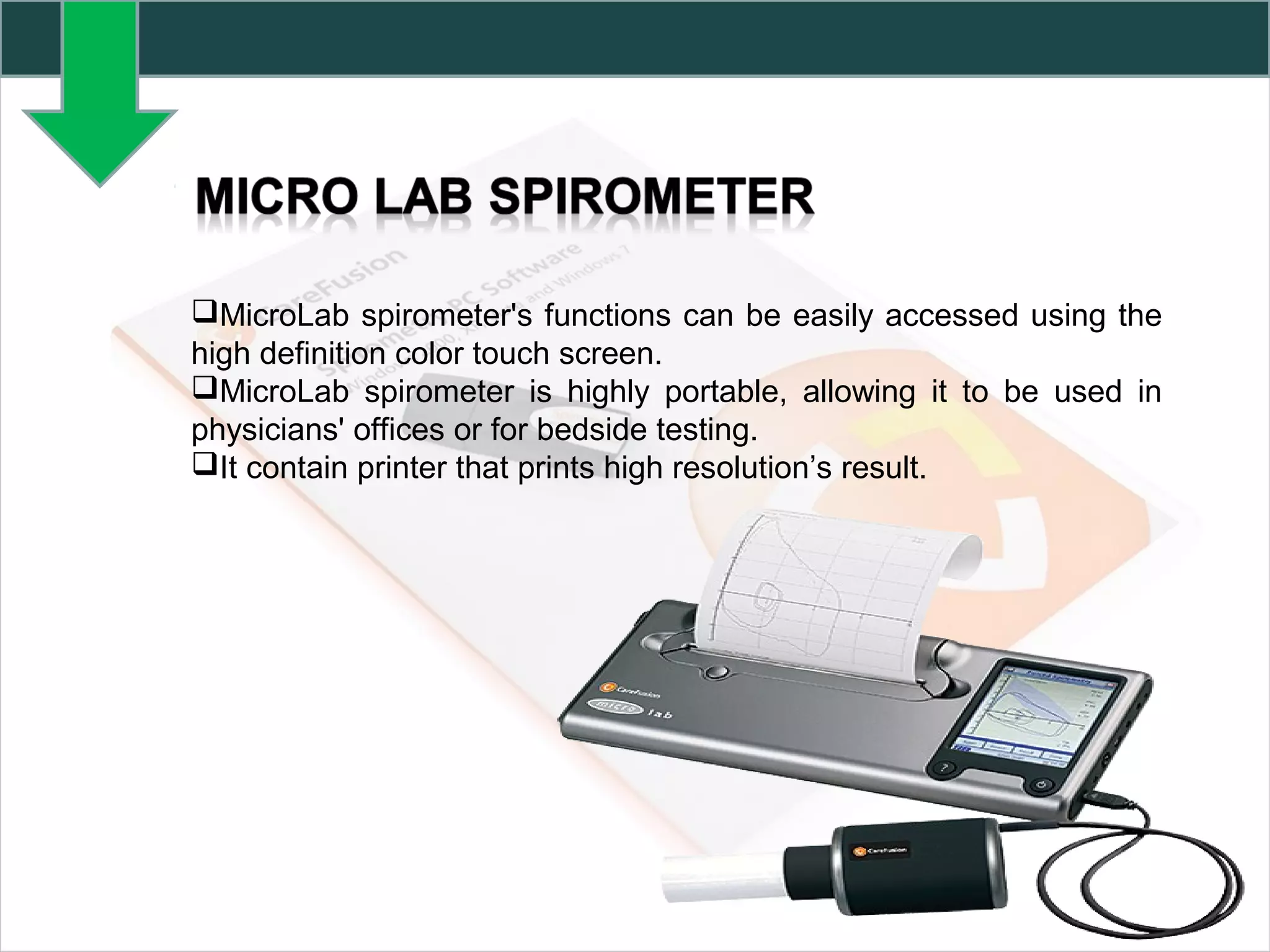
MicroLab spirometer's functions can be easily accessed using the
high definition color touch screen.
MicroLab spirometer is highly portable, allowing it to be used in
physicians' offices or for bedside testing.
It contain printer that prints high resolution’s result.
SPIROMETRY PC SOFTWARE
SPCS is an easy-to-use spirometry data collection and database
system that has been designed to meet the needs of the busy clinician
and healthcare provider.
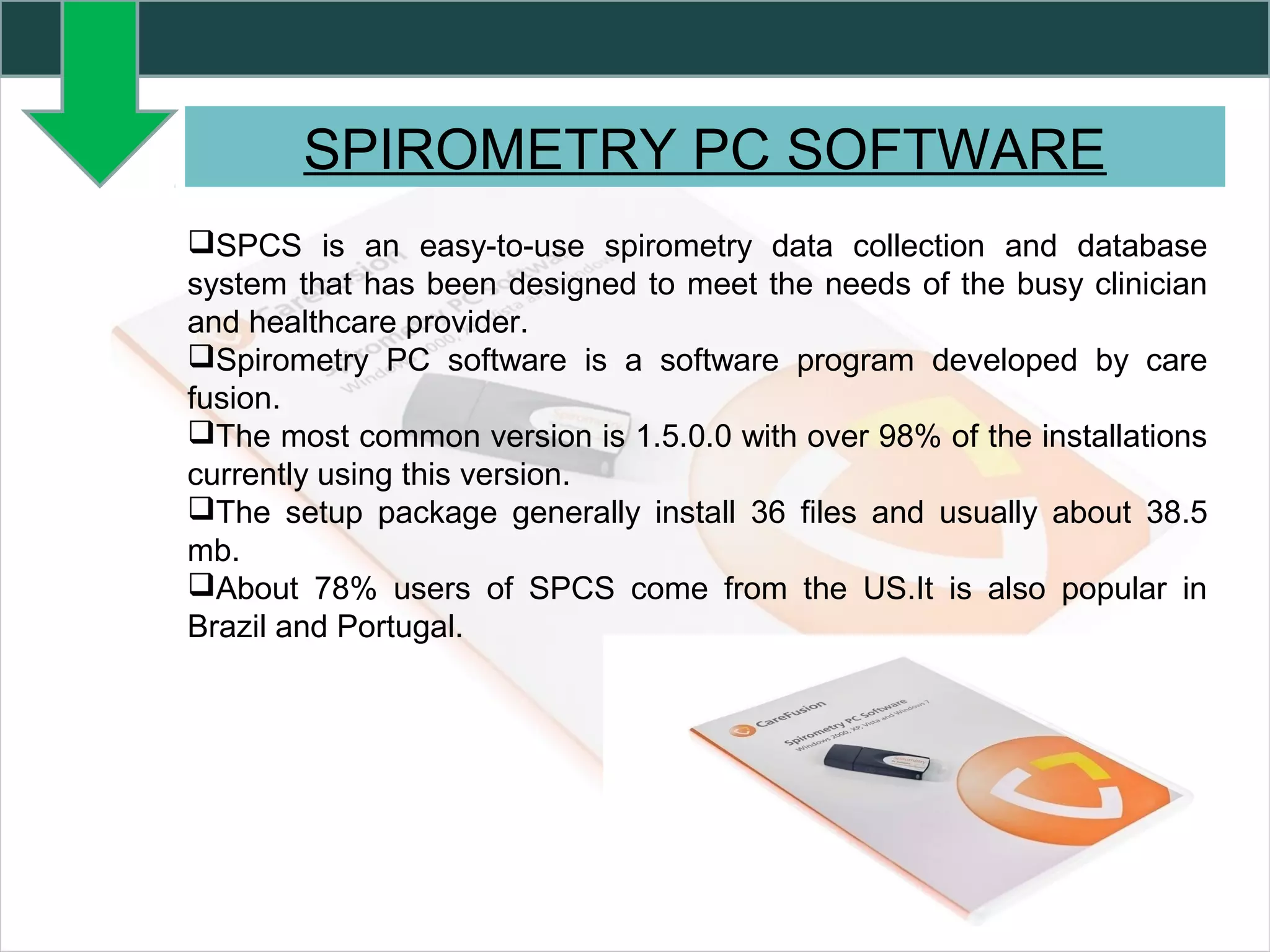
Spirometry PC software is a software program developed by care
fusion.
The most common version is 1.5.0.0 with over 98% of the installations
currently using this version.
The setup package generally install 36 files and usually about 38.5
mb.
About 78% users of SPCS come from the US.It is also popular in
Brazil and Portugal.
SPIROMETRY PC SOFTWARE
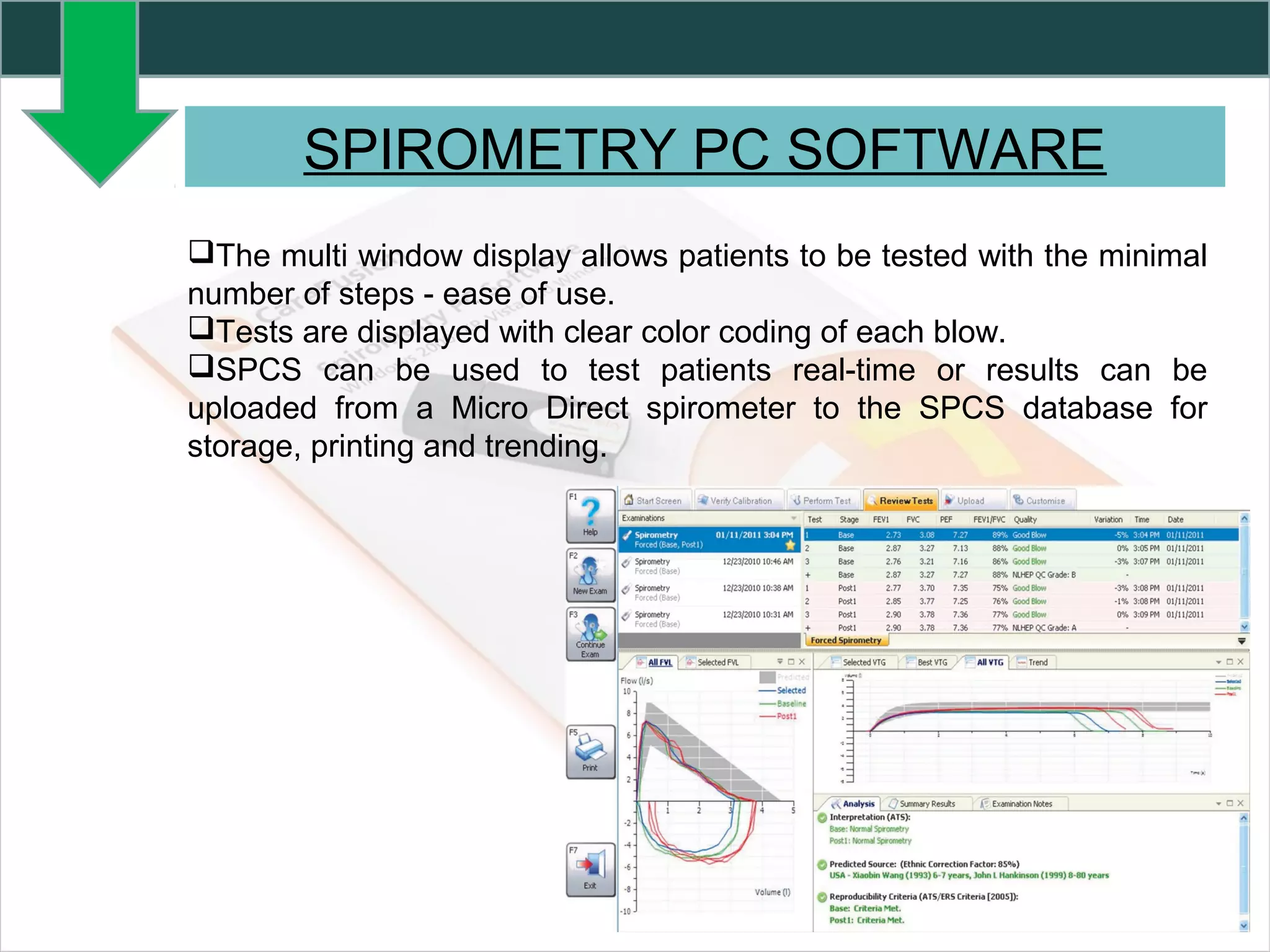
The multi window display allows patients to be tested with the minimal
number of steps - ease of use.
Tests are displayed with clear color coding of each blow.
SPCS can be used to test patients real-time or results can be
uploaded from a Micro Direct spirometer to the SPCS database for
storage, printing and trending.
PC REQUIREMENTS FOR SPCS
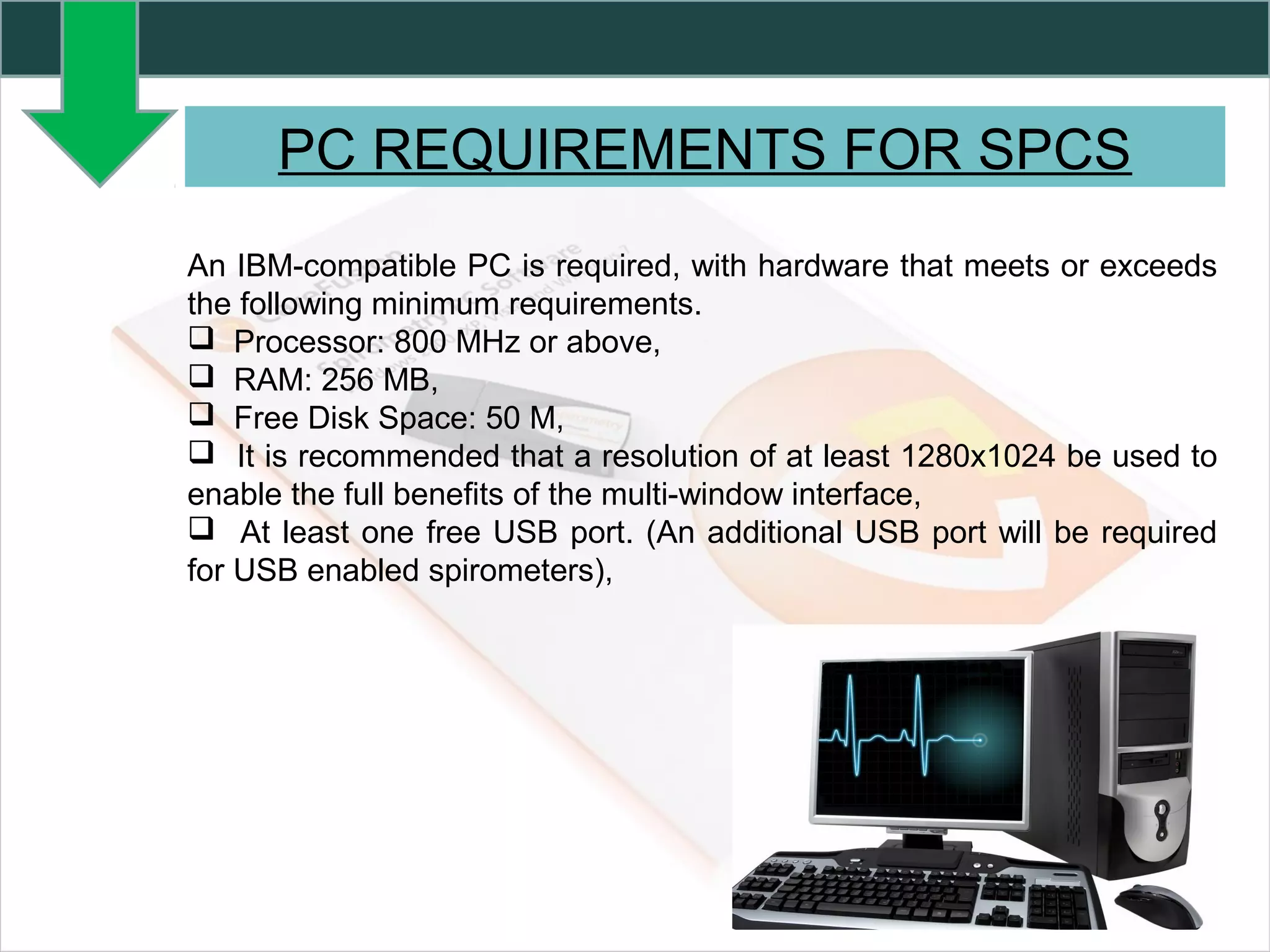
An IBM-compatible PC is required, with hardware that meets or exceeds
the following minimum requirements.
 Processor: 800 MHz or above,
 RAM: 256 MB,
 Free Disk Space: 50 M,
 It is recommended that a resolution of at least 1280x1024 be used to
enable the full benefits of the multi-window interface,
 At least one free USB port. (An additional USB port will be required
for USB enabled spirometers),
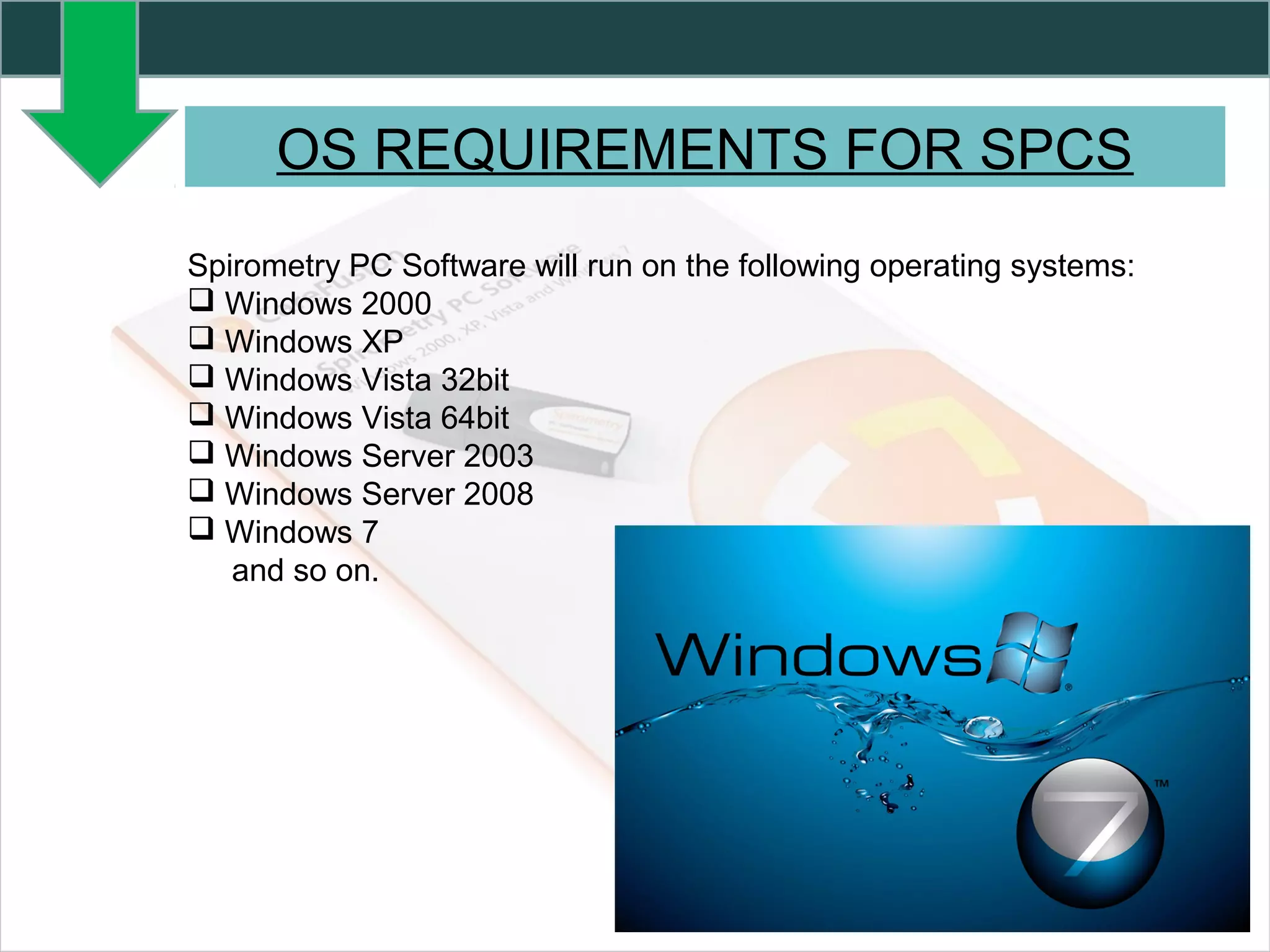
Spirometry PC Software will run on the following operating systems:
 Windows 2000
 Windows XP
 Windows Vista 32bit
 Windows Vista 64bit
 Windows Server 2003
 Windows Server 2008
 Windows 7
and so on.
OS REQUIREMENTS FOR SPCS
PROCEDURE TO INSTALL SPCS
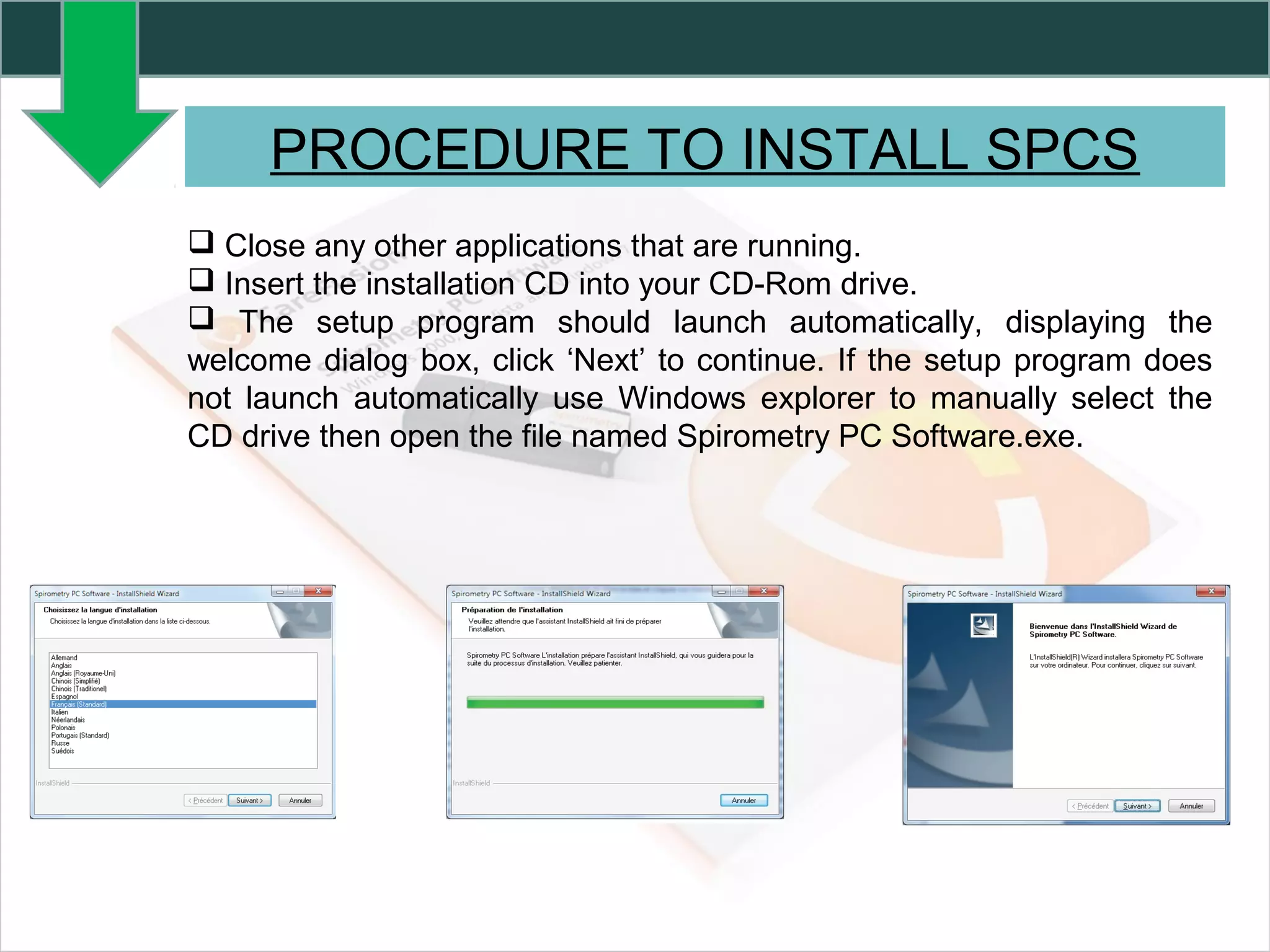
 Close any other applications that are running.
 Insert the installation CD into your CD-Rom drive.
 The setup program should launch automatically, displaying the
welcome dialog box, click ‘Next’ to continue. If the setup program does
not launch automatically use Windows explorer to manually select the
CD drive then open the file named Spirometry PC Software.exe.
PROCEDURE TO INSTALL SPCS
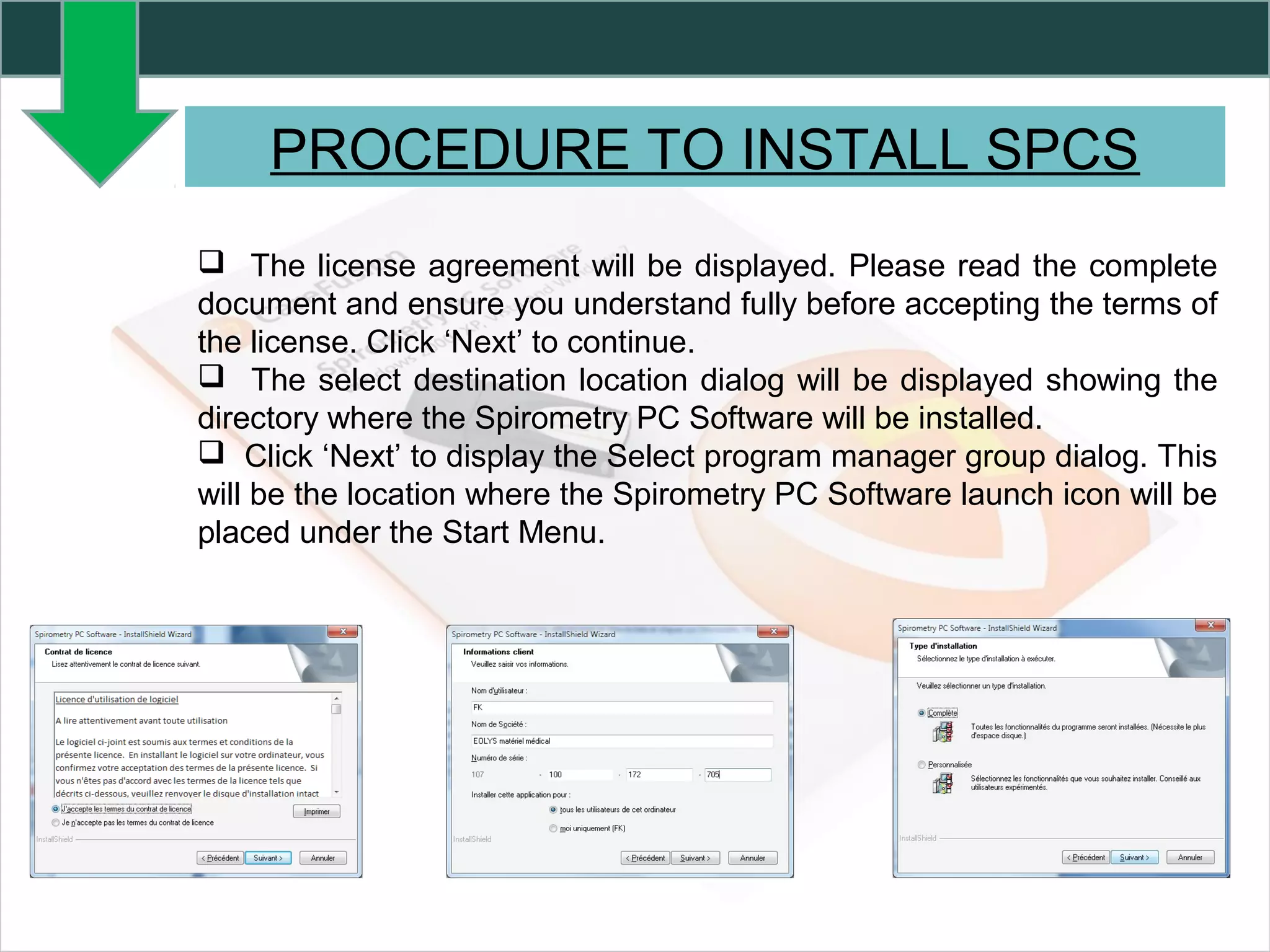
 The license agreement will be displayed. Please read the complete
document and ensure you understand fully before accepting the terms of
the license. Click ‘Next’ to continue.
 The select destination location dialog will be displayed showing the
directory where the Spirometry PC Software will be installed.
 Click ‘Next’ to display the Select program manager group dialog. This
will be the location where the Spirometry PC Software launch icon will be
placed under the Start Menu.
PROCEDURE TO INSTALL SPCS
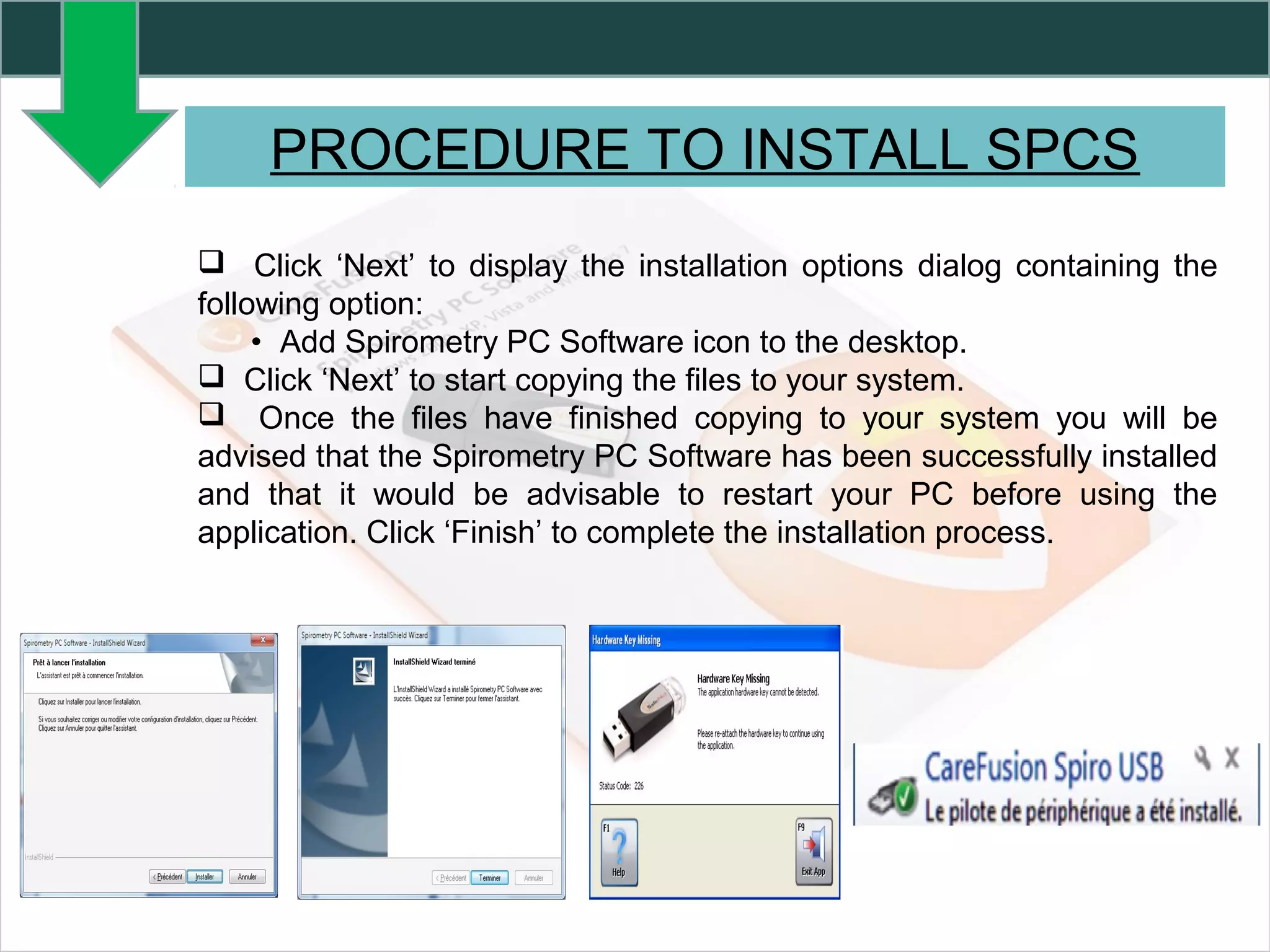
 Click ‘Next’ to display the installation options dialog containing the
following option:
• Add Spirometry PC Software icon to the desktop.
 Click ‘Next’ to start copying the files to your system.
 Once the files have finished copying to your system you will be
advised that the Spirometry PC Software has been successfully installed
and that it would be advisable to restart your PC before using the
application. Click ‘Finish’ to complete the installation process.
SPIROMETRY PC SOFTWARE
SETTING
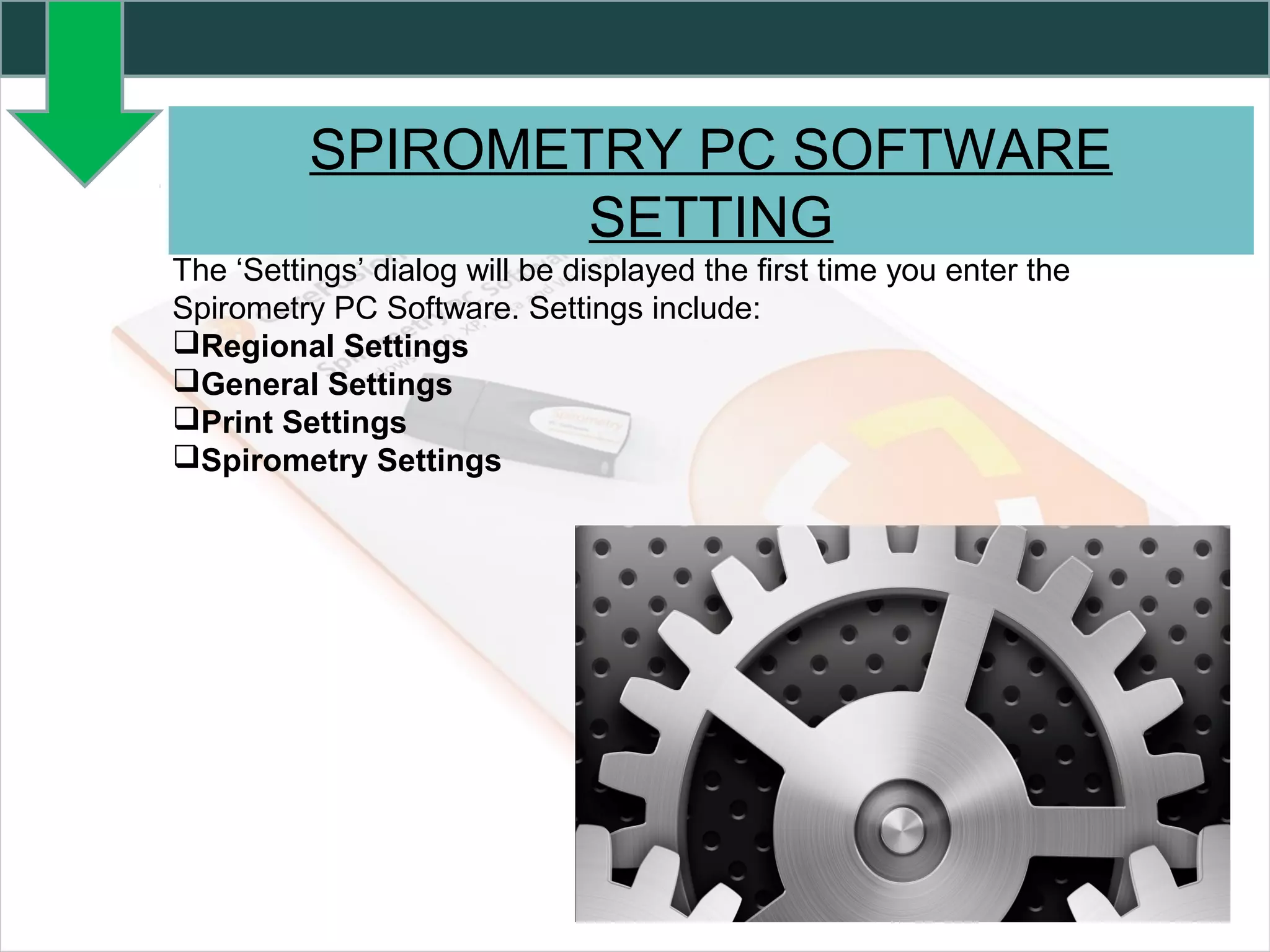
The ‘Settings’ dialog will be displayed the first time you enter the
Spirometry PC Software. Settings include:
Regional Settings
General Settings
Print Settings
Spirometry Settings
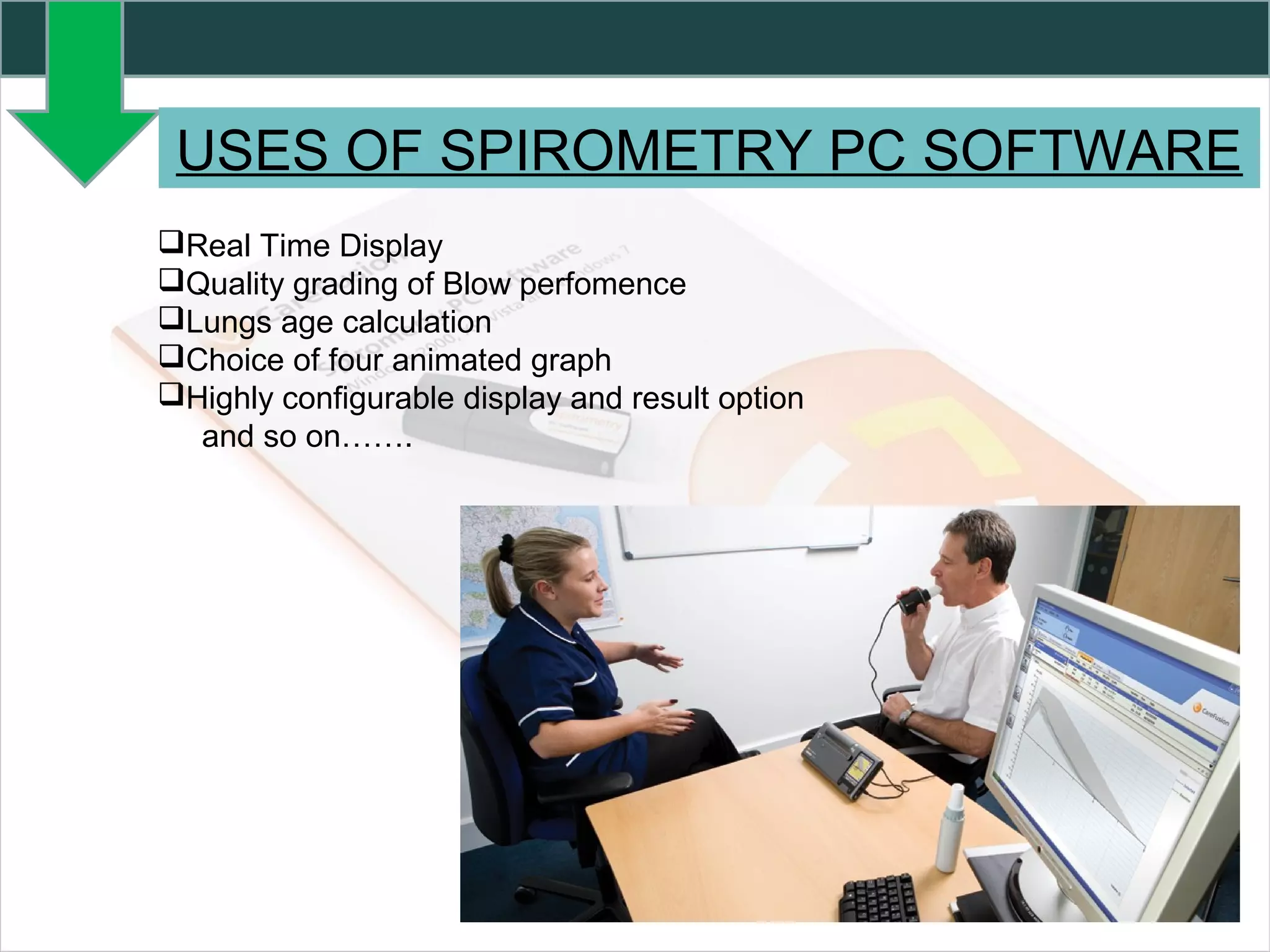
USES OF SPIROMETRY PC SOFTWARE
Real Time Display
Quality grading of Blow perfomence
Lungs age calculation
Choice of four animated graph
Highly configurable display and result option
and so on…….
CONCLUSION
 SPCS gives real time result. It reduces the test timing of spirometry.
 In future, It will use in many countries.
 This software helf in spirometry test and make it simple.
 It shows the results accuratly .
REFERENCES
 http://www.carefusion.in/our-products/respiratory-care/cardio-pulmonary-
diagnostics/pulmonary-function-testing/pft-software-
applications/spirometry-pc-software.
 http://www.smartmedical.co.uk/products/categories/spirometry/spirometr
y-pc-software-spcs
 https://en.wikipedia.org/wiki/PC_Tools_(software)
 http://www.wms.co.uk/Spirometers,_Nebulisers_and_Respiratory/Desk_
Spirometers/MicroLab_Mk8_Spirometer_without_Software
SPCS  presentation
SPCS  presentation

SPCS presentation

  • 2.
    CONTENTS SPIROMETRY NEED OF SPIROMETRY SPIROMETER SPIROMETRYPC SOFTWARE PC REQUIREMENTS OF SCPS OS REQUIREMENT FOR SCPS PROCEDURE TO INSTALL SCPS SPIROMETRY PC SOFTWARE SETTING USES OF SCPS CONCLUSION REFERENCES
  • 3.
    SPIROMETRY It is atesting how well your lungs are working by measuring how fast and how much air can breath in and out. Spirometry is helpful in assessing breathing patterns that identify conditions such as asthma, pulmonary fibrosis, cystic fibrosis, and COPD. Spirometry generates graphs, which are charts that plot the volume and flow of air coming in and out of the lungs from one inhalation and one exhalation.
  • 4.
    NEED OF SPIROMETRY To diagnose or manage asthma,  To detect respiratory disease in patients presenting with symptoms of breathlessness,  To distinguish respiratory from cardiac disease as the cause,  To diagnose and differentiate between obstructive lung disease and restrictive lung disease,  To measure response to treatment of conditions which spirometry detects,  To diagnose the vocal cord dysfunction,
  • 5.
    SPIROMETER The device usedfor spirometry is called Spirometer. MicroLoop spirometer is highly portable, allowing it to be used in physicians' offices or for bedside testing. MicroLoop spirometer can be connected to Micro Medical Spirometry PC software, allowing trending,reporting and data sharing with your Electronic Health Record (EHR). MicroLoop spirometer's functions can be easily accessed using the high definition colour touch screen.
  • 6.
    SpiroUSB™ is arevolutionary new type of Spirometer that plugs directly into the USB port of your PC. It do not require any additional data uploading. Using a Notebook computer with the SpiroUSB brings complete portability for physicians' offices or for bedside testing.
  • 7.
    MicroLab spirometer's functionscan be easily accessed using the high definition color touch screen. MicroLab spirometer is highly portable, allowing it to be used in physicians' offices or for bedside testing. It contain printer that prints high resolution’s result.
  • 8.
    SPIROMETRY PC SOFTWARE SPCSis an easy-to-use spirometry data collection and database system that has been designed to meet the needs of the busy clinician and healthcare provider. Spirometry PC software is a software program developed by care fusion. The most common version is 1.5.0.0 with over 98% of the installations currently using this version. The setup package generally install 36 files and usually about 38.5 mb. About 78% users of SPCS come from the US.It is also popular in Brazil and Portugal.
  • 9.
    SPIROMETRY PC SOFTWARE Themulti window display allows patients to be tested with the minimal number of steps - ease of use. Tests are displayed with clear color coding of each blow. SPCS can be used to test patients real-time or results can be uploaded from a Micro Direct spirometer to the SPCS database for storage, printing and trending.
  • 10.
    PC REQUIREMENTS FORSPCS An IBM-compatible PC is required, with hardware that meets or exceeds the following minimum requirements.  Processor: 800 MHz or above,  RAM: 256 MB,  Free Disk Space: 50 M,  It is recommended that a resolution of at least 1280x1024 be used to enable the full benefits of the multi-window interface,  At least one free USB port. (An additional USB port will be required for USB enabled spirometers),
  • 11.
    Spirometry PC Softwarewill run on the following operating systems:  Windows 2000  Windows XP  Windows Vista 32bit  Windows Vista 64bit  Windows Server 2003  Windows Server 2008  Windows 7 and so on. OS REQUIREMENTS FOR SPCS
  • 12.
    PROCEDURE TO INSTALLSPCS  Close any other applications that are running.  Insert the installation CD into your CD-Rom drive.  The setup program should launch automatically, displaying the welcome dialog box, click ‘Next’ to continue. If the setup program does not launch automatically use Windows explorer to manually select the CD drive then open the file named Spirometry PC Software.exe.
  • 13.
    PROCEDURE TO INSTALLSPCS  The license agreement will be displayed. Please read the complete document and ensure you understand fully before accepting the terms of the license. Click ‘Next’ to continue.  The select destination location dialog will be displayed showing the directory where the Spirometry PC Software will be installed.  Click ‘Next’ to display the Select program manager group dialog. This will be the location where the Spirometry PC Software launch icon will be placed under the Start Menu.
  • 14.
    PROCEDURE TO INSTALLSPCS  Click ‘Next’ to display the installation options dialog containing the following option: • Add Spirometry PC Software icon to the desktop.  Click ‘Next’ to start copying the files to your system.  Once the files have finished copying to your system you will be advised that the Spirometry PC Software has been successfully installed and that it would be advisable to restart your PC before using the application. Click ‘Finish’ to complete the installation process.
  • 15.
    SPIROMETRY PC SOFTWARE SETTING The‘Settings’ dialog will be displayed the first time you enter the Spirometry PC Software. Settings include: Regional Settings General Settings Print Settings Spirometry Settings
  • 16.
    USES OF SPIROMETRYPC SOFTWARE Real Time Display Quality grading of Blow perfomence Lungs age calculation Choice of four animated graph Highly configurable display and result option and so on…….
  • 17.
    CONCLUSION  SPCS givesreal time result. It reduces the test timing of spirometry.  In future, It will use in many countries.  This software helf in spirometry test and make it simple.  It shows the results accuratly .
  • 18.