Three Advantages of Running Cloud Foundry
in a VMware Private Cloud
Tarik Dwiek, EMC
Steve Flanders, VMware
PHC4478
#PHC4478
2
Agenda
 Introduction
 Cloud Foundry v1
 VMware Private Cloud Advantages
• 1. High Availability and Disaster Recovery
• 2. Performance and Scalability
• 3. Predictable IaaS Operations
• 4. BONUS!
 Cloud Foundry + VMware Roadmap (DEMO!)
 Wrapping Up (PRIZES!)
3
Introduction
4
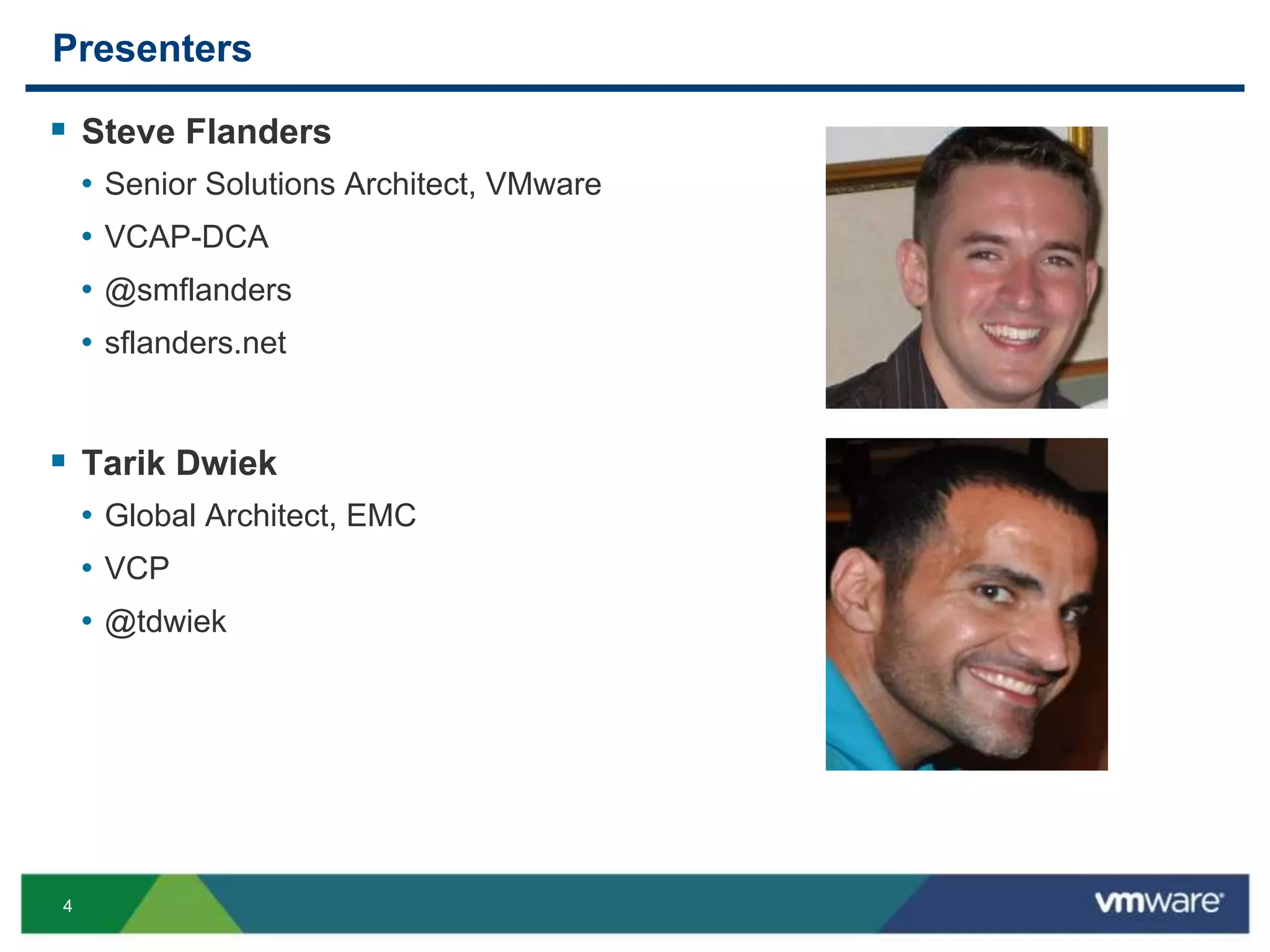
Presenters
 Steve Flanders
• Senior Solutions Architect, VMware
• VCAP-DCA
• @smflanders
• sflanders.net
 Tarik Dwiek
• Global Architect, EMC
• VCP
• @tdwiek
5
Cloud Foundry
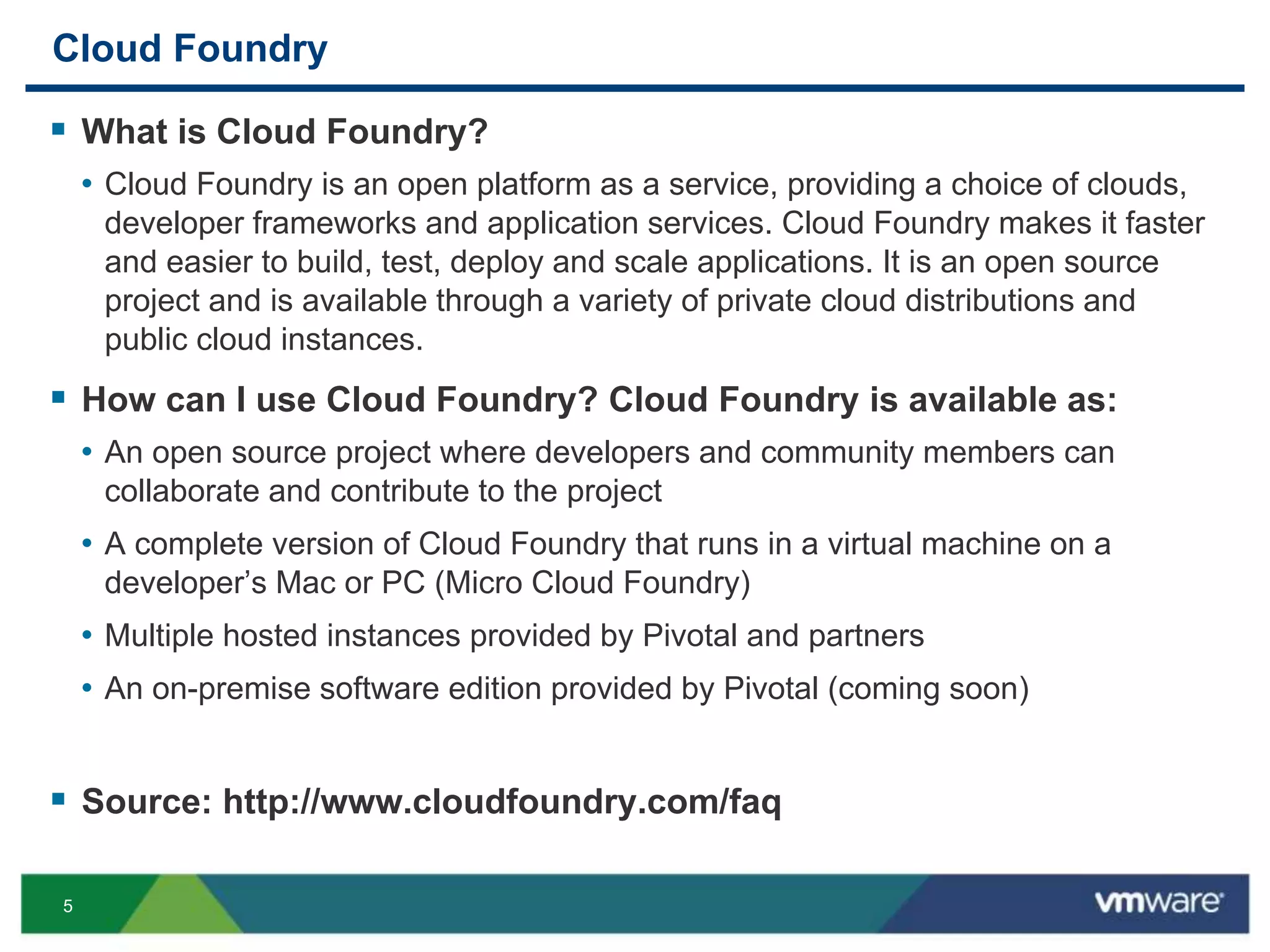
 What is Cloud Foundry?
• Cloud Foundry is an open platform as a service, providing a choice of clouds,
developer frameworks and application services. Cloud Foundry makes it faster
and easier to build, test, deploy and scale applications. It is an open source
project and is available through a variety of private cloud distributions and
public cloud instances.
 How can I use Cloud Foundry? Cloud Foundry is available as:
• An open source project where developers and community members can
collaborate and contribute to the project
• A complete version of Cloud Foundry that runs in a virtual machine on a
developer’s Mac or PC (Micro Cloud Foundry)
• Multiple hosted instances provided by Pivotal and partners
• An on-premise software edition provided by Pivotal (coming soon)
 Source: http://www.cloudfoundry.com/faq
6
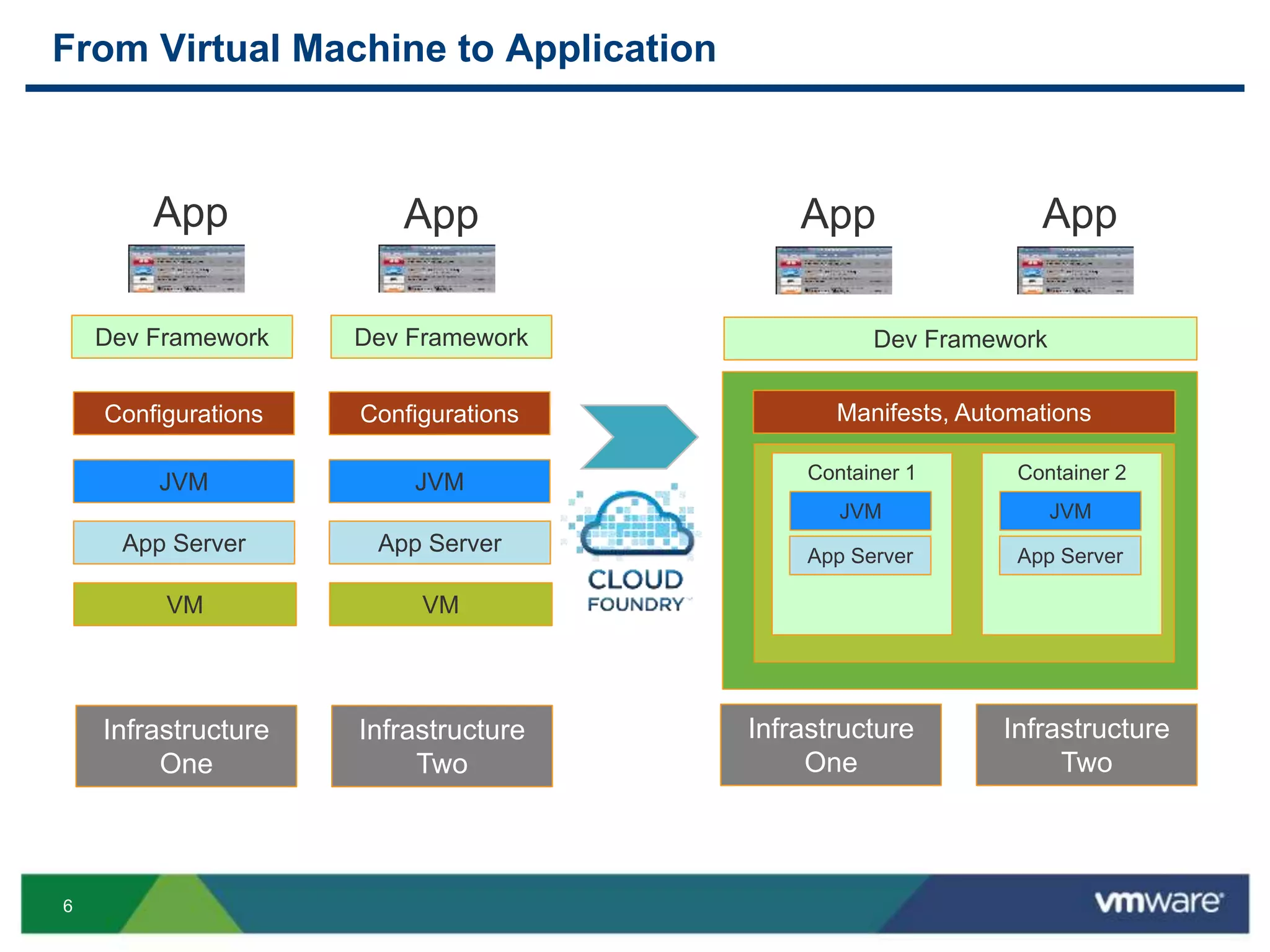
From Virtual Machine to Application
Infrastructure
One
JVM
VM
App
Container 1
App Server
JVM
Container 2
App Server
JVM
Dev Framework Dev Framework
App Server
Configurations Manifests, Automations
Infrastructure
Two
JVM
VM
Dev Framework
App Server
Configurations
App App App
Infrastructure
One
Infrastructure
Two
7
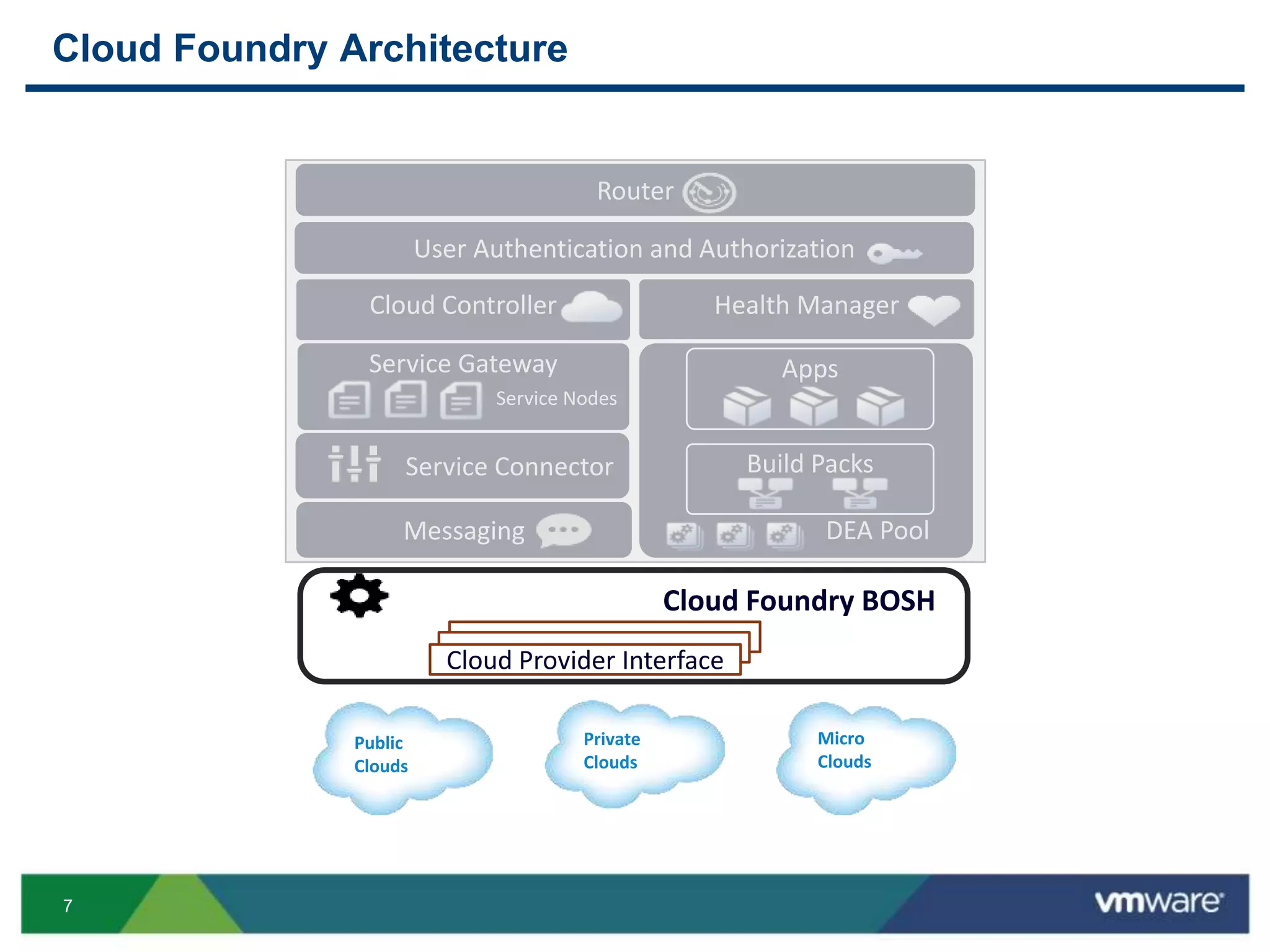
Cloud Foundry Architecture
User Authentication and Authorization
Router
DEA Pool
Service Gateway Apps
Service Connector
Health Manager
Messaging
Cloud Controller
Build Packs
Service Nodes
Cloud Foundry BOSH
Micro
Clouds
Private
Clouds
Public
Clouds
Cloud Provider Interface
9
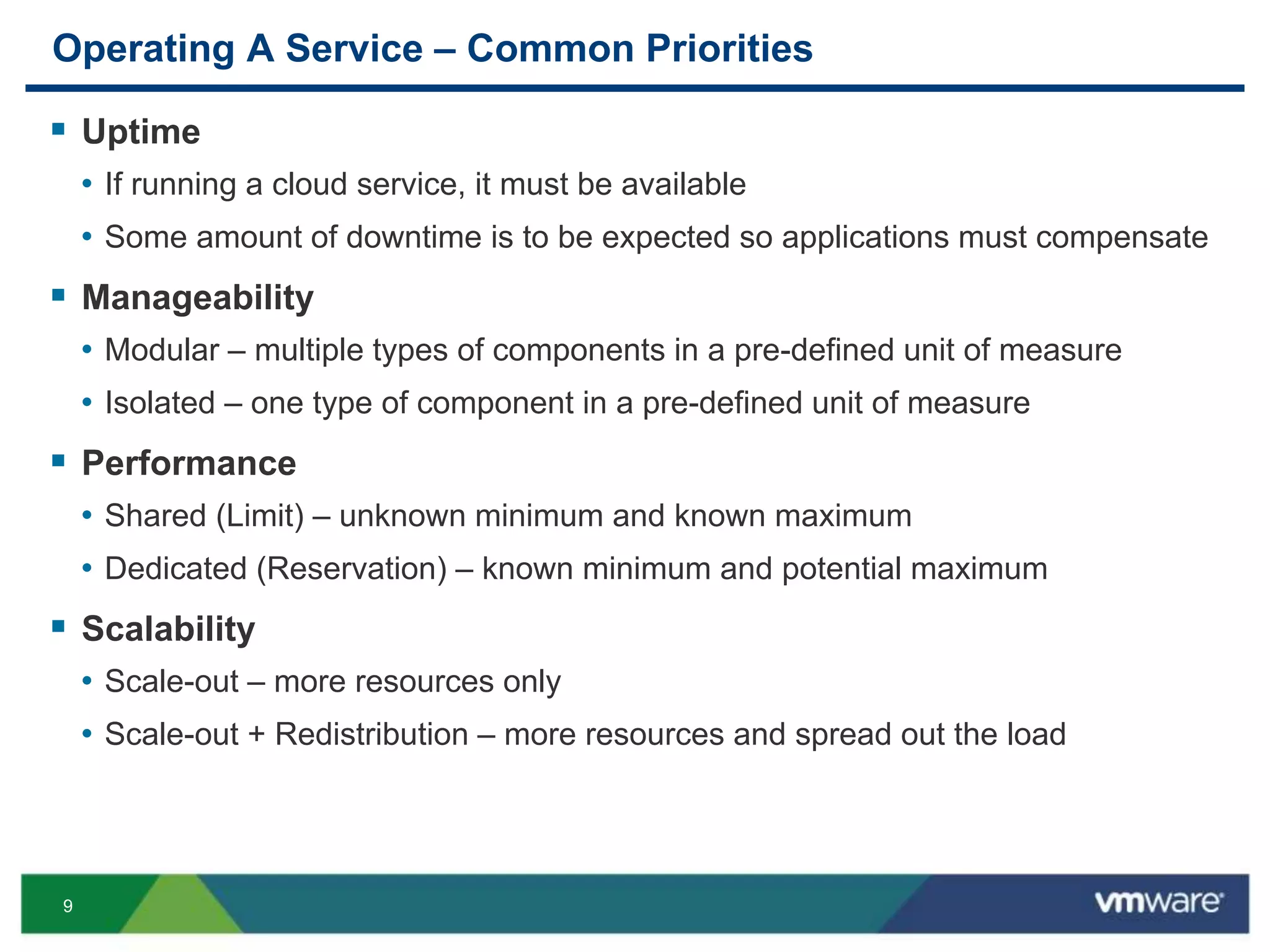
Operating A Service – Common Priorities
 Uptime
• If running a cloud service, it must be available
• Some amount of downtime is to be expected so applications must compensate
 Manageability
• Modular – multiple types of components in a pre-defined unit of measure
• Isolated – one type of component in a pre-defined unit of measure
 Performance
• Shared (Limit) – unknown minimum and known maximum
• Dedicated (Reservation) – known minimum and potential maximum
 Scalability
• Scale-out – more resources only
• Scale-out + Redistribution – more resources and spread out the load
10
Operating A Service – Non-priorities
 Hardware configuration and protocols
• Server versus blade
• 2-socket versus 4-socket
• FC versus iSCSI versus NFS
 Really does not matter
• Cost
• Requirements
11
Public vs. Private vs. Hybrid Cloud
 Every cloud has advantages and disadvantages
 Benefits of leveraging multiple types of clouds
 Requirements, requirements, requirements
• Uptime
• Manageability
• Performance
• Scalability
12
Cloud Foundry v1
Our experiences running cloudfoundry.com
13
Cloud Foundry – Intensive Tasks
 Cloud Foundry Upgrade
• Cloud Foundry performs upgrades 2-3x per week. During an upgrade, a
portion of the environment is impacted, while the majority of the environment
can remain online
• The architecture must be able to support the upgrade with VM response times
achieving acceptable latency in order not to disrupt users which are still online
• The upgrade must complete within published maintenance windows
 Health Manager Restart
• The Health Manager service is responsible for keeping applications alive and
ensuring that if an application crashes then the processes it ran are restarted
• Latencies must remain within acceptable limits in order not to impact the
environment during this process
 Replication
• In order to support a DR strategy, a replication solution must allow for quick
recovery and minimal impact to the environment while protecting data
14
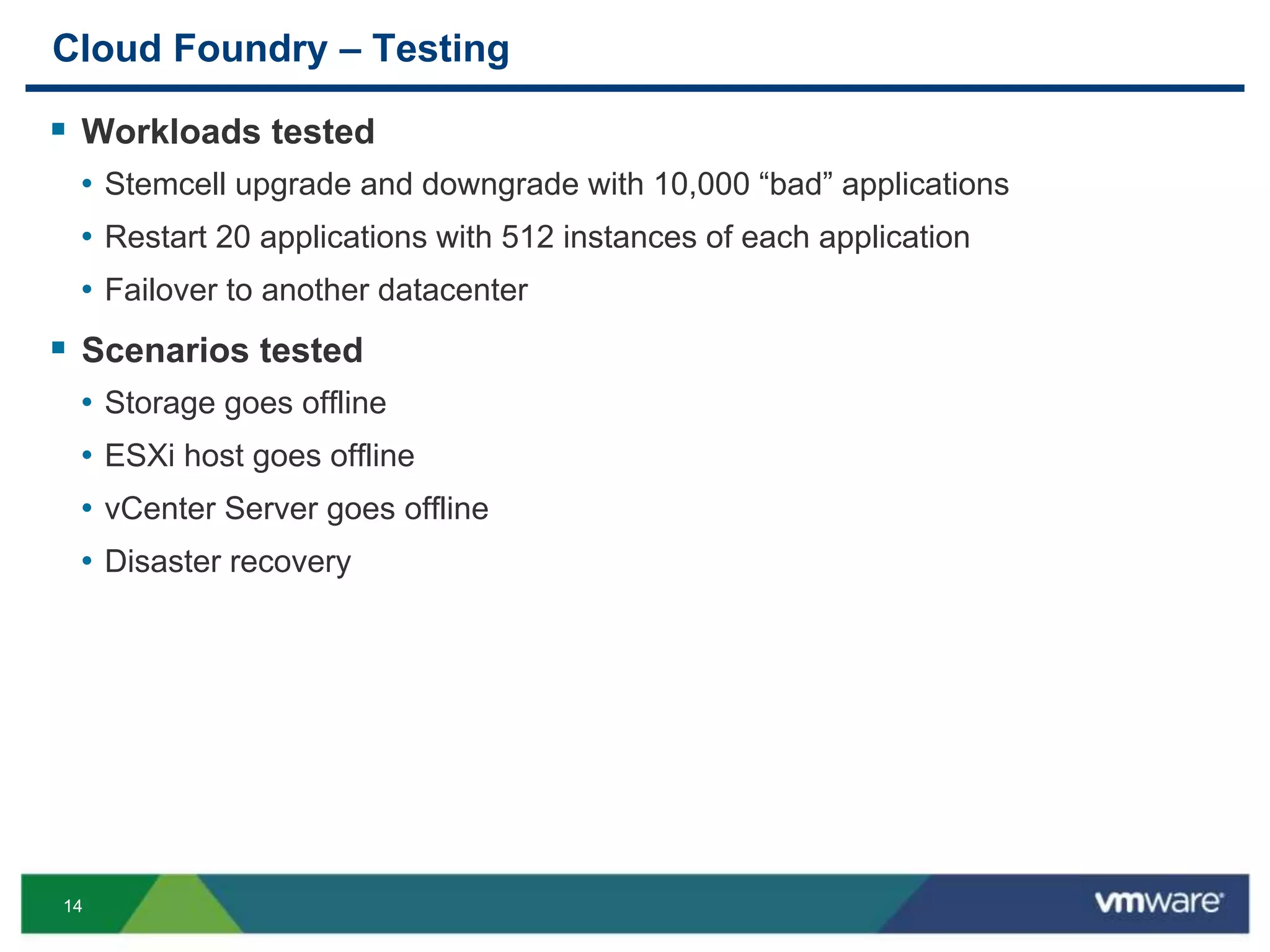
Cloud Foundry – Testing
 Workloads tested
• Stemcell upgrade and downgrade with 10,000 “bad” applications
• Restart 20 applications with 512 instances of each application
• Failover to another datacenter
 Scenarios tested
• Storage goes offline
• ESXi host goes offline
• vCenter Server goes offline
• Disaster recovery
15
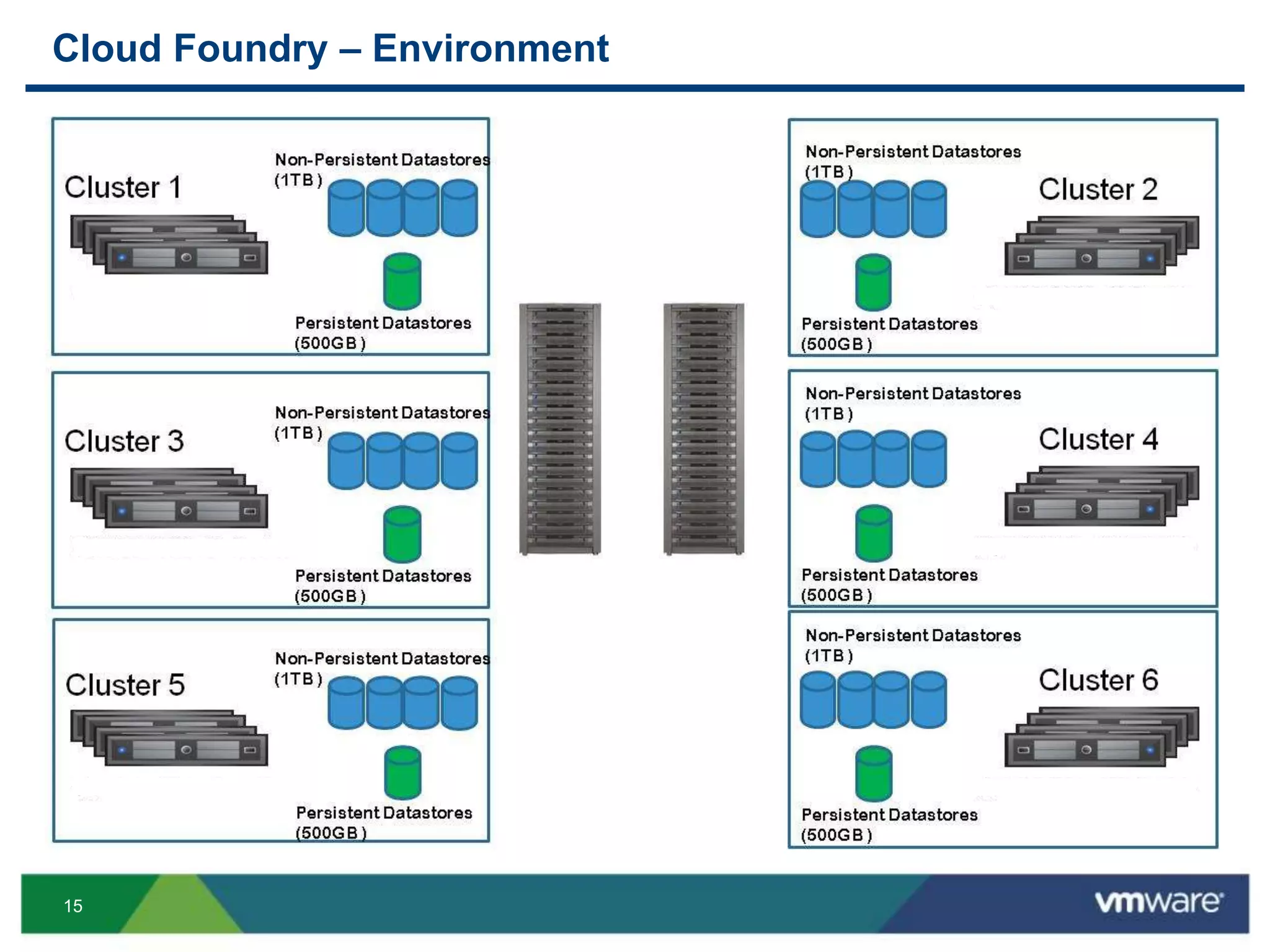
Storage Systems
Cloud Foundry – Environment
Storage Systems
Storage Systems
Storage Systems
Storage Systems
Storage Systems
Storage Systems
17
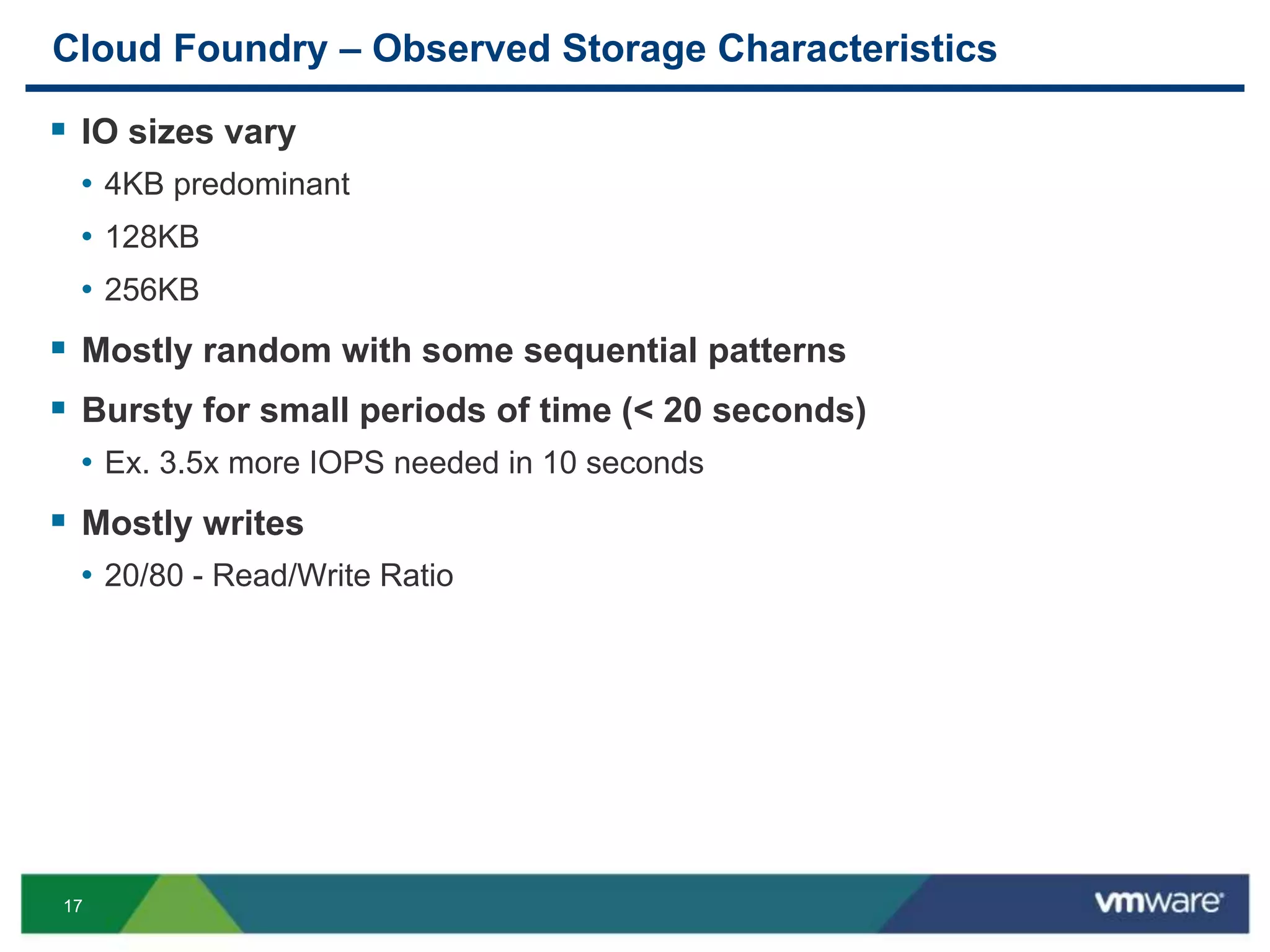
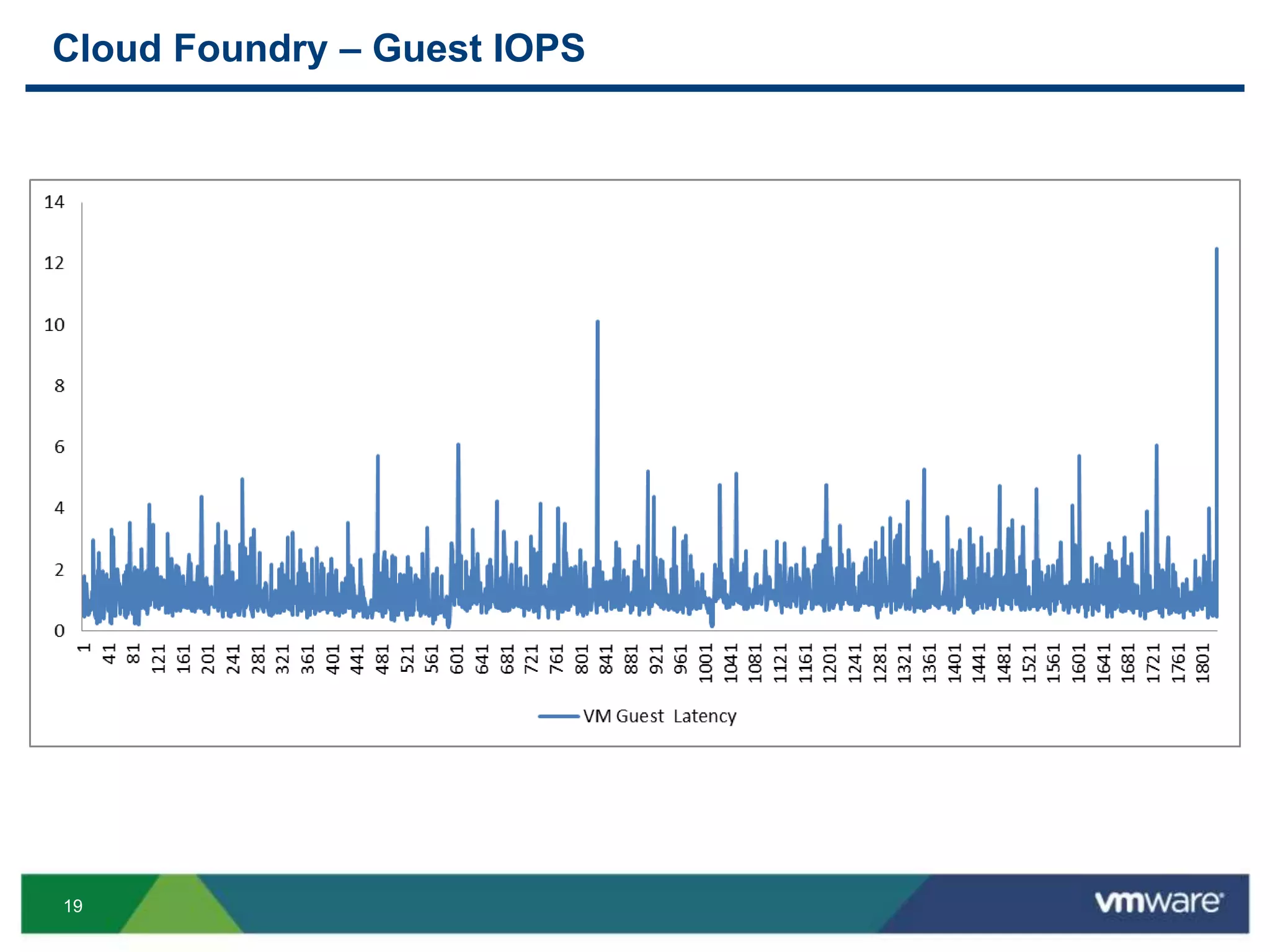
Cloud Foundry – Observed Storage Characteristics
 IO sizes vary
• 4KB predominant
• 128KB
• 256KB
 Mostly random with some sequential patterns
 Bursty for small periods of time (< 20 seconds)
• Ex. 3.5x more IOPS needed in 10 seconds
 Mostly writes
• 20/80 - Read/Write Ratio
18
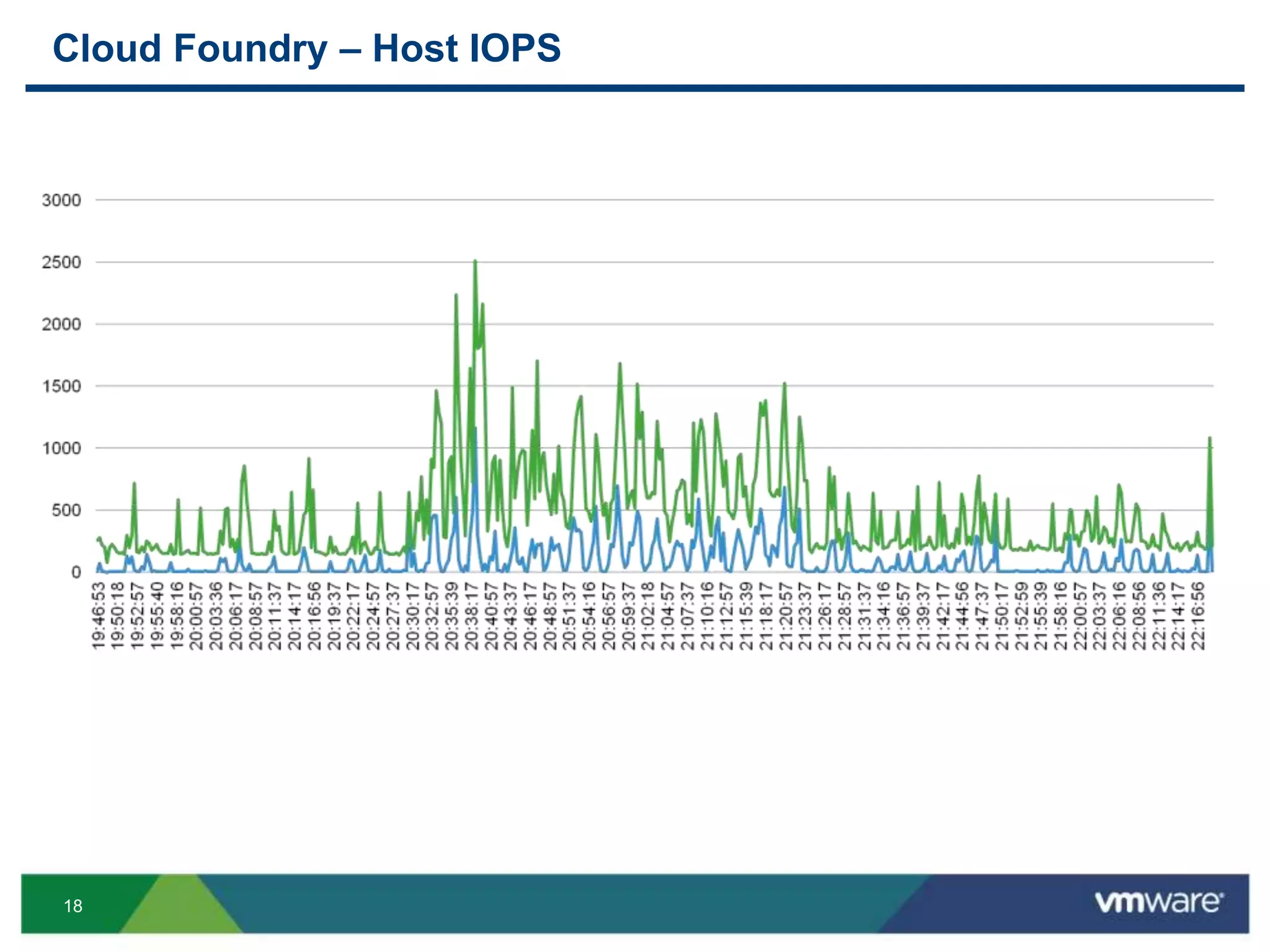
Cloud Foundry – Host IOPS
19
Cloud Foundry – Guest IOPS
20
VMware Private Cloud Advantages
21
High Availability and Disaster Recovery
22
Physical
 Achieve higher than three 9s availability
• Meet enterprise SLAs
• Components with low failure rates
 HA Built into the components
• No need to design into the application
 Disaster Recovery
• Site-to-Site protection
• Robust failover mechanisms
• Consistency for applications
23
Virtual
 HA
 FT
 SRM
• SRM does not support vCloud Director!
• True, but other ways exist (e.g.
http://blogs.vmware.com/vcloud/2012/02/overview-of-disaster-recovery-in-
vcloud-director.html)
25
Performance and Scalability
26
Physical
 Meet specific IO SLAs
 Tenancy control
 Intelligent features
• Caching
• Automated tiering
• Non-disruptive volume migration
 Ability to quickly mitigate performance issues
 Easier to scale all or specific parts of the underlying infrastructure
27
Virtual
 Resources
• Add hosts
• Add storage
• Add networks
• Hot-add
 Provisioning
• Linked clones
 VMware
• HA enhancements (master/slave)
• Storage enhancements (ATS, VAAI, VASA)
• Multiple clusters to provider VDC (VCD)
28
Cloud
 Resources
• Pools
• Tiers
 Software-defined
• Complete blue prints (vCloud Automation Center)
• Complete workflows (vCenter Orchestrator)
• API driven components (Nicira / NSX)
29
Predictable IaaS Operations
30
Overview
 IaaS controls the performance of the PaaS
 What does your infrastructure give you?
 Is performance consistent?
 Are certain operations faster/slower than others?
 Do things happen as you expect?
“Many things can be said about vSphere and its API, but it is very consistent in
response times, and it hardly ever lies to you.” – Martin Englund
(http://blog.cloudfoundry.com/2013/06/18/dealing-with-eventual-consistency-in-
the-aws-ec2-api/)
31
Physical
 Customization
• Leverage best practices
 Redundancy and HA
• Redundant components
• Automatic failover
 Efficiencies
• Automated tiering
• Buffering and caching
 Replication
• Local
• Remote
32
Converged Infrastructure
 What is converged infrastructure?
• Compute, network and storage in a pre-configured, tested and standardized
unit of delivery
• Examples: Vblock, FlexPod, VSPEX
 Advantages of converged infrastructure
• Time to deployment
• Simplification of management
• Lower TCO
• Improved utilization
• Known fault domains
• Determinist performance and capacity
33
Virtual
 Features
• DRS / SDRS
• HA / FT
• NIOC / SIOC
• Auto Deploy / Host Profiles
• Control
 Visibility
• vCenter Infrastructure Navigator
• vCenter Operations (structured data)
• vCenter Log Insight (unstructured data)
34
BONUS!
35
Hybrid Cloud Availability
36
Beyond Private Cloud
 Why Hybrid Cloud?
• Using full potential of private cloud
• Some workloads do not need to be in a private cloud
• Need burstable capacity
 VMware Hybrid Cloud
• vCloud Hybrid Service
• vCloud Network and Security
• vCloud Connector
37
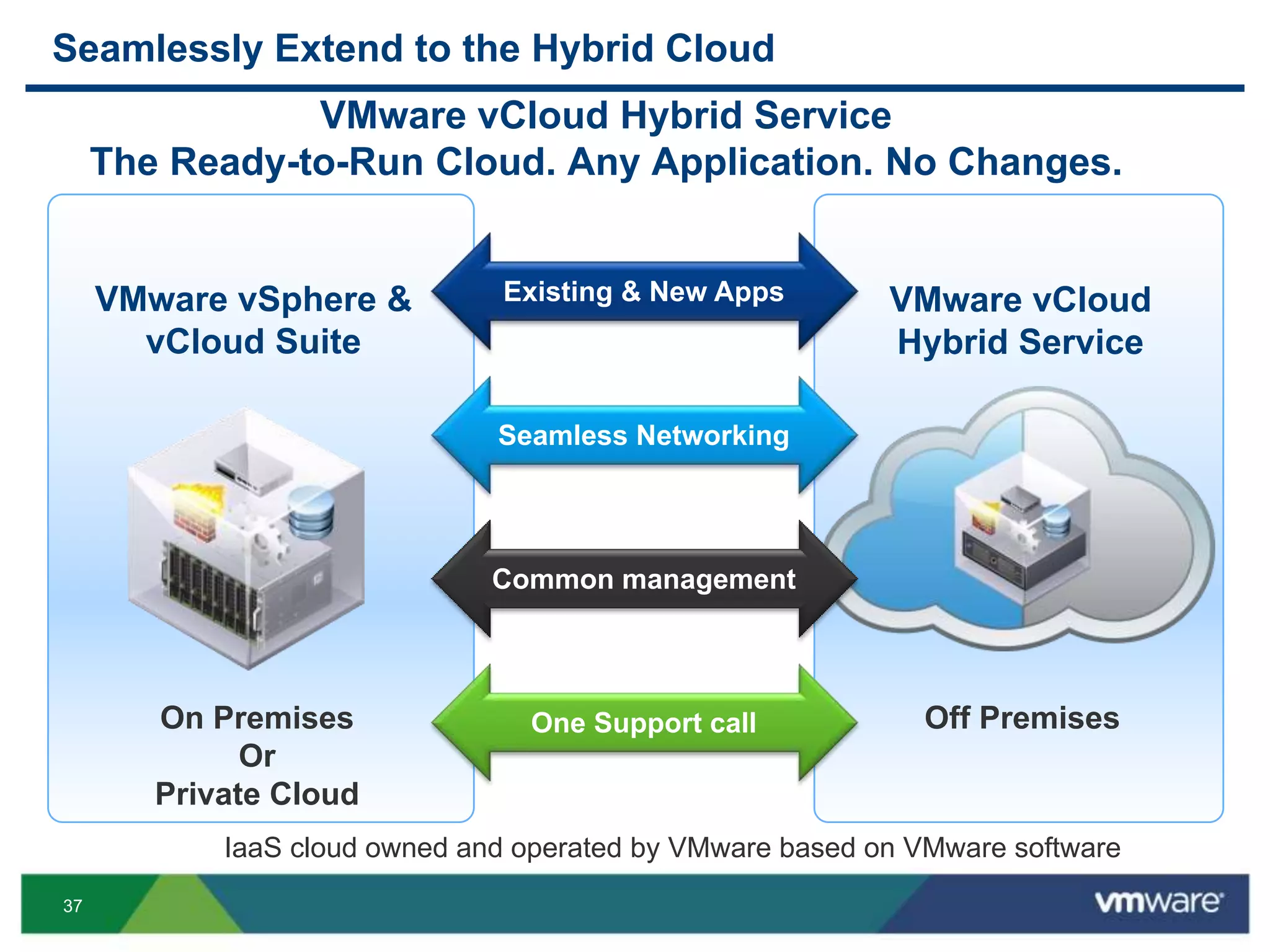
Seamlessly Extend to the Hybrid Cloud
VMware vCloud
Hybrid Service
On Premises
Or
Private Cloud
Off Premises
VMware vSphere &
vCloud Suite
Existing & New Apps
Seamless Networking
Common management
One Support call
VMware vCloud Hybrid Service
The Ready-to-Run Cloud. Any Application. No Changes.
IaaS cloud owned and operated by VMware based on VMware software
39
Roadmap
40
Cloud Foundry + VMware
 Cloud Foundry adoption limitations
• BOSH is great…for developers
• Cloud Foundry is not easy to deploy
 Why deploy on VMware?
• vSphere version of Cloud Foundry
• Intuitive and fast deployment
• Bundled as an OVA
• Pretty GUI
• Online in less than an hour
• Planned integration with VMware products
41
Demo!
42
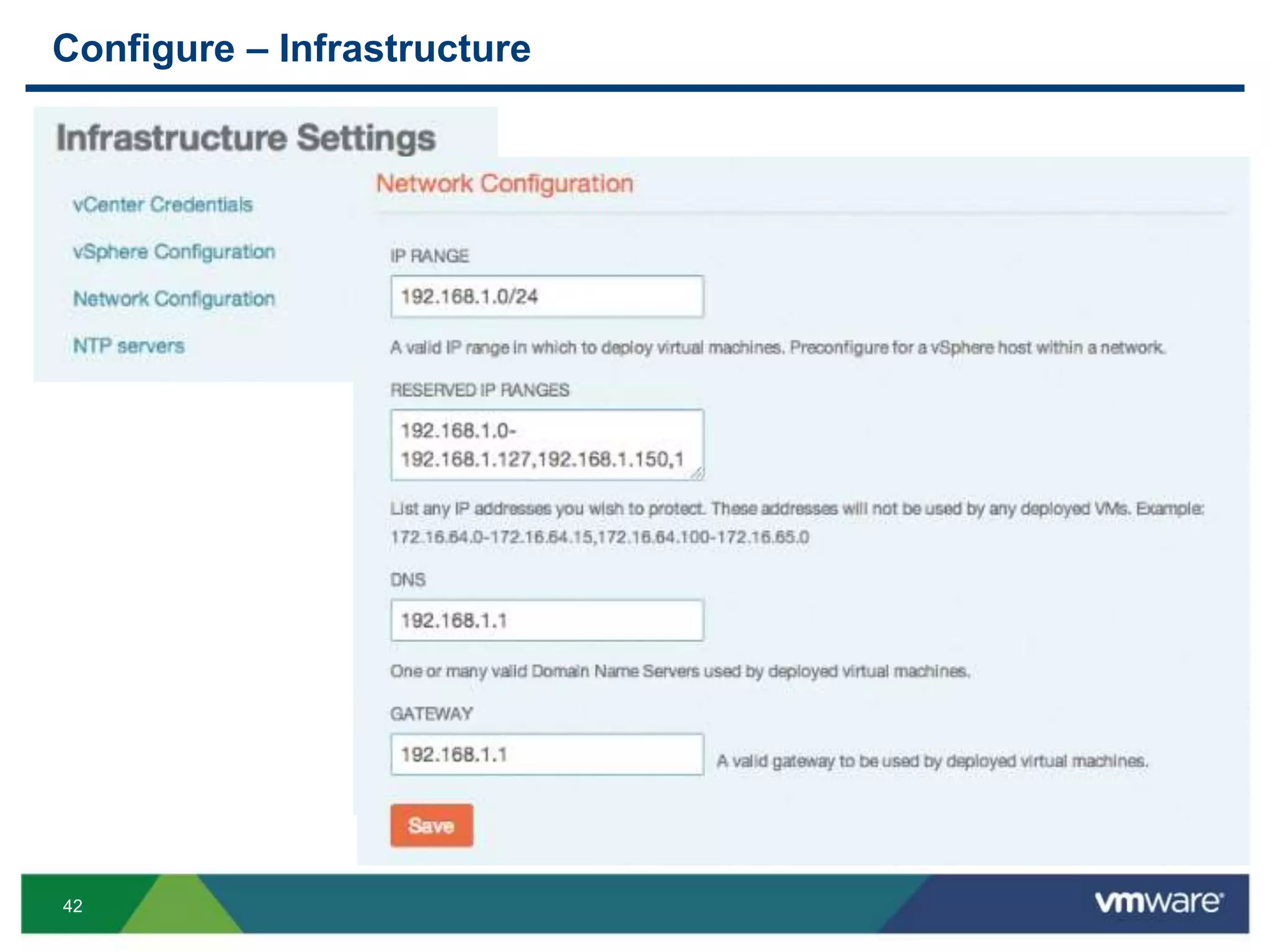
Configure – Infrastructure
43
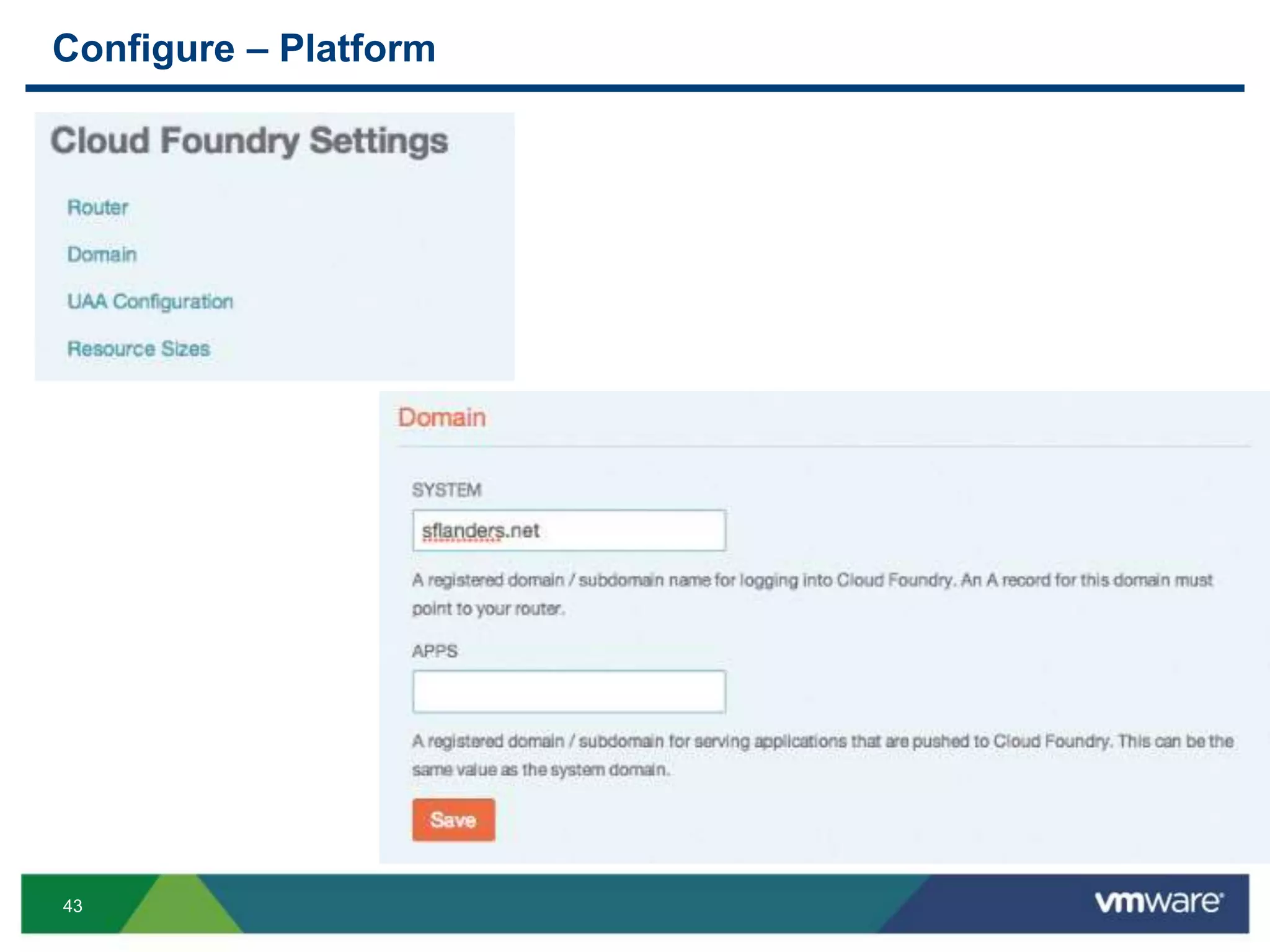
Configure – Platform
44
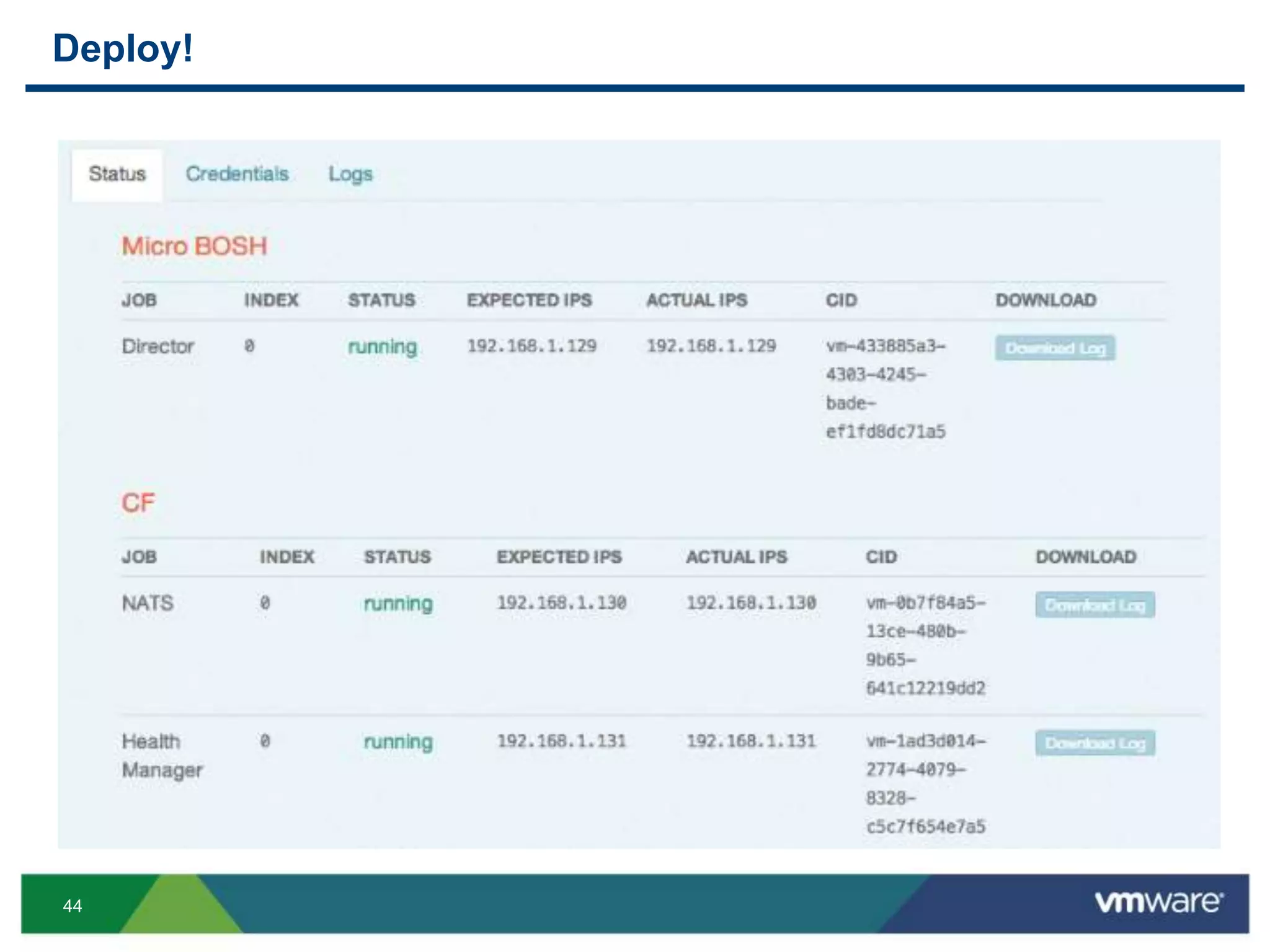
Deploy!
45
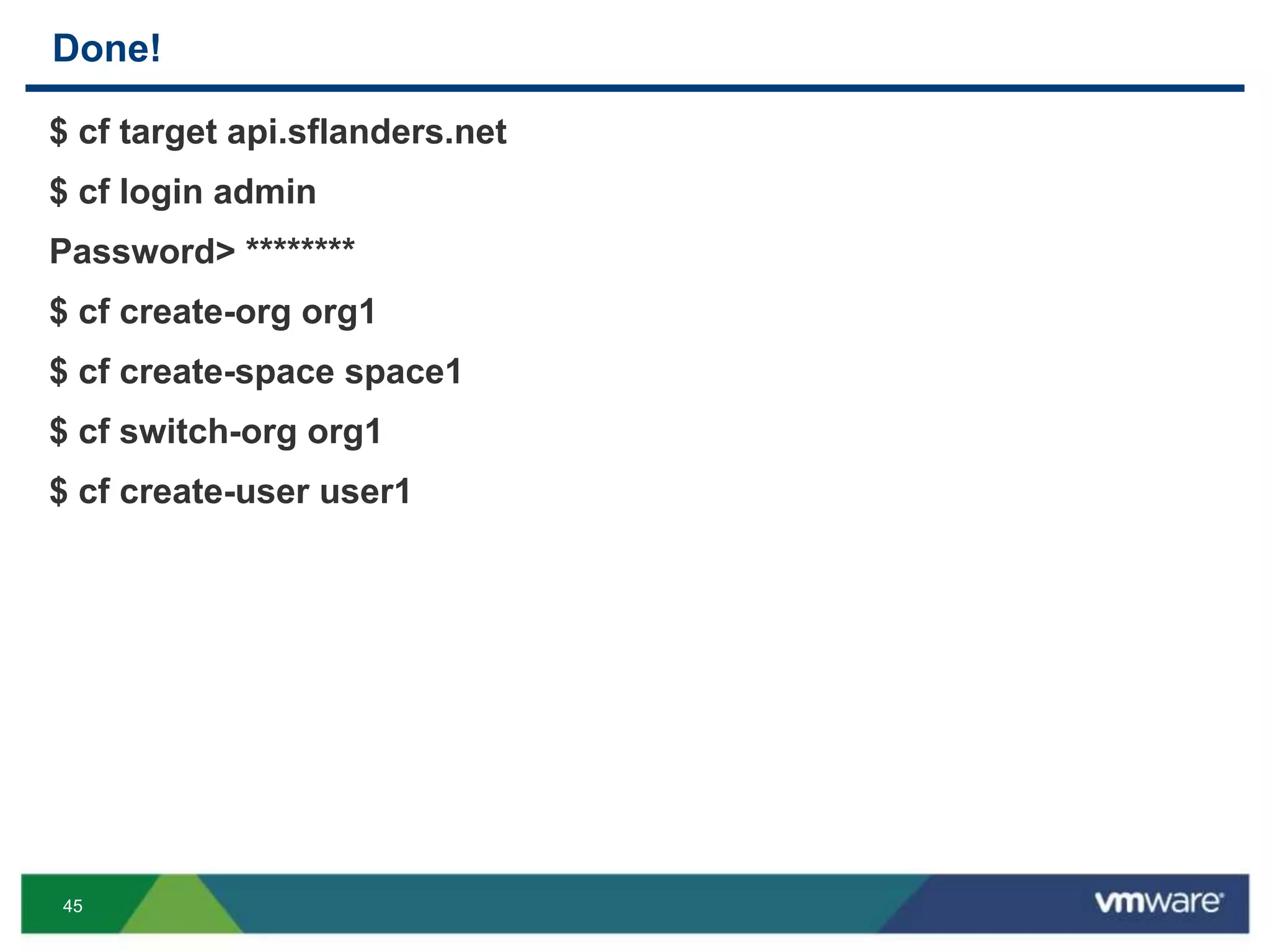
Done!
$ cf target api.sflanders.net
$ cf login admin
Password> ********
$ cf create-org org1
$ cf create-space space1
$ cf switch-org org1
$ cf create-user user1
46
Wrapping Up
47
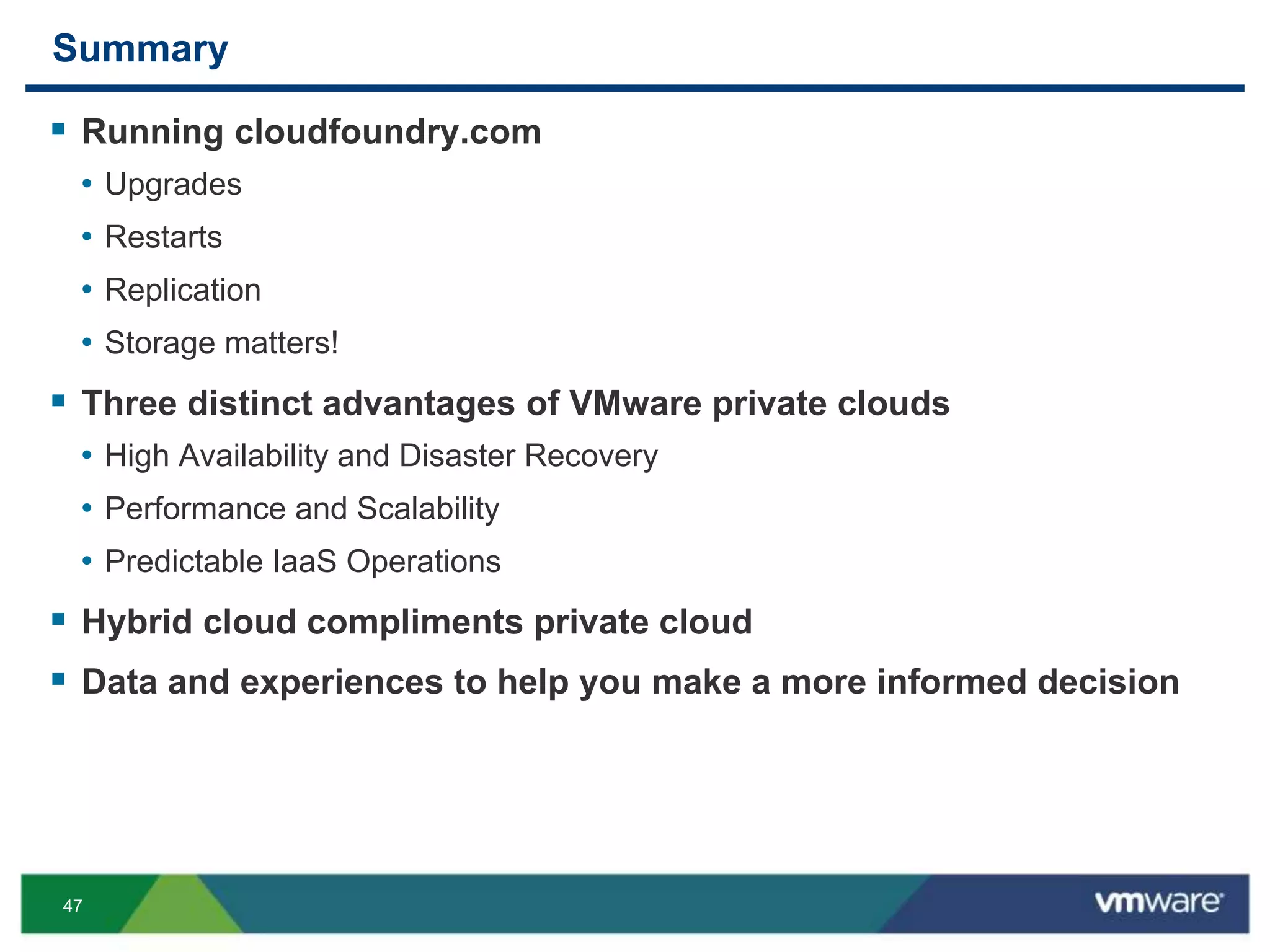
Summary
 Running cloudfoundry.com
• Upgrades
• Restarts
• Replication
• Storage matters!
 Three distinct advantages of VMware private clouds
• High Availability and Disaster Recovery
• Performance and Scalability
• Predictable IaaS Operations
 Hybrid cloud compliments private cloud
 Data and experiences to help you make a more informed decision
48
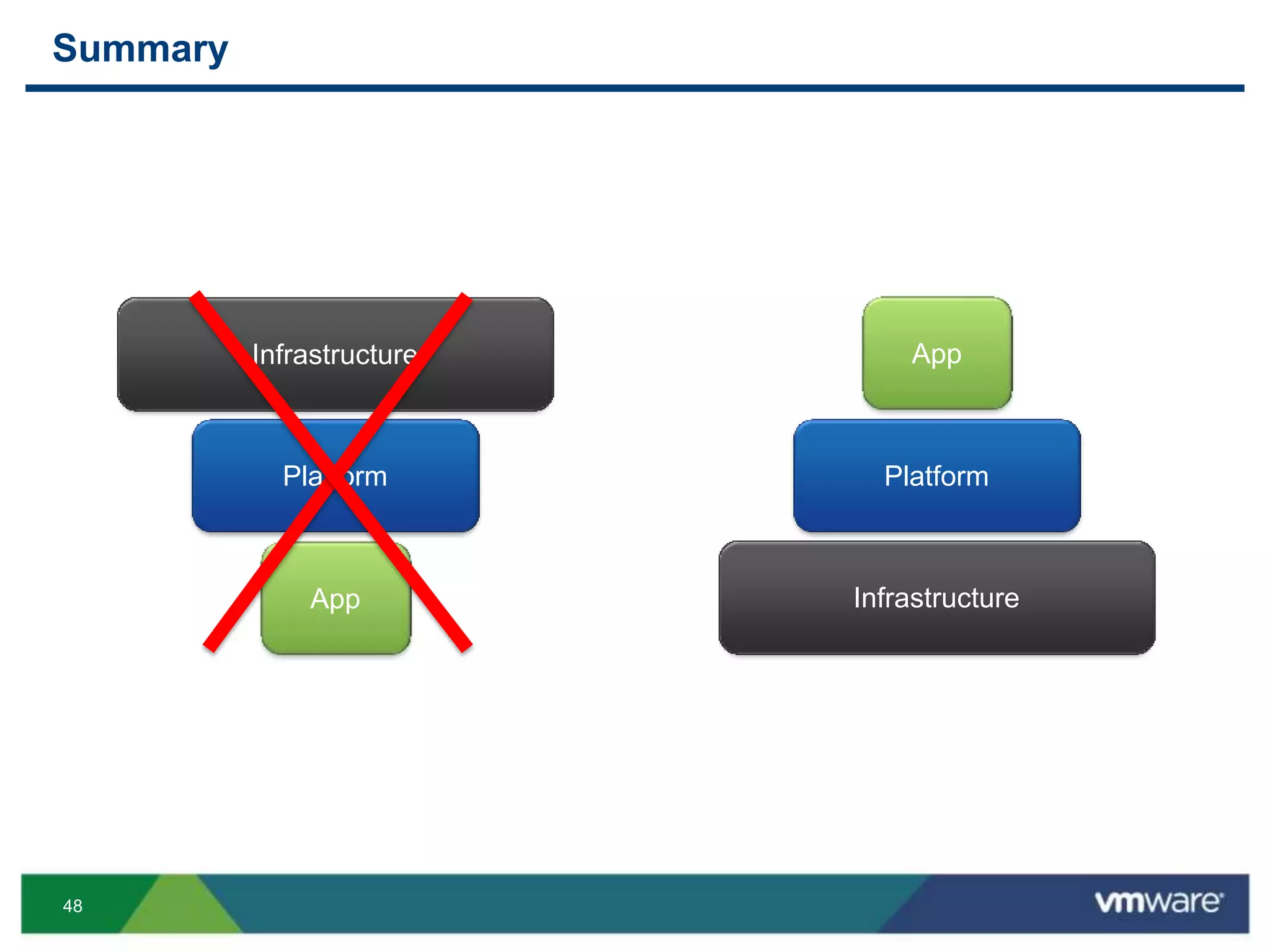
Summary
Infrastructure
Platform
App Infrastructure
Platform
App
THANK YOU
Three Advantages of Running Cloud Foundry
in a VMware Private Cloud
Tarik Dwiek, EMC
Steve Flanders, VMware
PHC4478
#PHC4478

VMworld 2013: Three Advantages of Running Cloud Foundry in a VMware Private Cloud

  • 1.
    Three Advantages ofRunning Cloud Foundry in a VMware Private Cloud Tarik Dwiek, EMC Steve Flanders, VMware PHC4478 #PHC4478
  • 2.
    2 Agenda  Introduction  CloudFoundry v1  VMware Private Cloud Advantages • 1. High Availability and Disaster Recovery • 2. Performance and Scalability • 3. Predictable IaaS Operations • 4. BONUS!  Cloud Foundry + VMware Roadmap (DEMO!)  Wrapping Up (PRIZES!)
  • 3.
  • 4.
    4 Presenters  Steve Flanders •Senior Solutions Architect, VMware • VCAP-DCA • @smflanders • sflanders.net  Tarik Dwiek • Global Architect, EMC • VCP • @tdwiek
  • 5.
    5 Cloud Foundry  Whatis Cloud Foundry? • Cloud Foundry is an open platform as a service, providing a choice of clouds, developer frameworks and application services. Cloud Foundry makes it faster and easier to build, test, deploy and scale applications. It is an open source project and is available through a variety of private cloud distributions and public cloud instances.  How can I use Cloud Foundry? Cloud Foundry is available as: • An open source project where developers and community members can collaborate and contribute to the project • A complete version of Cloud Foundry that runs in a virtual machine on a developer’s Mac or PC (Micro Cloud Foundry) • Multiple hosted instances provided by Pivotal and partners • An on-premise software edition provided by Pivotal (coming soon)  Source: http://www.cloudfoundry.com/faq
  • 6.
    6 From Virtual Machineto Application Infrastructure One JVM VM App Container 1 App Server JVM Container 2 App Server JVM Dev Framework Dev Framework App Server Configurations Manifests, Automations Infrastructure Two JVM VM Dev Framework App Server Configurations App App App Infrastructure One Infrastructure Two
  • 7.
    7 Cloud Foundry Architecture UserAuthentication and Authorization Router DEA Pool Service Gateway Apps Service Connector Health Manager Messaging Cloud Controller Build Packs Service Nodes Cloud Foundry BOSH Micro Clouds Private Clouds Public Clouds Cloud Provider Interface
  • 9.
    9 Operating A Service– Common Priorities  Uptime • If running a cloud service, it must be available • Some amount of downtime is to be expected so applications must compensate  Manageability • Modular – multiple types of components in a pre-defined unit of measure • Isolated – one type of component in a pre-defined unit of measure  Performance • Shared (Limit) – unknown minimum and known maximum • Dedicated (Reservation) – known minimum and potential maximum  Scalability • Scale-out – more resources only • Scale-out + Redistribution – more resources and spread out the load
  • 10.
    10 Operating A Service– Non-priorities  Hardware configuration and protocols • Server versus blade • 2-socket versus 4-socket • FC versus iSCSI versus NFS  Really does not matter • Cost • Requirements
  • 11.
    11 Public vs. Privatevs. Hybrid Cloud  Every cloud has advantages and disadvantages  Benefits of leveraging multiple types of clouds  Requirements, requirements, requirements • Uptime • Manageability • Performance • Scalability
  • 12.
    12 Cloud Foundry v1 Ourexperiences running cloudfoundry.com
  • 13.
    13 Cloud Foundry –Intensive Tasks  Cloud Foundry Upgrade • Cloud Foundry performs upgrades 2-3x per week. During an upgrade, a portion of the environment is impacted, while the majority of the environment can remain online • The architecture must be able to support the upgrade with VM response times achieving acceptable latency in order not to disrupt users which are still online • The upgrade must complete within published maintenance windows  Health Manager Restart • The Health Manager service is responsible for keeping applications alive and ensuring that if an application crashes then the processes it ran are restarted • Latencies must remain within acceptable limits in order not to impact the environment during this process  Replication • In order to support a DR strategy, a replication solution must allow for quick recovery and minimal impact to the environment while protecting data
  • 14.
    14 Cloud Foundry –Testing  Workloads tested • Stemcell upgrade and downgrade with 10,000 “bad” applications • Restart 20 applications with 512 instances of each application • Failover to another datacenter  Scenarios tested • Storage goes offline • ESXi host goes offline • vCenter Server goes offline • Disaster recovery
  • 15.
    15 Storage Systems Cloud Foundry– Environment Storage Systems Storage Systems Storage Systems Storage Systems Storage Systems Storage Systems
  • 17.
    17 Cloud Foundry –Observed Storage Characteristics  IO sizes vary • 4KB predominant • 128KB • 256KB  Mostly random with some sequential patterns  Bursty for small periods of time (< 20 seconds) • Ex. 3.5x more IOPS needed in 10 seconds  Mostly writes • 20/80 - Read/Write Ratio
  • 18.
  • 19.
  • 20.
  • 21.
    21 High Availability andDisaster Recovery
  • 22.
    22 Physical  Achieve higherthan three 9s availability • Meet enterprise SLAs • Components with low failure rates  HA Built into the components • No need to design into the application  Disaster Recovery • Site-to-Site protection • Robust failover mechanisms • Consistency for applications
  • 23.
    23 Virtual  HA  FT SRM • SRM does not support vCloud Director! • True, but other ways exist (e.g. http://blogs.vmware.com/vcloud/2012/02/overview-of-disaster-recovery-in- vcloud-director.html)
  • 25.
  • 26.
    26 Physical  Meet specificIO SLAs  Tenancy control  Intelligent features • Caching • Automated tiering • Non-disruptive volume migration  Ability to quickly mitigate performance issues  Easier to scale all or specific parts of the underlying infrastructure
  • 27.
    27 Virtual  Resources • Addhosts • Add storage • Add networks • Hot-add  Provisioning • Linked clones  VMware • HA enhancements (master/slave) • Storage enhancements (ATS, VAAI, VASA) • Multiple clusters to provider VDC (VCD)
  • 28.
    28 Cloud  Resources • Pools •Tiers  Software-defined • Complete blue prints (vCloud Automation Center) • Complete workflows (vCenter Orchestrator) • API driven components (Nicira / NSX)
  • 29.
  • 30.
    30 Overview  IaaS controlsthe performance of the PaaS  What does your infrastructure give you?  Is performance consistent?  Are certain operations faster/slower than others?  Do things happen as you expect? “Many things can be said about vSphere and its API, but it is very consistent in response times, and it hardly ever lies to you.” – Martin Englund (http://blog.cloudfoundry.com/2013/06/18/dealing-with-eventual-consistency-in- the-aws-ec2-api/)
  • 31.
    31 Physical  Customization • Leveragebest practices  Redundancy and HA • Redundant components • Automatic failover  Efficiencies • Automated tiering • Buffering and caching  Replication • Local • Remote
  • 32.
    32 Converged Infrastructure  Whatis converged infrastructure? • Compute, network and storage in a pre-configured, tested and standardized unit of delivery • Examples: Vblock, FlexPod, VSPEX  Advantages of converged infrastructure • Time to deployment • Simplification of management • Lower TCO • Improved utilization • Known fault domains • Determinist performance and capacity
  • 33.
    33 Virtual  Features • DRS/ SDRS • HA / FT • NIOC / SIOC • Auto Deploy / Host Profiles • Control  Visibility • vCenter Infrastructure Navigator • vCenter Operations (structured data) • vCenter Log Insight (unstructured data)
  • 34.
  • 35.
  • 36.
    36 Beyond Private Cloud Why Hybrid Cloud? • Using full potential of private cloud • Some workloads do not need to be in a private cloud • Need burstable capacity  VMware Hybrid Cloud • vCloud Hybrid Service • vCloud Network and Security • vCloud Connector
  • 37.
    37 Seamlessly Extend tothe Hybrid Cloud VMware vCloud Hybrid Service On Premises Or Private Cloud Off Premises VMware vSphere & vCloud Suite Existing & New Apps Seamless Networking Common management One Support call VMware vCloud Hybrid Service The Ready-to-Run Cloud. Any Application. No Changes. IaaS cloud owned and operated by VMware based on VMware software
  • 39.
  • 40.
    40 Cloud Foundry +VMware  Cloud Foundry adoption limitations • BOSH is great…for developers • Cloud Foundry is not easy to deploy  Why deploy on VMware? • vSphere version of Cloud Foundry • Intuitive and fast deployment • Bundled as an OVA • Pretty GUI • Online in less than an hour • Planned integration with VMware products
  • 41.
  • 42.
  • 43.
  • 44.
  • 45.
    45 Done! $ cf targetapi.sflanders.net $ cf login admin Password> ******** $ cf create-org org1 $ cf create-space space1 $ cf switch-org org1 $ cf create-user user1
  • 46.
  • 47.
    47 Summary  Running cloudfoundry.com •Upgrades • Restarts • Replication • Storage matters!  Three distinct advantages of VMware private clouds • High Availability and Disaster Recovery • Performance and Scalability • Predictable IaaS Operations  Hybrid cloud compliments private cloud  Data and experiences to help you make a more informed decision
  • 48.
  • 49.
  • 51.
    Three Advantages ofRunning Cloud Foundry in a VMware Private Cloud Tarik Dwiek, EMC Steve Flanders, VMware PHC4478 #PHC4478