PREPARED BY:
EILLEN IVY A. PORTUGUEZ
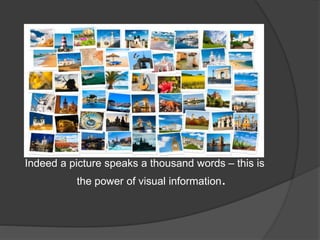
Indeed a picture speaks a thousand words – this is
the power of visual information.
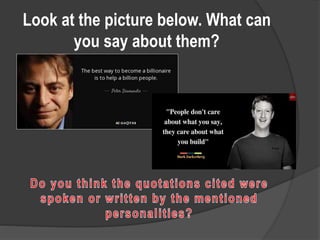
Look at the picture below. What can
you say about them?
What is Visual Media?
 Symbols, pictures, icons, signs and others that
communicate with one’s sense of sight
EXAMPLE OF VISUAL MEDIA
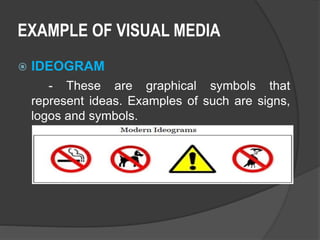
 IDEOGRAM
- These are graphical symbols that
represent ideas. Examples of such are signs,
logos and symbols.
EXAMPLE OF VISUAL MEDIA
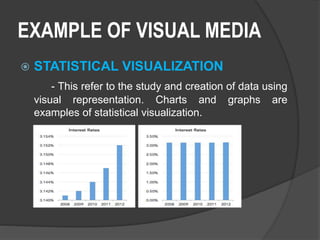
 STATISTICAL VISUALIZATION
- This refer to the study and creation of data using
visual representation. Charts and graphs are
examples of statistical visualization.
EXAMPLE OF VISUAL MEDIA
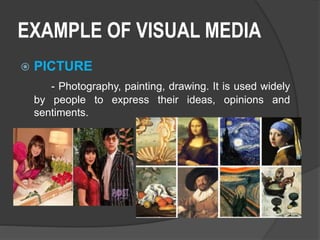
 PICTURE
- Photography, painting, drawing. It is used widely
by people to express their ideas, opinions and
sentiments.
EXAMPLE OF VISUAL MEDIA
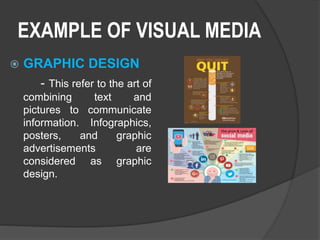
 GRAPHIC DESIGN
- This refer to the art of
combining text and
pictures to communicate
information. Infographics,
posters, and graphic
advertisements are
considered as graphic
design.
EXAMPLE OF VISUAL MEDIA
 VIDEO
- If graphic design is the combination of
text and pictures, video is the combination of
motion picture, or of motion and audio.
EXAMPLE OF VISUAL MEDIA
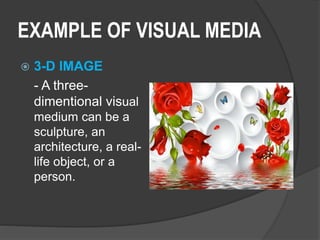
 3-D IMAGE
- A three-
dimentional visual
medium can be a
sculpture, an
architecture, a real-
life object, or a
person.
VISUAL MEDIA
 The information that a person gets from
ideogram, statistical visualization,
picture, graphic design, video and 3-D
image.
THE POWER OF VISUAL
INFORMATION AND MEDIA
Visual Communication is a powerful
form of communication for visual
message stimulate both
intellectual and emotional
responses.
Pettersson (2015)
Create an Infographics about any of the
following:
1. Hazards of smoking
2. Benefits of saving money
3. Disadvantages of computer addiction
4. Population growth in the Philippines: causes
and effects.
5. Effects of climate change and the ways to curb
them
WHT IS VISUAL LITERACY
 The learned ability to interpret visual
image accurately and to create such
messages”. - Robert Heinich, Michael Molenda and James
Russel (1982)
LEVEL OF COMPETENCIES DEVELOPED BY PROFESSOR
RAYMOND PAQUIN (1999)
 PRIMARY LEVEL
1. Manipulation (changing objects)
2. Construction (producing simple visuals,
taking pictures)
3. Abstraction (identifying concepts from art
elements
 SKILLED LEVEL
4. Manipulation (using tools for problem-
solving)
5. Construction (drawing with perspective;
controlling variables in picture-taking,
origami, interpreting instructions)
6. Abstraction (creating visual plans, specifying
photographic treatment for subjects,
creating visuals from verbal's and vice
versa.
LEVEL OF COMPETENCIES DEVELOPED BY PROFESSOR
RAYMOND PAQUIN (1999)
LEVEL OF COMPETENCIES DEVELOPED BY PROFESSOR
RAYMOND PAQUIN (1999)
 ADVANCE LEVEL
7. Manipulation (mental manipulations of
complex representations)
8. Construction (drawing in 3-D; creating own
visual style; producing multimedia
information)
9. Abstraction (lateral thinking, visual intuition,
describing visual ideas verbally)
SELECTION CRITERIA:
Bare in mind the ff. before using a visual
information and medium:
- relevance
- triangulation
- point of view
- medium used
- audience
PRODUCING A VISUAL
INFORMATION PROVIDING CLARITY:
1. For Pictures, Wileman (1993) formulated a number of
guide questions:
a. Are the words and images large enough to see?
b. Are the words and images bold enough to see?
c. Is there good contrast between figure and
ground?
d. Is the visual appropriate for the intended audience?
e. What visual devices are used to direct the viewer’s
attention?
f. Does the visual contain only the essential
information?
g. Are appropriate visual sequencing techniques used
to present complex ideas?
PRODUCING A VISUAL
INFORMATION
 PROVIDING CLARITY:
2. For Symbols:
a. Use distinct colors and simple graphical elements
to design symbols that will function in any size.
b. Design solid figures with a district contrast to the
background.
c. Use characters and graphical elements that are
bold, distinct and large enough.
PRODUCING A VISUAL
INFORMATION
 PROVIDING CLARITY:
3. For Maps:
a. Use and bold and distinct symbols in a
consistent size.
b. Restrict numbers of typefaces and complexity of
patterns.
c. Provide distinct contrast in form and
dimensions.
PETTERSSON (2015) ENUMERATED A NUMBER
OF GUIDELINES TO MAKE A VISUAL MESSAGE
SIMPLE AND EASY TO UNDERSTAND
 FOR PICTURE:
a. Write caption to explain the pictures
b. Choose illustrations carefully and use visual
sequencing techniques (photography, drawing
techniques, etc.) to present complex ideas.
c. Leave out unnecessary elements and avoid
excessive detail.
PETTERSSON (2015) ENUMERATED A NUMBER
OF GUIDELINES TO MAKE A VISUAL MESSAGE
SIMPLE AND EASY TO UNDERSTAND
 FOR SYMBOLS
a. Use color, position, size, and shape
b. Use a combination of pictographs and
words.
c. Use realistic figures rather that abstract one.
 FOR MAPS
a. Restrict number of visual symbols on maps.
b. Keep it simple
c. Be consistent
PETTERSSON (2015) ENUMERATED A
NUMBER OF GUIDELINES TO MAKE A
VISUAL MESSAGE SIMPLE AND EASY TO
UNDERSTAND
 FOR COLOR
a. Use color to express a certain emotion.
b. Use color to emphasize or play an element down.
c. Use color to show differences or similarities.
d. Use color to help readers recall information or
discover new information.
PROVIDING EMPHASIS
Emphasis in a visual message is achieved
by highlighting the most essential
element and reducing the less essential
ones.
-Pattersson, (2015)
If you were to create a business, what
would it be? Try to create a logo, and an
advertisement poster for that business
and follow the guidelines for producing
visual information
Visual Information and Media

Visual Information and Media

  • 1.
  • 3.
    Indeed a picturespeaks a thousand words – this is the power of visual information.
  • 4.
    Look at thepicture below. What can you say about them?
  • 5.
    What is VisualMedia?  Symbols, pictures, icons, signs and others that communicate with one’s sense of sight
  • 6.
    EXAMPLE OF VISUALMEDIA  IDEOGRAM - These are graphical symbols that represent ideas. Examples of such are signs, logos and symbols.
  • 7.
    EXAMPLE OF VISUALMEDIA  STATISTICAL VISUALIZATION - This refer to the study and creation of data using visual representation. Charts and graphs are examples of statistical visualization.
  • 8.
    EXAMPLE OF VISUALMEDIA  PICTURE - Photography, painting, drawing. It is used widely by people to express their ideas, opinions and sentiments.
  • 9.
    EXAMPLE OF VISUALMEDIA  GRAPHIC DESIGN - This refer to the art of combining text and pictures to communicate information. Infographics, posters, and graphic advertisements are considered as graphic design.
  • 10.
    EXAMPLE OF VISUALMEDIA  VIDEO - If graphic design is the combination of text and pictures, video is the combination of motion picture, or of motion and audio.
  • 11.
    EXAMPLE OF VISUALMEDIA  3-D IMAGE - A three- dimentional visual medium can be a sculpture, an architecture, a real- life object, or a person.
  • 12.
    VISUAL MEDIA  Theinformation that a person gets from ideogram, statistical visualization, picture, graphic design, video and 3-D image.
  • 13.
    THE POWER OFVISUAL INFORMATION AND MEDIA Visual Communication is a powerful form of communication for visual message stimulate both intellectual and emotional responses. Pettersson (2015)
  • 14.
    Create an Infographicsabout any of the following: 1. Hazards of smoking 2. Benefits of saving money 3. Disadvantages of computer addiction 4. Population growth in the Philippines: causes and effects. 5. Effects of climate change and the ways to curb them
  • 16.
    WHT IS VISUALLITERACY  The learned ability to interpret visual image accurately and to create such messages”. - Robert Heinich, Michael Molenda and James Russel (1982)
  • 17.
    LEVEL OF COMPETENCIESDEVELOPED BY PROFESSOR RAYMOND PAQUIN (1999)  PRIMARY LEVEL 1. Manipulation (changing objects) 2. Construction (producing simple visuals, taking pictures) 3. Abstraction (identifying concepts from art elements
  • 18.
     SKILLED LEVEL 4.Manipulation (using tools for problem- solving) 5. Construction (drawing with perspective; controlling variables in picture-taking, origami, interpreting instructions) 6. Abstraction (creating visual plans, specifying photographic treatment for subjects, creating visuals from verbal's and vice versa. LEVEL OF COMPETENCIES DEVELOPED BY PROFESSOR RAYMOND PAQUIN (1999)
  • 19.
    LEVEL OF COMPETENCIESDEVELOPED BY PROFESSOR RAYMOND PAQUIN (1999)  ADVANCE LEVEL 7. Manipulation (mental manipulations of complex representations) 8. Construction (drawing in 3-D; creating own visual style; producing multimedia information) 9. Abstraction (lateral thinking, visual intuition, describing visual ideas verbally)
  • 20.
  • 21.
    Bare in mindthe ff. before using a visual information and medium: - relevance - triangulation - point of view - medium used - audience
  • 22.
    PRODUCING A VISUAL INFORMATIONPROVIDING CLARITY: 1. For Pictures, Wileman (1993) formulated a number of guide questions: a. Are the words and images large enough to see? b. Are the words and images bold enough to see? c. Is there good contrast between figure and ground? d. Is the visual appropriate for the intended audience? e. What visual devices are used to direct the viewer’s attention? f. Does the visual contain only the essential information? g. Are appropriate visual sequencing techniques used to present complex ideas?
  • 23.
    PRODUCING A VISUAL INFORMATION PROVIDING CLARITY: 2. For Symbols: a. Use distinct colors and simple graphical elements to design symbols that will function in any size. b. Design solid figures with a district contrast to the background. c. Use characters and graphical elements that are bold, distinct and large enough.
  • 24.
    PRODUCING A VISUAL INFORMATION PROVIDING CLARITY: 3. For Maps: a. Use and bold and distinct symbols in a consistent size. b. Restrict numbers of typefaces and complexity of patterns. c. Provide distinct contrast in form and dimensions.
  • 25.
    PETTERSSON (2015) ENUMERATEDA NUMBER OF GUIDELINES TO MAKE A VISUAL MESSAGE SIMPLE AND EASY TO UNDERSTAND  FOR PICTURE: a. Write caption to explain the pictures b. Choose illustrations carefully and use visual sequencing techniques (photography, drawing techniques, etc.) to present complex ideas. c. Leave out unnecessary elements and avoid excessive detail.
  • 26.
    PETTERSSON (2015) ENUMERATEDA NUMBER OF GUIDELINES TO MAKE A VISUAL MESSAGE SIMPLE AND EASY TO UNDERSTAND  FOR SYMBOLS a. Use color, position, size, and shape b. Use a combination of pictographs and words. c. Use realistic figures rather that abstract one.  FOR MAPS a. Restrict number of visual symbols on maps. b. Keep it simple c. Be consistent
  • 27.
    PETTERSSON (2015) ENUMERATEDA NUMBER OF GUIDELINES TO MAKE A VISUAL MESSAGE SIMPLE AND EASY TO UNDERSTAND  FOR COLOR a. Use color to express a certain emotion. b. Use color to emphasize or play an element down. c. Use color to show differences or similarities. d. Use color to help readers recall information or discover new information.
  • 28.
    PROVIDING EMPHASIS Emphasis ina visual message is achieved by highlighting the most essential element and reducing the less essential ones. -Pattersson, (2015)
  • 29.
    If you wereto create a business, what would it be? Try to create a logo, and an advertisement poster for that business and follow the guidelines for producing visual information