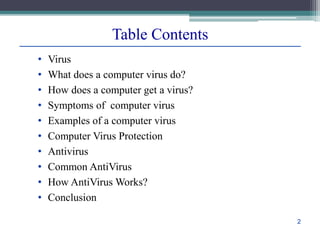
Virus and Antivirus
Table Contents
• Virus
• What does a computer virus do?
• How does a computer get a virus?
• Symptoms of computer virus
• Examples of a computer virus
• Computer Virus Protection
• Antivirus
• Common AntiVirus
• How AntiVirus Works?
• Conclusion
2
Virus
– A computer virus is a program which can harm our
device and files and infect them for no further use.
When a virus program is executed, it replicates
itself by modifying other computer programs and
instead enters its own coding. This code infects a
file or program and if it spreads massively, it may
ultimately result in crashing of the device.
– Across the world, Computer viruses are a great
issue of concern as they can cause billions of
dollars’ worth harm to the economy each year.
3
Virus
4
• Some computer viruses are programmed to harm your
computer by damaging programs, deleting files, or
reformatting the hard drive. Others simply replicate
themselves or flood a network with traffic, making it
impossible to perform any internet activity.
• Even less harmful computer viruses can significantly
disrupt your system’s performance, sapping computer
memory and causing frequent computer crashes.
●●●
5
What does a computer virus do?
• In 2013, the botnet virus Gameover ZueS was
discovered to use peer-to-peer downloading sites to
distribute ransomware and commit banking fraud.
• While tens of thousands of computer viruses still roam
the internet, they have diversified their methods and
are now joined by a number of malware variants like
worms, Trojans, and ransomware.
6
What does a computer virus do?
• Sharing music, files, or photos with other users
• Visiting an infected website
• Opening spam email or an email attachment
• Downloading free games, toolbars, media players and other
system utilities
• Installing mainstream software applications without
thoroughly reading license agreements
7
How does a computer get a virus?
Symptoms of a computer virus
• Slow computer performance
• Erratic computer behavior
• Unexplained data loss
• Frequent computer crashes
8
Examples of computer viruses
•Worms - A worm is a type of virus that, unlike traditional
viruses, usually does not require the action of a user to spread
from device to device.
•Trojans - As in the myth, a Trojan is a virus that hides within
a legitimate-seeming program to spread itself across networks
or devices.
•Ransomware - Ransomware is a type of malware that
encrypts a user’s files and demands a ransom for its return.
Ransomware can be, but isn’t necessarily, spread through
computer viruses.
●●●
9
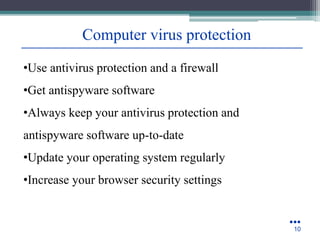
Computer virus protection
•Use antivirus protection and a firewall
•Get antispyware software
•Always keep your antivirus protection and
antispyware software up-to-date
•Update your operating system regularly
•Increase your browser security settings
●●●
10
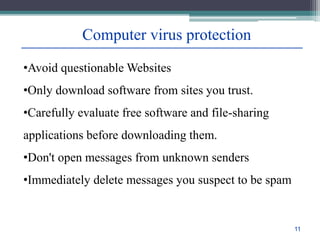
Computer virus protection
•Avoid questionable Websites
•Only download software from sites you trust.
•Carefully evaluate free software and file-sharing
applications before downloading them.
•Don't open messages from unknown senders
•Immediately delete messages you suspect to be spam
11
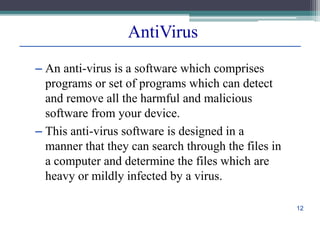
AntiVirus
– An anti-virus is a software which comprises
programs or set of programs which can detect
and remove all the harmful and malicious
software from your device.
– This anti-virus software is designed in a
manner that they can search through the files in
a computer and determine the files which are
heavy or mildly infected by a virus.
12
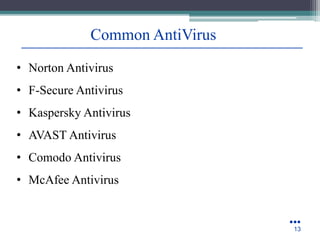
Common AntiVirus
• Norton Antivirus
• F-Secure Antivirus
• Kaspersky Antivirus
• AVAST Antivirus
• Comodo Antivirus
• McAfee Antivirus
●●●
13
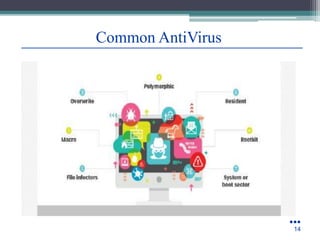
Common AntiVirus
●●●
14
How does an Anti-Virus works?
• Once the file is quarantined, the application can attempt to
repair it, delete it, or prompt you for a decision on what to
do about the file infected.
• This approach helps protect against unidentified or
encrypted viruses and can alert you to suspicious behavior
happening on your computer.
• This interesting is an area where anti-spyware/anti-adware
and anti-virus software often notice the same kinds of
activities, because they are typical for adware and spyware
as well as malware
15
Conclusion
•Computer virus is a software program written with
malicious intentions. There are number
of computer viruses that can impede the functioning of
your computer system.
•They are replicated by themselves. Viruses are so
dangerous and malicious that they can be automatically
copied and pasted from memory to memory over and
over; the transmitting power is too much quick from
network to network that can simply hang smoothly
running
16
References
▫ Google.com
▫ Wikipedia.org
▫ Studymafia.org
▫ Slidespanda.com
Thanks
To
StudyMafia.org

Virus And Antivirus short presentation.pptx

  • 1.
  • 2.
    Table Contents • Virus •What does a computer virus do? • How does a computer get a virus? • Symptoms of computer virus • Examples of a computer virus • Computer Virus Protection • Antivirus • Common AntiVirus • How AntiVirus Works? • Conclusion 2
  • 3.
    Virus – A computervirus is a program which can harm our device and files and infect them for no further use. When a virus program is executed, it replicates itself by modifying other computer programs and instead enters its own coding. This code infects a file or program and if it spreads massively, it may ultimately result in crashing of the device. – Across the world, Computer viruses are a great issue of concern as they can cause billions of dollars’ worth harm to the economy each year. 3
  • 4.
  • 5.
    • Some computerviruses are programmed to harm your computer by damaging programs, deleting files, or reformatting the hard drive. Others simply replicate themselves or flood a network with traffic, making it impossible to perform any internet activity. • Even less harmful computer viruses can significantly disrupt your system’s performance, sapping computer memory and causing frequent computer crashes. ●●● 5 What does a computer virus do?
  • 6.
    • In 2013,the botnet virus Gameover ZueS was discovered to use peer-to-peer downloading sites to distribute ransomware and commit banking fraud. • While tens of thousands of computer viruses still roam the internet, they have diversified their methods and are now joined by a number of malware variants like worms, Trojans, and ransomware. 6 What does a computer virus do?
  • 7.
    • Sharing music,files, or photos with other users • Visiting an infected website • Opening spam email or an email attachment • Downloading free games, toolbars, media players and other system utilities • Installing mainstream software applications without thoroughly reading license agreements 7 How does a computer get a virus?
  • 8.
    Symptoms of acomputer virus • Slow computer performance • Erratic computer behavior • Unexplained data loss • Frequent computer crashes 8
  • 9.
    Examples of computerviruses •Worms - A worm is a type of virus that, unlike traditional viruses, usually does not require the action of a user to spread from device to device. •Trojans - As in the myth, a Trojan is a virus that hides within a legitimate-seeming program to spread itself across networks or devices. •Ransomware - Ransomware is a type of malware that encrypts a user’s files and demands a ransom for its return. Ransomware can be, but isn’t necessarily, spread through computer viruses. ●●● 9
  • 10.
    Computer virus protection •Useantivirus protection and a firewall •Get antispyware software •Always keep your antivirus protection and antispyware software up-to-date •Update your operating system regularly •Increase your browser security settings ●●● 10
  • 11.
    Computer virus protection •Avoidquestionable Websites •Only download software from sites you trust. •Carefully evaluate free software and file-sharing applications before downloading them. •Don't open messages from unknown senders •Immediately delete messages you suspect to be spam 11
  • 12.
    AntiVirus – An anti-virusis a software which comprises programs or set of programs which can detect and remove all the harmful and malicious software from your device. – This anti-virus software is designed in a manner that they can search through the files in a computer and determine the files which are heavy or mildly infected by a virus. 12
  • 13.
    Common AntiVirus • NortonAntivirus • F-Secure Antivirus • Kaspersky Antivirus • AVAST Antivirus • Comodo Antivirus • McAfee Antivirus ●●● 13
  • 14.
  • 15.
    How does anAnti-Virus works? • Once the file is quarantined, the application can attempt to repair it, delete it, or prompt you for a decision on what to do about the file infected. • This approach helps protect against unidentified or encrypted viruses and can alert you to suspicious behavior happening on your computer. • This interesting is an area where anti-spyware/anti-adware and anti-virus software often notice the same kinds of activities, because they are typical for adware and spyware as well as malware 15
  • 16.
    Conclusion •Computer virus isa software program written with malicious intentions. There are number of computer viruses that can impede the functioning of your computer system. •They are replicated by themselves. Viruses are so dangerous and malicious that they can be automatically copied and pasted from memory to memory over and over; the transmitting power is too much quick from network to network that can simply hang smoothly running 16
  • 17.
    References ▫ Google.com ▫ Wikipedia.org ▫Studymafia.org ▫ Slidespanda.com
  • 18.