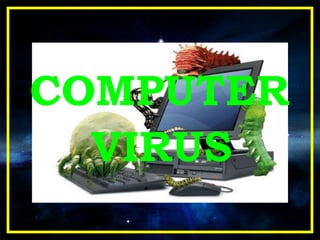
COMPUTER
VIRUS
Presented By
SONAJI HIRALAL
DONGRE
Bsc [computer science]
III rd year
Roll No :--09
A Computer Virus is a computer
program that can copy itself and infect a
computer without permission or
knowledge of the user.
What is a Computer Virus ?
Boot Sector Viruses
 Browser Hijackers
 Direct Action Virus
 Macro Virus
 File Infector Virus
 The term “boot sector” is a generic name that seems to
originally come from MS-DOS but is now applied generally
to the boot information used by any operating system.
 In modern computers this is usually called the “master
boot record,” and it is the first sector on a partitioned
storage device.
 Boot sector viruses became popular because of the use of
floppy disks to boot a computer. The widespread usage of
the Internet and the death of the floppy has made other
means of virus transmission more effective.
Boot sector viruses
This type of virus, which can spread
itself in numerous ways including
voluntary download, effectively
HIJACKS certain browser functions,
usually in the form of re-directing the
user automatically to particular sites.
It’s usually assumed that this tactic is
designed to increase revenue from
web advertisements
File Infector Virus
File infector virus means the virus
Directly affect on the source file.
The virus may completely overwrite
the file that it infects, or may only
replace parts of the file the macro virus
below is not referred to by the file virus.
Instead, the definition is usually meant
to refer only to viruses which use an
executable file format, such as .exe, as
their host.
How are viruses spread ?
A virus can only spread from
one computer to another when
its host is taken to the
uninfected computer, for
instance by a user sending it
over a network or the Internet,
or by carrying it on a removable
medium such as a floppy disk,
CD, or USB drive.
TYPES OF VIRUSES
On the basis of scale there are five
types of viruses under one name:
MALWARE
Spyware Adware Worms Trojans Rootkits
MALWARE
Malware, from the words
malicious and software, is a
software designed to
infiltrate or damage a
computer system without the
owner's informed consent. It
includes spyware, adware,
computer worms and trojan
horses.
SPYWARE
Spyware is computer
software that is installed
secretly on a personal
computer to intercept or
take partial control over
the user's interaction
with the computer,
without the user's
informed consent.
ADWARE
Adware or advertising-
supported software is
any software package
which automatically
plays, displays, or
downloads advertisements
to a computer after the
software is installed on it
or while the application is
being used.
COMPUTER WORMS
A Computer Worm is a self-
replicating computer program. It
uses a network to send copies of
itself to other nodes (computer
terminals on the network) and it
may do so without any user
intervention. It always cause harm
to the network, if only by
consuming bandwidth.
Fist worm released on the Internet
was called Mrorris worm, it was
released on Nov 2, 1988.
TROJAN HORSES
A Trojan, is malware that
appears to perform a
desirable function but in
fact performs undisclosed
malicious functions.
 Covert
 Leaks information
 Usually does not reproduce
TROJAN HORSE
Back Orifice [iwjkok]
Discovery Date : 10/15/1998
Origin : Pro-hacker Website
Length : 124,928
Type : Trojan
SubType : Remote Access
Risk Assessment : Low
Category : Stealth
ROOTKITS
A Rootkit is a computer
virus which consists of a
program designed to take
fundamental control of a
computer system, without
authorization by the
system's owners and
legitimate managers.
ANTI - VIRUS
Anti-Virus Software are
computer programs that
attempt to identify, neutralize
or eliminate malicious
software. Most modern
antivirus software is now
designed to combat a wide
range of threats, including
worms, rootkits, Trojans,
often described collectively as
malware.
How does an Anti-Virus work ?
There are two common methods that an
anti-virus software application uses to
detect viruses:
 The first, and by far the most
common method of virus detection is
using a list of virus signature
definitions.
 The second method is to use a
heuristic algorithm to find viruses
based on common behaviors.
VIRUS REMOVAL
One possibility on
Windows Me, Windows
XP and Windows Vista is a
tool known as System
Restore, which restores the
registry and critical system
files to a previous
checkpoint.
Manual Prevention from Viruses
 Delete your browsing history, temporary
internet files, internet cookies before exiting .
 Always remember to scan any removable
hardware using anti-virus software before
accessing it. Removable hardware includes
Floppy Disks, CD, USB Drive.
 Update your anti-virus for new and latest
virus definitions.
 Scan your computer every week using
anti-virus software like Norton, McAfee for
prevention against malware.
 Create a system restore point before
installing any software or freeware.
PREVENTION
IS
BETTER
THAN CURE
Conclusion
۩ You know know more about virus and how:
۩ viruses work through your system
۩ to make a better virus
۩ Have seen how viruses show us a loophole in
popular software
۩ Most viruses show that they can cause great
damage due to loopholes in programming
THANK
YOU

COMPUTER VIRUS affecting to computer software

  • 1.
  • 2.
    Presented By SONAJI HIRALAL DONGRE Bsc[computer science] III rd year Roll No :--09
  • 3.
    A Computer Virusis a computer program that can copy itself and infect a computer without permission or knowledge of the user. What is a Computer Virus ?
  • 4.
    Boot Sector Viruses Browser Hijackers  Direct Action Virus  Macro Virus  File Infector Virus
  • 5.
     The term“boot sector” is a generic name that seems to originally come from MS-DOS but is now applied generally to the boot information used by any operating system.  In modern computers this is usually called the “master boot record,” and it is the first sector on a partitioned storage device.  Boot sector viruses became popular because of the use of floppy disks to boot a computer. The widespread usage of the Internet and the death of the floppy has made other means of virus transmission more effective. Boot sector viruses
  • 6.
    This type ofvirus, which can spread itself in numerous ways including voluntary download, effectively HIJACKS certain browser functions, usually in the form of re-directing the user automatically to particular sites. It’s usually assumed that this tactic is designed to increase revenue from web advertisements
  • 7.
    File Infector Virus Fileinfector virus means the virus Directly affect on the source file. The virus may completely overwrite the file that it infects, or may only replace parts of the file the macro virus below is not referred to by the file virus. Instead, the definition is usually meant to refer only to viruses which use an executable file format, such as .exe, as their host.
  • 8.
    How are virusesspread ? A virus can only spread from one computer to another when its host is taken to the uninfected computer, for instance by a user sending it over a network or the Internet, or by carrying it on a removable medium such as a floppy disk, CD, or USB drive.
  • 9.
    TYPES OF VIRUSES Onthe basis of scale there are five types of viruses under one name: MALWARE Spyware Adware Worms Trojans Rootkits
  • 10.
    MALWARE Malware, from thewords malicious and software, is a software designed to infiltrate or damage a computer system without the owner's informed consent. It includes spyware, adware, computer worms and trojan horses.
  • 11.
    SPYWARE Spyware is computer softwarethat is installed secretly on a personal computer to intercept or take partial control over the user's interaction with the computer, without the user's informed consent.
  • 12.
    ADWARE Adware or advertising- supportedsoftware is any software package which automatically plays, displays, or downloads advertisements to a computer after the software is installed on it or while the application is being used.
  • 13.
    COMPUTER WORMS A ComputerWorm is a self- replicating computer program. It uses a network to send copies of itself to other nodes (computer terminals on the network) and it may do so without any user intervention. It always cause harm to the network, if only by consuming bandwidth. Fist worm released on the Internet was called Mrorris worm, it was released on Nov 2, 1988.
  • 14.
    TROJAN HORSES A Trojan,is malware that appears to perform a desirable function but in fact performs undisclosed malicious functions.
  • 15.
     Covert  Leaksinformation  Usually does not reproduce TROJAN HORSE Back Orifice [iwjkok] Discovery Date : 10/15/1998 Origin : Pro-hacker Website Length : 124,928 Type : Trojan SubType : Remote Access Risk Assessment : Low Category : Stealth
  • 16.
    ROOTKITS A Rootkit isa computer virus which consists of a program designed to take fundamental control of a computer system, without authorization by the system's owners and legitimate managers.
  • 18.
  • 19.
    Anti-Virus Software are computerprograms that attempt to identify, neutralize or eliminate malicious software. Most modern antivirus software is now designed to combat a wide range of threats, including worms, rootkits, Trojans, often described collectively as malware.
  • 20.
    How does anAnti-Virus work ? There are two common methods that an anti-virus software application uses to detect viruses:  The first, and by far the most common method of virus detection is using a list of virus signature definitions.  The second method is to use a heuristic algorithm to find viruses based on common behaviors.
  • 21.
    VIRUS REMOVAL One possibilityon Windows Me, Windows XP and Windows Vista is a tool known as System Restore, which restores the registry and critical system files to a previous checkpoint.
  • 22.
    Manual Prevention fromViruses  Delete your browsing history, temporary internet files, internet cookies before exiting .  Always remember to scan any removable hardware using anti-virus software before accessing it. Removable hardware includes Floppy Disks, CD, USB Drive.  Update your anti-virus for new and latest virus definitions.  Scan your computer every week using anti-virus software like Norton, McAfee for prevention against malware.  Create a system restore point before installing any software or freeware.
  • 23.
  • 24.
    Conclusion ۩ You knowknow more about virus and how: ۩ viruses work through your system ۩ to make a better virus ۩ Have seen how viruses show us a loophole in popular software ۩ Most viruses show that they can cause great damage due to loopholes in programming
  • 25.