Virtualization
Uses
Presented By: Rubal Sagwal
(Unit-2)
1. Server Consolidation
Server consolidation is an approach to the capable
usage of computer server sources to reduce the
number of servers that an organization requires.
Why?
• To over come the problem of “Server Sprawl”.
• Server Sprawl: a situation in which several under-utilized
servers take up extra space and use more sources.
Outcome:
• Proper utilization of resources.
• Reduce the number of physical servers.
2
How to do Server Consolidation
In real time, the resource utilization percentage will
be around 40%.
• Before installing any service in a physical machine, the
capacity planning team will calculate the resources
required for the service.
• Based on the result, the physical server will be
provisioned with the resources such as RAM, CPU.
• After virtualization, on a single physical machine
multiple virtual servers can run.
3
1.1 Server Product Architecture
VMware Server Architecture
a. Virtual Machine,
b. Guest Operating System, and
c. Host O.S
4
a.Virtual Machine
VMware Server Architecture
• VM is a method of representing a real machine using
software to manage the execution of an OS.
5
c. Host O.S
Primary O.S
• Software installed on a computer that interacts with the
underlying hardware.
• In case of type 1 Hypervisor: run as a direct Host OS.
• Installed directly onto a server's hardware
• In case of type 2 hypervisor: run on the top of a Host OS
(Actual OS of a machine).
• This Type 2 hypervisor can then create multiple virtual
machines that will each run a guest operating system,
also known as Hosted Hypervisor.
• Guest operating systems do not need to be the same as
the host OS.
6
b. Guest O.S
Secondary O.S (another instance of O.S).
• Provide alternative O.S.
• Either a part or partitioned of system or VM.
In Case of VM:
• Guest O.S run within the Host O.S
• Can be same or different O.S as a primary O.S.
• Without Virtualization: if the host OS is running
Windows, then any guest OS on a portioned disk must
also run windows.
• In a virtualized environment, the guest OS can be
different than the host OS.
• Unlike a host OS, which is installed on a computer and
interacts with underlying hardware, a guest OS resides
on a virtual machine.
7
Benefits
• Guest operating systems can be of great benefit to
administrators.
• If Administrators are not able to run programs and
applications that aren't compatible with the host OS,
then he can create a guest operating system.
• Admins can run more than one application that requires
different operating systems on the same physical
hardware using guest OS (By installing different OS).
8
1.2 Server Consolidation Consideration
Challenges: Scalability
• Server Consolidation doesn’t mean: Fitting several
application into large machine that one can afford.
• Server Consolidation means: Utilizing space/ processing
in managed and maintained way.
• Server Consolidation result should be: Stronger machine
with less point of failure.
• Server Consolidation Barriers: Intel space has been the
lack of scalability of the platform, the OS and the
applications.
• PCs are single-processor systems and the OS derived
from this environment were not planned to take benefit
of multiple processors.
• A Survey: Done by a company “Unisys”. According to it,
• SMP-AI 32 Machine: Has 32 processor,
• AI-64: Matches the scalability of UNIX.
9
VMWare Infrastructure
Provide whole new way to Consolidate
• VMware Infrastructure matching set allows many
physical servers to unite into a single resource pool that
groups processor, storage, disk and networking capacity.
• VMware Distributed Resource Scheduler (DRS)
constantly balances virtual machine workloads across
source.
10
Types of Server Consolidation
Three Types:
1. Logical Consolidation:
• Perform common processes.
• Divides task.
• Facilitate standard systems organization procedures across
the server applications.
• In general, putting a single and centralized department in
charge of each and every one of servers.
2. Physical Consolidation: requires the collocation of
multiple platforms at fewer locations.
3. Rationalized Consolidation: implementing several
applications on fewer, more powerful platforms, regularly
through workload management and partitioning.
11
Server Consolidation –
Application consideration
• server consolidation applications can focus on:
1. Backward Consolidation: Existing application
2. Forward Consolidation: New applications
3. Or both.
• Good approach is: look for forward consolidation and
for rationalizing the latest application with some other
applications.
12
Outcome of Server
Consolidation
. Replace a small number of servers with fewer larger
servers.
• Organization with separate file and print servers for
every department -> Combine into two huge file and
print servers which every department share.
 Combine several instances of the same application
run on a single server.
• Four 4-processes server -> Single 16-processes
server.
 Combining some different applications on a single
server.
13
Development andTest Environments
• Challenges in Developing, Testing and Deploying
Applications:
• Complex responsibility.
• Developers, Quality Assurance and IT teams have key
requirements that must be addressed to make creation,
testing and deployment of applications possible.
14
Following are the requirements:
• Isolated “sand box” environments for the development of application and testing of pre-deployment.
• Sand box: A virtual space in which new or untested software can be run securely.
• Support for creating well test environments to verify compatibility of applications with some other elements of the
deployment infrastructure.
• Collaboration within and between geographically dispersed teams passing complete information about configurations
between development teams, QA and support to repeat problems.
• Efficiency of hardware resources:
• Challenges:
• Hardware is a major bottleneck that may result in slow down or delay projects.
• Significant hardware requirements for development and testing and the resulting high costs.
• Even if hardware is available; testing is often delayed for days or even weeks waiting for servers to be configured from
scratch or for a particular application to be configured.
• Test managers often wants servers to test specific applications to the exclusion of all other workloads.
15
Contd..
• Developers may require an additional system for tools such as kernel-level debuggers or network analyzers.
• Linux developers can finish their coding on a single development system may still need an additional system to access
standard Windows applications and production tools.
• Maintaining a large server farm leads to higher costs for power, cooling, rack space, network and storage space
infrastructure.
16
Solution:TheVMwareVirtualization for Software Development
andTesting
• VMware has virtualization solutions for testers, software developers and providing snapshots.
• Solution for optimizing development and test environments.
• Result:
• Accelerate project completion,
• Develop productivity,
• Remove hardware constraints,
• Decrease hardware costs and
• Increase parallelism.
17
Benefits ofVMware virtualization
• Run multiple operating systems and versions (like DOS, Microsoft Windows, Linux and NetWare) simultaneously on a
single machine.
• Consolidate multi-virtual test machines onto a single physical system.
• Without rebooting or repartitioning move between operating systems.
• Create libraries of virtual machines for every operating system and network connection with preconfigured test
environments and tools.
• Suspend and restore virtual machine instances on demand to hardware utilization.
18
Disaster Recovery
Challenges
• Natural Disaster:
• Hurricanes,
• Earthquakes,
• Flooding, etc.
• Man-made Events:
• Power outages,
• Terrorism,
• Viruses, etc.
Here, we can’t put question like, Why? But? and
When?
• Defending IT resources from disasters is crucial for
business.
• IT managers face several obstacles when
developing a traditional disaster recovery plan.
Like,
• Disaster recovery plans are costly.
• Disaster recovery sites are often sleeping or idle – still
need periodical management and updation.
19
Disaster Recovery Plans:
1. Disaster Recovery Solutions with VMware: It enables simpler and quicker processes that permit
organizations to complete easier backup and recovery as the primary step to disaster recovery.
Defensive Plans:
• Back-up and Recovery for Disaster Recovery: The tape is the common form of transport for recovery (Only for
small business). Depending on data protection and recovery needs there are three methods for backing up
virtual machines with VMware Infrastructure:
a) Backups run from-within a virtual machine,
b) Backup run from-VMware ESX Server Service Console2 and
c) VMware Consolidated Backup.
20
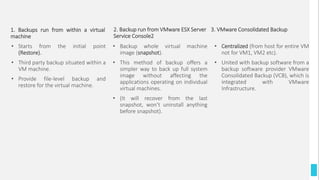
2. Backup run from VMware ESX Server
Service Console2
• Starts from the initial point
(Restore).
• Third party backup situated within a
VM machine.
• Provide file-level backup and
restore for the virtual machine.
• Backup whole virtual machine
image (snapshot).
• This method of backup offers a
simpler way to back up full system
image without affecting the
applications operating on individual
virtual machines.
• (It will recover from the last
snapshot, won’t uninstall anything
before snapshot).
• Centralized (from host for entire VM
not for VM1, VM2 etc).
• United with backup software from a
backup software provider VMware
Consolidated Backup (VCB), which is
integrated with VMware
Infrastructure.
3. VMware Consolidated Backup1. Backups run from within a virtual
machine
2. Data Replication for Disaster Recovery:
• For faster recovery.
• Essential component of an end-to-end, wide-area disaster recovery strategy.
• VMware Infrastructure leading replication technologies are:
• Host based (Server replication)
• Array based replication and
• Network-based replication
22
For database and mail system
Testing Disaster Recovery to Ensure High Reliability
Periodic testing is essential.
• VMware provide easy and built-in feature that periodically run disaster recovery tests.
• Test steps would normally include:
• Snapshot and cloning of the replicated data to create test virtual machines,
• Connecting test virtual machine to an isolated network,
• Powering up test virtual machine to validate recovery and
• Removing virtual machine clones after testing.
• VMware's disaster recovery tool:
• VMware’s vSphere Site Recovery Manager (SRM) is a disaster recovery administration product from VMware that present
automated failover and disaster recovery testing.
• It’s an add-on product.
23
Benefits ofVMware for Server Consolidation
1. Isolation of The Virtual Machines
• Several virtual machines can exist on the same platform
– failure in one machine can’t affect other.
• But this isolation does not mean fault tolerance. The host
hardware or software can still fail and get the system
down.
• Applications running in a virtual machine or in the guest
OS, can do anything that will bring down VMware, other
virtual machine, or the host OS.
2. Encapsulation
• It means that the state of a virtual machine can be saved
to disk and reload the data from the disk when the
virtual machine can be restarted.
• VMware can connect different virtual machines running
on the same physical system with TCP/IP or other
network protocols.
• Can share the file at same machine or network.
24
3. Virtual Networking and File Sharing
4. Hardware Independence of the Virtual
Machine
• Virtual machines can be constructing on any VMware
platform and then deployed on any platform where
VMware is installed.
5. Compatibility with the VMware’s
Workstation Version
• All products of VMware use the similar core technology.
• The workstation version helps to value the server
versions of the product.
25
6. Remote Management
• VMware bundles useful software that allows remote
management of the virtual machines.
• For Ex: the desktop software allows an administrator to
contain a remote console for every virtual machine.
• The remote console is all the time available .
• If the OS corrupt, the administrator can debug the
situation from the remote location. .
• Administrators can also use web browsers such as an
Internet Explorer or Netscape, to manage the virtual
machines.
7. Disk Management
• VMware provides options on how virtual or real disks
are handled.
• Two Types:
1. Persistent disk : Any changes are permanent
2. Non-persistent disk: all changes that are made are thrown
away at the end of each session.
26
How VMware Addresses Technical Barriers to Server
Consolidation?
• Consolidation applications – on single hardware – must run on the same version of the OS.
• Suppose:
• Applications A and B are consolidated on a single system.
• All may go well until a new version of application A is installed – needs a new level of the operating system.
• Suppose that the users of application A need an immediate implementation of the new release.
• Applications A and B will be split apart to run on separate machines – VMware products can address this
situation.
• Each application can run in its own virtual machine.
• Such problems are hard to analyze and even harder to correct.
• If the problem takes the new system down, the consolidation of these applications may have to be
abandoned.
• VMware – with the isolation that it provides for the virtual machines – solves such problems without the
need to diagnose or correct them.
27
Limitations ofVMware
1. Support Only for IA-32 Architecture
Systems
• VMware products currently only support IA-32
hardware.
2. Support Only for IA-32 Architecture
Systems
• Server consolidation – complicated.
• Requiring technical and managerial skills.
• Adding – application increases the cost, length and
complexity of the consolidation project.
• ESX Server will require more knowledge since it does not
depend on a host OS.
28
3. No Support for Windows 2000 Datacenter
Server
• No version of VMware supports Windows 2000
Datacenter Server as a guest OS.
• Windows 2000 Datacenter Server is possible to be the
target for many consolidations and VMware would be
quite useful in these cases. One can only hope that the
ESX Server may add this capability in the future.
4. Vm Performance
• VMware can run the guest OS in a moderately proficient
way, performance can still be a problem.
• Applications will use more memory and CPU in a virtual
machine – than they would on a real machine.
29
VMware developed the formal performance guidelines
For analyzing the performance of Vmware for Sever Consolidation.
• Begin by analyzing the resource usage of the workloads to be consolidated.
• Set up the resource needs of each workload when it moves into the world.
• Consolidate to machines with higher megahertz speeds. For example, if the real machine is a 350 MHz
processor, step it up to a 500 MHz processor machine, which is the minimum that VMware recommends for
the ESX Server.
• Be careful with memory.
• Take care of the I/O requirement.
30
The following Steps for planning server consolidation
• Begin by researching – Understanding of the several consolidation techniques and technologies – help you identify the
approach that best meets your needs.
• Set operational and financial goals – scope, performance and costs before you begin designing the system.
• Make a schedule – set a timeline with defined benchmarks.
• Place it in writing - A document describing project goals, integration Specifics, server management responsibilities,
system design details and other key points will help stay on track.
• Build support - As with any main IT project, getting buy-in from stake holder is essential for a successful consolidation
initiative.
31
References
1. https://searchservervirtualization.techtarget.com/definition/guest-OS
2. https://searchvmware.techtarget.com/definition/host-operating-system
32
ThankYou!
33

Virtualization Uses - Server Consolidation

  • 1.
  • 2.
    1. Server Consolidation Serverconsolidation is an approach to the capable usage of computer server sources to reduce the number of servers that an organization requires. Why? • To over come the problem of “Server Sprawl”. • Server Sprawl: a situation in which several under-utilized servers take up extra space and use more sources. Outcome: • Proper utilization of resources. • Reduce the number of physical servers. 2
  • 3.
    How to doServer Consolidation In real time, the resource utilization percentage will be around 40%. • Before installing any service in a physical machine, the capacity planning team will calculate the resources required for the service. • Based on the result, the physical server will be provisioned with the resources such as RAM, CPU. • After virtualization, on a single physical machine multiple virtual servers can run. 3
  • 4.
    1.1 Server ProductArchitecture VMware Server Architecture a. Virtual Machine, b. Guest Operating System, and c. Host O.S 4
  • 5.
    a.Virtual Machine VMware ServerArchitecture • VM is a method of representing a real machine using software to manage the execution of an OS. 5
  • 6.
    c. Host O.S PrimaryO.S • Software installed on a computer that interacts with the underlying hardware. • In case of type 1 Hypervisor: run as a direct Host OS. • Installed directly onto a server's hardware • In case of type 2 hypervisor: run on the top of a Host OS (Actual OS of a machine). • This Type 2 hypervisor can then create multiple virtual machines that will each run a guest operating system, also known as Hosted Hypervisor. • Guest operating systems do not need to be the same as the host OS. 6
  • 7.
    b. Guest O.S SecondaryO.S (another instance of O.S). • Provide alternative O.S. • Either a part or partitioned of system or VM. In Case of VM: • Guest O.S run within the Host O.S • Can be same or different O.S as a primary O.S. • Without Virtualization: if the host OS is running Windows, then any guest OS on a portioned disk must also run windows. • In a virtualized environment, the guest OS can be different than the host OS. • Unlike a host OS, which is installed on a computer and interacts with underlying hardware, a guest OS resides on a virtual machine. 7
  • 8.
    Benefits • Guest operatingsystems can be of great benefit to administrators. • If Administrators are not able to run programs and applications that aren't compatible with the host OS, then he can create a guest operating system. • Admins can run more than one application that requires different operating systems on the same physical hardware using guest OS (By installing different OS). 8
  • 9.
    1.2 Server ConsolidationConsideration Challenges: Scalability • Server Consolidation doesn’t mean: Fitting several application into large machine that one can afford. • Server Consolidation means: Utilizing space/ processing in managed and maintained way. • Server Consolidation result should be: Stronger machine with less point of failure. • Server Consolidation Barriers: Intel space has been the lack of scalability of the platform, the OS and the applications. • PCs are single-processor systems and the OS derived from this environment were not planned to take benefit of multiple processors. • A Survey: Done by a company “Unisys”. According to it, • SMP-AI 32 Machine: Has 32 processor, • AI-64: Matches the scalability of UNIX. 9
  • 10.
    VMWare Infrastructure Provide wholenew way to Consolidate • VMware Infrastructure matching set allows many physical servers to unite into a single resource pool that groups processor, storage, disk and networking capacity. • VMware Distributed Resource Scheduler (DRS) constantly balances virtual machine workloads across source. 10
  • 11.
    Types of ServerConsolidation Three Types: 1. Logical Consolidation: • Perform common processes. • Divides task. • Facilitate standard systems organization procedures across the server applications. • In general, putting a single and centralized department in charge of each and every one of servers. 2. Physical Consolidation: requires the collocation of multiple platforms at fewer locations. 3. Rationalized Consolidation: implementing several applications on fewer, more powerful platforms, regularly through workload management and partitioning. 11
  • 12.
    Server Consolidation – Applicationconsideration • server consolidation applications can focus on: 1. Backward Consolidation: Existing application 2. Forward Consolidation: New applications 3. Or both. • Good approach is: look for forward consolidation and for rationalizing the latest application with some other applications. 12
  • 13.
    Outcome of Server Consolidation .Replace a small number of servers with fewer larger servers. • Organization with separate file and print servers for every department -> Combine into two huge file and print servers which every department share.  Combine several instances of the same application run on a single server. • Four 4-processes server -> Single 16-processes server.  Combining some different applications on a single server. 13
  • 14.
    Development andTest Environments •Challenges in Developing, Testing and Deploying Applications: • Complex responsibility. • Developers, Quality Assurance and IT teams have key requirements that must be addressed to make creation, testing and deployment of applications possible. 14
  • 15.
    Following are therequirements: • Isolated “sand box” environments for the development of application and testing of pre-deployment. • Sand box: A virtual space in which new or untested software can be run securely. • Support for creating well test environments to verify compatibility of applications with some other elements of the deployment infrastructure. • Collaboration within and between geographically dispersed teams passing complete information about configurations between development teams, QA and support to repeat problems. • Efficiency of hardware resources: • Challenges: • Hardware is a major bottleneck that may result in slow down or delay projects. • Significant hardware requirements for development and testing and the resulting high costs. • Even if hardware is available; testing is often delayed for days or even weeks waiting for servers to be configured from scratch or for a particular application to be configured. • Test managers often wants servers to test specific applications to the exclusion of all other workloads. 15
  • 16.
    Contd.. • Developers mayrequire an additional system for tools such as kernel-level debuggers or network analyzers. • Linux developers can finish their coding on a single development system may still need an additional system to access standard Windows applications and production tools. • Maintaining a large server farm leads to higher costs for power, cooling, rack space, network and storage space infrastructure. 16
  • 17.
    Solution:TheVMwareVirtualization for SoftwareDevelopment andTesting • VMware has virtualization solutions for testers, software developers and providing snapshots. • Solution for optimizing development and test environments. • Result: • Accelerate project completion, • Develop productivity, • Remove hardware constraints, • Decrease hardware costs and • Increase parallelism. 17
  • 18.
    Benefits ofVMware virtualization •Run multiple operating systems and versions (like DOS, Microsoft Windows, Linux and NetWare) simultaneously on a single machine. • Consolidate multi-virtual test machines onto a single physical system. • Without rebooting or repartitioning move between operating systems. • Create libraries of virtual machines for every operating system and network connection with preconfigured test environments and tools. • Suspend and restore virtual machine instances on demand to hardware utilization. 18
  • 19.
    Disaster Recovery Challenges • NaturalDisaster: • Hurricanes, • Earthquakes, • Flooding, etc. • Man-made Events: • Power outages, • Terrorism, • Viruses, etc. Here, we can’t put question like, Why? But? and When? • Defending IT resources from disasters is crucial for business. • IT managers face several obstacles when developing a traditional disaster recovery plan. Like, • Disaster recovery plans are costly. • Disaster recovery sites are often sleeping or idle – still need periodical management and updation. 19
  • 20.
    Disaster Recovery Plans: 1.Disaster Recovery Solutions with VMware: It enables simpler and quicker processes that permit organizations to complete easier backup and recovery as the primary step to disaster recovery. Defensive Plans: • Back-up and Recovery for Disaster Recovery: The tape is the common form of transport for recovery (Only for small business). Depending on data protection and recovery needs there are three methods for backing up virtual machines with VMware Infrastructure: a) Backups run from-within a virtual machine, b) Backup run from-VMware ESX Server Service Console2 and c) VMware Consolidated Backup. 20
  • 21.
    2. Backup runfrom VMware ESX Server Service Console2 • Starts from the initial point (Restore). • Third party backup situated within a VM machine. • Provide file-level backup and restore for the virtual machine. • Backup whole virtual machine image (snapshot). • This method of backup offers a simpler way to back up full system image without affecting the applications operating on individual virtual machines. • (It will recover from the last snapshot, won’t uninstall anything before snapshot). • Centralized (from host for entire VM not for VM1, VM2 etc). • United with backup software from a backup software provider VMware Consolidated Backup (VCB), which is integrated with VMware Infrastructure. 3. VMware Consolidated Backup1. Backups run from within a virtual machine
  • 22.
    2. Data Replicationfor Disaster Recovery: • For faster recovery. • Essential component of an end-to-end, wide-area disaster recovery strategy. • VMware Infrastructure leading replication technologies are: • Host based (Server replication) • Array based replication and • Network-based replication 22 For database and mail system
  • 23.
    Testing Disaster Recoveryto Ensure High Reliability Periodic testing is essential. • VMware provide easy and built-in feature that periodically run disaster recovery tests. • Test steps would normally include: • Snapshot and cloning of the replicated data to create test virtual machines, • Connecting test virtual machine to an isolated network, • Powering up test virtual machine to validate recovery and • Removing virtual machine clones after testing. • VMware's disaster recovery tool: • VMware’s vSphere Site Recovery Manager (SRM) is a disaster recovery administration product from VMware that present automated failover and disaster recovery testing. • It’s an add-on product. 23
  • 24.
    Benefits ofVMware forServer Consolidation 1. Isolation of The Virtual Machines • Several virtual machines can exist on the same platform – failure in one machine can’t affect other. • But this isolation does not mean fault tolerance. The host hardware or software can still fail and get the system down. • Applications running in a virtual machine or in the guest OS, can do anything that will bring down VMware, other virtual machine, or the host OS. 2. Encapsulation • It means that the state of a virtual machine can be saved to disk and reload the data from the disk when the virtual machine can be restarted. • VMware can connect different virtual machines running on the same physical system with TCP/IP or other network protocols. • Can share the file at same machine or network. 24 3. Virtual Networking and File Sharing
  • 25.
    4. Hardware Independenceof the Virtual Machine • Virtual machines can be constructing on any VMware platform and then deployed on any platform where VMware is installed. 5. Compatibility with the VMware’s Workstation Version • All products of VMware use the similar core technology. • The workstation version helps to value the server versions of the product. 25
  • 26.
    6. Remote Management •VMware bundles useful software that allows remote management of the virtual machines. • For Ex: the desktop software allows an administrator to contain a remote console for every virtual machine. • The remote console is all the time available . • If the OS corrupt, the administrator can debug the situation from the remote location. . • Administrators can also use web browsers such as an Internet Explorer or Netscape, to manage the virtual machines. 7. Disk Management • VMware provides options on how virtual or real disks are handled. • Two Types: 1. Persistent disk : Any changes are permanent 2. Non-persistent disk: all changes that are made are thrown away at the end of each session. 26
  • 27.
    How VMware AddressesTechnical Barriers to Server Consolidation? • Consolidation applications – on single hardware – must run on the same version of the OS. • Suppose: • Applications A and B are consolidated on a single system. • All may go well until a new version of application A is installed – needs a new level of the operating system. • Suppose that the users of application A need an immediate implementation of the new release. • Applications A and B will be split apart to run on separate machines – VMware products can address this situation. • Each application can run in its own virtual machine. • Such problems are hard to analyze and even harder to correct. • If the problem takes the new system down, the consolidation of these applications may have to be abandoned. • VMware – with the isolation that it provides for the virtual machines – solves such problems without the need to diagnose or correct them. 27
  • 28.
    Limitations ofVMware 1. SupportOnly for IA-32 Architecture Systems • VMware products currently only support IA-32 hardware. 2. Support Only for IA-32 Architecture Systems • Server consolidation – complicated. • Requiring technical and managerial skills. • Adding – application increases the cost, length and complexity of the consolidation project. • ESX Server will require more knowledge since it does not depend on a host OS. 28
  • 29.
    3. No Supportfor Windows 2000 Datacenter Server • No version of VMware supports Windows 2000 Datacenter Server as a guest OS. • Windows 2000 Datacenter Server is possible to be the target for many consolidations and VMware would be quite useful in these cases. One can only hope that the ESX Server may add this capability in the future. 4. Vm Performance • VMware can run the guest OS in a moderately proficient way, performance can still be a problem. • Applications will use more memory and CPU in a virtual machine – than they would on a real machine. 29
  • 30.
    VMware developed theformal performance guidelines For analyzing the performance of Vmware for Sever Consolidation. • Begin by analyzing the resource usage of the workloads to be consolidated. • Set up the resource needs of each workload when it moves into the world. • Consolidate to machines with higher megahertz speeds. For example, if the real machine is a 350 MHz processor, step it up to a 500 MHz processor machine, which is the minimum that VMware recommends for the ESX Server. • Be careful with memory. • Take care of the I/O requirement. 30
  • 31.
    The following Stepsfor planning server consolidation • Begin by researching – Understanding of the several consolidation techniques and technologies – help you identify the approach that best meets your needs. • Set operational and financial goals – scope, performance and costs before you begin designing the system. • Make a schedule – set a timeline with defined benchmarks. • Place it in writing - A document describing project goals, integration Specifics, server management responsibilities, system design details and other key points will help stay on track. • Build support - As with any main IT project, getting buy-in from stake holder is essential for a successful consolidation initiative. 31
  • 32.
  • 33.