“So a virtual reality is a synthetic sensory
experience which may one day be
indistinguishable from the real physical
world “
- Kalawsky, R.S. (1993)
Introduction
Virtual Reality (VR) is the illusion of a threedimensional, interactive, computer-generated reality where
sight, sound, and sometimes even touch are simulated to
create pictures, sounds, and objects that actually seem real.
HSITORY
Morton Heilig
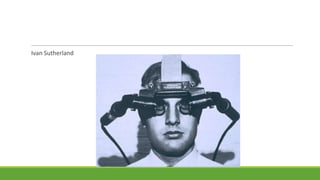
Ivan Sutherland
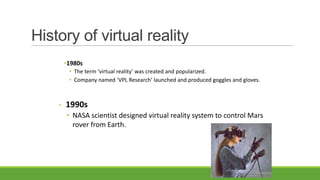
History of virtual reality
•1980s
• The term ‘virtual reality’ was created and popularized.
• Company named ‘VPL Research’ launched and produced goggles and gloves.

•

1990s
• NASA scientist designed virtual reality system to control Mars
rover from Earth.
What is VR?
• emulating the real world
• making an electronic world seem real
Interactive
• not static 3D images

• not movies
• moving within the world
• manipulating objects in the world
Inside VR
• scenes projected on walls

• realistic environment
• hydraulic rams!
• real controls
• other people
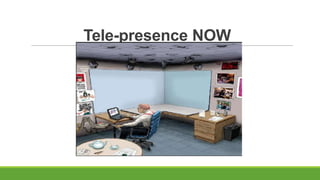
Tele-presence NOW
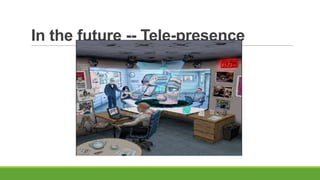
In the future -- Tele-presence
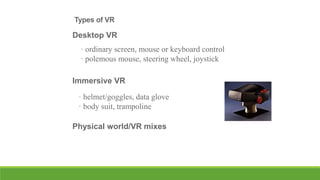
Types of VR

Desktop VR
• ordinary screen, mouse or keyboard control
• polemous mouse, steering wheel, joystick
Immersive VR

• helmet/goggles, data glove
• body suit, trampoline
Physical world/VR mixes
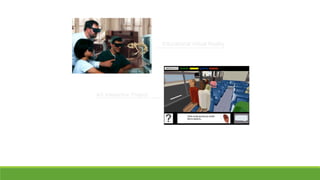
Educational Virtual Reality

AS Interactive Project
Hardware used in VR
Input devices:
A variety of input devices allow the user to navigate through a
virtual environment and to interact with virtual objects.
Directional sound, tactile and force feedback devices, voice
recognition and other technologies are being employed to
enrich the immersive experience and to create more
"sensualized" interfaces.
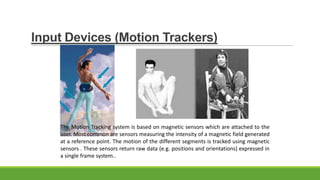
Input Devices (Motion Trackers)

The Motion Tracking system is based on magnetic sensors which are attached to the
user. Most common are sensors measuring the intensity of a magnetic field generated
at a reference point. The motion of the different segments is tracked using magnetic
sensors . These sensors return raw data (e.g. positions and orientations) expressed in
a single frame system..
Other Input Devices
MIDI keyboard

A MIDI keyboard controller has 88 keys, any of which can be struck within a fraction of second.
Each key transmits velocity of keystroke as well as pressure after the key is pressed.

Real-time video input

SIRIUS® Video card from Silicon Graphics. With SIRIUS®, images are digitized at a frequency of 25
Hz (PAL) or 30 Hz (NTSC) and may be analyzed by the VR program.

Real-time audio input

Speech synthesis facilities are of clear utility in a VR environment especially for command
feedback. Although speech synthesis software is available even at the personal computer
level, some improvement is still needed, particularly in the quality of speech.
Output Devices
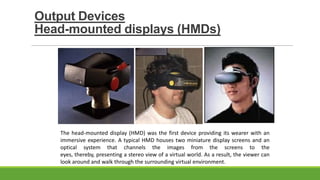
Head-mounted displays (HMDs)

The head-mounted display (HMD) was the first device providing its wearer with an
immersive experience. A typical HMD houses two miniature display screens and an
optical system that channels the images from the screens to the
eyes, thereby, presenting a stereo view of a virtual world. As a result, the viewer can
look around and walk through the surrounding virtual environment.
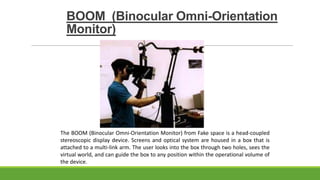
BOOM (Binocular Omni-Orientation
Monitor)

The BOOM (Binocular Omni-Orientation Monitor) from Fake space is a head-coupled
stereoscopic display device. Screens and optical system are housed in a box that is
attached to a multi-link arm. The user looks into the box through two holes, sees the
virtual world, and can guide the box to any position within the operational volume of
the device.
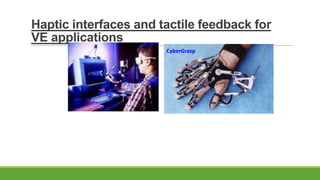
Haptic interfaces and tactile feedback for
VE applications
CyberGrasp
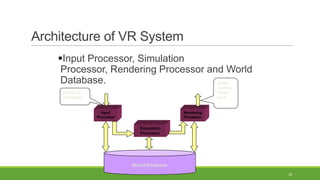
Architecture of VR System
Input Processor, Simulation
Processor, Rendering Processor and World
Database.
visual,
auditory,
haptic,
touch…

Position &
Orientation

Input
Processor

Rendering
Processor

Simulation
Processor

World Database
18
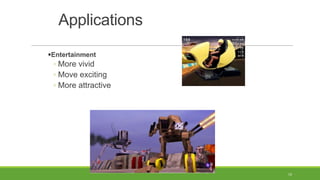
Applications
Entertainment

◦ More vivid
◦ Move exciting
◦ More attractive

19
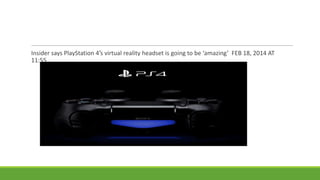
Insider says PlayStation 4′s virtual reality headset is going to be ‘amazing’ FEB 18, 2014 AT
11:55
Applications (Cont’d)
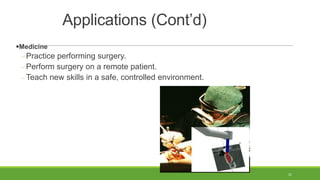
Medicine

Practice performing surgery.
Perform surgery on a remote patient.
Teach new skills in a safe, controlled environment.

21
Applications (Cont’d)
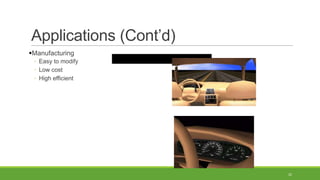
Manufacturing
◦ Easy to modify
◦ Low cost
◦ High efficient

22
Applications (Cont’d)
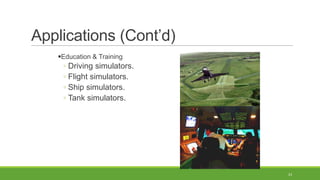
Education & Training

◦ Driving simulators.
◦ Flight simulators.
◦ Ship simulators.
◦ Tank simulators.

23
The Future of Virtual Reality
Virtual Reality is a growing industry
PC and specialized hardware are getting better, faster and cheaper
because of development in VR.

Maybe 3D user interfaces will replace the present computers.
Huge demand for VRML programmers in near future.
Revolution in gaming industries
Future
In the past, computing power has
doubled
approximately every 18
months, a trend that is known as
Moore’s Law. If this is the case then we
should have a computer powerful
enough to run immersive VR programs
in our own homes by the year 2037.

Virtual reality

  • 1.
    “So a virtualreality is a synthetic sensory experience which may one day be indistinguishable from the real physical world “ - Kalawsky, R.S. (1993)
  • 2.
    Introduction Virtual Reality (VR)is the illusion of a threedimensional, interactive, computer-generated reality where sight, sound, and sometimes even touch are simulated to create pictures, sounds, and objects that actually seem real.
  • 3.
  • 4.
  • 5.
    History of virtualreality •1980s • The term ‘virtual reality’ was created and popularized. • Company named ‘VPL Research’ launched and produced goggles and gloves. • 1990s • NASA scientist designed virtual reality system to control Mars rover from Earth.
  • 6.
    What is VR? •emulating the real world • making an electronic world seem real Interactive • not static 3D images • not movies • moving within the world • manipulating objects in the world
  • 7.
    Inside VR • scenesprojected on walls • realistic environment • hydraulic rams! • real controls • other people
  • 8.
  • 9.
    In the future-- Tele-presence
  • 10.
    Types of VR DesktopVR • ordinary screen, mouse or keyboard control • polemous mouse, steering wheel, joystick Immersive VR • helmet/goggles, data glove • body suit, trampoline Physical world/VR mixes
  • 11.
    Educational Virtual Reality ASInteractive Project
  • 12.
    Hardware used inVR Input devices: A variety of input devices allow the user to navigate through a virtual environment and to interact with virtual objects. Directional sound, tactile and force feedback devices, voice recognition and other technologies are being employed to enrich the immersive experience and to create more "sensualized" interfaces.
  • 13.
    Input Devices (MotionTrackers) The Motion Tracking system is based on magnetic sensors which are attached to the user. Most common are sensors measuring the intensity of a magnetic field generated at a reference point. The motion of the different segments is tracked using magnetic sensors . These sensors return raw data (e.g. positions and orientations) expressed in a single frame system..
  • 14.
    Other Input Devices MIDIkeyboard A MIDI keyboard controller has 88 keys, any of which can be struck within a fraction of second. Each key transmits velocity of keystroke as well as pressure after the key is pressed. Real-time video input SIRIUS® Video card from Silicon Graphics. With SIRIUS®, images are digitized at a frequency of 25 Hz (PAL) or 30 Hz (NTSC) and may be analyzed by the VR program. Real-time audio input Speech synthesis facilities are of clear utility in a VR environment especially for command feedback. Although speech synthesis software is available even at the personal computer level, some improvement is still needed, particularly in the quality of speech.
  • 15.
    Output Devices Head-mounted displays(HMDs) The head-mounted display (HMD) was the first device providing its wearer with an immersive experience. A typical HMD houses two miniature display screens and an optical system that channels the images from the screens to the eyes, thereby, presenting a stereo view of a virtual world. As a result, the viewer can look around and walk through the surrounding virtual environment.
  • 16.
    BOOM (Binocular Omni-Orientation Monitor) TheBOOM (Binocular Omni-Orientation Monitor) from Fake space is a head-coupled stereoscopic display device. Screens and optical system are housed in a box that is attached to a multi-link arm. The user looks into the box through two holes, sees the virtual world, and can guide the box to any position within the operational volume of the device.
  • 17.
    Haptic interfaces andtactile feedback for VE applications CyberGrasp
  • 18.
    Architecture of VRSystem Input Processor, Simulation Processor, Rendering Processor and World Database. visual, auditory, haptic, touch… Position & Orientation Input Processor Rendering Processor Simulation Processor World Database 18
  • 19.
    Applications Entertainment ◦ More vivid ◦Move exciting ◦ More attractive 19
  • 20.
    Insider says PlayStation4′s virtual reality headset is going to be ‘amazing’ FEB 18, 2014 AT 11:55
  • 21.
    Applications (Cont’d) Medicine Practice performingsurgery. Perform surgery on a remote patient. Teach new skills in a safe, controlled environment. 21
  • 22.
    Applications (Cont’d) Manufacturing ◦ Easyto modify ◦ Low cost ◦ High efficient 22
  • 23.
    Applications (Cont’d) Education &Training ◦ Driving simulators. ◦ Flight simulators. ◦ Ship simulators. ◦ Tank simulators. 23
  • 24.
    The Future ofVirtual Reality Virtual Reality is a growing industry PC and specialized hardware are getting better, faster and cheaper because of development in VR. Maybe 3D user interfaces will replace the present computers. Huge demand for VRML programmers in near future. Revolution in gaming industries
  • 25.
    Future In the past,computing power has doubled approximately every 18 months, a trend that is known as Moore’s Law. If this is the case then we should have a computer powerful enough to run immersive VR programs in our own homes by the year 2037.