SUBMITTEDTO-
AR. FAIZA HASHMI
SUBMITTED BY-
SHAHEEN PARVEEN
M.ARCH 2ND SEM
ARCHITECTURE PEDAGOGY II - MAP 213
VIRTUAL
CLASSROOM
WHAT IS AVIRTUAL CLASSROOM?
A teaching and learning environment located within a
computer-mediated communication system.
All activities and interactions take place through the
computer instead of face-to-face.
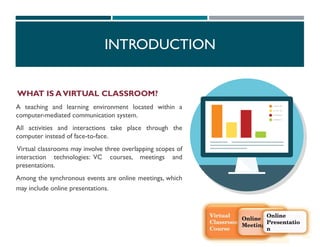
Virtual classrooms may involve three overlapping scopes of
interaction technologies: VC courses, meetings and
presentations.
Among the synchronous events are online meetings, which
may include online presentations.
INTRODUCTION
 Virtual classrooms may involve three overlapping scopes of interaction technologies: VC
courses, meetings and presentations.
 Among the synchronous events are online meetings, which may include online presentations.
 Virtual classrooms provide the community and control some learners need.
 Flexible time: students may participate at any time of the day..( Learning is flexible).
 Efficient learning
 Location : students are not limited to courses offered in their geographic locality.( Overcome
distances)
 More active learning: the computer forces response and attention.
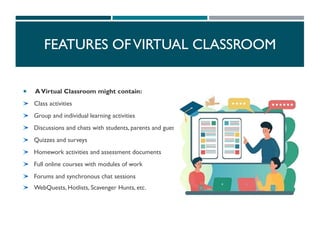
FEATURES OFVIRTUAL CLASSROOM
 AVirtual Classroom might contain:
Class activities
Group and individual learning activities
Discussions and chats with students, parents and guests
Quizzes and surveys
Homework activities and assessment documents
Full online courses with modules of work
Forums and synchronous chat sessions
WebQuests, Hotlists, Scavenger Hunts, etc.
FEATURES OFVIRTUAL CLASSROOM
1. Flexibility: Learning anytime, anywhere.
2. Accessibility: Overcoming geographical barriers.
3. Cost-Effectiveness: Reduced expenses for students and
institutions.
4. Diverse Learning Resources: Multimedia and interactive
materials.
5. Increased Engagement: Interactive features promote active
participation.
6. Personalized Learning:Tailored to individual student needs.
7. Global Collaboration: Connecting students worldwide.
8. Environmental Sustainability: Reduced carbon footprint.
9. Scalability:Accommodating large numbers of students.
10. Continuous Learning Opportunities: Lifelong learning and
professional development.
ADVANTAGES
DISADVANTAGES
1. Technical Issues: Connectivity problems, software glitches.
2. Digital Divide: Unequal access to technology and internet.
3. Lack of Personal Interaction: Limited social connections.
4. Difficulty in Building Relationships: Challenges in rapport building.
5. Limited Engagement: Potential for distraction and low
participation.
6. Accessibility Issues: Barriers for students with disabilities.
7. Dependence onTechnology: Susceptibility to technology failures.
8. Screen Fatigue: Eye strain and fatigue from prolonged screen time.
9. Limited Hands-On Learning: Challenges in replicating practical
experiences.
10. Security and Privacy Concerns: Risks of data breaches and privacy
violations.
ONLINE VIRTUAL CLASSROOM TYPES
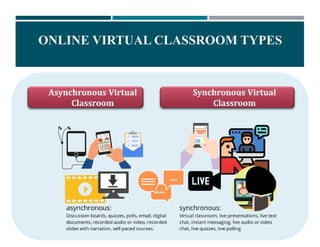
Asynchronous Virtual
Classroom
Synchronous Virtual
Classroom
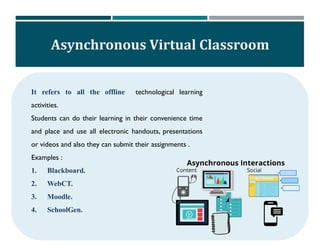
Asynchronous Virtual Classroom
It refers to all the offline technological learning
activities.
Students can do their learning in their convenience time
and place and use all electronic handouts, presentations
or videos and also they can submit their assignments .
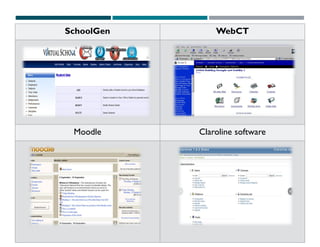
Examples :
1. Blackboard.
2. WebCT.
3. Moodle.
4. SchoolGen.
SchoolGen WebCT
Moodle Claroline software
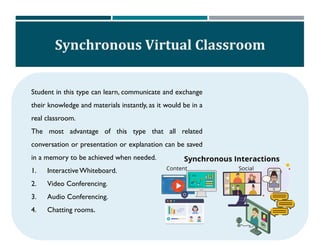
Synchronous Virtual Classroom
Student in this type can learn, communicate and exchange
their knowledge and materials instantly, as it would be in a
real classroom.
The most advantage of this type that all related
conversation or presentation or explanation can be saved
in a memory to be achieved when needed.
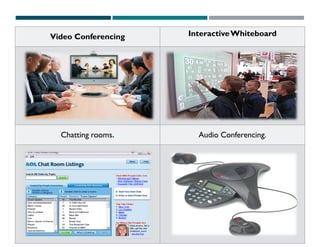
1. InteractiveWhiteboard.
2. Video Conferencing.
3. Audio Conferencing.
4. Chatting rooms.
Video Conferencing InteractiveWhiteboard
Chatting rooms. Audio Conferencing.
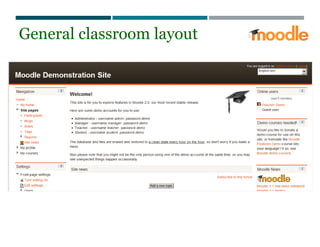
General classroom layout
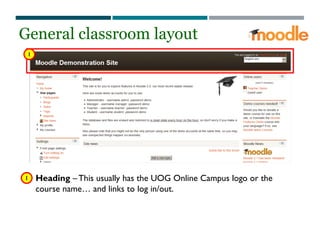
1
1 Heading – This usually has the UOG Online Campus logo or the
course name… and links to log in/out.
General classroom layout
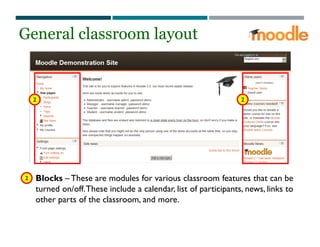
2 2
Blocks – These are modules for various classroom features that can be
turned on/off.These include a calendar, list of participants, news, links to
other parts of the classroom, and more.
General classroom layout
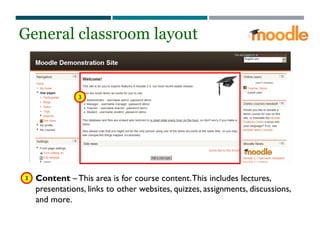
2
3
3 Content – This area is for course content.This includes lectures,
presentations, links to other websites, quizzes, assignments, discussions,
and more.
General classroom layout
CHOICE OF COURSE FORMAT…
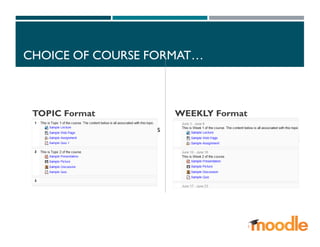
TOPIC Format
Courses can be organized by topics
to be covered. Content is listed
under the appropriate topic.
WEEKLY Format
Courses can be organized by
weeks. Content is listed within the
appropriate week.
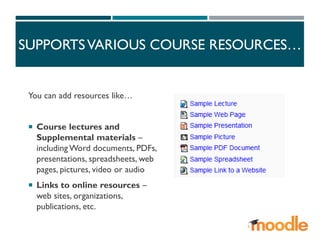
SUPPORTSVARIOUS COURSE RESOURCES…
You can add resources like…
 Course lectures and
Supplemental materials –
including Word documents, PDFs,
presentations, spreadsheets, web
pages, pictures, video or audio
 Links to online resources –
web sites, organizations,
publications, etc.
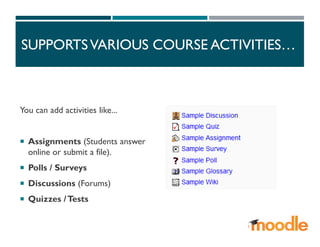
SUPPORTSVARIOUS COURSE ACTIVITIES…
You can add activities like...
 Assignments (Students answer
online or submit a file).
 Polls / Surveys
 Discussions (Forums)
 Quizzes /Tests
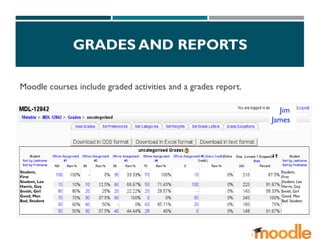
GRADES AND REPORTS
Moodle courses include graded activities and a grades report.
Student,
First
Student, Lee
Harris, Guy
Smith, Girl
Good, Man
Bad, Student
Student,
First
Student, Lee
Harris, Guy
Smith, Girl
Good, Man
Bad, Student
..Jim
James...
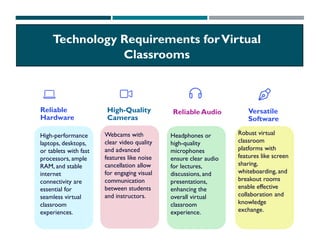
Reliable
Hardware
High-performance
laptops, desktops,
or tablets with fast
processors, ample
RAM, and stable
internet
connectivity are
essential for
seamless virtual
classroom
experiences.
High-Quality
Cameras
Webcams with
clear video quality
and advanced
features like noise
cancellation allow
for engaging visual
communication
between students
and instructors.
Reliable Audio
Headphones or
high-quality
microphones
ensure clear audio
for lectures,
discussions, and
presentations,
enhancing the
overall virtual
classroom
experience.
Versatile
Software
Robust virtual
classroom
platforms with
features like screen
sharing,
whiteboarding, and
breakout rooms
enable effective
collaboration and
knowledge
exchange.
Technology Requirements forVirtual
Classrooms
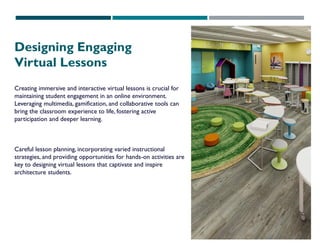
Designing Engaging
Virtual Lessons
Creating immersive and interactive virtual lessons is crucial for
maintaining student engagement in an online environment.
Leveraging multimedia, gamification, and collaborative tools can
bring the classroom experience to life, fostering active
participation and deeper learning.
Careful lesson planning, incorporating varied instructional
strategies, and providing opportunities for hands-on activities are
key to designing virtual lessons that captivate and inspire
architecture students.
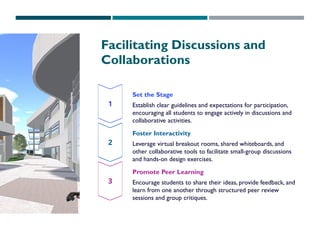
Facilitating Discussions and
Collaborations
Set the Stage
Establish clear guidelines and expectations for participation,
encouraging all students to engage actively in discussions and
collaborative activities.
Foster Interactivity
Leverage virtual breakout rooms, shared whiteboards, and
other collaborative tools to facilitate small-group discussions
and hands-on design exercises.
Promote Peer Learning
Encourage students to share their ideas, provide feedback, and
learn from one another through structured peer review
sessions and group critiques.
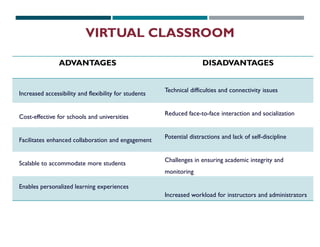
ADVANTAGES DISADVANTAGES
Increased accessibility and flexibility for students
Cost-effective for schools and universities
Facilitates enhanced collaboration and engagement
Scalable to accommodate more students
Enables personalized learning experiences
Technical difficulties and connectivity issues
Reduced face-to-face interaction and socialization
Potential distractions and lack of self-discipline
Challenges in ensuring academic integrity and
monitoring
Increased workload for instructors and administrators
VIRTUAL CLASSROOM
CONCLUSION
In conclusion, the incorporation of virtual classrooms has
revolutionized the educational landscape, offering increased
accessibility, cost-effectiveness, and personalized learning
experiences. However, it is essential to address the challenges
and limitations to ensure the effective implementation of this
technology.
To maximize the benefits of virtual classrooms, institutions
should invest in robust infrastructure, provide comprehensive
teacher training, and prioritize student engagement and
collaboration. Continuous evaluation and adaptation of virtual
classroom strategies will be crucial to ensure their long-term
success and positive impact on educational outcomes.
THANKYOU

VIRTUAL CLASSROOM learning method Architecture

  • 1.
    SUBMITTEDTO- AR. FAIZA HASHMI SUBMITTEDBY- SHAHEEN PARVEEN M.ARCH 2ND SEM ARCHITECTURE PEDAGOGY II - MAP 213 VIRTUAL CLASSROOM
  • 2.
    WHAT IS AVIRTUALCLASSROOM? A teaching and learning environment located within a computer-mediated communication system. All activities and interactions take place through the computer instead of face-to-face. Virtual classrooms may involve three overlapping scopes of interaction technologies: VC courses, meetings and presentations. Among the synchronous events are online meetings, which may include online presentations. INTRODUCTION
  • 3.
     Virtual classroomsmay involve three overlapping scopes of interaction technologies: VC courses, meetings and presentations.  Among the synchronous events are online meetings, which may include online presentations.  Virtual classrooms provide the community and control some learners need.  Flexible time: students may participate at any time of the day..( Learning is flexible).  Efficient learning  Location : students are not limited to courses offered in their geographic locality.( Overcome distances)  More active learning: the computer forces response and attention. FEATURES OFVIRTUAL CLASSROOM
  • 4.
     AVirtual Classroommight contain: Class activities Group and individual learning activities Discussions and chats with students, parents and guests Quizzes and surveys Homework activities and assessment documents Full online courses with modules of work Forums and synchronous chat sessions WebQuests, Hotlists, Scavenger Hunts, etc. FEATURES OFVIRTUAL CLASSROOM
  • 5.
    1. Flexibility: Learninganytime, anywhere. 2. Accessibility: Overcoming geographical barriers. 3. Cost-Effectiveness: Reduced expenses for students and institutions. 4. Diverse Learning Resources: Multimedia and interactive materials. 5. Increased Engagement: Interactive features promote active participation. 6. Personalized Learning:Tailored to individual student needs. 7. Global Collaboration: Connecting students worldwide. 8. Environmental Sustainability: Reduced carbon footprint. 9. Scalability:Accommodating large numbers of students. 10. Continuous Learning Opportunities: Lifelong learning and professional development. ADVANTAGES
  • 6.
    DISADVANTAGES 1. Technical Issues:Connectivity problems, software glitches. 2. Digital Divide: Unequal access to technology and internet. 3. Lack of Personal Interaction: Limited social connections. 4. Difficulty in Building Relationships: Challenges in rapport building. 5. Limited Engagement: Potential for distraction and low participation. 6. Accessibility Issues: Barriers for students with disabilities. 7. Dependence onTechnology: Susceptibility to technology failures. 8. Screen Fatigue: Eye strain and fatigue from prolonged screen time. 9. Limited Hands-On Learning: Challenges in replicating practical experiences. 10. Security and Privacy Concerns: Risks of data breaches and privacy violations.
  • 7.
    ONLINE VIRTUAL CLASSROOMTYPES Asynchronous Virtual Classroom Synchronous Virtual Classroom
  • 8.
    Asynchronous Virtual Classroom Itrefers to all the offline technological learning activities. Students can do their learning in their convenience time and place and use all electronic handouts, presentations or videos and also they can submit their assignments . Examples : 1. Blackboard. 2. WebCT. 3. Moodle. 4. SchoolGen.
  • 9.
  • 10.
    Synchronous Virtual Classroom Studentin this type can learn, communicate and exchange their knowledge and materials instantly, as it would be in a real classroom. The most advantage of this type that all related conversation or presentation or explanation can be saved in a memory to be achieved when needed. 1. InteractiveWhiteboard. 2. Video Conferencing. 3. Audio Conferencing. 4. Chatting rooms.
  • 11.
  • 19.
  • 20.
    1 1 Heading –This usually has the UOG Online Campus logo or the course name… and links to log in/out. General classroom layout
  • 21.
    2 2 Blocks –These are modules for various classroom features that can be turned on/off.These include a calendar, list of participants, news, links to other parts of the classroom, and more. General classroom layout 2
  • 22.
    3 3 Content –This area is for course content.This includes lectures, presentations, links to other websites, quizzes, assignments, discussions, and more. General classroom layout
  • 23.
    CHOICE OF COURSEFORMAT… TOPIC Format Courses can be organized by topics to be covered. Content is listed under the appropriate topic. WEEKLY Format Courses can be organized by weeks. Content is listed within the appropriate week.
  • 24.
    SUPPORTSVARIOUS COURSE RESOURCES… Youcan add resources like…  Course lectures and Supplemental materials – including Word documents, PDFs, presentations, spreadsheets, web pages, pictures, video or audio  Links to online resources – web sites, organizations, publications, etc.
  • 25.
    SUPPORTSVARIOUS COURSE ACTIVITIES… Youcan add activities like...  Assignments (Students answer online or submit a file).  Polls / Surveys  Discussions (Forums)  Quizzes /Tests
  • 26.
    GRADES AND REPORTS Moodlecourses include graded activities and a grades report. Student, First Student, Lee Harris, Guy Smith, Girl Good, Man Bad, Student Student, First Student, Lee Harris, Guy Smith, Girl Good, Man Bad, Student ..Jim James...
  • 27.
    Reliable Hardware High-performance laptops, desktops, or tabletswith fast processors, ample RAM, and stable internet connectivity are essential for seamless virtual classroom experiences. High-Quality Cameras Webcams with clear video quality and advanced features like noise cancellation allow for engaging visual communication between students and instructors. Reliable Audio Headphones or high-quality microphones ensure clear audio for lectures, discussions, and presentations, enhancing the overall virtual classroom experience. Versatile Software Robust virtual classroom platforms with features like screen sharing, whiteboarding, and breakout rooms enable effective collaboration and knowledge exchange. Technology Requirements forVirtual Classrooms
  • 28.
    Designing Engaging Virtual Lessons Creatingimmersive and interactive virtual lessons is crucial for maintaining student engagement in an online environment. Leveraging multimedia, gamification, and collaborative tools can bring the classroom experience to life, fostering active participation and deeper learning. Careful lesson planning, incorporating varied instructional strategies, and providing opportunities for hands-on activities are key to designing virtual lessons that captivate and inspire architecture students.
  • 29.
    Facilitating Discussions and Collaborations Setthe Stage Establish clear guidelines and expectations for participation, encouraging all students to engage actively in discussions and collaborative activities. Foster Interactivity Leverage virtual breakout rooms, shared whiteboards, and other collaborative tools to facilitate small-group discussions and hands-on design exercises. Promote Peer Learning Encourage students to share their ideas, provide feedback, and learn from one another through structured peer review sessions and group critiques.
  • 30.
    ADVANTAGES DISADVANTAGES Increased accessibilityand flexibility for students Cost-effective for schools and universities Facilitates enhanced collaboration and engagement Scalable to accommodate more students Enables personalized learning experiences Technical difficulties and connectivity issues Reduced face-to-face interaction and socialization Potential distractions and lack of self-discipline Challenges in ensuring academic integrity and monitoring Increased workload for instructors and administrators VIRTUAL CLASSROOM
  • 31.
    CONCLUSION In conclusion, theincorporation of virtual classrooms has revolutionized the educational landscape, offering increased accessibility, cost-effectiveness, and personalized learning experiences. However, it is essential to address the challenges and limitations to ensure the effective implementation of this technology. To maximize the benefits of virtual classrooms, institutions should invest in robust infrastructure, provide comprehensive teacher training, and prioritize student engagement and collaboration. Continuous evaluation and adaptation of virtual classroom strategies will be crucial to ensure their long-term success and positive impact on educational outcomes.
  • 32.