By : Dhirendra Chauhan
“Aggregate “
Function
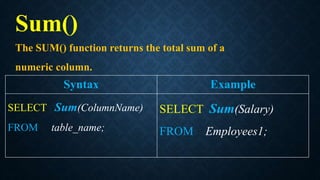
Sum()
The SUM() function returns the total sum of a
numeric column.
Syntax Example
SELECT Sum(ColumnName)
FROM table_name;
SELECT Sum(Salary)
FROM Employees1;
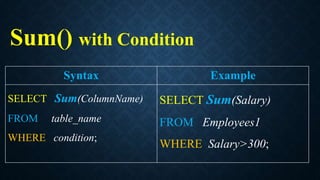
Sum() with Condition
Syntax Example
SELECT Sum(ColumnName)
FROM table_name
WHERE condition;
SELECT Sum(Salary)
FROM Employees1
WHERE Salary>300;
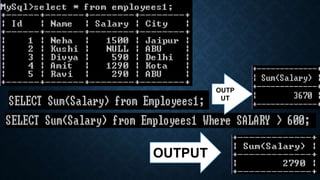
OUTPUT
OUTP
UT
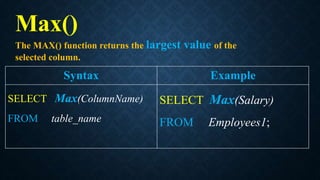
Max()
The MAX() function returns the largest value of the
selected column.
Syntax Example
SELECT Max(ColumnName)
FROM table_name
SELECT Max(Salary)
FROM Employees1;
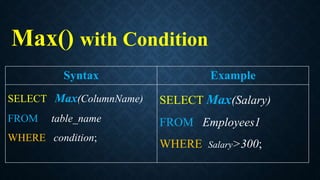
Max() with Condition
Syntax Example
SELECT Max(ColumnName)
FROM table_name
WHERE condition;
SELECT Max(Salary)
FROM Employees1
WHERE Salary>300;
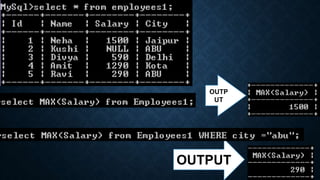
OUTPUT
OUTP
UT
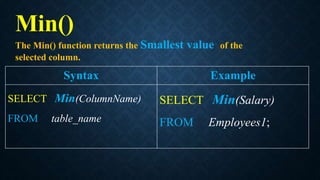
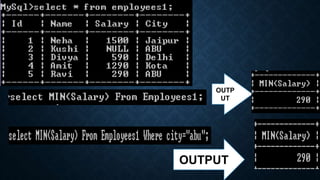
Min()
The Min() function returns the Smallest value of the
selected column.
Syntax Example
SELECT Min(ColumnName)
FROM table_name
SELECT Min(Salary)
FROM Employees1;
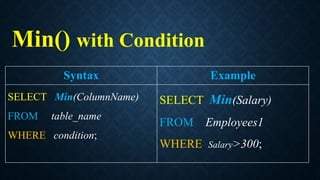
Min() with Condition
Syntax Example
SELECT Min(ColumnName)
FROM table_name
WHERE condition;
SELECT Min(Salary)
FROM Employees1
WHERE Salary>300;
OUTPUT
OUTP
UT
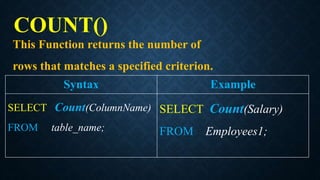
This Function returns the number of
rows that matches a specified criterion.
Syntax Example
SELECT Count(ColumnName)
FROM table_name;
SELECT Count(Salary)
FROM Employees1;
COUNT()
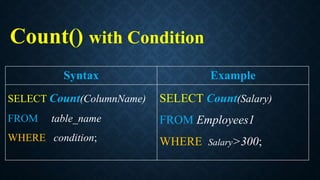
Count() with Condition
Syntax Example
SELECT Count(ColumnName)
FROM table_name
WHERE condition;
SELECT Count(Salary)
FROM Employees1
WHERE Salary>300;
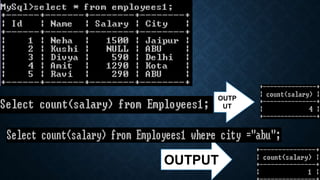
OUTPUT
OUTP
UT
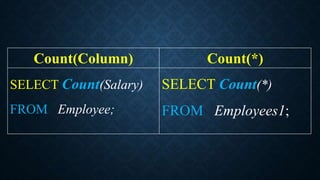
Count(Column)
&
Count(*)
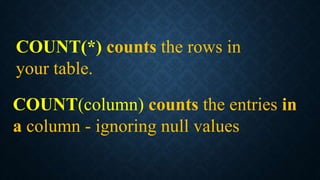
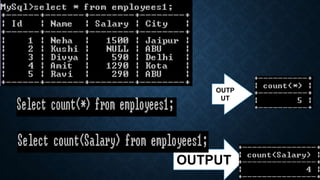
COUNT(*) counts the rows in
your table.
COUNT(column) counts the entries in
a column - ignoring null values
Count(Column) Count(*)
SELECT Count(Salary)
FROM Employee;
SELECT Count(*)
FROM Employees1;
OUTPUT
OUTP
UT
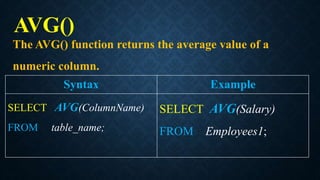
The AVG() function returns the average value of a
numeric column.
Syntax Example
SELECT AVG(ColumnName)
FROM table_name;
SELECT AVG(Salary)
FROM Employees1;
AVG()
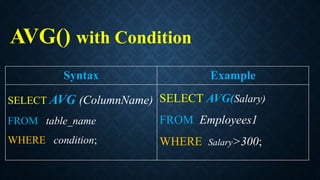
AVG() with Condition
Syntax Example
SELECT AVG (ColumnName)
FROM table_name
WHERE condition;
SELECT AVG(Salary)
FROM Employees1
WHERE Salary>300;
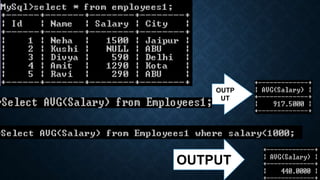
OUTPUT
OUTP
UT
THANK
YOU

V22 function-1