© 2014 VMware Inc. All rights reserved.
VMware vCloud Air:
Availability Solutions - Data Protection
Formerly known as vCloud Hybrid Service
Data Protection – Backup for the Cloud
•  Agentless, policy-driven backup
of virtual workloads on
VMware vCloud® Air™
•  Provides image-level (VMDK)
restore granularity
•  Full self-service capabilities:
–  Granular virtual data center
control
–  Scheduling and retention period
selection
–  Backup policy definitions
–  Ad-hoc backups
–  In-place or out-of-place restore
–  Activity reporting
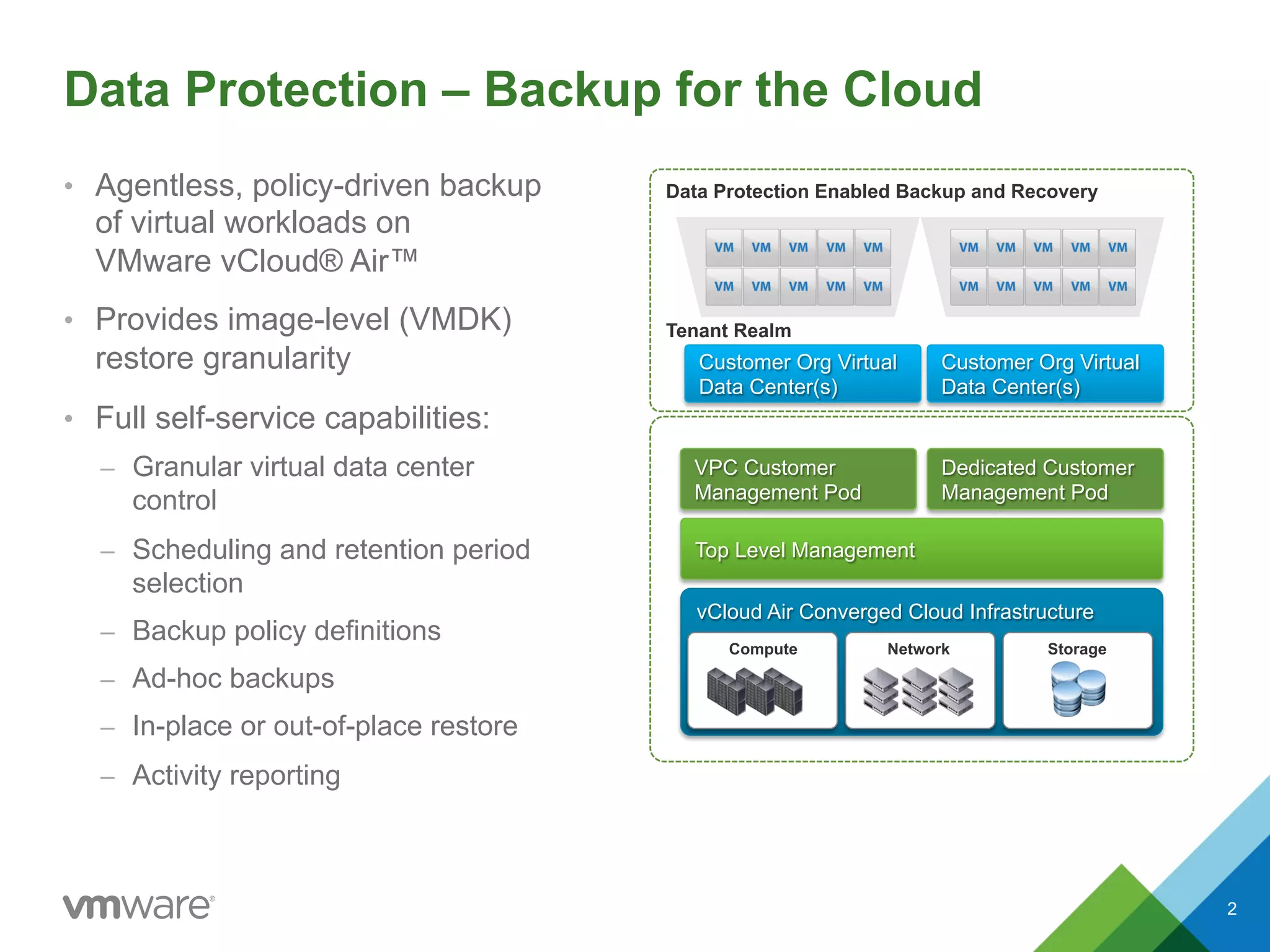
Data Protection Enabled Backup and Recovery
Tenant Realm
VPC Customer
Management Pod
vCloud Air Converged Cloud Infrastructure
StorageNetworkCompute
Top Level Management
Dedicated Customer
Management Pod
Customer Org Virtual
Data Center(s)
Customer Org Virtual
Data Center(s)
2
Data Protection Feature Overview
•  Agentless, policy-driven backup and
recovery of virtual workloads in the cloud
•  Enables business continuity compliance
on top of redundancy and resiliency
features present
•  Ensures virtual machine images (VMDKs)
are backed up at regular intervals and
available for on-demand restore
•  Full self-service capabilities, with
registration, backup, restore and activity
logging accessible in the vCloud Air user
interface
•  At-a-glance admin dashboards
•  Separate storage allocation to cloud
instances
•  All backups quiesced to ensure crash
consistency
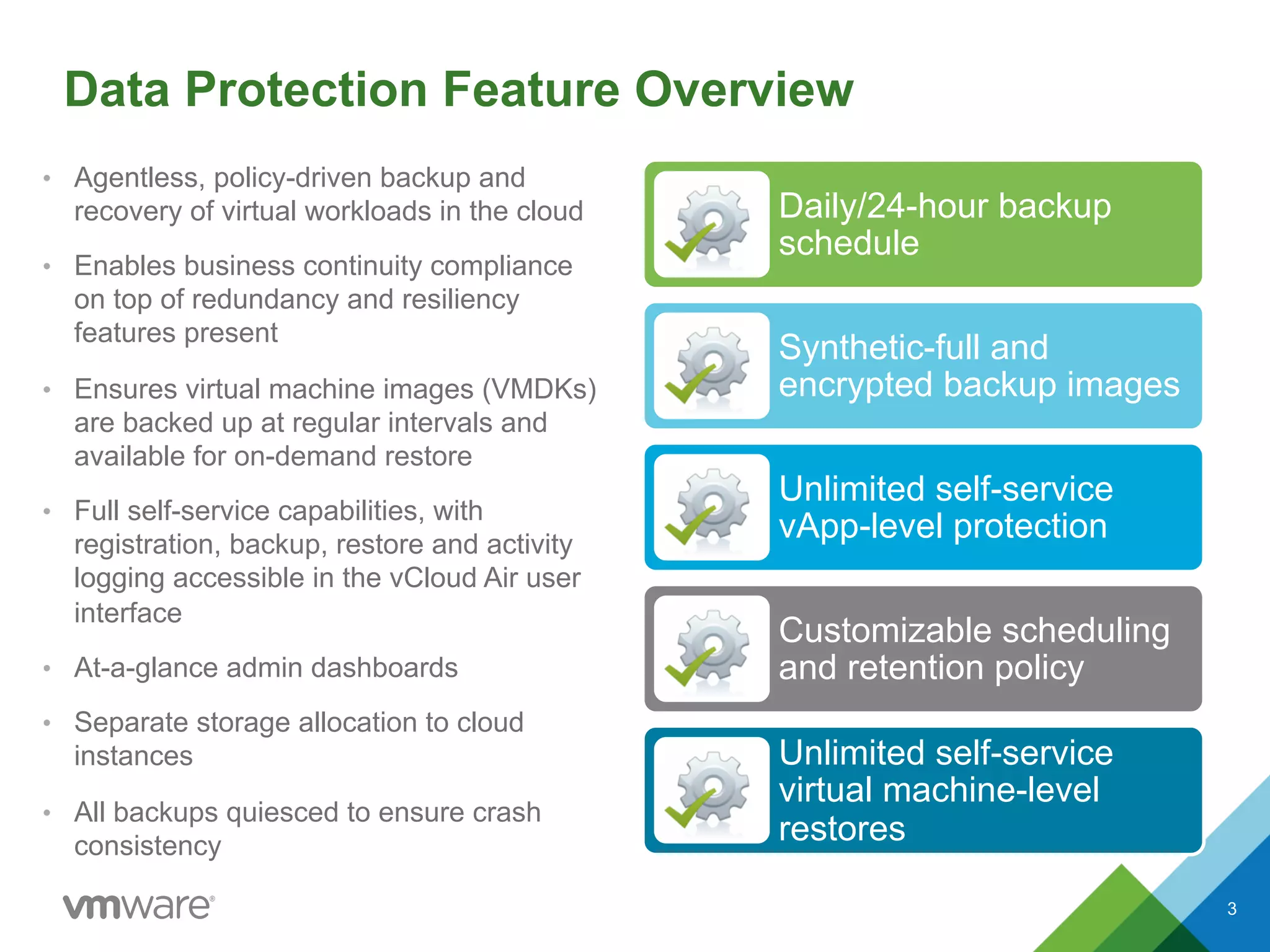
Daily/24-hour backup
schedule
Synthetic-full and
encrypted backup images
Unlimited self-service
vApp-level protection
Customizable scheduling
and retention policy
Unlimited self-service
virtual machine-level
restores
3
Policy Definitions
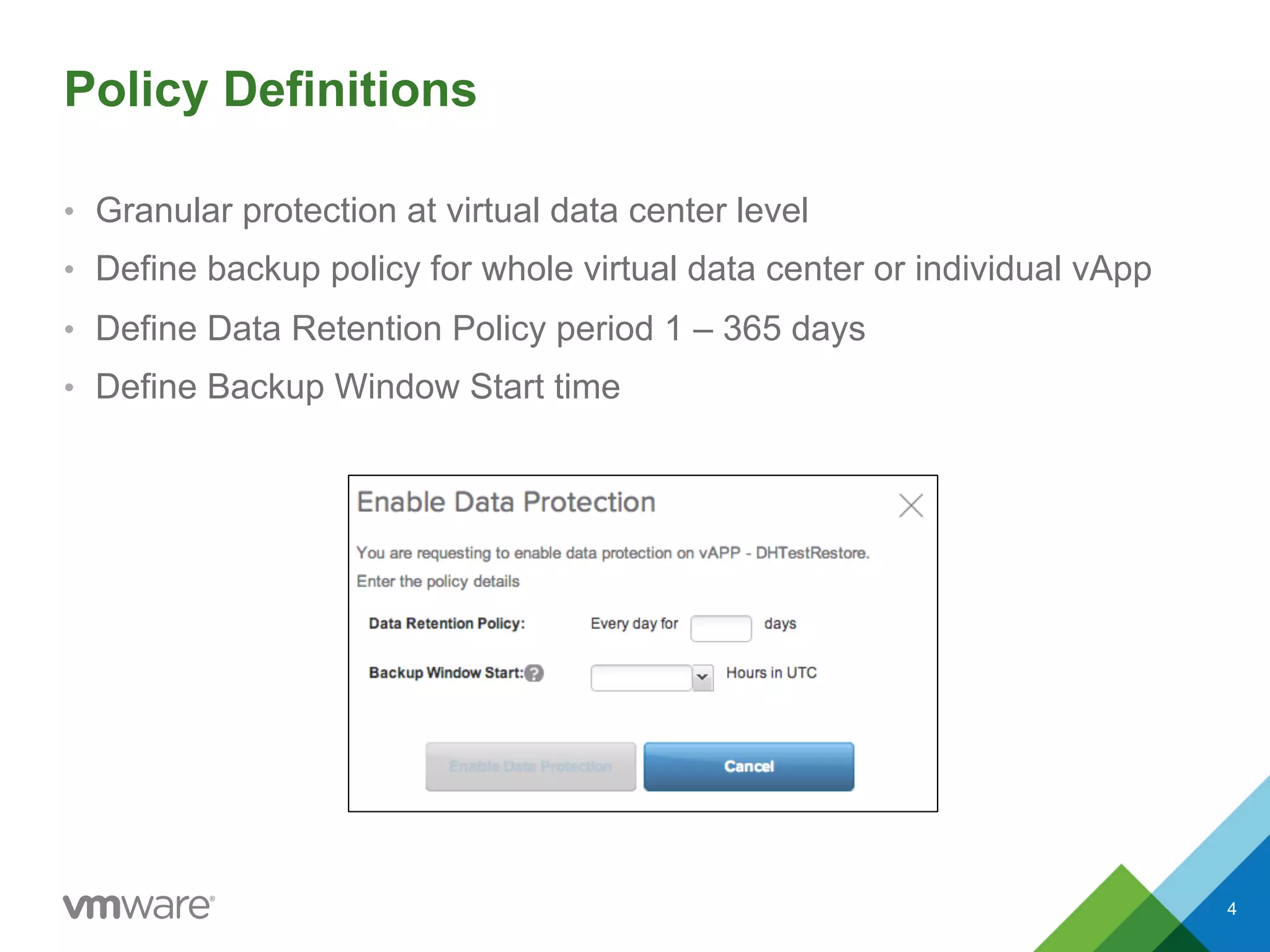
•  Granular protection at virtual data center level
•  Define backup policy for whole virtual data center or individual vApp
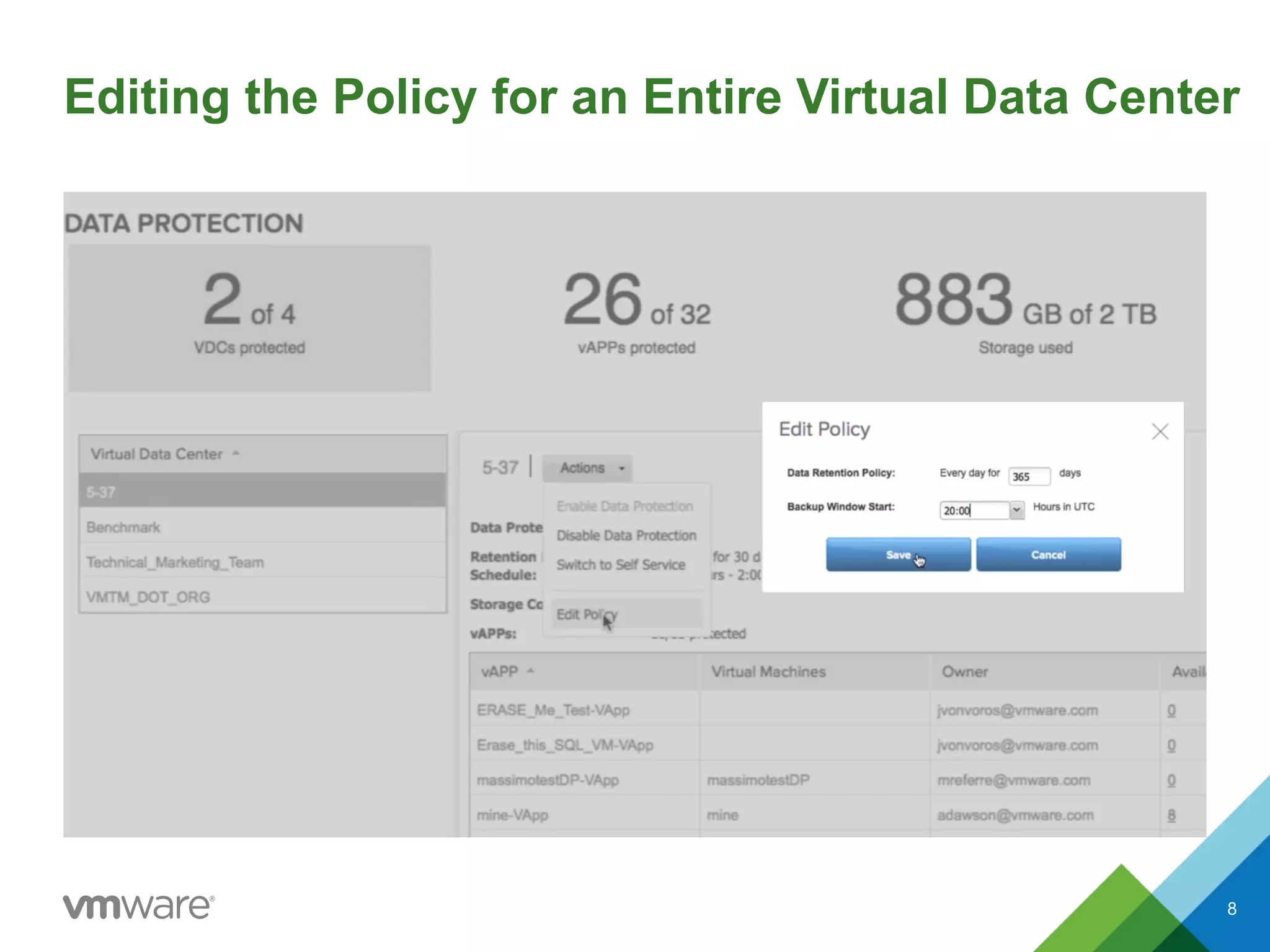
•  Define Data Retention Policy period 1 – 365 days
•  Define Backup Window Start time
4
•  Enabling data protection
•  Scheduling backups
•  Retention periods
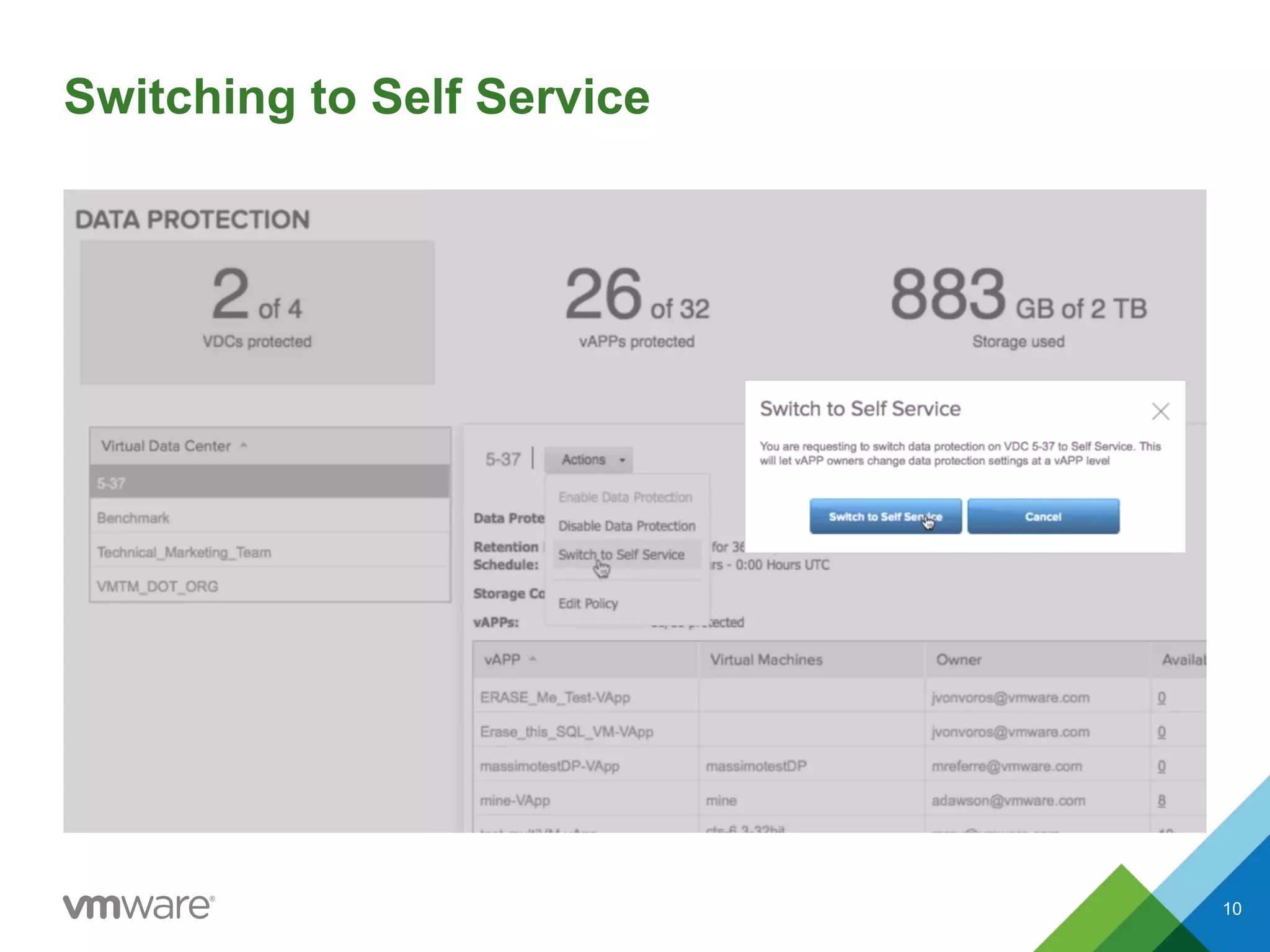
•  Enabling self-service vApps
•  Ad hoc backups
•  In- and out-of-place restores
•  Reporting
5
Data Protection Features
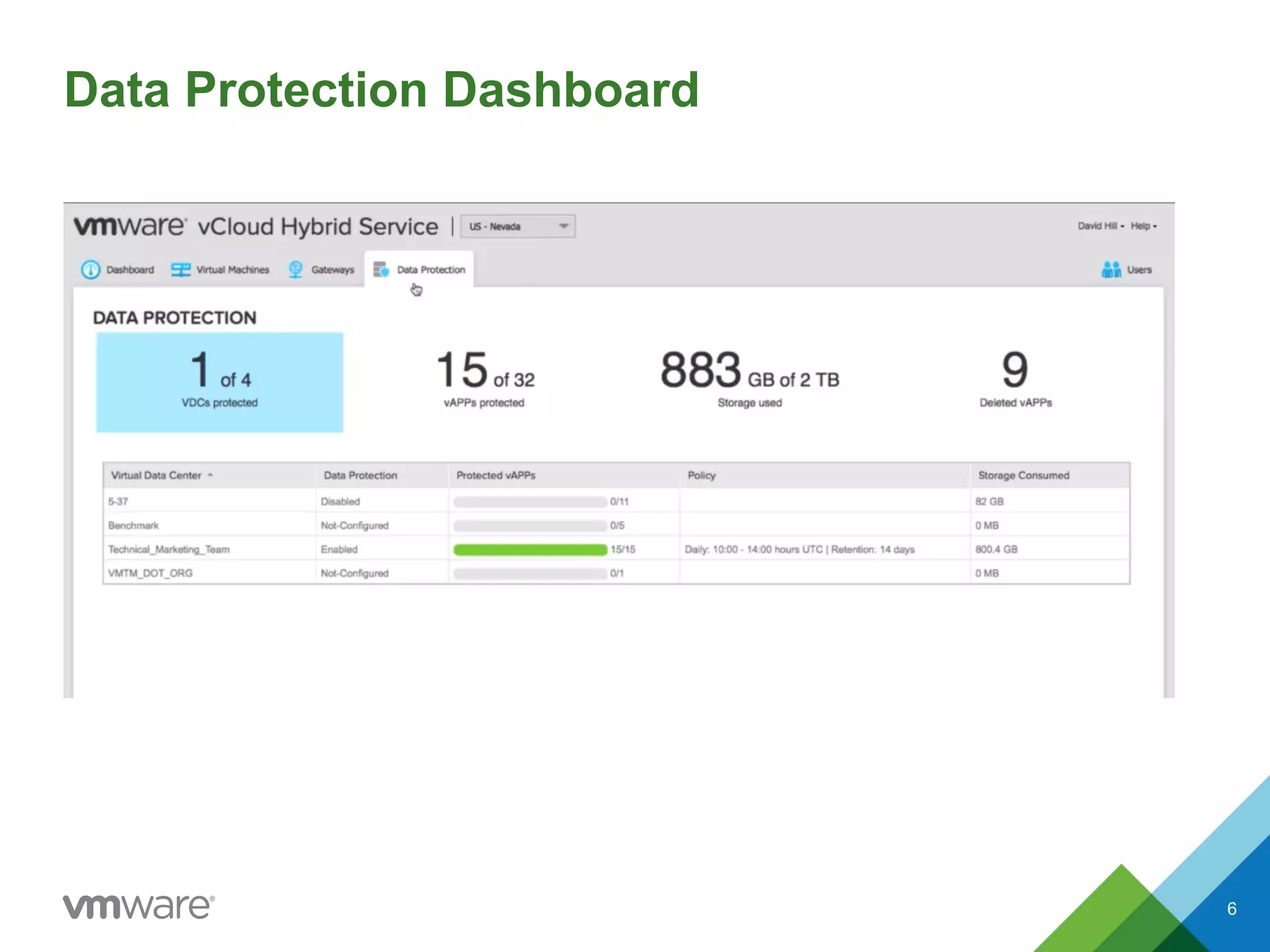
Data Protection Dashboard
6
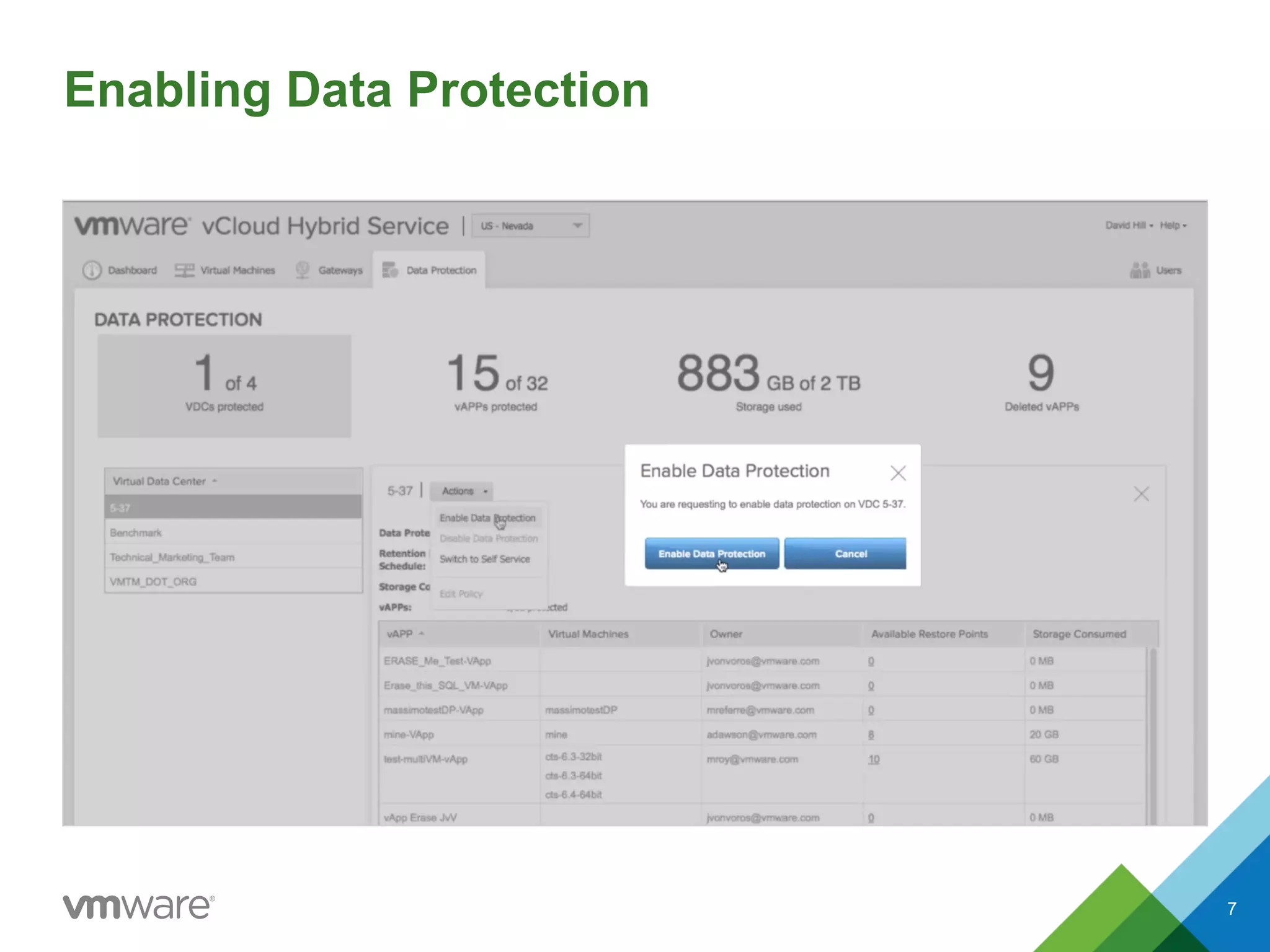
Enabling Data Protection
7
Editing the Policy for an Entire Virtual Data Center
8
Self Service Options
•  Back up individual virtual machines
•  Back up individual vApps
•  Enable backups by vApp owners
9
Switching to Self Service
10
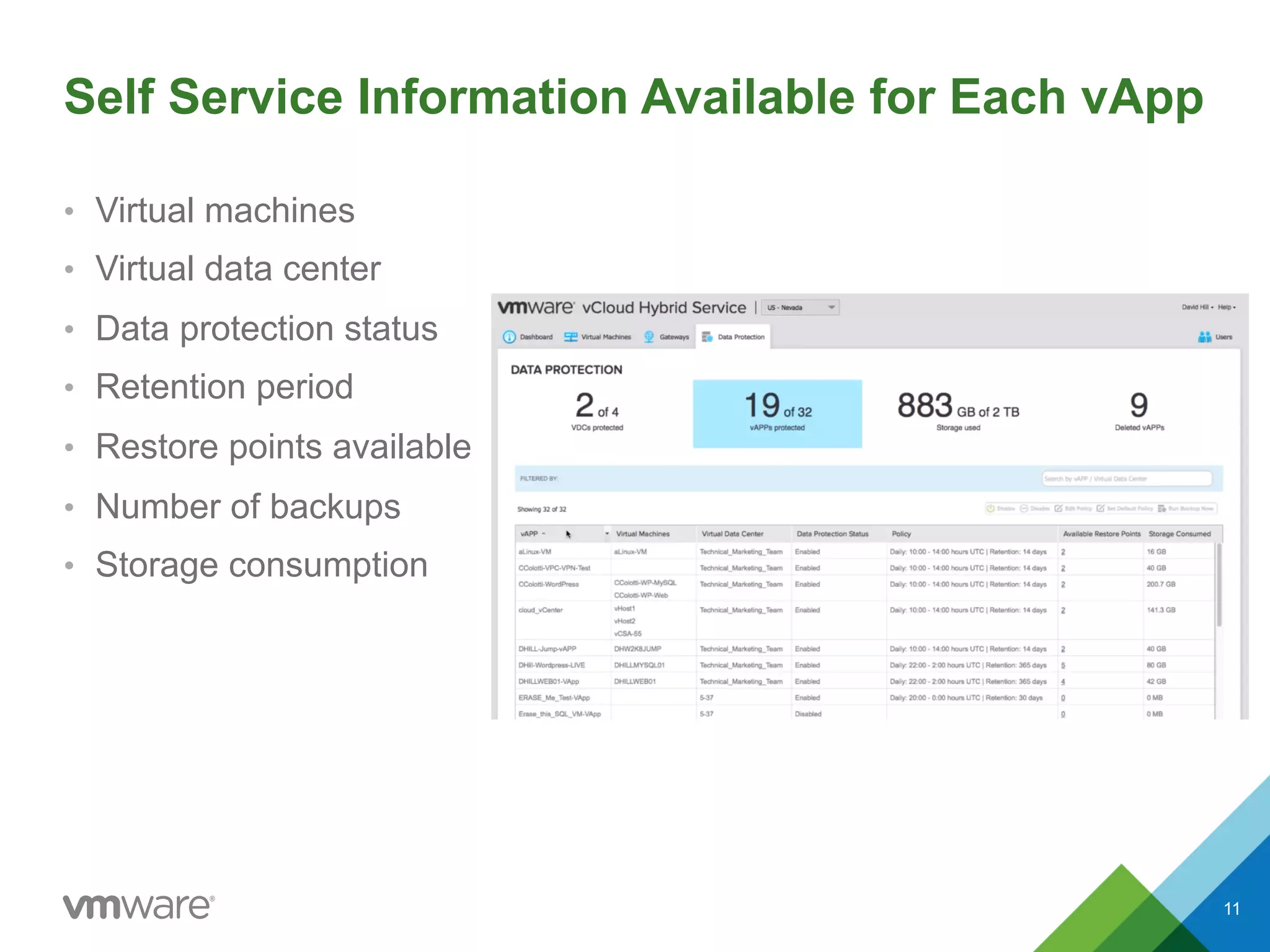
Self Service Information Available for Each vApp
•  Virtual machines
•  Virtual data center
•  Data protection status
•  Retention period
•  Restore points available
•  Number of backups
•  Storage consumption
11
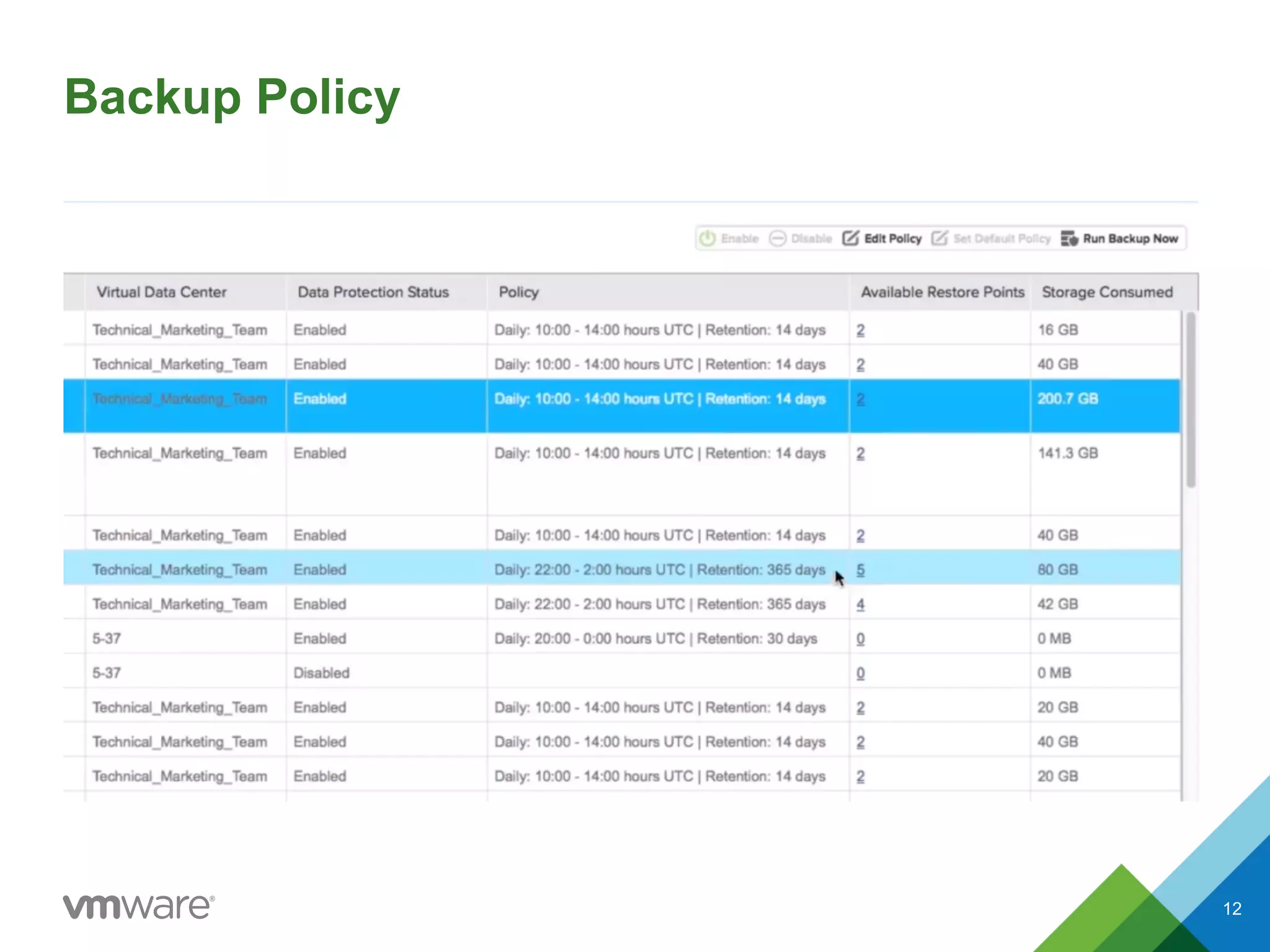
Backup Policy
12
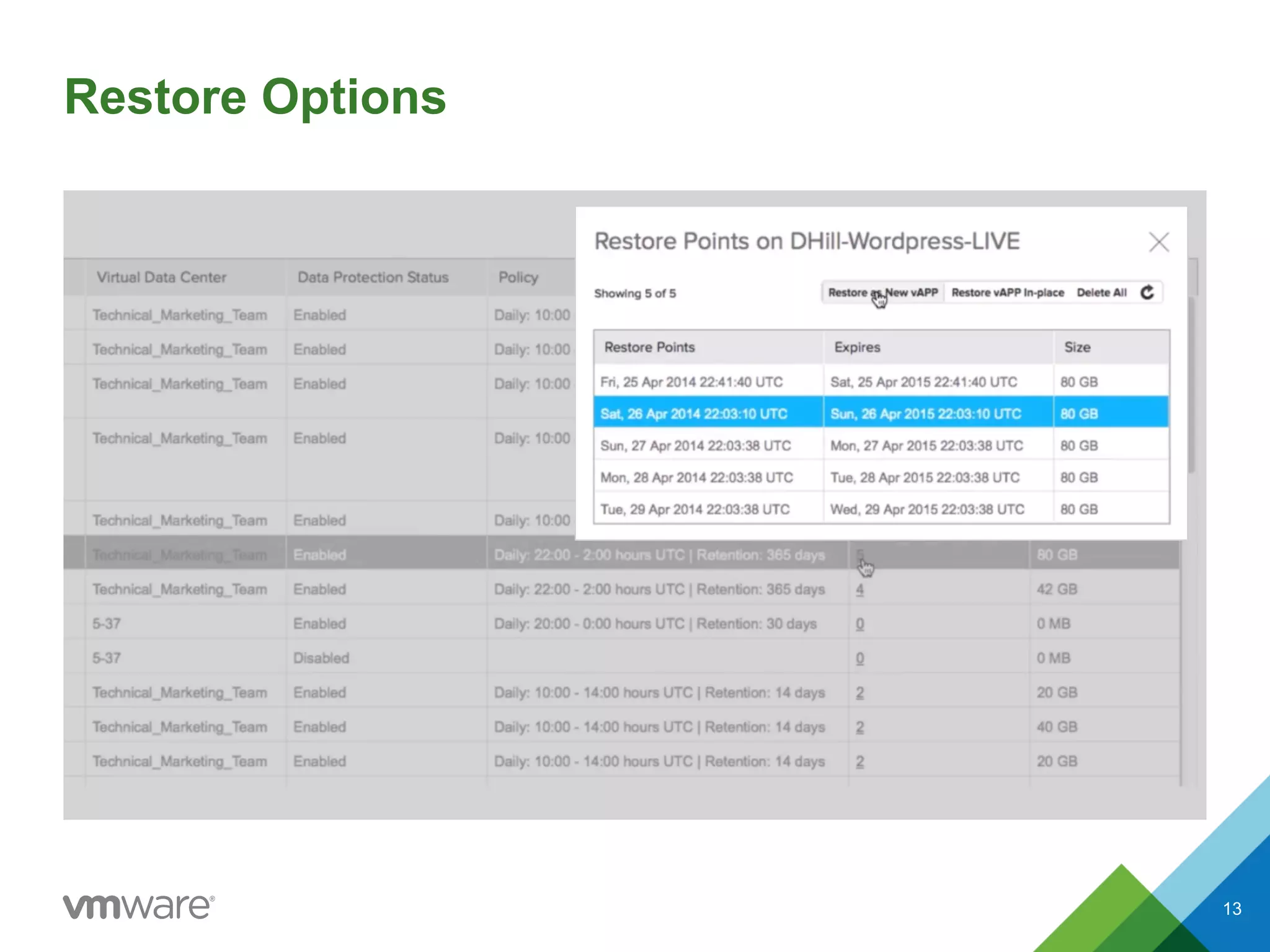
Restore Options
13
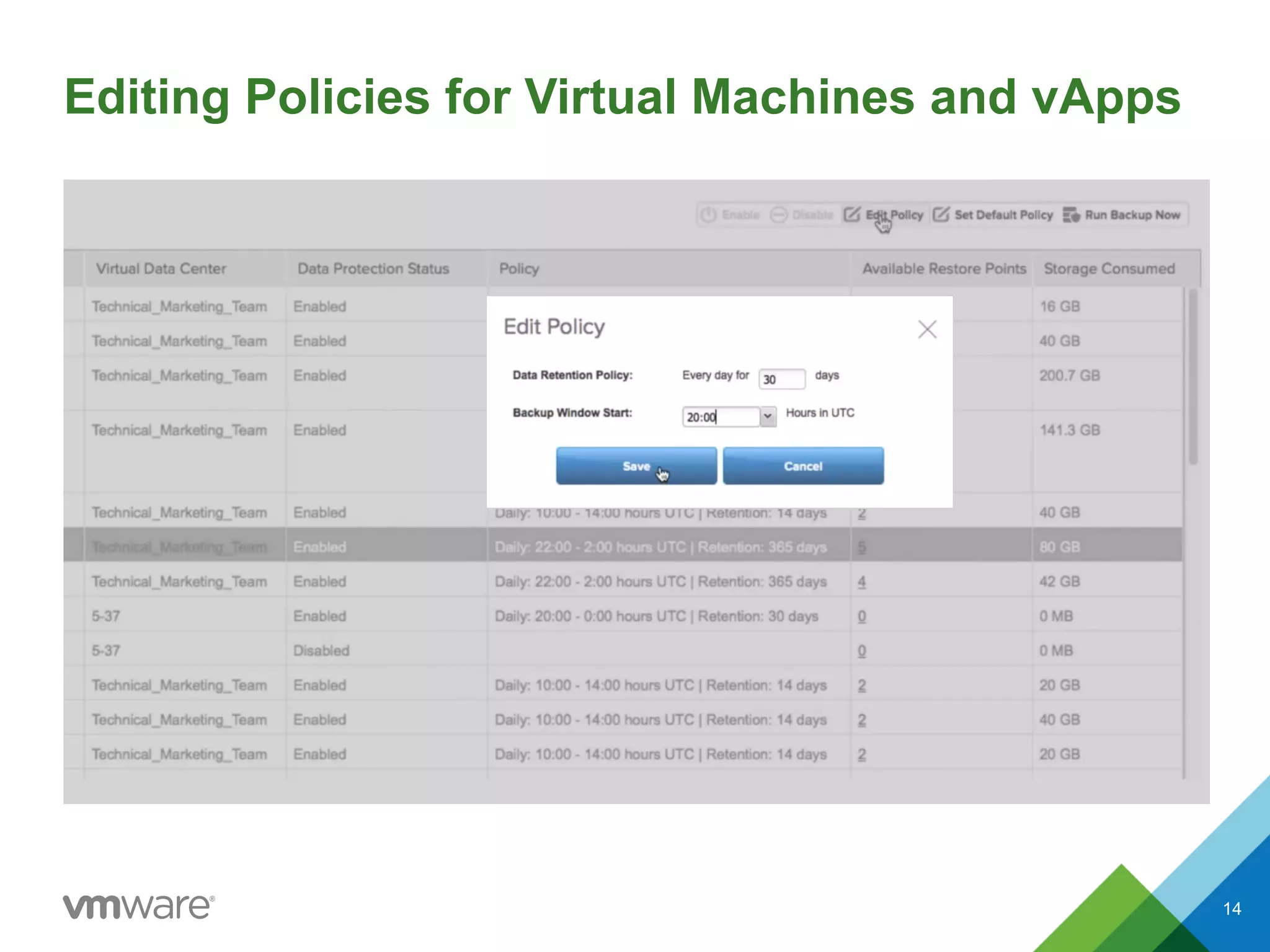
Editing Policies for Virtual Machines and vApps
14
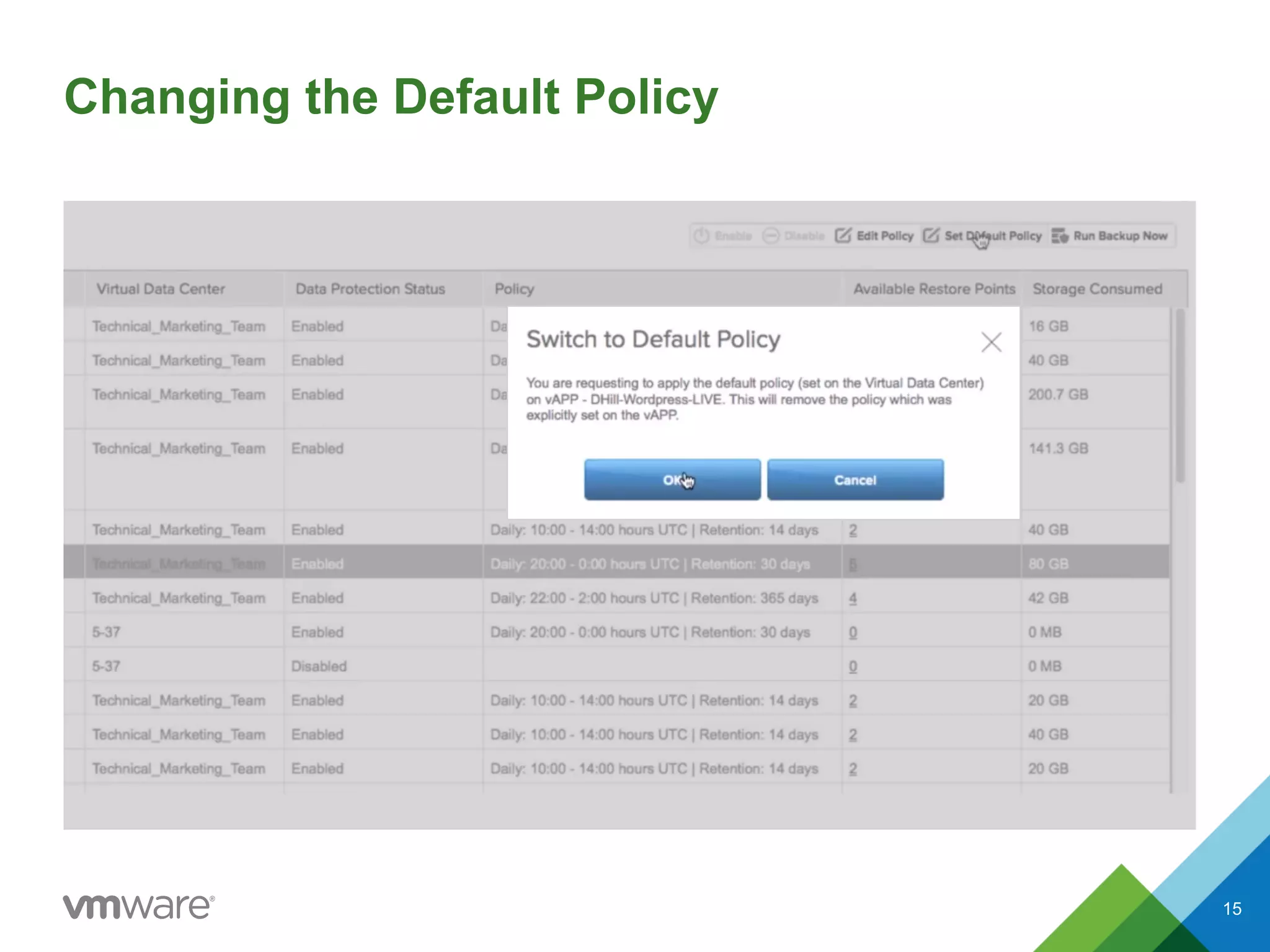
Changing the Default Policy
15
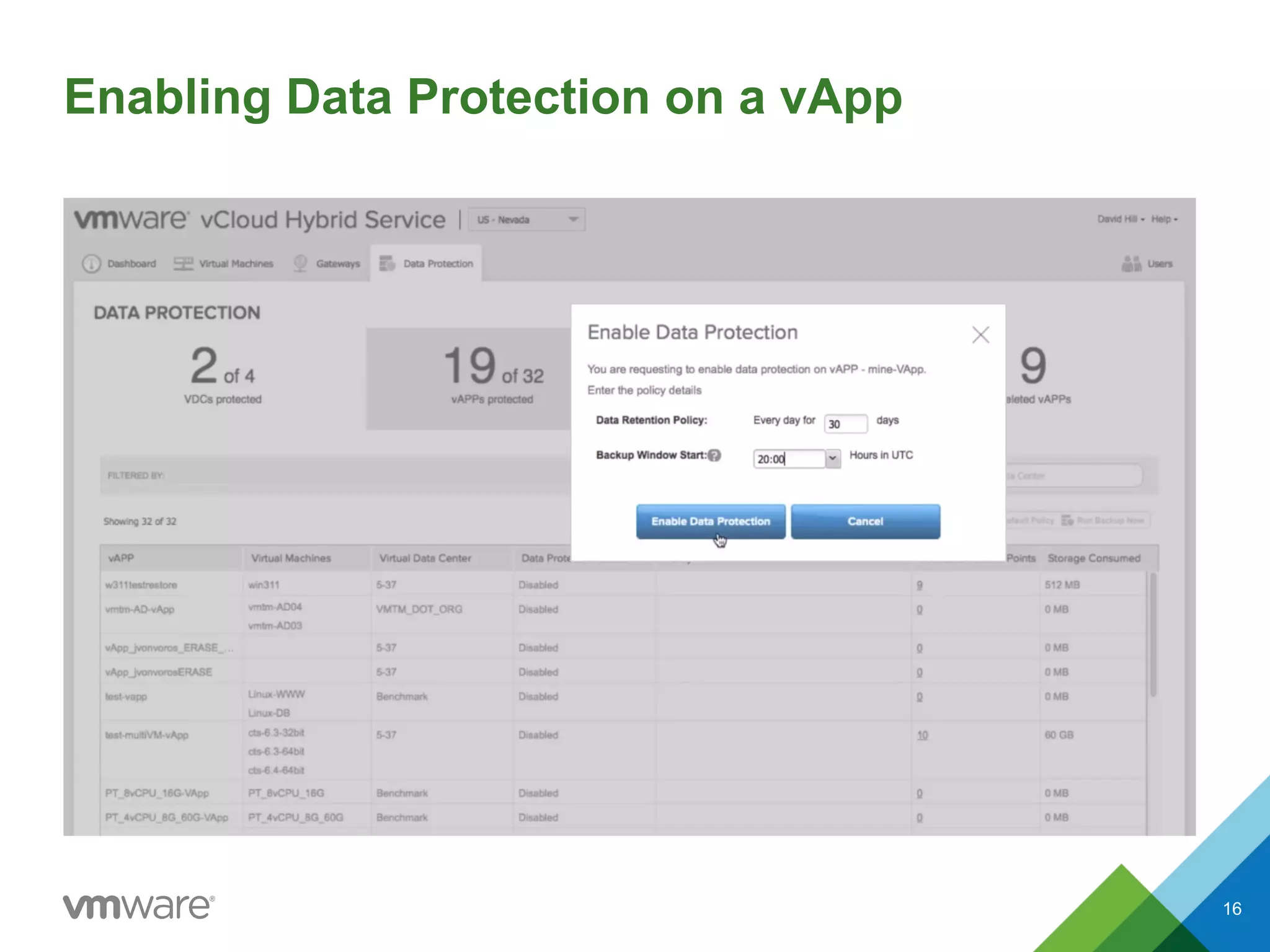
Enabling Data Protection on a vApp
16
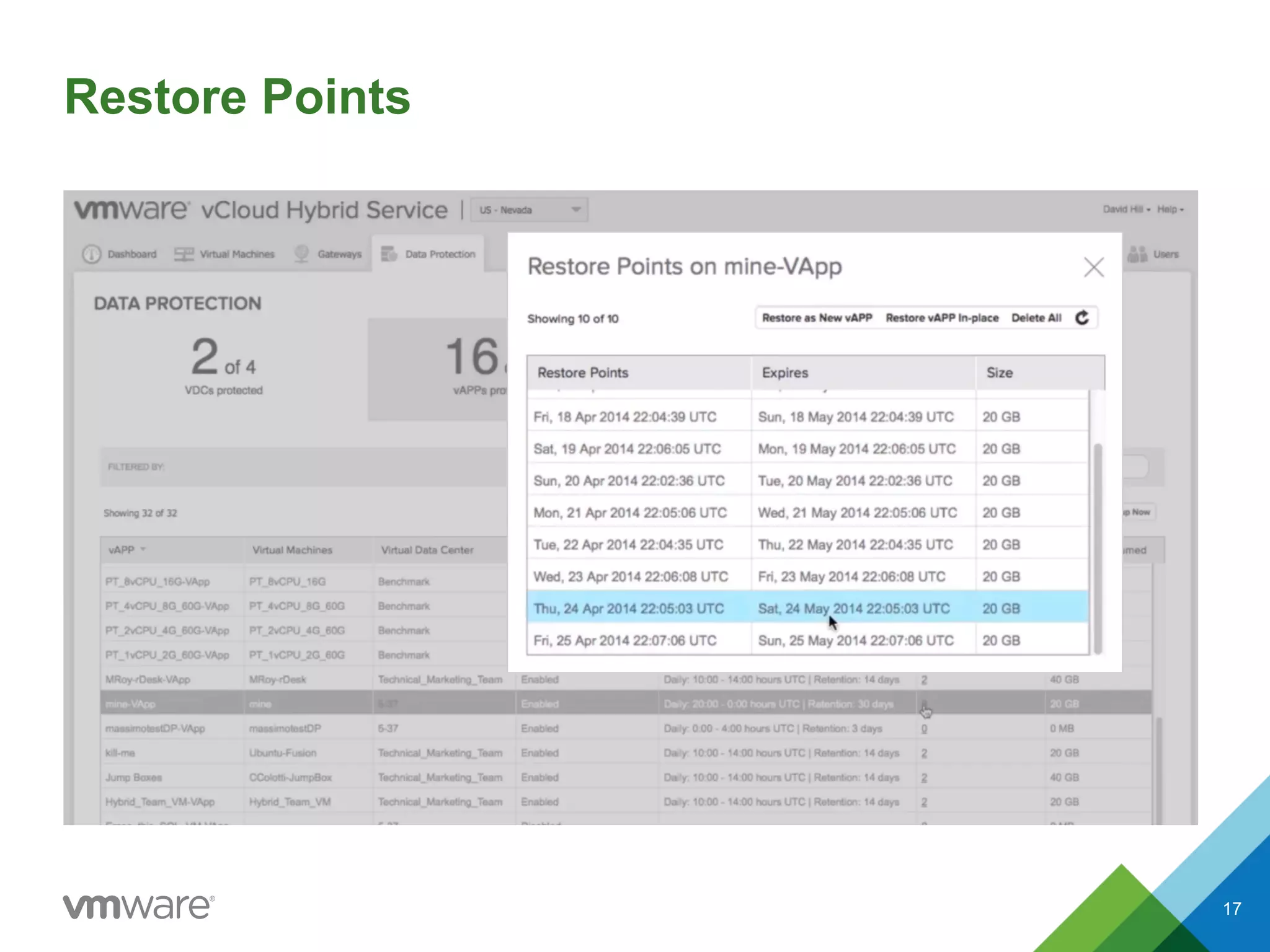
Restore Points
17
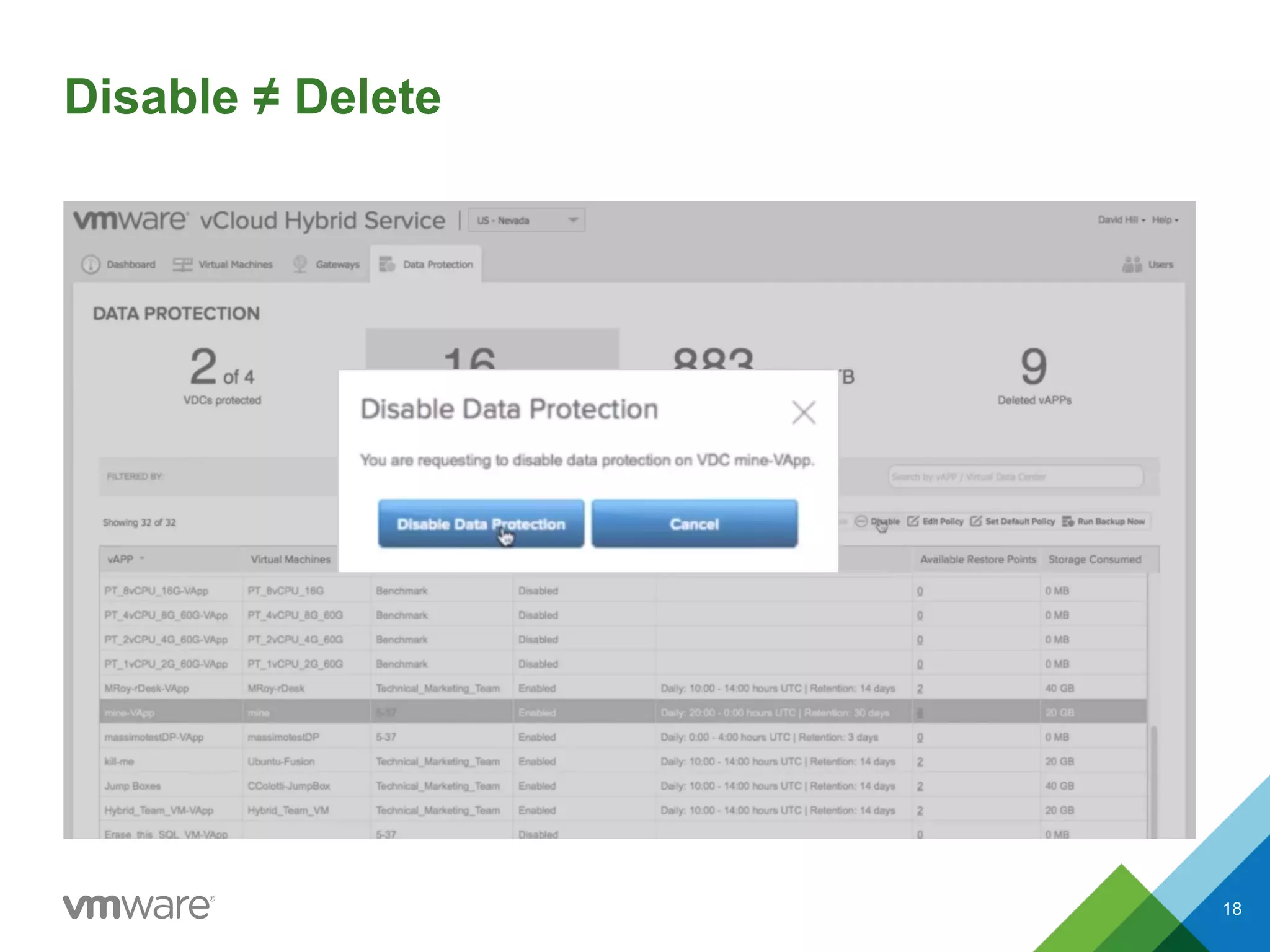
Disable ≠ Delete
18
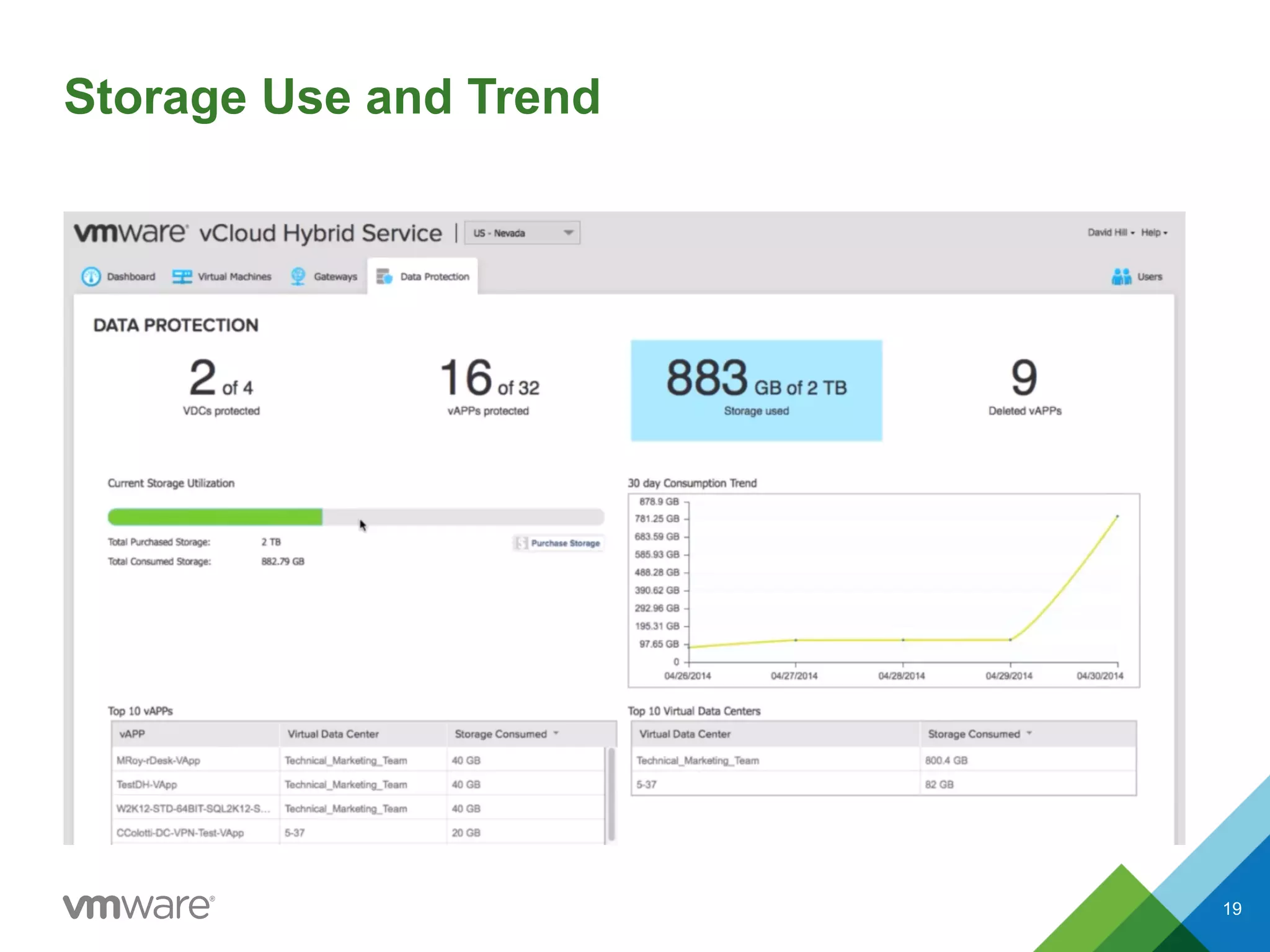
Storage Use and Trend
19
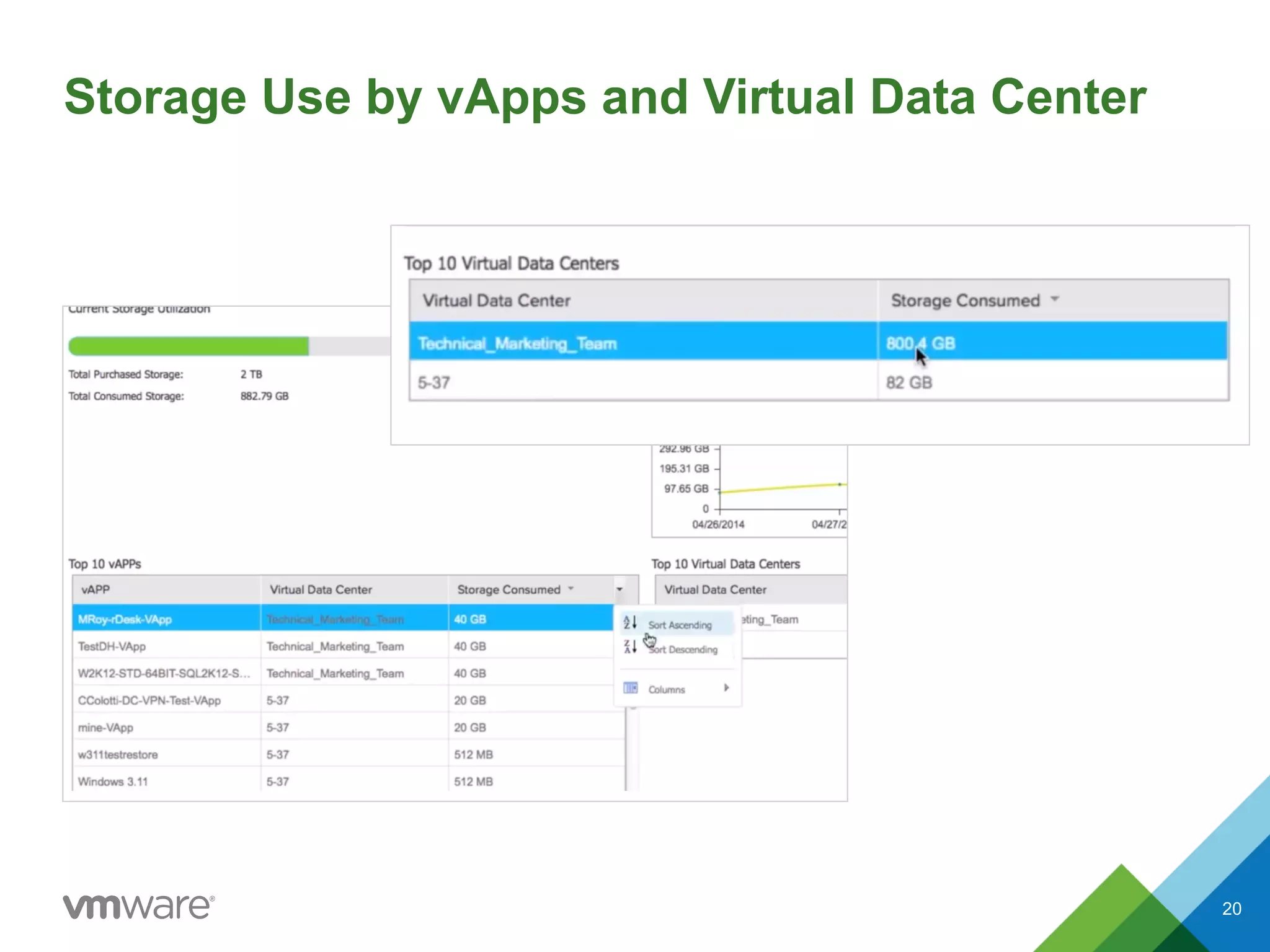
Storage Use by vApps and Virtual Data Center
20
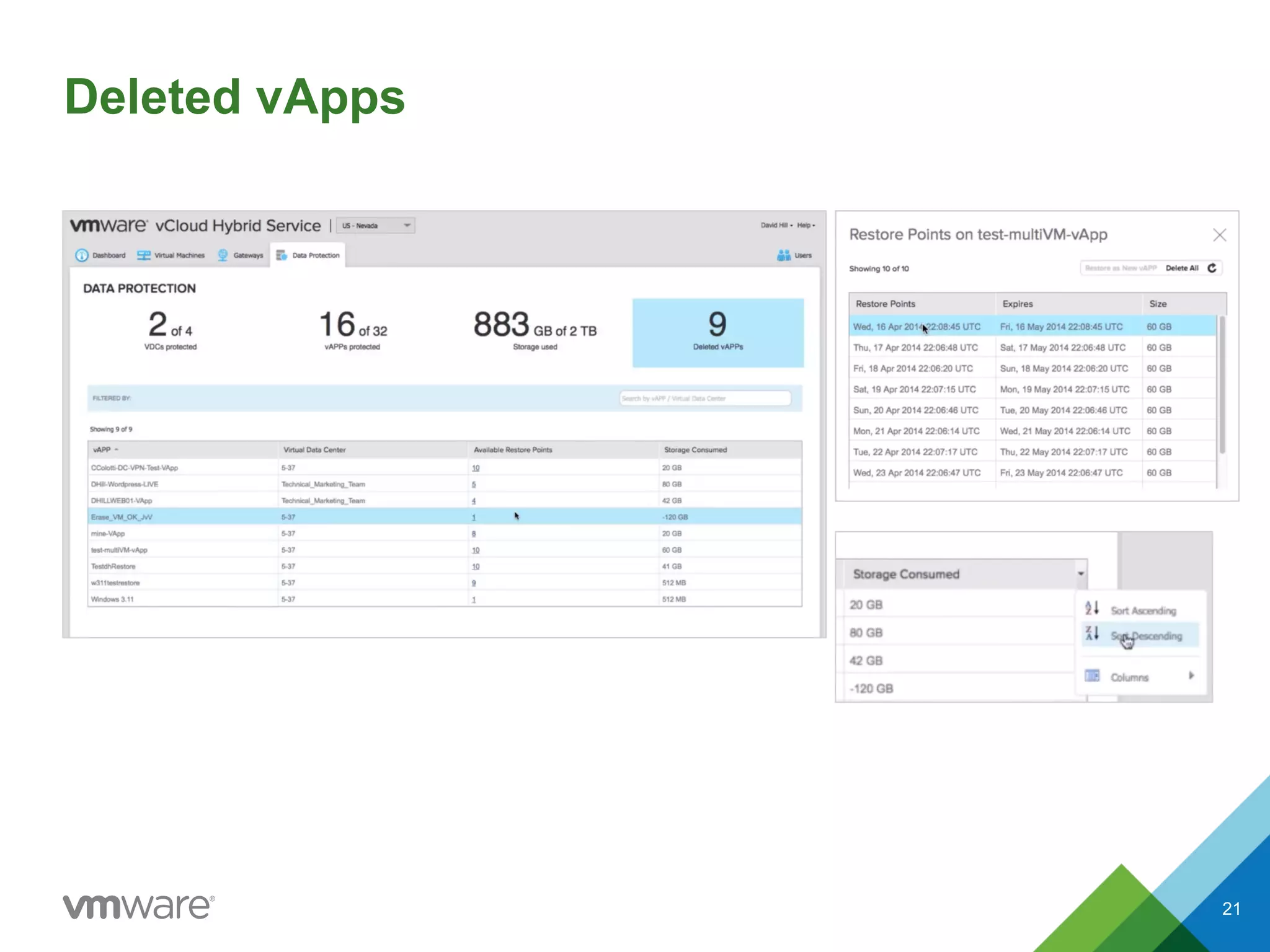
Deleted vApps
21
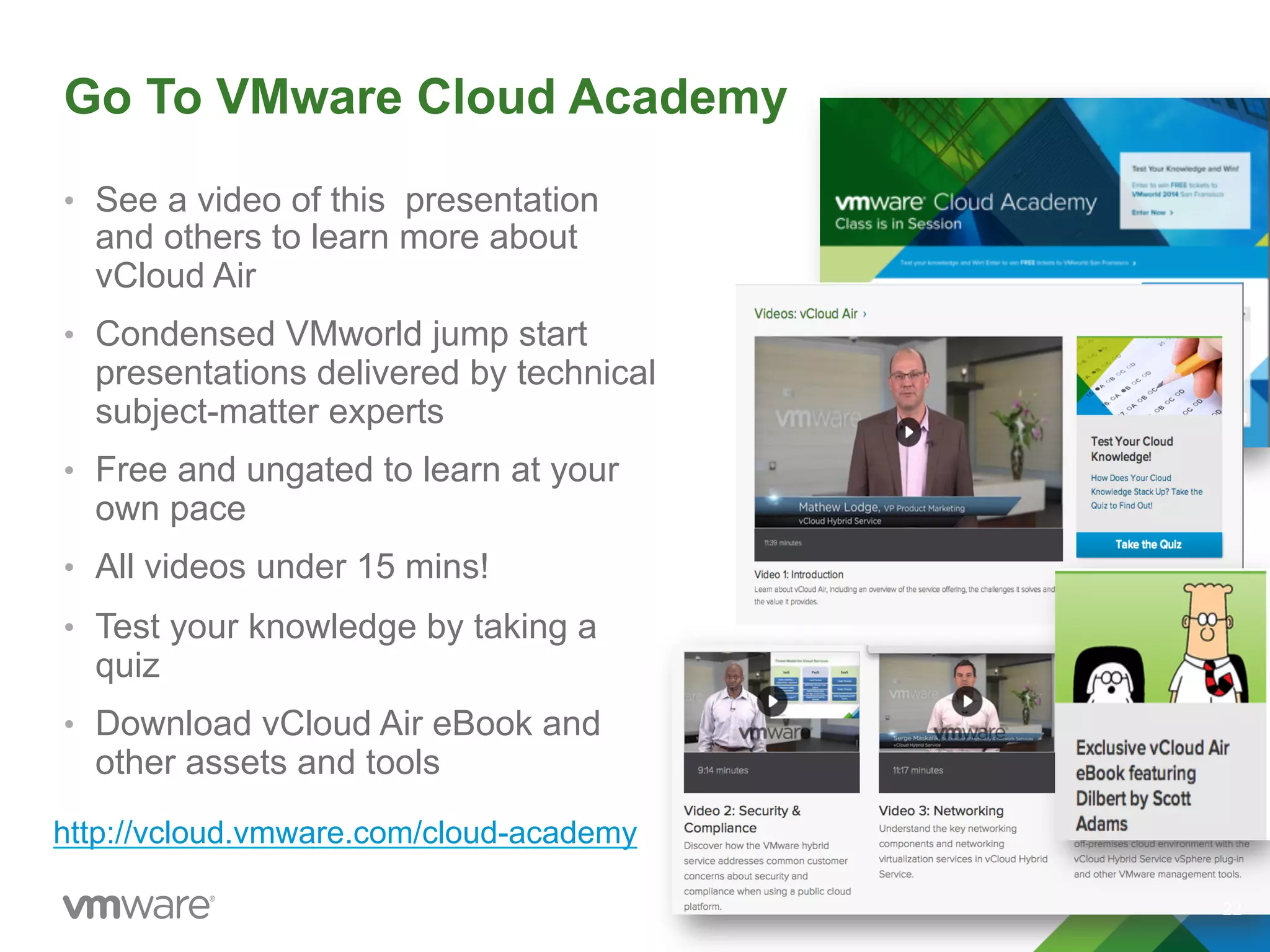
Go To VMware Cloud Academy
•  See a video of this presentation
and others to learn more about
vCloud Air
•  Condensed VMworld jump start
presentations delivered by technical
subject-matter experts
•  Free and ungated to learn at your
own pace
•  All videos under 15 mins!
•  Test your knowledge by taking a
quiz
•  Download vCloud Air eBook and
other assets and tools
22
http://vcloud.vmware.com/cloud-academy
Thank You

VMware vCloud Air Availability Solutions – Data Protection

  • 1.
    © 2014 VMwareInc. All rights reserved. VMware vCloud Air: Availability Solutions - Data Protection Formerly known as vCloud Hybrid Service
  • 2.
    Data Protection –Backup for the Cloud •  Agentless, policy-driven backup of virtual workloads on VMware vCloud® Air™ •  Provides image-level (VMDK) restore granularity •  Full self-service capabilities: –  Granular virtual data center control –  Scheduling and retention period selection –  Backup policy definitions –  Ad-hoc backups –  In-place or out-of-place restore –  Activity reporting Data Protection Enabled Backup and Recovery Tenant Realm VPC Customer Management Pod vCloud Air Converged Cloud Infrastructure StorageNetworkCompute Top Level Management Dedicated Customer Management Pod Customer Org Virtual Data Center(s) Customer Org Virtual Data Center(s) 2
  • 3.
    Data Protection FeatureOverview •  Agentless, policy-driven backup and recovery of virtual workloads in the cloud •  Enables business continuity compliance on top of redundancy and resiliency features present •  Ensures virtual machine images (VMDKs) are backed up at regular intervals and available for on-demand restore •  Full self-service capabilities, with registration, backup, restore and activity logging accessible in the vCloud Air user interface •  At-a-glance admin dashboards •  Separate storage allocation to cloud instances •  All backups quiesced to ensure crash consistency Daily/24-hour backup schedule Synthetic-full and encrypted backup images Unlimited self-service vApp-level protection Customizable scheduling and retention policy Unlimited self-service virtual machine-level restores 3
  • 4.
    Policy Definitions •  Granularprotection at virtual data center level •  Define backup policy for whole virtual data center or individual vApp •  Define Data Retention Policy period 1 – 365 days •  Define Backup Window Start time 4
  • 5.
    •  Enabling dataprotection •  Scheduling backups •  Retention periods •  Enabling self-service vApps •  Ad hoc backups •  In- and out-of-place restores •  Reporting 5 Data Protection Features
  • 6.
  • 7.
  • 8.
    Editing the Policyfor an Entire Virtual Data Center 8
  • 9.
    Self Service Options • Back up individual virtual machines •  Back up individual vApps •  Enable backups by vApp owners 9
  • 10.
  • 11.
    Self Service InformationAvailable for Each vApp •  Virtual machines •  Virtual data center •  Data protection status •  Retention period •  Restore points available •  Number of backups •  Storage consumption 11
  • 12.
  • 13.
  • 14.
    Editing Policies forVirtual Machines and vApps 14
  • 15.
  • 16.
  • 17.
  • 18.
  • 19.
  • 20.
    Storage Use byvApps and Virtual Data Center 20
  • 21.
  • 22.
    Go To VMwareCloud Academy •  See a video of this presentation and others to learn more about vCloud Air •  Condensed VMworld jump start presentations delivered by technical subject-matter experts •  Free and ungated to learn at your own pace •  All videos under 15 mins! •  Test your knowledge by taking a quiz •  Download vCloud Air eBook and other assets and tools 22 http://vcloud.vmware.com/cloud-academy
  • 23.