© 2014 VMware Inc. All rights reserved.
VMware vCloud Air Deep Dive
Into Hybrid Cloud Management
Formerly known as vCloud Hybrid Service
Agenda
u Simplified hybrid cloud management
u DevOps in hybrid cloud
2
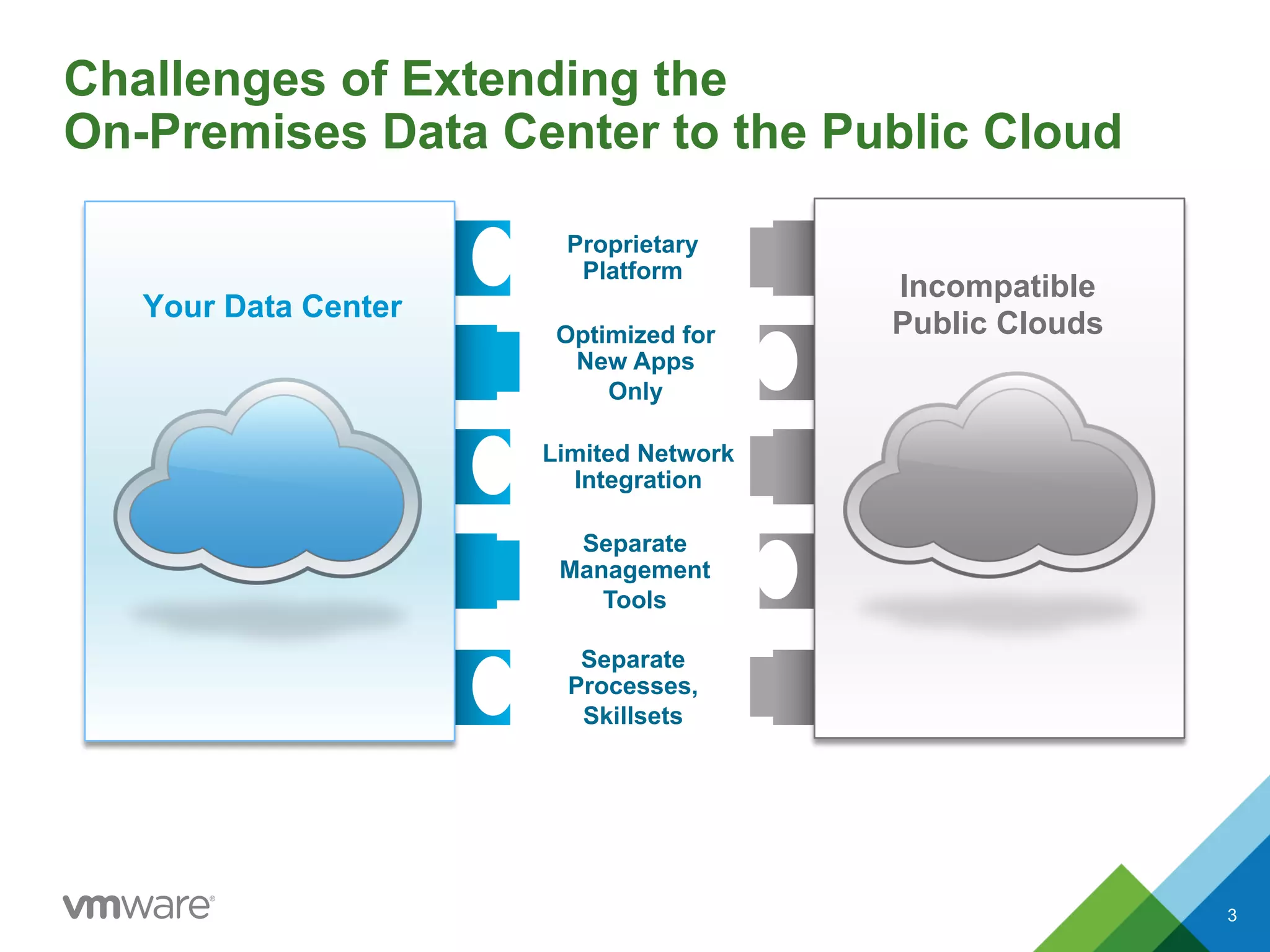
Challenges of Extending the
On-Premises Data Center to the Public Cloud
Proprietary
Platform
Optimized for
New Apps
Only
Limited Network
Integration
Separate
Management
Tools
Separate
Processes,
Skillsets
Your Data Center
Incompatible
Public Clouds
3
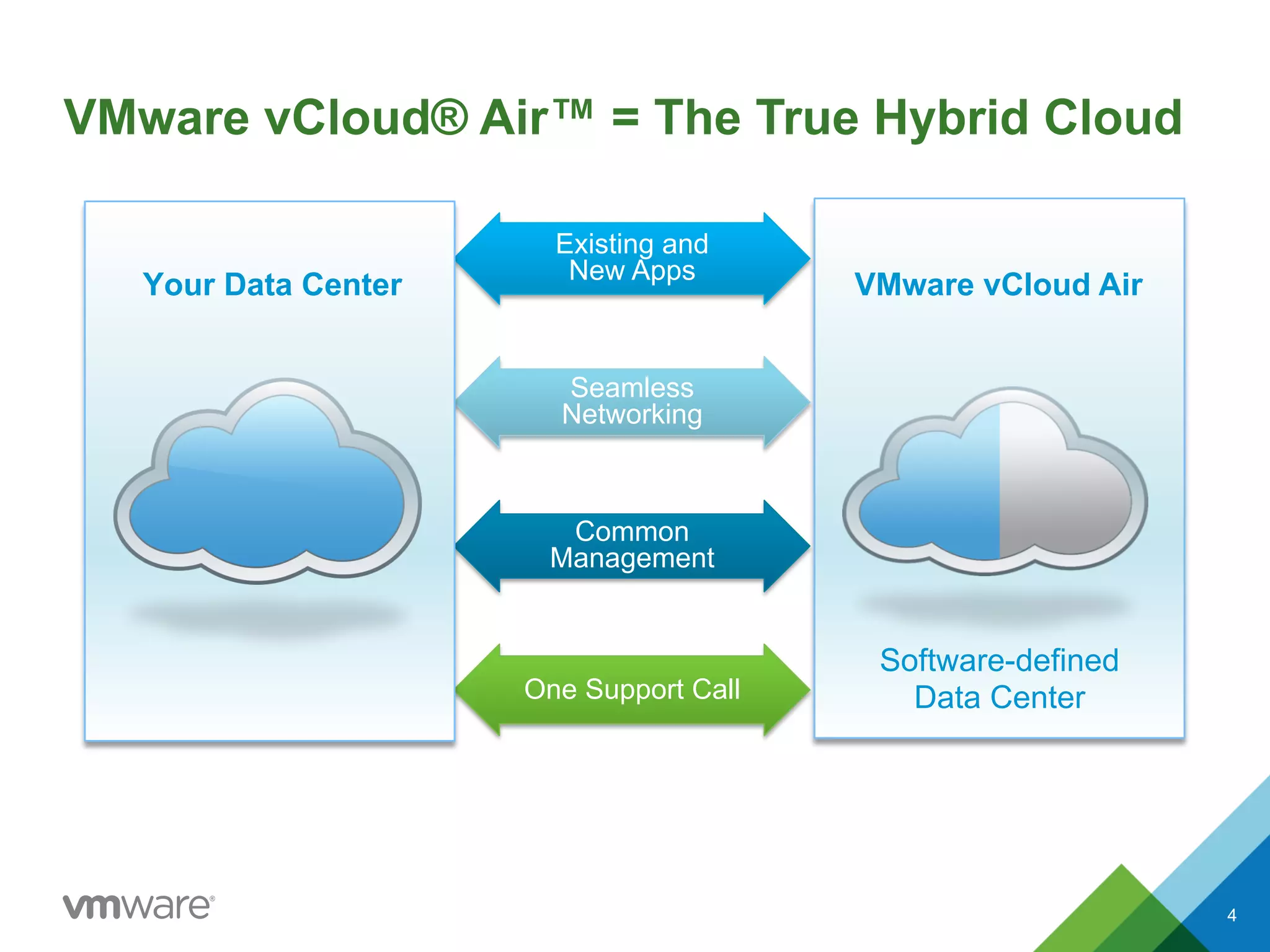
VMware vCloud® Air™ = The True Hybrid Cloud
Existing and
New Apps
Seamless
Networking
Common
Management
One Support Call
VMware vCloud Air
Software-defined
Data Center
Your Data Center
4
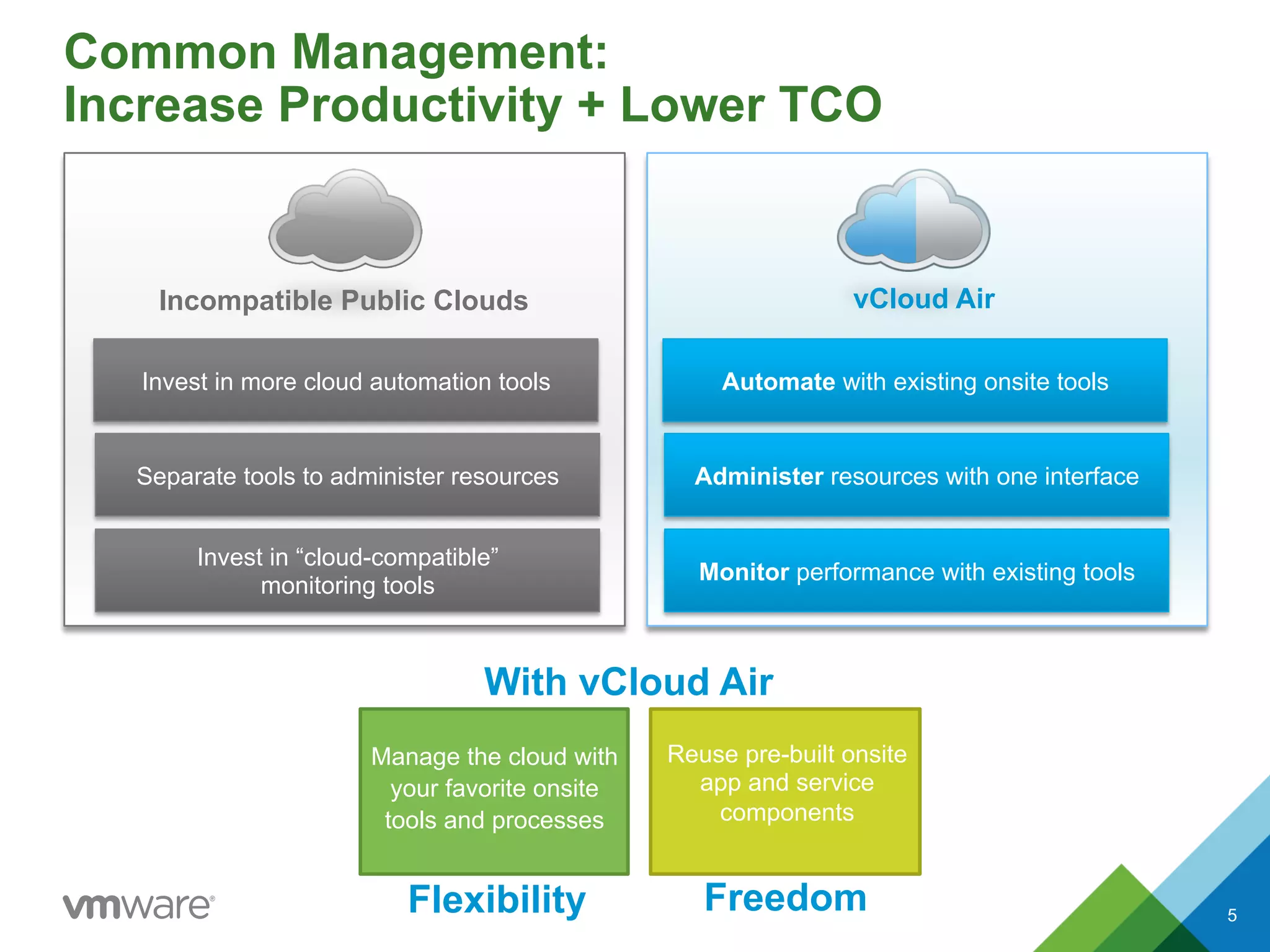
Common Management:
Increase Productivity + Lower TCO
vCloud AirIncompatible Public Clouds
Invest in more cloud automation tools
Separate tools to administer resources
Invest in “cloud-compatible”
monitoring tools
Automate with existing onsite tools
Administer resources with one interface
Monitor performance with existing tools
Manage the cloud with
your favorite onsite
tools and processes
Reuse pre-built onsite
app and service
components
Flexibility Freedom
With vCloud Air
5
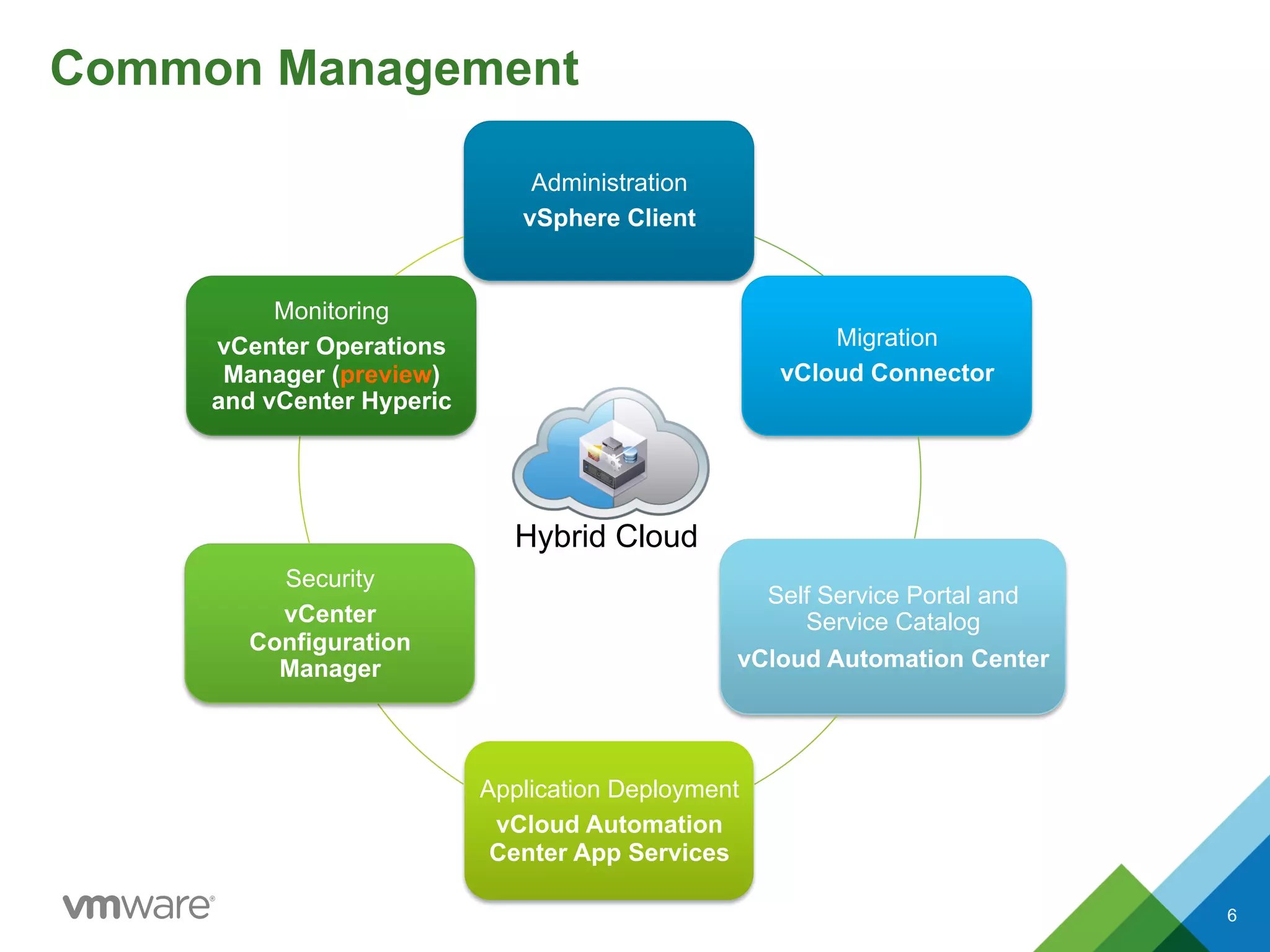
Common Management
Administration
vSphere Client
Migration
vCloud Connector
Self Service Portal and
Service Catalog
vCloud Automation Center
Application Deployment
vCloud Automation
Center App Services
Security
vCenter
Configuration
Manager
Monitoring
vCenter Operations
Manager (preview)
and vCenter Hyperic
Hybrid Cloud
6
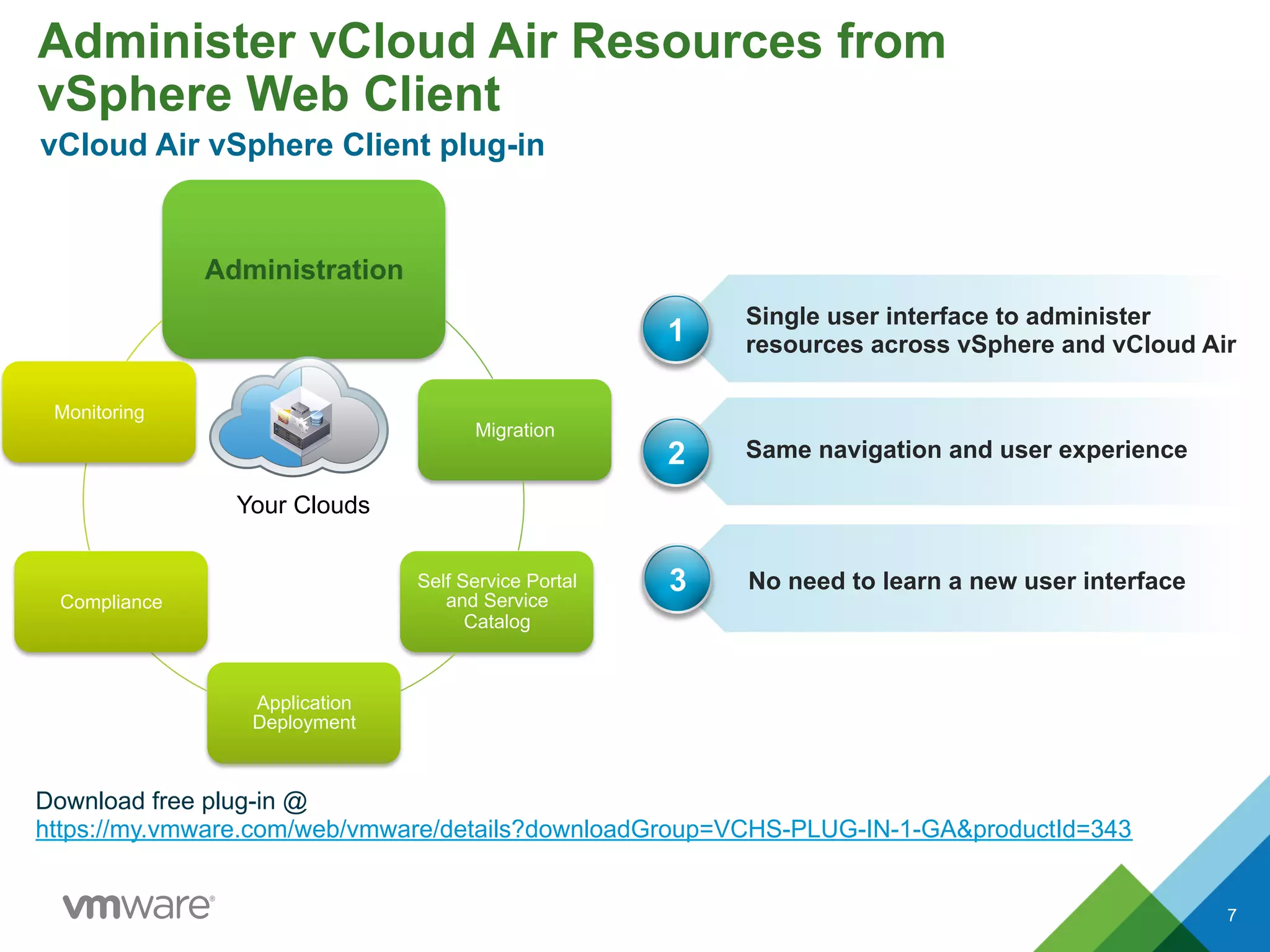
Administer vCloud Air Resources from
vSphere Web Client
7
Administration
Migration
Self Service Portal
and Service
Catalog
Application
Deployment
Compliance
Monitoring
Your Clouds
Single user interface to administer
resources across vSphere and vCloud Air
Same navigation and user experience
1
2
No need to learn a new user interface3
Download free plug-in @
https://my.vmware.com/web/vmware/details?downloadGroup=VCHS-PLUG-IN-1-GA&productId=343
vCloud Air vSphere Client plug-in
7
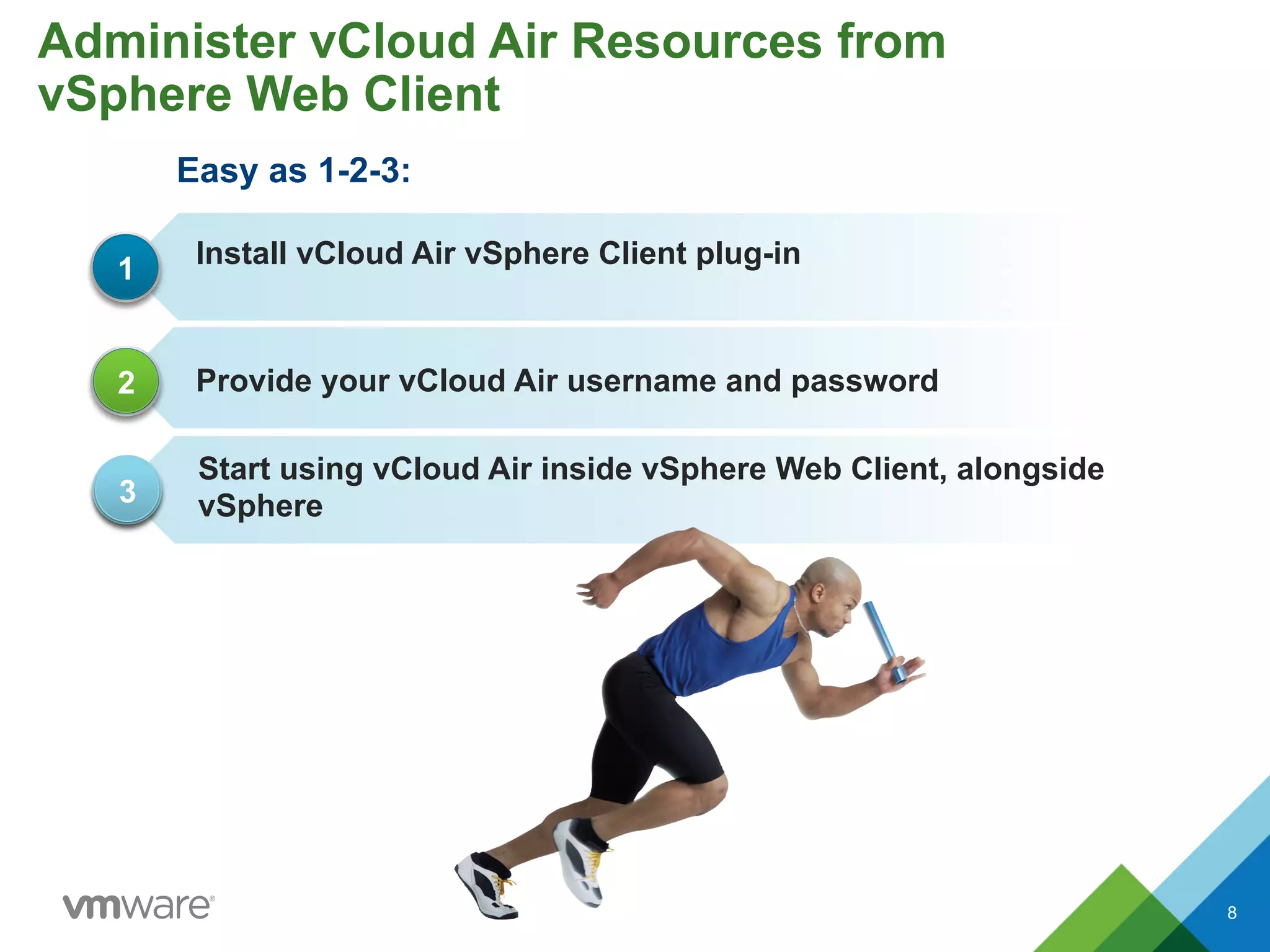
Easy as 1-2-3:
8
Install vCloud Air vSphere Client plug-in
Provide your vCloud Air username and password
1
2
Start using vCloud Air inside vSphere Web Client, alongside
vSphere3
Administer vCloud Air Resources from
vSphere Web Client
8
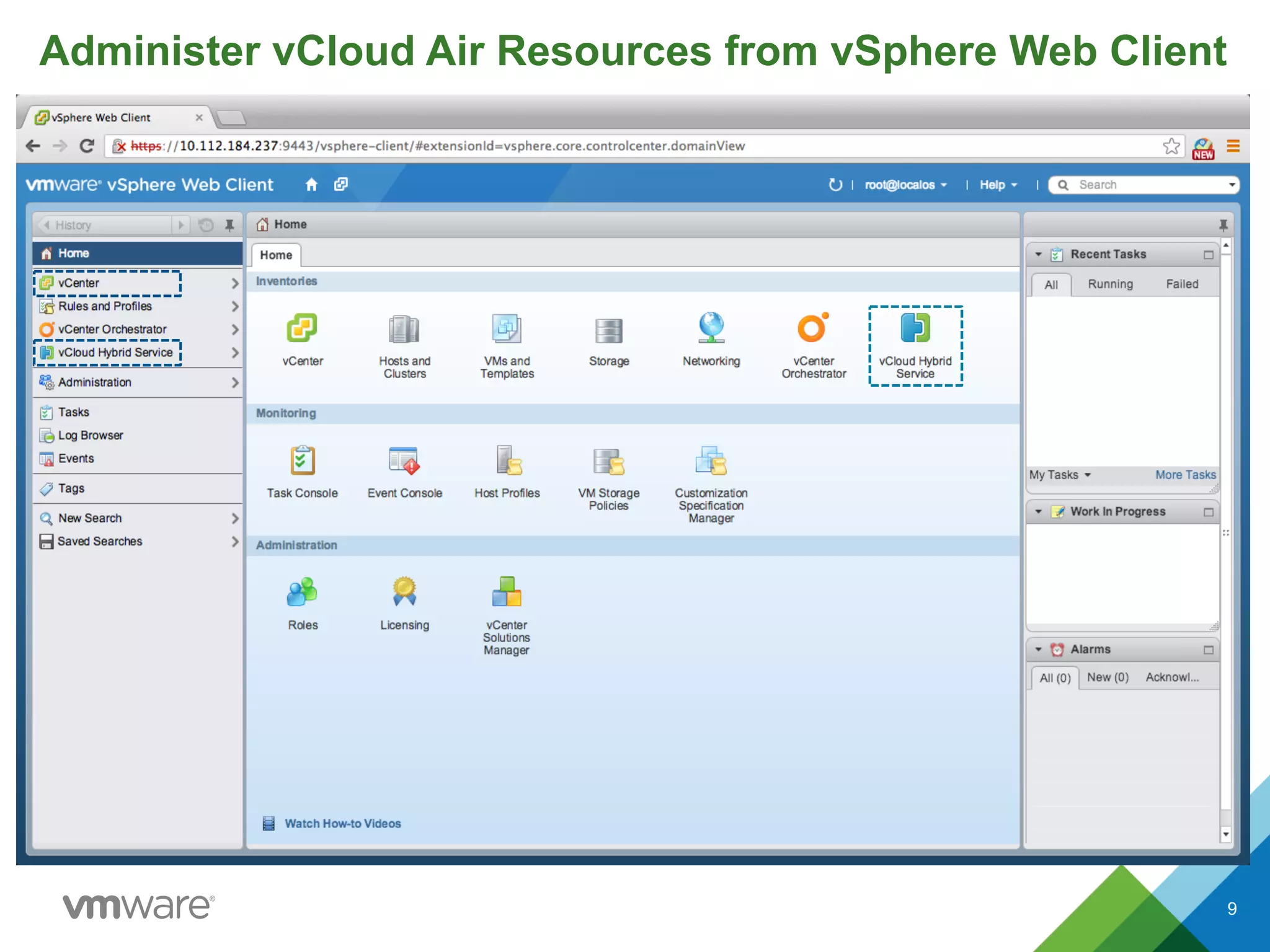
Administer vCloud Air Resources from vSphere Web Client
9
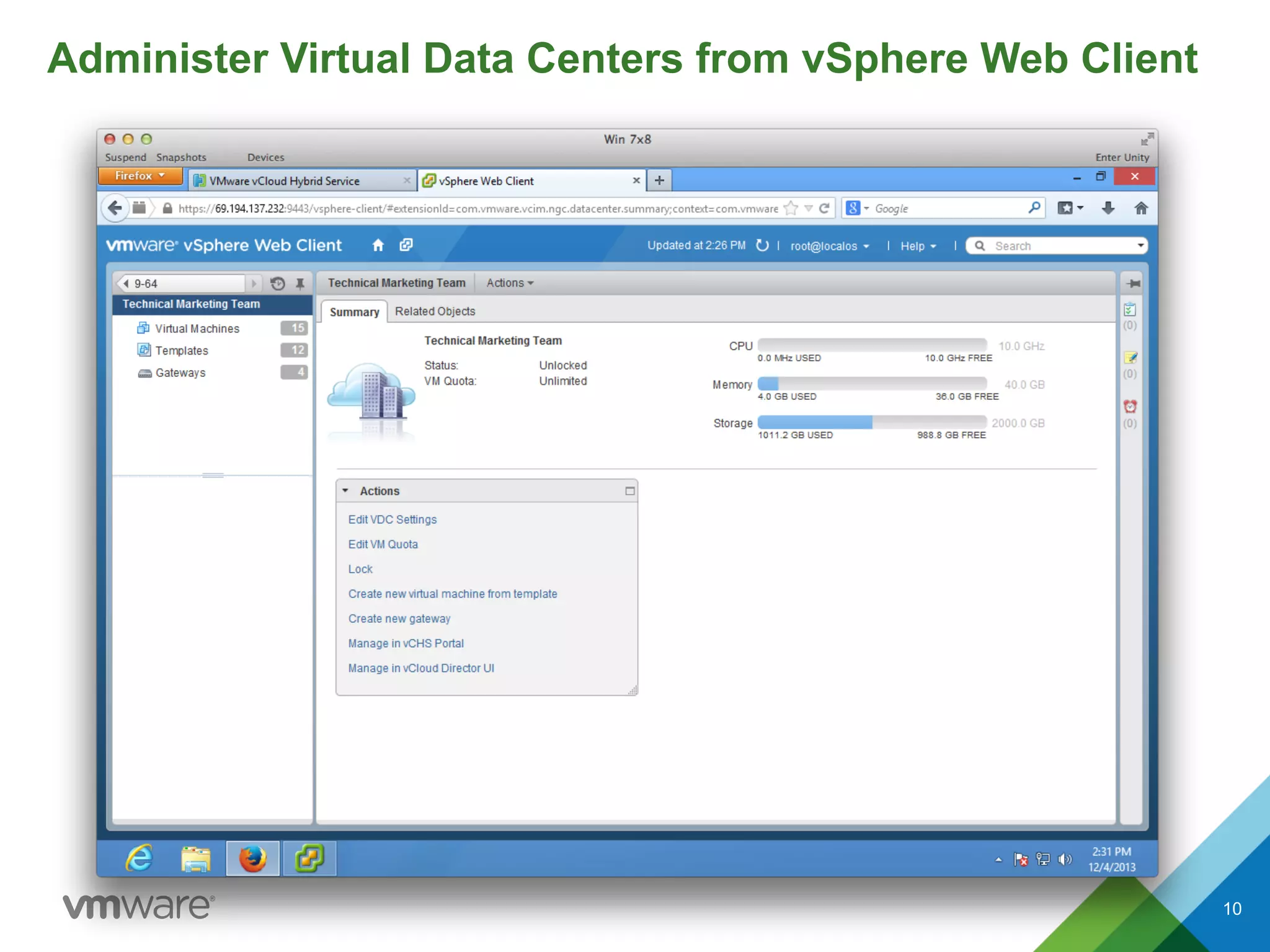
Administer Virtual Data Centers from vSphere Web Client
10
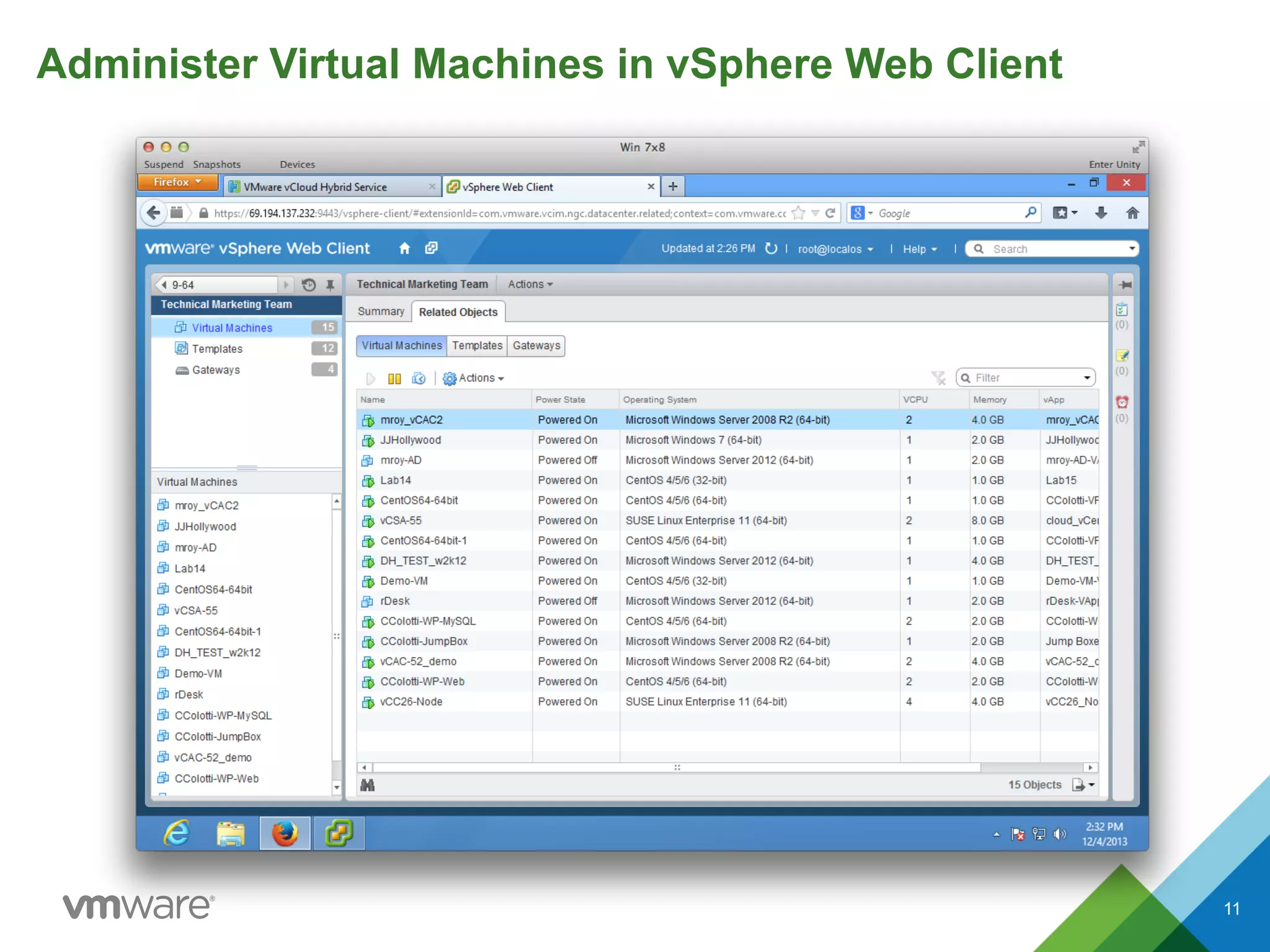
Administer Virtual Machines in vSphere Web Client
11
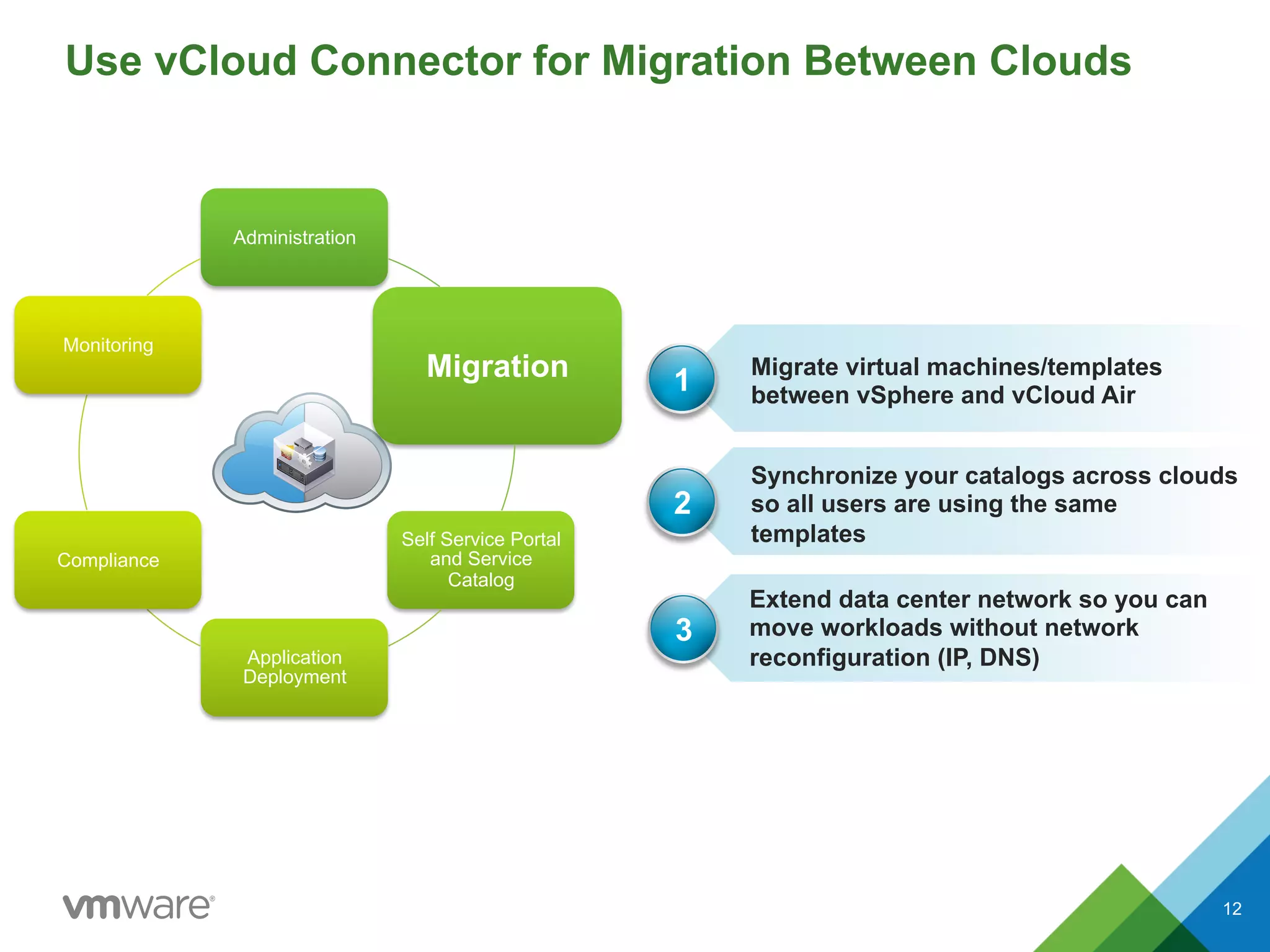
Use vCloud Connector for Migration Between Clouds
12
Administration
Migration
Self Service Portal
and Service
Catalog
Application
Deployment
Compliance
Monitoring
Your Clouds
Extend data center network so you can
move workloads without network
reconfiguration (IP, DNS)
Synchronize your catalogs across clouds
so all users are using the same
templates
1
2
Migrate virtual machines/templates
between vSphere and vCloud Air
3
12
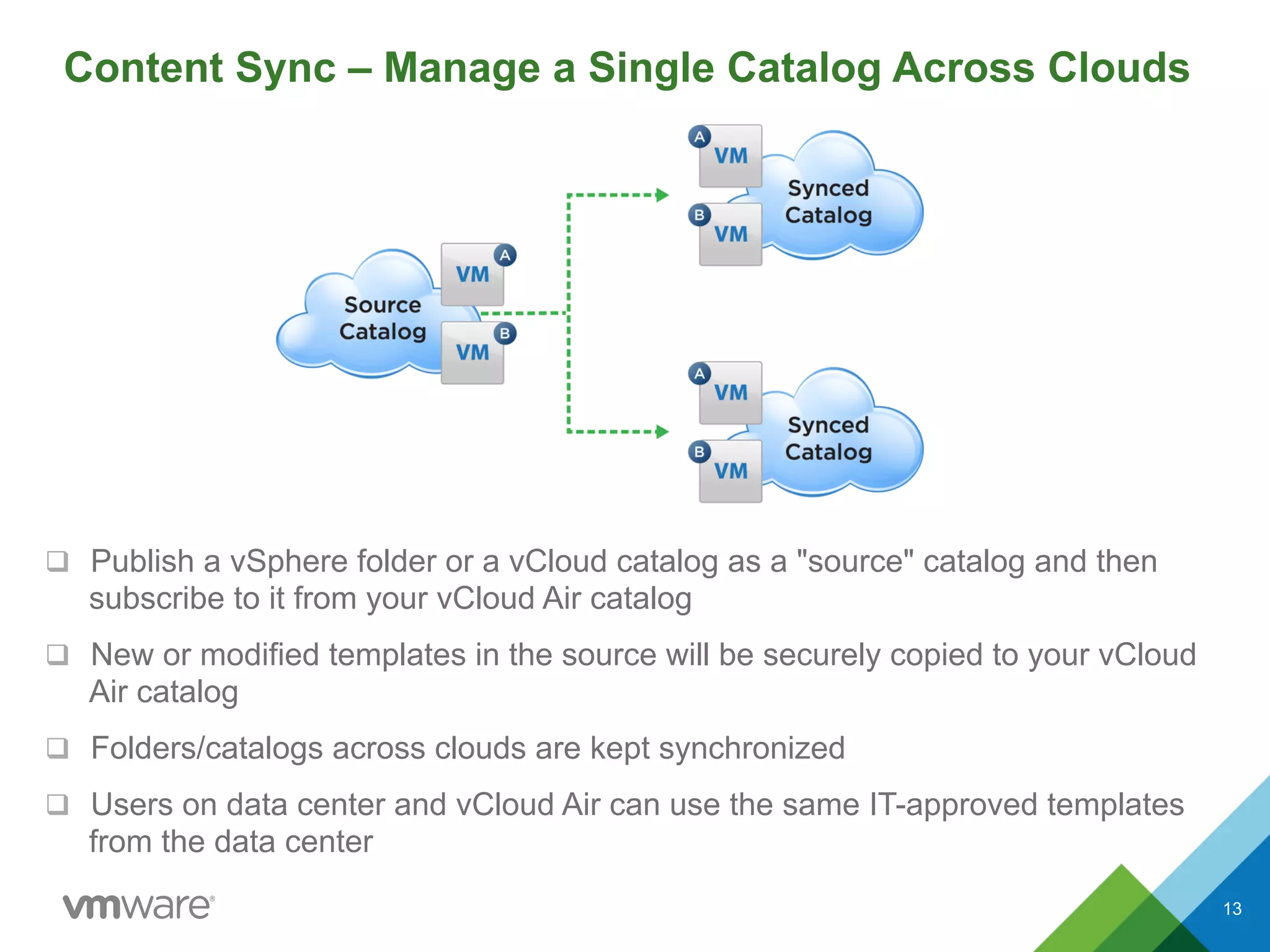
Content Sync – Manage a Single Catalog Across Clouds
q  Publish a vSphere folder or a vCloud catalog as a "source" catalog and then
subscribe to it from your vCloud Air catalog
q  New or modified templates in the source will be securely copied to your vCloud
Air catalog
q  Folders/catalogs across clouds are kept synchronized
q  Users on data center and vCloud Air can use the same IT-approved templates
from the data center
13
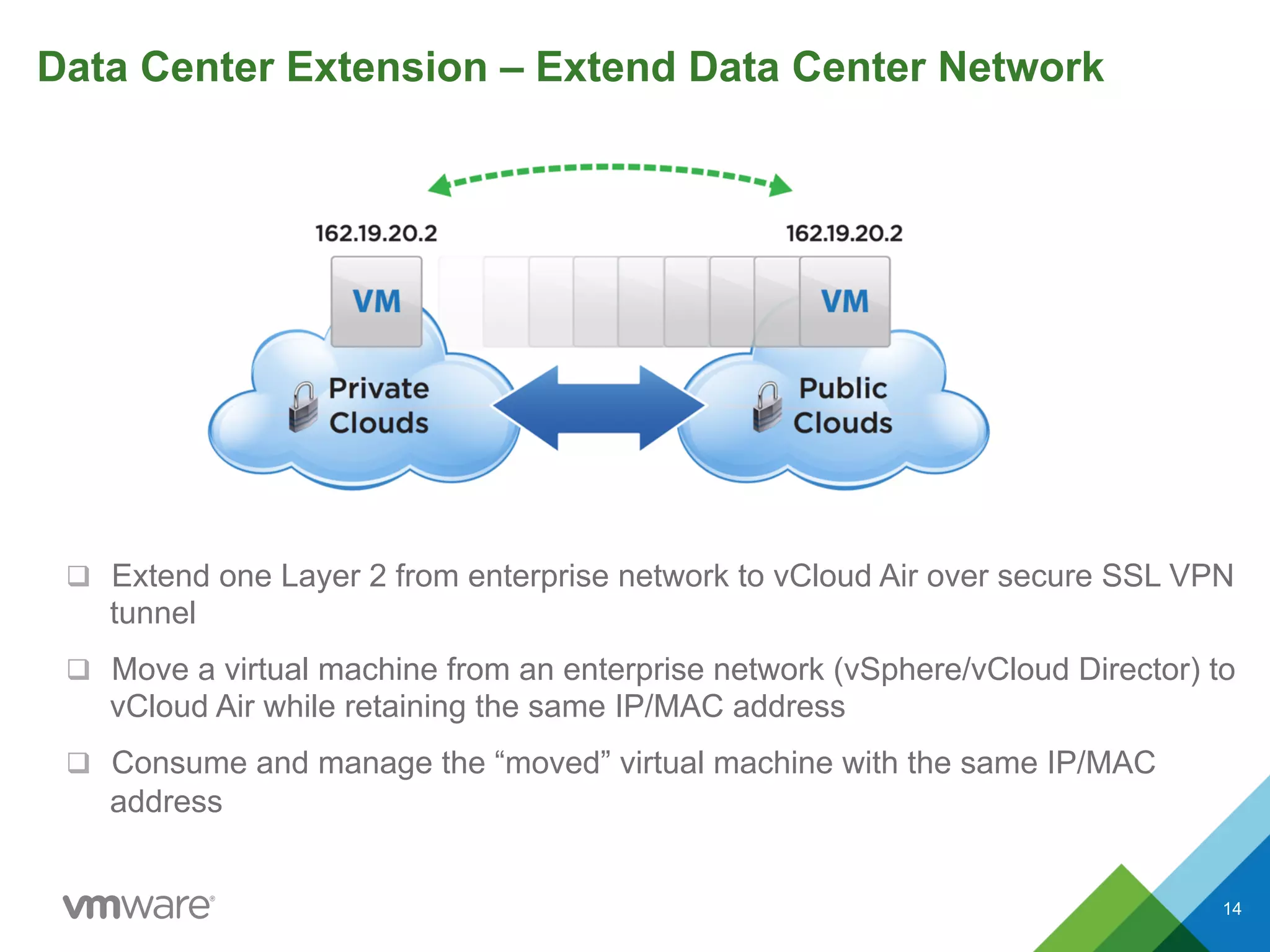
Data Center Extension – Extend Data Center Network
q  Extend one Layer 2 from enterprise network to vCloud Air over secure SSL VPN
tunnel
q  Move a virtual machine from an enterprise network (vSphere/vCloud Director) to
vCloud Air while retaining the same IP/MAC address
q  Consume and manage the “moved” virtual machine with the same IP/MAC
address
14
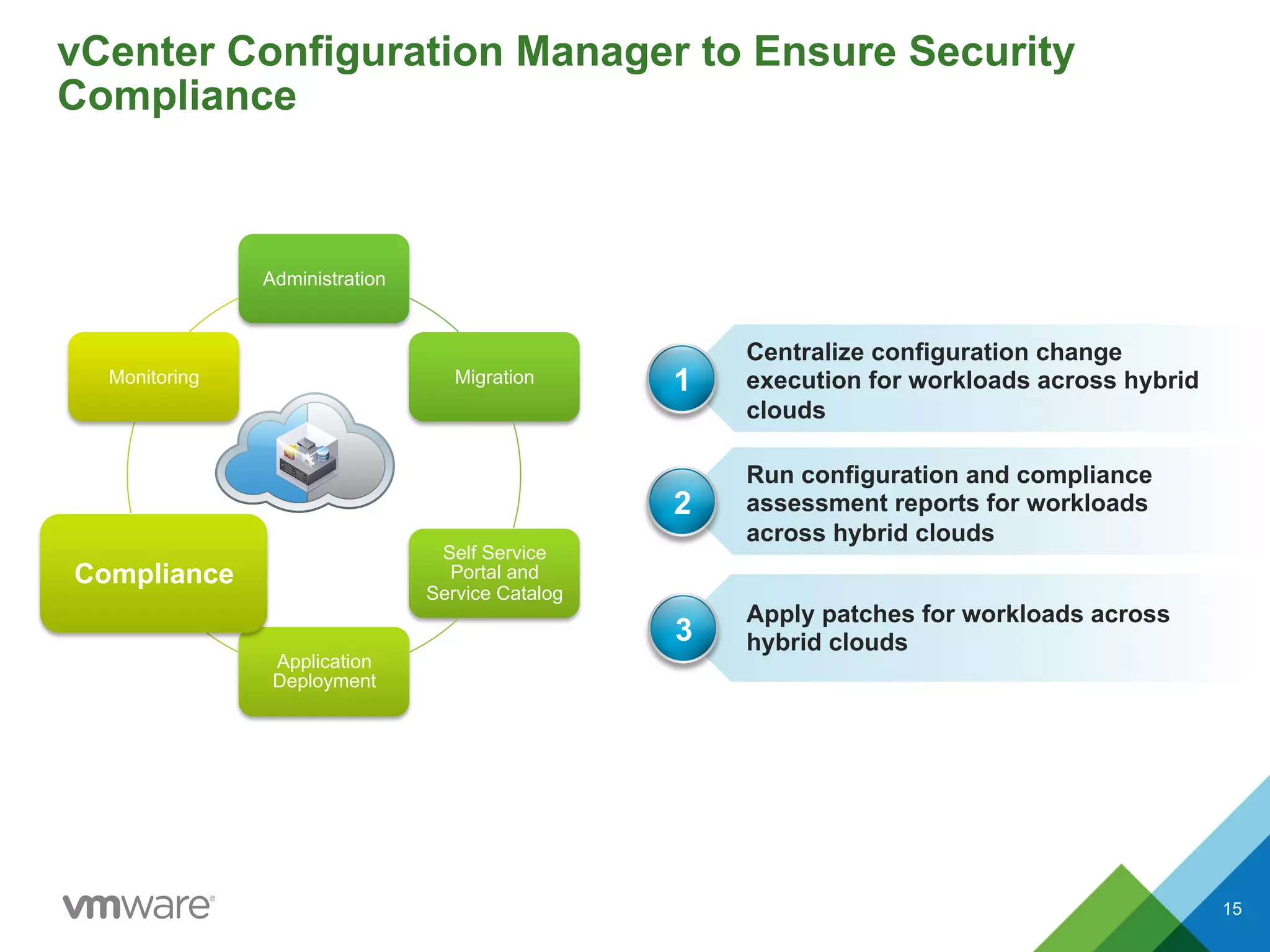
vCenter Configuration Manager to Ensure Security
Compliance
15
Administration
Migration
Self Service
Portal and
Service Catalog
Application
Deployment
Compliance
Monitoring
Apply patches for workloads across
hybrid clouds
Run configuration and compliance
assessment reports for workloads
across hybrid clouds
1
2
Centralize configuration change
execution for workloads across hybrid
clouds
3
15
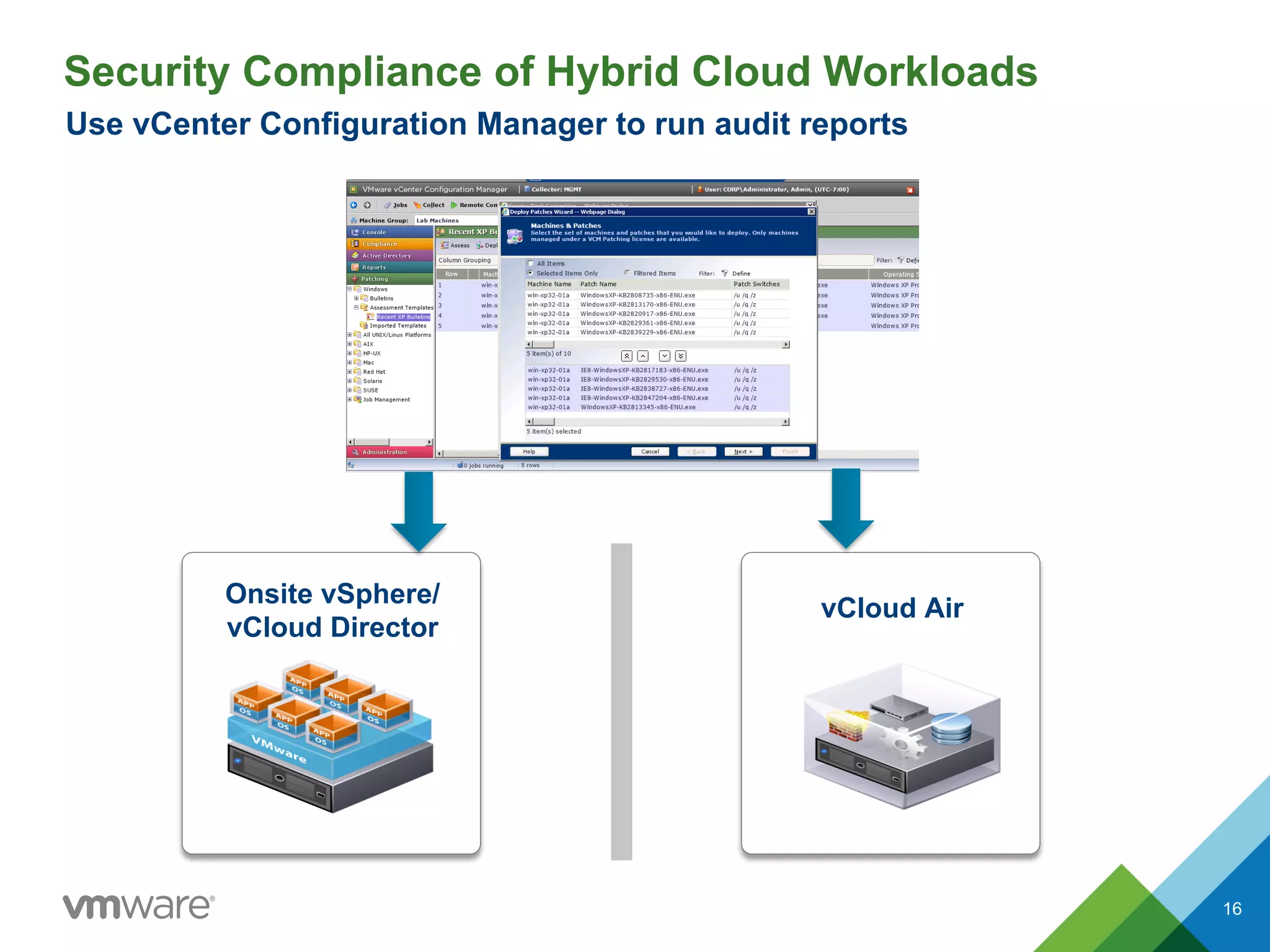
Security Compliance of Hybrid Cloud Workloads
vCloud Air
Onsite vSphere/
vCloud Director
Use vCenter Configuration Manager to run audit reports
16
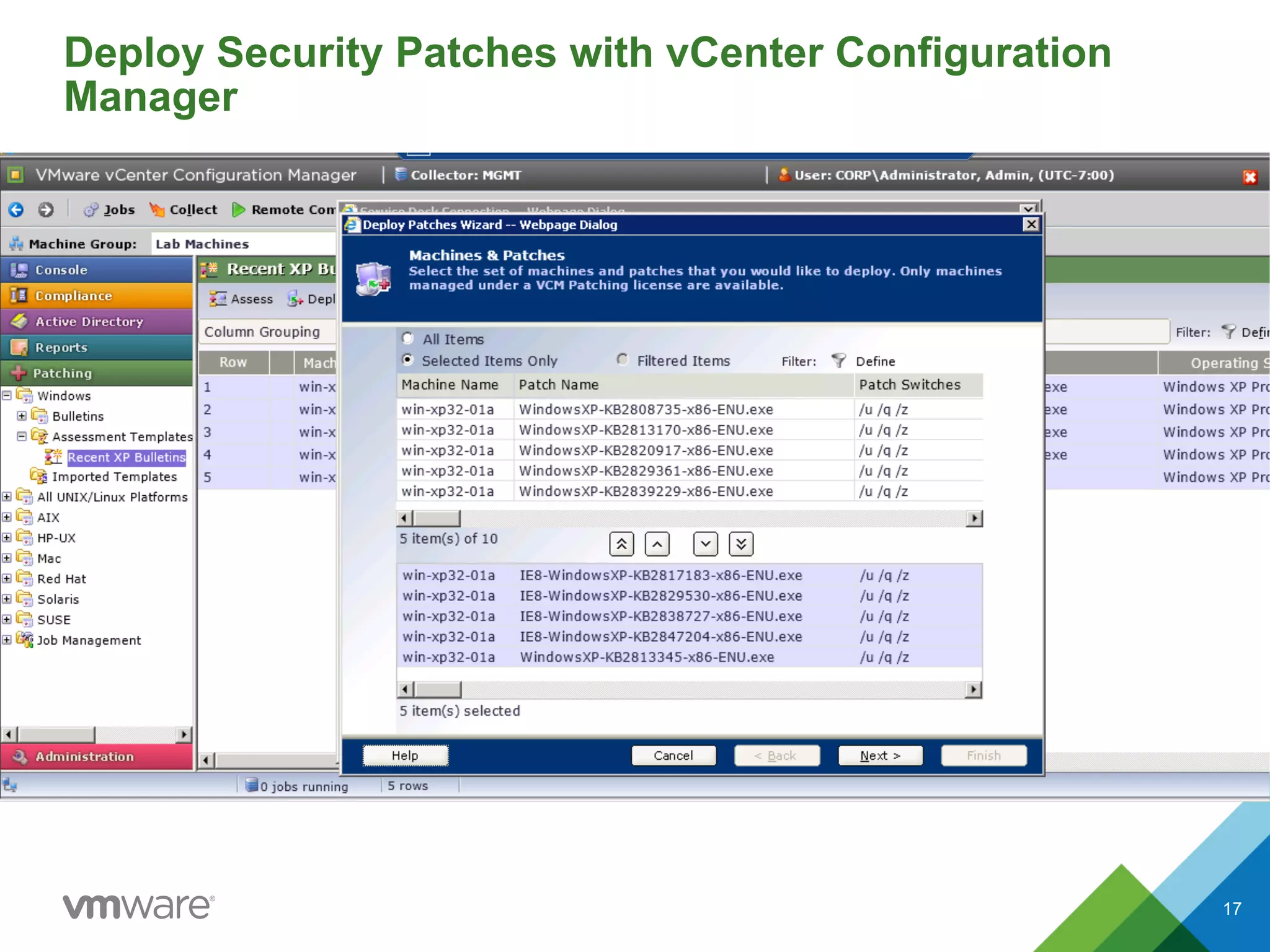
Deploy Security Patches with vCenter Configuration
Manager
17
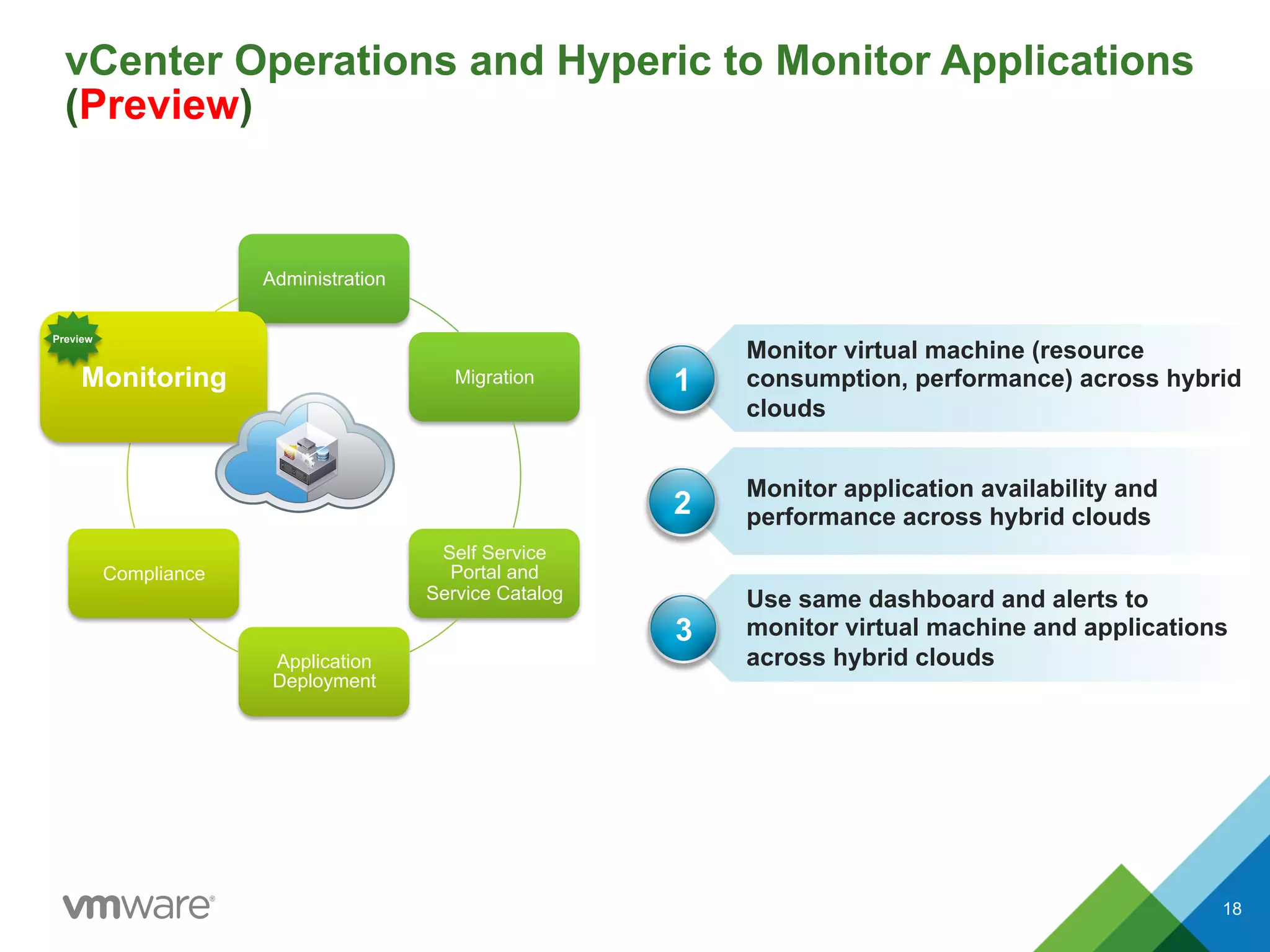
vCenter Operations and Hyperic to Monitor Applications
(Preview)
18
Administration
Migration
Self Service
Portal and
Service Catalog
Application
Deployment
Compliance
Monitoring
Your Clouds
Use same dashboard and alerts to
monitor virtual machine and applications
across hybrid clouds
Monitor application availability and
performance across hybrid clouds
1
2
Monitor virtual machine (resource
consumption, performance) across hybrid
clouds
3
Preview
18
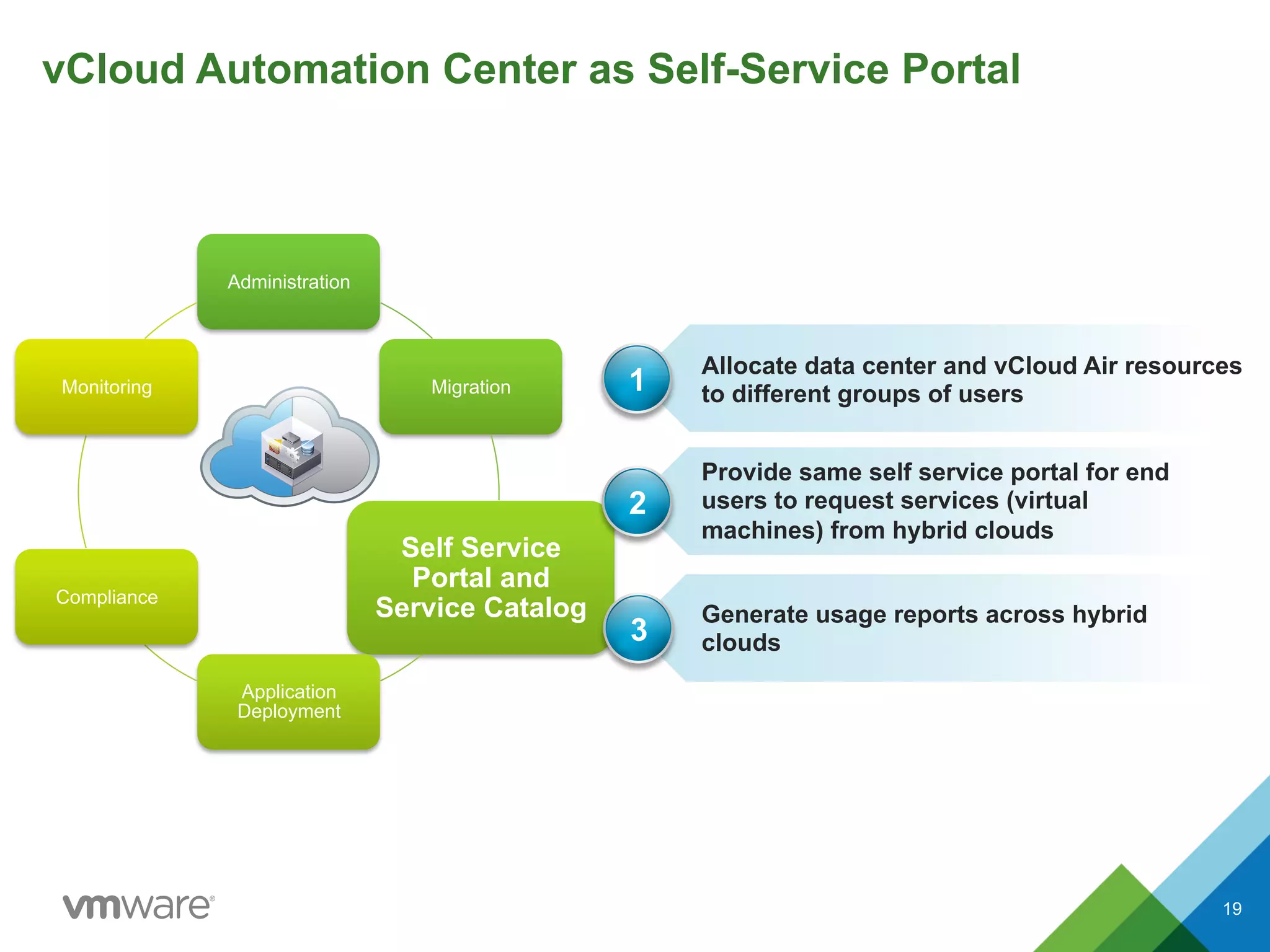
vCloud Automation Center as Self-Service Portal
19
Administration
Migration
Self Service
Portal and
Service Catalog
Application
Deployment
Compliance
Monitoring
Generate usage reports across hybrid
clouds
Provide same self service portal for end
users to request services (virtual
machines) from hybrid clouds
1
2
Allocate data center and vCloud Air resources
to different groups of users
3
19
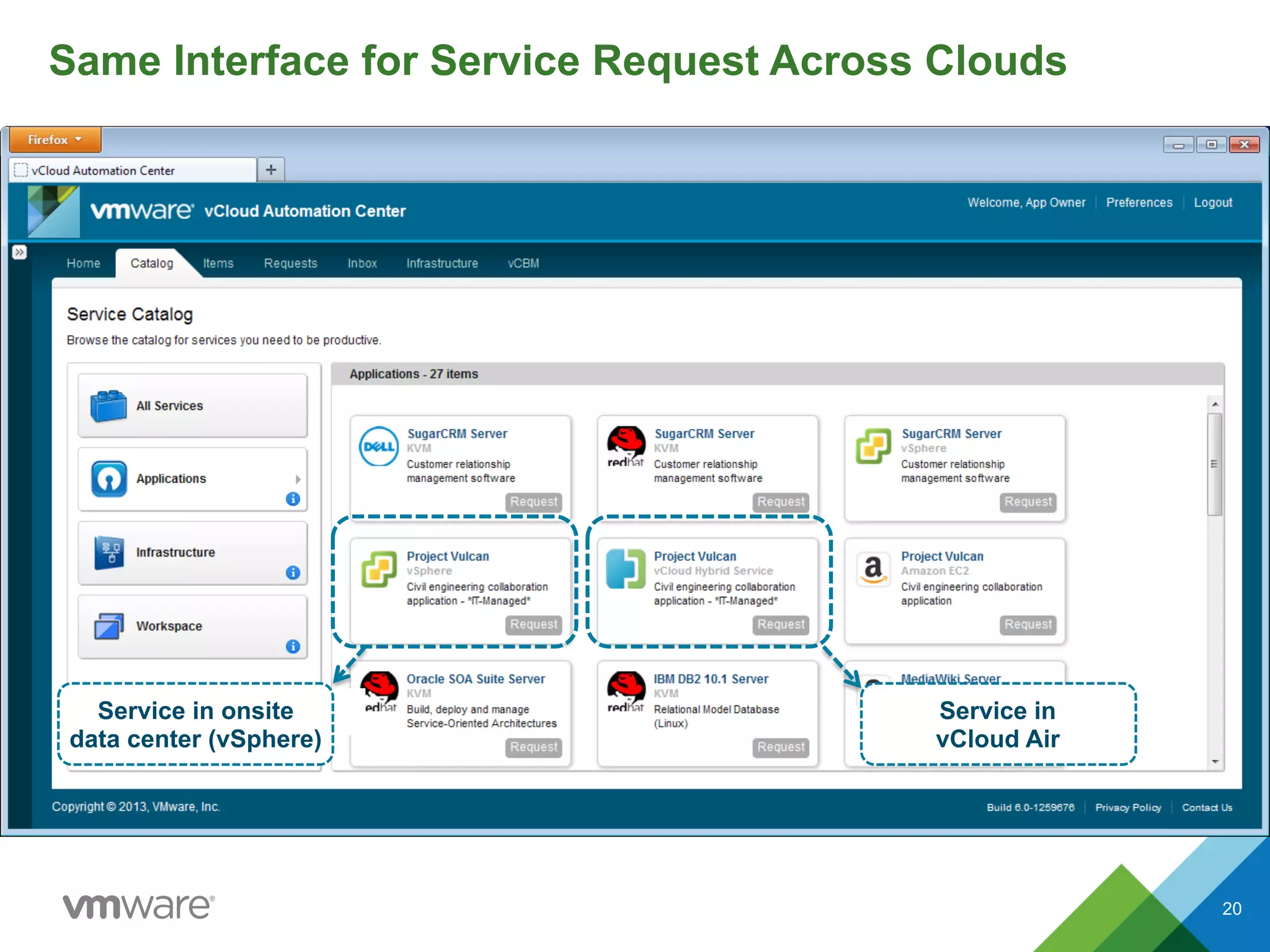
Same Interface for Service Request Across Clouds
Service in onsite
data center (vSphere)
Service in
vCloud Air
20
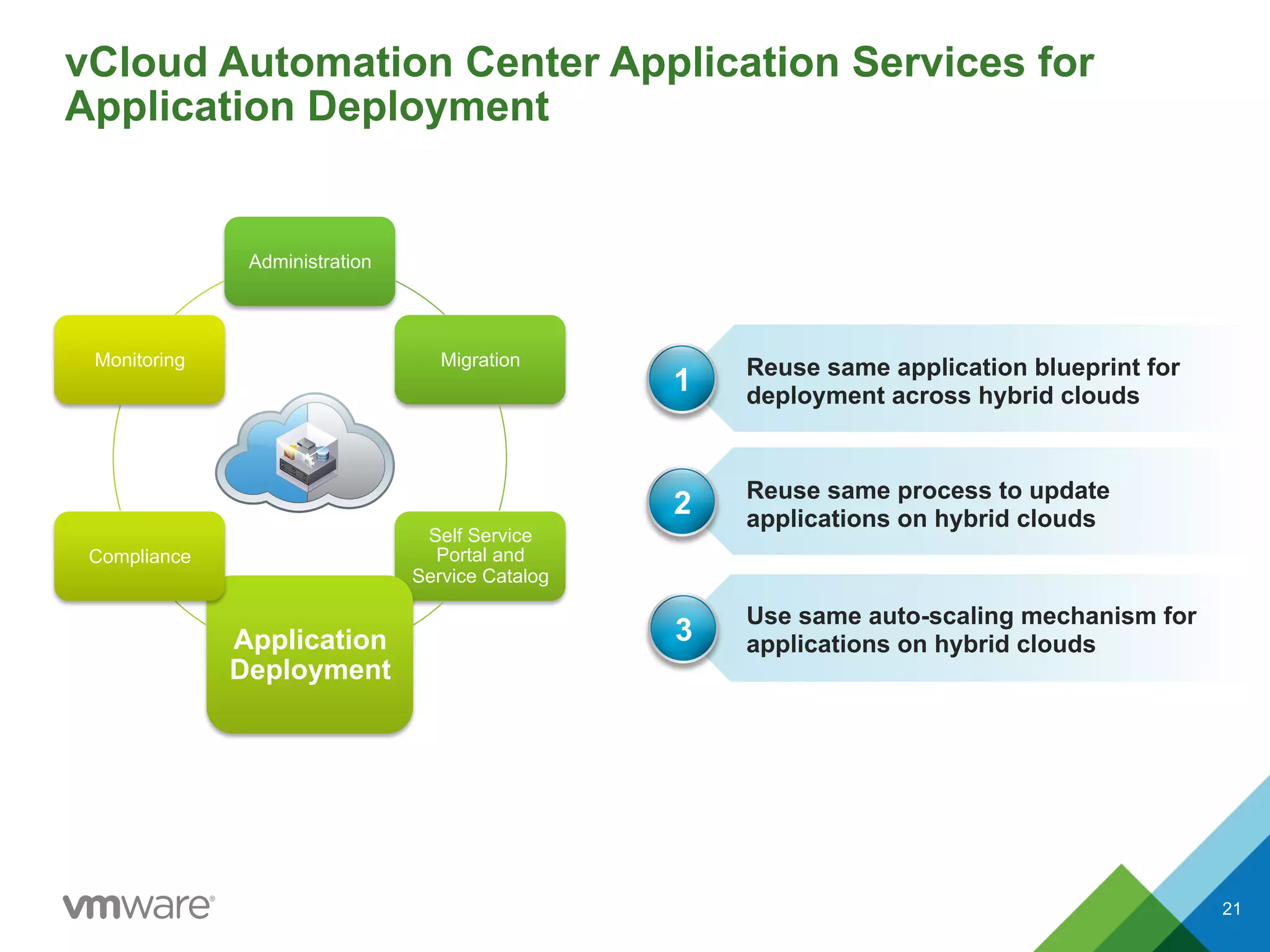
vCloud Automation Center Application Services for
Application Deployment
21
Administration
Migration
Self Service
Portal and
Service Catalog
Application
Deployment
Compliance
Monitoring
Your Clouds
Use same auto-scaling mechanism for
applications on hybrid clouds
Reuse same process to update
applications on hybrid clouds
1
2
Reuse same application blueprint for
deployment across hybrid clouds
3
21
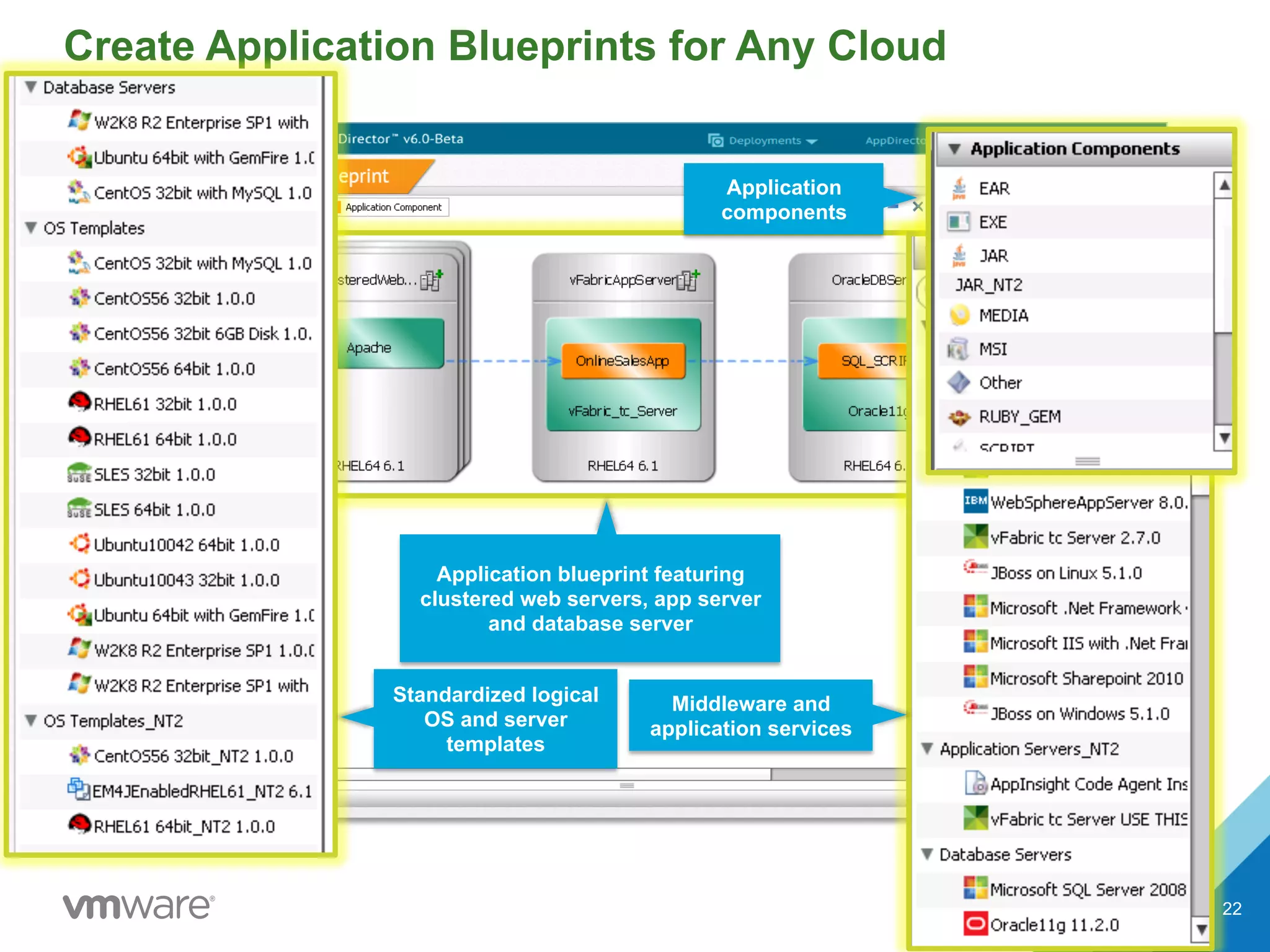
Create Application Blueprints for Any Cloud
Application blueprint featuring
clustered web servers, app server
and database server
Application
components
Middleware and
application services
Standardized logical
OS and server
templates
22
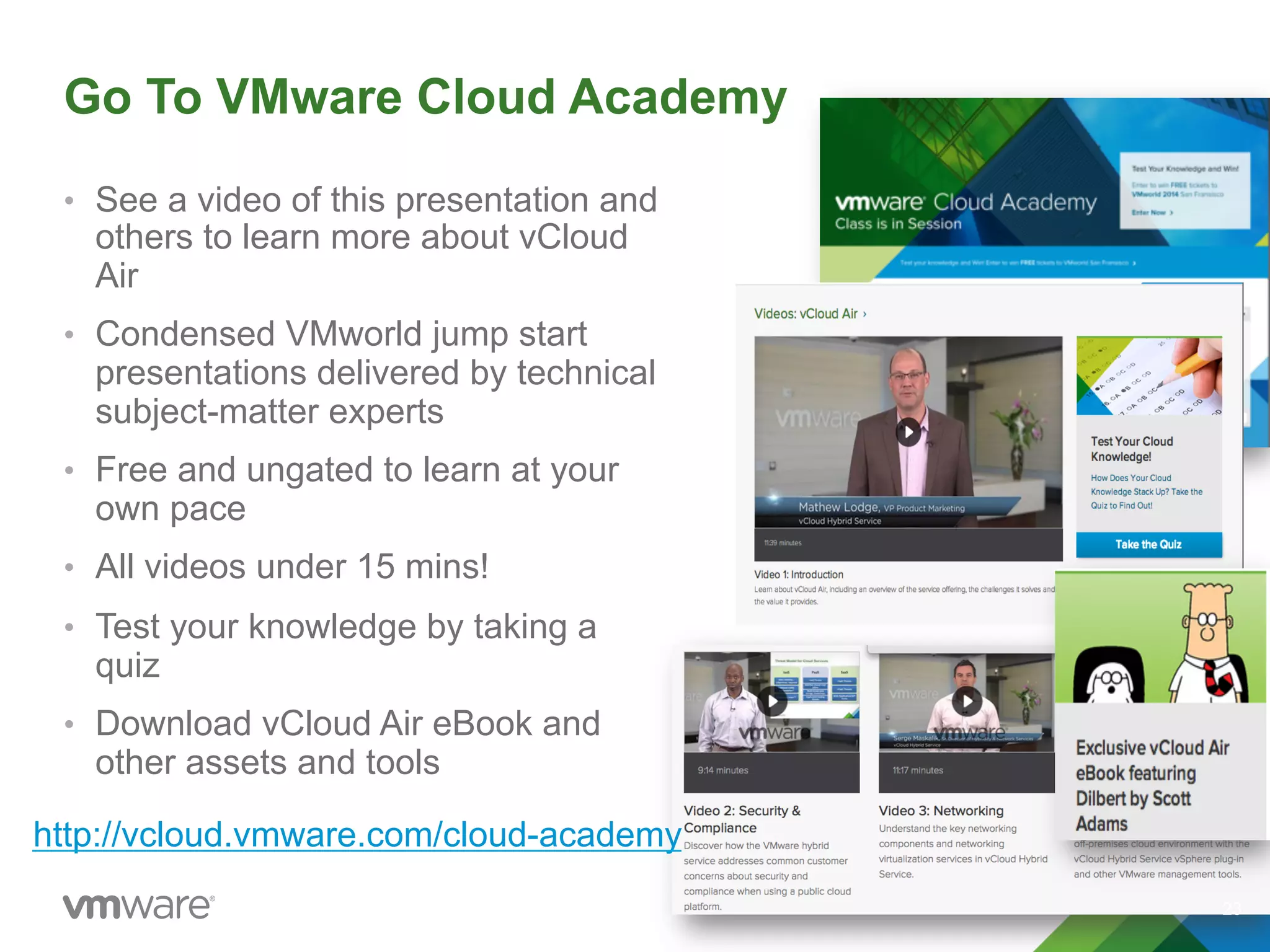
Go To VMware Cloud Academy
•  See a video of this presentation and
others to learn more about vCloud
Air
•  Condensed VMworld jump start
presentations delivered by technical
subject-matter experts
•  Free and ungated to learn at your
own pace
•  All videos under 15 mins!
•  Test your knowledge by taking a
quiz
•  Download vCloud Air eBook and
other assets and tools
23
http://vcloud.vmware.com/cloud-academy
Thank You

VMware vCloud Air Deep Dive into Hybrid Cloud Management

  • 1.
    © 2014 VMwareInc. All rights reserved. VMware vCloud Air Deep Dive Into Hybrid Cloud Management Formerly known as vCloud Hybrid Service
  • 2.
    Agenda u Simplified hybrid cloudmanagement u DevOps in hybrid cloud 2
  • 3.
    Challenges of Extendingthe On-Premises Data Center to the Public Cloud Proprietary Platform Optimized for New Apps Only Limited Network Integration Separate Management Tools Separate Processes, Skillsets Your Data Center Incompatible Public Clouds 3
  • 4.
    VMware vCloud® Air™= The True Hybrid Cloud Existing and New Apps Seamless Networking Common Management One Support Call VMware vCloud Air Software-defined Data Center Your Data Center 4
  • 5.
    Common Management: Increase Productivity+ Lower TCO vCloud AirIncompatible Public Clouds Invest in more cloud automation tools Separate tools to administer resources Invest in “cloud-compatible” monitoring tools Automate with existing onsite tools Administer resources with one interface Monitor performance with existing tools Manage the cloud with your favorite onsite tools and processes Reuse pre-built onsite app and service components Flexibility Freedom With vCloud Air 5
  • 6.
    Common Management Administration vSphere Client Migration vCloudConnector Self Service Portal and Service Catalog vCloud Automation Center Application Deployment vCloud Automation Center App Services Security vCenter Configuration Manager Monitoring vCenter Operations Manager (preview) and vCenter Hyperic Hybrid Cloud 6
  • 7.
    Administer vCloud AirResources from vSphere Web Client 7 Administration Migration Self Service Portal and Service Catalog Application Deployment Compliance Monitoring Your Clouds Single user interface to administer resources across vSphere and vCloud Air Same navigation and user experience 1 2 No need to learn a new user interface3 Download free plug-in @ https://my.vmware.com/web/vmware/details?downloadGroup=VCHS-PLUG-IN-1-GA&productId=343 vCloud Air vSphere Client plug-in 7
  • 8.
    Easy as 1-2-3: 8 InstallvCloud Air vSphere Client plug-in Provide your vCloud Air username and password 1 2 Start using vCloud Air inside vSphere Web Client, alongside vSphere3 Administer vCloud Air Resources from vSphere Web Client 8
  • 9.
    Administer vCloud AirResources from vSphere Web Client 9
  • 10.
    Administer Virtual DataCenters from vSphere Web Client 10
  • 11.
    Administer Virtual Machinesin vSphere Web Client 11
  • 12.
    Use vCloud Connectorfor Migration Between Clouds 12 Administration Migration Self Service Portal and Service Catalog Application Deployment Compliance Monitoring Your Clouds Extend data center network so you can move workloads without network reconfiguration (IP, DNS) Synchronize your catalogs across clouds so all users are using the same templates 1 2 Migrate virtual machines/templates between vSphere and vCloud Air 3 12
  • 13.
    Content Sync –Manage a Single Catalog Across Clouds q  Publish a vSphere folder or a vCloud catalog as a "source" catalog and then subscribe to it from your vCloud Air catalog q  New or modified templates in the source will be securely copied to your vCloud Air catalog q  Folders/catalogs across clouds are kept synchronized q  Users on data center and vCloud Air can use the same IT-approved templates from the data center 13
  • 14.
    Data Center Extension– Extend Data Center Network q  Extend one Layer 2 from enterprise network to vCloud Air over secure SSL VPN tunnel q  Move a virtual machine from an enterprise network (vSphere/vCloud Director) to vCloud Air while retaining the same IP/MAC address q  Consume and manage the “moved” virtual machine with the same IP/MAC address 14
  • 15.
    vCenter Configuration Managerto Ensure Security Compliance 15 Administration Migration Self Service Portal and Service Catalog Application Deployment Compliance Monitoring Apply patches for workloads across hybrid clouds Run configuration and compliance assessment reports for workloads across hybrid clouds 1 2 Centralize configuration change execution for workloads across hybrid clouds 3 15
  • 16.
    Security Compliance ofHybrid Cloud Workloads vCloud Air Onsite vSphere/ vCloud Director Use vCenter Configuration Manager to run audit reports 16
  • 17.
    Deploy Security Patcheswith vCenter Configuration Manager 17
  • 18.
    vCenter Operations andHyperic to Monitor Applications (Preview) 18 Administration Migration Self Service Portal and Service Catalog Application Deployment Compliance Monitoring Your Clouds Use same dashboard and alerts to monitor virtual machine and applications across hybrid clouds Monitor application availability and performance across hybrid clouds 1 2 Monitor virtual machine (resource consumption, performance) across hybrid clouds 3 Preview 18
  • 19.
    vCloud Automation Centeras Self-Service Portal 19 Administration Migration Self Service Portal and Service Catalog Application Deployment Compliance Monitoring Generate usage reports across hybrid clouds Provide same self service portal for end users to request services (virtual machines) from hybrid clouds 1 2 Allocate data center and vCloud Air resources to different groups of users 3 19
  • 20.
    Same Interface forService Request Across Clouds Service in onsite data center (vSphere) Service in vCloud Air 20
  • 21.
    vCloud Automation CenterApplication Services for Application Deployment 21 Administration Migration Self Service Portal and Service Catalog Application Deployment Compliance Monitoring Your Clouds Use same auto-scaling mechanism for applications on hybrid clouds Reuse same process to update applications on hybrid clouds 1 2 Reuse same application blueprint for deployment across hybrid clouds 3 21
  • 22.
    Create Application Blueprintsfor Any Cloud Application blueprint featuring clustered web servers, app server and database server Application components Middleware and application services Standardized logical OS and server templates 22
  • 23.
    Go To VMwareCloud Academy •  See a video of this presentation and others to learn more about vCloud Air •  Condensed VMworld jump start presentations delivered by technical subject-matter experts •  Free and ungated to learn at your own pace •  All videos under 15 mins! •  Test your knowledge by taking a quiz •  Download vCloud Air eBook and other assets and tools 23 http://vcloud.vmware.com/cloud-academy
  • 24.