Protecting NetApp HCI
Your NetApp HCI is safe behind
the walls of Veeam
Tanawit Chansuchai
SYSTEM ENGINEER | THAILAND
Tanawit.chansuchai@veeam.com
@opelkung
NetApp HCI
Also applies for SolidFire
NetApp HCI + Veeam
Solution Overview
NetApp Hyper Converged Infrastructure
Veeam Veeam
Running on innovative
SolidFire technology and
delivered on a NetApp
designed architecture,
NetApp HCI is the only true
enterprise-scale hyper
converged infrastructure
solution and Veeam
Availability Platform meets
the demands for today’s
always-on enterprise
environments.
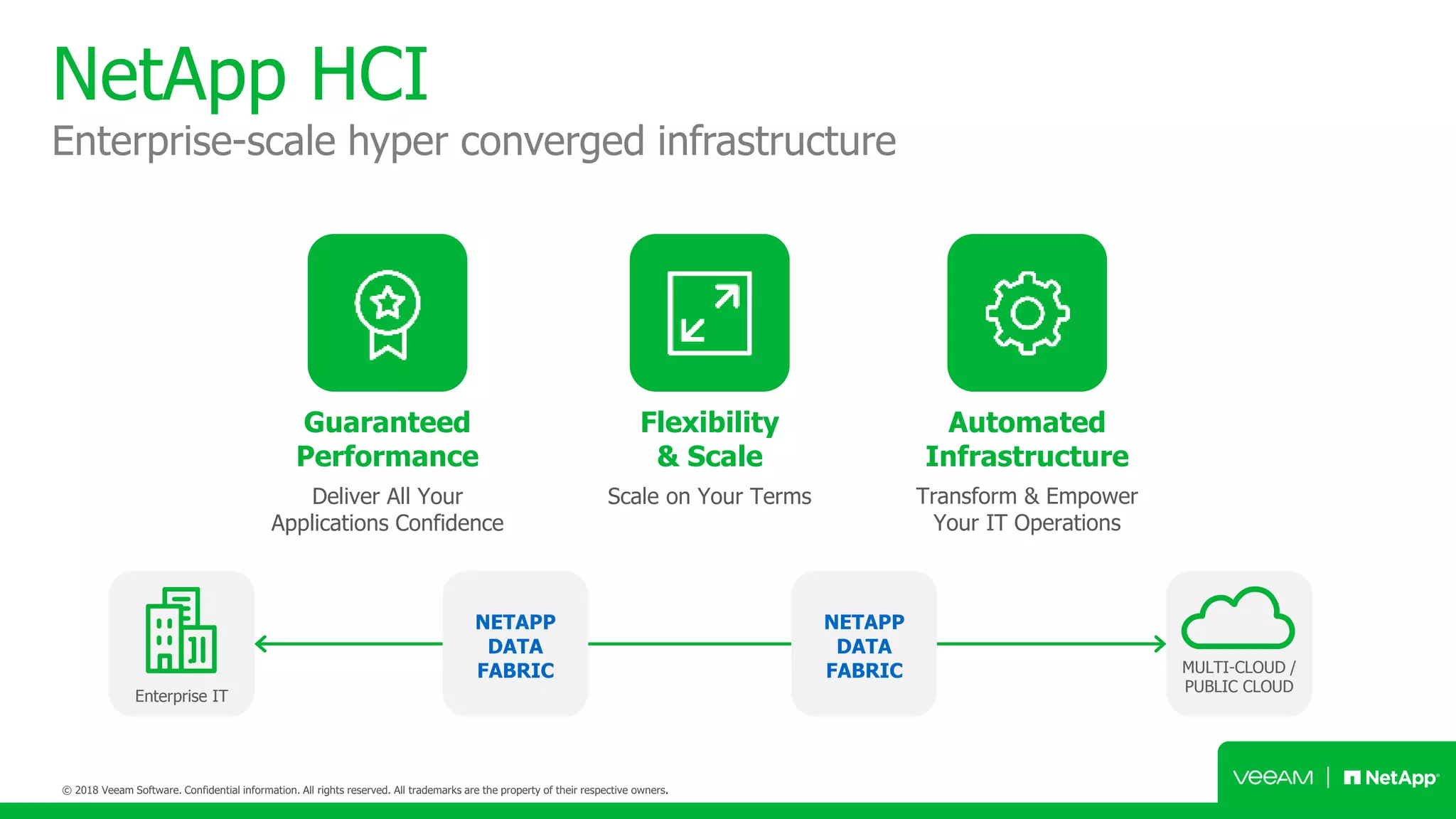
NetApp HCI
Enterprise-scale hyper converged infrastructure
Guaranteed
Performance
Flexibility
& Scale
Automated
Infrastructure
Deliver All Your
Applications Confidence
Scale on Your Terms Transform & Empower
Your IT Operations
Enterprise IT
NETAPP
DATA
FABRIC MULTI-CLOUD /
PUBLIC CLOUD
NETAPP
DATA
FABRIC
NetApp Deployment Engine (NDE)
Up and running in 45 minutes; intuitive deployment engine reduces 400+
inputs to fewer than 30
Initialize Configure Build Finish
NetApp HCI appliance
Deconstructing the architecture
Building Blocks:
• Chassis or node
• 4 nodes per chassis
• Compute or storage nodes
Minimum Configuration:
• 2 chassis, 6 nodes
• 4 storage nodes,
2 compute nodes
• 2 blank slots
NetApp HCI + Veeam
Solution Components
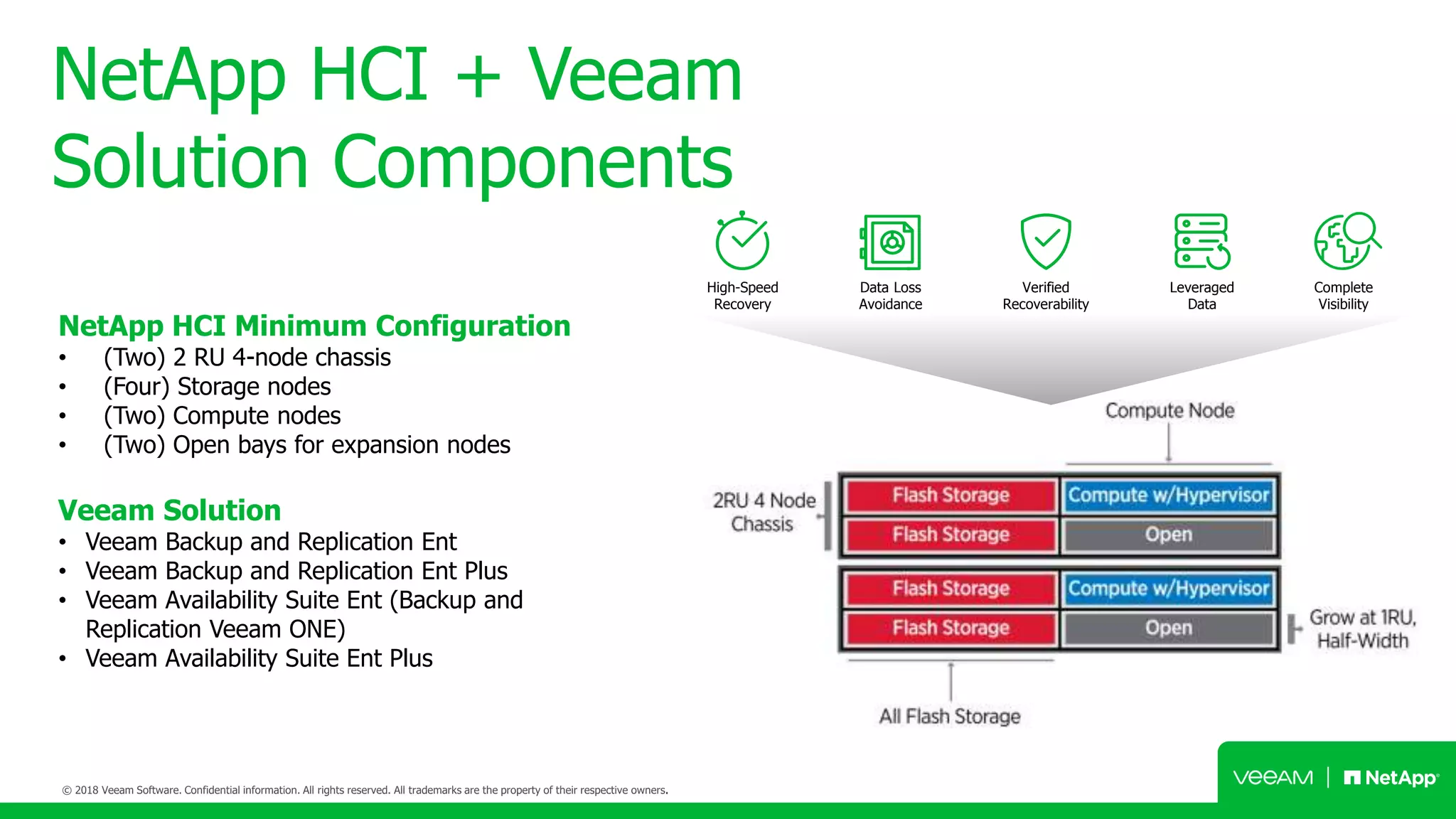
NetApp HCI Minimum Configuration
• (Two) 2 RU 4-node chassis
• (Four) Storage nodes
• (Two) Compute nodes
• (Two) Open bays for expansion nodes
Veeam Solution
• Veeam Backup and Replication Ent
• Veeam Backup and Replication Ent Plus
• Veeam Availability Suite Ent (Backup and
Replication Veeam ONE)
• Veeam Availability Suite Ent Plus
High-Speed
Recovery
Data Loss
Avoidance
Verified
Recoverability
Leveraged
Data
Complete
Visibility
NetApp HCI Availability by Veeam
Availability for NetApp HCI
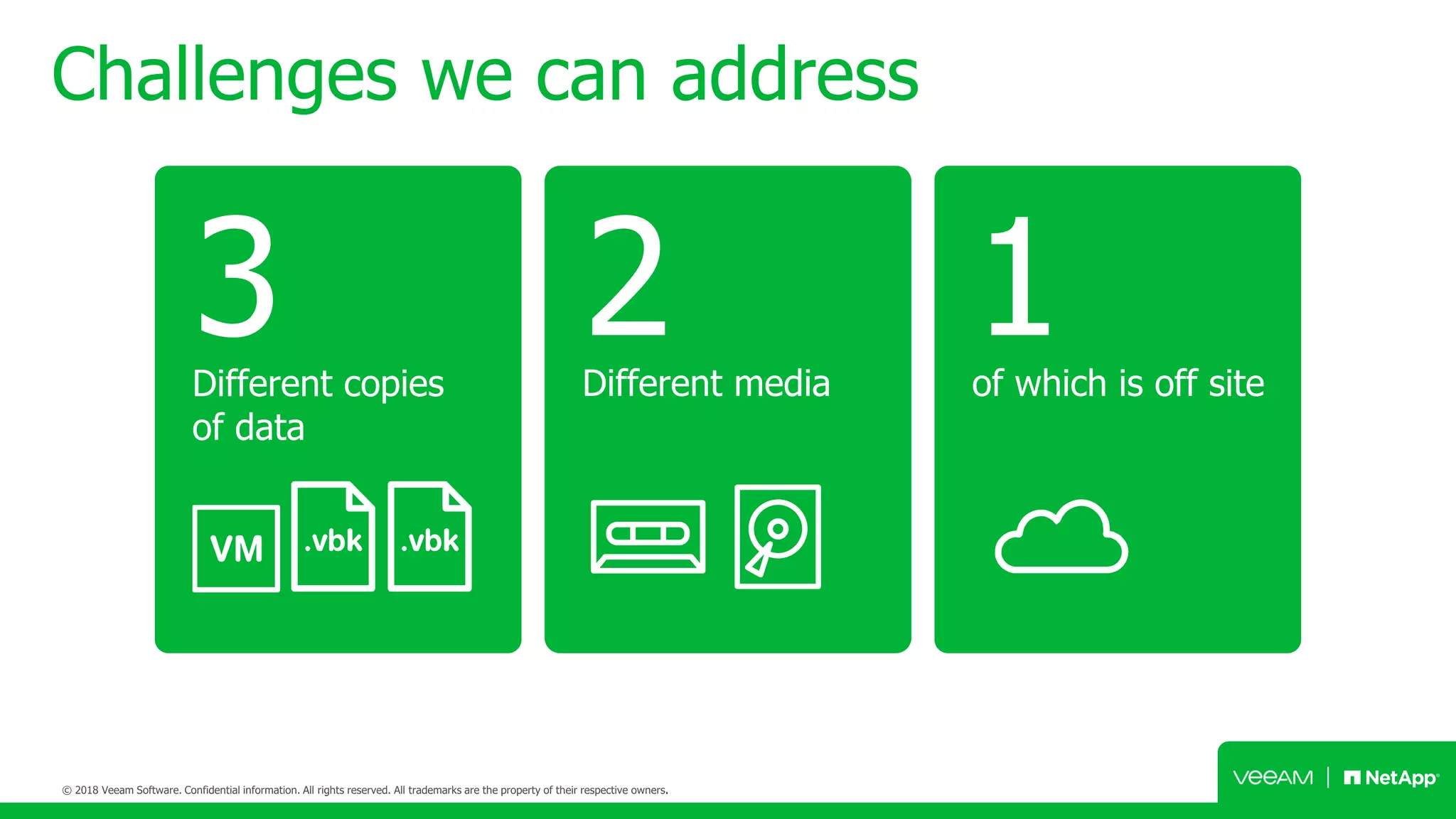
Challenges we can address
2Different media
3Different copies
of data
1of which is off site
NetApp HCI Availability by Veeam
Backup for NetApp HCI
LAN/SAN frontend LAN/SAN frontend
Veeam Availability Suite
with e.g. E-Series
Leverage various Veeam
backup features for VMware
such as CBT, Hot-Add or NBD.
Lower your RTO and RPO
down to as less as 15 min. for
all data and applications.
Manage virtual and physical
server on NetApp HCI in one
single management interface.
Recover single-items,
application items or whole VMs
out of a single, image-based
per-VM backup file.
Veeam backup Lower RTPO Centralized Management Application availability
NetApp HCI VMware
Backup Copy Job
Primary
backup storage
Secondary
backup storage
Secondary
backup storage
Backup
Primary
backup storage Secondary
backup storage
Secondary
backup storage
NetApp HCI VMware
Backup
copy
Backup
copy
Veeam Backup & Replication
NetApp HCI VMware
Source
proxy
Scale-out
Backup
repository
WAN
Acceleration Target proxy
and repository
Replicas
with planned
failover
VMware
• Direct storage access mode
use direct-SAN or direct-NFS and deploy
as physical with storage attached
• Hot-add mode
deploy as VM in same cluster
• Network mode
deploy in same network
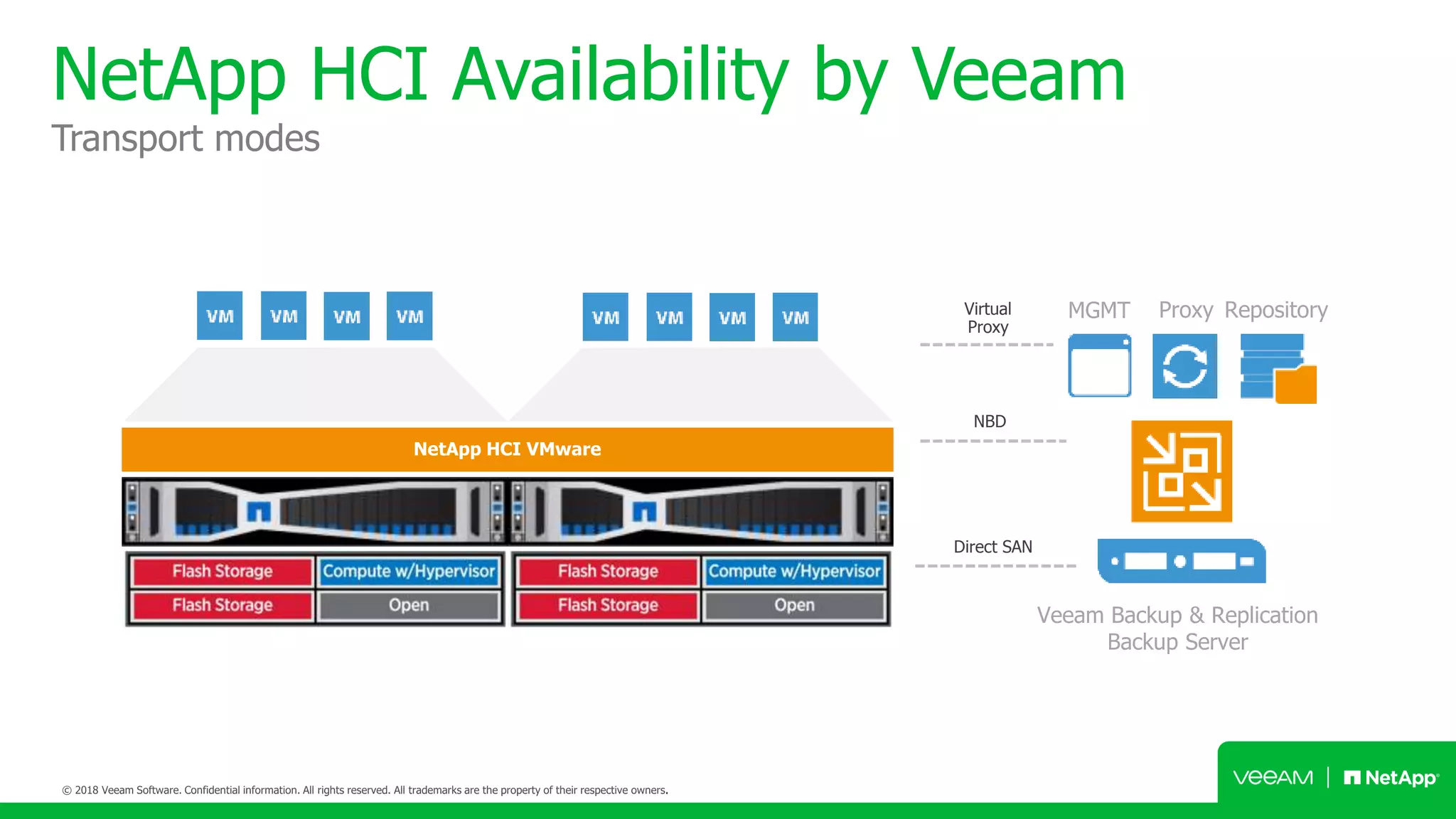
NetApp HCI Availability by Veeam
Transport modes
Veeam Backup & Replication
Backup Server
MGMT Proxy RepositoryVirtual
Proxy
NBD
Direct SAN
NetApp HCI VMware
vPower
Migrate online
High-speed recovery
instant VM recovery
NetApp HCI VMware
vPower
Verified Protection
automated backup verification
NetApp HCI VMware
Leverage Data
use backups to spin up test environments
Start VMs from a backup file (SureBackup),
replica, or storage snapshots with a virtual
lab proxy to separate network traffic.
The internal IP address of the virtual lab
should be set to the default gateway in
production. It is also possible to allow
internet traffic through or map an IP
address (static mapping) to allow
production access to a VM.
SureReplica when used in a DRS-enabled
environment requires distributed switches.
virtual lab
proxy
virtual lab
network
production
network
Veeam Explorer
for Microsoft Exchange
instant recovery of mailbox items
• Visibility into Exchange 2010, 2013
and 2016 VM backups.
• Browse, search and restore mailboxes and
mailbox contents.
• Export, email or restore directly back to
Exchange, or even Office 365 (with export size
estimation and reporting on what data was
exported, and what search criteria was used)
• Recover from hard deleted items (that were
both created and deleted since last backup) and
purges folder.
• 1-Click Exchange item recovery in Enterprise
Manager (useful for helpdesk staff)
Veeam Explorer
for Microsoft Active Directory
instant recovery of active directory items
• Visibility into Active Directory 2003 VM
backups (and higher, with support for 2016
expiring links).
• Browse, search and restore Active
Directory objects, to the same or different
location (including GPOs, DNS records and
configuration partition records).
• Compare the backup state with the current
Active Directory partition to quickly find
changes.
• Restores original password for account
objects.
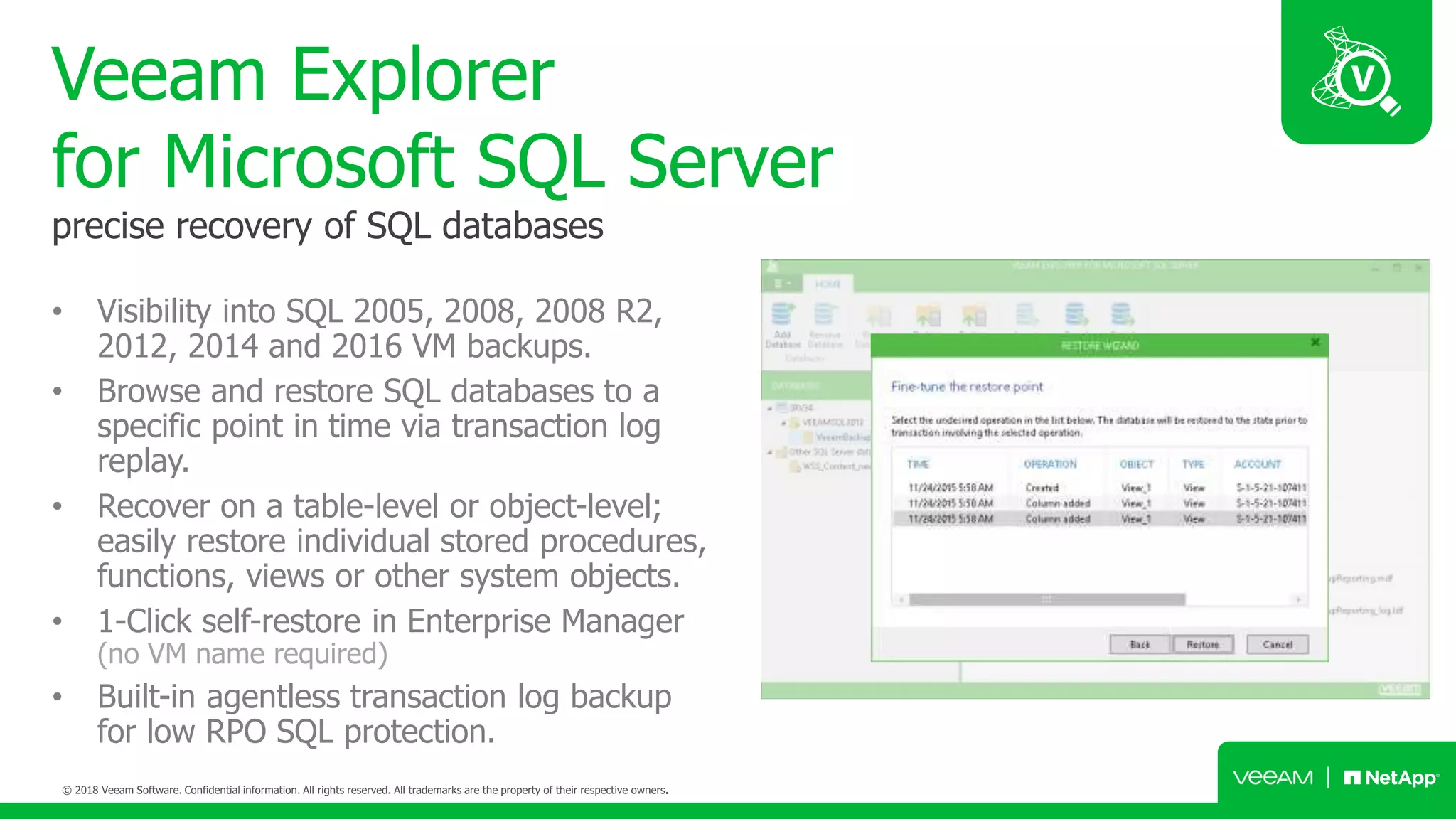
Veeam Explorer
for Microsoft SQL Server
precise recovery of SQL databases
• Visibility into SQL 2005, 2008, 2008 R2,
2012, 2014 and 2016 VM backups.
• Browse and restore SQL databases to a
specific point in time via transaction log
replay.
• Recover on a table-level or object-level;
easily restore individual stored procedures,
functions, views or other system objects.
• 1-Click self-restore in Enterprise Manager
(no VM name required)
• Built-in agentless transaction log backup
for low RPO SQL protection.
Veeam Explorer
for Microsoft SharePoint
instant recovery of sharepoint items
• Visibility into SharePoint 2010, 2013 and
2016 VM backups.
• Full site restores (with reporting) as well as
list and item premission restores.
• Browse, search and restore SharePoint
objects (including form templates, documents,
pictures and reports)
• Export, email or restore directly back to
SharePoint.
Veeam Explorer
for Oracle
precise recovery of oracle databases
• Visibility into Oracle 11 and 12 VM
backups (running on Windows and Linux with
support for ASM)
• Browse and restore Oracle databases to
a specific point in time via transaction log
replay.
• 1-Click self-restore in Enterprise Manager
(no VM name required)
• Built-in agentless transaction log backup
for low RPO Oracle protection.
Built-in WAN Acceleration
speed up replication backup copy offsite
Replication
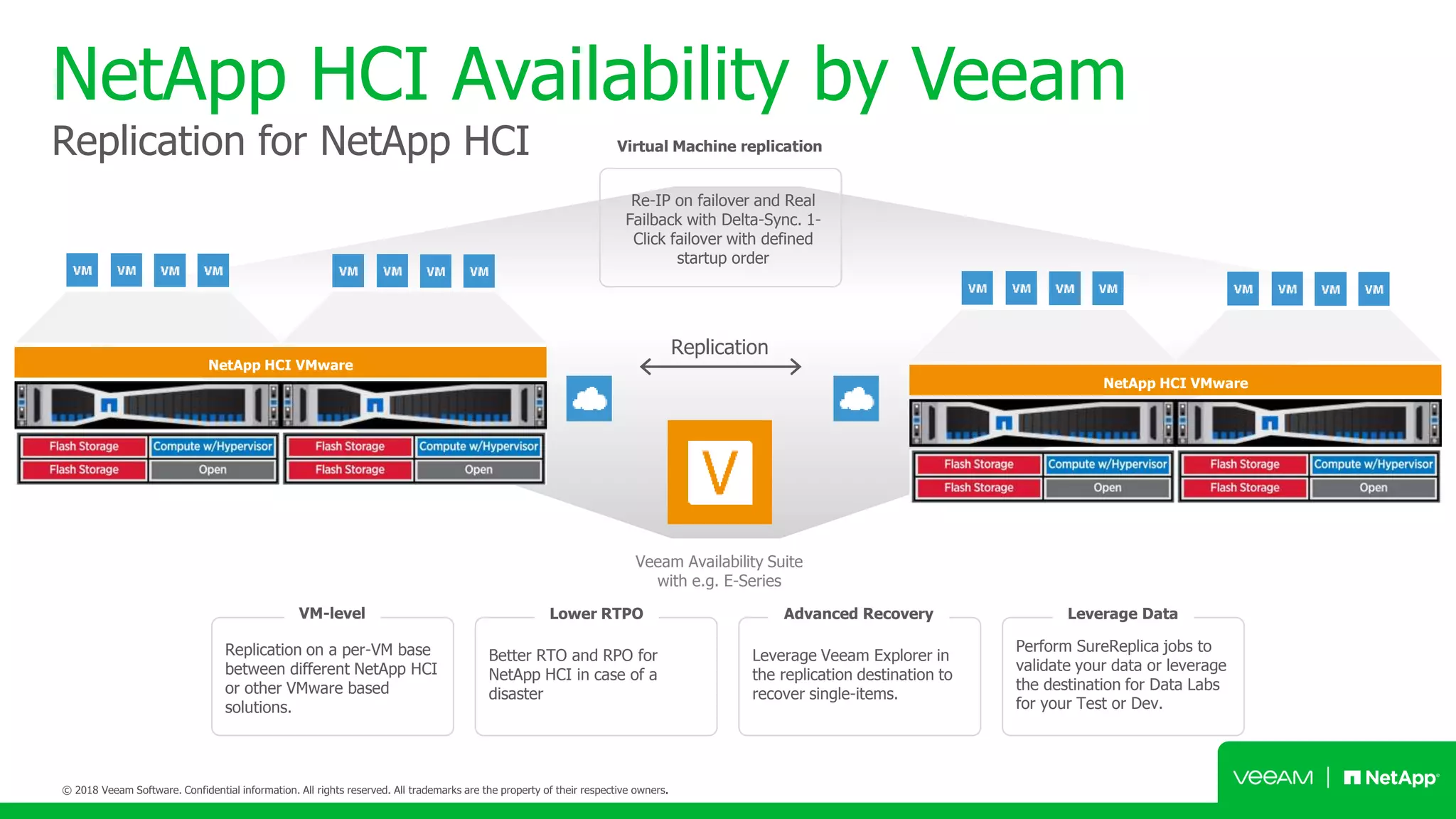
NetApp HCI Availability by Veeam
Replication for NetApp HCI
Veeam Availability Suite
with e.g. E-Series
Replication on a per-VM base
between different NetApp HCI
or other VMware based
solutions.
Better RTO and RPO for
NetApp HCI in case of a
disaster
Leverage Veeam Explorer in
the replication destination to
recover single-items.
Perform SureReplica jobs to
validate your data or leverage
the destination for Data Labs
for your Test or Dev.
VM-level Lower RTPO Advanced Recovery Leverage Data
NetApp HCI VMware
NetApp HCI VMware
Re-IP on failover and Real
Failback with Delta-Sync. 1-
Click failover with defined
startup order
Virtual Machine replication
Questions ?
Your NetApp HCI is safe
behind the walls of Veeam

Netapp HCI + Veeam Availability Platform

  • 1.
    Protecting NetApp HCI YourNetApp HCI is safe behind the walls of Veeam Tanawit Chansuchai SYSTEM ENGINEER | THAILAND Tanawit.chansuchai@veeam.com @opelkung
  • 2.
  • 3.
    NetApp HCI +Veeam Solution Overview NetApp Hyper Converged Infrastructure Veeam Veeam Running on innovative SolidFire technology and delivered on a NetApp designed architecture, NetApp HCI is the only true enterprise-scale hyper converged infrastructure solution and Veeam Availability Platform meets the demands for today’s always-on enterprise environments.
  • 4.
    NetApp HCI Enterprise-scale hyperconverged infrastructure Guaranteed Performance Flexibility & Scale Automated Infrastructure Deliver All Your Applications Confidence Scale on Your Terms Transform & Empower Your IT Operations Enterprise IT NETAPP DATA FABRIC MULTI-CLOUD / PUBLIC CLOUD NETAPP DATA FABRIC
  • 5.
    NetApp Deployment Engine(NDE) Up and running in 45 minutes; intuitive deployment engine reduces 400+ inputs to fewer than 30 Initialize Configure Build Finish
  • 6.
    NetApp HCI appliance Deconstructingthe architecture Building Blocks: • Chassis or node • 4 nodes per chassis • Compute or storage nodes Minimum Configuration: • 2 chassis, 6 nodes • 4 storage nodes, 2 compute nodes • 2 blank slots
  • 7.
    NetApp HCI +Veeam Solution Components NetApp HCI Minimum Configuration • (Two) 2 RU 4-node chassis • (Four) Storage nodes • (Two) Compute nodes • (Two) Open bays for expansion nodes Veeam Solution • Veeam Backup and Replication Ent • Veeam Backup and Replication Ent Plus • Veeam Availability Suite Ent (Backup and Replication Veeam ONE) • Veeam Availability Suite Ent Plus High-Speed Recovery Data Loss Avoidance Verified Recoverability Leveraged Data Complete Visibility
  • 8.
    NetApp HCI Availabilityby Veeam Availability for NetApp HCI
  • 9.
    Challenges we canaddress 2Different media 3Different copies of data 1of which is off site
  • 10.
    NetApp HCI Availabilityby Veeam Backup for NetApp HCI LAN/SAN frontend LAN/SAN frontend Veeam Availability Suite with e.g. E-Series Leverage various Veeam backup features for VMware such as CBT, Hot-Add or NBD. Lower your RTO and RPO down to as less as 15 min. for all data and applications. Manage virtual and physical server on NetApp HCI in one single management interface. Recover single-items, application items or whole VMs out of a single, image-based per-VM backup file. Veeam backup Lower RTPO Centralized Management Application availability NetApp HCI VMware
  • 11.
    Backup Copy Job Primary backupstorage Secondary backup storage Secondary backup storage Backup Primary backup storage Secondary backup storage Secondary backup storage NetApp HCI VMware Backup copy Backup copy
  • 12.
    Veeam Backup &Replication NetApp HCI VMware Source proxy Scale-out Backup repository WAN Acceleration Target proxy and repository Replicas with planned failover VMware • Direct storage access mode use direct-SAN or direct-NFS and deploy as physical with storage attached • Hot-add mode deploy as VM in same cluster • Network mode deploy in same network
  • 13.
    NetApp HCI Availabilityby Veeam Transport modes Veeam Backup & Replication Backup Server MGMT Proxy RepositoryVirtual Proxy NBD Direct SAN NetApp HCI VMware
  • 14.
  • 15.
    vPower Verified Protection automated backupverification NetApp HCI VMware
  • 16.
    Leverage Data use backupsto spin up test environments Start VMs from a backup file (SureBackup), replica, or storage snapshots with a virtual lab proxy to separate network traffic. The internal IP address of the virtual lab should be set to the default gateway in production. It is also possible to allow internet traffic through or map an IP address (static mapping) to allow production access to a VM. SureReplica when used in a DRS-enabled environment requires distributed switches. virtual lab proxy virtual lab network production network
  • 17.
    Veeam Explorer for MicrosoftExchange instant recovery of mailbox items • Visibility into Exchange 2010, 2013 and 2016 VM backups. • Browse, search and restore mailboxes and mailbox contents. • Export, email or restore directly back to Exchange, or even Office 365 (with export size estimation and reporting on what data was exported, and what search criteria was used) • Recover from hard deleted items (that were both created and deleted since last backup) and purges folder. • 1-Click Exchange item recovery in Enterprise Manager (useful for helpdesk staff)
  • 18.
    Veeam Explorer for MicrosoftActive Directory instant recovery of active directory items • Visibility into Active Directory 2003 VM backups (and higher, with support for 2016 expiring links). • Browse, search and restore Active Directory objects, to the same or different location (including GPOs, DNS records and configuration partition records). • Compare the backup state with the current Active Directory partition to quickly find changes. • Restores original password for account objects.
  • 19.
    Veeam Explorer for MicrosoftSQL Server precise recovery of SQL databases • Visibility into SQL 2005, 2008, 2008 R2, 2012, 2014 and 2016 VM backups. • Browse and restore SQL databases to a specific point in time via transaction log replay. • Recover on a table-level or object-level; easily restore individual stored procedures, functions, views or other system objects. • 1-Click self-restore in Enterprise Manager (no VM name required) • Built-in agentless transaction log backup for low RPO SQL protection.
  • 20.
    Veeam Explorer for MicrosoftSharePoint instant recovery of sharepoint items • Visibility into SharePoint 2010, 2013 and 2016 VM backups. • Full site restores (with reporting) as well as list and item premission restores. • Browse, search and restore SharePoint objects (including form templates, documents, pictures and reports) • Export, email or restore directly back to SharePoint.
  • 21.
    Veeam Explorer for Oracle preciserecovery of oracle databases • Visibility into Oracle 11 and 12 VM backups (running on Windows and Linux with support for ASM) • Browse and restore Oracle databases to a specific point in time via transaction log replay. • 1-Click self-restore in Enterprise Manager (no VM name required) • Built-in agentless transaction log backup for low RPO Oracle protection.
  • 22.
    Built-in WAN Acceleration speedup replication backup copy offsite
  • 23.
    Replication NetApp HCI Availabilityby Veeam Replication for NetApp HCI Veeam Availability Suite with e.g. E-Series Replication on a per-VM base between different NetApp HCI or other VMware based solutions. Better RTO and RPO for NetApp HCI in case of a disaster Leverage Veeam Explorer in the replication destination to recover single-items. Perform SureReplica jobs to validate your data or leverage the destination for Data Labs for your Test or Dev. VM-level Lower RTPO Advanced Recovery Leverage Data NetApp HCI VMware NetApp HCI VMware Re-IP on failover and Real Failback with Delta-Sync. 1- Click failover with defined startup order Virtual Machine replication
  • 24.
  • 25.
    Your NetApp HCIis safe behind the walls of Veeam

Editor's Notes

  • #18 v9.0 included export reporting and export size estimation. v9.5 includes recovery from purged folder support.
  • #19 v9 added support for GPO, DNS record and configuration partition restore, v9.5 added expiring link support.
  • #20 As of v9 this includes remote staging SQL server support for transaction-level recoveries, allowing you to save on SQL server licensing. Each time a backup is taken this information is stored in system.db on the database in question. As of v9.5 VESQL has major performance enhancements, with additional support for new table types, FileTable, SystemVersionTable and MemoryOptimizedTable.
  • #21 As of v9 this includes remote staging SQL server support for transaction-level recoveries, allowing you to save on SQL server licensing. v9.5 includes site restore reporting.
  • #22 v9 added VEORA, and with v9.5 1-Click restore in Enterprise Manager was added.
  • #25 This concludes or Veeam and NetApp “Better Together” sales training. For additional information, please go to the NetApp Field Portal to download Veeam and NetApp data sheets, battlecards and white papers.
  • #26 This concludes or Veeam and NetApp “Better Together” sales training. For additional information, please go to the NetApp Field Portal to download Veeam and NetApp data sheets, battlecards and white papers.