UX WITHOUT DOCUMENTATION 
Presented at FLUPA UX Day, Paris, France, September 19, 2014 
By Sophie Henry, Director of User Experience, Comrade
INTRODUCTION 
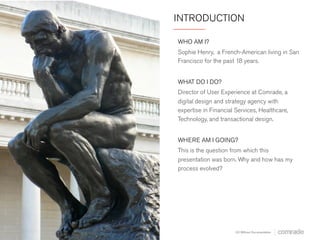
WHO AM I? 
Sophie Henry, a French-American living in San 
Francisco for the past 18 years. 
WHAT DO I DO? 
Director of User Experience at Comrade, a 
digital design and strategy agency with 
expertise in Financial Services, Healthcare, 
Technology, and transactional design. 
WHERE AM I GOING? 
This is the question from which this 
presentation was born. Why and how has my 
process evolved? 
UX Without Documentation
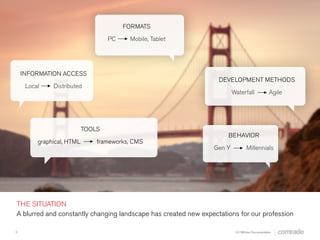
DEVELOPMENT METHODS 
Waterfall Agile 
FORMATS 
PC Mobile, Tablet 
INFORMATION ACCESS 
Local Distributed 
BEHAVIOR 
Gen Y Millennials 
TOOLS 
Graphical, HTML Frameworks, CMS 
THE SITUATION 
A blurred and constantly changing landscape has created new expectations for our profession. 
3 
UX Without Documentation
EXPECTATIONS HAVE CHANGED 
Traditional UX documentation (such as 
requirements, site maps, heavily annotated 
wireframes and specifications) is now often 
considered too time-consuming to produce and 
unnecessary. 
When we do not have direct control over project 
deliverables, three challenges present 
themselves. 
4 
UX Without Documentation
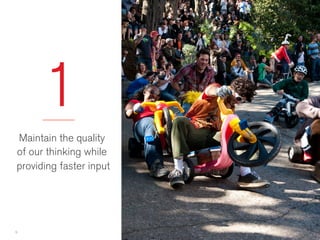
1 
Maintain the quality 
of our thinking while 
providing faster input 
5 
UX Without Documentation
6 
2 
Maintain consistency 
and standards 
without suppressing 
creativity
3 
Maintain our 
influence and 
provide value 
7 
UX Without Documentation
HOW DO WE ADDRESS THESE CHALLENGES? 
There isn’t one simple answer to each challenge. 
Instead, it takes a multi-faceted approach. 
o Revise the tools we use to communicate 
o Adapt the content of our communications 
o Change our work methods and processes 
o Develop new skills 
8 
UX Without Documentation
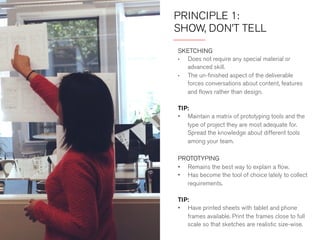
PRINCIPLE 1: 
SHOW, DON’T TELL 
SKETCHING 
• Does not require any special material or 
advanced skill. 
• The unfinished aspect of the deliverable forces 
conversations about content, features and 
flows rather than design. 
TIP 
Have printed sheets with tablet and phone frames 
available. Print the frames close to full scale so that 
sketches are true to size. 
PROTOTYPING 
• Remains the best way to explain a flow. 
• Has become the tool of choice to collect 
requirements. 
TIP 
Maintain a matrix of prototyping tools and the type 
of projects they are most adequate for. Spread the 
knowledge about different tools among your team.
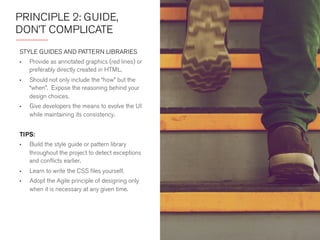
PRINCIPLE 2: PROVIDE 
STEPS, NOT DETAILS 
STYLE GUIDES AND PATTERN LIBRARIES 
• Provide as annotated graphics (red lines) or 
preferably directly created in HTML. 
• Should not only include the “how” but the 
“when.” Expose the reasoning behind your 
design choices. 
• Give developers the means to evolve the UI 
while maintaining its consistency. 
TIPS 
• Build the style guide or pattern library 
throughout the project to detect exceptions 
and conflicts earlier. 
• Learn to write the CSS files yourself. 
• Adopt the agile principle of designing only 
when it is necessary at any given time.
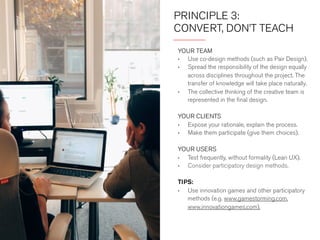
PRINCIPLE 3: 
CONVERT, DON’T TEACH 
YOUR TEAM 
• Use co-design methods (such as Pair Design). 
• Spread the responsibility of the design equally 
across disciplines throughout the project. The 
transfer of knowledge will take place naturally. 
• The collective thinking of the creative team is 
represented in the final design. 
YOUR CLIENTS 
• Expose your rationale, explain the process. 
• Make them participate (give them choices). 
YOUR USERS 
• Test frequently, without formality (Lean UX). 
• Consider participatory design methods. 
TIP 
Use innovation games and other participatory 
methods (e.g. www.gamestorming.com, 
www.innovationgames.com).
PRINCIPLE 4: 
GO HIGHER OR WIDER 
ACT EARLIER 
• Demonstrate the importance of UX design in 
the strategy phase. 
• Adapt your output to the target audience. 
Just as we tailor our interface design to the 
users, we can tailor our communications to 
different audiences. 
DIVERSIFY YOUR SKILLS 
• Gives you more ways to think about a 
problem. Promotes “brain flexibility.” 
• By learning the skills of team members your 
documents were meant for, you understand 
better what they need, and can eliminate 
documentation where not necessary.
CONCLUSION 
We’re responsible for adapting our work 
methods to avoid becoming obsolete like our 
traditional deliverables. 
This takes a shift in how we think about, 
communicate and perform our work. 
It means tight collaboration. 
13 
UX Without Documentation
FLICKR PHOTO ATTRIBUTIONS 
o Rodin statue at the Palace of Legion of Honor by outdoorPDK 
o Big Wheel Race by David Oliver 
o Painted Ladies by Anirudh Rao 
o Dual Bay Bridges by John Trapp 
o East Peak, Mt. Tamalpias by Esteban 
14 
UX Without Documentation
THANK YOU 
SOPHIE HENRY 
Director of User Experience 
sophie@comradeagency.com 
510.277.3400 x 707 
www.comradeagency.com

UX Without Documentation

  • 1.
    UX WITHOUT DOCUMENTATION Presented at FLUPA UX Day, Paris, France, September 19, 2014 By Sophie Henry, Director of User Experience, Comrade
  • 2.
    INTRODUCTION WHO AMI? Sophie Henry, a French-American living in San Francisco for the past 18 years. WHAT DO I DO? Director of User Experience at Comrade, a digital design and strategy agency with expertise in Financial Services, Healthcare, Technology, and transactional design. WHERE AM I GOING? This is the question from which this presentation was born. Why and how has my process evolved? UX Without Documentation
  • 3.
    DEVELOPMENT METHODS WaterfallAgile FORMATS PC Mobile, Tablet INFORMATION ACCESS Local Distributed BEHAVIOR Gen Y Millennials TOOLS Graphical, HTML Frameworks, CMS THE SITUATION A blurred and constantly changing landscape has created new expectations for our profession. 3 UX Without Documentation
  • 4.
    EXPECTATIONS HAVE CHANGED Traditional UX documentation (such as requirements, site maps, heavily annotated wireframes and specifications) is now often considered too time-consuming to produce and unnecessary. When we do not have direct control over project deliverables, three challenges present themselves. 4 UX Without Documentation
  • 5.
    1 Maintain thequality of our thinking while providing faster input 5 UX Without Documentation
  • 6.
    6 2 Maintainconsistency and standards without suppressing creativity
  • 7.
    3 Maintain our influence and provide value 7 UX Without Documentation
  • 8.
    HOW DO WEADDRESS THESE CHALLENGES? There isn’t one simple answer to each challenge. Instead, it takes a multi-faceted approach. o Revise the tools we use to communicate o Adapt the content of our communications o Change our work methods and processes o Develop new skills 8 UX Without Documentation
  • 9.
    PRINCIPLE 1: SHOW,DON’T TELL SKETCHING • Does not require any special material or advanced skill. • The unfinished aspect of the deliverable forces conversations about content, features and flows rather than design. TIP Have printed sheets with tablet and phone frames available. Print the frames close to full scale so that sketches are true to size. PROTOTYPING • Remains the best way to explain a flow. • Has become the tool of choice to collect requirements. TIP Maintain a matrix of prototyping tools and the type of projects they are most adequate for. Spread the knowledge about different tools among your team.
  • 10.
    PRINCIPLE 2: PROVIDE STEPS, NOT DETAILS STYLE GUIDES AND PATTERN LIBRARIES • Provide as annotated graphics (red lines) or preferably directly created in HTML. • Should not only include the “how” but the “when.” Expose the reasoning behind your design choices. • Give developers the means to evolve the UI while maintaining its consistency. TIPS • Build the style guide or pattern library throughout the project to detect exceptions and conflicts earlier. • Learn to write the CSS files yourself. • Adopt the agile principle of designing only when it is necessary at any given time.
  • 11.
    PRINCIPLE 3: CONVERT,DON’T TEACH YOUR TEAM • Use co-design methods (such as Pair Design). • Spread the responsibility of the design equally across disciplines throughout the project. The transfer of knowledge will take place naturally. • The collective thinking of the creative team is represented in the final design. YOUR CLIENTS • Expose your rationale, explain the process. • Make them participate (give them choices). YOUR USERS • Test frequently, without formality (Lean UX). • Consider participatory design methods. TIP Use innovation games and other participatory methods (e.g. www.gamestorming.com, www.innovationgames.com).
  • 12.
    PRINCIPLE 4: GOHIGHER OR WIDER ACT EARLIER • Demonstrate the importance of UX design in the strategy phase. • Adapt your output to the target audience. Just as we tailor our interface design to the users, we can tailor our communications to different audiences. DIVERSIFY YOUR SKILLS • Gives you more ways to think about a problem. Promotes “brain flexibility.” • By learning the skills of team members your documents were meant for, you understand better what they need, and can eliminate documentation where not necessary.
  • 13.
    CONCLUSION We’re responsiblefor adapting our work methods to avoid becoming obsolete like our traditional deliverables. This takes a shift in how we think about, communicate and perform our work. It means tight collaboration. 13 UX Without Documentation
  • 14.
    FLICKR PHOTO ATTRIBUTIONS o Rodin statue at the Palace of Legion of Honor by outdoorPDK o Big Wheel Race by David Oliver o Painted Ladies by Anirudh Rao o Dual Bay Bridges by John Trapp o East Peak, Mt. Tamalpias by Esteban 14 UX Without Documentation
  • 15.
    THANK YOU SOPHIEHENRY Director of User Experience sophie@comradeagency.com 510.277.3400 x 707 www.comradeagency.com