










10

Ways to Improve Your UX Now
Easy-to-follow tips for a better user experience
UX
An effective UX strategy
requires advanced
planning – but what if you
can't spare the time or are
handed an existing design?

4

10

1
3

We've highlighted 10 easyto-follow principles you can
immediately apply to
improve the user
experience design of any
digital product.

6
9

8
2

7

5
10
ALWAYS OFFER
A WAY OUT
Never leave users wondering
where they should go next,
especially when they’ve gone
down an unwanted path. Suggest
a way out or an alternative route.

EXAMPLE
Add “you may also like” links at
the bottom of ecommerce pages.
9
PROVIDE GOOD
WAYFINDING
Being confident that you’re
headed in the right direction is
often more important than getting
to your destination faster. You
don’t have to bring every option to
the forefront, as long as the path
is clearly marked.
EXAMPLE
Use descriptive and clear
terminology in Navigation menus
so users know where to go
without hesitating.
8
MAKE IT A DIALOG

For every action or effort you are
requesting of users, give
something back. If users must
input something, show them why
and how it will be used.

EXAMPLE
When asking for a phone number,
say why and when you might use
it (“We’ll contact you if something
is wrong with your order”).
Photo by Flickr user Daoro
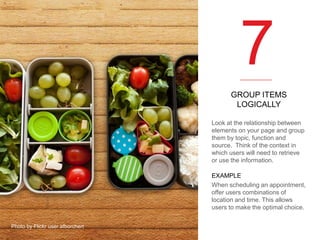
7
GROUP ITEMS
LOGICALLY
Look at the relationship between
elements on your page and group
them by topic, function and
source. Think of the context in
which users will need to retrieve
or use the information.
EXAMPLE
When scheduling an appointment,
offer users combinations of
location and time. This allows
users to make the optimal choice.
Photo by Flickr user afborchert
6
MAKE THE LOOK
MATCH THE FUNCTION
Give affordance to your actionable
items and differentiate them from
non-actionable items. Prevent
errors by clearly identifying and
prioritizing calls to action.

EXAMPLE
If you use chevrons to signify a
swipe, make sure they always
function that way.

Photo by Flickr user Nina Matthews Photography
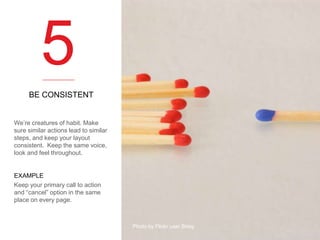
5
BE CONSISTENT

We’re creatures of habit. Make
sure similar actions lead to similar
steps, and keep your layout
consistent. Keep the same voice,
look and feel throughout.

EXAMPLE
Keep your primary call to action
and “cancel” option in the same
place on every page.

Photo by Flickr user Skley
4
LIMIT AND
CLARIFY CHOICES
When it comes to choices, more is
not always better. If users must
make a decision, expose all
options clearly without using
jargon.

EXAMPLE
Illustrate a complex, abstract
choice with a concrete example
that can be used to compare
options.
Photo by Flickr user VicBurton
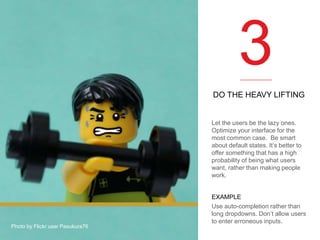
3
DO THE HEAVY LIFTING

Let the users be the lazy ones.
Optimize your interface for the
most common case. Be smart
about default states. It’s better to
offer something that has a high
probability of being what users
want, rather than making people
work.

Photo by Flickr user Pasukura76

EXAMPLE
Use auto-completion rather than
long dropdowns. Don’t allow users
to enter erroneous inputs.
2
START SMALL, GO BIG,
THEN GO SMALL AGAIN
Start with a blank page, add what
is needed, then, when done,
simplify again. Use dynamic
technologies to reveal content
only as it’s needed. A light page
is more appealing than a dense
one.
EXAMPLE
Reveal instructions for password
entry only when the user is
focused on the password entry
field.
1
DELIGHT THEM

Don’t underestimate the power of
surprise. A nice turn of phrase, an
unexpected beautiful screen or a
note of gratitude can go a long
way.

EXAMPLE
Show enthusiasm for a
customer’s choice with a
congratulatory message.
ModCloth responds to users who
like their items with, “You have
great taste”.

Photo by Flickr user Lori L. Stalteri
THANK YOU

SOPHIE HENRY
Director of User Experience
sophie@comradeagency.com
510.277.3400 x 707

www.comradeagency.com

13

10 Ways to Improve Your UX Now

10 Ways to Improve Your UX Now

  • 1.
    10 Ways to ImproveYour UX Now Easy-to-follow tips for a better user experience
  • 2.
    UX An effective UXstrategy requires advanced planning – but what if you can't spare the time or are handed an existing design? 4 10 1 3 We've highlighted 10 easyto-follow principles you can immediately apply to improve the user experience design of any digital product. 6 9 8 2 7 5
  • 3.
    10 ALWAYS OFFER A WAYOUT Never leave users wondering where they should go next, especially when they’ve gone down an unwanted path. Suggest a way out or an alternative route. EXAMPLE Add “you may also like” links at the bottom of ecommerce pages.
  • 4.
    9 PROVIDE GOOD WAYFINDING Being confidentthat you’re headed in the right direction is often more important than getting to your destination faster. You don’t have to bring every option to the forefront, as long as the path is clearly marked. EXAMPLE Use descriptive and clear terminology in Navigation menus so users know where to go without hesitating.
  • 5.
    8 MAKE IT ADIALOG For every action or effort you are requesting of users, give something back. If users must input something, show them why and how it will be used. EXAMPLE When asking for a phone number, say why and when you might use it (“We’ll contact you if something is wrong with your order”). Photo by Flickr user Daoro
  • 6.
    7 GROUP ITEMS LOGICALLY Look atthe relationship between elements on your page and group them by topic, function and source. Think of the context in which users will need to retrieve or use the information. EXAMPLE When scheduling an appointment, offer users combinations of location and time. This allows users to make the optimal choice. Photo by Flickr user afborchert
  • 7.
    6 MAKE THE LOOK MATCHTHE FUNCTION Give affordance to your actionable items and differentiate them from non-actionable items. Prevent errors by clearly identifying and prioritizing calls to action. EXAMPLE If you use chevrons to signify a swipe, make sure they always function that way. Photo by Flickr user Nina Matthews Photography
  • 8.
    5 BE CONSISTENT We’re creaturesof habit. Make sure similar actions lead to similar steps, and keep your layout consistent. Keep the same voice, look and feel throughout. EXAMPLE Keep your primary call to action and “cancel” option in the same place on every page. Photo by Flickr user Skley
  • 9.
    4 LIMIT AND CLARIFY CHOICES Whenit comes to choices, more is not always better. If users must make a decision, expose all options clearly without using jargon. EXAMPLE Illustrate a complex, abstract choice with a concrete example that can be used to compare options. Photo by Flickr user VicBurton
  • 10.
    3 DO THE HEAVYLIFTING Let the users be the lazy ones. Optimize your interface for the most common case. Be smart about default states. It’s better to offer something that has a high probability of being what users want, rather than making people work. Photo by Flickr user Pasukura76 EXAMPLE Use auto-completion rather than long dropdowns. Don’t allow users to enter erroneous inputs.
  • 11.
    2 START SMALL, GOBIG, THEN GO SMALL AGAIN Start with a blank page, add what is needed, then, when done, simplify again. Use dynamic technologies to reveal content only as it’s needed. A light page is more appealing than a dense one. EXAMPLE Reveal instructions for password entry only when the user is focused on the password entry field.
  • 12.
    1 DELIGHT THEM Don’t underestimatethe power of surprise. A nice turn of phrase, an unexpected beautiful screen or a note of gratitude can go a long way. EXAMPLE Show enthusiasm for a customer’s choice with a congratulatory message. ModCloth responds to users who like their items with, “You have great taste”. Photo by Flickr user Lori L. Stalteri
  • 13.
    THANK YOU SOPHIE HENRY Directorof User Experience sophie@comradeagency.com 510.277.3400 x 707 www.comradeagency.com 13 10 Ways to Improve Your UX Now