Sketching UI Workshop • 2020 • @katerutter
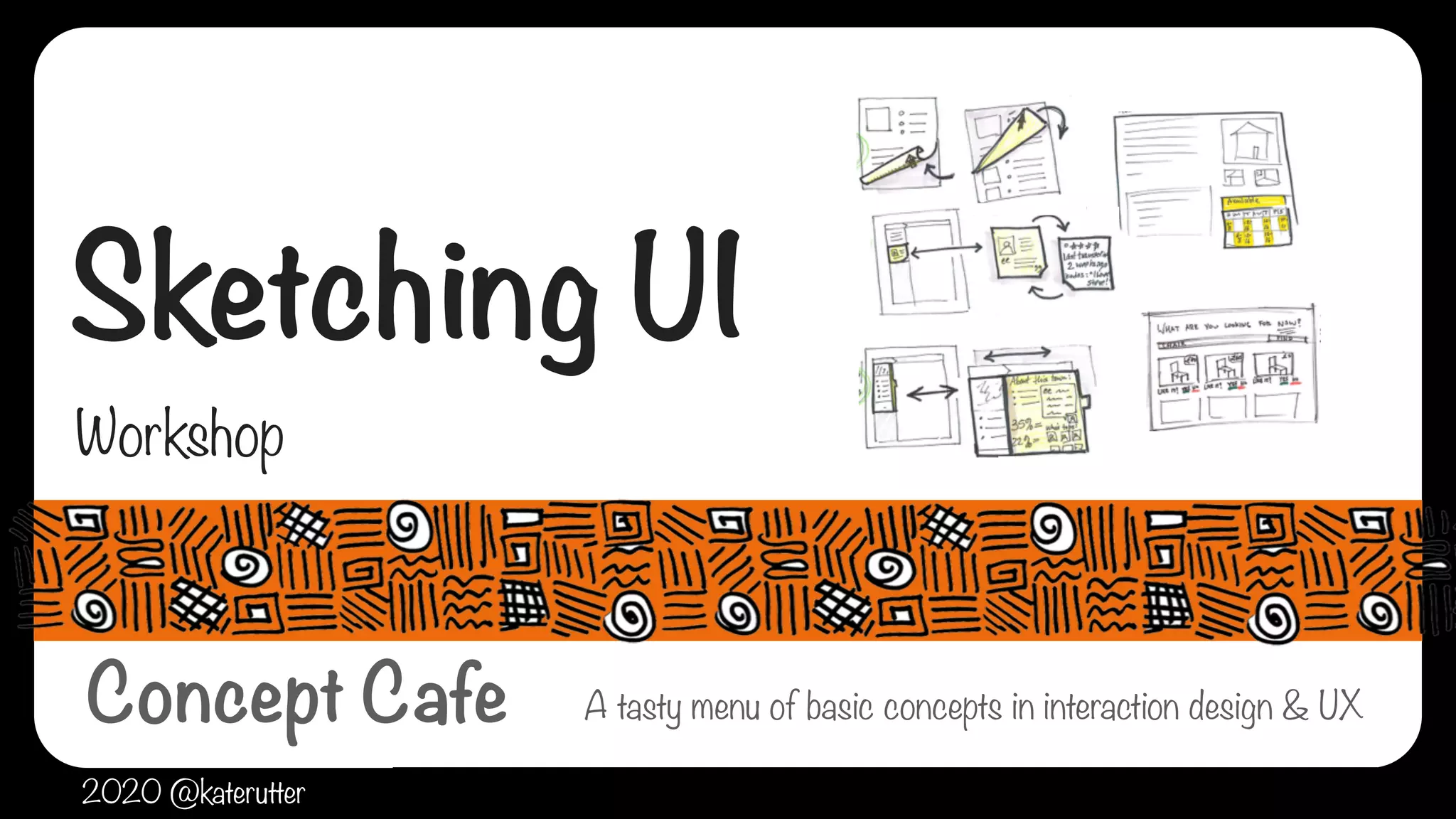
Sketching UI
Workshop
A tasty menu of basic concepts in interaction design & UX
2020 @katerutter
Concept Cafe
Sketching UI Workshop • 2020 • @katerutter
why sketch UI?
‣Generate a lot of new ideas quickly
‣Figure out how an idea works
‣Make optimal choices from many ideas
‣Collaborate with others
‣Communicate ideas to others
‣Make informed decisions & move forward
Sketching UI Workshop • 2020 • @katerutter
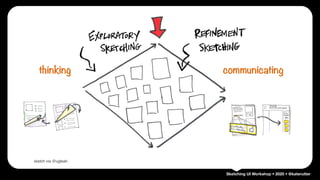
thinking communicating
sketch via @ugleah
Sketching UI Workshop • 2020 • @katerutter
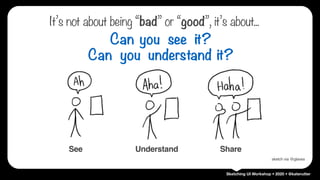
See Understand Share
Can you see it?
Can you understand it?
sketch via @glaves
It’s not about being “bad” or “good”, it’s about...
Sketching UI Workshop • 2020 • @katerutter
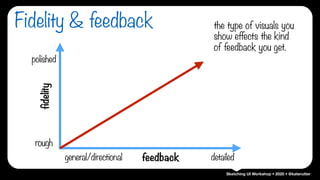
Fidelity & feedback
rough
polished
general/directional detailed
fidelity
feedback
the type of visuals you
show effects the kind
of feedback you get.
Sketching UI Workshop • 2020 • @katerutter
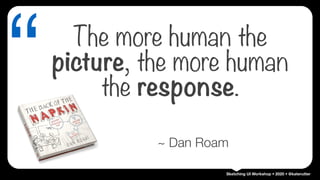
“ The more human the
picture, the more human
the response.
~ Dan Roam
Sketching UI Workshop • 2020 • @katerutter
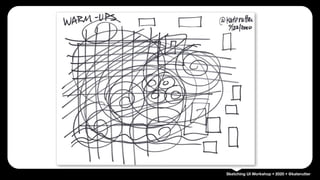
WARM-UPS
Sketching UI Workshop • 2020 • @katerutter
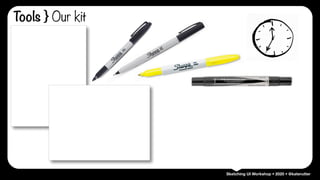
Tools } Our kit
Sketching UI Workshop • 2020 • @katerutter
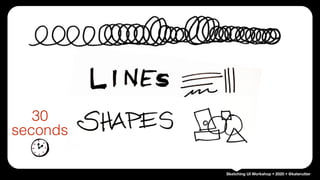
30
seconds
Sketching UI Workshop • 2020 • @katerutter
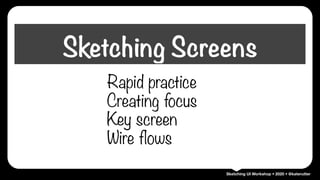
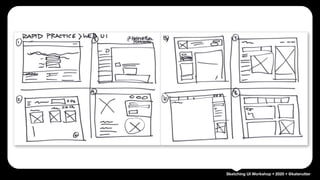
Rapid practice
Creating focus
Key screen
Wire flows
Sketching Screens
Sketching UI Workshop • 2020 • @katerutter
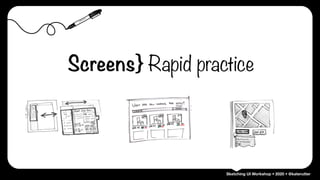
Screens} Rapid practice
Sketching UI Workshop • 2020 • @katerutter
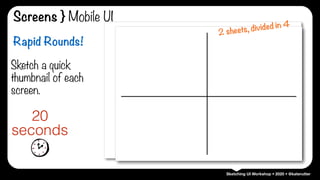
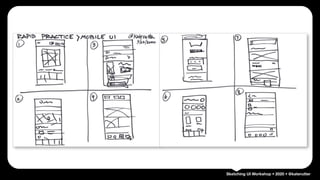
Sketch a quick
thumbnail of each
screen.
20
seconds
Rapid Rounds!
2 sheets, divided in 4
Screens } Mobile UI
Sketching UI Workshop • 2020 • @katerutter
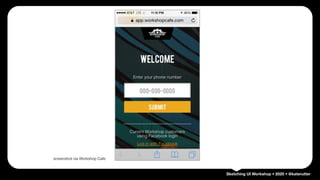
screenshot via Workshop Cafe
Sketching UI Workshop • 2020 • @katerutter
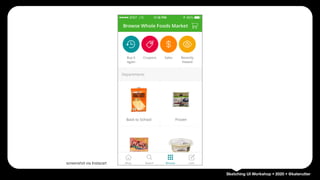
screenshot via Instacart
Sketching UI Workshop • 2020 • @katerutter
screenshot viaYelp
Sketching UI Workshop • 2020 • @katerutter
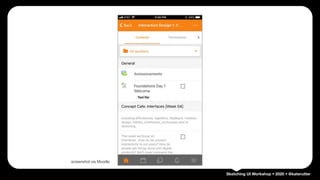
screenshot via Moodle
Sketching UI Workshop • 2020 • @katerutter
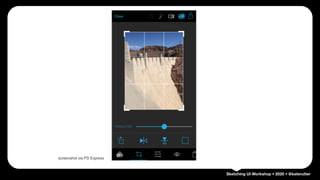
screenshot via PS Express
Sketching UI Workshop • 2020 • @katerutter
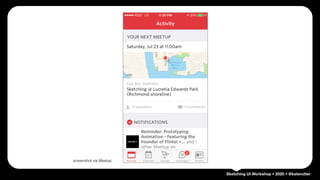
screenshot via Meetup
Sketching UI Workshop • 2020 • @katerutter
screenshot via Southwest
Sketching UI Workshop • 2020 • @katerutter
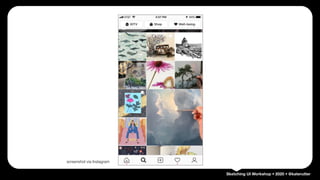
screenshot via Instagram
Sketching UI Workshop • 2020 • @katerutter
BREATHE….
Sketching UI Workshop • 2020 • @katerutter
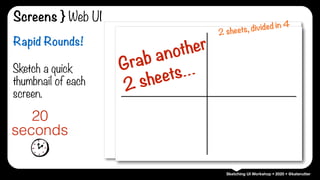
Screens } Web UI
Sketch a quick
thumbnail of each
screen.
20
seconds
Rapid Rounds!
2 sheets, divided in 4
Grab another

2 sheets…
Sketching UI Workshop • 2020 • @katerutter
screenshots via BackerKit
Sketching UI Workshop • 2020 • @katerutter
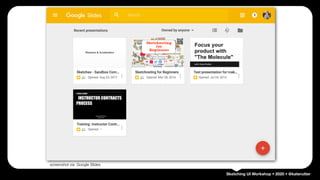
screenshot via Google Slides
Sketching UI Workshop • 2020 • @katerutter
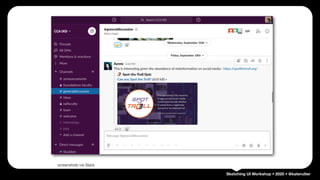
screenshots via Slack
Sketching UI Workshop • 2020 • @katerutter
screenshot via lyft.com
Sketching UI Workshop • 2020 • @katerutter
screenshots via @twitter
Sketching UI Workshop • 2020 • @katerutter
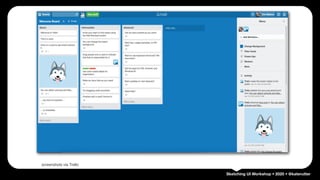
screenshots via Trello
Sketching UI Workshop • 2020 • @katerutter
screenshot via alibaba.com
Sketching UI Workshop • 2020 • @katerutter
screenshots via @cars.com
Sketching UI Workshop • 2020 • @katerutter
WHEW!
Shake it out…
Sketching UI Workshop • 2020 • @katerutter
Screens} Creating focus
Sketching UI Workshop • 2020 • @katerutter
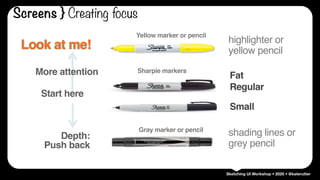
Yellow marker or pencil
Fat
Regular
Small
Gray marker or pencil
Sharpie markers
Start here
More attention
Depth:

Push back
Look at me! highlighter or
yellow pencil
shading lines or
grey pencil
Screens } Creating focus
Sketching UI Workshop • 2020 • @katerutter
DEMO
Sketching UI Workshop • 2020 • @katerutter
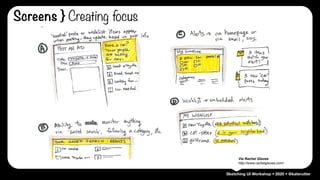
ACTIVITY ONE:
Via Rachel Glaves
http://www.rachelglaves.com/
Screens } Creating focus
Sketching UI Workshop • 2020 • @katerutter
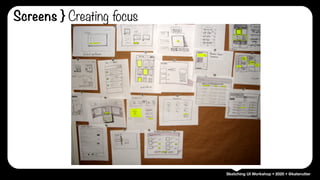
Screens } Creating focus
Sketching UI Workshop • 2020 • @katerutter
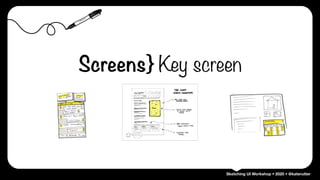
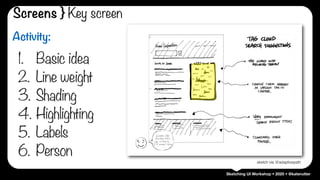
Screens} Key screen
Sketching UI Workshop • 2020 • @katerutter
Activity:
1. Basic idea
2. Line weight
3. Shading
4. Highlighting
5. Labels
6. Person
sketch via @adaptivepath
Screens } Key screen
Sketching UI Workshop • 2020 • @katerutter
sketch via @adaptivepath
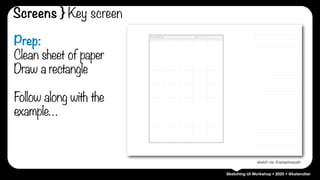
Prep:
Clean sheet of paper
Draw a rectangle
Follow along with the
example…
Screens } Key screen
Sketching UI Workshop • 2020 • @katerutter
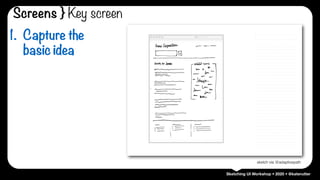
sketch via @adaptivepath
1. Capture the
basic idea
Screens } Key screen
Sketching UI Workshop • 2020 • @katerutter
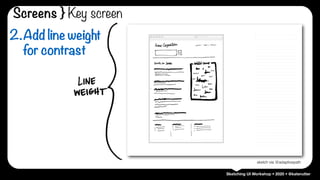
sketch via @adaptivepath
2.Add line weight
for contrast
Screens } Key screen
Sketching UI Workshop • 2020 • @katerutter
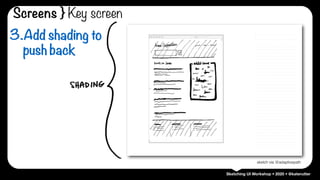
sketch via @adaptivepath
3.Add shading to
push back
Screens } Key screen
Sketching UI Workshop • 2020 • @katerutter
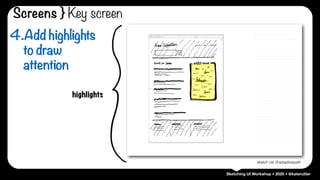
highlights
sketch via @adaptivepath
4.Add highlights
to draw
attention
Screens } Key screen
Sketching UI Workshop • 2020 • @katerutter
sketch via @adaptivepath
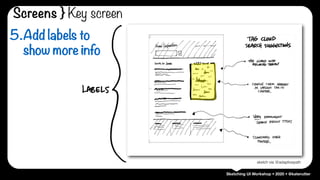
5.Add labels to
show more info
Screens } Key screen
Sketching UI Workshop • 2020 • @katerutter
sketch via @adaptivepath
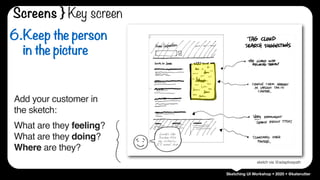
6.Keep the person
in the picture
Add your customer in
the sketch:


What are they feeling? 

What are they doing?

Where are they?
Looks like
Jordan fits
my criteria…
I’ll email him
Screens } Key screen
Sketching UI Workshop • 2020 • @katerutter
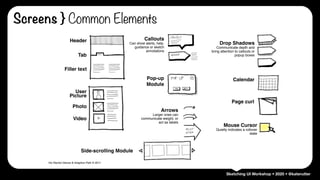
Screens } Common Elements
Header
Tab
User
Picture
Photo
Video
Filler text
Pop-up
Module
Arrows
Larger ones can
communicate weight, or
act as labels
Side-scrolling Module
Drop Shadows
Communicate depth and
bring attention to callouts or
popup boxes
Calendar
Page curl
Mouse Cursor
Quietly indicates a rollover
state
Callouts
Can show alerts, help,
guidance or sketch
annotations
Via Rachel Glaves & Adaptive Path © 2011
Sketching UI Workshop • 2020 • @katerutter
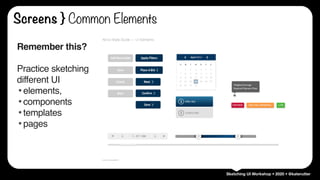
Remember this?
Practice sketching
different UI
•elements,
•components
•templates
•pages
Screens } Common Elements
Sketching UI Workshop • 2020 • @katerutter
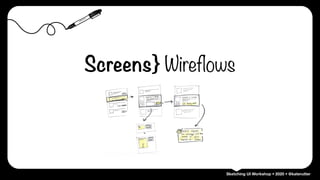
Screens} Wireflows
Sketching UI Workshop • 2020 • @katerutter
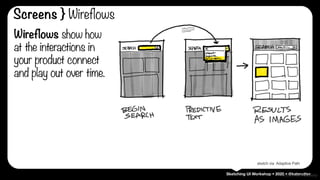
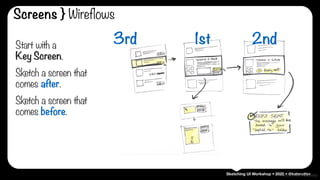
Wireflows show how
at the interactions in
your product connect
and play out over time.
sketch via @ladylexy
sketch via Adaptive Path
Screens } Wireflows
Sketching UI Workshop • 2020 • @katerutter
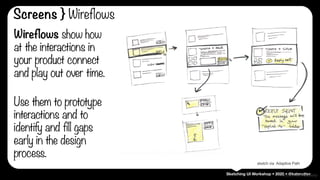
Wireflows show how
at the interactions in
your product connect
and play out over time.
sketch via @ladylexy
sketch via Adaptive Path
Screens } Wireflows
Use them to prototype
interactions and to
identify and fill gaps
early in the design
process.
Sketching UI Workshop • 2020 • @katerutter
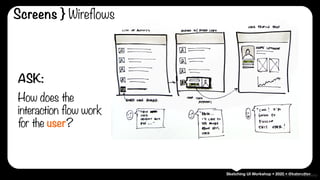
ASK:
How does the
interaction flow work
for the user?
sketch via @ladylexy
Screens } Wireflows
Sketching UI Workshop • 2020 • @kateruttersketch via @ladylexy
Start with a 

Key Screen.
Sketch a screen that
comes after.
Sketch a screen that
comes before.
3rd 2nd1st
Screens } Wireflows
Sketching UI Workshop • 2020 • @katerutter
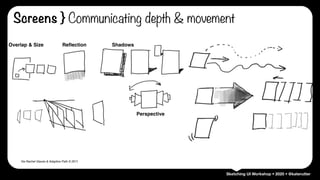
Via Rachel Glaves & Adaptive Path © 2011
Perspective
Overlap & Size Reflection Shadows
Screens } Communicating depth & movement
Sketching UI Workshop • 2020 • @kateruttersketch via @ladylexy
Screens } Wireflows
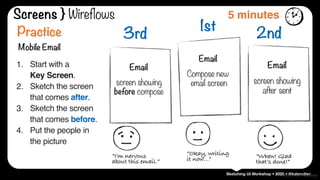
1st
Email
Compose new

email screen
2nd
Email
screen showing

after sent
3rd
Email
screen showing

before compose
Practice
Mobile Email
1. Start with a 

Key Screen.
2. Sketch the screen
that comes after.
3. Sketch the screen
that comes before.
4. Put the people in
the picture
“I’m nervous
about this email.”
5 minutes
“Okay, writing
it now…” “Whew! Glad
that’s done!”
Sketching UI Workshop • 2020 • @katerutter
Post your work on the
assignment for

UI Sketching Practice.

(You just did all the work. ;)
Now it’s your turn
Sketching UI Workshop • 2020 • @katerutter
Sample Work
Sketching UI Workshop • 2020 • @katerutter
Kate Rutter
@katerutter
http://intelleto.com
Yay!
Sketching UI Workshop • 2020 • @katerutter
‣ @adaptivepath: Adaptive Path [http://adaptivepath.com]
‣ @glaves: Rachel Glaves [http://about.me/rachelglaves]
‣ @katerutter: Kate Rutter [http://intelleto.com]
‣ @ladylexy: Alexa Andrzejewski [http://flavors.me/ladylexy]
‣ @luxrco: Luxr [http://luxr.co]
‣ @ugleah: Leah Buley [http://ugleah.tumblr.com/]
Credits

UX Foundations : Sketching UI

  • 1.
    Sketching UI Workshop• 2020 • @katerutter Sketching UI Workshop A tasty menu of basic concepts in interaction design & UX 2020 @katerutter Concept Cafe
  • 2.
    Sketching UI Workshop• 2020 • @katerutter why sketch UI? ‣Generate a lot of new ideas quickly ‣Figure out how an idea works ‣Make optimal choices from many ideas ‣Collaborate with others ‣Communicate ideas to others ‣Make informed decisions & move forward
  • 3.
    Sketching UI Workshop• 2020 • @katerutter thinking communicating sketch via @ugleah
  • 4.
    Sketching UI Workshop• 2020 • @katerutter See Understand Share Can you see it? Can you understand it? sketch via @glaves It’s not about being “bad” or “good”, it’s about...
  • 5.
    Sketching UI Workshop• 2020 • @katerutter Fidelity & feedback rough polished general/directional detailed fidelity feedback the type of visuals you show effects the kind of feedback you get.
  • 6.
    Sketching UI Workshop• 2020 • @katerutter “ The more human the picture, the more human the response. ~ Dan Roam
  • 7.
    Sketching UI Workshop• 2020 • @katerutter WARM-UPS
  • 8.
    Sketching UI Workshop• 2020 • @katerutter Tools } Our kit
  • 9.
    Sketching UI Workshop• 2020 • @katerutter 30 seconds
  • 10.
    Sketching UI Workshop• 2020 • @katerutter Rapid practice Creating focus Key screen Wire flows Sketching Screens
  • 11.
    Sketching UI Workshop• 2020 • @katerutter Screens} Rapid practice
  • 12.
    Sketching UI Workshop• 2020 • @katerutter Sketch a quick thumbnail of each screen. 20 seconds Rapid Rounds! 2 sheets, divided in 4 Screens } Mobile UI
  • 13.
    Sketching UI Workshop• 2020 • @katerutter screenshot via Workshop Cafe
  • 14.
    Sketching UI Workshop• 2020 • @katerutter screenshot via Instacart
  • 15.
    Sketching UI Workshop• 2020 • @katerutter screenshot viaYelp
  • 16.
    Sketching UI Workshop• 2020 • @katerutter screenshot via Moodle
  • 17.
    Sketching UI Workshop• 2020 • @katerutter screenshot via PS Express
  • 18.
    Sketching UI Workshop• 2020 • @katerutter screenshot via Meetup
  • 19.
    Sketching UI Workshop• 2020 • @katerutter screenshot via Southwest
  • 20.
    Sketching UI Workshop• 2020 • @katerutter screenshot via Instagram
  • 21.
    Sketching UI Workshop• 2020 • @katerutter BREATHE….
  • 22.
    Sketching UI Workshop• 2020 • @katerutter Screens } Web UI Sketch a quick thumbnail of each screen. 20 seconds Rapid Rounds! 2 sheets, divided in 4 Grab another
 2 sheets…
  • 23.
    Sketching UI Workshop• 2020 • @katerutter screenshots via BackerKit
  • 24.
    Sketching UI Workshop• 2020 • @katerutter screenshot via Google Slides
  • 25.
    Sketching UI Workshop• 2020 • @katerutter screenshots via Slack
  • 26.
    Sketching UI Workshop• 2020 • @katerutter screenshot via lyft.com
  • 27.
    Sketching UI Workshop• 2020 • @katerutter screenshots via @twitter
  • 28.
    Sketching UI Workshop• 2020 • @katerutter screenshots via Trello
  • 29.
    Sketching UI Workshop• 2020 • @katerutter screenshot via alibaba.com
  • 30.
    Sketching UI Workshop• 2020 • @katerutter screenshots via @cars.com
  • 31.
    Sketching UI Workshop• 2020 • @katerutter WHEW! Shake it out…
  • 32.
    Sketching UI Workshop• 2020 • @katerutter Screens} Creating focus
  • 33.
    Sketching UI Workshop• 2020 • @katerutter Yellow marker or pencil Fat Regular Small Gray marker or pencil Sharpie markers Start here More attention Depth:
 Push back Look at me! highlighter or yellow pencil shading lines or grey pencil Screens } Creating focus
  • 34.
    Sketching UI Workshop• 2020 • @katerutter DEMO
  • 35.
    Sketching UI Workshop• 2020 • @katerutter ACTIVITY ONE: Via Rachel Glaves http://www.rachelglaves.com/ Screens } Creating focus
  • 36.
    Sketching UI Workshop• 2020 • @katerutter Screens } Creating focus
  • 37.
    Sketching UI Workshop• 2020 • @katerutter Screens} Key screen
  • 38.
    Sketching UI Workshop• 2020 • @katerutter Activity: 1. Basic idea 2. Line weight 3. Shading 4. Highlighting 5. Labels 6. Person sketch via @adaptivepath Screens } Key screen
  • 39.
    Sketching UI Workshop• 2020 • @katerutter sketch via @adaptivepath Prep: Clean sheet of paper Draw a rectangle Follow along with the example… Screens } Key screen
  • 40.
    Sketching UI Workshop• 2020 • @katerutter sketch via @adaptivepath 1. Capture the basic idea Screens } Key screen
  • 41.
    Sketching UI Workshop• 2020 • @katerutter sketch via @adaptivepath 2.Add line weight for contrast Screens } Key screen
  • 42.
    Sketching UI Workshop• 2020 • @katerutter sketch via @adaptivepath 3.Add shading to push back Screens } Key screen
  • 43.
    Sketching UI Workshop• 2020 • @katerutter highlights sketch via @adaptivepath 4.Add highlights to draw attention Screens } Key screen
  • 44.
    Sketching UI Workshop• 2020 • @katerutter sketch via @adaptivepath 5.Add labels to show more info Screens } Key screen
  • 45.
    Sketching UI Workshop• 2020 • @katerutter sketch via @adaptivepath 6.Keep the person in the picture Add your customer in the sketch:
 
 What are they feeling? 
 What are they doing?
 Where are they? Looks like Jordan fits my criteria… I’ll email him Screens } Key screen
  • 46.
    Sketching UI Workshop• 2020 • @katerutter Screens } Common Elements Header Tab User Picture Photo Video Filler text Pop-up Module Arrows Larger ones can communicate weight, or act as labels Side-scrolling Module Drop Shadows Communicate depth and bring attention to callouts or popup boxes Calendar Page curl Mouse Cursor Quietly indicates a rollover state Callouts Can show alerts, help, guidance or sketch annotations Via Rachel Glaves & Adaptive Path © 2011
  • 47.
    Sketching UI Workshop• 2020 • @katerutter Remember this? Practice sketching different UI •elements, •components •templates •pages Screens } Common Elements
  • 48.
    Sketching UI Workshop• 2020 • @katerutter Screens} Wireflows
  • 49.
    Sketching UI Workshop• 2020 • @katerutter Wireflows show how at the interactions in your product connect and play out over time. sketch via @ladylexy sketch via Adaptive Path Screens } Wireflows
  • 50.
    Sketching UI Workshop• 2020 • @katerutter Wireflows show how at the interactions in your product connect and play out over time. sketch via @ladylexy sketch via Adaptive Path Screens } Wireflows Use them to prototype interactions and to identify and fill gaps early in the design process.
  • 51.
    Sketching UI Workshop• 2020 • @katerutter ASK: How does the interaction flow work for the user? sketch via @ladylexy Screens } Wireflows
  • 52.
    Sketching UI Workshop• 2020 • @kateruttersketch via @ladylexy Start with a 
 Key Screen. Sketch a screen that comes after. Sketch a screen that comes before. 3rd 2nd1st Screens } Wireflows
  • 53.
    Sketching UI Workshop• 2020 • @katerutter Via Rachel Glaves & Adaptive Path © 2011 Perspective Overlap & Size Reflection Shadows Screens } Communicating depth & movement
  • 54.
    Sketching UI Workshop• 2020 • @kateruttersketch via @ladylexy Screens } Wireflows 1st Email Compose new
 email screen 2nd Email screen showing
 after sent 3rd Email screen showing
 before compose Practice Mobile Email 1. Start with a 
 Key Screen. 2. Sketch the screen that comes after. 3. Sketch the screen that comes before. 4. Put the people in the picture “I’m nervous about this email.” 5 minutes “Okay, writing it now…” “Whew! Glad that’s done!”
  • 55.
    Sketching UI Workshop• 2020 • @katerutter Post your work on the assignment for
 UI Sketching Practice.
 (You just did all the work. ;) Now it’s your turn
  • 56.
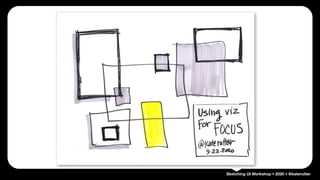
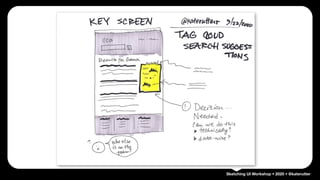
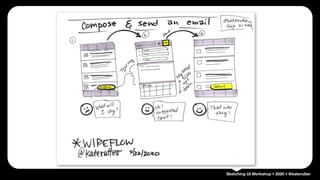
    Sketching UI Workshop• 2020 • @katerutter Sample Work
  • 57.
    Sketching UI Workshop• 2020 • @katerutter
  • 58.
    Sketching UI Workshop• 2020 • @katerutter
  • 59.
    Sketching UI Workshop• 2020 • @katerutter
  • 60.
    Sketching UI Workshop• 2020 • @katerutter
  • 61.
    Sketching UI Workshop• 2020 • @katerutter
  • 62.
    Sketching UI Workshop• 2020 • @katerutter
  • 63.
    Sketching UI Workshop• 2020 • @katerutter Kate Rutter @katerutter http://intelleto.com Yay!
  • 64.
    Sketching UI Workshop• 2020 • @katerutter ‣ @adaptivepath: Adaptive Path [http://adaptivepath.com] ‣ @glaves: Rachel Glaves [http://about.me/rachelglaves] ‣ @katerutter: Kate Rutter [http://intelleto.com] ‣ @ladylexy: Alexa Andrzejewski [http://flavors.me/ladylexy] ‣ @luxrco: Luxr [http://luxr.co] ‣ @ugleah: Leah Buley [http://ugleah.tumblr.com/] Credits