


Using Twitter for Teaching,
Learning, and Professional
      Development
       Social Media Series
Presenter
Jason Rhode, Ph.D.
Assistant Director, Faculty
Development and Instructional
Design Center
Northern Illinois University

niu.edu/facdev
jrhode@niu.edu
twitter.com/jrhode
Today’s Workshop
• Introduce the basics of Twitter
• Explore best practices for using Twitter in
  teaching, learning, and professional
  development
Have you used Twitter before?
• If no, please select the No option X
• If yes, please select the Yes option 
Have you setup a Twitter account?
• If no, please select the No option X
• If yes, please select the Yes option 
Do you use a smart phone or tablet?
• If no, please select the No option X
• If yes, please select the Yes option 
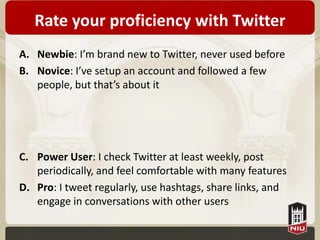
Rate your proficiency with Twitter
A. Newbie: I’m brand new to Twitter, never used before
B. Novice: I’ve setup an account and followed a few
   people, but that’s about it


C. Power User: I check Twitter at least weekly, post
   periodically, and feel comfortable with many features
D. Pro: I tweet regularly, use hashtags, share links, and
   engage in conversations with other users
Join the conversation on Twitter!


     #twitter4tlpd
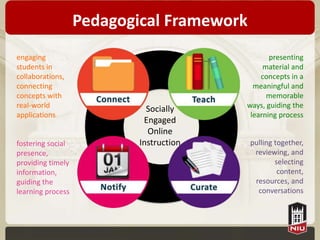
Pedagogical Framework
engaging                                        presenting
students in                                   material and
collaborations,                              concepts in a
connecting                                 meaningful and
concepts with                                  memorable
real-world                   Socially    ways, guiding the
applications                              learning process
                            Engaged
                             Online
fostering social           Instruction     pulling together,
presence,                                   reviewing, and
providing timely                                   selecting
information,                                        content,
guiding the                                 resources, and
learning process                             conversations
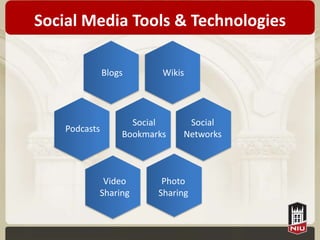
Social Media Tools & Technologies

               Blogs       Wikis


                     Social     Social
    Podcasts
                   Bookmarks   Networks


            Video          Photo
           Sharing        Sharing
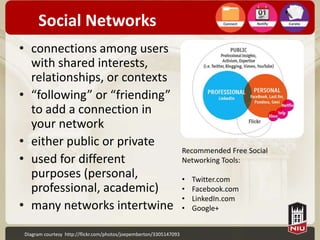
Social Networks
• connections among users
  with shared interests,
  relationships, or contexts
• “following” or “friending”
  to add a connection in
  your network
• either public or private
                                                                    Recommended Free Social
• used for different                                                Networking Tools:
  purposes (personal,                                               •   Twitter.com
  professional, academic)                                           •   Facebook.com
                                                                    •   LinkedIn.com
• many networks intertwine                                          •   Google+


Diagram courtesy http://flickr.com/photos/joepemberton/3305147093
Twitter Basics
Twitter Described

“Part blog, part social networking site, and part
 cell phone/IM tool. It is designed to let users
 describe what they are doing or thinking at a
 given moment, in 140 characters or less”
               – Educause 7 Things You Should Know About Twitter
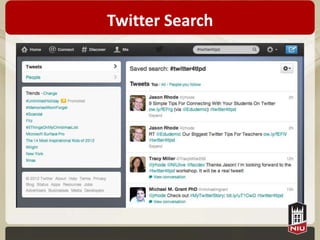
Twitter Search
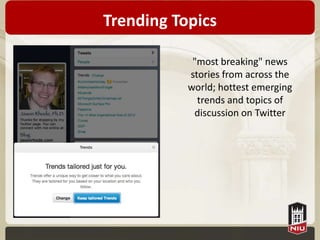
Trending Topics

            "most breaking" news
           stories from across the
           world; hottest emerging
             trends and topics of
            discussion on Twitter
Platform Independent
• Twitter messages, referred to as “tweets” can
  be sent and received from multiple platforms:
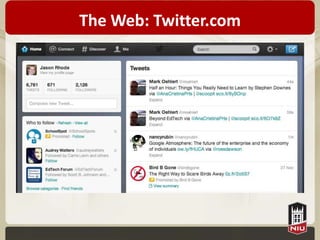
  – Web-based Twitter account
  – Software client on any desktop or laptop
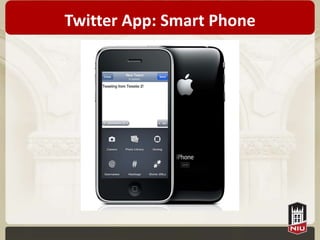
  – Twitter app on smart phone
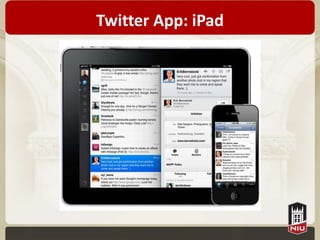
  – Twitter app on tablet
  – SMS from any phone
• The same Twitter account can be accessed
  from any of the above platforms!
The Web: Twitter.com
Twitter App: Smart Phone
Twitter App: iPad
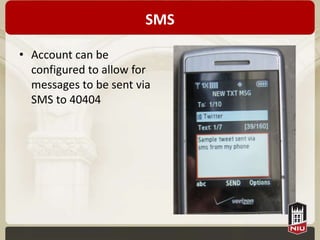
SMS

• Account can be
  configured to allow for
  messages to be sent via
  SMS to 40404
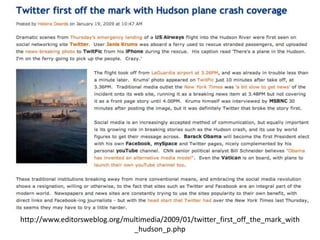
http://www.editorsweblog.org/multimedia/2009/01/twitter_first_off_the_mark_with
                               _hudson_p.php
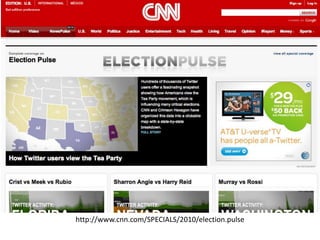
Election Coverage on Twitter


  http://www.cnn.com/SPECIALS/2010/election.pulse
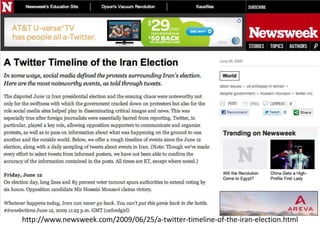
Iranian Election Protests & Twitter


http://www.newsweek.com/2009/06/25/a-twitter-timeline-of-the-iran-election.html
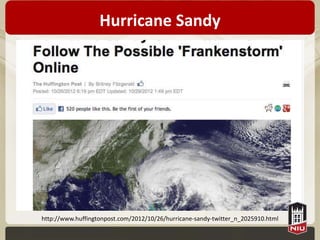
Hurricane Sandy


http://www.huffingtonpost.com/2012/10/26/hurricane-sandy-twitter_n_2025910.html
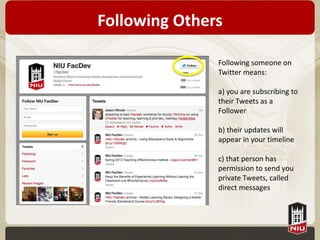
Following Others

               Following someone on
               Twitter means:

               a) you are subscribing to
               their Tweets as a
               Follower

               b) their updates will
               appear in your timeline

               c) that person has
               permission to send you
               private Tweets, called
               direct messages
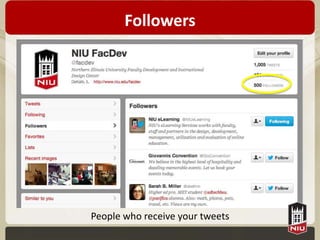
Followers


People who receive your tweets
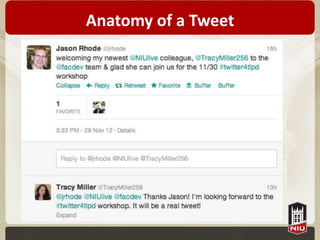
Anatomy of a Tweet
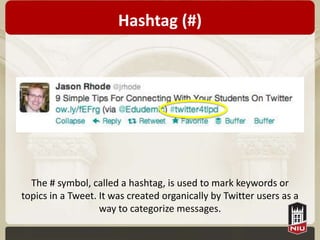
Hashtag (#)


  The # symbol, called a hashtag, is used to mark keywords or
topics in a Tweet. It was created organically by Twitter users as a
                   way to categorize messages.
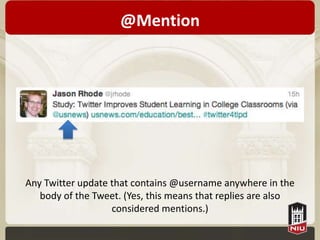
@Mention


Any Twitter update that contains @username anywhere in the
   body of the Tweet. (Yes, this means that replies are also
                   considered mentions.)
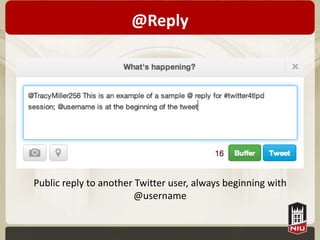
@Reply


Public reply to another Twitter user, always beginning with
                       @username
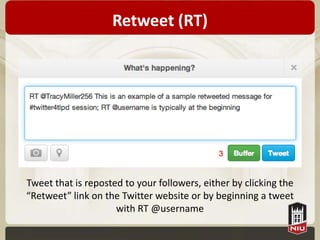
Retweet (RT)


Tweet that is reposted to your followers, either by clicking the
“Retweet” link on the Twitter website or by beginning a tweet
                     with RT @username
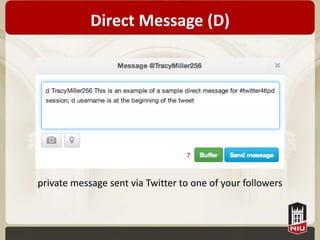
Direct Message (D)


private message sent via Twitter to one of your followers
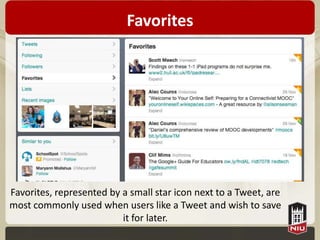
Favorites


Favorites, represented by a small star icon next to a Tweet, are
most commonly used when users like a Tweet and wish to save
                          it for later.
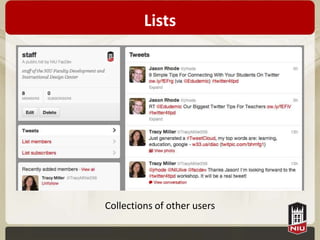
Lists


Collections of other users
Why Tweet?
• Expand your personal learning network
• See what’s happening right now in the world
  and your discipline
• Share with others your discoveries, new
  knowledge gained, or resources located
• Participate in larger conversation without
  personally “friending” other users
• Communicate with colleagues and students
  from a mobile platform
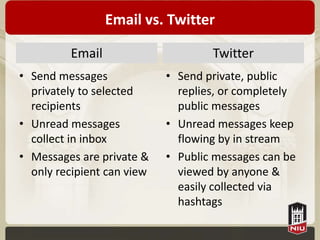
Email vs. Twitter

         Email                      Twitter
• Send messages             • Send private, public
  privately to selected       replies, or completely
  recipients                  public messages
• Unread messages           • Unread messages keep
  collect in inbox            flowing by in stream
• Messages are private &    • Public messages can be
  only recipient can view     viewed by anyone &
                              easily collected via
                              hashtags
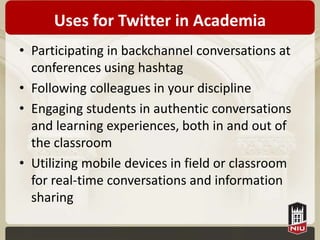
Uses for Twitter in Academia
• Participating in backchannel conversations at
  conferences using hashtag
• Following colleagues in your discipline
• Engaging students in authentic conversations
  and learning experiences, both in and out of
  the classroom
• Utilizing mobile devices in field or classroom
  for real-time conversations and information
  sharing
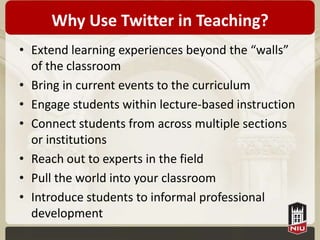
Why Use Twitter in Teaching?
• Extend learning experiences beyond the “walls”
  of the classroom
• Bring in current events to the curriculum
• Engage students within lecture-based instruction
• Connect students from across multiple sections
  or institutions
• Reach out to experts in the field
• Pull the world into your classroom
• Introduce students to informal professional
  development
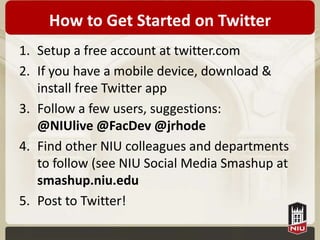
How to Get Started on Twitter
1. Setup a free account at twitter.com
2. If you have a mobile device, download &
   install free Twitter app
3. Follow a few users, suggestions:
   @NIUlive @FacDev @jrhode
4. Find other NIU colleagues and departments
   to follow (see NIU Social Media Smashup at
   smashup.niu.edu
5. Post to Twitter!
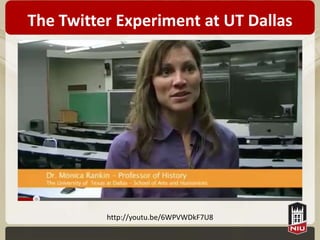
The Twitter Experiment at UT Dallas


          http://youtu.be/6WPVWDkF7U8
Academic Excellence in 140


      http://youtu.be/SVOY2x81_bg
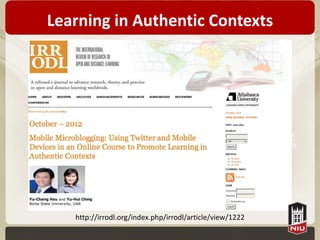
Learning in Authentic Contexts


   http://irrodl.org/index.php/irrodl/article/view/1222
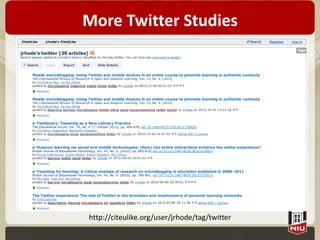
More Twitter Studies


http://citeulike.org/user/jrhode/tag/twitter
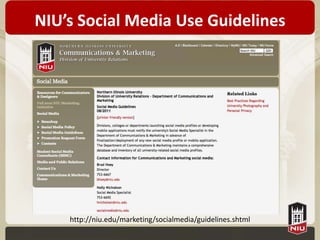
NIU’s Social Media Use Guidelines


    http://niu.edu/marketing/socialmedia/guidelines.shtml
Questions?
• What other questions do you have?
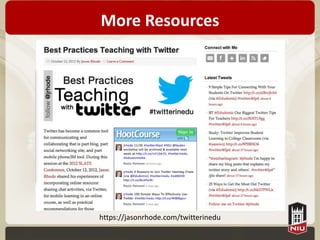
More Resources


https://jasonrhode.com/twitterinedu
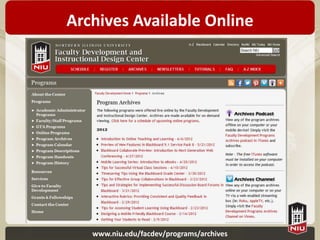
Archives Available Online


   www.niu.edu/facdev/programs/archives
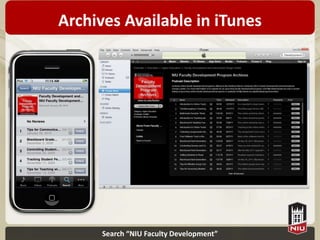
Archives Available in iTunes


      Search “NIU Faculty Development”
Follow Faculty Development


facebook.com/facdev       twitter.com/facdev


            pinterest.com/facdev
Continue the conversation on Twitter!


        #twitter4tlpd
Contact the Presenter

Jason Rhode, Ph.D.
Faculty Development and
Instructional Design Center
Northern Illinois University

jrhode@niu.edu
niu.edu/facdev
twitter.com/jrhode
815.753.2475

Using Twitter for Teaching, Learning, and Professional Development

  • 1.
    Using Twitter forTeaching, Learning, and Professional Development Social Media Series
  • 2.
    Presenter Jason Rhode, Ph.D. AssistantDirector, Faculty Development and Instructional Design Center Northern Illinois University niu.edu/facdev jrhode@niu.edu twitter.com/jrhode
  • 3.
    Today’s Workshop • Introducethe basics of Twitter • Explore best practices for using Twitter in teaching, learning, and professional development
  • 4.
    Have you usedTwitter before? • If no, please select the No option X • If yes, please select the Yes option 
  • 5.
    Have you setupa Twitter account? • If no, please select the No option X • If yes, please select the Yes option 
  • 6.
    Do you usea smart phone or tablet? • If no, please select the No option X • If yes, please select the Yes option 
  • 7.
    Rate your proficiencywith Twitter A. Newbie: I’m brand new to Twitter, never used before B. Novice: I’ve setup an account and followed a few people, but that’s about it C. Power User: I check Twitter at least weekly, post periodically, and feel comfortable with many features D. Pro: I tweet regularly, use hashtags, share links, and engage in conversations with other users
  • 8.
    Join the conversationon Twitter! #twitter4tlpd
  • 9.
    Pedagogical Framework engaging presenting students in material and collaborations, concepts in a connecting meaningful and concepts with memorable real-world Socially ways, guiding the applications learning process Engaged Online fostering social Instruction pulling together, presence, reviewing, and providing timely selecting information, content, guiding the resources, and learning process conversations
  • 10.
    Social Media Tools& Technologies Blogs Wikis Social Social Podcasts Bookmarks Networks Video Photo Sharing Sharing
  • 11.
    Social Networks • connectionsamong users with shared interests, relationships, or contexts • “following” or “friending” to add a connection in your network • either public or private Recommended Free Social • used for different Networking Tools: purposes (personal, • Twitter.com professional, academic) • Facebook.com • LinkedIn.com • many networks intertwine • Google+ Diagram courtesy http://flickr.com/photos/joepemberton/3305147093
  • 12.
  • 13.
    Twitter Described “Part blog,part social networking site, and part cell phone/IM tool. It is designed to let users describe what they are doing or thinking at a given moment, in 140 characters or less” – Educause 7 Things You Should Know About Twitter
  • 14.
  • 15.
    Trending Topics "most breaking" news stories from across the world; hottest emerging trends and topics of discussion on Twitter
  • 16.
    Platform Independent • Twittermessages, referred to as “tweets” can be sent and received from multiple platforms: – Web-based Twitter account – Software client on any desktop or laptop – Twitter app on smart phone – Twitter app on tablet – SMS from any phone • The same Twitter account can be accessed from any of the above platforms!
  • 17.
  • 18.
  • 19.
  • 20.
    SMS • Account canbe configured to allow for messages to be sent via SMS to 40404
  • 21.
  • 22.
    Election Coverage onTwitter http://www.cnn.com/SPECIALS/2010/election.pulse
  • 23.
    Iranian Election Protests& Twitter http://www.newsweek.com/2009/06/25/a-twitter-timeline-of-the-iran-election.html
  • 24.
  • 25.
    Following Others Following someone on Twitter means: a) you are subscribing to their Tweets as a Follower b) their updates will appear in your timeline c) that person has permission to send you private Tweets, called direct messages
  • 26.
  • 27.
  • 28.
    Hashtag (#) The # symbol, called a hashtag, is used to mark keywords or topics in a Tweet. It was created organically by Twitter users as a way to categorize messages.
  • 29.
    @Mention Any Twitter updatethat contains @username anywhere in the body of the Tweet. (Yes, this means that replies are also considered mentions.)
  • 30.
    @Reply Public reply toanother Twitter user, always beginning with @username
  • 31.
    Retweet (RT) Tweet thatis reposted to your followers, either by clicking the “Retweet” link on the Twitter website or by beginning a tweet with RT @username
  • 32.
    Direct Message (D) privatemessage sent via Twitter to one of your followers
  • 33.
    Favorites Favorites, represented bya small star icon next to a Tweet, are most commonly used when users like a Tweet and wish to save it for later.
  • 34.
  • 35.
    Why Tweet? • Expandyour personal learning network • See what’s happening right now in the world and your discipline • Share with others your discoveries, new knowledge gained, or resources located • Participate in larger conversation without personally “friending” other users • Communicate with colleagues and students from a mobile platform
  • 36.
    Email vs. Twitter Email Twitter • Send messages • Send private, public privately to selected replies, or completely recipients public messages • Unread messages • Unread messages keep collect in inbox flowing by in stream • Messages are private & • Public messages can be only recipient can view viewed by anyone & easily collected via hashtags
  • 37.
    Uses for Twitterin Academia • Participating in backchannel conversations at conferences using hashtag • Following colleagues in your discipline • Engaging students in authentic conversations and learning experiences, both in and out of the classroom • Utilizing mobile devices in field or classroom for real-time conversations and information sharing
  • 38.
    Why Use Twitterin Teaching? • Extend learning experiences beyond the “walls” of the classroom • Bring in current events to the curriculum • Engage students within lecture-based instruction • Connect students from across multiple sections or institutions • Reach out to experts in the field • Pull the world into your classroom • Introduce students to informal professional development
  • 39.
    How to GetStarted on Twitter 1. Setup a free account at twitter.com 2. If you have a mobile device, download & install free Twitter app 3. Follow a few users, suggestions: @NIUlive @FacDev @jrhode 4. Find other NIU colleagues and departments to follow (see NIU Social Media Smashup at smashup.niu.edu 5. Post to Twitter!
  • 40.
    The Twitter Experimentat UT Dallas http://youtu.be/6WPVWDkF7U8
  • 41.
    Academic Excellence in140 http://youtu.be/SVOY2x81_bg
  • 42.
    Learning in AuthenticContexts http://irrodl.org/index.php/irrodl/article/view/1222
  • 43.
  • 44.
    NIU’s Social MediaUse Guidelines http://niu.edu/marketing/socialmedia/guidelines.shtml
  • 45.
    Questions? • What otherquestions do you have?
  • 46.
  • 47.
    Archives Available Online www.niu.edu/facdev/programs/archives
  • 48.
    Archives Available iniTunes Search “NIU Faculty Development”
  • 49.
    Follow Faculty Development facebook.com/facdev twitter.com/facdev pinterest.com/facdev
  • 50.
    Continue the conversationon Twitter! #twitter4tlpd
  • 51.
    Contact the Presenter JasonRhode, Ph.D. Faculty Development and Instructional Design Center Northern Illinois University jrhode@niu.edu niu.edu/facdev twitter.com/jrhode 815.753.2475

Editor's Notes

  • #15 See in Real Time what people are saying about a given topic
  • #52 Jason Rhode, Ph.D.Faculty Development and Instructional Design CenterNorthern Illinois Universityjasonrhode.comjrhode@niu.edutwitter.com/jrhode815.753.2475