Using Twitter Among Students Name: Sara Ibrahim ID: 200910660
Content General Information Get Started With Twitter Advantages of Twitter Using Twitter Effectively Students and Twitter Exercise
General Information Definition Founders Features
Definition Twitter is an online service and social networking that enables you to post updates with other “tweeps” by answering a single question “What’s happening?” Twitter limits tweets, so you only receive and post tweets up to 140 characters.
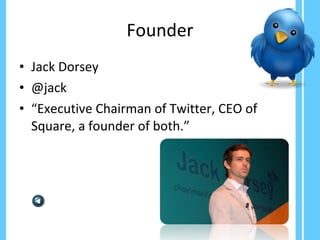
Founder Jack Dorsey  @jack “ Executive Chairman of Twitter, CEO of Square, a founder of both.”
Features Who to follow: View Suggestions:  allow you to follow “tweeps” depending on who you follow and other variables Browse Interests:  allow you to follow “tweeps” based on over 20 categories Find your friends:  allow you to find “tweeps” from your email account Searches: search for topics and keywords and save your search Advertising: you need to have an idea about promoted trends, promoted tweets and promoted accounts
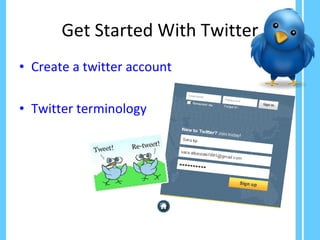
Get Started With Twitter Create a twitter account Twitter terminology
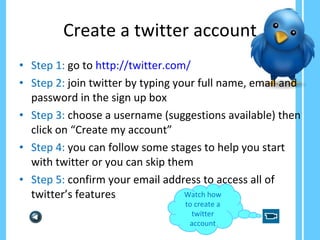
Create a twitter account Step 1:  go to  http://twitter.com/ Step 2:  join twitter by typing your full name, email and password in the sign up box Step 3:  choose a username (suggestions available) then click on “Create my account” Step 4:  you can follow some stages to help you start with twitter or you can skip them Step 5:  confirm your email address to access all of twitter’s features  Watch how to create a twitter account
Twitter Terminology Follow:   when you follow an account, all their tweets will appear in your timeline Unfollow:  to stop seeing someone’s tweets in your timeline  Retweet (RT):  to share someone’s tweets with your followers Block:  use it when you find a spammer in your followers list to remove it from your list Reply:  to respond to someone’s tweet Mentions:  click on @mentions to check when someone has mentioned you @:  use it if you want to mention another tweep; it is also the first part of a username (ex. @Sara_Albastaki) #:  use it to categorize tweets, trending topics (TT) are usually combined with #  Direct Message (DM):  it is private massages you want to send to other tweeps
Advantages of Twitter Communication tool Share and receive information
Communication Tool Twitter made the world smaller Communicate with different people around the world Ex. we can have friend from different countries Ask about them and talk about our interests
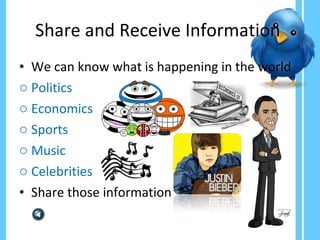
Share and Receive Information  We can know what is happening in the world Politics Economics Sports  Music Celebrities Share those information
Using Twitter Effectively Tweeting style Tag your tweet Use a twitter organizer
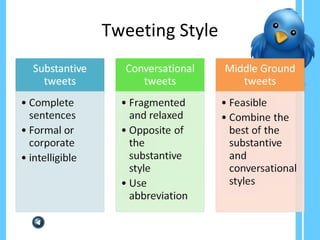
Tweeting Style
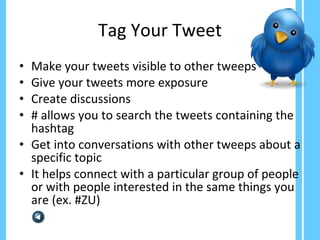
Tag Your Tweet Make your tweets visible to other tweeps Give your tweets more exposure Create discussions # allows you to search the tweets containing the hashtag  Get into conversations with other tweeps about a specific topic It helps connect with a particular group of people or with people interested in the same things you are (ex. #ZU)
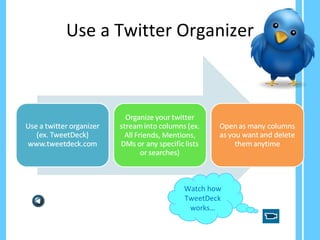
Use a Twitter Organizer Watch how TweetDeck works…
Twitter and Students Organize events Connection between students & teachers Class discussion Share info about a topic Research tool
Organize Events Important announcements Lectures Trips Meetings time and date
Connection Between Students & Teachers Students can ask about each other, know what is happening in their school or university Teachers can post test dates to inform students Teachers can comment about class discussion or what lessons have been taken in class to update students
Class Discussion Share opinions, ask questions and discuss different answers It helps increase the students’ knowledge It encourages students who don’t participate to be engaged in class discussions  It doesn’t mean we have to replace the regular formats, twitter is used to enhance class discussion process
Share Info about a Topic Students can share outside information about a topic taken in class  It helps widen their knowledge It encourages critical thinking It encourages students to be more engaged in class
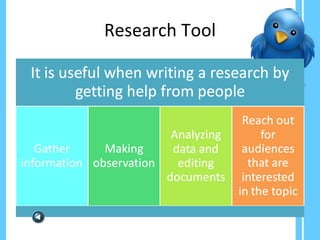
Research Tool
Exercise Go to
Bibliography Bart, M. (2009, June 17).  Using Twitter to Facilitate Classroom Discussions . Retrieved November 15, 2011, from Faculty Focus: http://www.facultyfocus.com/articles/effective-teaching-strategies/using-twitter-to-facilitate-classroom-discussions/ Miller, S. M. (2010). Enhance Your Twitter Experience.  ERIC  , 4. Mollett, A., Moran, D., & Dunleavy, P. (2011, September).  A Guide to Using Twitter in University Research,Teaching, and Impact Activities . Retrieved October 21, 2011, from LSE: http://blogs.lse.ac.uk/impactofsocialsciences/2011/09/29/twitter-guide/ Sherman, A. (2011, February 2).  10 Twitter Features You Might Be Missing . Retrieved October 23, 2011, from Gigaom: http://gigaom.com/collaboration/10-twitter-features-you-might-be-missing/ Twitter . (2009, March 19). Retrieved October 24, 2011, from Techterms: http://www.techterms.com/definition/twitter Twitter For Students . (n.d.). Retrieved October 22, 2011, from Twitter Tips Central: http://www.twittertipscentral.com/miscellaneous/twitter-for-students/ Using Twitter to Break Down Classroom Isolation . (2009, March 30). Retrieved October 22, 2011, from Teachers Tips: http://david-r-wetzel.suite101.com/using-twitter-to-break-down-classroom-isolation-a106070 Watters, A. (2011, March 21).  5 Ways Twitter Has Changed Education . Retrieved October 21, 2011, from Mind Shift: http://mindshift.kqed.org/2011/03/5-ways-twitter-has-changed-education/

Using twitter among students (final version)

  • 1.
    Using Twitter AmongStudents Name: Sara Ibrahim ID: 200910660
  • 2.
    Content General InformationGet Started With Twitter Advantages of Twitter Using Twitter Effectively Students and Twitter Exercise
  • 3.
  • 4.
    Definition Twitter isan online service and social networking that enables you to post updates with other “tweeps” by answering a single question “What’s happening?” Twitter limits tweets, so you only receive and post tweets up to 140 characters.
  • 5.
    Founder Jack Dorsey @jack “ Executive Chairman of Twitter, CEO of Square, a founder of both.”
  • 6.
    Features Who tofollow: View Suggestions: allow you to follow “tweeps” depending on who you follow and other variables Browse Interests: allow you to follow “tweeps” based on over 20 categories Find your friends: allow you to find “tweeps” from your email account Searches: search for topics and keywords and save your search Advertising: you need to have an idea about promoted trends, promoted tweets and promoted accounts
  • 7.
    Get Started WithTwitter Create a twitter account Twitter terminology
  • 8.
    Create a twitteraccount Step 1: go to http://twitter.com/ Step 2: join twitter by typing your full name, email and password in the sign up box Step 3: choose a username (suggestions available) then click on “Create my account” Step 4: you can follow some stages to help you start with twitter or you can skip them Step 5: confirm your email address to access all of twitter’s features Watch how to create a twitter account
  • 9.
    Twitter Terminology Follow: when you follow an account, all their tweets will appear in your timeline Unfollow: to stop seeing someone’s tweets in your timeline Retweet (RT): to share someone’s tweets with your followers Block: use it when you find a spammer in your followers list to remove it from your list Reply: to respond to someone’s tweet Mentions: click on @mentions to check when someone has mentioned you @: use it if you want to mention another tweep; it is also the first part of a username (ex. @Sara_Albastaki) #: use it to categorize tweets, trending topics (TT) are usually combined with # Direct Message (DM): it is private massages you want to send to other tweeps
  • 10.
    Advantages of TwitterCommunication tool Share and receive information
  • 11.
    Communication Tool Twittermade the world smaller Communicate with different people around the world Ex. we can have friend from different countries Ask about them and talk about our interests
  • 12.
    Share and ReceiveInformation We can know what is happening in the world Politics Economics Sports Music Celebrities Share those information
  • 13.
    Using Twitter EffectivelyTweeting style Tag your tweet Use a twitter organizer
  • 14.
  • 15.
    Tag Your TweetMake your tweets visible to other tweeps Give your tweets more exposure Create discussions # allows you to search the tweets containing the hashtag Get into conversations with other tweeps about a specific topic It helps connect with a particular group of people or with people interested in the same things you are (ex. #ZU)
  • 16.
    Use a TwitterOrganizer Watch how TweetDeck works…
  • 17.
    Twitter and StudentsOrganize events Connection between students & teachers Class discussion Share info about a topic Research tool
  • 18.
    Organize Events Importantannouncements Lectures Trips Meetings time and date
  • 19.
    Connection Between Students& Teachers Students can ask about each other, know what is happening in their school or university Teachers can post test dates to inform students Teachers can comment about class discussion or what lessons have been taken in class to update students
  • 20.
    Class Discussion Shareopinions, ask questions and discuss different answers It helps increase the students’ knowledge It encourages students who don’t participate to be engaged in class discussions It doesn’t mean we have to replace the regular formats, twitter is used to enhance class discussion process
  • 21.
    Share Info abouta Topic Students can share outside information about a topic taken in class It helps widen their knowledge It encourages critical thinking It encourages students to be more engaged in class
  • 22.
  • 23.
  • 24.
    Bibliography Bart, M.(2009, June 17). Using Twitter to Facilitate Classroom Discussions . Retrieved November 15, 2011, from Faculty Focus: http://www.facultyfocus.com/articles/effective-teaching-strategies/using-twitter-to-facilitate-classroom-discussions/ Miller, S. M. (2010). Enhance Your Twitter Experience. ERIC , 4. Mollett, A., Moran, D., & Dunleavy, P. (2011, September). A Guide to Using Twitter in University Research,Teaching, and Impact Activities . Retrieved October 21, 2011, from LSE: http://blogs.lse.ac.uk/impactofsocialsciences/2011/09/29/twitter-guide/ Sherman, A. (2011, February 2). 10 Twitter Features You Might Be Missing . Retrieved October 23, 2011, from Gigaom: http://gigaom.com/collaboration/10-twitter-features-you-might-be-missing/ Twitter . (2009, March 19). Retrieved October 24, 2011, from Techterms: http://www.techterms.com/definition/twitter Twitter For Students . (n.d.). Retrieved October 22, 2011, from Twitter Tips Central: http://www.twittertipscentral.com/miscellaneous/twitter-for-students/ Using Twitter to Break Down Classroom Isolation . (2009, March 30). Retrieved October 22, 2011, from Teachers Tips: http://david-r-wetzel.suite101.com/using-twitter-to-break-down-classroom-isolation-a106070 Watters, A. (2011, March 21). 5 Ways Twitter Has Changed Education . Retrieved October 21, 2011, from Mind Shift: http://mindshift.kqed.org/2011/03/5-ways-twitter-has-changed-education/