Tweet 2


        Ms E. Gregory
School District #74 (Gold Trail)
       November 2012
Learning Intentions
• To learn how Twitter can be used:
  – As a communication tool
  – For professional development
• To explore Twitter

• The Shape of the Workshop…
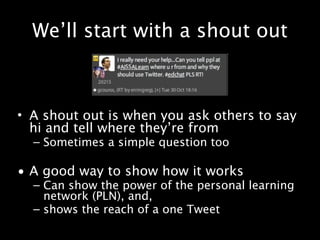
We’ll start with a shout out


• A shout out is when you ask others to say
  hi and tell where they’re from
  – Sometimes a simple question too

• A good way to show how it works
  – Can show the power of the personal learning
    network (PLN), and,
  – shows the reach of a one Tweet
What is Twitter?
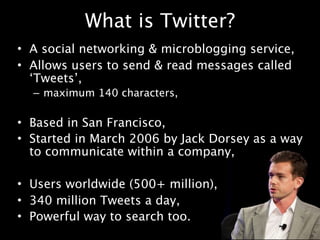
• A social networking & microblogging service,
• Allows users to send & read messages called
  ‘Tweets’,
  – maximum 140 characters,

• Based in San Francisco,
• Started in March 2006 by Jack Dorsey as a way
  to communicate within a company,

• Users worldwide (500+ million),
• 340 million Tweets a day,
• Powerful way to search too.
Why Tweet?
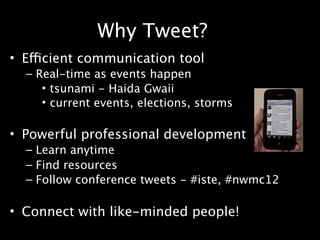
• Efficient communication tool
  – Real-time as events happen
     • tsunami - Haida Gwaii
     • current events, elections, storms

• Powerful professional development
  – Learn anytime
  – Find resources
  – Follow conference tweets - #iste, #nwmc12

• Connect with like-minded people!
Specically educators...
• Role modeling to other staff and students

• Show people you’re a learner

• Number of educators, in particular,
  administrators, who are very active social
  media users is increasing

• Become part of the conversation!
How does it work?

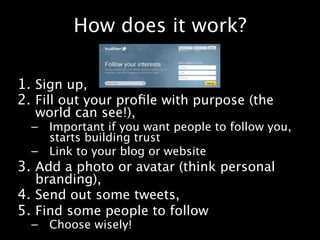
1. Sign up,
2. Fill out your prole with purpose (the
  world can see!),
  –   Important if you want people to follow you,
      starts building trust
  –   Link to your blog or website
3. Add a photo or avatar (think personal
   branding),
4. Send out some tweets,
5. Find some people to follow
  –   Choose wisely!
Some basics
• Think before you tweet
  – anyone can see it!


• To send a tweet to someone, put @ in
  front of their twitter name or click reply

• To send a message only to someone who
  follows you, use D and a space or click
  direct message
  – These are private
  – You or the other person can delete them
More basics
• To retweet is to send out someone
  else’s tweet crediting them by the RT: in
  front (or click retweet)
  – A way to spread information
• Can block/report spammers or people
  you don’t want to follow you
  – they can still see your tweets
• If hacked, strange DMs sent from your
  account (after clicking links sent to you)
  – change your password
Who to Follow?
                         Cybraryman's PLN Stars

                                   Wefollow.com

• Start with a purpose, that will determine who
  you follow
  – Professional?
  – Personal?
• Start by following a few people you know/trust
• See who they follow
• Use other’s lists to help
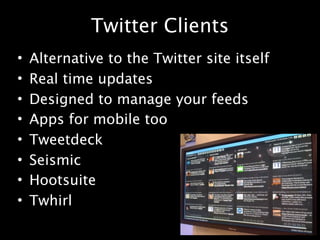
Twitter Clients
•   Alternative to the Twitter site itself
•   Real time updates
•   Designed to manage your feeds
•   Apps for mobile too
•   Tweetdeck
•   Seismic
•   Hootsuite
•   Twhirl
Hashtags
•   Popular Education Hashtags
•   Type # and then word/abbreviation
•   Created as a way to categorize messages
•   Filter your twitter feed (#edchat)
•   Search for information (#canucks)
•   Follow pro-d events (#bcsd74tech)
•   Great way to find people to follow
     – ‘Follow Fridays’ #FF
Helpful sites:
• The Twitteraholic's Ultimate Guide to
  tweets, hashtags, and all other things
  Twitter

• twitter4teachers

• Why Educators Should Be Using Twitter

• Twitter Handbook for Teachers
From my viewpoint
• Transformed recent conference experience

• Blown my professional mindset wide open

• I don’t feel isolated anymore

• Helps me be a better teacher & a better mom

• It takes time, try to get following 100 people
  or send 100 tweets before calling it quits
Thank yous & References
• My PLN, especially @gcouros & @remi_collins

• https://twitter.com/logo
• Wikipedia
• http://www.flickr.com/photos/mfilej/
  2397881577/
• One on One with Jack Dorsey accessed May 10
  http://www.flickr.com/photos/
  democonference/4991585134/
• http://www.flickr.com/photos/stevegarfield/
  4247757731/
• http://www.flickr.com/photos/keiya/
  3255575238/

Tweet 2

  • 1.
    Tweet 2 Ms E. Gregory School District #74 (Gold Trail) November 2012
  • 2.
    Learning Intentions • Tolearn how Twitter can be used: – As a communication tool – For professional development • To explore Twitter • The Shape of the Workshop…
  • 3.
    We’ll start witha shout out • A shout out is when you ask others to say hi and tell where they’re from – Sometimes a simple question too • A good way to show how it works – Can show the power of the personal learning network (PLN), and, – shows the reach of a one Tweet
  • 4.
    What is Twitter? •A social networking & microblogging service, • Allows users to send & read messages called ‘Tweets’, – maximum 140 characters, • Based in San Francisco, • Started in March 2006 by Jack Dorsey as a way to communicate within a company, • Users worldwide (500+ million), • 340 million Tweets a day, • Powerful way to search too.
  • 5.
    Why Tweet? • Efficientcommunication tool – Real-time as events happen • tsunami - Haida Gwaii • current events, elections, storms • Powerful professional development – Learn anytime – Find resources – Follow conference tweets - #iste, #nwmc12 • Connect with like-minded people!
  • 6.
    Specifically educators... • Rolemodeling to other staff and students • Show people you’re a learner • Number of educators, in particular, administrators, who are very active social media users is increasing • Become part of the conversation!
  • 7.
    How does itwork? 1. Sign up, 2. Fill out your profile with purpose (the world can see!), – Important if you want people to follow you, starts building trust – Link to your blog or website 3. Add a photo or avatar (think personal branding), 4. Send out some tweets, 5. Find some people to follow – Choose wisely!
  • 8.
    Some basics • Thinkbefore you tweet – anyone can see it! • To send a tweet to someone, put @ in front of their twitter name or click reply • To send a message only to someone who follows you, use D and a space or click direct message – These are private – You or the other person can delete them
  • 9.
    More basics • Toretweet is to send out someone else’s tweet crediting them by the RT: in front (or click retweet) – A way to spread information • Can block/report spammers or people you don’t want to follow you – they can still see your tweets • If hacked, strange DMs sent from your account (after clicking links sent to you) – change your password
  • 10.
    Who to Follow? Cybraryman's PLN Stars Wefollow.com • Start with a purpose, that will determine who you follow – Professional? – Personal? • Start by following a few people you know/trust • See who they follow • Use other’s lists to help
  • 11.
    Twitter Clients • Alternative to the Twitter site itself • Real time updates • Designed to manage your feeds • Apps for mobile too • Tweetdeck • Seismic • Hootsuite • Twhirl
  • 12.
    Hashtags • Popular Education Hashtags • Type # and then word/abbreviation • Created as a way to categorize messages • Filter your twitter feed (#edchat) • Search for information (#canucks) • Follow pro-d events (#bcsd74tech) • Great way to find people to follow – ‘Follow Fridays’ #FF
  • 13.
    Helpful sites: • TheTwitteraholic's Ultimate Guide to tweets, hashtags, and all other things Twitter • twitter4teachers • Why Educators Should Be Using Twitter • Twitter Handbook for Teachers
  • 14.
    From my viewpoint •Transformed recent conference experience • Blown my professional mindset wide open • I don’t feel isolated anymore • Helps me be a better teacher & a better mom • It takes time, try to get following 100 people or send 100 tweets before calling it quits
  • 15.
    Thank yous &References • My PLN, especially @gcouros & @remi_collins • https://twitter.com/logo • Wikipedia • http://www.flickr.com/photos/mfilej/ 2397881577/ • One on One with Jack Dorsey accessed May 10 http://www.flickr.com/photos/ democonference/4991585134/ • http://www.flickr.com/photos/stevegarfield/ 4247757731/ • http://www.flickr.com/photos/keiya/ 3255575238/