a Useful Online Software: Learn how to make Web 2.0  work for your library! New Hampshire Library Association Spring Conference May 18, 2007
Web 2.0 Web 2.0 is based on the idea that the Web is more than a place to find information from “official” sources.  Web 2.0 is built on the concept of individuals being able to  create  their own content,  share  that content with others,  and  connect  with people who share their interests.
Web As Productivity Tool
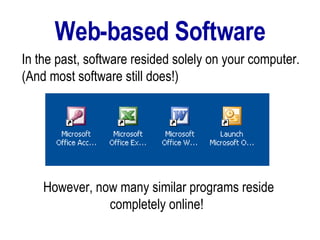
Web-based Software However, now many similar programs reside completely online!   In the past, software resided solely on your computer. (And most software still does!)
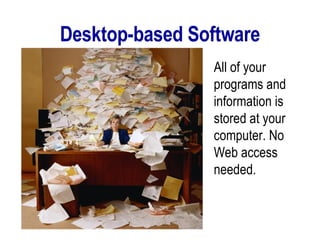
Desktop-based Software All of your programs and information is stored at your computer. No Web access needed.
Web-based Software Your software and data are stored online and accessed via the Web.
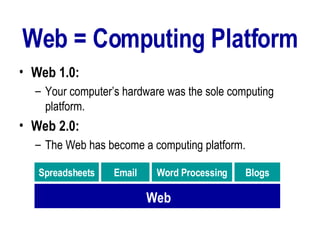
Web = Computing Platform Web 1.0:  Your computer’s hardware was the sole computing platform. Web 2.0:   The Web has become a computing platform. Web Spreadsheets Blogs Email Word   Processing
Web-based Software  Word Processors  that are compatible with MS Word and Open Office.  File Storage  that works like your Windows Explorer.  Spreadsheets  that do everything MS Excel does.  Photo editing  that is much easier to use than Photoshop! Databases  that can be very powerful.
Software  or  Website? In many cases… Both!
Web-based Software Webware
Synonyms  (at least for this presentation…) Applications = Software = Programs Online software = Web-based software = Webware = Webapp
How is it possible? What makes it possible for a Website to work as a computer program?   Consumers have more bandwidth and faster computers.  Internet programmers use a new programming technique: Ajax.
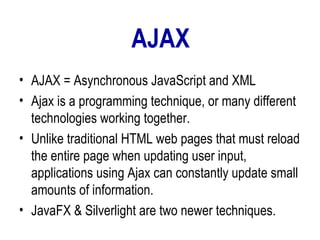
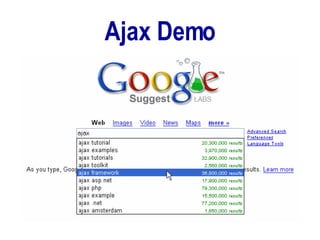
AJAX AJAX = Asynchronous JavaScript and XML Ajax is a programming technique, or many different technologies working together.  Unlike traditional HTML web pages that must reload the entire page when updating user input, applications using Ajax can constantly update small amounts of information. JavaFX & Silverlight are two newer techniques.
Ajax Demo
Advantages to Webware or Why Librarians (Should) Love  Web-based Applications
Web 2.0 + Libraries = Terrific Service!   Web 2.0 is perfect for libraries, librarians and our patrons, alike!  Our library patrons, like us, work, study, and get news and entertainment from many different locations (computers).
No Downloads Required Remember, the  Web , not your computer, is the computing platform!  Advantage #1:
Better Access to Applications & Data Your patrons’ information and programs are available from any Internet-connected computer.  Advantage #2
Expand Library Services for Free There is an ever growing variety of programs available (many of which your library would not be able to easily - or cheaply - provide on your patron computers).  Most online programs are free or available to a single user at a reasonable cost.  Advantage #3
Incorporating the Web Libraries have been using Websites as reference sources and have been incorporating online information into their collections for years now.  Why not add online productivity tools to library services?
Webware Is Easy To Use Office-type Webware has been specifically developed to look like and work like traditional software.  Most other Webware (photo editing or video uploading, for instance) was developed to be easy to learn and use!   Advantage #4
Useful Online Software for Libraries
Webware in Today’s Presentation Word processing Spreadsheets File Storage Photo Editing Video Editing (Scrapblog)
Web-based Word Processing Google Docs  Zoho Writer
Online File Storage Like a hard drive that can be accessed anywhere. Box.net Yahoo Briefcase Others
Web-based Spreadsheets Google Docs & Spreadsheets Zoho Sheets
Web-based Databases DabbleDB
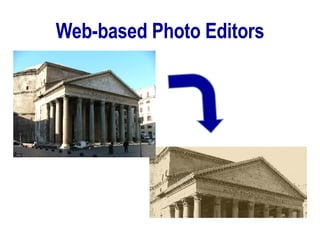
Web-based Photo Editors
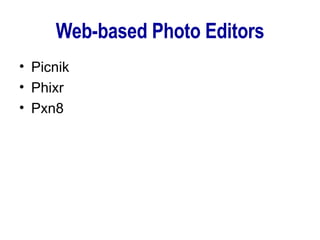
Web-based Photo Editors Picnik Phixr Pxn8
Web-based Presentations Zoho Spresent
Web-based Website Creators Weebly Google Page Creator
Web-based Video Editing Jumpcut Photobucket
Web-based Desktops Web developers are creating online software that appears similar to your conventional desktop.  These desktop programs include word processors, online file storage, email, chat, blogs, RSS reader, address book, and even a simple MP3 player.
Future Trends Webware will continue to expand and improve.  Even Adobe is jumping into the Web-game with a video editing tool already available in Photobucket. They also plan to make Photoshop available online. Growing trend of online/offline applications
Reference http://www.aventureforth.com/2005/09/06/top-10-ajax-applications/   http://www.techcrunch.com/2007/05/08/sun-responds-to-ajax-silverlight-with-javafx/

Useful Online Software

  • 1.
    a Useful OnlineSoftware: Learn how to make Web 2.0 work for your library! New Hampshire Library Association Spring Conference May 18, 2007
  • 2.
    Web 2.0 Web2.0 is based on the idea that the Web is more than a place to find information from “official” sources. Web 2.0 is built on the concept of individuals being able to create their own content, share that content with others, and connect with people who share their interests.
  • 3.
  • 4.
    Web-based Software However,now many similar programs reside completely online! In the past, software resided solely on your computer. (And most software still does!)
  • 5.
    Desktop-based Software Allof your programs and information is stored at your computer. No Web access needed.
  • 6.
    Web-based Software Yoursoftware and data are stored online and accessed via the Web.
  • 7.
    Web = ComputingPlatform Web 1.0: Your computer’s hardware was the sole computing platform. Web 2.0: The Web has become a computing platform. Web Spreadsheets Blogs Email Word Processing
  • 8.
    Web-based Software Word Processors that are compatible with MS Word and Open Office. File Storage that works like your Windows Explorer. Spreadsheets that do everything MS Excel does. Photo editing that is much easier to use than Photoshop! Databases that can be very powerful.
  • 9.
    Software or Website? In many cases… Both!
  • 10.
  • 11.
    Synonyms (atleast for this presentation…) Applications = Software = Programs Online software = Web-based software = Webware = Webapp
  • 12.
    How is itpossible? What makes it possible for a Website to work as a computer program? Consumers have more bandwidth and faster computers. Internet programmers use a new programming technique: Ajax.
  • 13.
    AJAX AJAX =Asynchronous JavaScript and XML Ajax is a programming technique, or many different technologies working together. Unlike traditional HTML web pages that must reload the entire page when updating user input, applications using Ajax can constantly update small amounts of information. JavaFX & Silverlight are two newer techniques.
  • 14.
  • 15.
    Advantages to Webwareor Why Librarians (Should) Love Web-based Applications
  • 16.
    Web 2.0 +Libraries = Terrific Service! Web 2.0 is perfect for libraries, librarians and our patrons, alike! Our library patrons, like us, work, study, and get news and entertainment from many different locations (computers).
  • 17.
    No Downloads RequiredRemember, the Web , not your computer, is the computing platform! Advantage #1:
  • 18.
    Better Access toApplications & Data Your patrons’ information and programs are available from any Internet-connected computer. Advantage #2
  • 19.
    Expand Library Servicesfor Free There is an ever growing variety of programs available (many of which your library would not be able to easily - or cheaply - provide on your patron computers). Most online programs are free or available to a single user at a reasonable cost. Advantage #3
  • 20.
    Incorporating the WebLibraries have been using Websites as reference sources and have been incorporating online information into their collections for years now. Why not add online productivity tools to library services?
  • 21.
    Webware Is EasyTo Use Office-type Webware has been specifically developed to look like and work like traditional software. Most other Webware (photo editing or video uploading, for instance) was developed to be easy to learn and use! Advantage #4
  • 22.
  • 23.
    Webware in Today’sPresentation Word processing Spreadsheets File Storage Photo Editing Video Editing (Scrapblog)
  • 24.
    Web-based Word ProcessingGoogle Docs Zoho Writer
  • 25.
    Online File StorageLike a hard drive that can be accessed anywhere. Box.net Yahoo Briefcase Others
  • 26.
    Web-based Spreadsheets GoogleDocs & Spreadsheets Zoho Sheets
  • 27.
  • 28.
  • 29.
    Web-based Photo EditorsPicnik Phixr Pxn8
  • 30.
  • 31.
    Web-based Website CreatorsWeebly Google Page Creator
  • 32.
    Web-based Video EditingJumpcut Photobucket
  • 33.
    Web-based Desktops Webdevelopers are creating online software that appears similar to your conventional desktop. These desktop programs include word processors, online file storage, email, chat, blogs, RSS reader, address book, and even a simple MP3 player.
  • 34.
    Future Trends Webwarewill continue to expand and improve. Even Adobe is jumping into the Web-game with a video editing tool already available in Photobucket. They also plan to make Photoshop available online. Growing trend of online/offline applications
  • 35.
    Reference http://www.aventureforth.com/2005/09/06/top-10-ajax-applications/ http://www.techcrunch.com/2007/05/08/sun-responds-to-ajax-silverlight-with-javafx/