1
© 2017 SWC Technology Partners www.SWC.com
1© 2017 SWC Technology Partners www.SWC.com
© 2016 SWC Technology Partners www.SWC.com
1
Maximizing Team Productivity with Microsoft Office 365
Suite
2
© 2017 SWC Technology Partners www.SWC.com
2© 2017 SWC Technology Partners www.SWC.com
AGENDA
• Importance of Efficiency in the Digital Age
• Team Productivity with Office 365
• Maximizing Productivity Success & Value
• How to Get Started
The NEW Way to Work
Suite
© 2016 SWC Technology Partners www.SWC.com
3
© 2017 SWC Technology Partners www.SWC.com
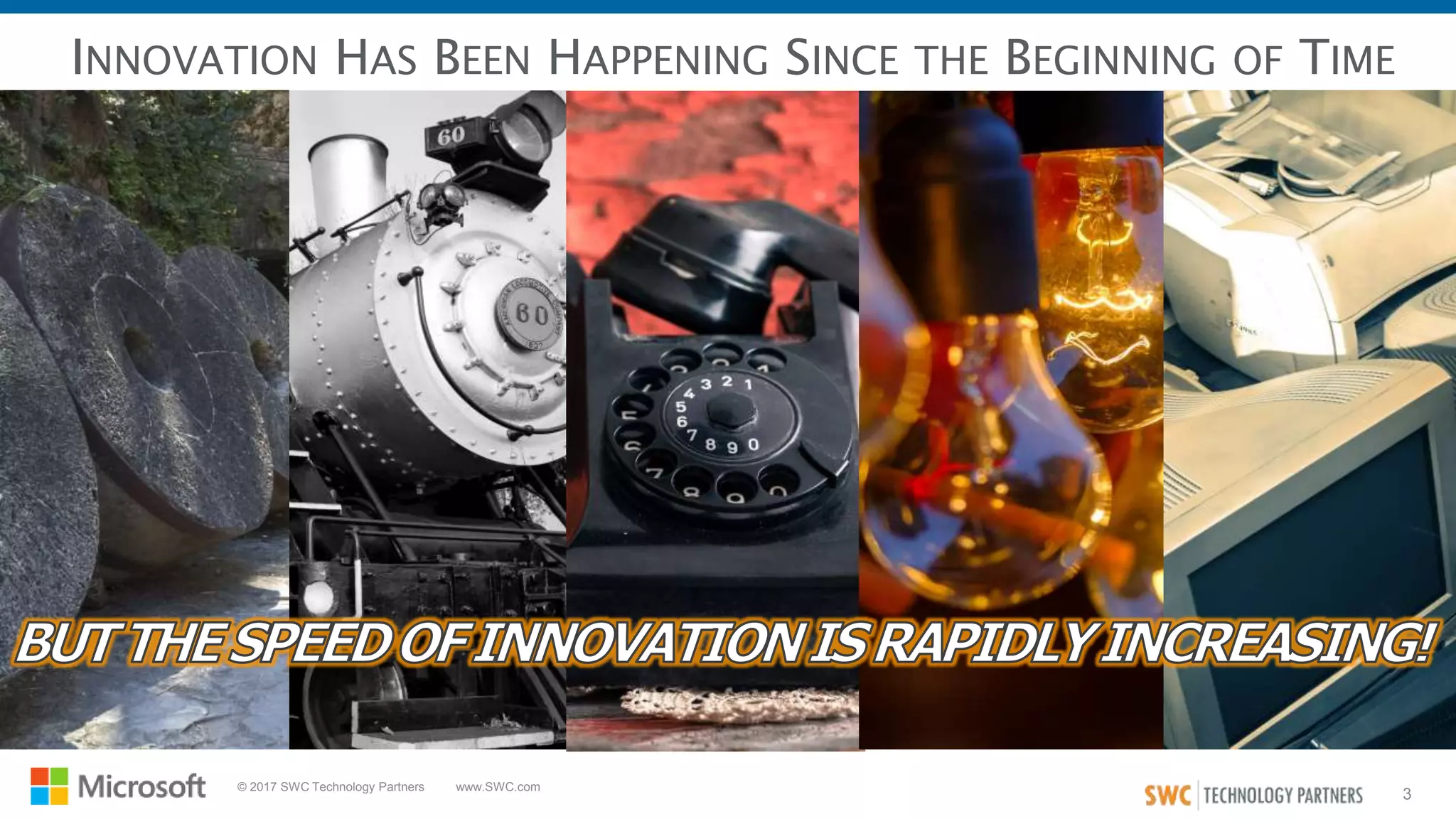
INNOVATION HAS BEEN HAPPENING SINCE THE BEGINNING OF TIME
4
© 2017 SWC Technology Partners www.SWC.com
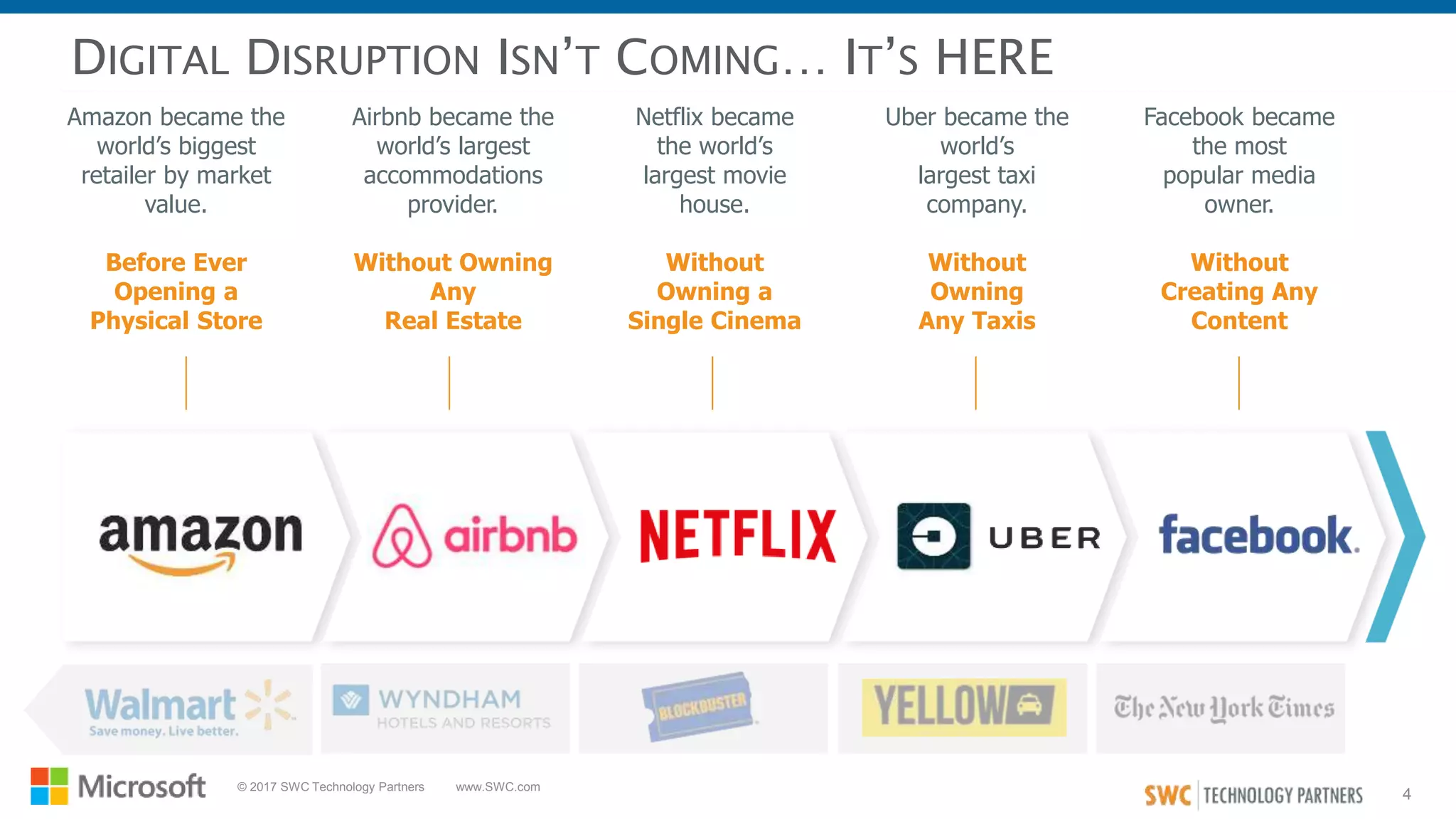
DIGITAL DISRUPTION ISN’T COMING… IT’S HERE
Netflix became
the world’s
largest movie
house.
Without
Owning a
Single Cinema
Airbnb became the
world’s largest
accommodations
provider.
Without Owning
Any
Real Estate
Uber became the
world’s
largest taxi
company.
Without
Owning
Any Taxis
Facebook became
the most
popular media
owner.
Without
Creating Any
Content
Amazon became the
world’s biggest
retailer by market
value.
Before Ever
Opening a
Physical Store
5
© 2017 SWC Technology Partners www.SWC.com
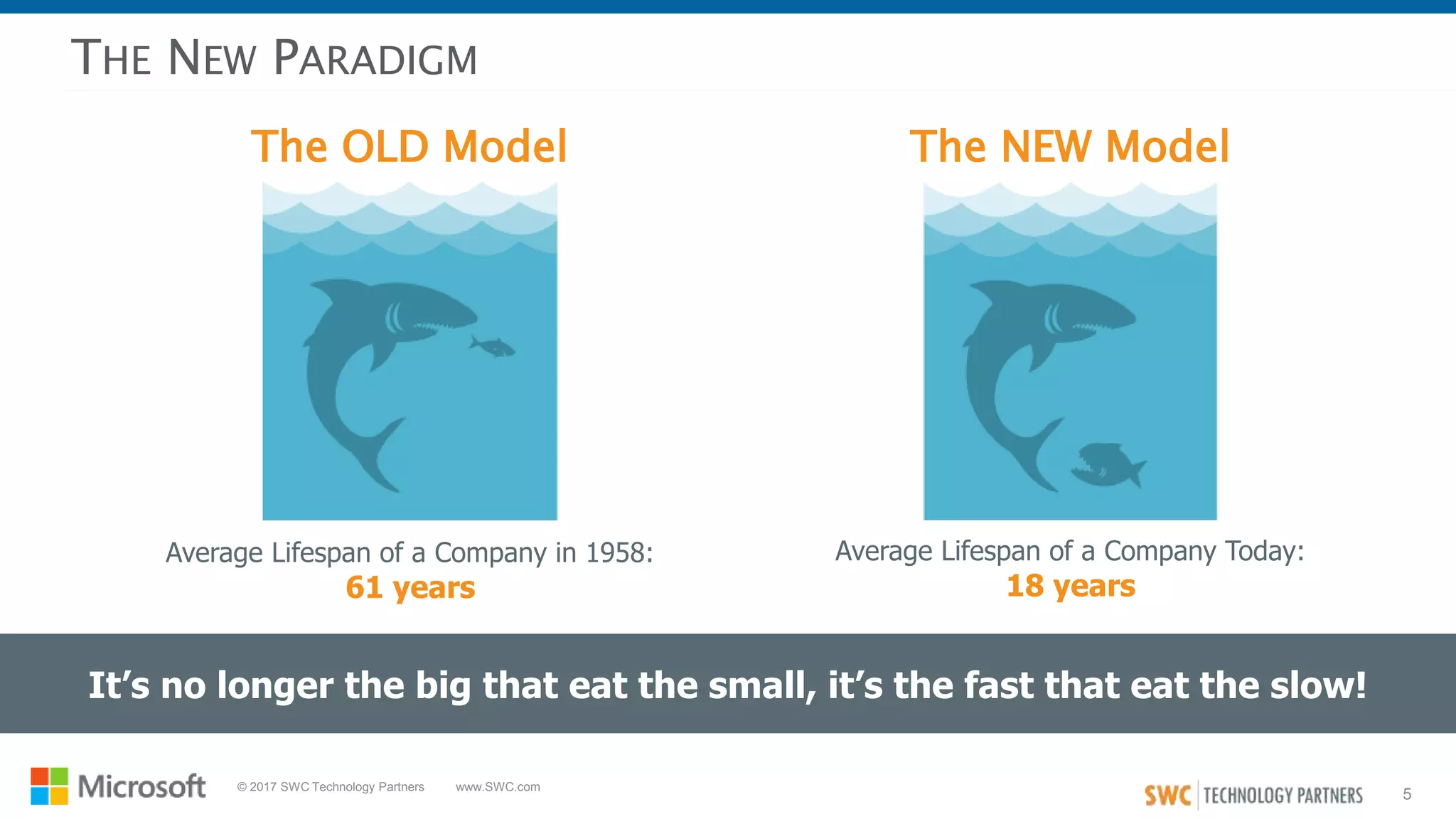
The OLD Model
THE NEW PARADIGM
It’s no longer the big that eat the small, it’s the fast that eat the slow!
The NEW Model
Average Lifespan of a Company in 1958:
61 years
Average Lifespan of a Company Today:
18 years
6
© 2017 SWC Technology Partners www.SWC.com
IF BUSINESSES WANT TO EVOLVE WITH THE RAPID PACE
OF INNOVATION…
THEY MUST INCREASE EFFICIENCY
WITH TECHNOLOGY WHEREVER
POSSIBLE!
7
© 2017 SWC Technology Partners www.SWC.com
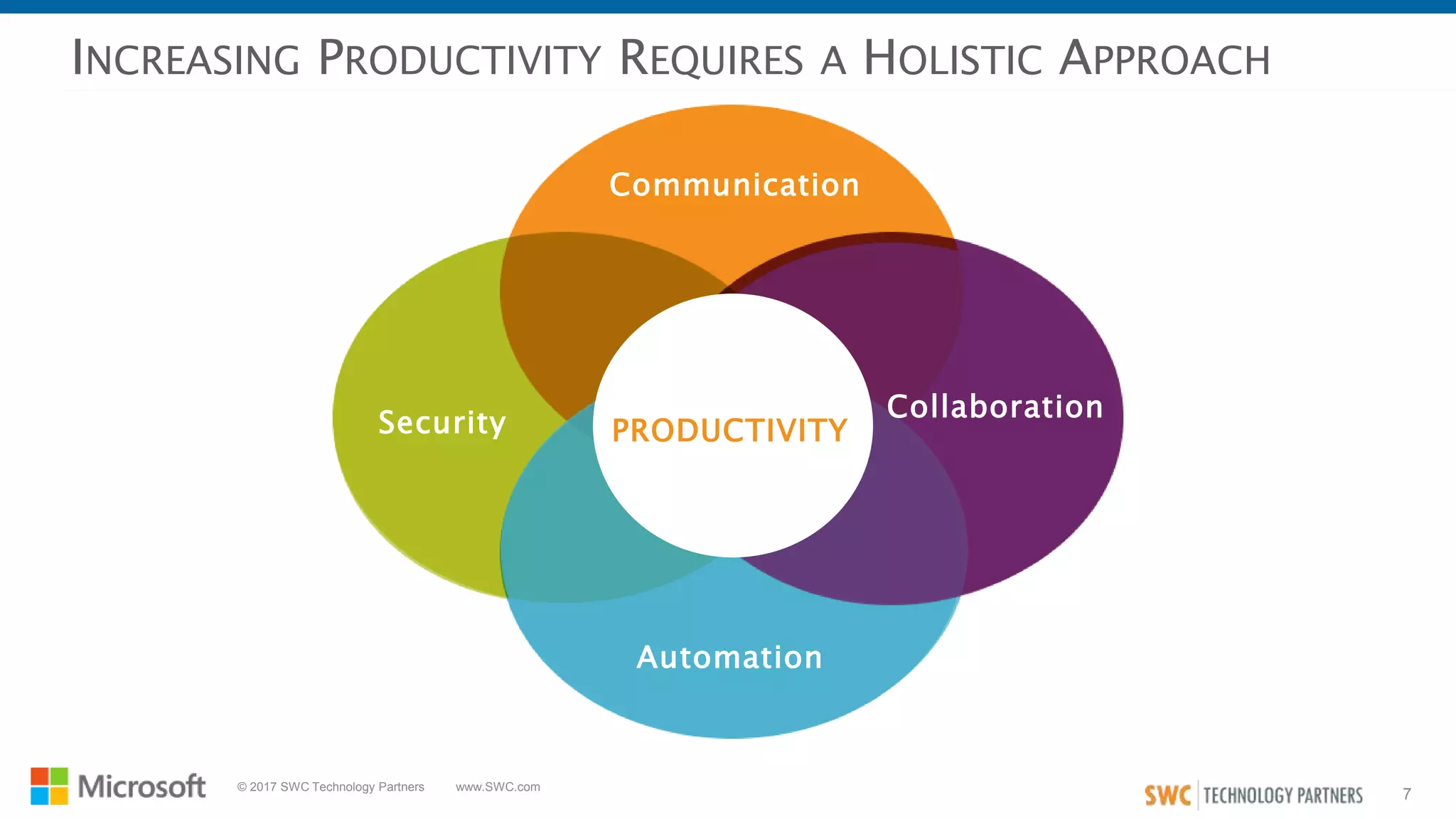
INCREASING PRODUCTIVITY REQUIRES A HOLISTIC APPROACH
Communication
Collaboration
Automation
Security PRODUCTIVITY
8
© 2017 SWC Technology Partners www.SWC.com
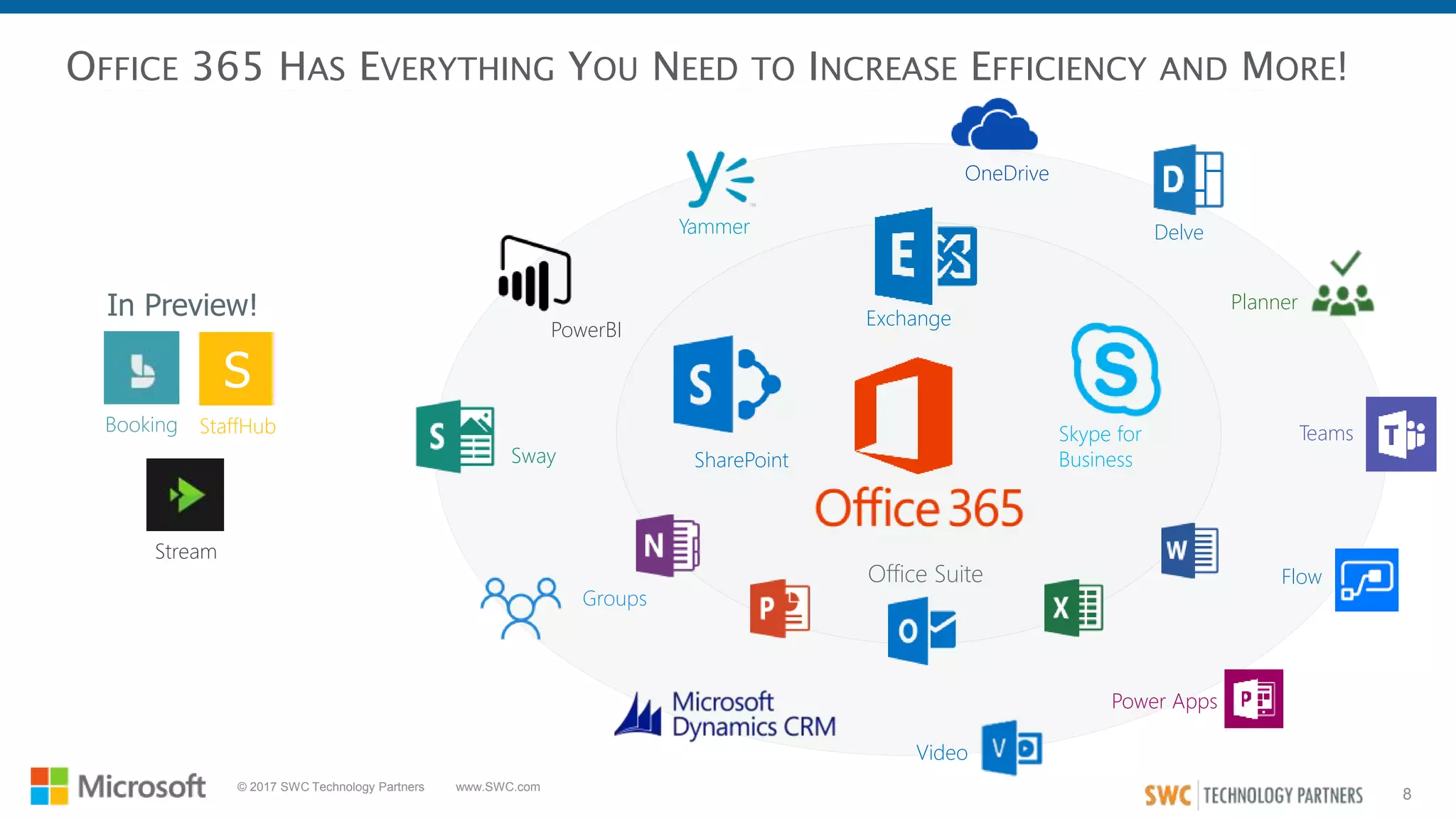
OFFICE 365 HAS EVERYTHING YOU NEED TO INCREASE EFFICIENCY AND MORE!
SharePoint
Exchange
Office Suite
Skype for
Business
Yammer
OneDrive
Delve
Planner
Video
Groups
Sway
PowerBI
Teams
Power Apps
Flow
In Preview!
Booking
Stream
S
StaffHub
9
© 2017 SWC Technology Partners www.SWC.com
COMMUNICATION & COLLABORATION IN
OFFICE 365
10
© 2017 SWC Technology Partners www.SWC.com
COMMON COMMUNICATION AND COLLABORATION USE CASES
• Personal storage accounts are used
for company data
• Documents cannot be accessed
without connecting to VPN
• Desire to eliminate network drives
Platform for Personal
Notetaking & Organization
• Ad hoc reviews and impromptu
collaboration are difficult to manage
• Documents shared externally have to
be saved locally and then attached
Real-Time Document Sharing
& Collaboration
• Company-wide or targeted to
specific audiences
• Fast and easy access to useful
news, information, links, etc.
Information Publishing
• Facilitate connections between
resources across org boundaries
• Access and leverage 'tribal
knowledge’
Community Development
• Personal storage accounts are used
for company data
• Documents cannot be accessed
without connecting to VPN
• Desire to eliminate network drives
Online Personal Document
Storage
• Inconsistent methods of tracking
work are employed
• Visibility into expected task
completion is limited and manual
Tasks List and Assignments
• Personal accounts are used for company discussions
• The is no ability to share live documents during a meeting
• Scheduling meetings with external or remote contacts is difficult
• There is no insight into when colleagues' availability
Instant Communication and Virtual Meetings
11
© 2017 SWC Technology Partners www.SWC.com
AUTOMATION IN OFFICE 365
12
© 2017 SWC Technology Partners www.SWC.com
COMMON AUTOMATION USE CASES
• Improve call center ticket resolution
• Optimize call center processes
• Capture feedback
• Improve constituent engagement with
streamlined communications
Customer Service
• Ensure financial governance
• Simplify budget requests
• Manage expense approvals
• Improve invoice processing
Finance and Administration
• Improve employee onboarding and off
boarding
• Manage annual performance reviews
• Streamline leave requests
• Expedite recruiting
Human Resources
• Improve supplier management
• Manage work orders
• Deliver goods and services to your
customers
• Improve project management
Operations
• Manage sales opportunities
• Improve contract management
• Manage marketing campaigns
• Create documents
• Manage reviews & approvals
Sales & Marketing
• Manage help desk requests
• Manage and track IT assets from
acquisition to disposal
• Provision user accounts
• Automate message notifications
Information Technology
13
© 2017 SWC Technology Partners www.SWC.com
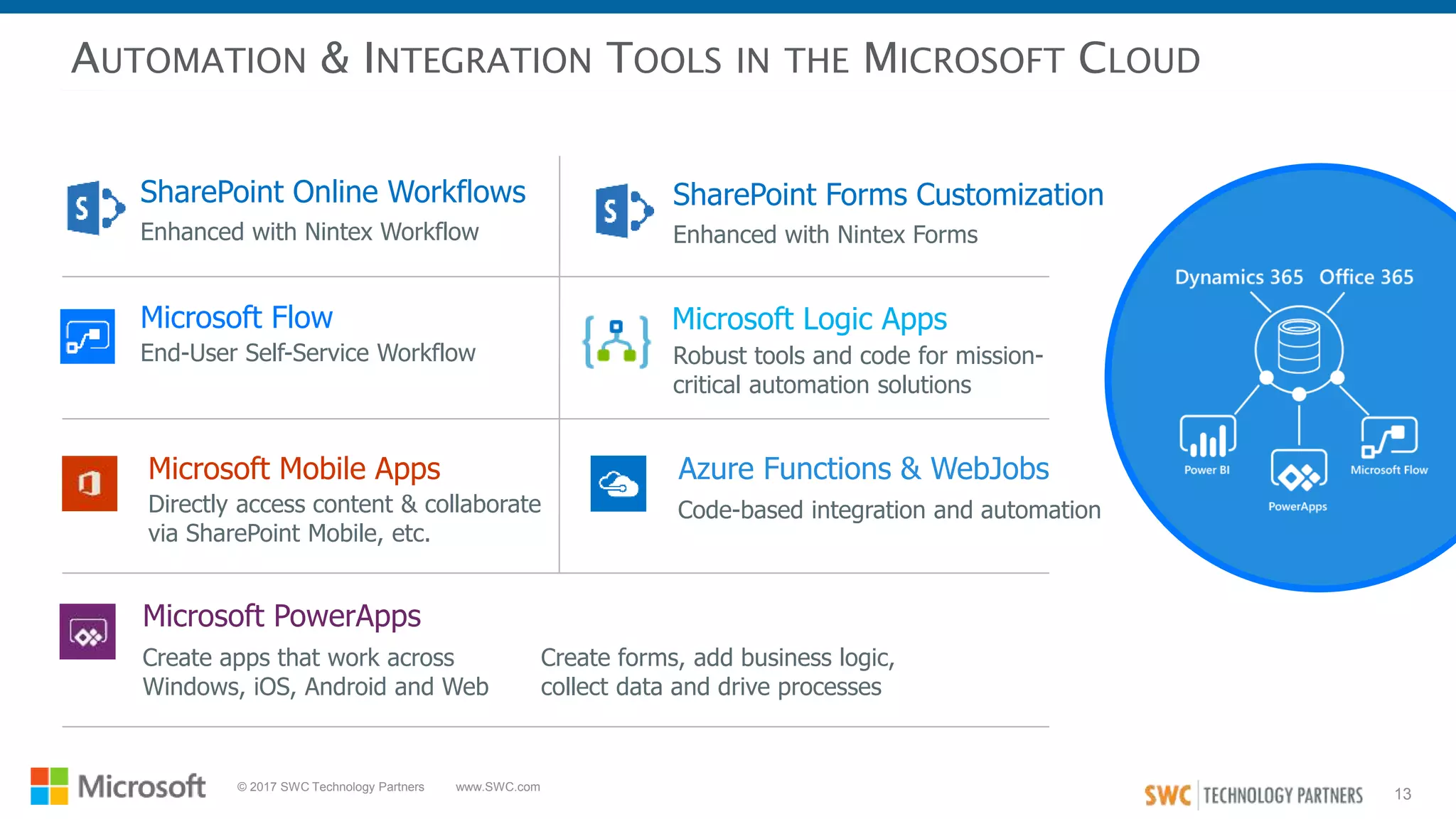
AUTOMATION & INTEGRATION TOOLS IN THE MICROSOFT CLOUD
SharePoint Online Workflows SharePoint Forms Customization
Enhanced with Nintex Workflow Enhanced with Nintex Forms
Microsoft Flow
End-User Self-Service Workflow
Microsoft Logic Apps
Robust tools and code for mission-
critical automation solutions
Microsoft PowerApps
Create apps that work across
Windows, iOS, Android and Web
Microsoft Mobile Apps
Directly access content & collaborate
via SharePoint Mobile, etc.
Create forms, add business logic,
collect data and drive processes
Azure Functions & WebJobs
Code-based integration and automation
14
© 2017 SWC Technology Partners www.SWC.com
SECURITY IN OFFICE 365 (THE CLOUD)
15
© 2017 SWC Technology Partners www.SWC.com
Clouds are usually a more secure starting point than in house
implementations.
“
ANALYST POSITION ON CLOUD SECURITY IN OFFICE 365
Cloud services are not getting breached. Most security incidents
are the customer’s fault.
“
No evidence indicates that Cloud Service Providers have performed
less securely than end user organizations – Quite the Opposite.
“
“Gartner Position: ‘Clouds Are Secure’
16
© 2017 SWC Technology Partners www.SWC.com
The docs they need to keep secure include their
customer's "company jewels"
• Trade secrets, patent applications, etc.
• It's critical that they can attest under oath that no
unauthorized access has or could have occurred
• This includes any vendor support technicians,
consultants or other third parties
CLIENT SCENARIO: CLOUD SECURITY
150 year-old Law Firm
They wanted to move off iManage
and onto SharePoint Online
• This represents a pioneering move
• Intention is to retain top legal talent, and they
recognize that efficient and modern tools are crucial
Every law firm I've ever spoken to (> 20)
uses iManage - industry standard, so low risk
After a deep dive into the info, conditions and support
technicalities in the Microsoft Trust Center, and with the
release of a new O365 feature called 'Customer Lock Box',
their security and privacy concerns were met
Key security, privacy and compliance requirements also
included things like ensuring their data's physical storage
never leaves US soil
They have since completed a migration to O365 and
rolled out a new doc mgmt system in SharePoint Online
17
© 2017 SWC Technology Partners www.SWC.com
TECHNOLOGY MAY BE WHAT DRIVES GREATER EFFICIENCY…
BUT IT’S THE PEOPLE THAT
MAKE IT A SUCCESS!
18
© 2017 SWC Technology Partners www.SWC.com
It’s what’s below the surface
that sinks organizations
ORGANIZATIONAL
CULTURE:
THE WAY THINGS REALLY
GET DONE
VISION
GOALS
PROCEDURES
POLICIES
TRADITION
SHARED
ASSUMPTIONS
NORMS
VALUES
FEELINGS
STORIES
UNWRITTEN RULES
PERCEPTIONS
BELIEFS
STRUCTURES
SHARED VALUES
STRATEGY
ONGOING TRAINING
“The way
we really
get things
done”
“The way we
say we get
things done”TECHNOLOGY
19
© 2017 SWC Technology Partners www.SWC.com
TYPICAL PRODUCTIVITY & COLLABORATION SOLUTION RESULTS
Solution isn’t easily ‘usable’ and people
don’t ‘get it’- adoption suffers
Enablement, governance & support are
neglected – confusion reigns
!
Results are ‘blamed’ on technology, rather than how
it was implemented = “bad experience” for users
Wild West
Empty
Wasteland
20
© 2017 SWC Technology Partners www.SWC.com
DEVELOPING A ROADMAP TO IMPROVE EFFICIENCY
CAPABILITIES
ENVISIONING
• Findings & Recommendations
• Design & Plan Validation
• Socialization
• High Level Functionality
• Business Needs & Pain Points
• Prioritized Use Cases
• Business Requirements
• Identified Initiatives
• Priority Matrix
• Validated Roadmap & Slide Deck
• High-Level Implementation Plan
• Other Project Artifacts
FUNCTIONAL
DISCOVERY
ROADMAP
• Audience(s) Definition
• Capabilities in Context Review
• Value Opp Envisioning (80/20)
• Educated Stakeholders
• Streamlined Reqs Gathering
• Actionable User Feedbackl
DELIVERABLESACTIVITIESAREA
21
© 2017 SWC Technology Partners www.SWC.com
OFFICE 365 ROADMAP
A strategic, living Office 365 Roadmap illustrates how use cases are prioritized
by clarity of requirements, business value, and associated effort
WellDefinedUnclear
ClarityofRequirements
Business ValueLow High
Phase 1 Phase 2 (Bubble size = work effort) Hybrid project team
real-Time document
collaboration
Onboarding
Workflow
Enable video
conferencing with
Tokyo office
Document sharing
with customers
Deploy and
socialize new
security policies
Real-time communication
and document sharing for
hybrid project team
External access to
personal files
Team project
planning and task
management
KPI reporting to
executive team
Creation of annual board
meeting supporting
documentation
Auto notification to
Accounting when
invoices are past due
Self-service booking
of customer
appointments
22
© 2017 SWC Technology Partners www.SWC.com
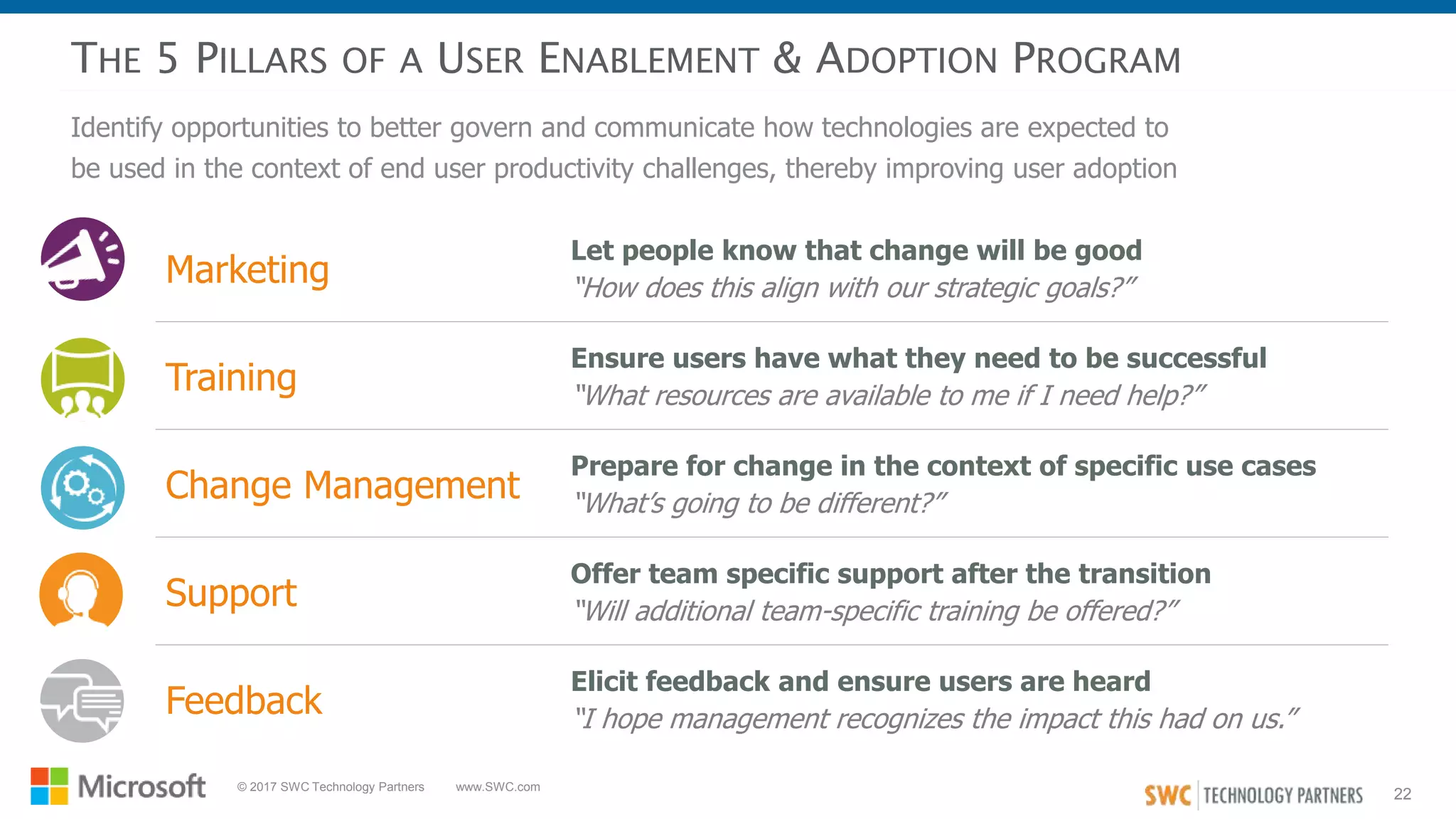
THE 5 PILLARS OF A USER ENABLEMENT & ADOPTION PROGRAM
Identify opportunities to better govern and communicate how technologies are expected to
be used in the context of end user productivity challenges, thereby improving user adoption
Marketing
Let people know that change will be good
“How does this align with our strategic goals?”
Training
Ensure users have what they need to be successful
“What resources are available to me if I need help?”
Change Management
Prepare for change in the context of specific use cases
“What’s going to be different?”
Support
Offer team specific support after the transition
“Will additional team-specific training be offered?”
Feedback
Elicit feedback and ensure users are heard
“I hope management recognizes the impact this had on us.”
23
© 2017 SWC Technology Partners www.SWC.com
WHAT’S NEXT?
24
© 2017 SWC Technology Partners www.SWC.com
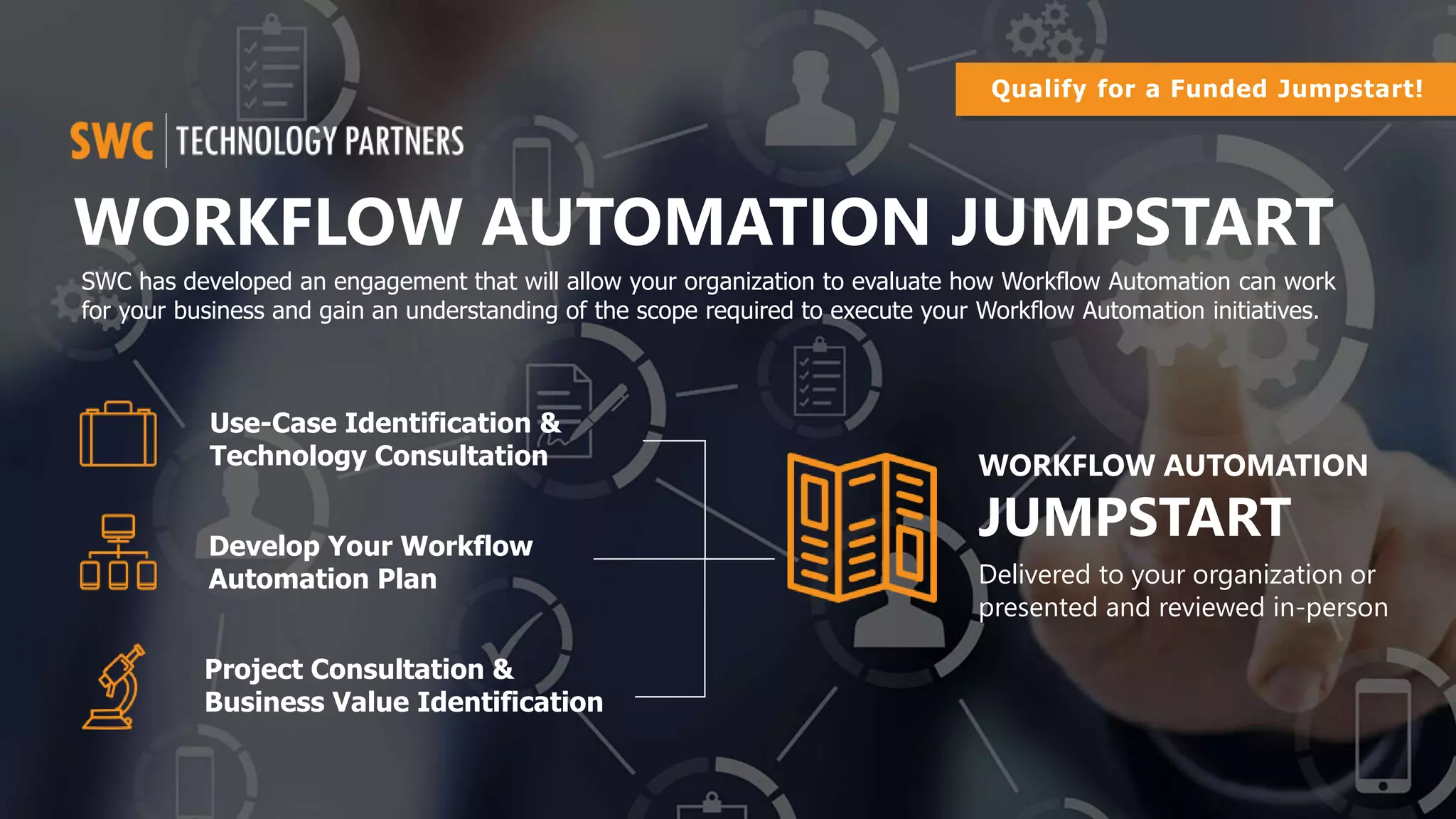
WORKFLOW AUTOMATION JUMPSTART
Develop Your Workflow
Automation Plan
Project Consultation &
Business Value Identification
Use-Case Identification &
Technology Consultation WORKFLOW AUTOMATION
JUMPSTART
Delivered to your organization or
presented and reviewed in-person
SWC has developed an engagement that will allow your organization to evaluate how Workflow Automation can work
for your business and gain an understanding of the scope required to execute your Workflow Automation initiatives.
Qualify for a Funded Jumpstart!
25
© 2017 SWC Technology Partners www.SWC.com
THE INC. 500 | 5000
FASTEST GROWING
COMPANIES IN AMERICA
World’s Top 100
Managed Service
Providers
Elite 150
Managed Services
Solution Provider
Top Work Places
© 2017 SWC Technology Partners www.SWC.com 25
26
© 2017 SWC Technology Partners www.SWC.com
26© 2017 SWC Technology Partners
1420 Kensington Road, Suite 110
Oak Brook, IL 60523
33 W. Monroe, Suite 1830
Chicago, IL 60603
630.572.0240
Contact Us
www.swc.com/contact
(630) 572-0240

Maximizing Team Productivity with Microsoft Office 365

  • 1.
    1 © 2017 SWCTechnology Partners www.SWC.com 1© 2017 SWC Technology Partners www.SWC.com © 2016 SWC Technology Partners www.SWC.com 1 Maximizing Team Productivity with Microsoft Office 365 Suite
  • 2.
    2 © 2017 SWCTechnology Partners www.SWC.com 2© 2017 SWC Technology Partners www.SWC.com AGENDA • Importance of Efficiency in the Digital Age • Team Productivity with Office 365 • Maximizing Productivity Success & Value • How to Get Started The NEW Way to Work Suite © 2016 SWC Technology Partners www.SWC.com
  • 3.
    3 © 2017 SWCTechnology Partners www.SWC.com INNOVATION HAS BEEN HAPPENING SINCE THE BEGINNING OF TIME
  • 4.
    4 © 2017 SWCTechnology Partners www.SWC.com DIGITAL DISRUPTION ISN’T COMING… IT’S HERE Netflix became the world’s largest movie house. Without Owning a Single Cinema Airbnb became the world’s largest accommodations provider. Without Owning Any Real Estate Uber became the world’s largest taxi company. Without Owning Any Taxis Facebook became the most popular media owner. Without Creating Any Content Amazon became the world’s biggest retailer by market value. Before Ever Opening a Physical Store
  • 5.
    5 © 2017 SWCTechnology Partners www.SWC.com The OLD Model THE NEW PARADIGM It’s no longer the big that eat the small, it’s the fast that eat the slow! The NEW Model Average Lifespan of a Company in 1958: 61 years Average Lifespan of a Company Today: 18 years
  • 6.
    6 © 2017 SWCTechnology Partners www.SWC.com IF BUSINESSES WANT TO EVOLVE WITH THE RAPID PACE OF INNOVATION… THEY MUST INCREASE EFFICIENCY WITH TECHNOLOGY WHEREVER POSSIBLE!
  • 7.
    7 © 2017 SWCTechnology Partners www.SWC.com INCREASING PRODUCTIVITY REQUIRES A HOLISTIC APPROACH Communication Collaboration Automation Security PRODUCTIVITY
  • 8.
    8 © 2017 SWCTechnology Partners www.SWC.com OFFICE 365 HAS EVERYTHING YOU NEED TO INCREASE EFFICIENCY AND MORE! SharePoint Exchange Office Suite Skype for Business Yammer OneDrive Delve Planner Video Groups Sway PowerBI Teams Power Apps Flow In Preview! Booking Stream S StaffHub
  • 9.
    9 © 2017 SWCTechnology Partners www.SWC.com COMMUNICATION & COLLABORATION IN OFFICE 365
  • 10.
    10 © 2017 SWCTechnology Partners www.SWC.com COMMON COMMUNICATION AND COLLABORATION USE CASES • Personal storage accounts are used for company data • Documents cannot be accessed without connecting to VPN • Desire to eliminate network drives Platform for Personal Notetaking & Organization • Ad hoc reviews and impromptu collaboration are difficult to manage • Documents shared externally have to be saved locally and then attached Real-Time Document Sharing & Collaboration • Company-wide or targeted to specific audiences • Fast and easy access to useful news, information, links, etc. Information Publishing • Facilitate connections between resources across org boundaries • Access and leverage 'tribal knowledge’ Community Development • Personal storage accounts are used for company data • Documents cannot be accessed without connecting to VPN • Desire to eliminate network drives Online Personal Document Storage • Inconsistent methods of tracking work are employed • Visibility into expected task completion is limited and manual Tasks List and Assignments • Personal accounts are used for company discussions • The is no ability to share live documents during a meeting • Scheduling meetings with external or remote contacts is difficult • There is no insight into when colleagues' availability Instant Communication and Virtual Meetings
  • 11.
    11 © 2017 SWCTechnology Partners www.SWC.com AUTOMATION IN OFFICE 365
  • 12.
    12 © 2017 SWCTechnology Partners www.SWC.com COMMON AUTOMATION USE CASES • Improve call center ticket resolution • Optimize call center processes • Capture feedback • Improve constituent engagement with streamlined communications Customer Service • Ensure financial governance • Simplify budget requests • Manage expense approvals • Improve invoice processing Finance and Administration • Improve employee onboarding and off boarding • Manage annual performance reviews • Streamline leave requests • Expedite recruiting Human Resources • Improve supplier management • Manage work orders • Deliver goods and services to your customers • Improve project management Operations • Manage sales opportunities • Improve contract management • Manage marketing campaigns • Create documents • Manage reviews & approvals Sales & Marketing • Manage help desk requests • Manage and track IT assets from acquisition to disposal • Provision user accounts • Automate message notifications Information Technology
  • 13.
    13 © 2017 SWCTechnology Partners www.SWC.com AUTOMATION & INTEGRATION TOOLS IN THE MICROSOFT CLOUD SharePoint Online Workflows SharePoint Forms Customization Enhanced with Nintex Workflow Enhanced with Nintex Forms Microsoft Flow End-User Self-Service Workflow Microsoft Logic Apps Robust tools and code for mission- critical automation solutions Microsoft PowerApps Create apps that work across Windows, iOS, Android and Web Microsoft Mobile Apps Directly access content & collaborate via SharePoint Mobile, etc. Create forms, add business logic, collect data and drive processes Azure Functions & WebJobs Code-based integration and automation
  • 14.
    14 © 2017 SWCTechnology Partners www.SWC.com SECURITY IN OFFICE 365 (THE CLOUD)
  • 15.
    15 © 2017 SWCTechnology Partners www.SWC.com Clouds are usually a more secure starting point than in house implementations. “ ANALYST POSITION ON CLOUD SECURITY IN OFFICE 365 Cloud services are not getting breached. Most security incidents are the customer’s fault. “ No evidence indicates that Cloud Service Providers have performed less securely than end user organizations – Quite the Opposite. “ “Gartner Position: ‘Clouds Are Secure’
  • 16.
    16 © 2017 SWCTechnology Partners www.SWC.com The docs they need to keep secure include their customer's "company jewels" • Trade secrets, patent applications, etc. • It's critical that they can attest under oath that no unauthorized access has or could have occurred • This includes any vendor support technicians, consultants or other third parties CLIENT SCENARIO: CLOUD SECURITY 150 year-old Law Firm They wanted to move off iManage and onto SharePoint Online • This represents a pioneering move • Intention is to retain top legal talent, and they recognize that efficient and modern tools are crucial Every law firm I've ever spoken to (> 20) uses iManage - industry standard, so low risk After a deep dive into the info, conditions and support technicalities in the Microsoft Trust Center, and with the release of a new O365 feature called 'Customer Lock Box', their security and privacy concerns were met Key security, privacy and compliance requirements also included things like ensuring their data's physical storage never leaves US soil They have since completed a migration to O365 and rolled out a new doc mgmt system in SharePoint Online
  • 17.
    17 © 2017 SWCTechnology Partners www.SWC.com TECHNOLOGY MAY BE WHAT DRIVES GREATER EFFICIENCY… BUT IT’S THE PEOPLE THAT MAKE IT A SUCCESS!
  • 18.
    18 © 2017 SWCTechnology Partners www.SWC.com It’s what’s below the surface that sinks organizations ORGANIZATIONAL CULTURE: THE WAY THINGS REALLY GET DONE VISION GOALS PROCEDURES POLICIES TRADITION SHARED ASSUMPTIONS NORMS VALUES FEELINGS STORIES UNWRITTEN RULES PERCEPTIONS BELIEFS STRUCTURES SHARED VALUES STRATEGY ONGOING TRAINING “The way we really get things done” “The way we say we get things done”TECHNOLOGY
  • 19.
    19 © 2017 SWCTechnology Partners www.SWC.com TYPICAL PRODUCTIVITY & COLLABORATION SOLUTION RESULTS Solution isn’t easily ‘usable’ and people don’t ‘get it’- adoption suffers Enablement, governance & support are neglected – confusion reigns ! Results are ‘blamed’ on technology, rather than how it was implemented = “bad experience” for users Wild West Empty Wasteland
  • 20.
    20 © 2017 SWCTechnology Partners www.SWC.com DEVELOPING A ROADMAP TO IMPROVE EFFICIENCY CAPABILITIES ENVISIONING • Findings & Recommendations • Design & Plan Validation • Socialization • High Level Functionality • Business Needs & Pain Points • Prioritized Use Cases • Business Requirements • Identified Initiatives • Priority Matrix • Validated Roadmap & Slide Deck • High-Level Implementation Plan • Other Project Artifacts FUNCTIONAL DISCOVERY ROADMAP • Audience(s) Definition • Capabilities in Context Review • Value Opp Envisioning (80/20) • Educated Stakeholders • Streamlined Reqs Gathering • Actionable User Feedbackl DELIVERABLESACTIVITIESAREA
  • 21.
    21 © 2017 SWCTechnology Partners www.SWC.com OFFICE 365 ROADMAP A strategic, living Office 365 Roadmap illustrates how use cases are prioritized by clarity of requirements, business value, and associated effort WellDefinedUnclear ClarityofRequirements Business ValueLow High Phase 1 Phase 2 (Bubble size = work effort) Hybrid project team real-Time document collaboration Onboarding Workflow Enable video conferencing with Tokyo office Document sharing with customers Deploy and socialize new security policies Real-time communication and document sharing for hybrid project team External access to personal files Team project planning and task management KPI reporting to executive team Creation of annual board meeting supporting documentation Auto notification to Accounting when invoices are past due Self-service booking of customer appointments
  • 22.
    22 © 2017 SWCTechnology Partners www.SWC.com THE 5 PILLARS OF A USER ENABLEMENT & ADOPTION PROGRAM Identify opportunities to better govern and communicate how technologies are expected to be used in the context of end user productivity challenges, thereby improving user adoption Marketing Let people know that change will be good “How does this align with our strategic goals?” Training Ensure users have what they need to be successful “What resources are available to me if I need help?” Change Management Prepare for change in the context of specific use cases “What’s going to be different?” Support Offer team specific support after the transition “Will additional team-specific training be offered?” Feedback Elicit feedback and ensure users are heard “I hope management recognizes the impact this had on us.”
  • 23.
    23 © 2017 SWCTechnology Partners www.SWC.com WHAT’S NEXT?
  • 24.
    24 © 2017 SWCTechnology Partners www.SWC.com WORKFLOW AUTOMATION JUMPSTART Develop Your Workflow Automation Plan Project Consultation & Business Value Identification Use-Case Identification & Technology Consultation WORKFLOW AUTOMATION JUMPSTART Delivered to your organization or presented and reviewed in-person SWC has developed an engagement that will allow your organization to evaluate how Workflow Automation can work for your business and gain an understanding of the scope required to execute your Workflow Automation initiatives. Qualify for a Funded Jumpstart!
  • 25.
    25 © 2017 SWCTechnology Partners www.SWC.com THE INC. 500 | 5000 FASTEST GROWING COMPANIES IN AMERICA World’s Top 100 Managed Service Providers Elite 150 Managed Services Solution Provider Top Work Places © 2017 SWC Technology Partners www.SWC.com 25
  • 26.
    26 © 2017 SWCTechnology Partners www.SWC.com 26© 2017 SWC Technology Partners 1420 Kensington Road, Suite 110 Oak Brook, IL 60523 33 W. Monroe, Suite 1830 Chicago, IL 60603 630.572.0240 Contact Us www.swc.com/contact (630) 572-0240

Editor's Notes

  • #3 Thank you for your time this morning! Hopefully you found my presentation informative. Shortly, you’ll be receiving an email, which will include links to my slides and other useful resources. All attendees will be receiving the follow-up email from SWC today with a link to the slides from our presentation, my LinkedIn profile and our blog. Please feel free to connect to me and subscribe to our blog. We are constantly producing new content and thought leadership on what’s happening in the IT world, from the latest technical developments to strategic business and IT planning.
  • #4 Innovation the ways we use them in our personal lives, work and society – have changed the face of business and will continue to. This has always been so but the pace at which it is happening is accelerating and faster than the pace of transformation in organizations.
  • #19 July 2016 Gartner Financial Service Innovation Survey
  • #22 TODO: Change to Use Case Driven initiatives – more flexibility to adapt to new capabilities and options
  • #23 Activities and deliverables - by workload, by user group Each pillar should be considered for every deployment execution not in scope https://orangespot.swc.com/crossteam/Cross%20Practice%20Documents/User%20Advocacy/SWC%20User%20Advocacy%20Enablement%20Approach%20and%20Options.pptx