Google Apps
Google Apps for Business
Google Apps Free vs Business
Google Apps for Business:
Business-grade messaging and collaboration with business feature
enhancements, integration capabilities, an uptime SLA and
personalized support.

●
●
●
●

Includes enhanced application features*
25 GB of storage per user
Customizable spam and virus protection
The ability to remove ads make Google Apps for Business a
better business email solution.
Google Apps for Business
● Google Calendar is business-ready w/ better collaboration
tools & resource scheduling.
● Integration with your IT environment
● Google Apps for Business ties in with your existing IT
infrastructure.
● Support for single sign-on, user directory synchronization,
email migration, email routing and email gateway are
included.
● 99.9% uptime SLA
● Personalized support when you need it
● Google Apps for Business includes telephone support for
critical issues, plus email support.
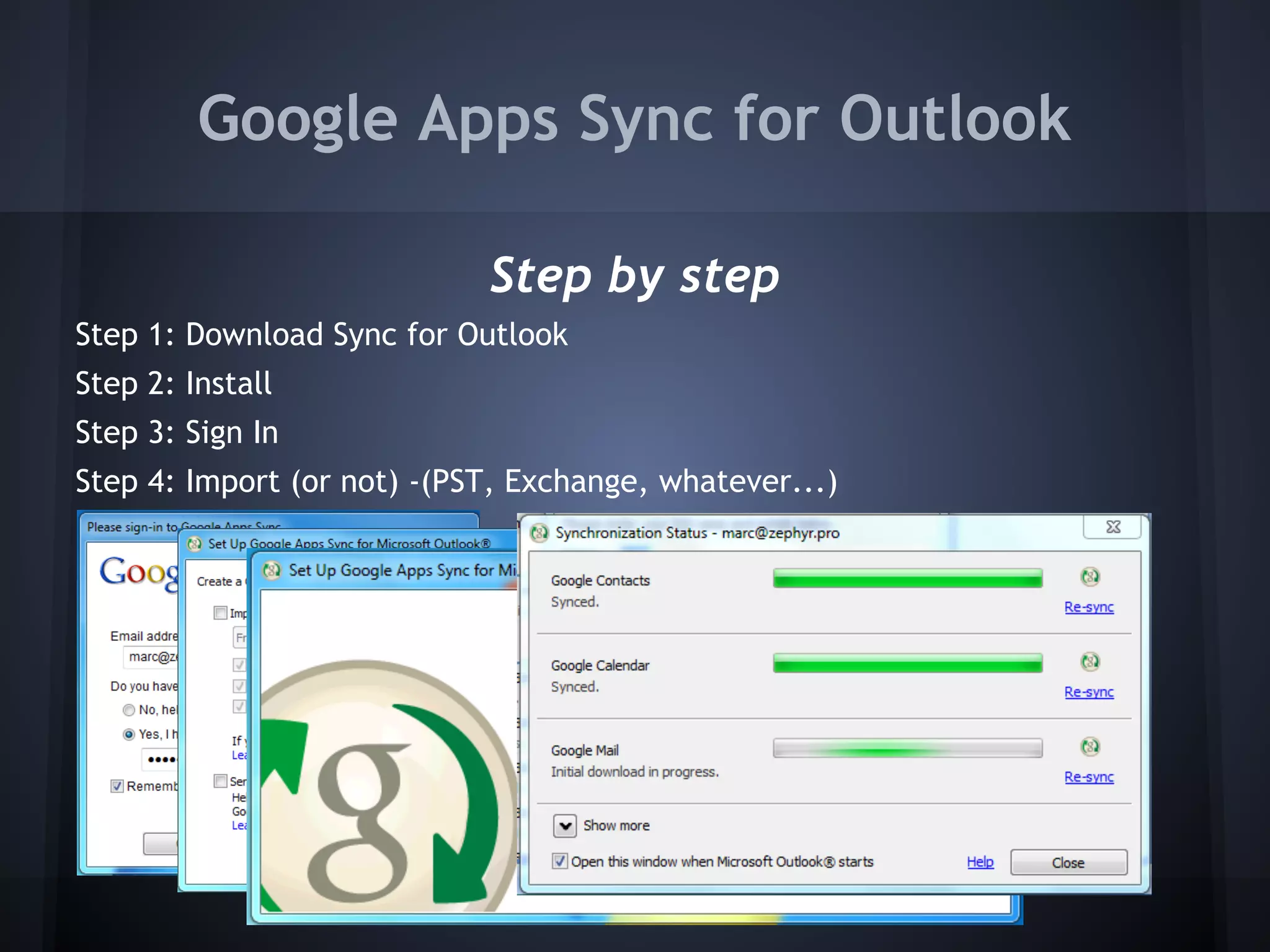
Google Apps Sync for Outlook
Step by step
Step 1: Download Sync for Outlook
Step 2: Install
Step 3: Sign In
Step 4: Import (or not) -(PST, Exchange, whatever...)

Demo...
File Sync Tools
Working within Windows & Google Apps
http://tools.google.com/dlpage/cloudconnect

www.insynchq.com/

www.syncplicity.com
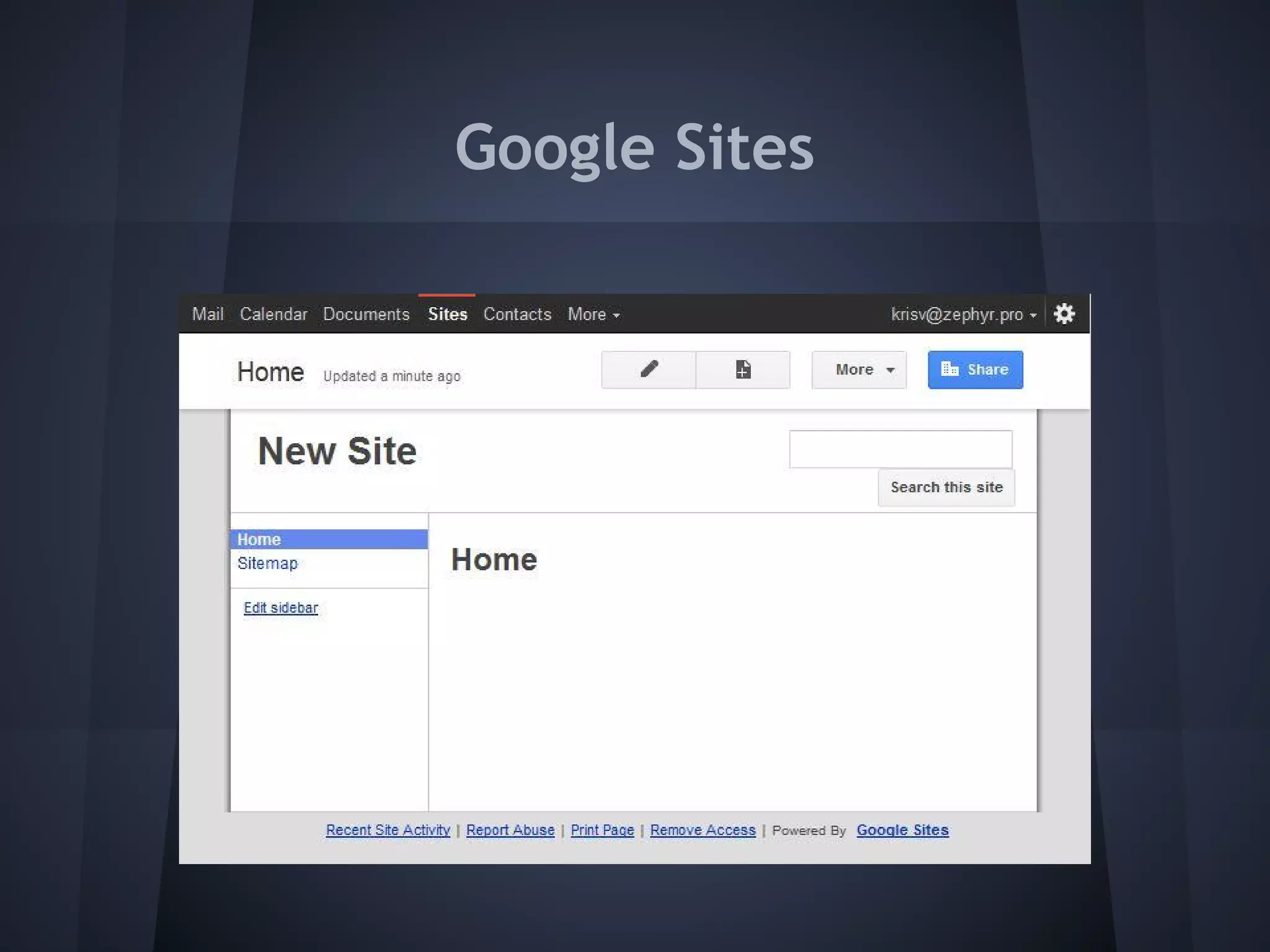
Google Sites
Why Use Google Sites?
Easy to use Interface
*You see what you get
*You don't have to spend time and money to load new programs, it's all in the web
Update and modify your site whenever you want
*You can modify your site everywhere, all you need is a computer and internet access
*You can make all of your updates on your own
*You're able to make all updates without being a "web designer"
Google's Dreamcase
*Google search loves your site and your customers will find it easily
Customizable
*Your business is changing all the time - so is your site
Google Sites
How Google Sites Help Maximize Your Business Functions
From the dozens of pre-built templates such as Project Work Site, Club Site, and Company Intranet,
you can maximize your business functions by creating sites for Project Management, Sales, Systems,
HR, Training and many more that everyone can access as a single source for all of your materials
Use Google Sites as a core vehicle for communication between team members and clients
Update information on each meeting or project in real time to avoid delay and excessive emails
back and forth
Create presentations and documents to share with your team members
Maintain a personal presence on the web that you can take with you wherever you go
Google Sites
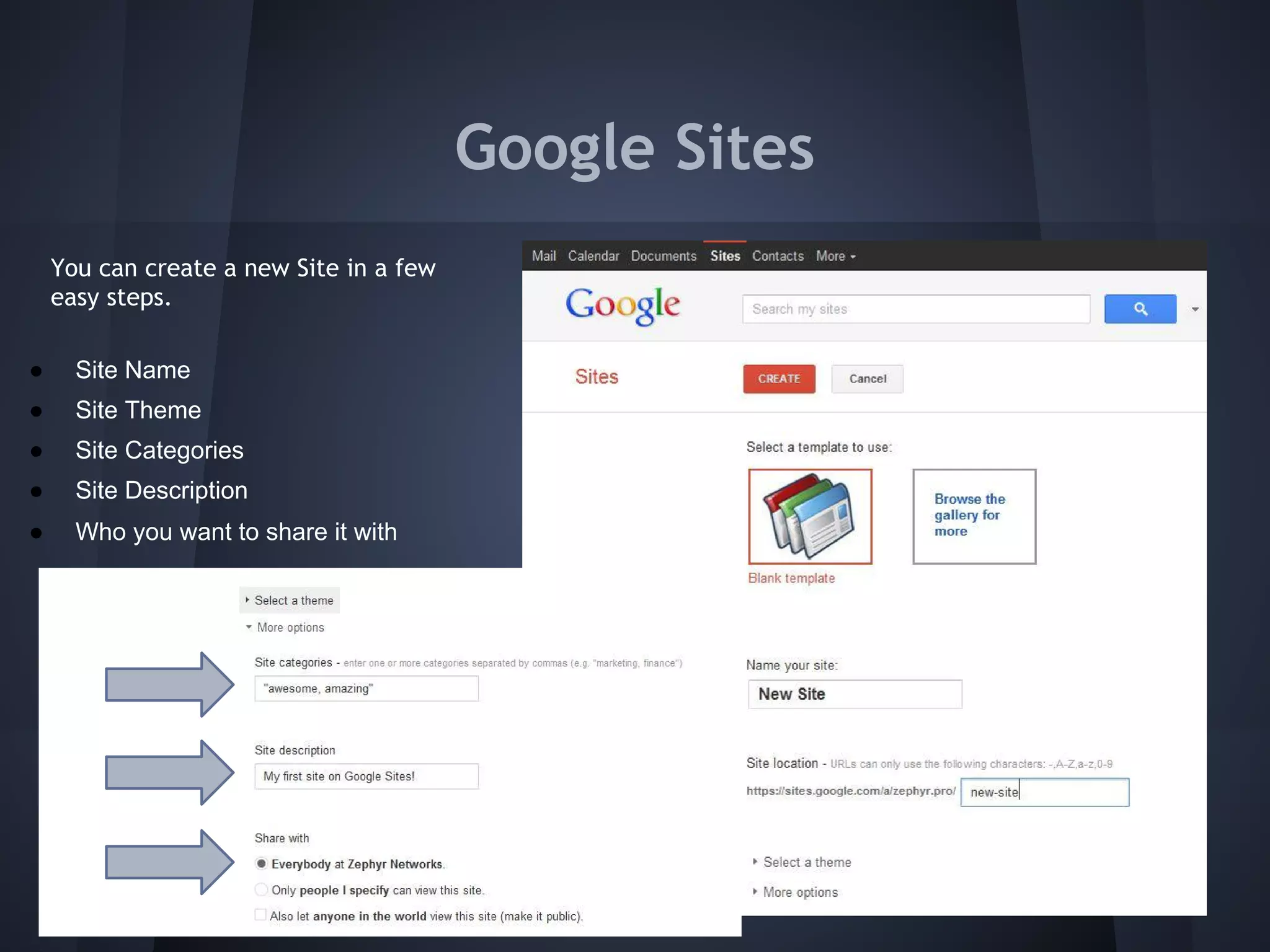
You can create a new Site in a few
easy steps.
●

Site Name

●

Site Theme

●

Site Categories

●

Site Description

●

Who you want to share it with
Google Sites
Become a Google Apps Reseller
● The process is much improved from my
initial experience.
● You will need an initial 25 users to show
them you are serious.
● After that it's easy.
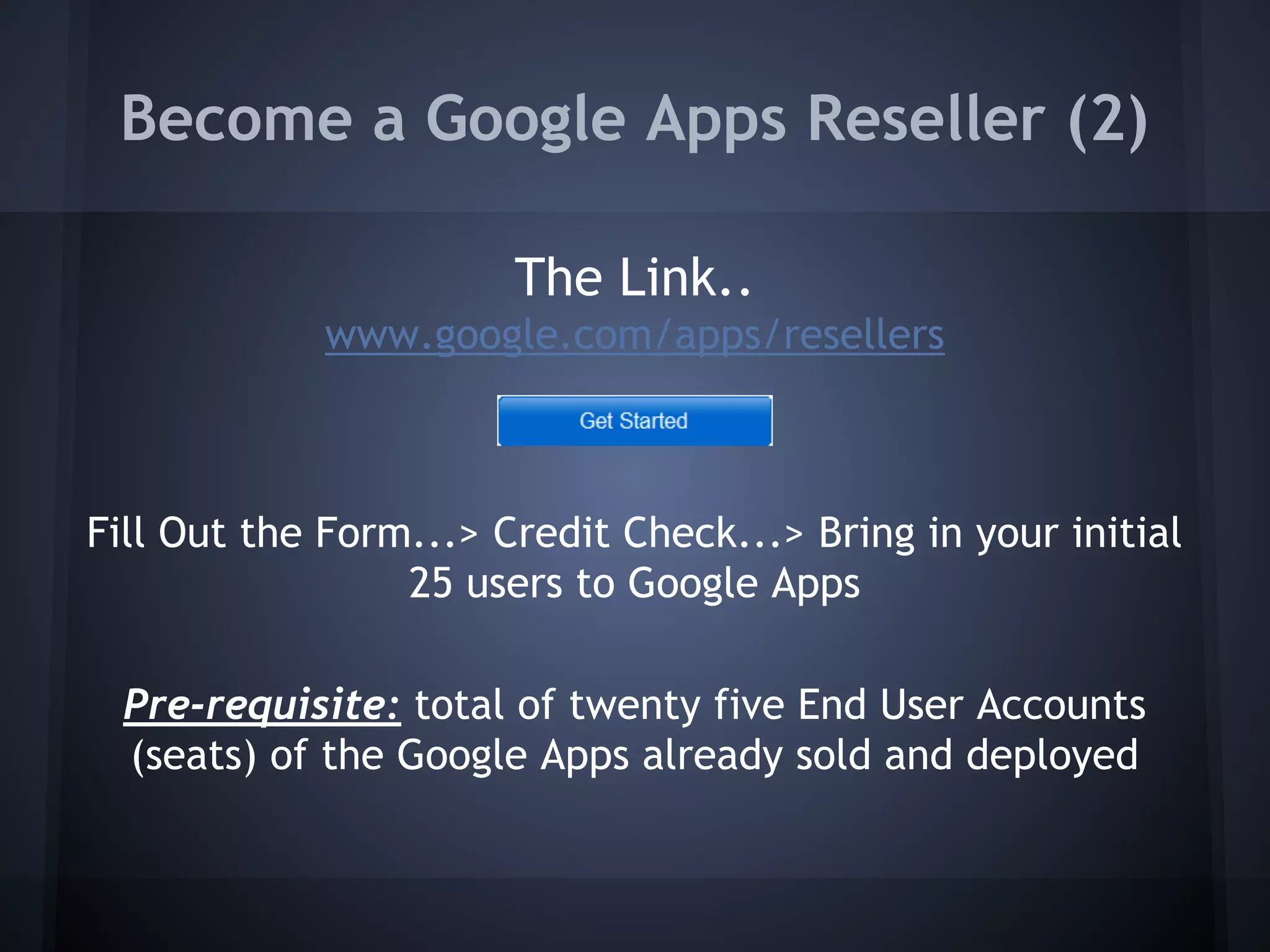
Become a Google Apps Reseller (2)
The Link..
www.google.com/apps/resellers

Fill Out the Form...> Credit Check...> Bring in your initial
25 users to Google Apps
Pre-requisite: total of twenty five End User Accounts
(seats) of the Google Apps already sold and deployed
Become a Google Apps Reseller (3)
Tracks
● Google Apps SMB Reseller track – focus is on companies
with less than 250 employees.

● Google Apps Enterprise Reseller track (invitation-only)
– focus is on 250+ employee companies, especially
companies in the 250-2000 employee range.
Google Resources for Resellers
●
●
●
●

Technical training and reseller support
Sales tools and training
Marketing programs, collateral, and tools
Reseller discount off the annual list price for Google
Apps for Business
Reseller logo branding
Solution provider community forums

●
●
● Integration into the front-line customer support flow
● Console to create and manage customer accounts
● Opportunities for other performance-based benefits
My Contact @ Google
Mike Abare
Google Enterprise Reseller Mgr.
mike.abare@google.com
978.494.6769
Or - email me (marc@zephyrnetworks.com)
with your email & Mike will set you up with a
full Google Apps demo

Google apps presentation

  • 1.
  • 2.
    Google Apps Freevs Business Google Apps for Business: Business-grade messaging and collaboration with business feature enhancements, integration capabilities, an uptime SLA and personalized support. ● ● ● ● Includes enhanced application features* 25 GB of storage per user Customizable spam and virus protection The ability to remove ads make Google Apps for Business a better business email solution.
  • 3.
    Google Apps forBusiness ● Google Calendar is business-ready w/ better collaboration tools & resource scheduling. ● Integration with your IT environment ● Google Apps for Business ties in with your existing IT infrastructure. ● Support for single sign-on, user directory synchronization, email migration, email routing and email gateway are included. ● 99.9% uptime SLA ● Personalized support when you need it ● Google Apps for Business includes telephone support for critical issues, plus email support.
  • 4.
    Google Apps Syncfor Outlook Step by step Step 1: Download Sync for Outlook Step 2: Install Step 3: Sign In Step 4: Import (or not) -(PST, Exchange, whatever...) Demo...
  • 5.
    File Sync Tools Workingwithin Windows & Google Apps http://tools.google.com/dlpage/cloudconnect www.insynchq.com/ www.syncplicity.com
  • 6.
    Google Sites Why UseGoogle Sites? Easy to use Interface *You see what you get *You don't have to spend time and money to load new programs, it's all in the web Update and modify your site whenever you want *You can modify your site everywhere, all you need is a computer and internet access *You can make all of your updates on your own *You're able to make all updates without being a "web designer" Google's Dreamcase *Google search loves your site and your customers will find it easily Customizable *Your business is changing all the time - so is your site
  • 7.
    Google Sites How GoogleSites Help Maximize Your Business Functions From the dozens of pre-built templates such as Project Work Site, Club Site, and Company Intranet, you can maximize your business functions by creating sites for Project Management, Sales, Systems, HR, Training and many more that everyone can access as a single source for all of your materials Use Google Sites as a core vehicle for communication between team members and clients Update information on each meeting or project in real time to avoid delay and excessive emails back and forth Create presentations and documents to share with your team members Maintain a personal presence on the web that you can take with you wherever you go
  • 8.
    Google Sites You cancreate a new Site in a few easy steps. ● Site Name ● Site Theme ● Site Categories ● Site Description ● Who you want to share it with
  • 9.
  • 10.
    Become a GoogleApps Reseller ● The process is much improved from my initial experience. ● You will need an initial 25 users to show them you are serious. ● After that it's easy.
  • 11.
    Become a GoogleApps Reseller (2) The Link.. www.google.com/apps/resellers Fill Out the Form...> Credit Check...> Bring in your initial 25 users to Google Apps Pre-requisite: total of twenty five End User Accounts (seats) of the Google Apps already sold and deployed
  • 12.
    Become a GoogleApps Reseller (3) Tracks ● Google Apps SMB Reseller track – focus is on companies with less than 250 employees. ● Google Apps Enterprise Reseller track (invitation-only) – focus is on 250+ employee companies, especially companies in the 250-2000 employee range.
  • 13.
    Google Resources forResellers ● ● ● ● Technical training and reseller support Sales tools and training Marketing programs, collateral, and tools Reseller discount off the annual list price for Google Apps for Business Reseller logo branding Solution provider community forums ● ● ● Integration into the front-line customer support flow ● Console to create and manage customer accounts ● Opportunities for other performance-based benefits
  • 14.
    My Contact @Google Mike Abare Google Enterprise Reseller Mgr. mike.abare@google.com 978.494.6769 Or - email me (marc@zephyrnetworks.com) with your email & Mike will set you up with a full Google Apps demo