Relevant to the Public Library   New Hampshire State Library January 2007 New Hardware & Software Trends
Scope of the Presentation To explore current hardware and software trends relevant to public libraries. Put down your pen and paper! Find this presentation at:  www.slideshare.net/bibliotecaria
Lifestyle Trends Before looking into technology trends, let’s examine our lifestyle trends.  We’re a nation on-the-go! We expect our information and entertainment to be ready when we are.
New Technologies Prevailing trends in technology:  Portable Smaller More user control of content Lots of user-generated content Web-based entertainment  Web-based tools and software
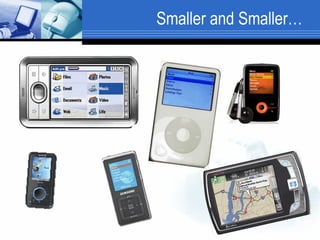
Smaller and Smaller…
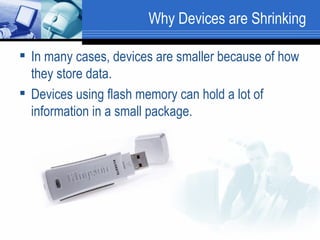
Why Devices are Shrinking In many cases, devices are smaller because of how they store data.  Devices using flash memory can hold a lot of information in a small package.
Flash Effects on Hardware Devices that use flash memory are: Smaller Portable Stable Your audio doesn’t skip when jarred. Durable  There are stories of flash drives surviving a wash cycle! Faster!
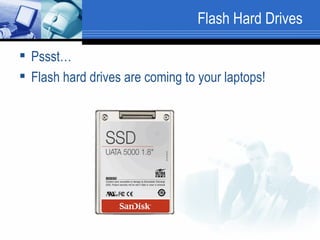
Flash Hard Drives  Pssst…  Flash hard drives are coming to your laptops!
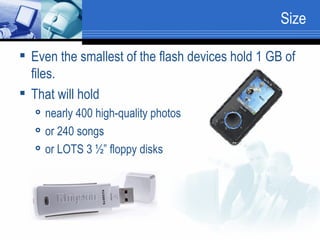
Size Even the smallest of the flash devices hold 1 GB of files.  That will hold  nearly 400 high-quality photos or 240 songs or LOTS 3 ½” floppy disks
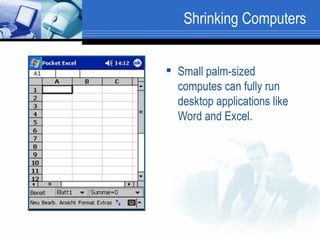
Shrinking Computers Small palm-sized computes can fully run desktop applications like Word and Excel.
Software Trends Now that we understand the lifestyle and hardware trends, let’s move on to the software trends. That’s where the real action is!
Software Trends Software is moving from your computer’s hard drive to the Web, thanks to: High-speed Internet Innovative Web design
Public Libraries Why should libraries take notice?   These trends provide patrons with more access to software, entertainment, information, and their own data than ever before.  By promoting access to these technologies, we are truly adding to the library’s services.
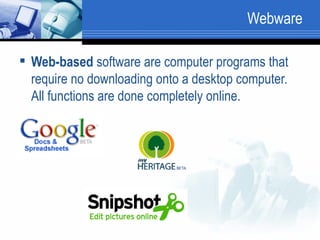
Webware  Web-based  software are computer programs that require no downloading onto a desktop computer. All functions are done completely online.
Benefits of Web-based Software The software and, therefore, your data is accessible from any Internet-connected computer. Your documents are stored for you.  The software is usually free or inexpensive for the casual user.  The selection of Web-based software is growing and improving at an impressive rate.
Variety of Webware Webware can be used for typical office tasks: Email Word processing Spreadsheets Presentations And in unusual and fun ways: Genealogy Photo editing Keeping track of things (books, music, wine preferences, etc.)
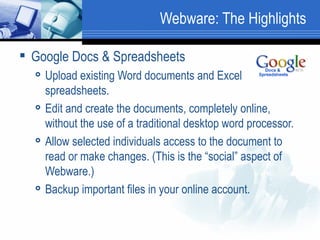
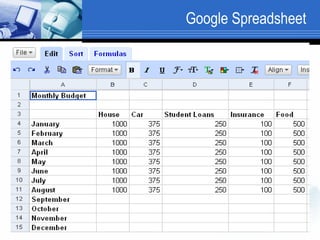
Webware: The Highlights Google Docs & Spreadsheets Upload existing Word documents and Excel spreadsheets. Edit and create the documents, completely online, without the use of a traditional desktop word processor.  Allow selected individuals access to the document to read or make changes. (This is the “social” aspect of Webware.)  Backup important files in your online account.
Google Spreadsheet
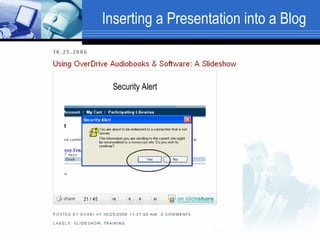
Presentations Zoho, an online office suite, provides a Web-based presentation application.  You can also upload existing presentation to the Web using Slideshare.net Both of these companies allow you to easily import your Web-based presentation into a Website or blog.
Inserting a Presentation into a Blog
Web-based Office Suite ThinkFree is a Web-based office suite that includes a text editor, spreadsheet, PDF creation, and slideshow. All of the files created in ThinkFree, as with most Web-based software, are compatible with MS Office.
Online Storage: Your Files Where You Need Them To Be
Online Data Storage Web-based companies provide free online storage of your files, music, data, photos, etc. There are many sites that allow users to create free accounts and save 30 MB to 5 GB of files online.  (Remember – the floppy disk only holds 1.44 MB!)  Higher storage amounts usually require a reasonable yearly fee.
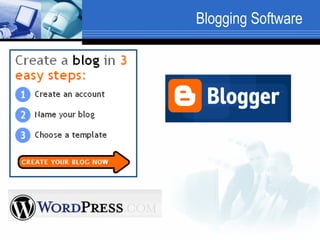
Blogging Software There are simple blogging tools for beginners to learn. As they are Web-based software, the blogs can be updated from any Internet-connected computer.  Blogger WordPress
Blogging Software
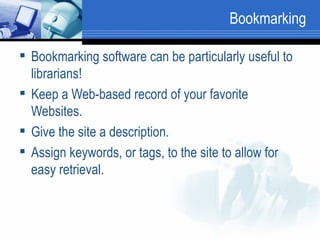
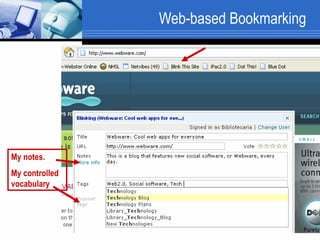
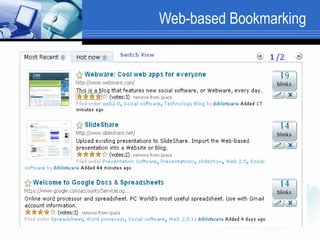
Bookmarking Bookmarking software can be particularly useful to librarians! Keep a Web-based record of your favorite Websites. Give the site a description. Assign keywords, or tags, to the site to allow for easy retrieval.
Web-based Bookmarking My notes.  My controlled vocabulary
Web-based Bookmarking
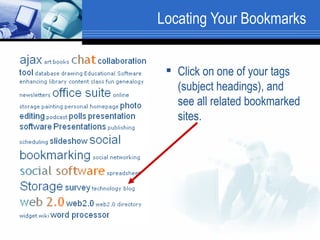
Locating Your Bookmarks Click on one of your tags (subject headings), and see all related bookmarked sites.
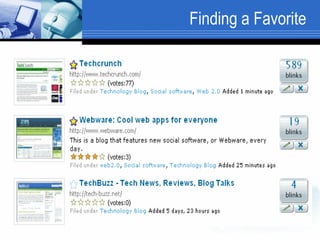
Finding a Favorite
Uses for Bookmarking Handy for reference librarians who must use more than one computer.  Find your favorite sites from any computer.  Easily create Web bibliographies for upcoming homework projects or current events.
Unexpected Webware The Web offers some unexpected software like: Photo editing  Video editing Online personal libraries Genealogy & Family Pages
Staying Current with Tech Trends How to stay current?  Read technology blogs: LibraryCrunch.com TechCrunch.com WebWare.com Encourage your staff to read blogs and try out new software.  Be adventurous!
Staying Current Web-based software and mobile computing is not a trend.  Libraries are terrific places to promote these new technologies!
Find this presentation at: www.slideshare.net/bibliotecaria

Hardware & Software Trends for Public Libraries

  • 1.
    Relevant to thePublic Library New Hampshire State Library January 2007 New Hardware & Software Trends
  • 2.
    Scope of thePresentation To explore current hardware and software trends relevant to public libraries. Put down your pen and paper! Find this presentation at: www.slideshare.net/bibliotecaria
  • 3.
    Lifestyle Trends Beforelooking into technology trends, let’s examine our lifestyle trends. We’re a nation on-the-go! We expect our information and entertainment to be ready when we are.
  • 4.
    New Technologies Prevailingtrends in technology: Portable Smaller More user control of content Lots of user-generated content Web-based entertainment Web-based tools and software
  • 5.
  • 6.
    Why Devices areShrinking In many cases, devices are smaller because of how they store data. Devices using flash memory can hold a lot of information in a small package.
  • 7.
    Flash Effects onHardware Devices that use flash memory are: Smaller Portable Stable Your audio doesn’t skip when jarred. Durable There are stories of flash drives surviving a wash cycle! Faster!
  • 8.
    Flash Hard Drives Pssst… Flash hard drives are coming to your laptops!
  • 9.
    Size Even thesmallest of the flash devices hold 1 GB of files. That will hold nearly 400 high-quality photos or 240 songs or LOTS 3 ½” floppy disks
  • 10.
    Shrinking Computers Smallpalm-sized computes can fully run desktop applications like Word and Excel.
  • 11.
    Software Trends Nowthat we understand the lifestyle and hardware trends, let’s move on to the software trends. That’s where the real action is!
  • 12.
    Software Trends Softwareis moving from your computer’s hard drive to the Web, thanks to: High-speed Internet Innovative Web design
  • 13.
    Public Libraries Whyshould libraries take notice? These trends provide patrons with more access to software, entertainment, information, and their own data than ever before. By promoting access to these technologies, we are truly adding to the library’s services.
  • 14.
    Webware Web-based software are computer programs that require no downloading onto a desktop computer. All functions are done completely online.
  • 15.
    Benefits of Web-basedSoftware The software and, therefore, your data is accessible from any Internet-connected computer. Your documents are stored for you. The software is usually free or inexpensive for the casual user. The selection of Web-based software is growing and improving at an impressive rate.
  • 16.
    Variety of WebwareWebware can be used for typical office tasks: Email Word processing Spreadsheets Presentations And in unusual and fun ways: Genealogy Photo editing Keeping track of things (books, music, wine preferences, etc.)
  • 17.
    Webware: The HighlightsGoogle Docs & Spreadsheets Upload existing Word documents and Excel spreadsheets. Edit and create the documents, completely online, without the use of a traditional desktop word processor. Allow selected individuals access to the document to read or make changes. (This is the “social” aspect of Webware.) Backup important files in your online account.
  • 18.
  • 19.
    Presentations Zoho, anonline office suite, provides a Web-based presentation application. You can also upload existing presentation to the Web using Slideshare.net Both of these companies allow you to easily import your Web-based presentation into a Website or blog.
  • 20.
  • 21.
    Web-based Office SuiteThinkFree is a Web-based office suite that includes a text editor, spreadsheet, PDF creation, and slideshow. All of the files created in ThinkFree, as with most Web-based software, are compatible with MS Office.
  • 22.
    Online Storage: YourFiles Where You Need Them To Be
  • 23.
    Online Data StorageWeb-based companies provide free online storage of your files, music, data, photos, etc. There are many sites that allow users to create free accounts and save 30 MB to 5 GB of files online. (Remember – the floppy disk only holds 1.44 MB!) Higher storage amounts usually require a reasonable yearly fee.
  • 24.
    Blogging Software Thereare simple blogging tools for beginners to learn. As they are Web-based software, the blogs can be updated from any Internet-connected computer. Blogger WordPress
  • 25.
  • 26.
    Bookmarking Bookmarking softwarecan be particularly useful to librarians! Keep a Web-based record of your favorite Websites. Give the site a description. Assign keywords, or tags, to the site to allow for easy retrieval.
  • 27.
    Web-based Bookmarking Mynotes. My controlled vocabulary
  • 28.
  • 29.
    Locating Your BookmarksClick on one of your tags (subject headings), and see all related bookmarked sites.
  • 30.
  • 31.
    Uses for BookmarkingHandy for reference librarians who must use more than one computer. Find your favorite sites from any computer. Easily create Web bibliographies for upcoming homework projects or current events.
  • 32.
    Unexpected Webware TheWeb offers some unexpected software like: Photo editing Video editing Online personal libraries Genealogy & Family Pages
  • 33.
    Staying Current withTech Trends How to stay current? Read technology blogs: LibraryCrunch.com TechCrunch.com WebWare.com Encourage your staff to read blogs and try out new software. Be adventurous!
  • 34.
    Staying Current Web-basedsoftware and mobile computing is not a trend. Libraries are terrific places to promote these new technologies!
  • 35.
    Find this presentationat: www.slideshare.net/bibliotecaria