Human Computer Interaction
   Developed in 1983 by Stuart Card, Thomas P.
    Moran and Allen Newell.

   Explained in their book “The Psychology of
    Human Computer Interaction”
   Goals - what the user intends to accomplish
   Operators - are actions that are performed to
    reach the goal.
   Methods - are sequences of operators that
    accomplish a goal.
   Selections - there can be more than one
    method available to accomplish a single goal;
    used to describe when a user would select a
    certain method over the others.
   These can be very wide reaching; from very
    high-level goals (e.g. Write a book) to very
    low-level goals (e.g. Type the word ‘Red’).

   Higher-level goals can be divided into smaller
    lower-level goals.
   Operators are the simple actions that are used to
    accomplish your goals (e.g. ‘Left-click mouse button’
    or ‘Press ALT’).
   Operators cannot break down any further: they are
    atomic elements (similar to those found in a
    database).
   Generally, it’s assumed that each operator requires a
    fixed quantity of time to perform the action and this
    time interval is independent of context.
    For example, to double left click a mouse button takes
    0.40 seconds of execution time, regardless of what
    you happen to be clicking on.
   Methods are procedures that describe how to
    accomplish goals.
   A method is essentially the steps a user has to
    take to complete a specified task.
   For instance, one method to accomplish the goal
    ‘Highlight Word’ in a Windows text editor would
    be to ‘move cursor’ to the beginning of the word
    and ‘hold shift and right arrow key’.
   Another method to accomplish the same goal
    could involve ‘holding down the left mouse
    button’ and ‘dragging to the beginning of the
    word’.
   Selection rules specify which method is best to
    use when completing a goal, based on the given
    context.
   Since there could be several ways of achieving
    the same result, a selection rule utilises the
    user's knowledge of the best method to achieve
    the required goal.
   Selection rules generally take the form of a
    conditional statement, such as “IF the word to
    highlight is less than five characters USE the
    arrow keys and shift ELSE the mouse dragging
    method".
   Quantitatively, GOMS offer good predictive models of performance time
    and learning.
   For example, when choosing between two systems you can apply a
    GOMS model.
    Application 1 has a lower start-up costs, but will be slower to perform
    frequent tasks; Application 2 will be faster to perform tasks, but has a
    longer learning time, etc.
    With these quantitative predictions, you can examine such tradeoffs in
    the light of what is important to your company.
   Qualitatively, GOMS can be used to design training programs and help
    systems.
   This approach has been shown to be an efficient way to organise help
    systems, tutorials, and training programs as well as user documentation.
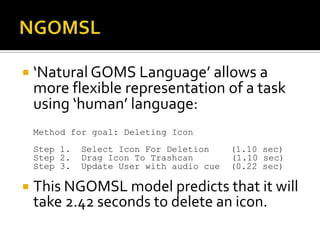
 ‘Natural GOMS Language’ allows a
    more flexible representation of a task
    using ‘human’ language:
    Method for goal: Deleting Icon
    Step 1.   Select Icon For Deletion     (1.10 sec)
    Step 2.   Drag Icon To Trashcan        (1.10 sec)
    Step 3.   Update User with audio cue   (0.22 sec)

   This NGOMSL model predicts that it will
    take 2.42 seconds to delete an icon.
   The model assumes a certain level of skill – it cannot accurately be applied to beginners.
   The model doesn’t take into account time for learning the system or remembering how to
    use it after a long period of disuse; for example, can you remember where all the options
    are in Windows 98?
   The model removes human error from the equation; even highly skilled users make the
    occasional mistake!
   Mental workload is not addressed in the model; it’s far more taxing when remembering a
    longer process than a short one. E.g. It’s a far less stressful task to highlight text than
    entering network settings manually.
   Users can get tired; you’re not going to be as quick typing after three hours as you were
    when you started!
   Differences among users is not accounted for within the model – e.g. Those who are left
    handed aren’t given special preference.
   Predicting whether a system will be functional or acceptable for users is not included in the
    model. E.g. Just because workers can enter data quickly into a new database system, it
    doesn’t mean it’s particularly ‘user friendly’ and ‘easy to work with’.
   How computer-assisted technology integrates into everyday business is not addressed in
    the model. For example, entering commands using a keyboard could be the quickest
    method of data capture for astronauts, however, trying to type in ‘zero gravity’ may be
    difficult.

Exploring GOMs

  • 1.
  • 2.
    Developed in 1983 by Stuart Card, Thomas P. Moran and Allen Newell.  Explained in their book “The Psychology of Human Computer Interaction”
  • 3.
    Goals - what the user intends to accomplish  Operators - are actions that are performed to reach the goal.  Methods - are sequences of operators that accomplish a goal.  Selections - there can be more than one method available to accomplish a single goal; used to describe when a user would select a certain method over the others.
  • 4.
    These can be very wide reaching; from very high-level goals (e.g. Write a book) to very low-level goals (e.g. Type the word ‘Red’).  Higher-level goals can be divided into smaller lower-level goals.
  • 5.
    Operators are the simple actions that are used to accomplish your goals (e.g. ‘Left-click mouse button’ or ‘Press ALT’).  Operators cannot break down any further: they are atomic elements (similar to those found in a database).  Generally, it’s assumed that each operator requires a fixed quantity of time to perform the action and this time interval is independent of context. For example, to double left click a mouse button takes 0.40 seconds of execution time, regardless of what you happen to be clicking on.
  • 6.
    Methods are procedures that describe how to accomplish goals.  A method is essentially the steps a user has to take to complete a specified task.  For instance, one method to accomplish the goal ‘Highlight Word’ in a Windows text editor would be to ‘move cursor’ to the beginning of the word and ‘hold shift and right arrow key’.  Another method to accomplish the same goal could involve ‘holding down the left mouse button’ and ‘dragging to the beginning of the word’.
  • 7.
    Selection rules specify which method is best to use when completing a goal, based on the given context.  Since there could be several ways of achieving the same result, a selection rule utilises the user's knowledge of the best method to achieve the required goal.  Selection rules generally take the form of a conditional statement, such as “IF the word to highlight is less than five characters USE the arrow keys and shift ELSE the mouse dragging method".
  • 8.
    Quantitatively, GOMS offer good predictive models of performance time and learning.  For example, when choosing between two systems you can apply a GOMS model. Application 1 has a lower start-up costs, but will be slower to perform frequent tasks; Application 2 will be faster to perform tasks, but has a longer learning time, etc. With these quantitative predictions, you can examine such tradeoffs in the light of what is important to your company.  Qualitatively, GOMS can be used to design training programs and help systems.  This approach has been shown to be an efficient way to organise help systems, tutorials, and training programs as well as user documentation.
  • 9.
     ‘Natural GOMSLanguage’ allows a more flexible representation of a task using ‘human’ language: Method for goal: Deleting Icon Step 1. Select Icon For Deletion (1.10 sec) Step 2. Drag Icon To Trashcan (1.10 sec) Step 3. Update User with audio cue (0.22 sec)  This NGOMSL model predicts that it will take 2.42 seconds to delete an icon.
  • 10.
    The model assumes a certain level of skill – it cannot accurately be applied to beginners.  The model doesn’t take into account time for learning the system or remembering how to use it after a long period of disuse; for example, can you remember where all the options are in Windows 98?  The model removes human error from the equation; even highly skilled users make the occasional mistake!  Mental workload is not addressed in the model; it’s far more taxing when remembering a longer process than a short one. E.g. It’s a far less stressful task to highlight text than entering network settings manually.  Users can get tired; you’re not going to be as quick typing after three hours as you were when you started!  Differences among users is not accounted for within the model – e.g. Those who are left handed aren’t given special preference.  Predicting whether a system will be functional or acceptable for users is not included in the model. E.g. Just because workers can enter data quickly into a new database system, it doesn’t mean it’s particularly ‘user friendly’ and ‘easy to work with’.  How computer-assisted technology integrates into everyday business is not addressed in the model. For example, entering commands using a keyboard could be the quickest method of data capture for astronauts, however, trying to type in ‘zero gravity’ may be difficult.