Usability Testing
Importance of Usability
• Consumer can use your site more easily and will
  come back more often
• Less frustrating and more enjoyable experience
• Increase in sales
• Decrease in support costs
• Increase in employee productivity and decrease
  in employee frustration
• Fewer mistakes
Usability Principles
• Use your audience’s language and labels
• Make navigation, layout, graphics simple and
  consistent
• Provide help information
• Make sure the organization and presentation of
  the site reflects user’s needs and goals
• Design should reinforce easy task flows
• Use logical and organized information groupings
Benefits of Testing
• Real world/ real user perspective
• Identifies the majority of the functionality
  issues
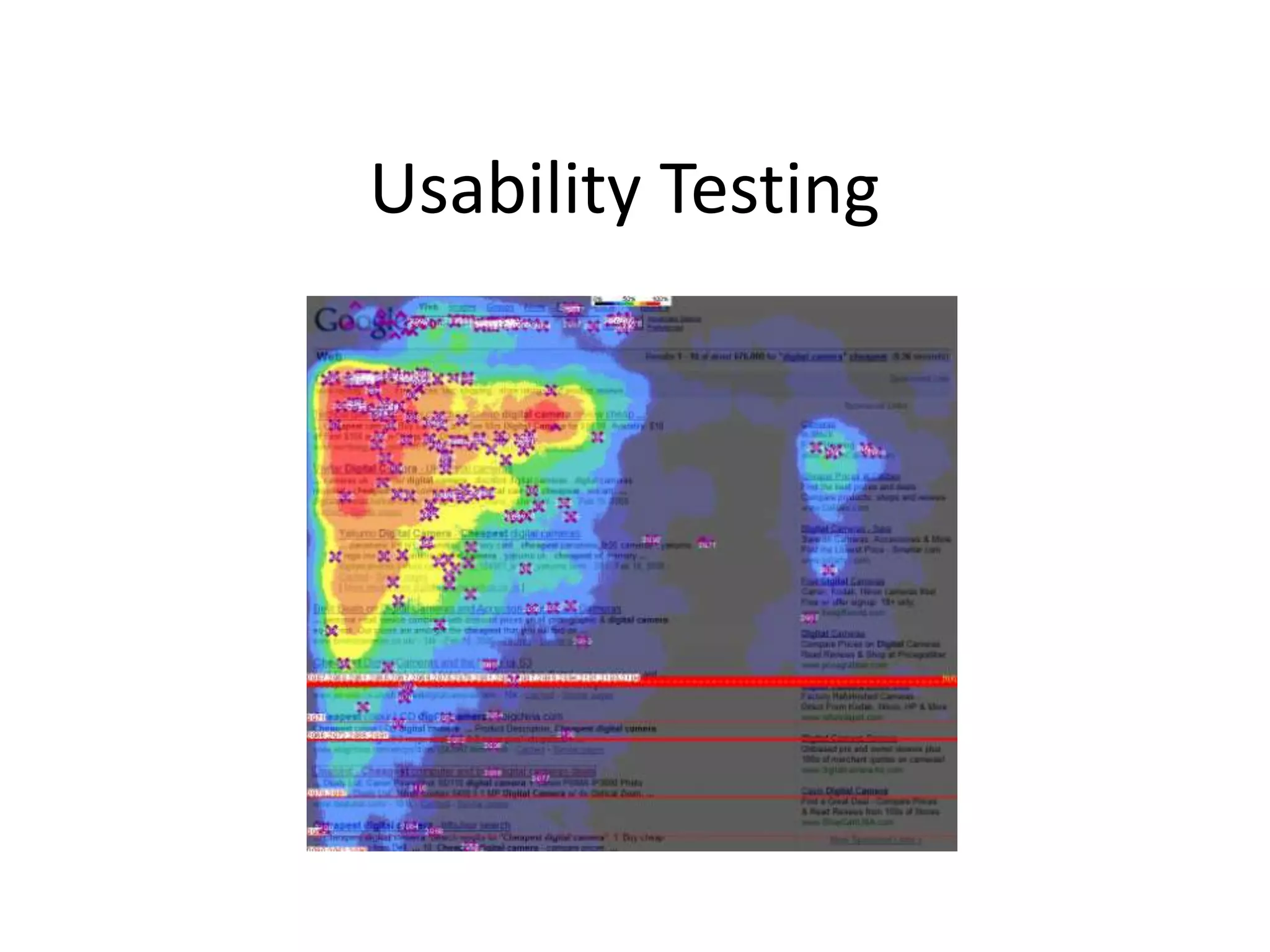
• Allows testers to see the user’s decision
  making process and the amount of time spent
  on different areas of the website
Types of Tests
•   Exploratory (Formative Study)
     – Conducted early in the development cycle when a product is still in the preliminary stages of
       being defined and designed.
     – Main objective is to examine the effectiveness of preliminary design concepts.
          •   Can the user navigate from screen to screen
          •   Can the user complete the tasks needed to reach their goal
•   Assessment Test (Summative Test)
     – Conducted midway into the development cycle after the fundamental design and organization
       of the site has been established.
     – Purpose of the test is to see how well a user can perform realistic tasks and identify problems
       in the usability of the site.
•   Validation Test (Verification Test)
     – Conducted late in the development cycle.
     – Intended to measure the usability of a product against established benchmarks or to confirm
       that problems discovered earlier have been remedied
•   Comparison Test
     – Compare two or more design interface styles or to compare your site with a competitor’s.
Example of a test plan
• Purpose
• Participants
   – Participant Questionnaire
• Methodology
• Script
   –   Introduction
   –   Pre Test Value Questionnaire
   –   Familiarization
   –   Task Scenarios
   –   Wrap Up
   –   Post Test Questionnaire
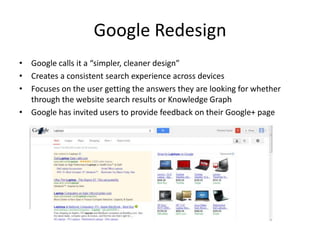
Google Redesign
• Google calls it a “simpler, cleaner design”
• Creates a consistent search experience across devices
• Focuses on the user getting the answers they are looking for whether
  through the website search results or Knowledge Graph
• Google has invited users to provide feedback on their Google+ page
Resources
• Rubin, Jeff and Chisnell, Dana. Handbook of Usability
  Testing, Second Edition. Wiley Publishing, 2008
• Summers, Kathryn. Usability Testing, 2010
• Soper, Taylor. Google redesigns search results interface: What do
  you think?, GeekWire, November 7, 2012
• Spiffing up your search results page, Inside Search: The Official
  Google Search Blog, November 6, 2012

Usability testing

  • 1.
  • 2.
    Importance of Usability •Consumer can use your site more easily and will come back more often • Less frustrating and more enjoyable experience • Increase in sales • Decrease in support costs • Increase in employee productivity and decrease in employee frustration • Fewer mistakes
  • 3.
    Usability Principles • Useyour audience’s language and labels • Make navigation, layout, graphics simple and consistent • Provide help information • Make sure the organization and presentation of the site reflects user’s needs and goals • Design should reinforce easy task flows • Use logical and organized information groupings
  • 4.
    Benefits of Testing •Real world/ real user perspective • Identifies the majority of the functionality issues • Allows testers to see the user’s decision making process and the amount of time spent on different areas of the website
  • 5.
    Types of Tests • Exploratory (Formative Study) – Conducted early in the development cycle when a product is still in the preliminary stages of being defined and designed. – Main objective is to examine the effectiveness of preliminary design concepts. • Can the user navigate from screen to screen • Can the user complete the tasks needed to reach their goal • Assessment Test (Summative Test) – Conducted midway into the development cycle after the fundamental design and organization of the site has been established. – Purpose of the test is to see how well a user can perform realistic tasks and identify problems in the usability of the site. • Validation Test (Verification Test) – Conducted late in the development cycle. – Intended to measure the usability of a product against established benchmarks or to confirm that problems discovered earlier have been remedied • Comparison Test – Compare two or more design interface styles or to compare your site with a competitor’s.
  • 6.
    Example of atest plan • Purpose • Participants – Participant Questionnaire • Methodology • Script – Introduction – Pre Test Value Questionnaire – Familiarization – Task Scenarios – Wrap Up – Post Test Questionnaire
  • 7.
    Google Redesign • Googlecalls it a “simpler, cleaner design” • Creates a consistent search experience across devices • Focuses on the user getting the answers they are looking for whether through the website search results or Knowledge Graph • Google has invited users to provide feedback on their Google+ page
  • 8.
    Resources • Rubin, Jeffand Chisnell, Dana. Handbook of Usability Testing, Second Edition. Wiley Publishing, 2008 • Summers, Kathryn. Usability Testing, 2010 • Soper, Taylor. Google redesigns search results interface: What do you think?, GeekWire, November 7, 2012 • Spiffing up your search results page, Inside Search: The Official Google Search Blog, November 6, 2012