Home-Mess System Presentation III: Evaluation of Prototype IArundhati, Ihab, Ibrahim, Fareed, Zain
Testing is the big unknown, often ignored world that intends to uncover design and construction flaws in a solution.
The earlier we start testing, the better the testing strategy, the better the test coverage, the sooner we can reveal the flaws and address them.
Uncovering a flaw when a solution is still in early construction phases is a reasonably cost effective and easy flaw to resolve “TESTING” THE MOMENT OF TRUTHIntroductionSource- http://blogs.msdn.com/willy-peter_schaub
ObjectivesDiscovering strengths and weaknesses in prototype design
Identification of barriers to successful penetration of the system functions
Evaluation of non-response (non-participation) elements in design
Exploitation of evaluations results and outcomes for improving system layout and architecture “Reaching a deeper understanding of the users' expectations and impressions of the system.”
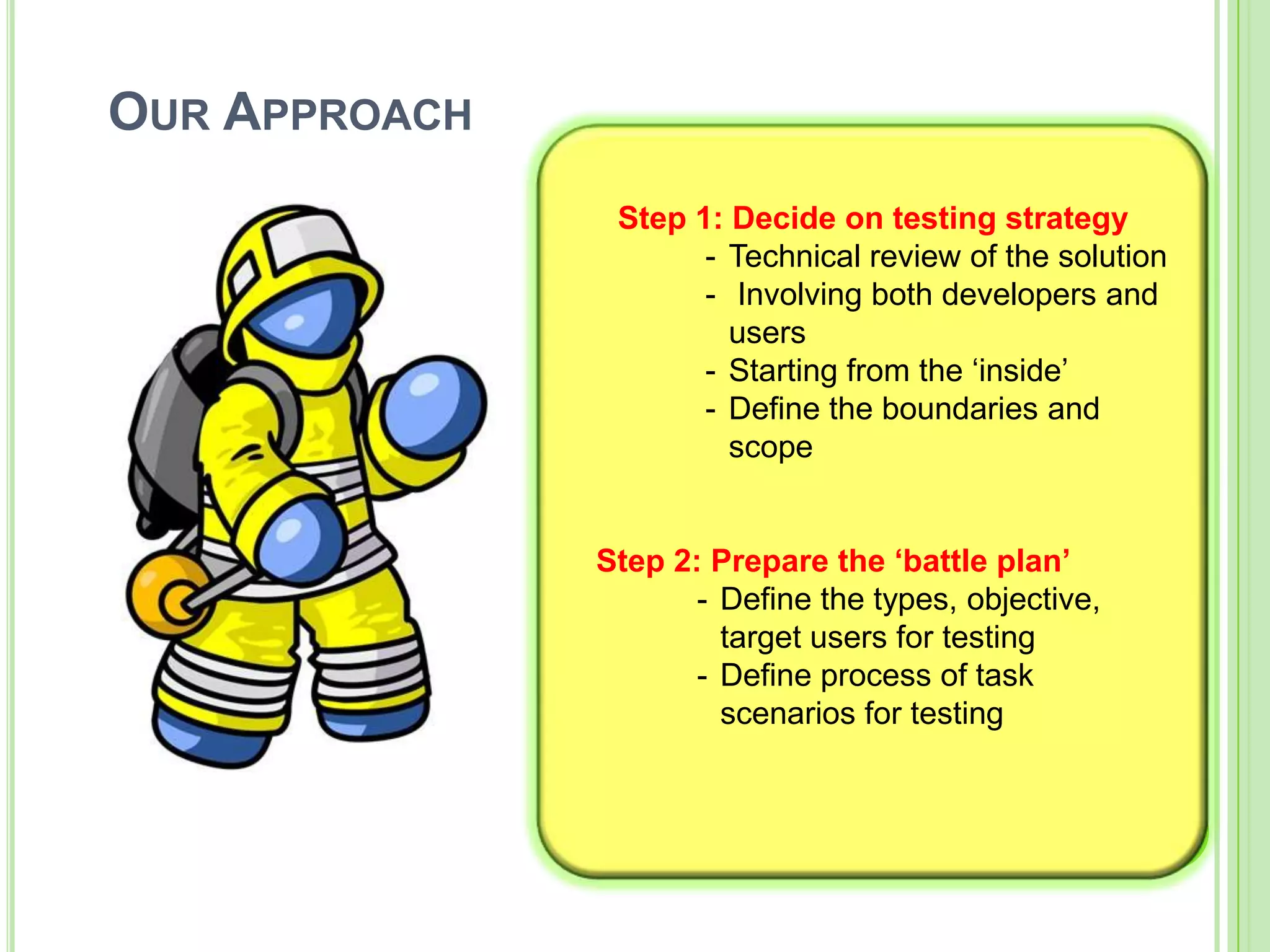
Our Approach Step 1: Decide on testing strategyTechnical review of the solution
 Involving both developers and users
Starting from the ‘inside’
Define the boundaries and scope   Step 2: Prepare the ‘battle plan’Define the types, objective, target users for testing
Define process of task scenariosfor testingEvaluation Methods
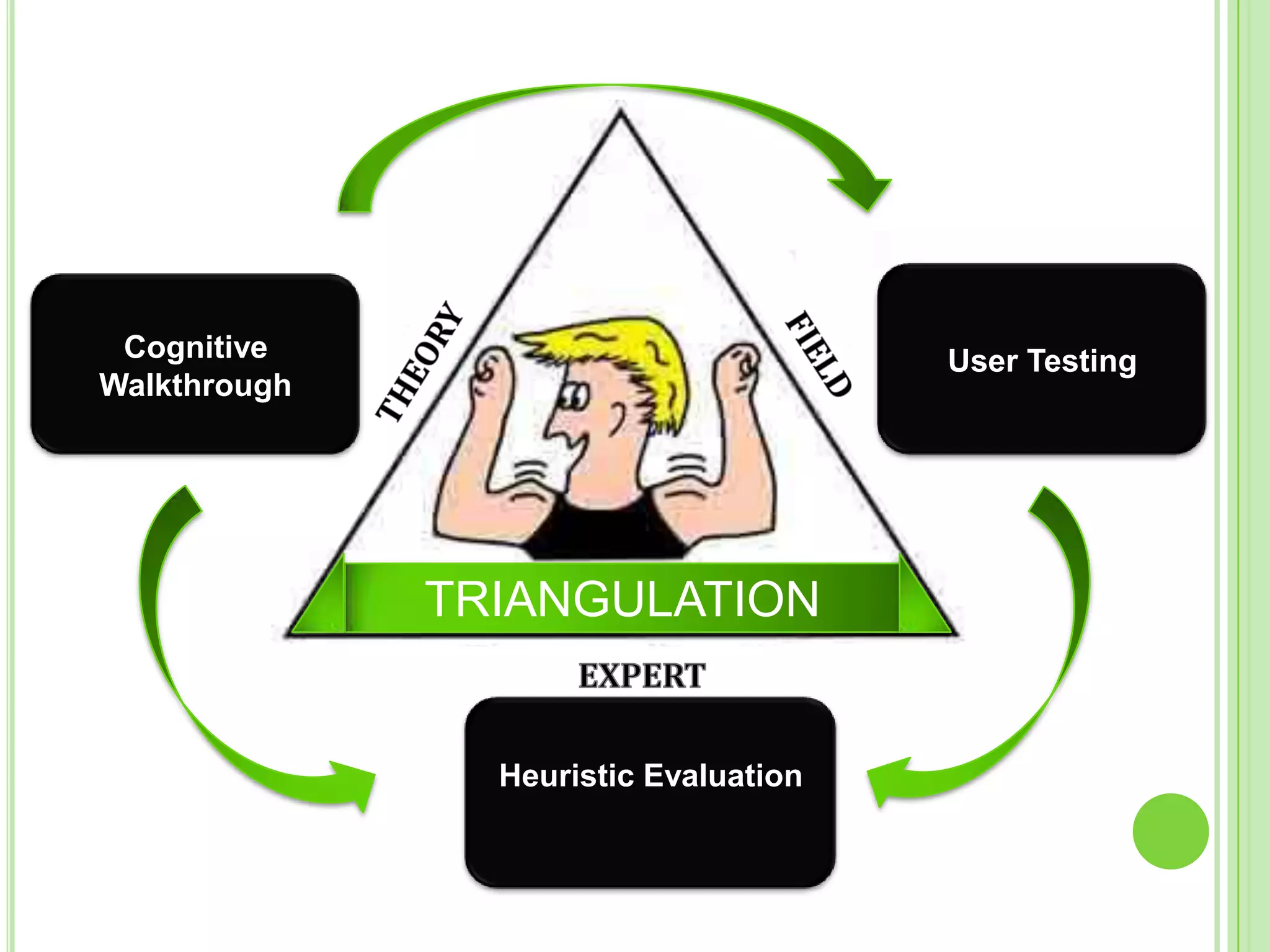
User TestingCognitive WalkthroughFIELDTHEORYTRIANGULATIONEXPERTHeuristic Evaluation
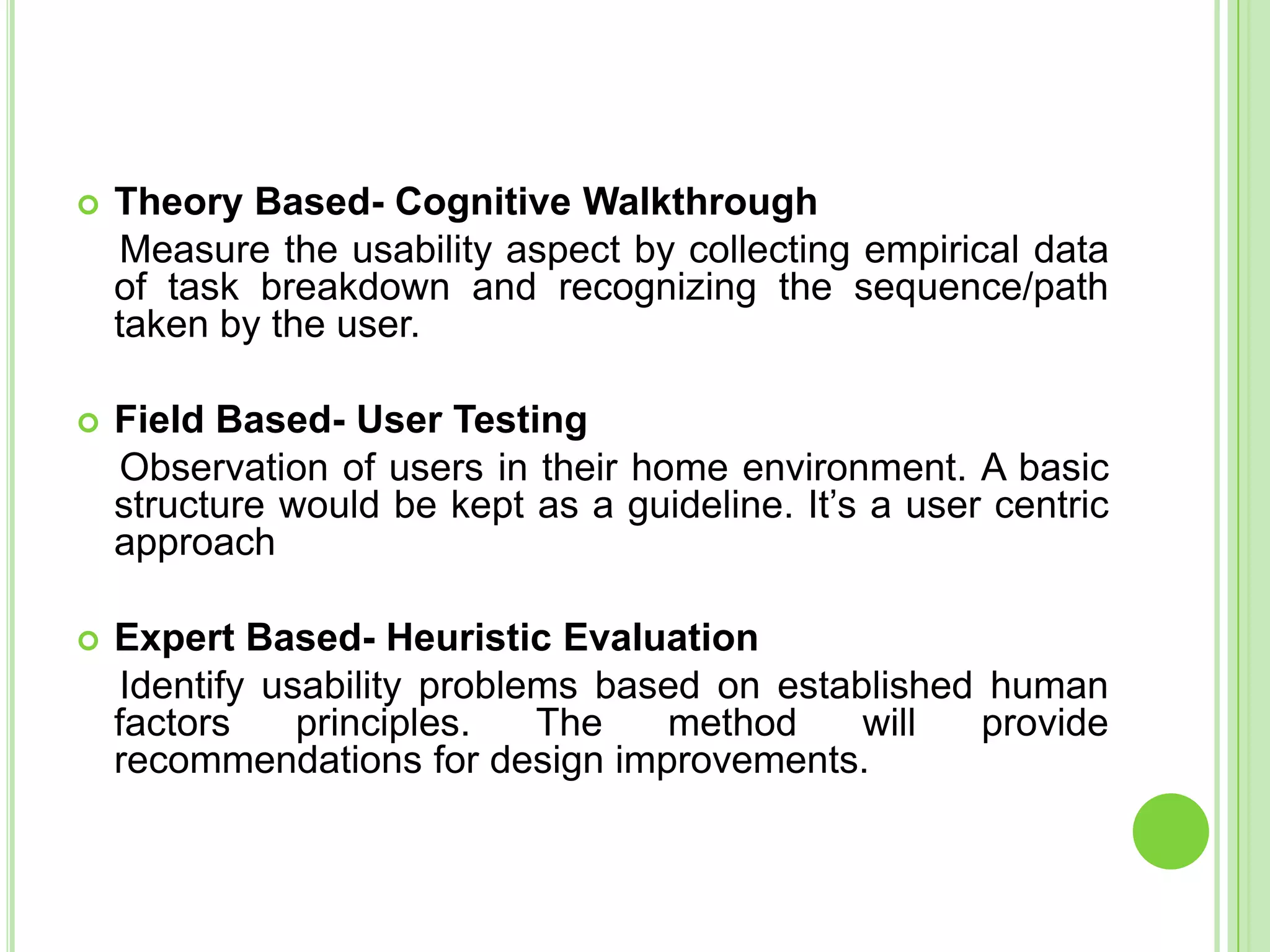
Theory Based- Cognitive Walkthrough    Measure the usability aspect by collecting empirical data of task breakdown and recognizing the sequence/path taken by the user.  Field Based- User Testing     Observation of users in their home environment. A basic structure would be kept as a guideline. It’s a user centric approach  Expert Based- Heuristic Evaluation    Identify usability problems based on established human factors principles. The method will provide recommendations for design improvements.  
Cognitive Walkthrough
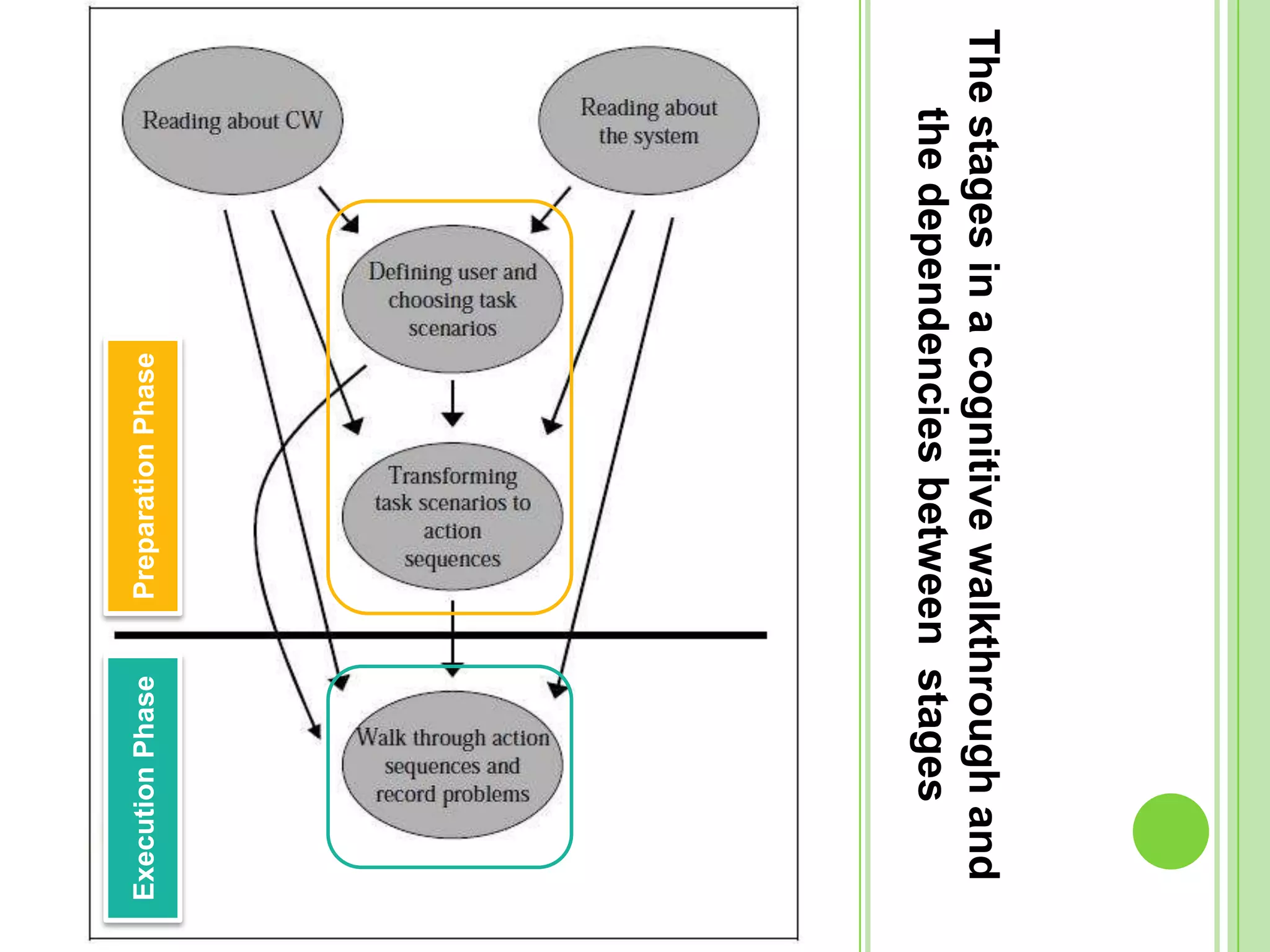
The stages in a cognitive walkthrough and the dependencies between  stagesPreparation PhaseExecution Phase
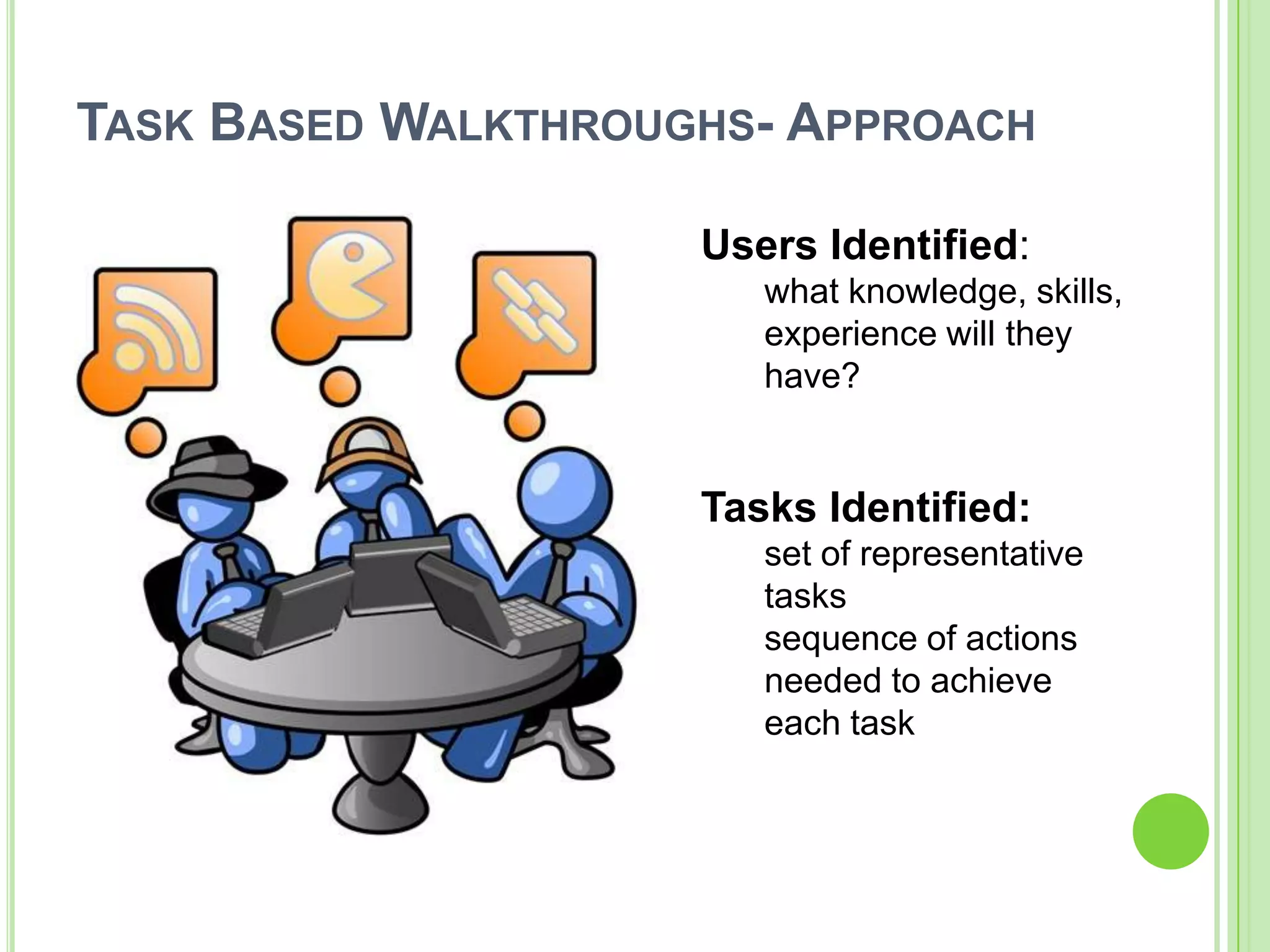
Task Based Walkthroughs- ApproachUsers Identified:what knowledge, skills, experience will they have?Tasks Identified:set of representative taskssequence of actions needed to achieve each task
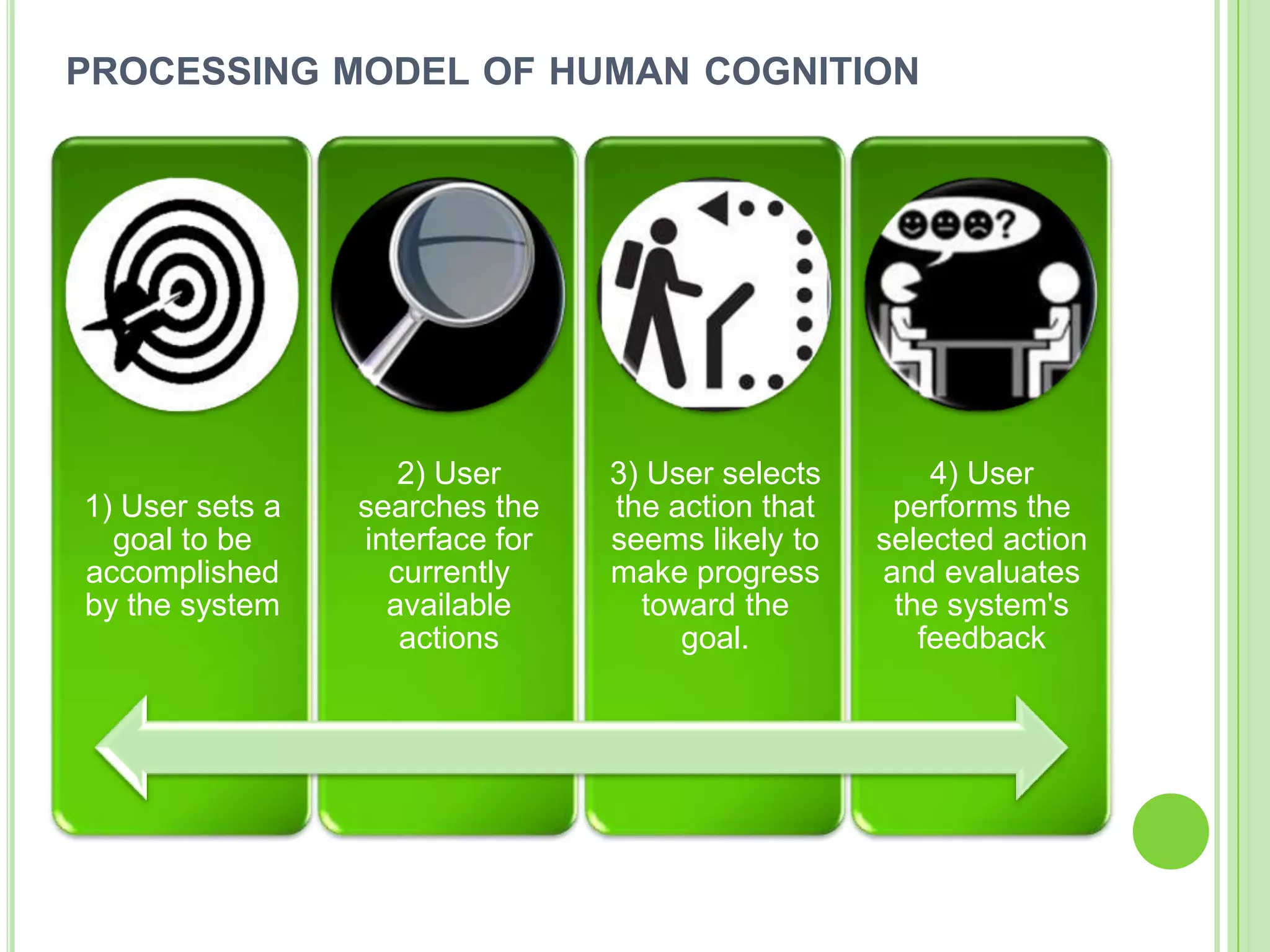
processing model of human cognition
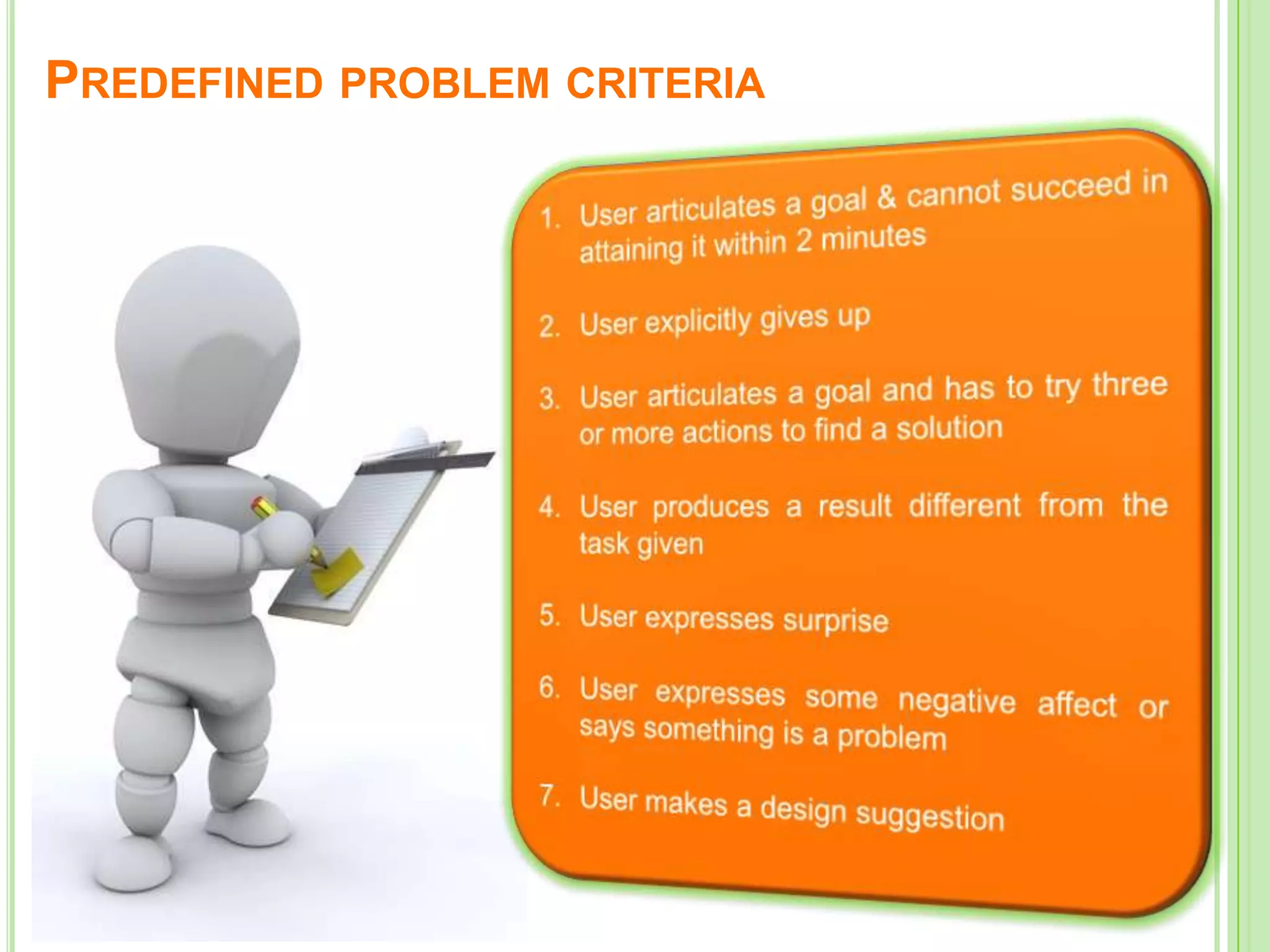
Predefined problem criteriaUser articulates a goal & cannot succeed in attaining it within 2 minutesUser explicitly gives upUser articulates a goal and has to try three or more actions to find a solutionUser produces a result different from the task givenUser expresses surpriseUser expresses some negative affect or says something is a problemUser makes a design suggestion
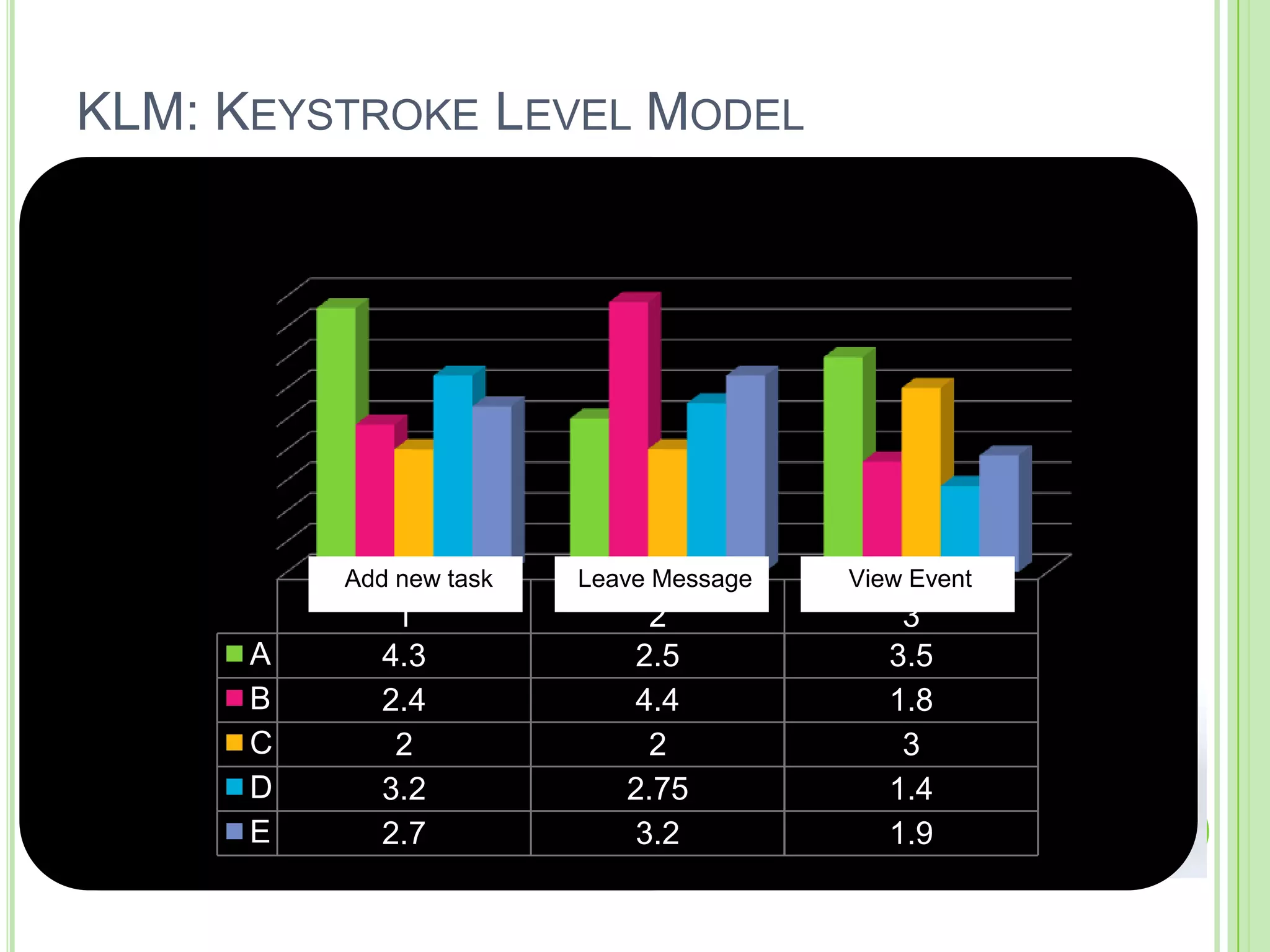
KLM: Keystroke Level ModelK	             Press a key or buttonP		Point to a target on the                         displayH		Home hands on input                        deviceD		Draw a line segmentM		Mentally prepare for an                        actionR		(system response time)KLM Operators:
User Testing
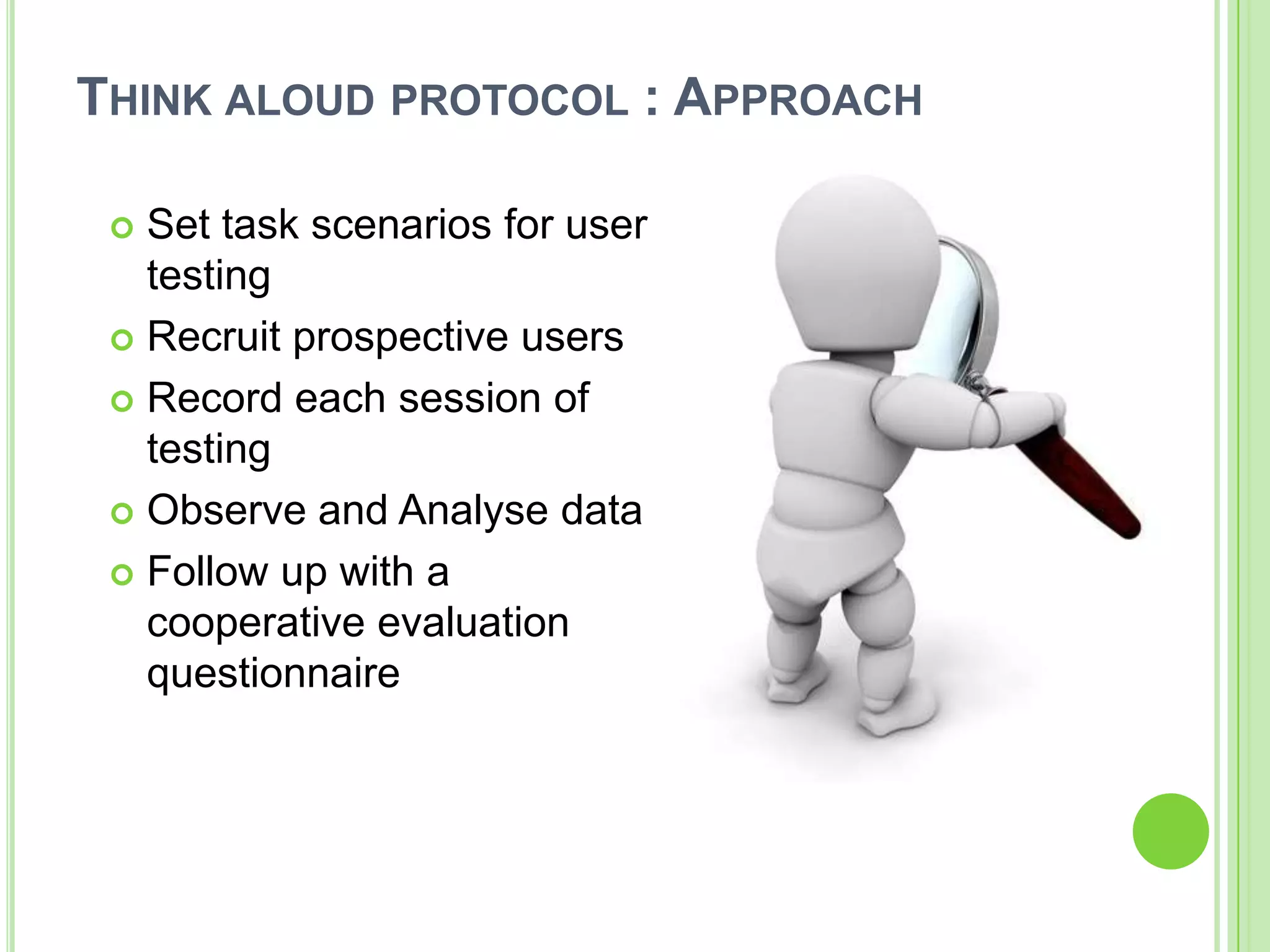
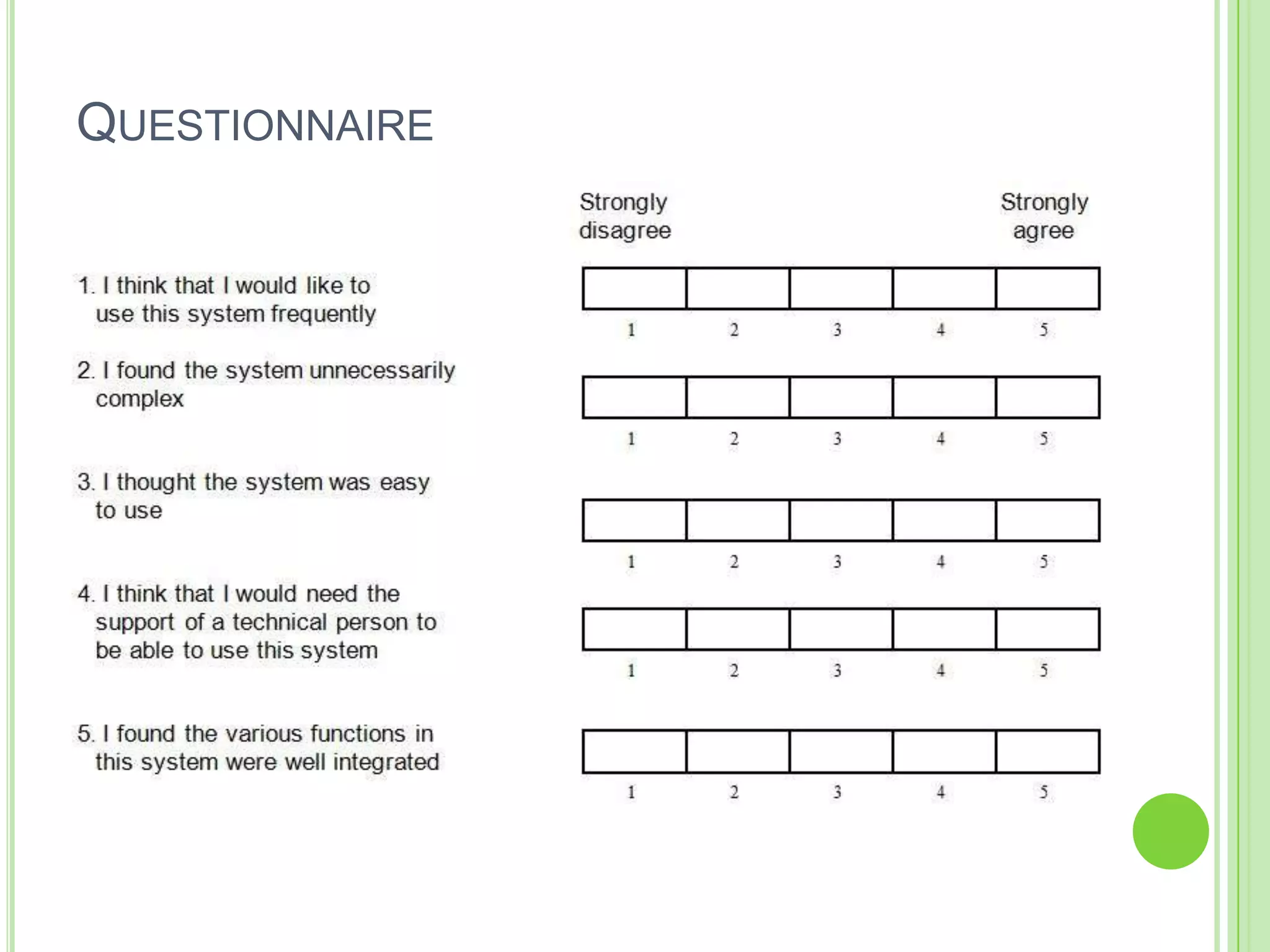
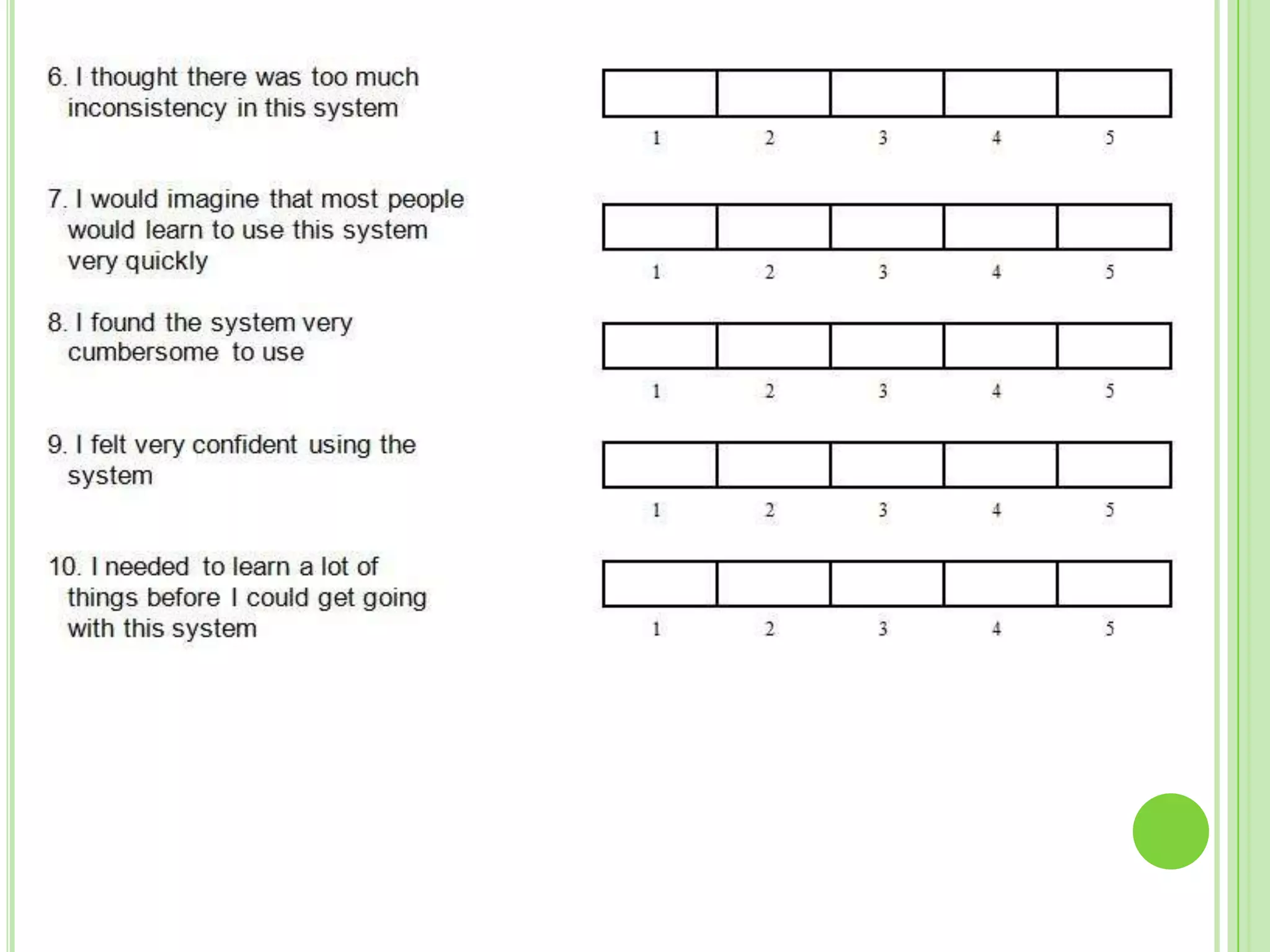
Set task scenarios for user testingRecruit prospective usersRecord each session of testingObserve and Analyse dataFollow up with a cooperative evaluation questionnaireThink aloud protocol : Approach
Task Scenario“Create a new task”To ascertain the path that the user would follow and their understanding of the system layout“Leave a direct message”To test the user’s intuition when no clear path has been     defined.“Create a new event”“Check for reminders”
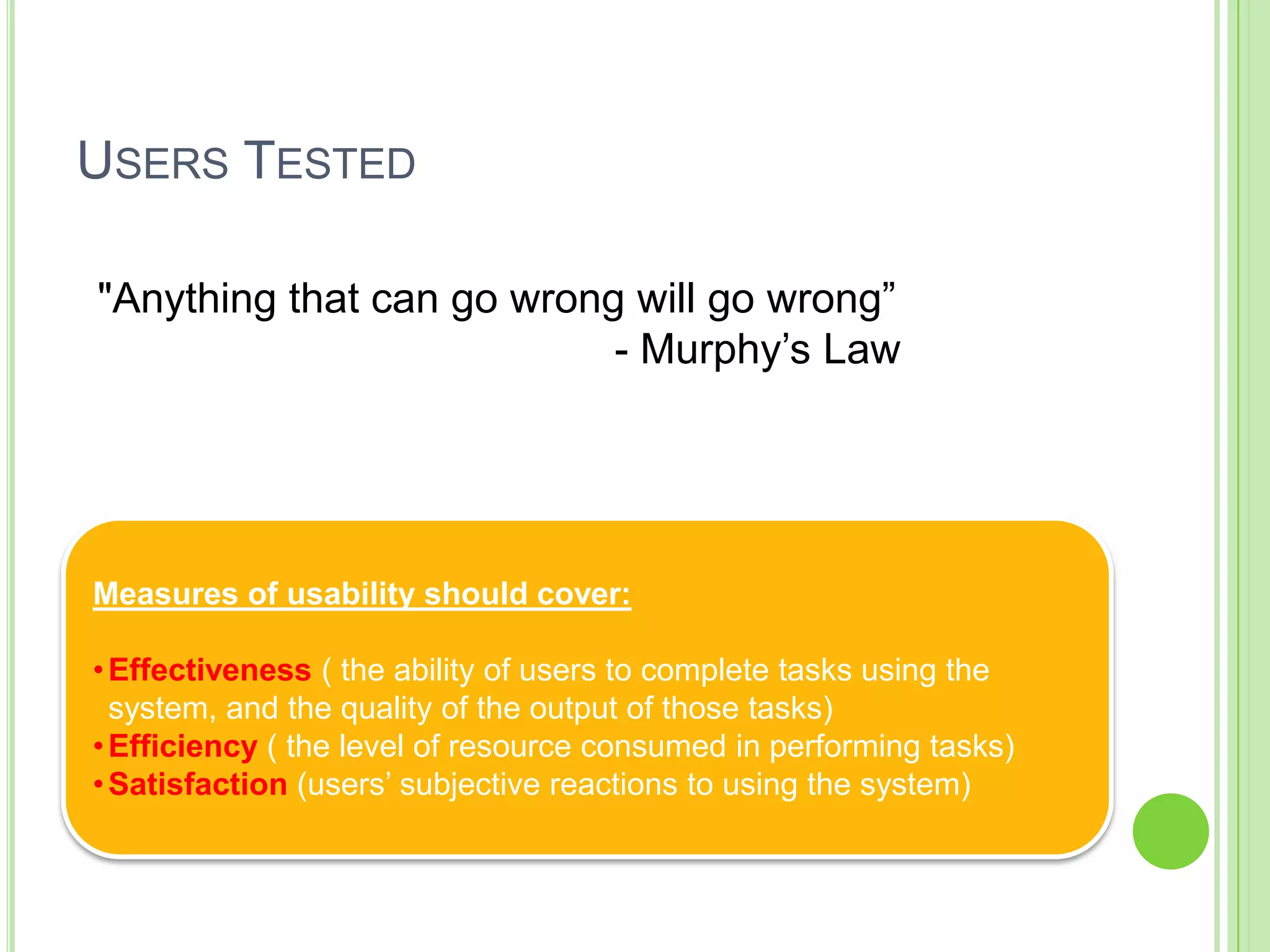
Users Tested "Anything that can go wrong will go wrong”                                         - Murphy’s LawMeasures of usability should cover:  Effectiveness ( the ability of users to complete tasks using the  system, and the quality of the output of those tasks)
Efficiency ( the level of resource consumed in performing tasks)
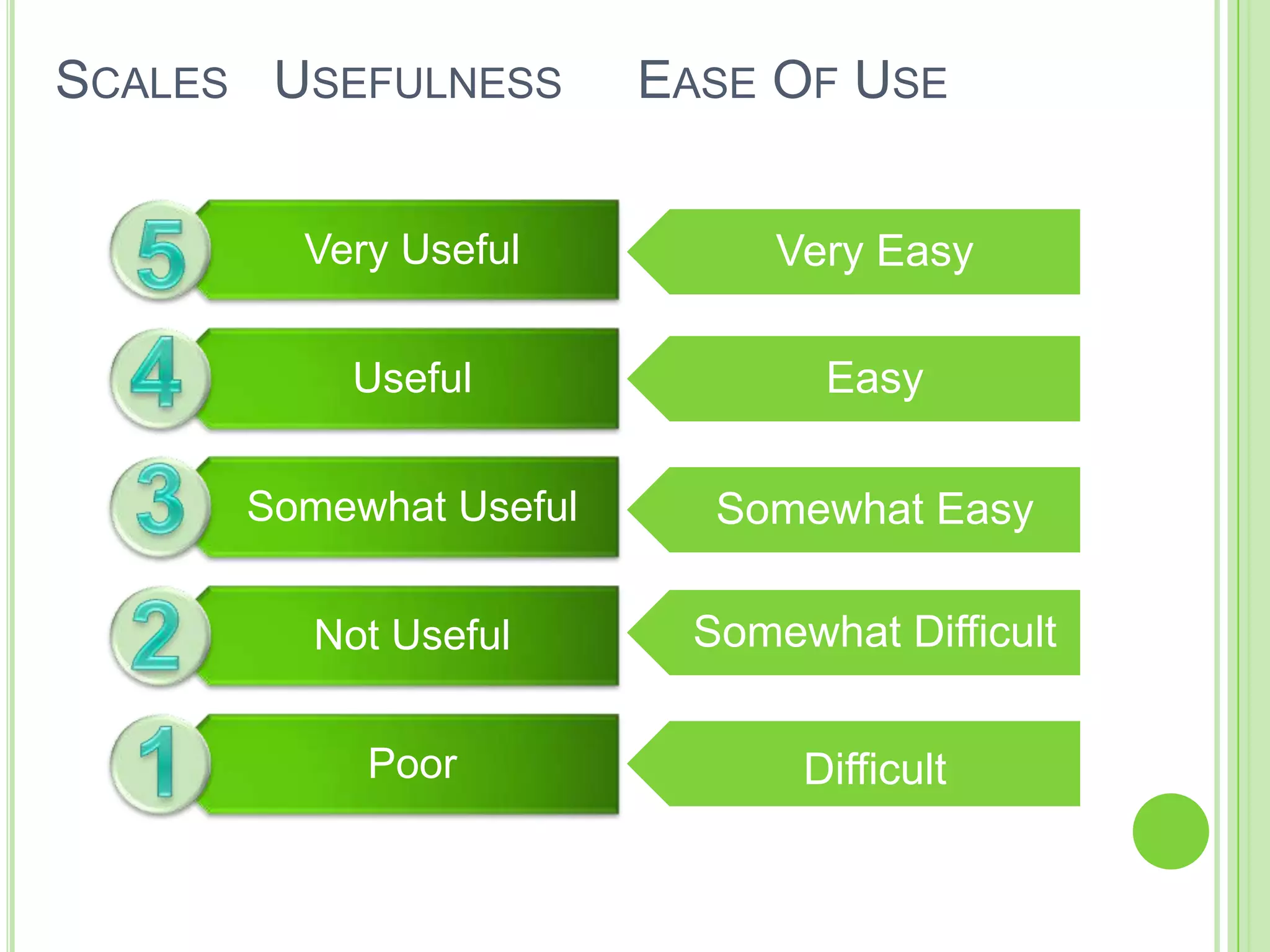
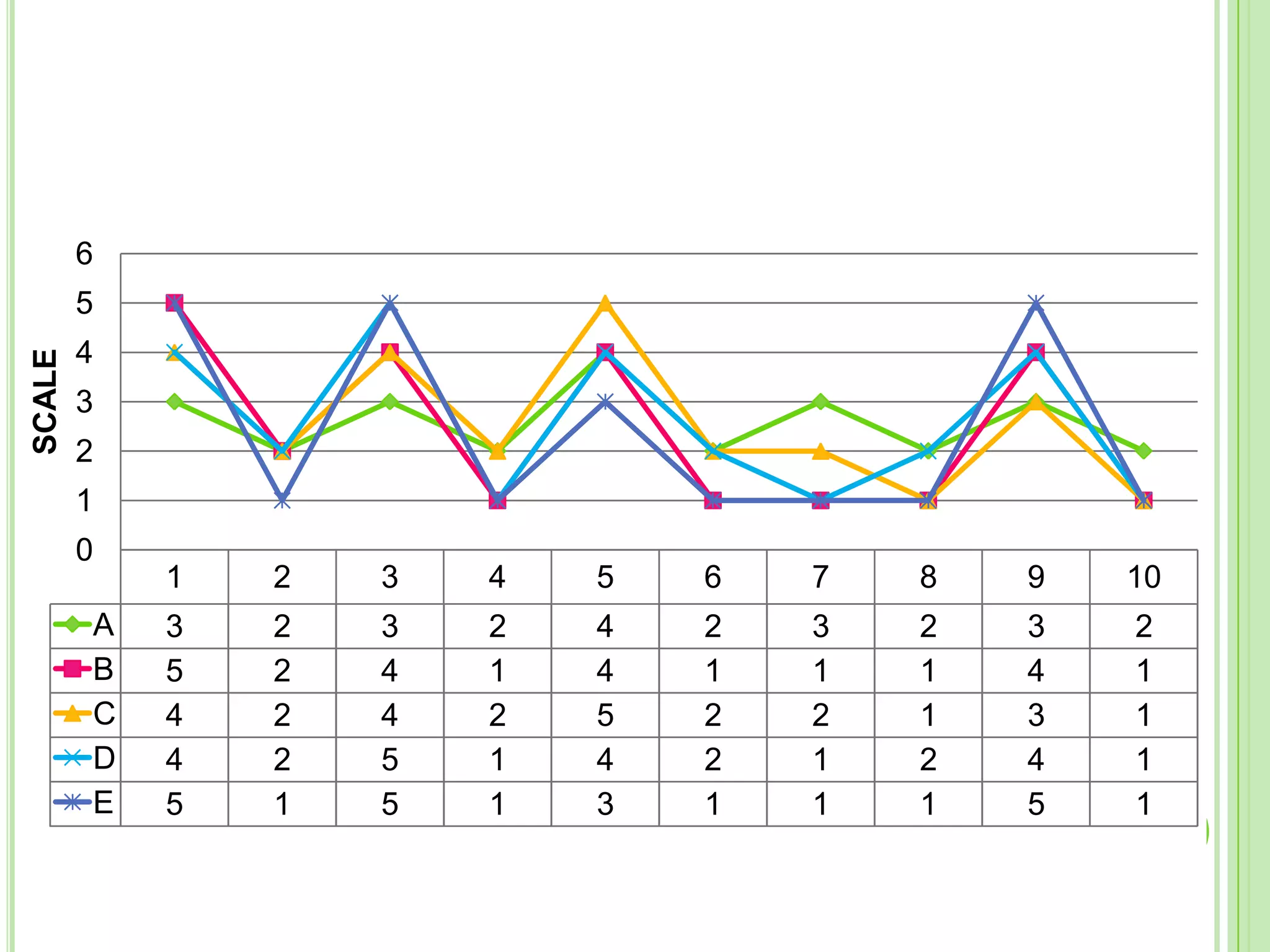
Satisfaction (users’ subjective reactions to using the system)Scales   Usefulness     Ease Of Use                    Very EasyEasy5Somewhat Easy4Somewhat Difficult3Difficult21
Questionnaire
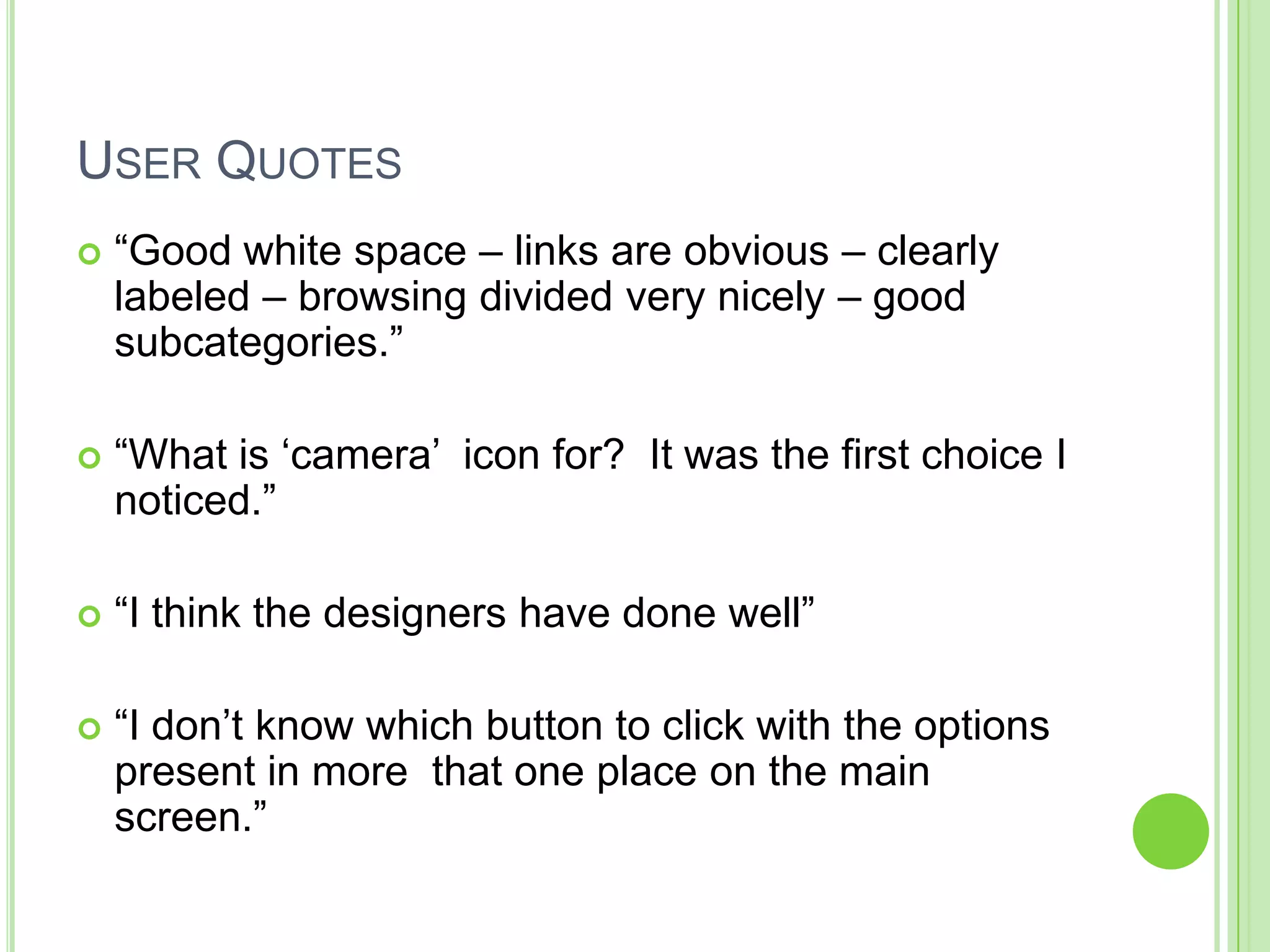
User Quotes“Good white space – links are obvious – clearly labeled – browsing divided very nicely – good subcategories.”“What is ‘camera’  icon for?  It was the first choice I noticed.”“I think the designers have done well”“I don’t know which button to click with the options present in more  that one place on the main screen.”
Heuristics Evaluation

Home Mess System III

  • 1.
    Home-Mess System PresentationIII: Evaluation of Prototype IArundhati, Ihab, Ibrahim, Fareed, Zain
  • 2.
    Testing is thebig unknown, often ignored world that intends to uncover design and construction flaws in a solution.
  • 3.
    The earlier westart testing, the better the testing strategy, the better the test coverage, the sooner we can reveal the flaws and address them.
  • 4.
    Uncovering a flawwhen a solution is still in early construction phases is a reasonably cost effective and easy flaw to resolve “TESTING” THE MOMENT OF TRUTHIntroductionSource- http://blogs.msdn.com/willy-peter_schaub
  • 5.
    ObjectivesDiscovering strengths andweaknesses in prototype design
  • 6.
    Identification of barriersto successful penetration of the system functions
  • 7.
    Evaluation of non-response(non-participation) elements in design
  • 8.
    Exploitation of evaluationsresults and outcomes for improving system layout and architecture “Reaching a deeper understanding of the users' expectations and impressions of the system.”
  • 9.
    Our Approach Step1: Decide on testing strategyTechnical review of the solution
  • 10.
    Involving bothdevelopers and users
  • 11.
    Starting from the‘inside’
  • 12.
    Define the boundariesand scope Step 2: Prepare the ‘battle plan’Define the types, objective, target users for testing
  • 13.
    Define process oftask scenariosfor testingEvaluation Methods
  • 14.
  • 15.
    Theory Based- CognitiveWalkthrough Measure the usability aspect by collecting empirical data of task breakdown and recognizing the sequence/path taken by the user.  Field Based- User Testing Observation of users in their home environment. A basic structure would be kept as a guideline. It’s a user centric approach  Expert Based- Heuristic Evaluation Identify usability problems based on established human factors principles. The method will provide recommendations for design improvements.  
  • 16.
  • 17.
    The stages ina cognitive walkthrough and the dependencies between stagesPreparation PhaseExecution Phase
  • 18.
    Task Based Walkthroughs-ApproachUsers Identified:what knowledge, skills, experience will they have?Tasks Identified:set of representative taskssequence of actions needed to achieve each task
  • 19.
    processing model ofhuman cognition
  • 20.
    Predefined problem criteriaUserarticulates a goal & cannot succeed in attaining it within 2 minutesUser explicitly gives upUser articulates a goal and has to try three or more actions to find a solutionUser produces a result different from the task givenUser expresses surpriseUser expresses some negative affect or says something is a problemUser makes a design suggestion
  • 21.
    KLM: Keystroke LevelModelK Press a key or buttonP Point to a target on the displayH Home hands on input deviceD Draw a line segmentM Mentally prepare for an actionR (system response time)KLM Operators:
  • 22.
  • 23.
    Set task scenariosfor user testingRecruit prospective usersRecord each session of testingObserve and Analyse dataFollow up with a cooperative evaluation questionnaireThink aloud protocol : Approach
  • 24.
    Task Scenario“Create anew task”To ascertain the path that the user would follow and their understanding of the system layout“Leave a direct message”To test the user’s intuition when no clear path has been defined.“Create a new event”“Check for reminders”
  • 25.
    Users Tested "Anythingthat can go wrong will go wrong” - Murphy’s LawMeasures of usability should cover:  Effectiveness ( the ability of users to complete tasks using the system, and the quality of the output of those tasks)
  • 26.
    Efficiency ( thelevel of resource consumed in performing tasks)
  • 27.
    Satisfaction (users’ subjectivereactions to using the system)Scales Usefulness Ease Of Use Very EasyEasy5Somewhat Easy4Somewhat Difficult3Difficult21
  • 28.
  • 31.
    User Quotes“Good whitespace – links are obvious – clearly labeled – browsing divided very nicely – good subcategories.”“What is ‘camera’ icon for? It was the first choice I noticed.”“I think the designers have done well”“I don’t know which button to click with the options present in more that one place on the main screen.”
  • 32.
  • 33.
  • 34.
  • 37.
  • 38.
  • 39.
  • 40.
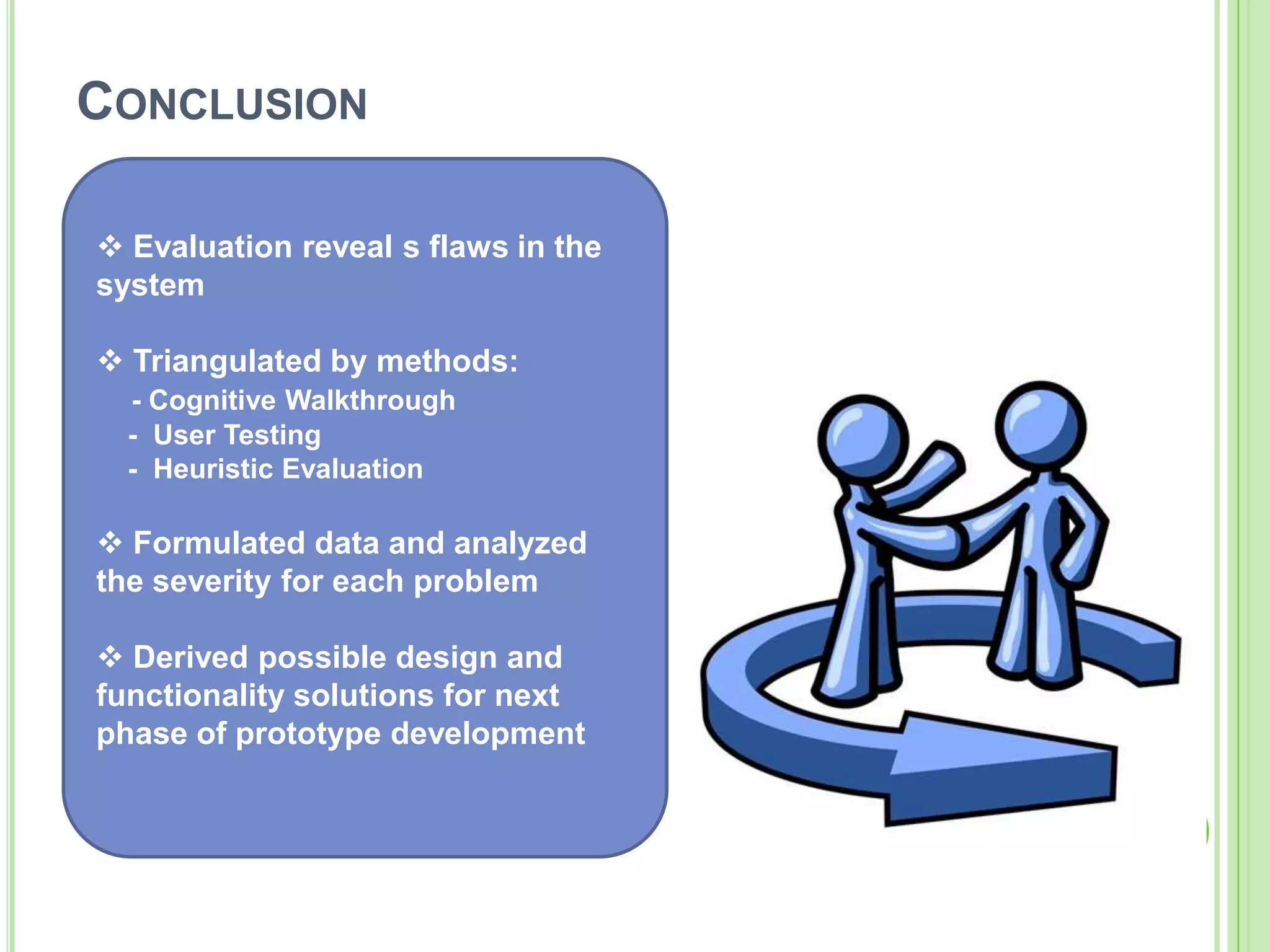
    Conclusion Evaluation reveals flaws in the system
  • 41.
    Triangulated bymethods:- Cognitive Walkthrough - User Testing - Heuristic Evaluation
  • 42.
    Formulated data andanalyzed the severity for each problem
  • 43.
    Derived possibledesign and functionality solutions for next phase of prototype development Any Questions?See You with our REDESIGNED prototype