Upgrade To BMC ITSM 7.6 Webinar Presents
Disclaimer All other trademarks, service marks and logos used in this webinar are the trademarks, service marks or logos of their respective owners.
Agenda Introduction Why Upgrade? Quick go-through What's New in ITSM 7.6 Upgrade to 7.6
Introduction Based on BMC’s standard maintenance contracts, current version would no longer be supported by the vendor after  December, 2010 . BMC has released Service Desk, Change Management, Service Level Management and Atrium 7.6.01 for general availability in November, 2009. The new Version 7.6 release of BMC Remedy ITSM Suite applications delivers a new and enhanced set of streamlined ITIL processes along with more interactive user interface. Existing BMC customers can take advantage of these new features, service improvements and productivity gains by upgrading their existing BMC Remedy ITSM Suite to the latest BMC Remedy ITSM Suite 7.6.
Why upgrade?
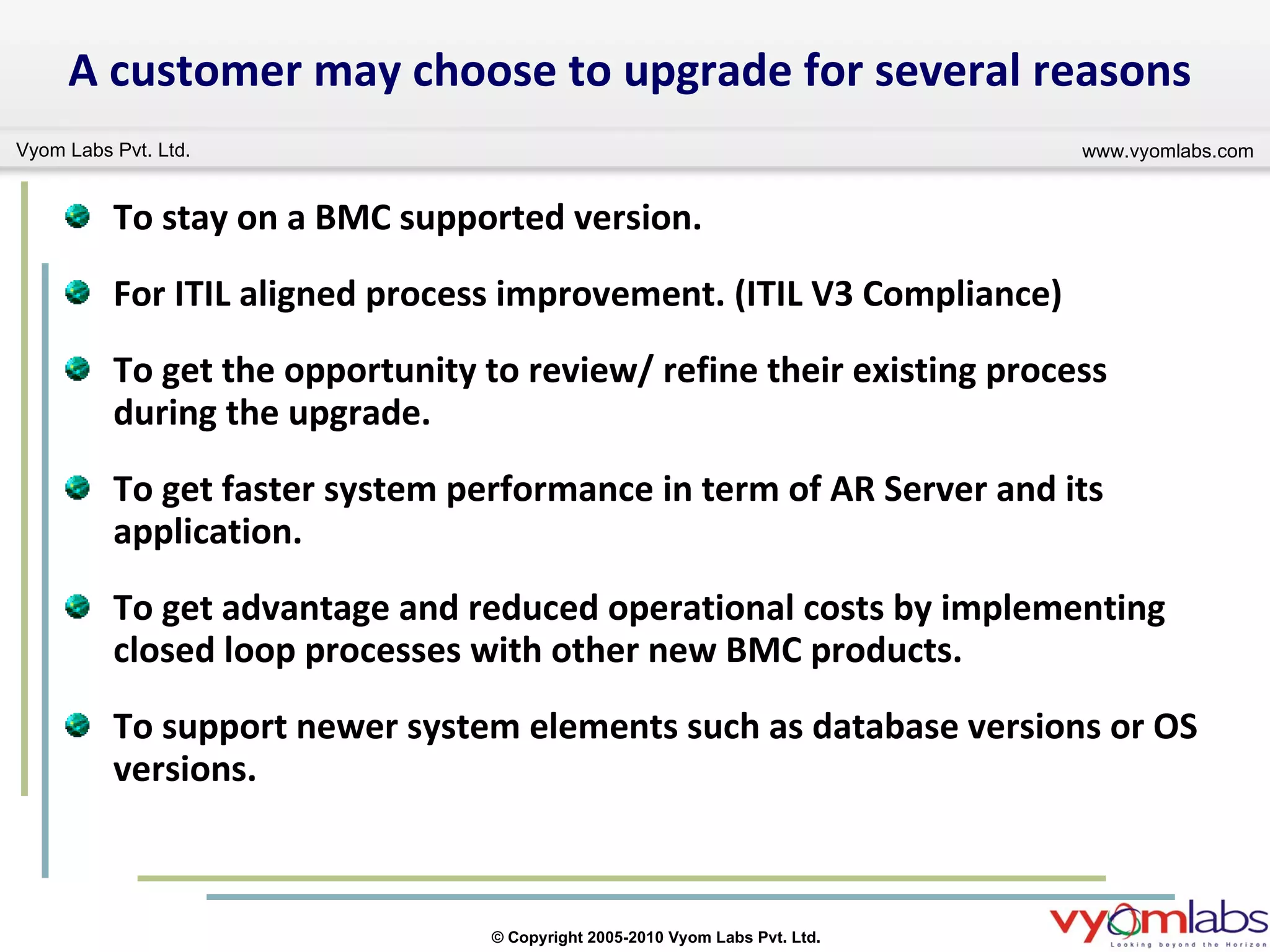
To stay on a BMC supported version.  For ITIL aligned process improvement. (ITIL V3 Compliance)  To get the opportunity to review/ refine their existing process during the upgrade. To get faster system performance in term of AR Server and its application. To get advantage and reduced operational costs by implementing closed loop processes with other new BMC products.  To support newer system elements such as database versions or OS versions. A customer may choose to upgrade for several reasons
BMC Remedy IT Service Management 7.6 what’s New? what’s New?
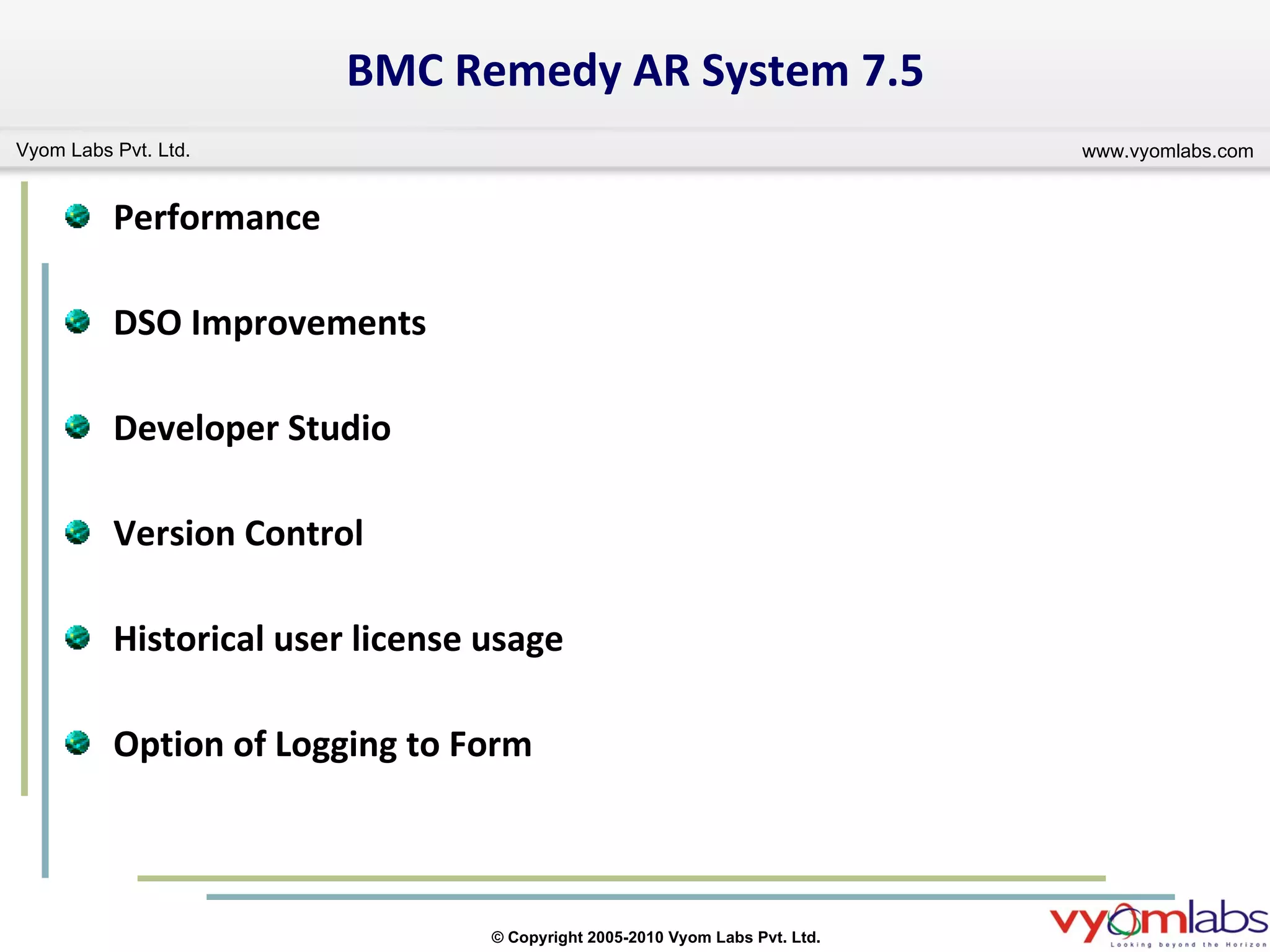
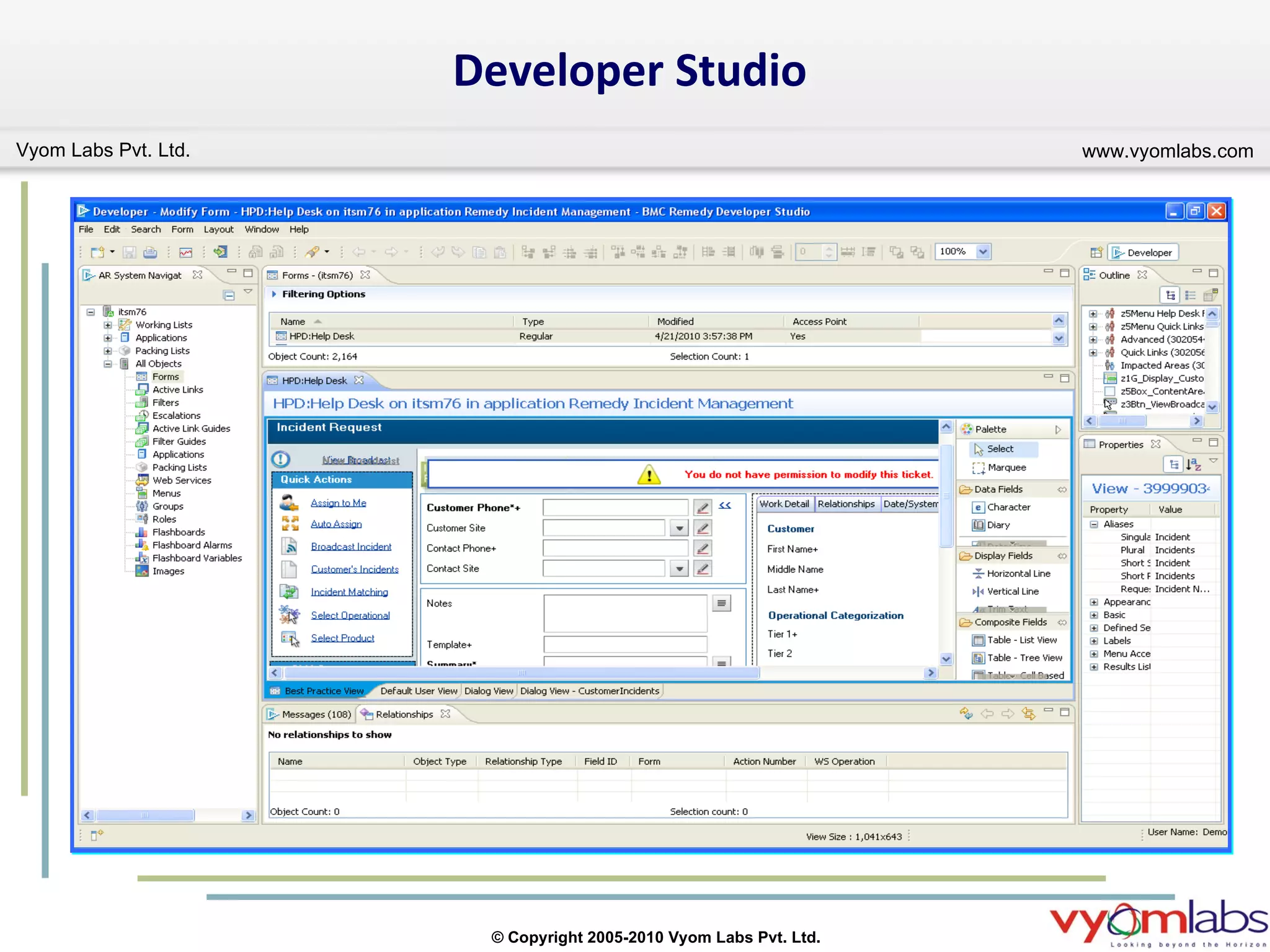
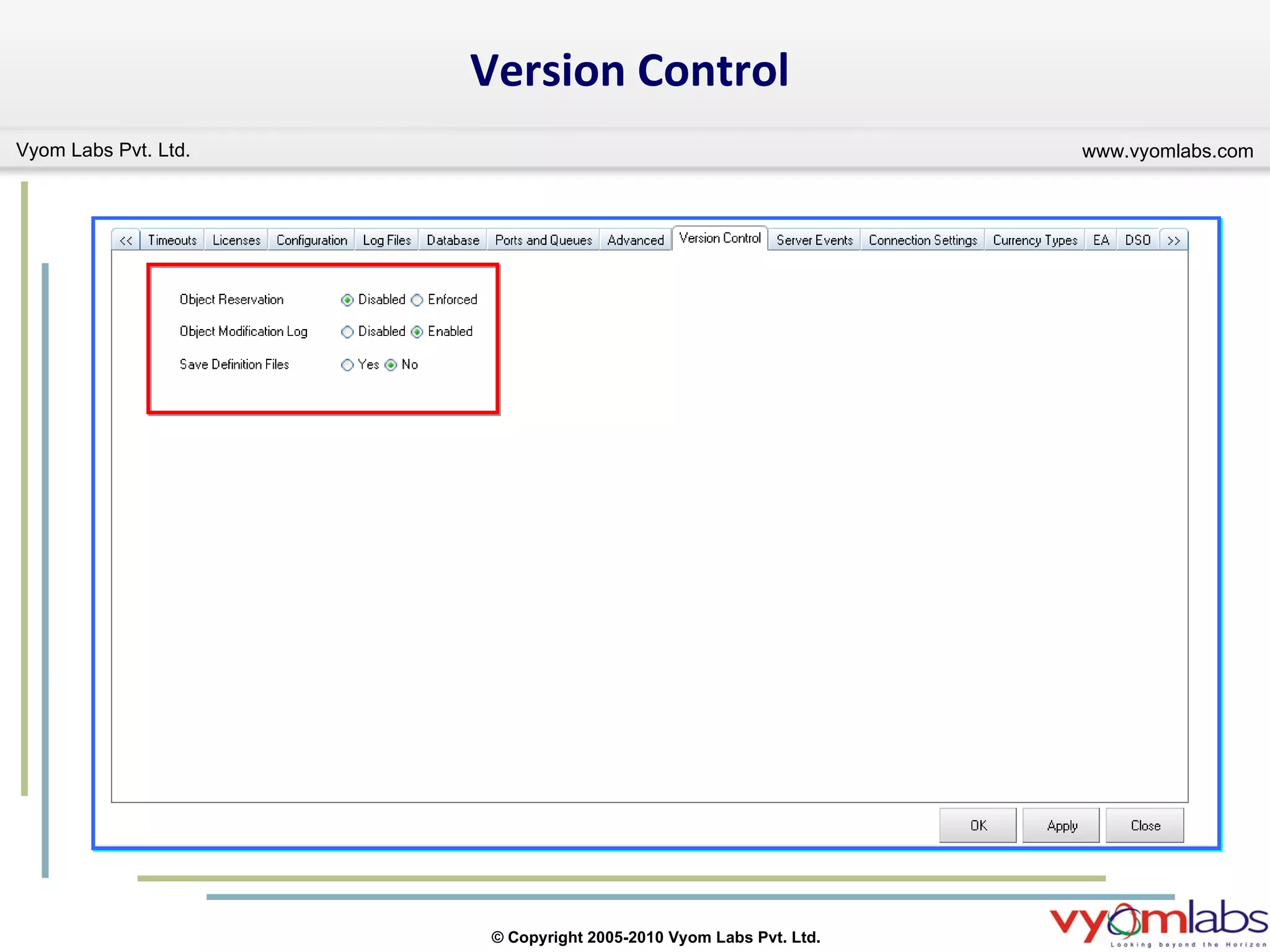
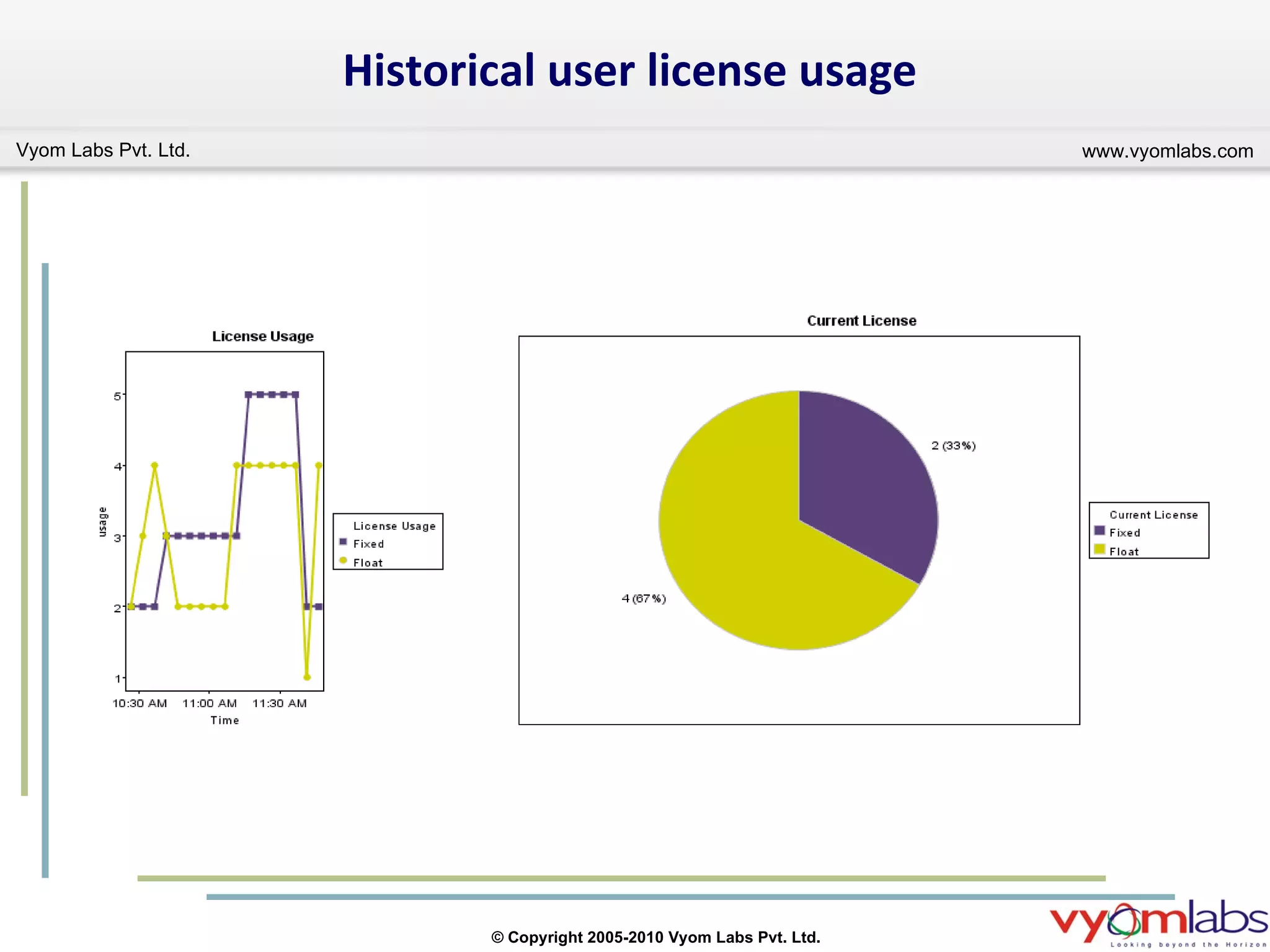
BMC Remedy  AR System  7.5 Performance DSO Improvements Developer Studio Version Control  Historical user license usage Option of Logging to Form
Developer Studio
Version Control
Historical user license usage
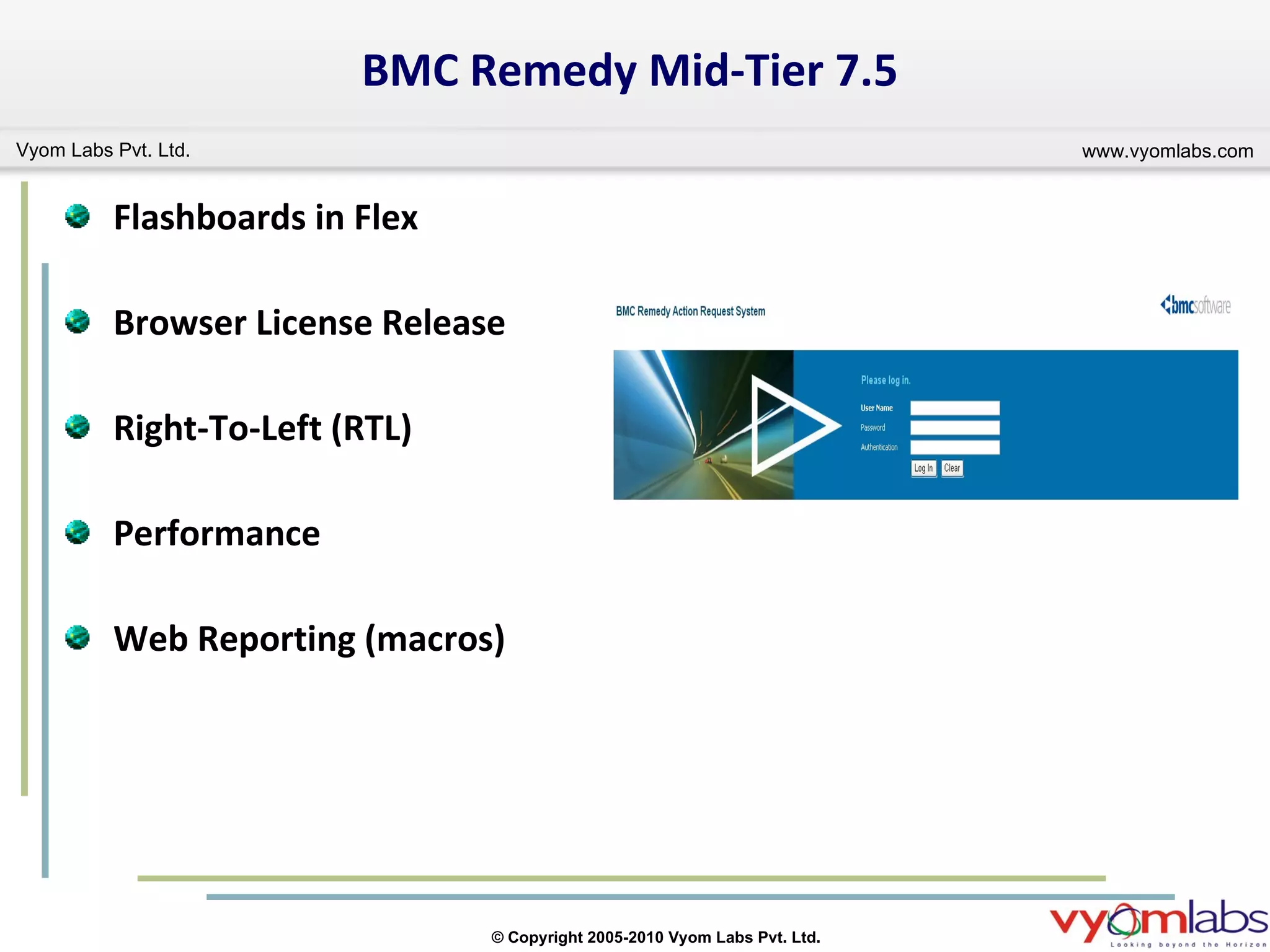
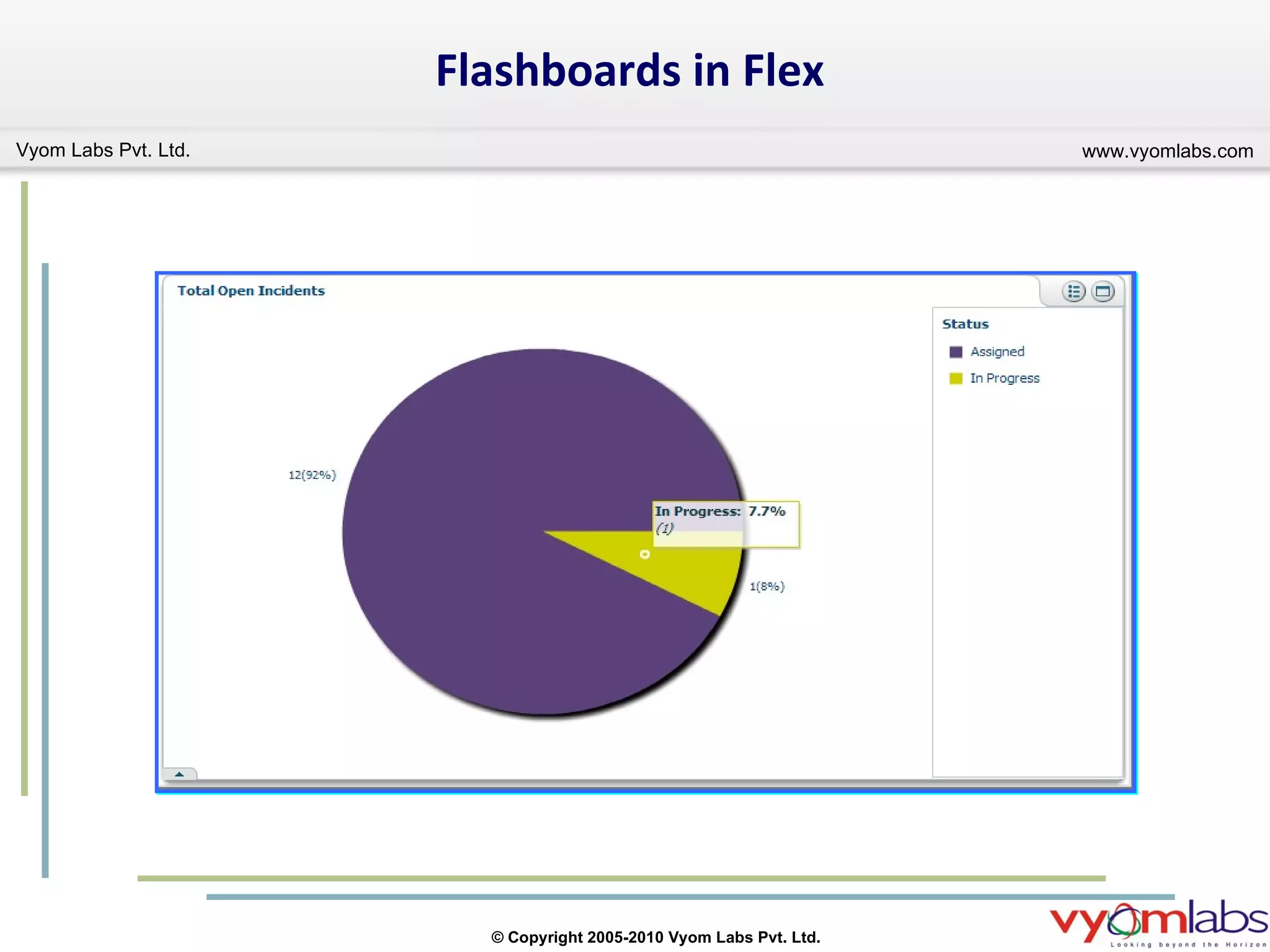
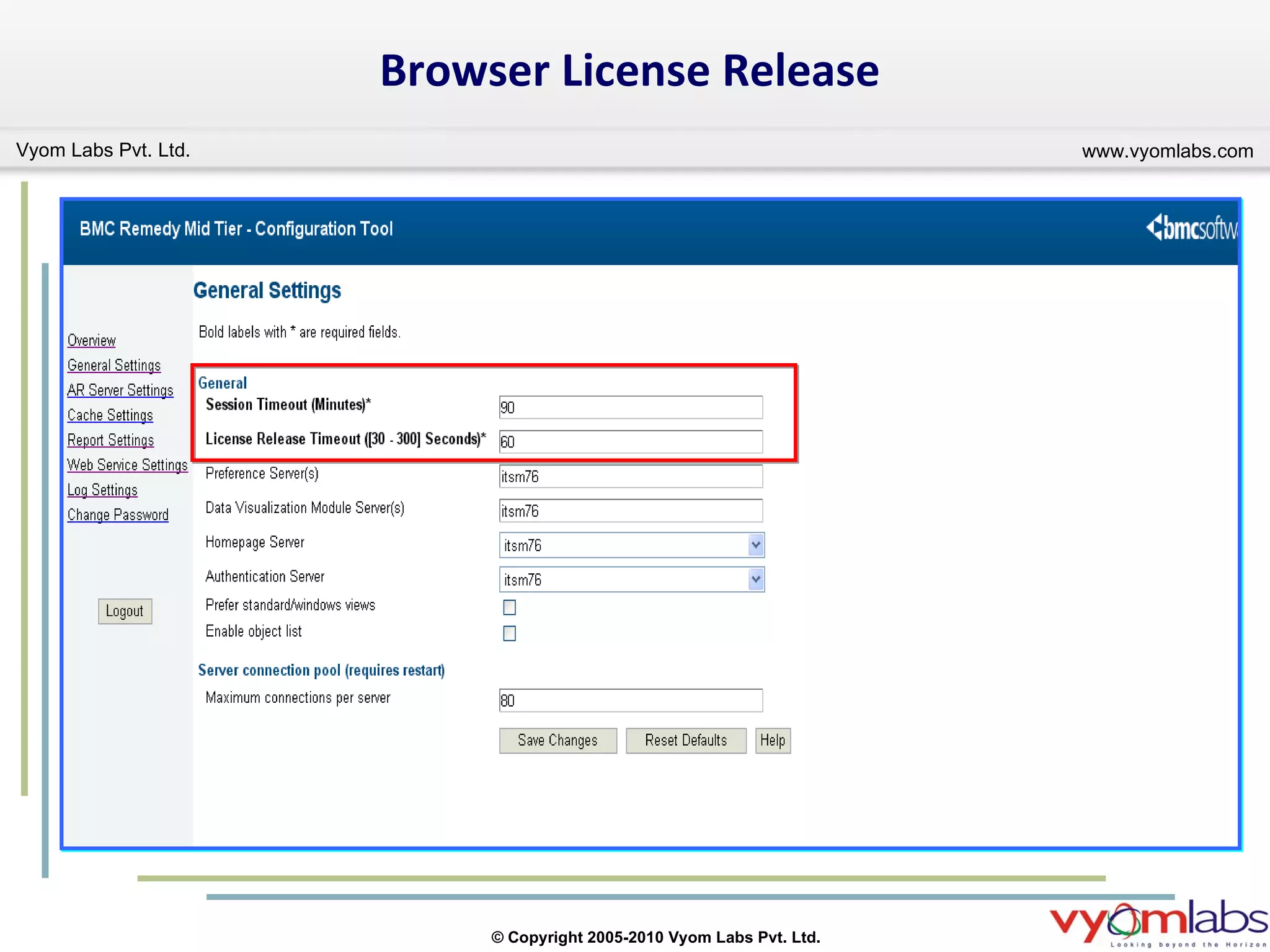
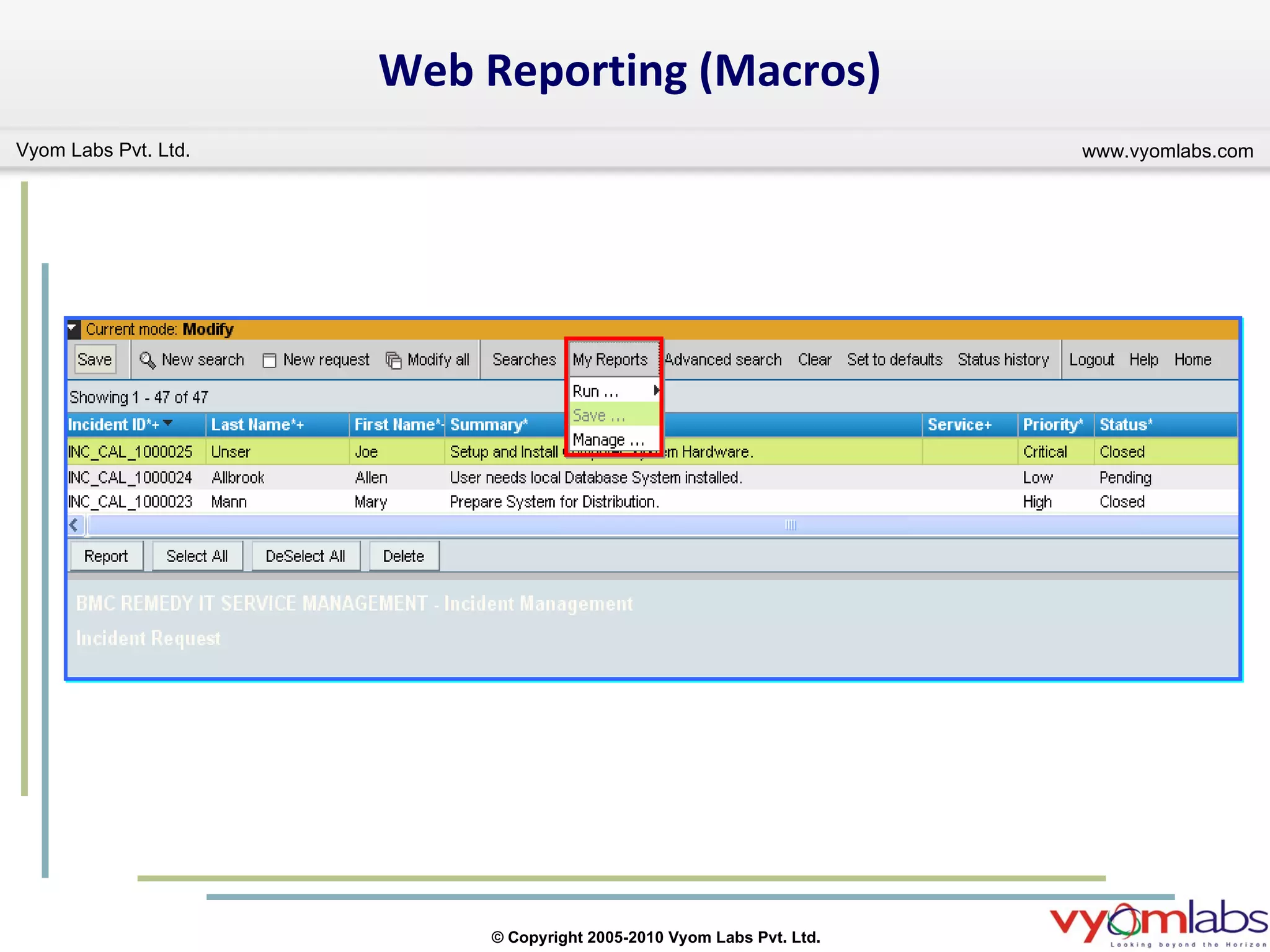
BMC Remedy Mid-Tier 7.5 Flashboards in Flex Browser License Release Right-To-Left (RTL) Performance Web Reporting (macros)
Flashboards in Flex
Browser License Release
Web Reporting (Macros)
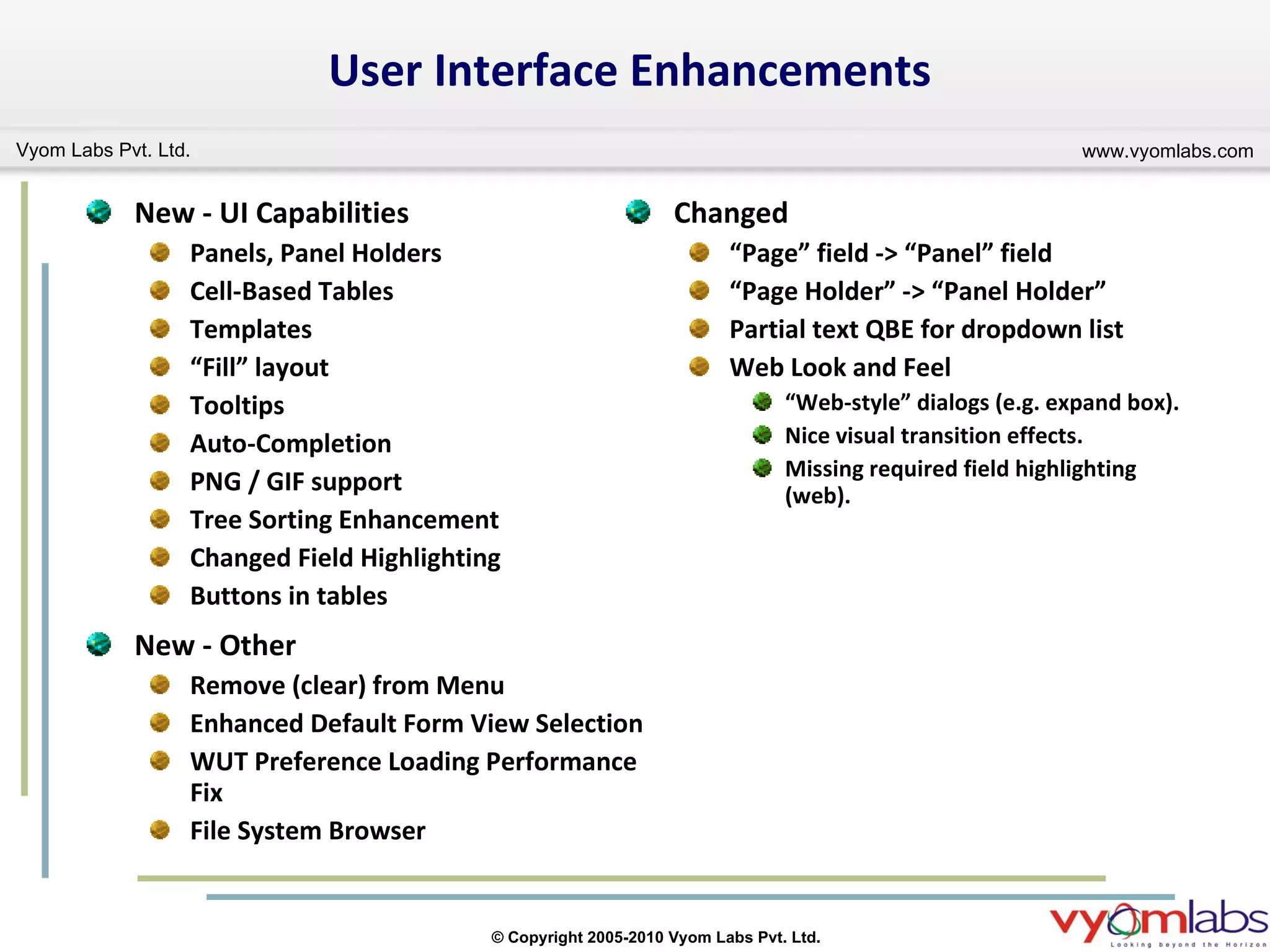
Changed “ Page” field -> “Panel” field “ Page Holder” -> “Panel Holder” Partial text QBE for dropdown list Web Look and Feel “ Web-style” dialogs (e.g. expand box). Nice visual transition effects. Missing required field highlighting (web). User Interface Enhancements New - UI Capabilities Panels, Panel Holders Cell-Based Tables Templates “ Fill” layout Tooltips Auto-Completion PNG / GIF support Tree Sorting Enhancement Changed Field Highlighting Buttons in tables New - Other Remove (clear) from Menu Enhanced Default Form View Selection WUT Preference Loading Performance Fix File System Browser
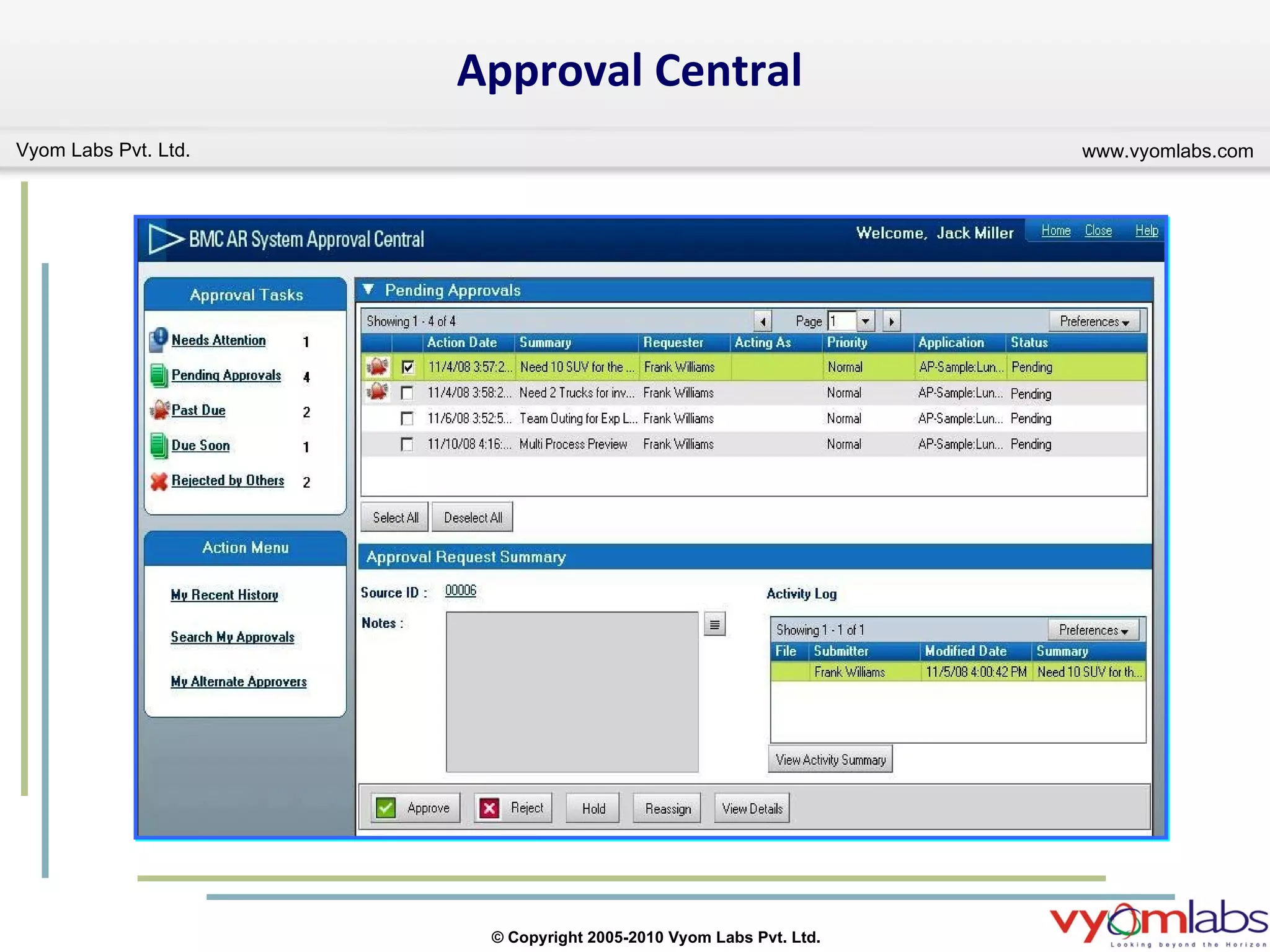
BMC Remedy Approval Server Enhancements Approval Central updated with a professional look. Questions and comments that approvers have can now be related with the Approval request. An approval request can now be submitted with relevant in-context attachments / Notes / Comments.  You can now specify, by mapping field values, what important information you want approvers to see before exercising authority. A logged in approver will now see: All approval requests assigned to him directly All requests for which he has been designated as an alternate. Decision can now be exercised on multiple requests concurrently.
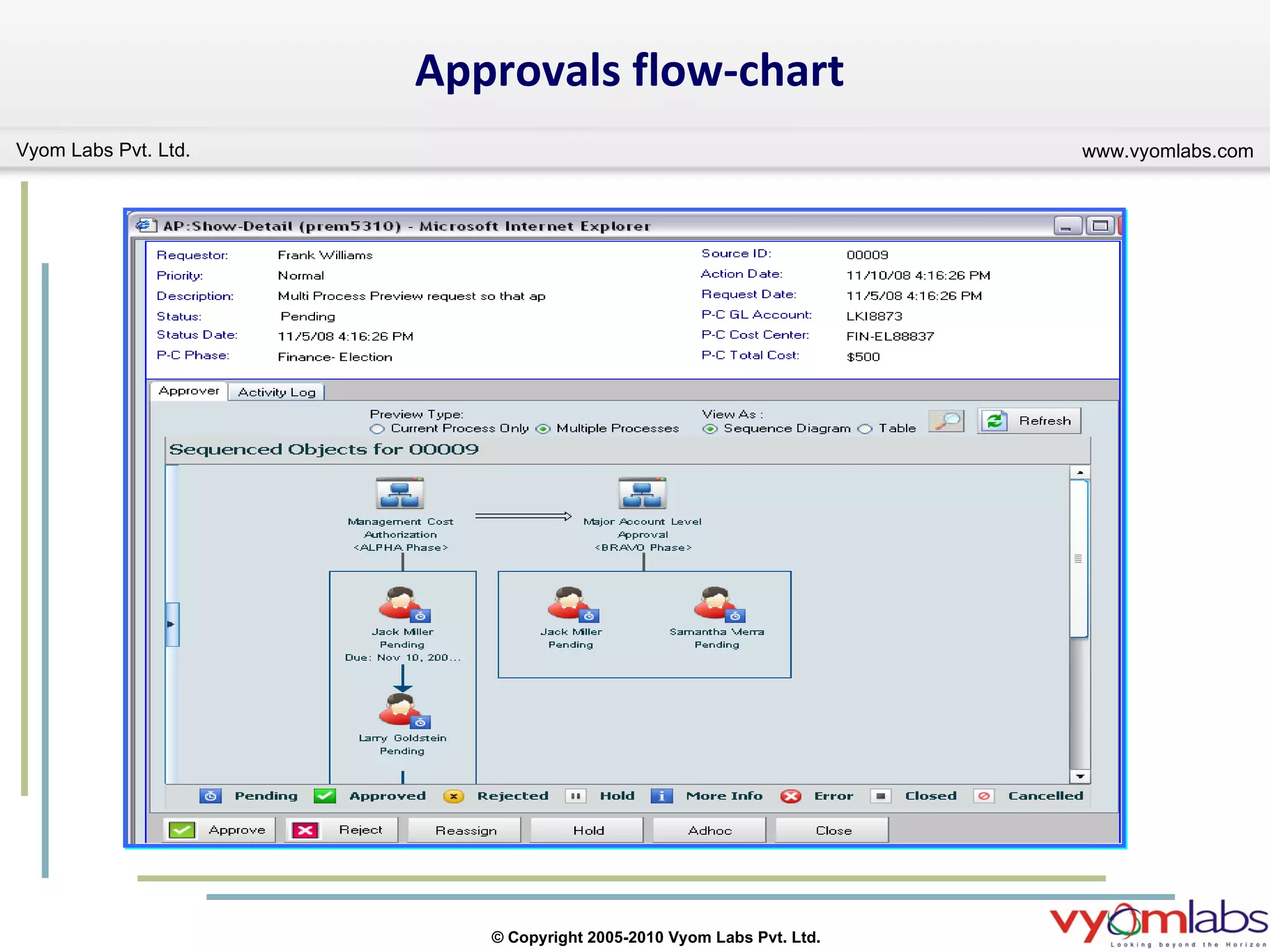
BMC Remedy Approval Server Enhancements Cont.. Who all will approve? Approver can add an ad-hoc approver in the current process. Displaying Full Name and Role ID of approvers. Approver can now reassign the request to others. Displays the history and preview of approvals in a flow-chart format.
Approval Central
Approvals flow-chart
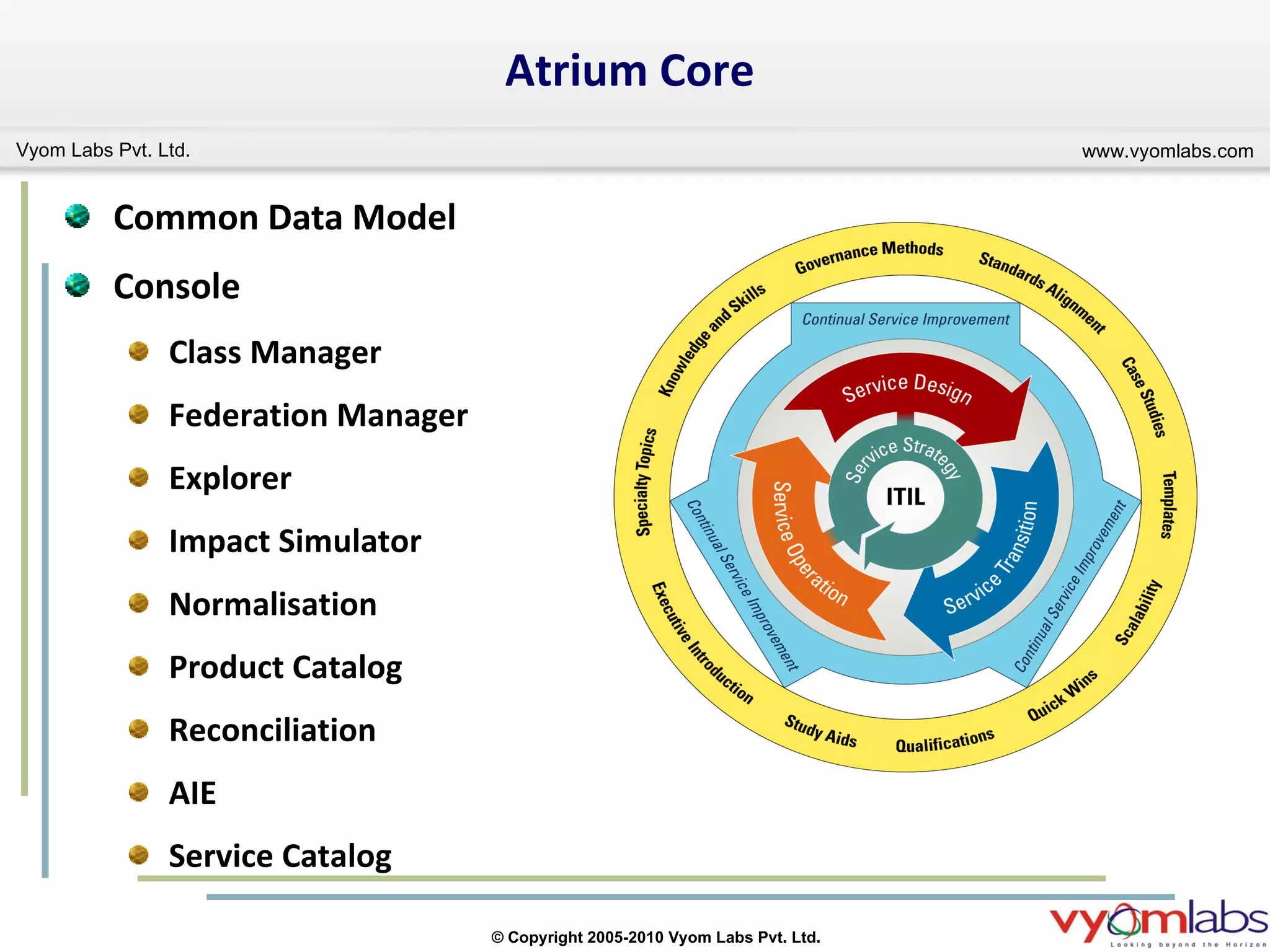
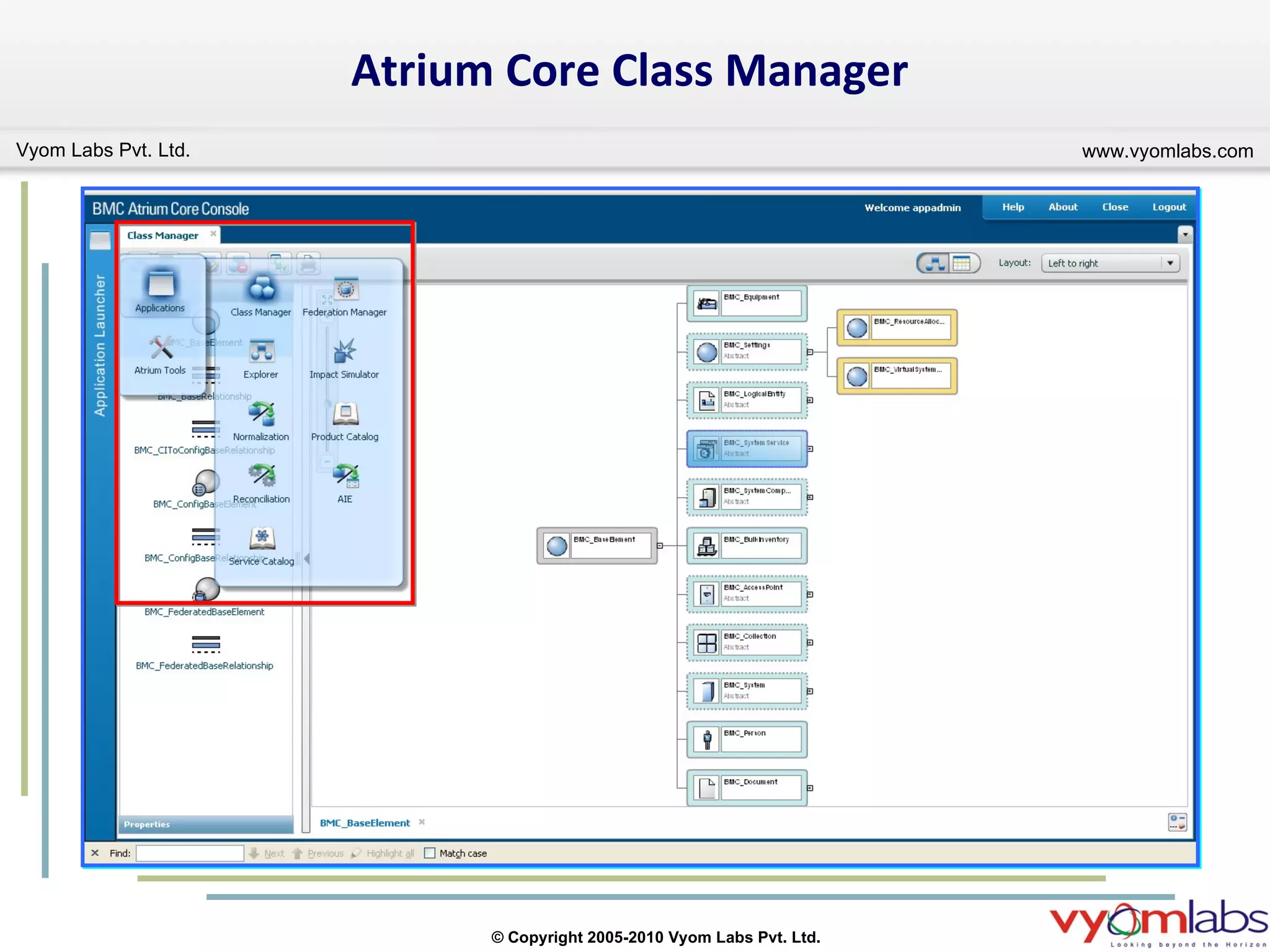
Common Data Model Console Class Manager Federation Manager Explorer Impact Simulator Normalisation Product Catalog  Reconciliation AIE Service Catalog  Atrium Core
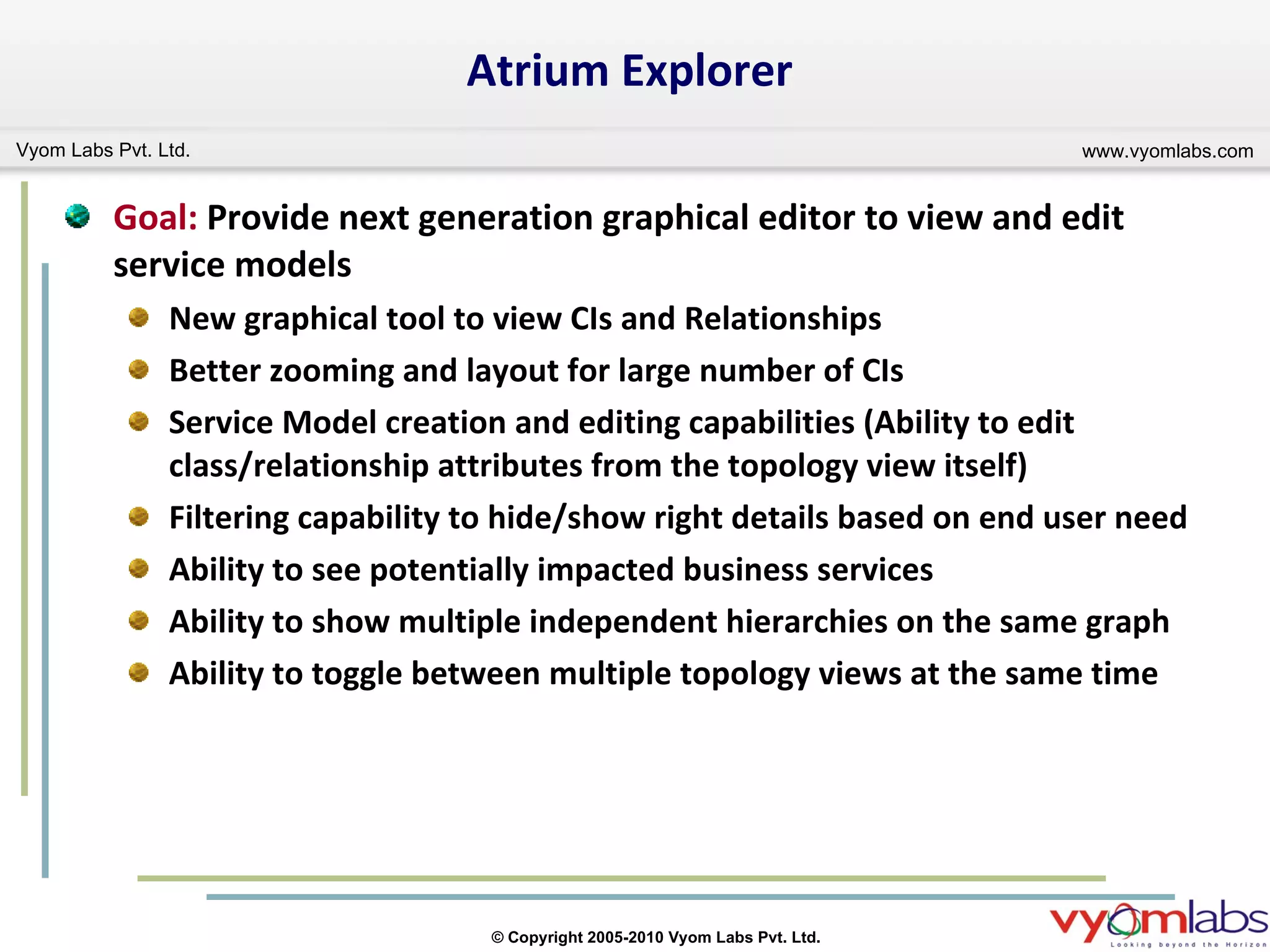
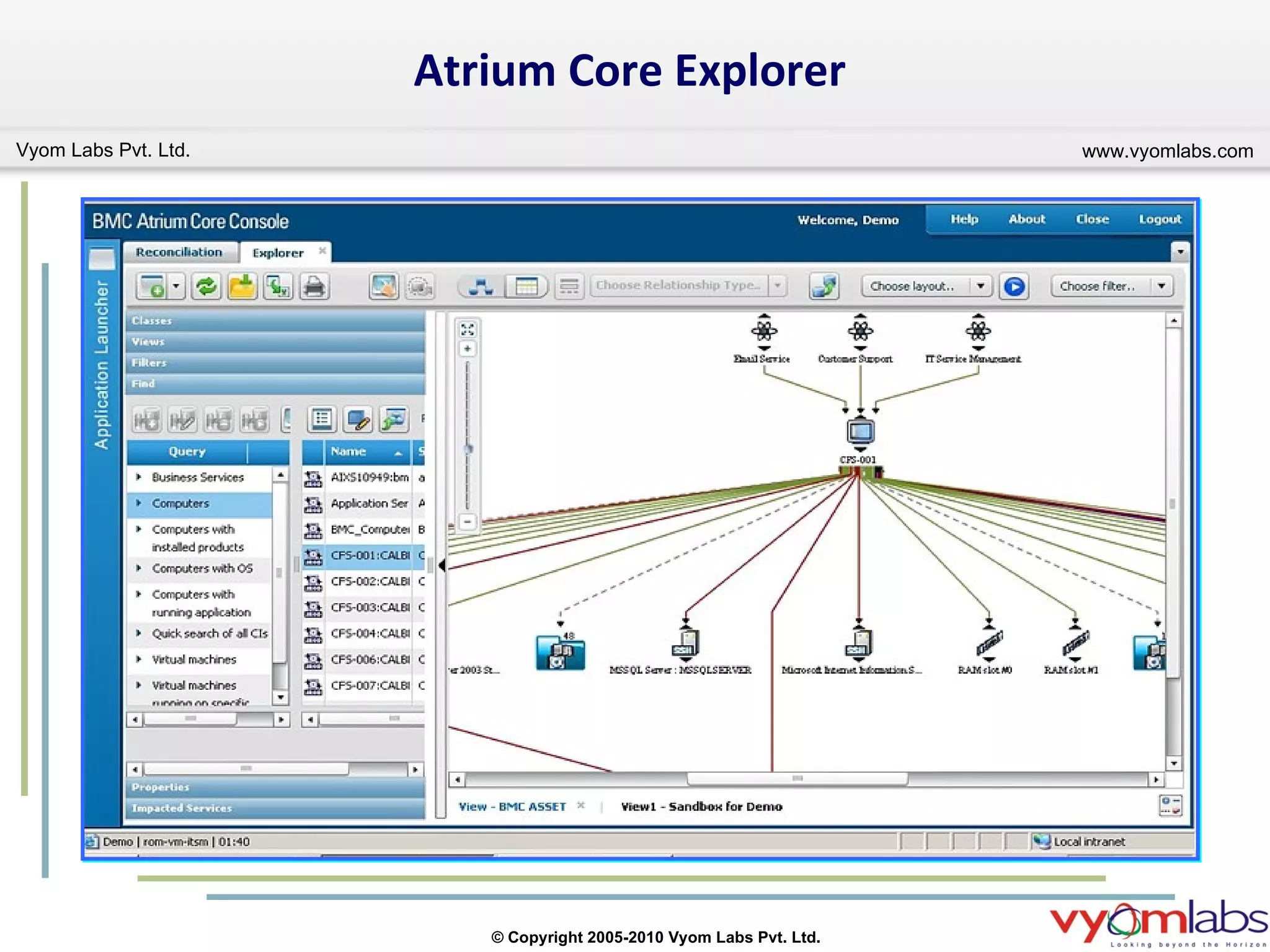
Atrium Explorer Goal:  Provide next generation graphical editor to view and edit service models  New graphical tool to view CIs and Relationships Better zooming and layout for large number of CIs Service Model creation and editing capabilities (Ability to edit class/relationship attributes from the topology view itself)  Filtering capability to hide/show right details based on end user need Ability to see potentially impacted business services Ability to show multiple independent hierarchies on the same graph Ability to toggle between multiple topology views at the same time
Atrium Core Class Manager
Atrium Core Explorer
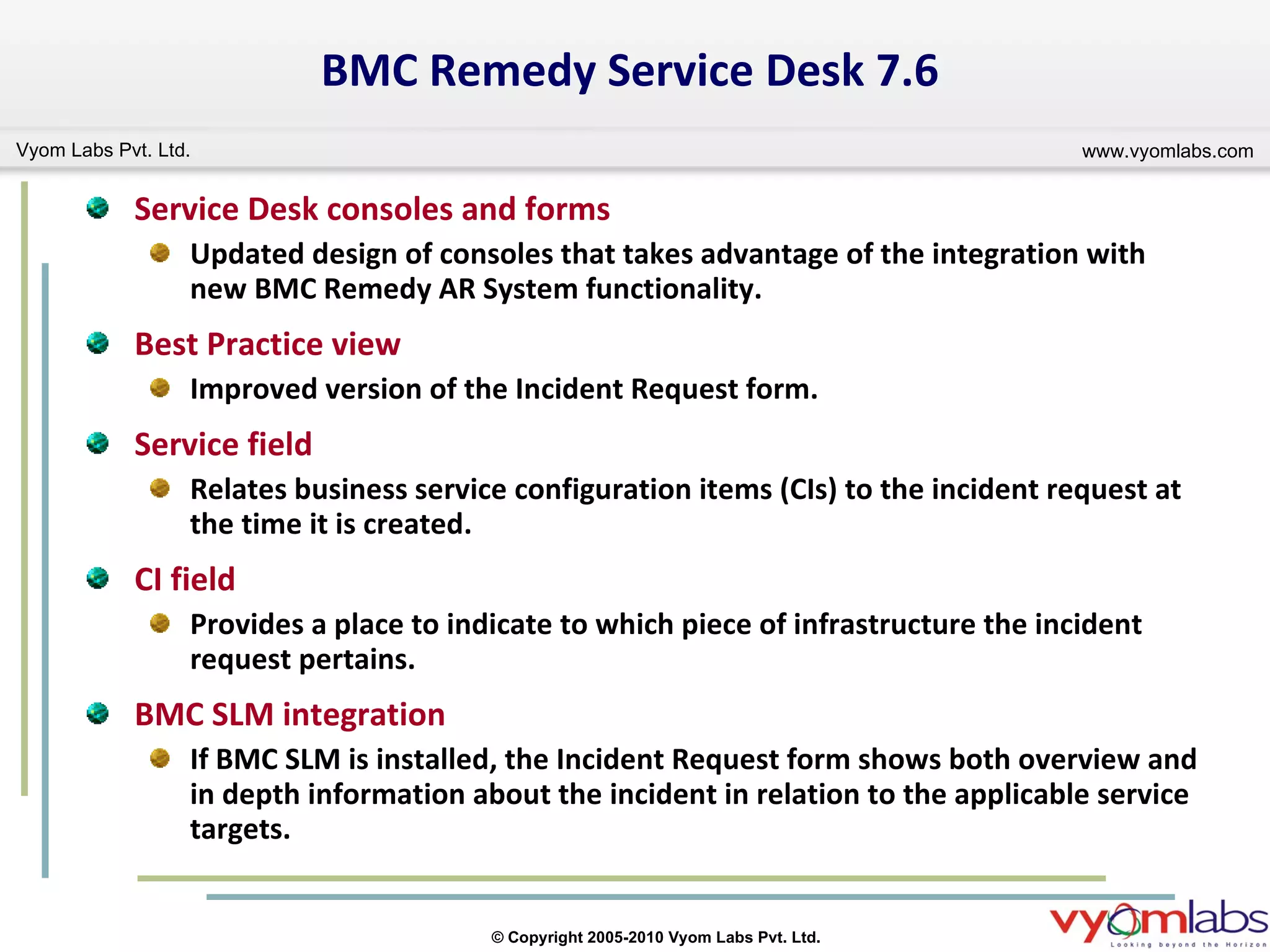
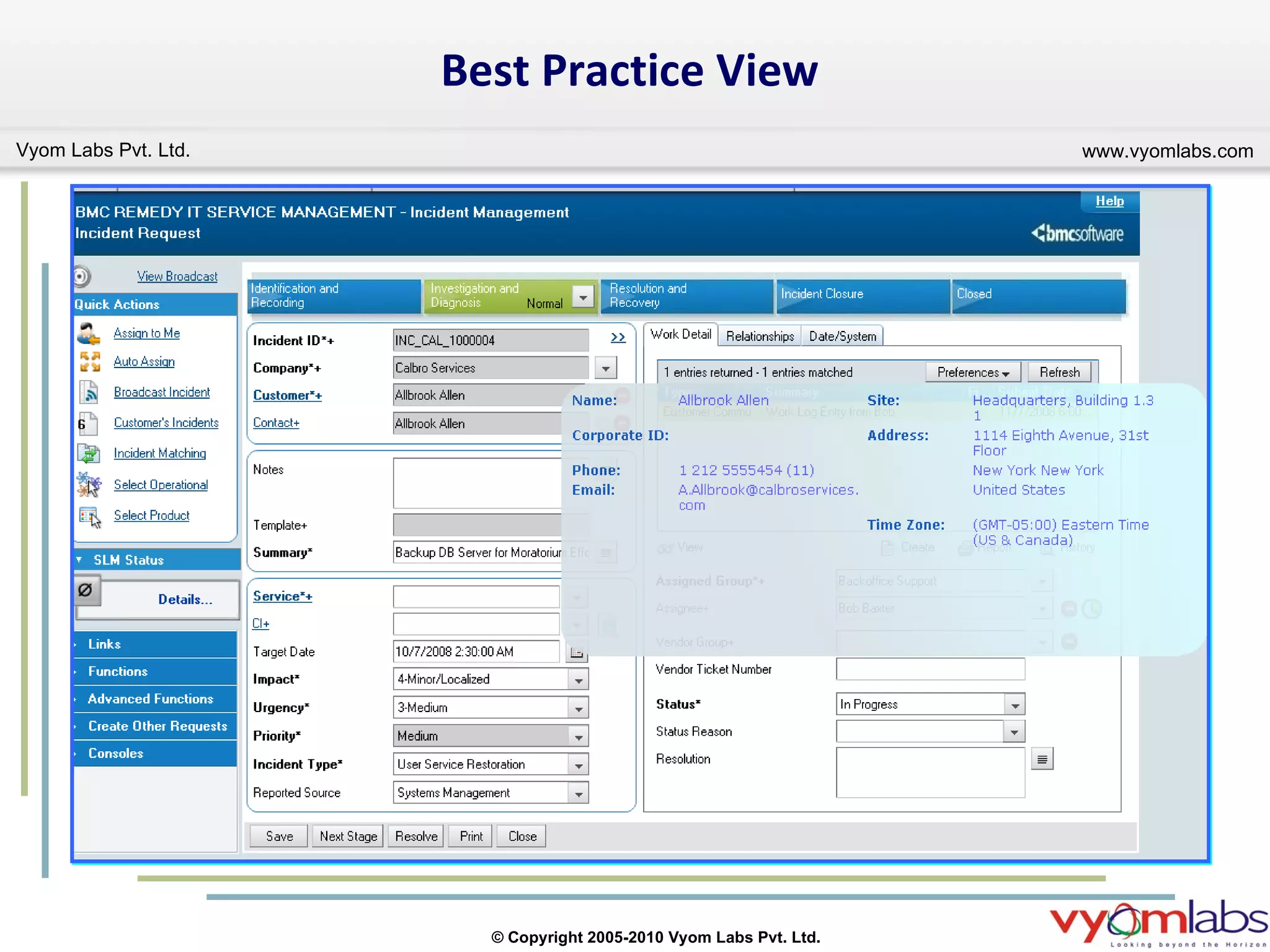
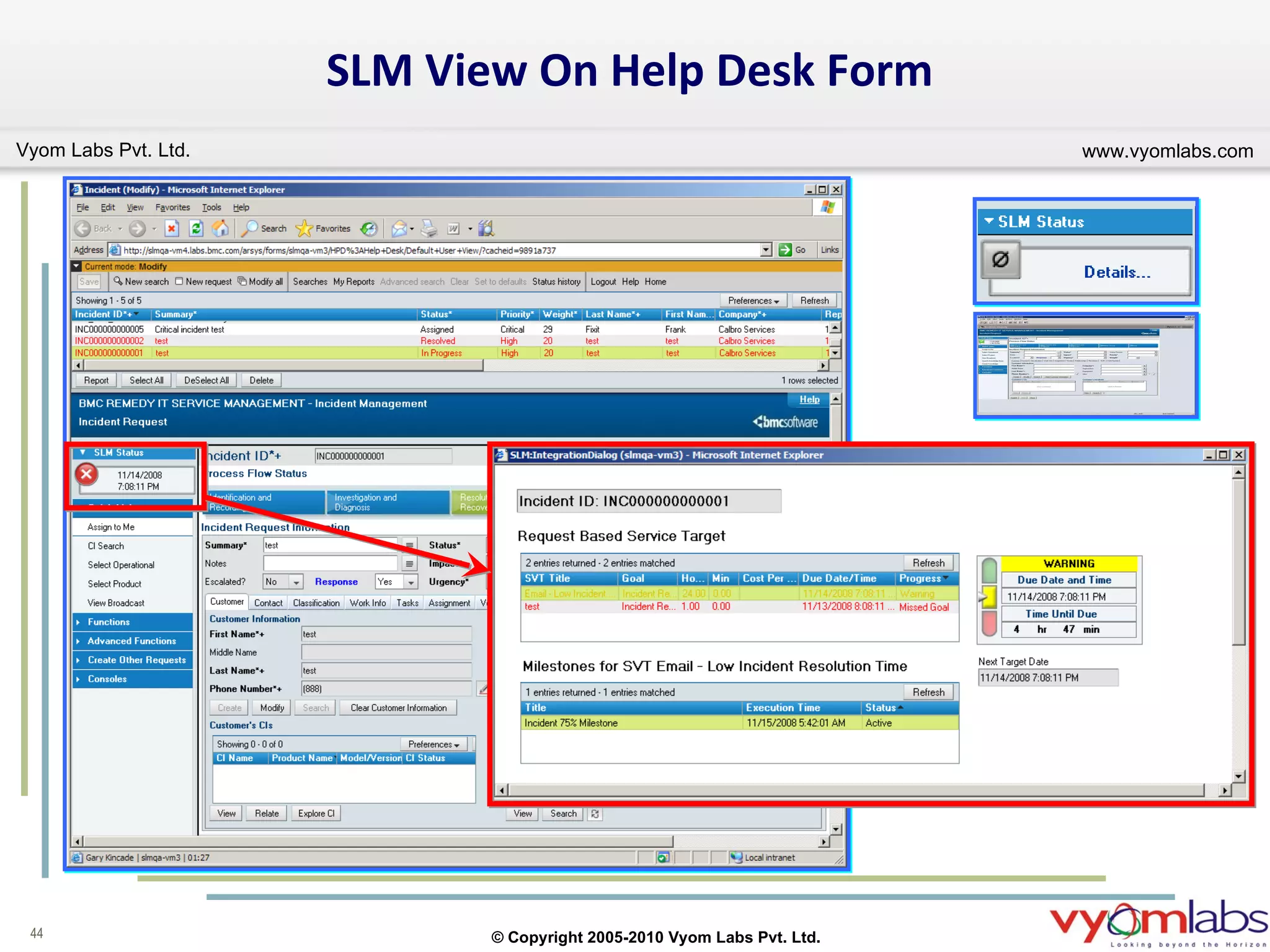
BMC Remedy Service Desk 7.6 Service Desk consoles and forms Updated design of consoles that takes advantage of the integration with new BMC Remedy AR System functionality. Best Practice view Improved version of the Incident Request form. Service field Relates business service configuration items (CIs) to the incident request at the time it is created. CI field Provides a place to indicate to which piece of infrastructure the incident request pertains. BMC SLM integration If BMC SLM is installed, the Incident Request form shows both overview and in depth information about the incident in relation to the applicable service targets.
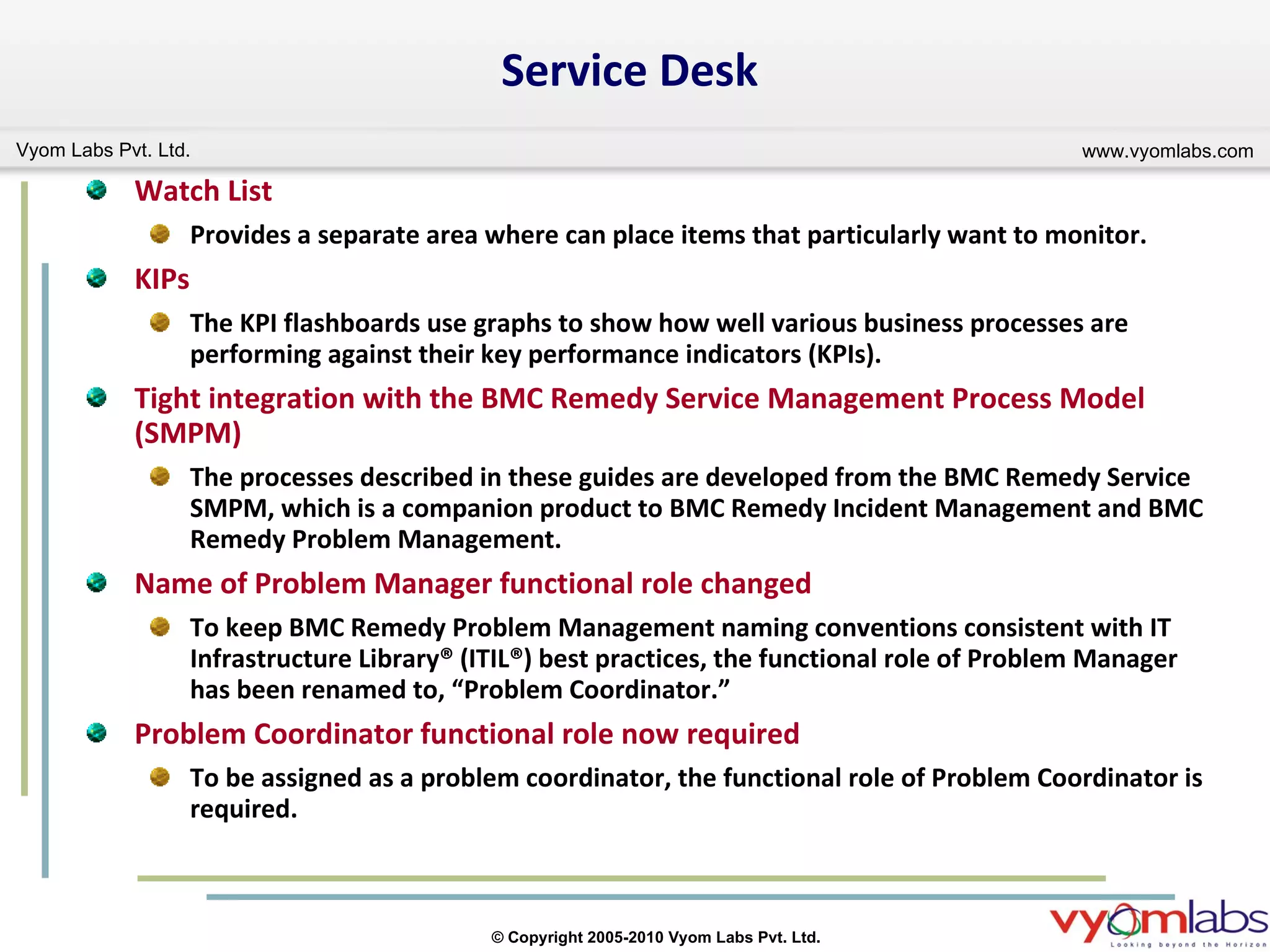
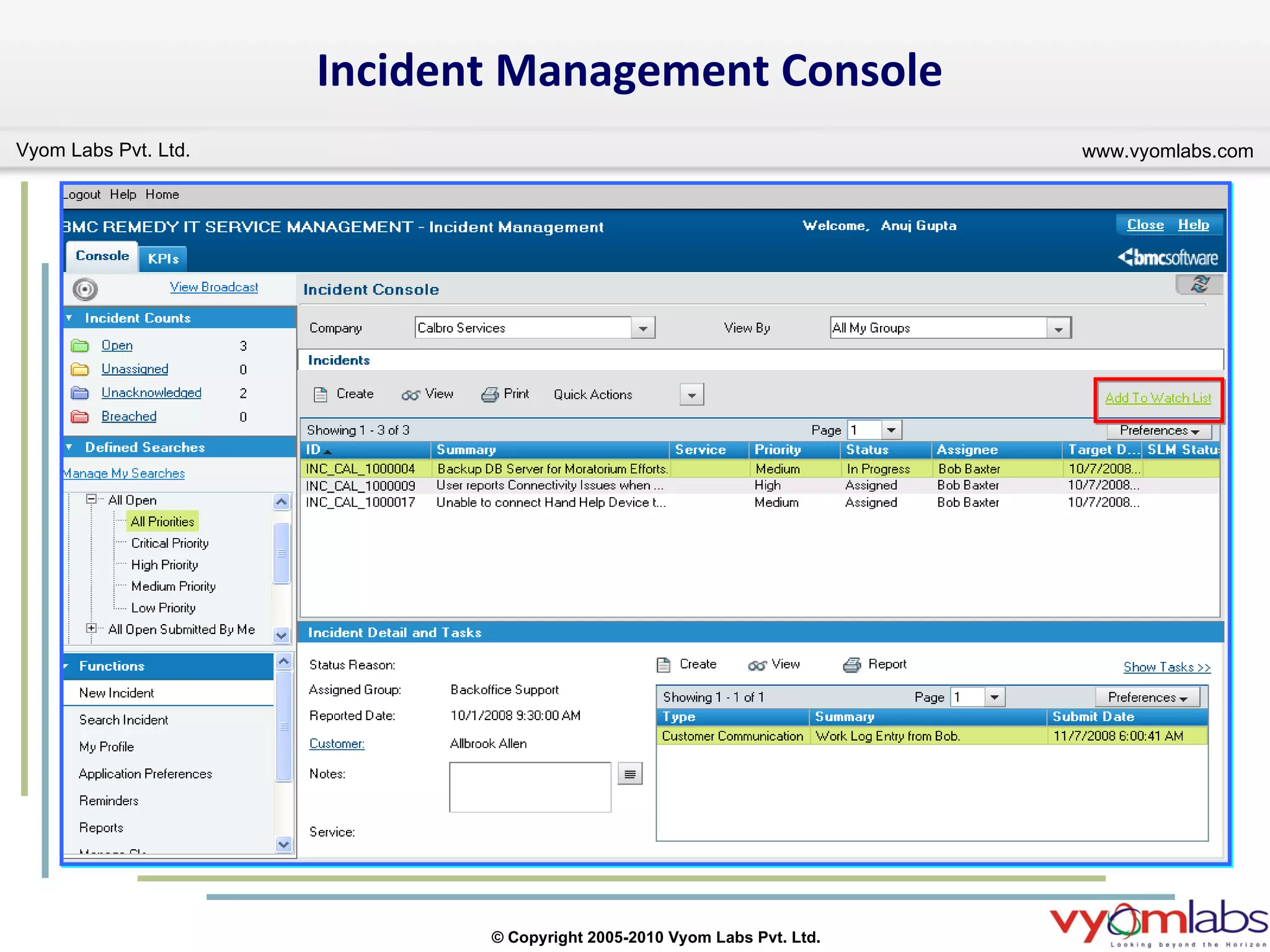
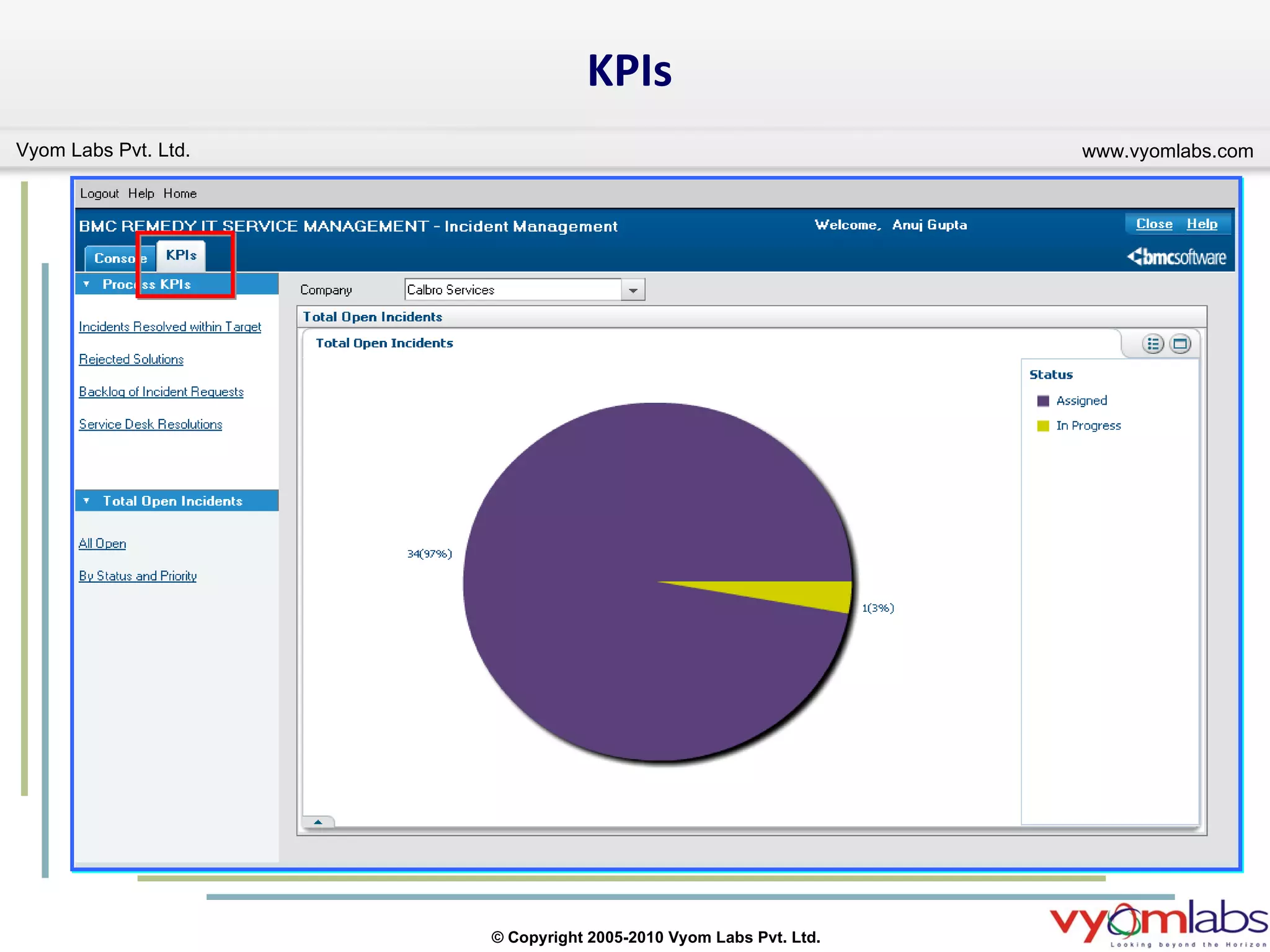
Service Desk Watch List   Provides a separate area where can place items that particularly want to monitor. KIPs The KPI flashboards use graphs to show how well various business processes are performing against their key performance indicators (KPIs). Tight integration with the BMC Remedy Service Management Process Model (SMPM) The processes described in these guides are developed from the BMC Remedy Service SMPM, which is a companion product to BMC Remedy Incident Management and BMC Remedy Problem Management. Name of Problem Manager functional role changed To keep BMC Remedy Problem Management naming conventions consistent with IT Infrastructure Library® (ITIL®) best practices, the functional role of Problem Manager has been renamed to, “Problem Coordinator.” Problem Coordinator functional role now required To be assigned as a problem coordinator, the functional role of Problem Coordinator is required.
Incident Management Console
KPIs
Best Practice View
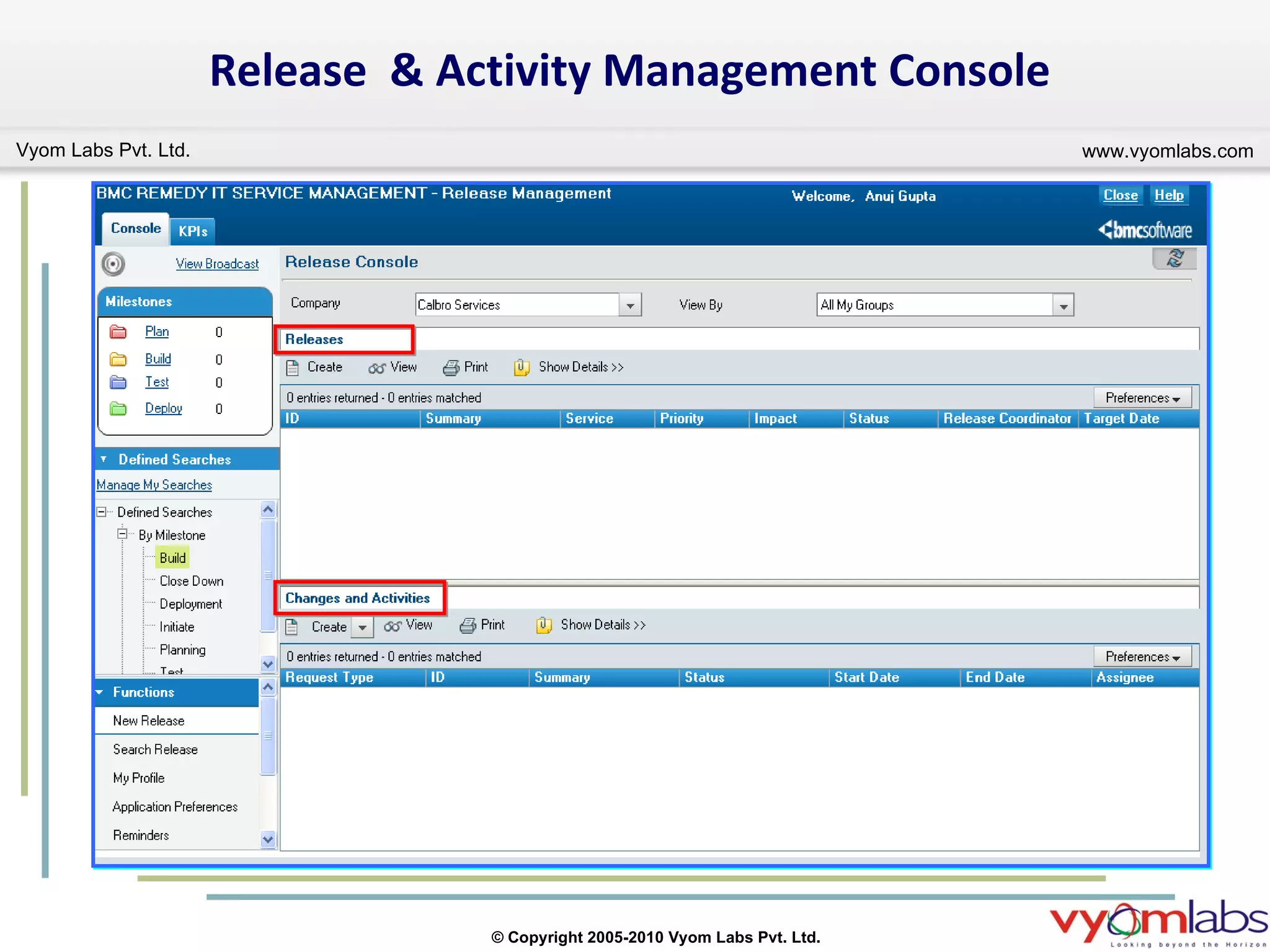
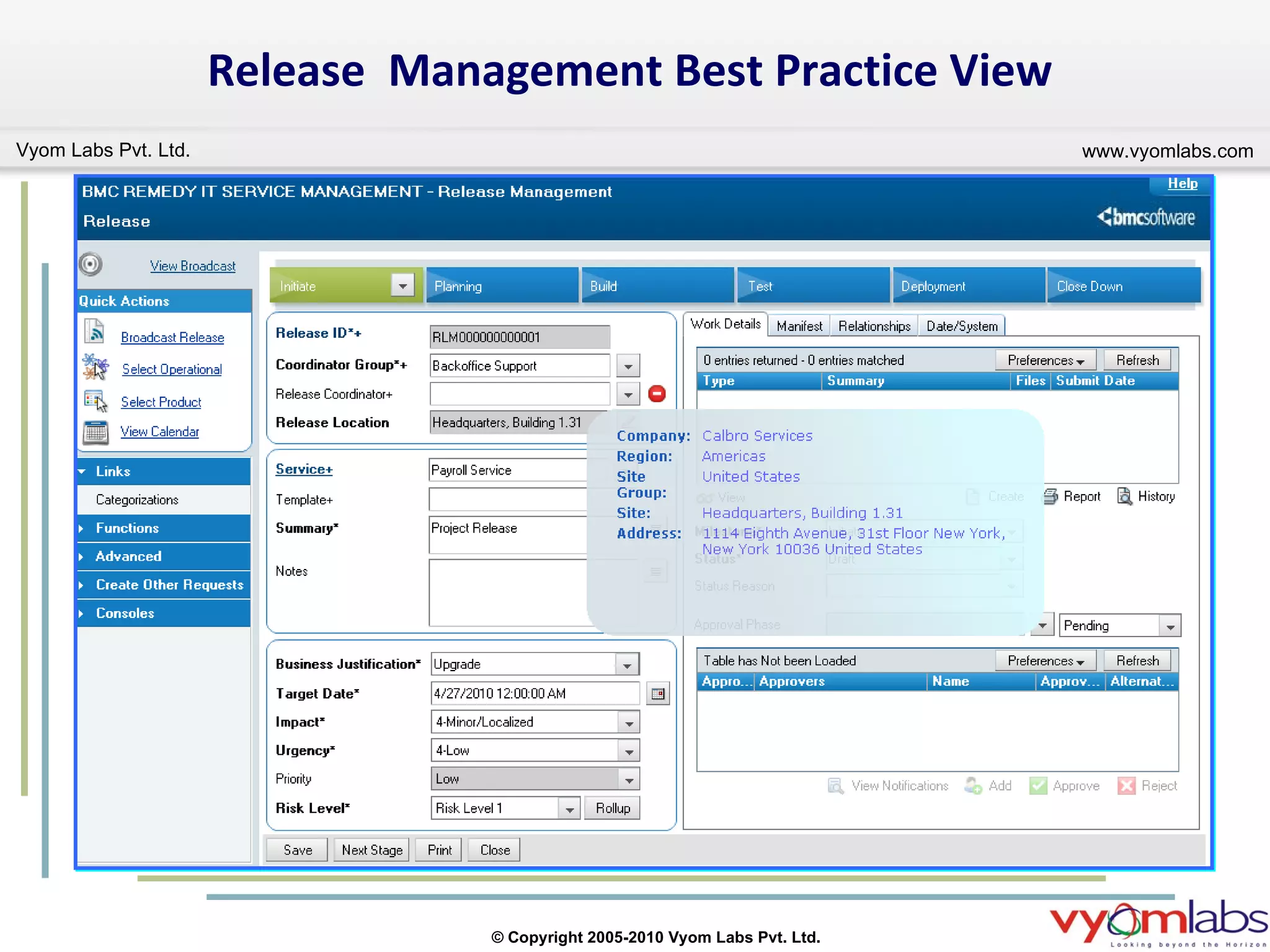
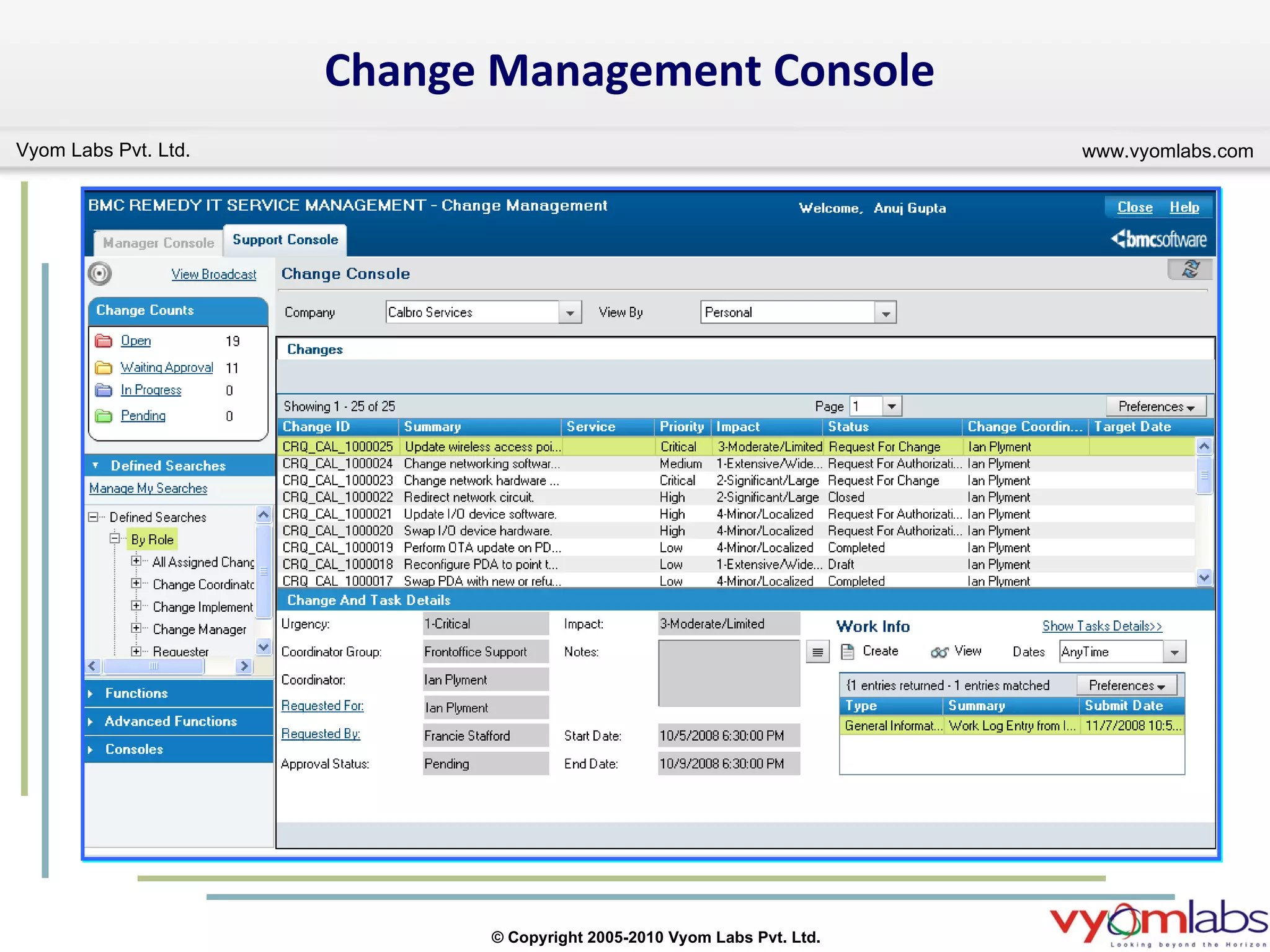
Change Management Release Management New module that facilitates the successful distribution of both software and hardware releases while minimizing any business impact. Release Management makes sure that service level commitments are maintained and customer expectations are met.  Activity New function integrated with Release Management that provides the capability to assign specific units of work (“activities”) to support staff but that do not require the complexity of a change request. Change Management consoles and forms Updated design of consoles that takes advantage of the integration with new BMC Remedy Action Request System (BMC Remedy AR System) functionality (for example, tooltips, navigation panes, collapsible details in tables, and so on).
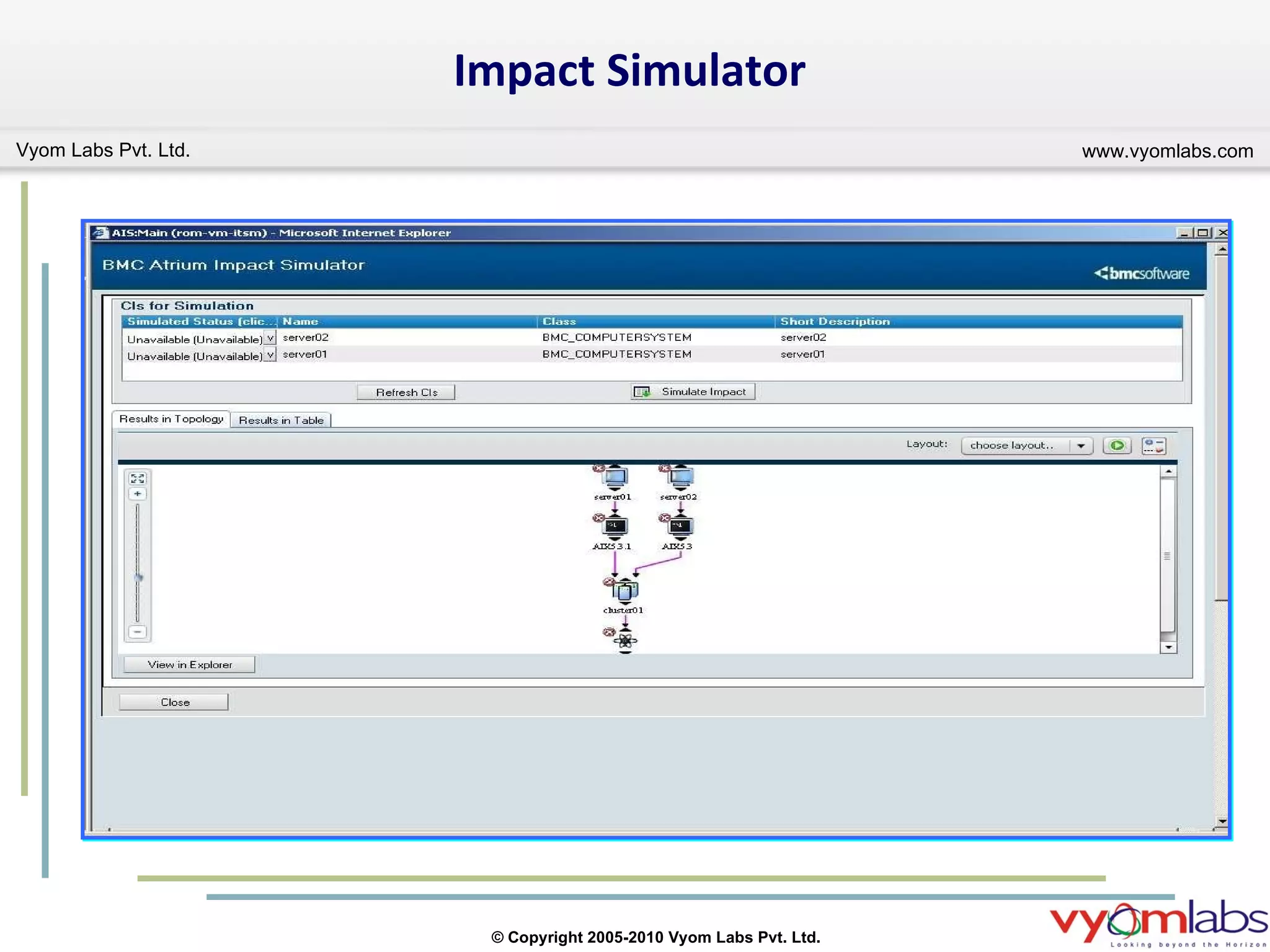
Change Management  Cont… Change Calendar Provides users with functions that allow them to graphically manage change requests, release requests, activities and business events occurring in the organization. Tight integration with BMC Atrium CMDB BMC Remedy Change Management is tightly integrated with new functionality in BMC Atrium CMDB. You can create a new change request, based on a simulated impact analysis generated by the Atrium Impact Simulator tool.  Ease of Use Improved user interface in BMC Remedy Change Management 7.6.00 lets management, administrators, users, and approvers perform regular tasks simply and efficiently. The process flow status area accelerates you through the change process from start to finish. It provides a visual mechanism to track the states of a change request, as prescribed by ITIL best practices.
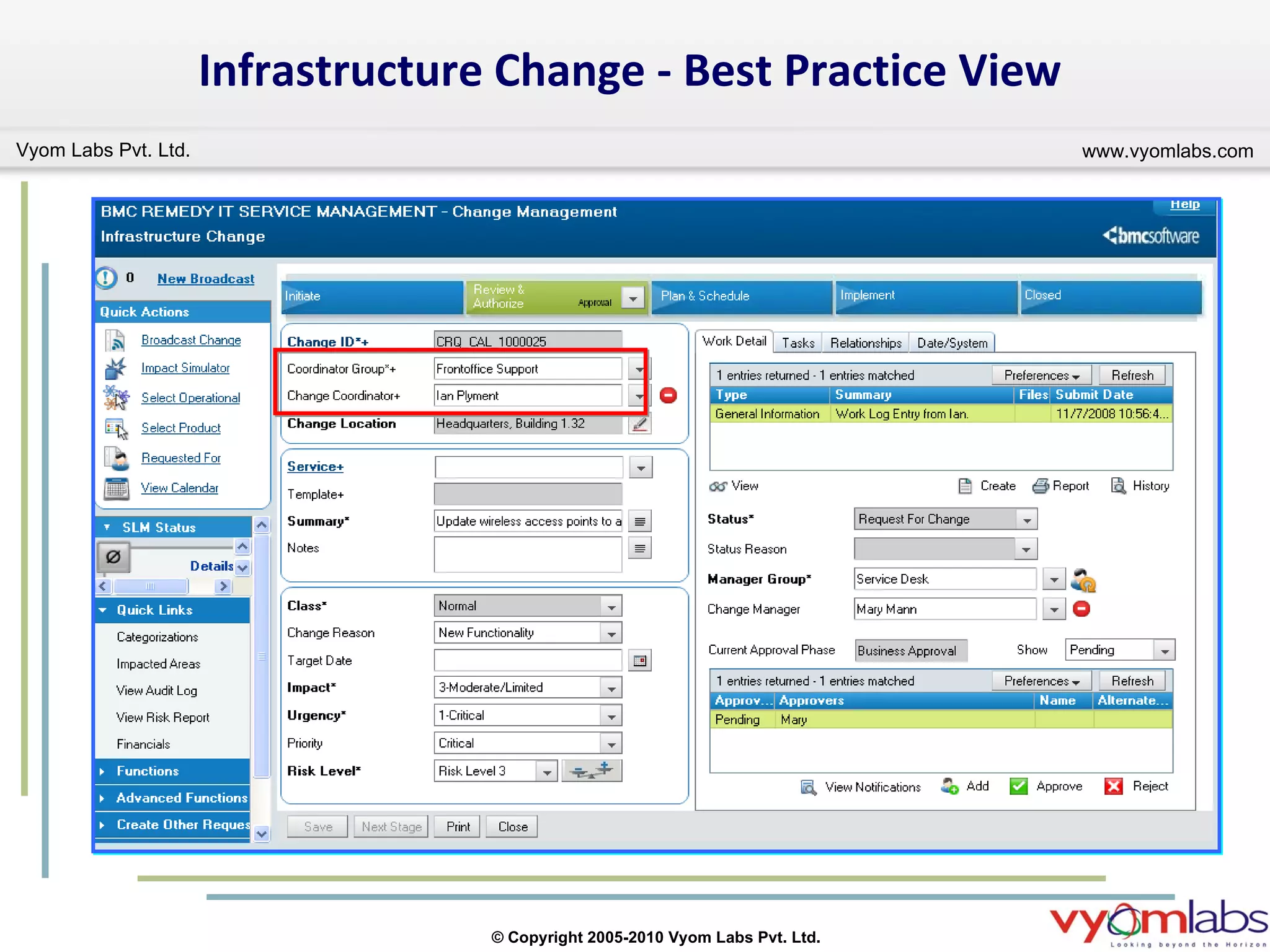
Change Management Fields Changes in Change Assignee and Change Manager fields Change Assignee fields have been changed to Coordinator Group and Change Coordinator. Coordinator Group field Use the Coordinator Group field to select a support group. The support groups that appear in the menu each have at least one member with a Change Coordinator functional role. Change Coordinator field Use the Change Coordinator field to select a Change Coordinator for the change request. The people whose names appear on this menu belong to the support group selected in the Coordinator Group field and have a Change Coordinator functional role. Change Manager fields have been changed to Manager Group and Change Manager. Manager Group field Use the Manager Group field to select a manager group. The manager groups that appear in the menu each have at least one member with a Change Manager functional role. Change Manager field Use the Change Manager field to select a change manager for the change request. The people whose names appear on this menu belong to the manager group selected in the Manager Group field and have a Change Manager functional role.
Release  & Activity Management Console
Release  Management Best Practice View
Change Management Console
Infrastructure Change - Best Practice View
Impact Simulator
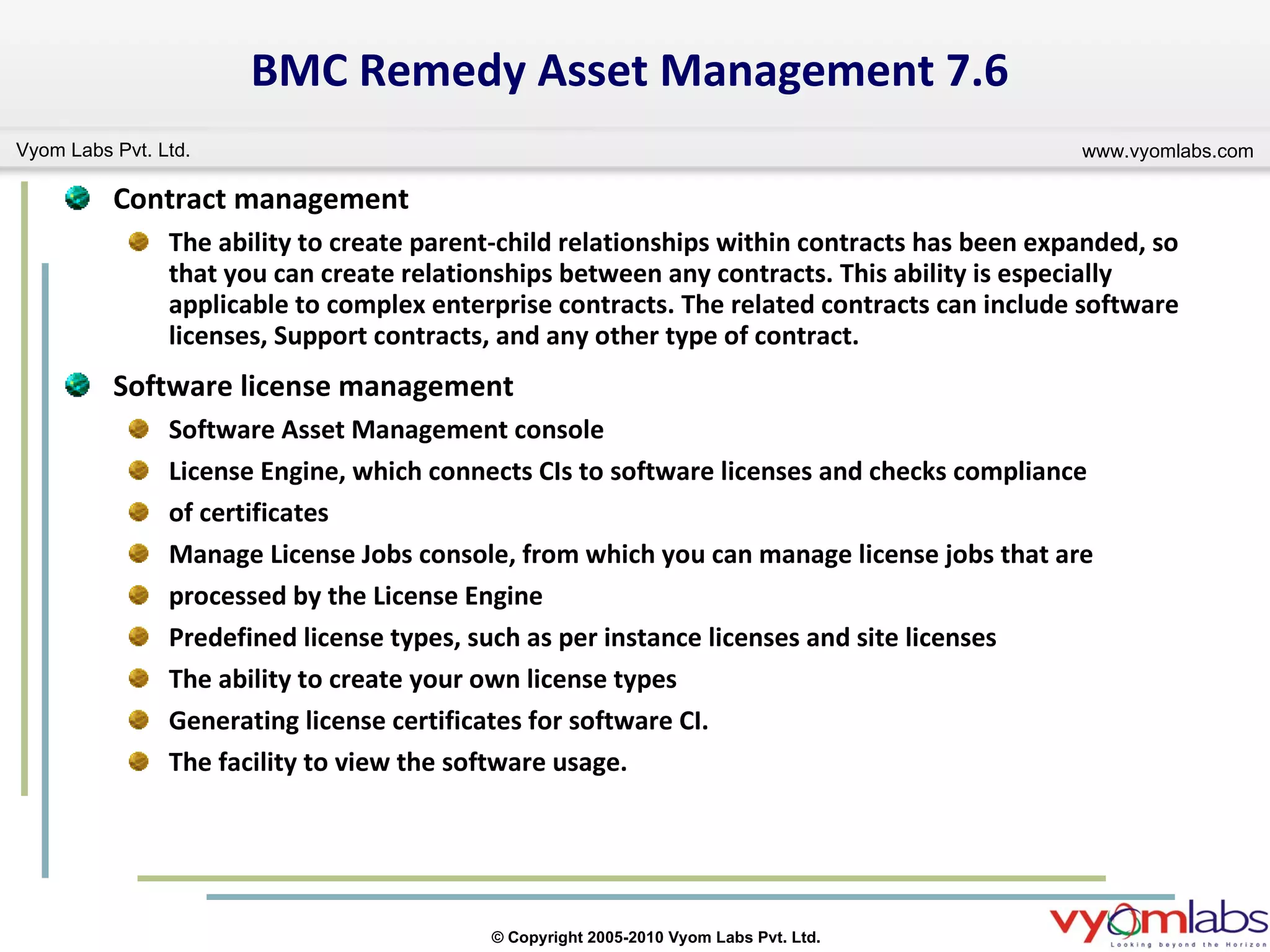
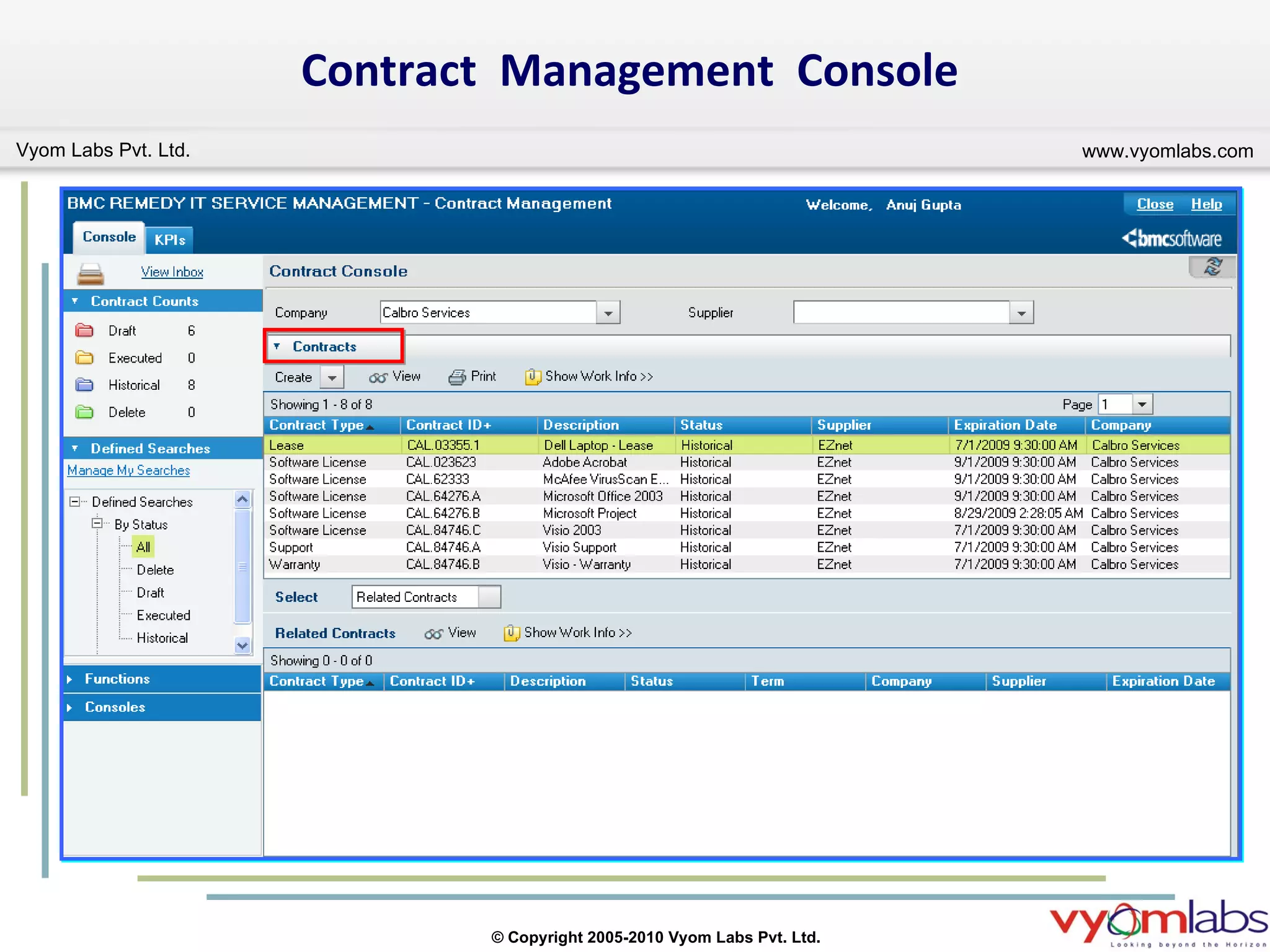
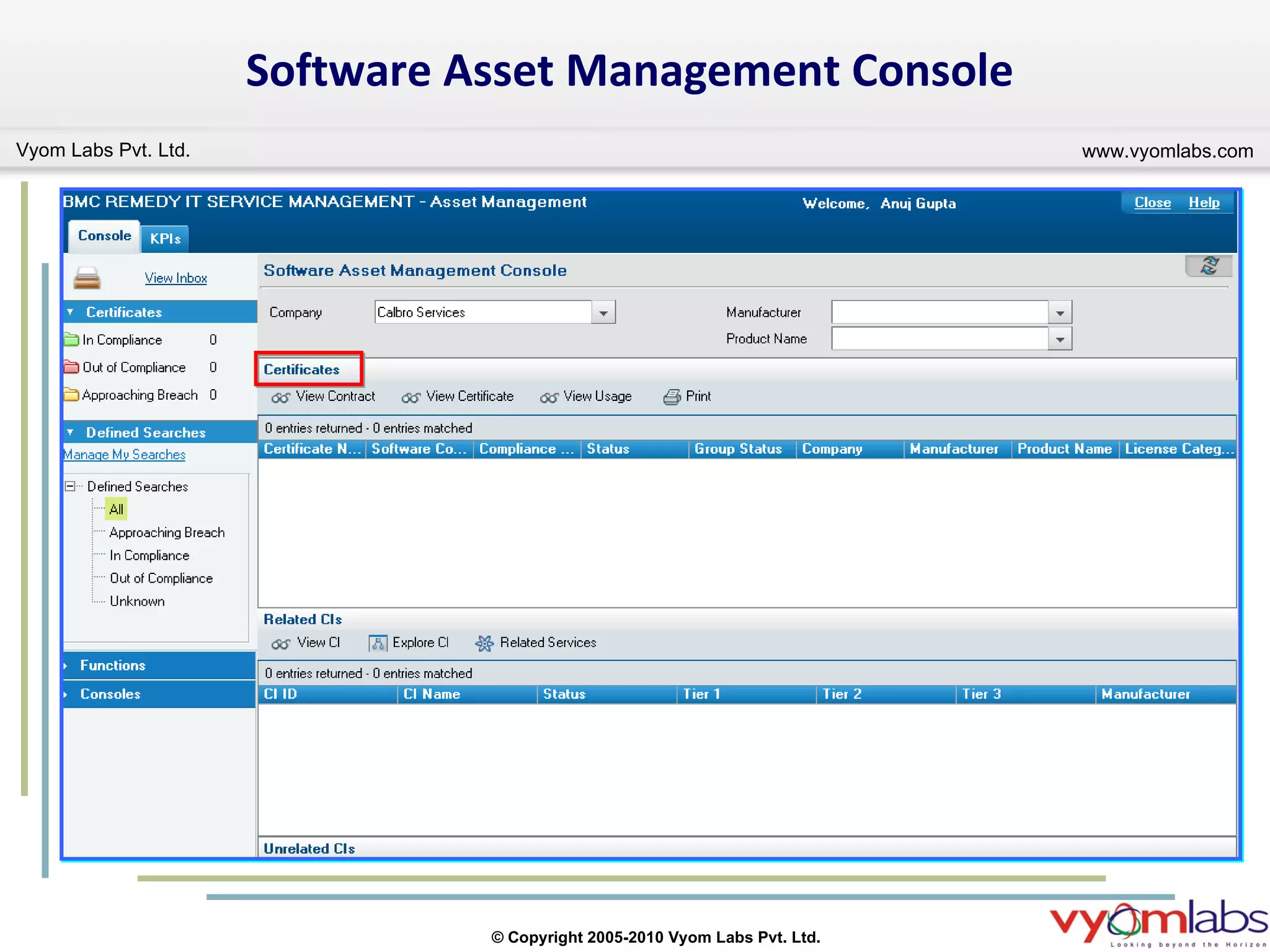
BMC Remedy Asset Management 7.6 Contract management The ability to create parent-child relationships within contracts has been expanded, so that you can create relationships between any contracts. This ability is especially applicable to complex enterprise contracts. The related contracts can include software licenses, Support contracts, and any other type of contract. Software license management Software Asset Management console License Engine, which connects CIs to software licenses and checks compliance of certificates Manage License Jobs console, from which you can manage license jobs that are processed by the License Engine Predefined license types, such as per instance licenses and site licenses The ability to create your own license types Generating license certificates for software CI. The facility to view the software usage.
CI unavailability  You can now record CI unavailability (outages) for the following additional CI types: Application Service Business Service Database LAN NT Domain WAN
Contract  Management  Console
Software Asset Management Console
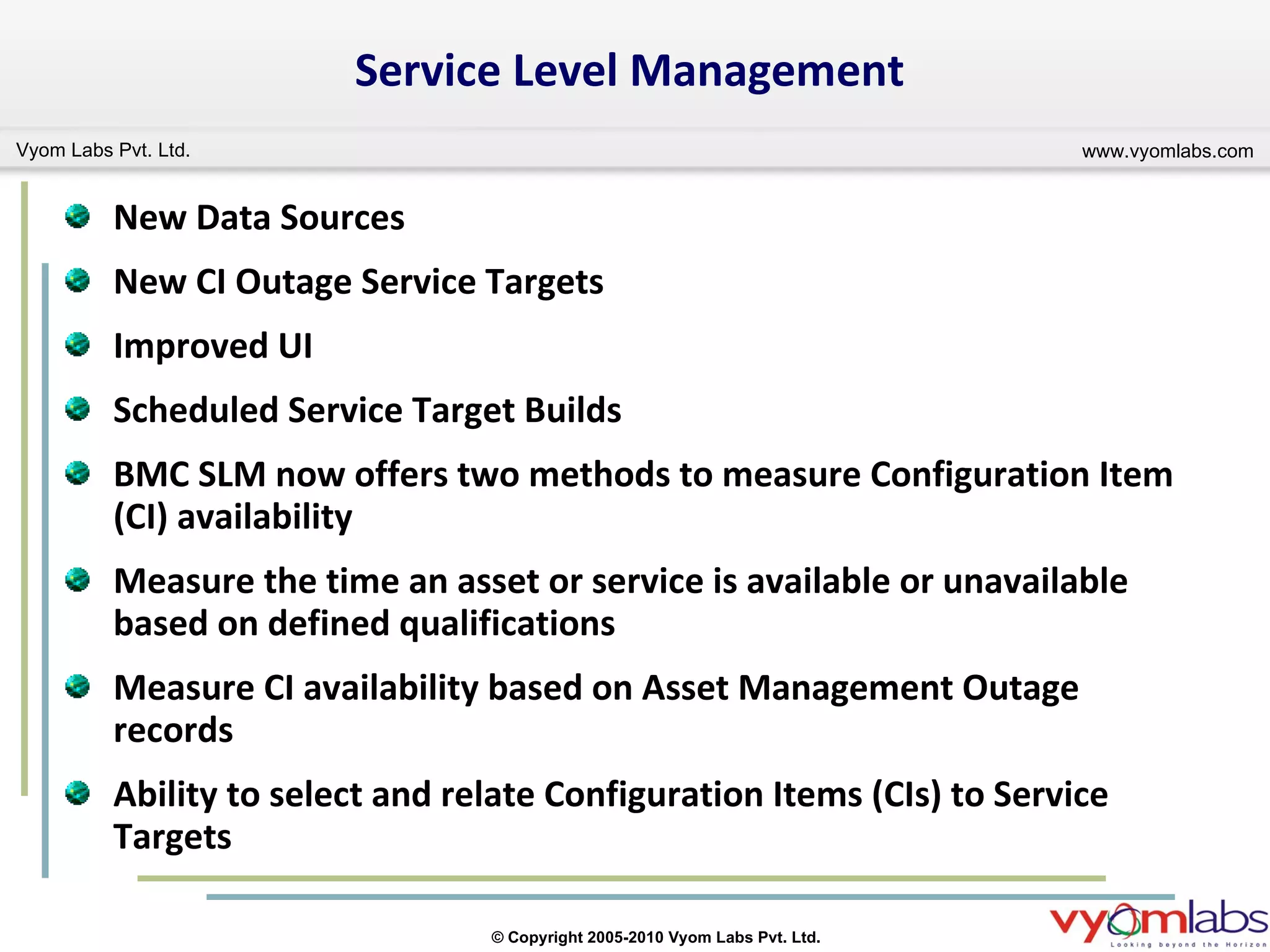
Service Level Management New Data Sources New CI Outage Service Targets Improved UI Scheduled Service Target Builds  BMC SLM now offers two methods to measure Configuration Item (CI) availability Measure the time an asset or service is available or unavailable based on defined qualifications Measure CI availability based on Asset Management Outage records Ability to select and relate Configuration Items (CIs) to Service Targets
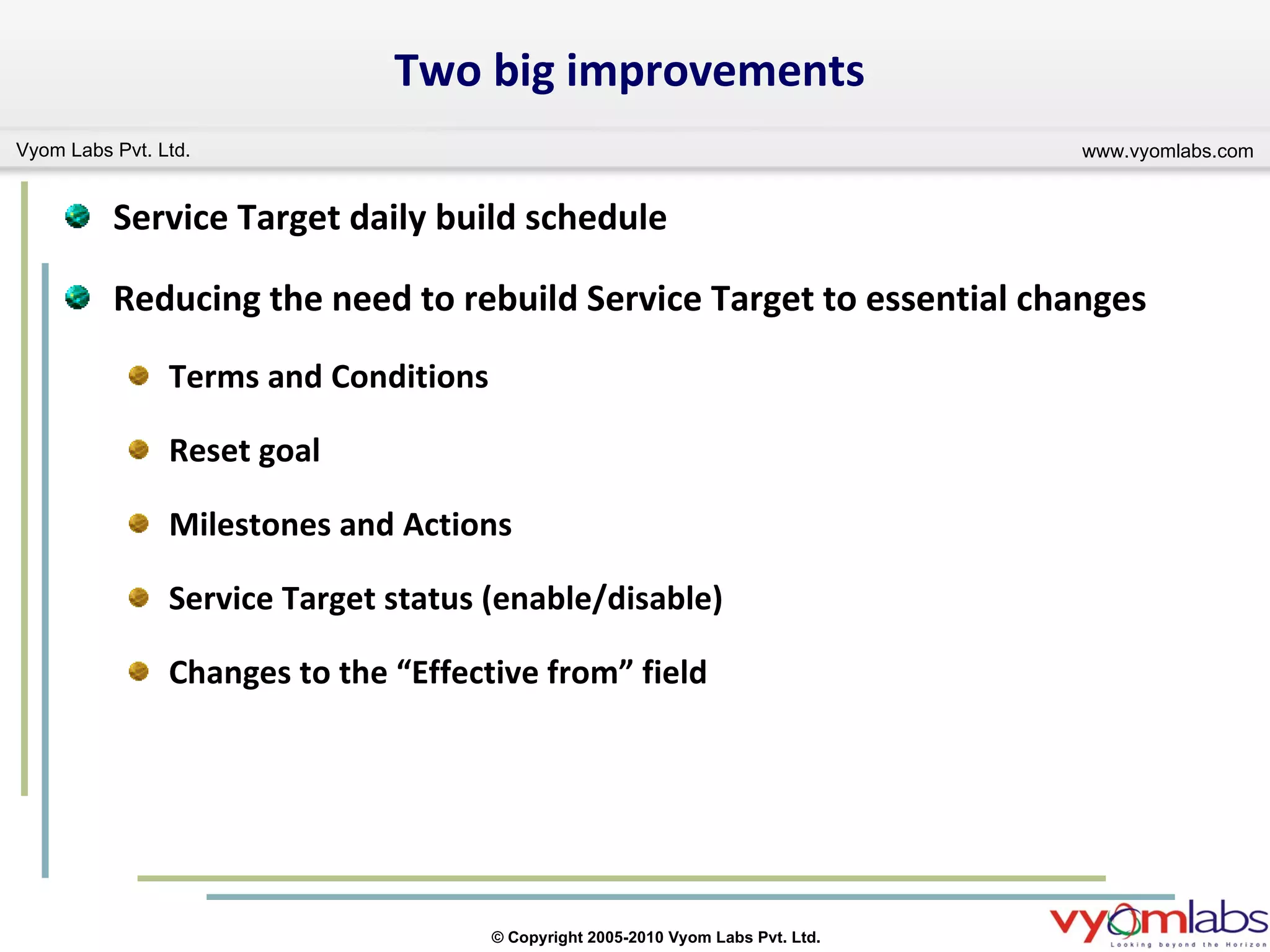
Two big improvements Service Target daily build schedule Reducing the need to rebuild Service Target to essential changes Terms and Conditions Reset goal Milestones and Actions Service Target status (enable/disable) Changes to the “Effective from” field
SLM View On Help Desk Form
Upgrade to 7.6
Upgrade Scope  This presentation give insight on upgrade process limited to the following modules. BMC Remedy AR Server BMC Atrium CMDB BMC Remedy Incident Management BMC Remedy Problem Management BMC Remedy Change Management BMC Remedy Asset Management BMC Remedy Service Level Management
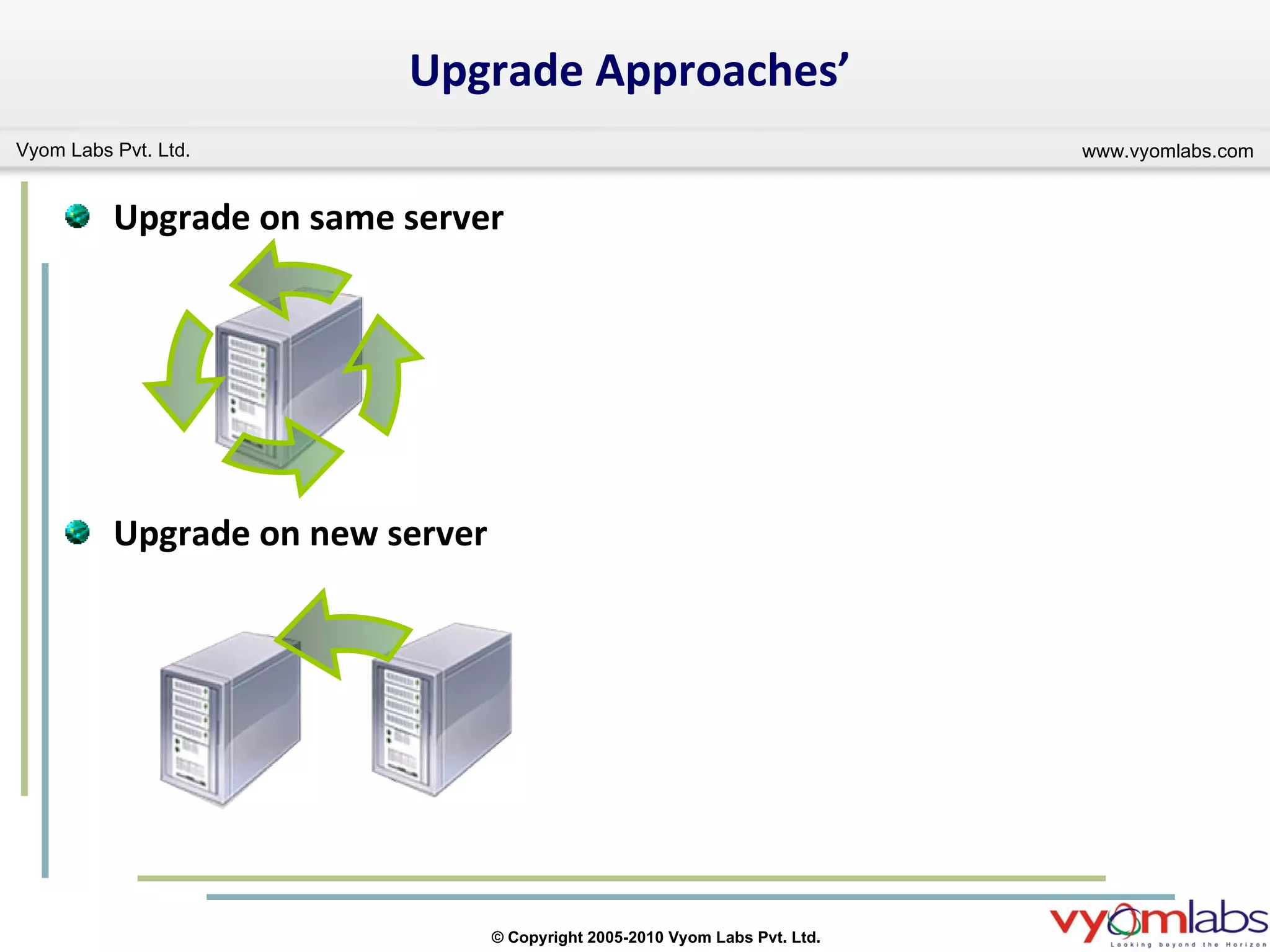
Upgrade Approaches’ Upgrade on same server Upgrade on new server
Upgrade on same server This can be achieved by running the sequence of installers on the same server that need to upgrade. Advantages and Disadvantages: No need of another physical server for upgrade. Existing server would not be available to the users during whole upgrade process. High risk of losing the existing customization and data associated to the customization. High possibilities of issues related to conflicting functionality arise during and after upgrade.
Upgrade on new server This can be achieved by setup a new server with fresh install of AR Server and ITSM application with latest version/patches available. Advantages and Disadvantages: Need another physical server for upgrade. Existing server would be available to the user during whole upgrade process. Get opportunity to review the existing customization and required customizations can be migrated/ rebuilt as per the need. Fewer possibilities of issues related to conflicting functionality arise during and after upgrade.
Recommend Approach Vyom Labs recommends the second approach i.e.  “Upgrade on new server” because of its less number of disadvantages as compare to the first approach.
Upgrade steps The upgrade process conation the following major activities: Installation of AR Server and ITSM applications. Customization rebuild/migration. Foundation data configuration/migration. CMDB data migration. Setting up all the integrations. Application process data configuration/migration. Service level management data configuration/migration. Application Transactional data migration. Posts upgrade steps.
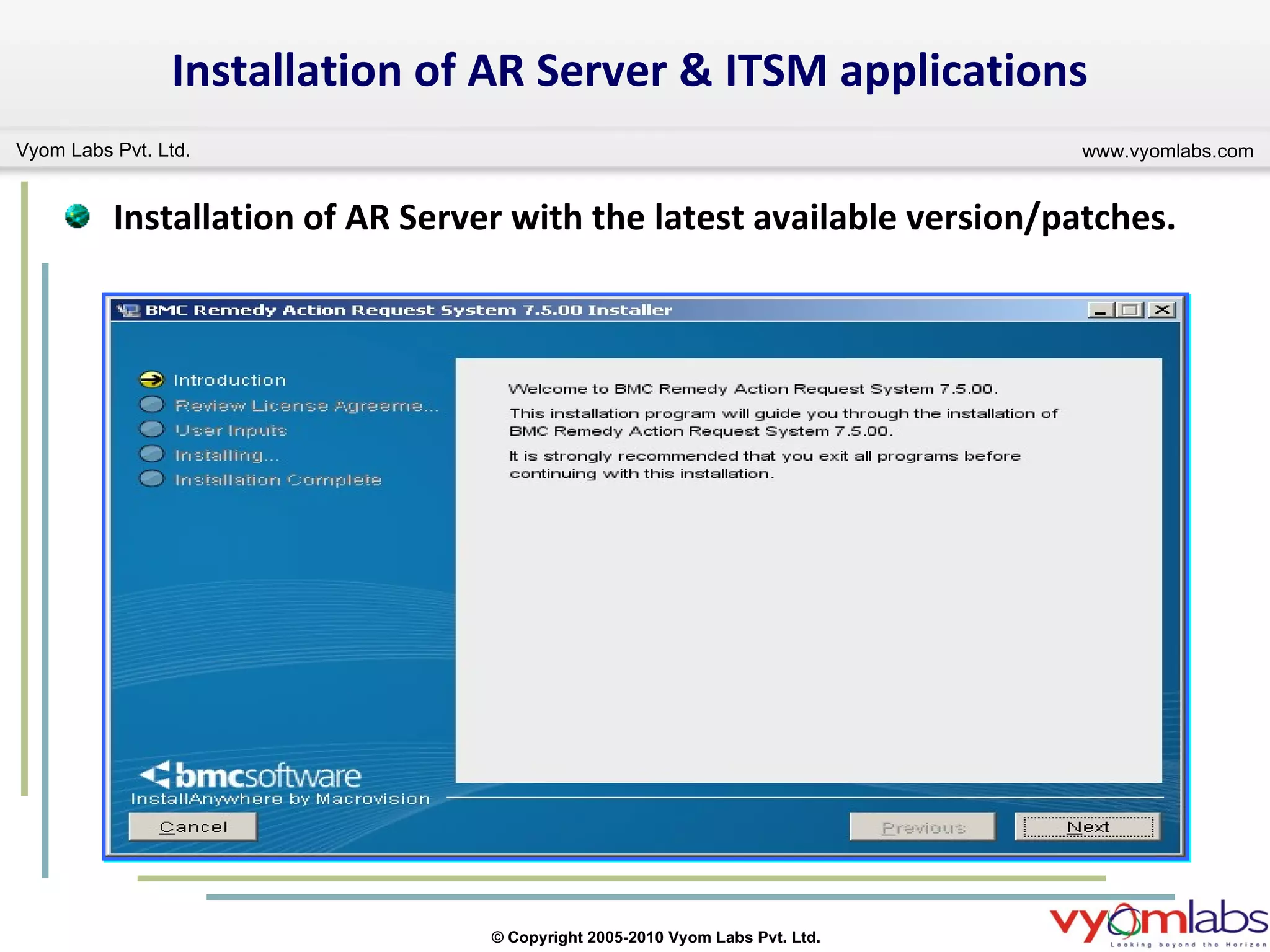
Installation of AR Server & ITSM applications Installation of AR Server with the latest available version/patches.
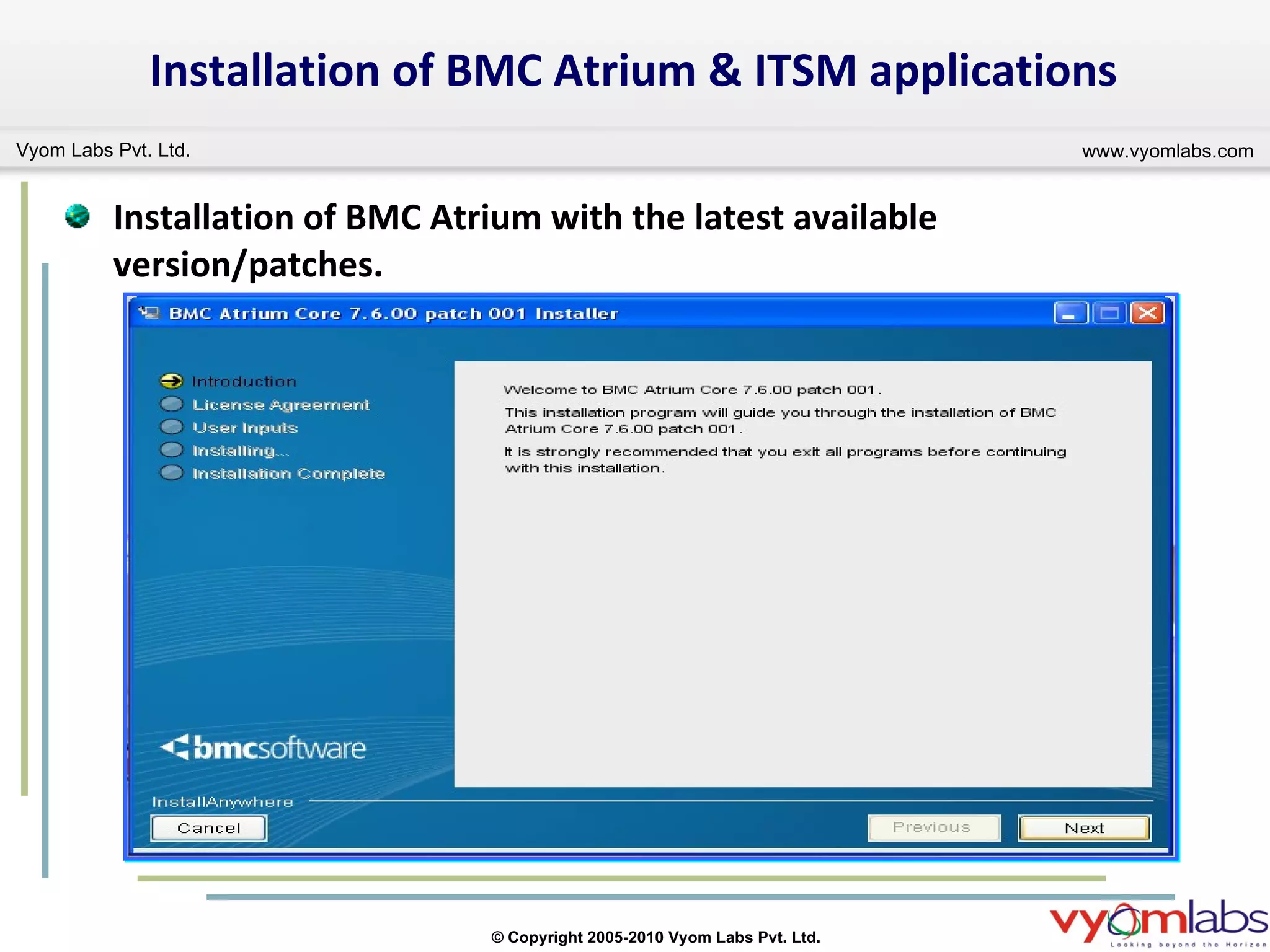
Installation of BMC Atrium & ITSM applications Installation of BMC Atrium with the latest available version/patches.
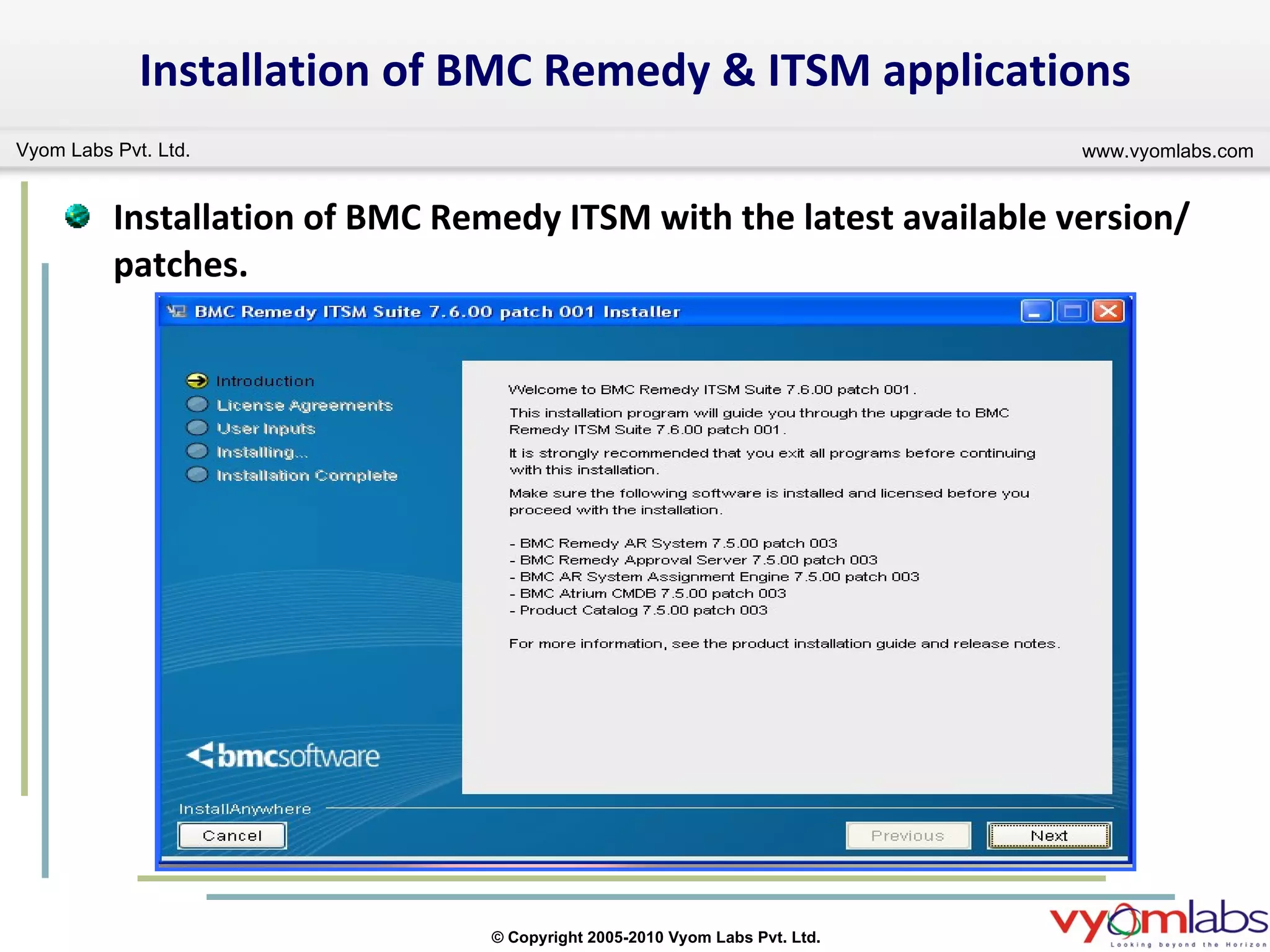
Installation of BMC Remedy & ITSM applications Installation of BMC Remedy ITSM with the latest available version/patches.
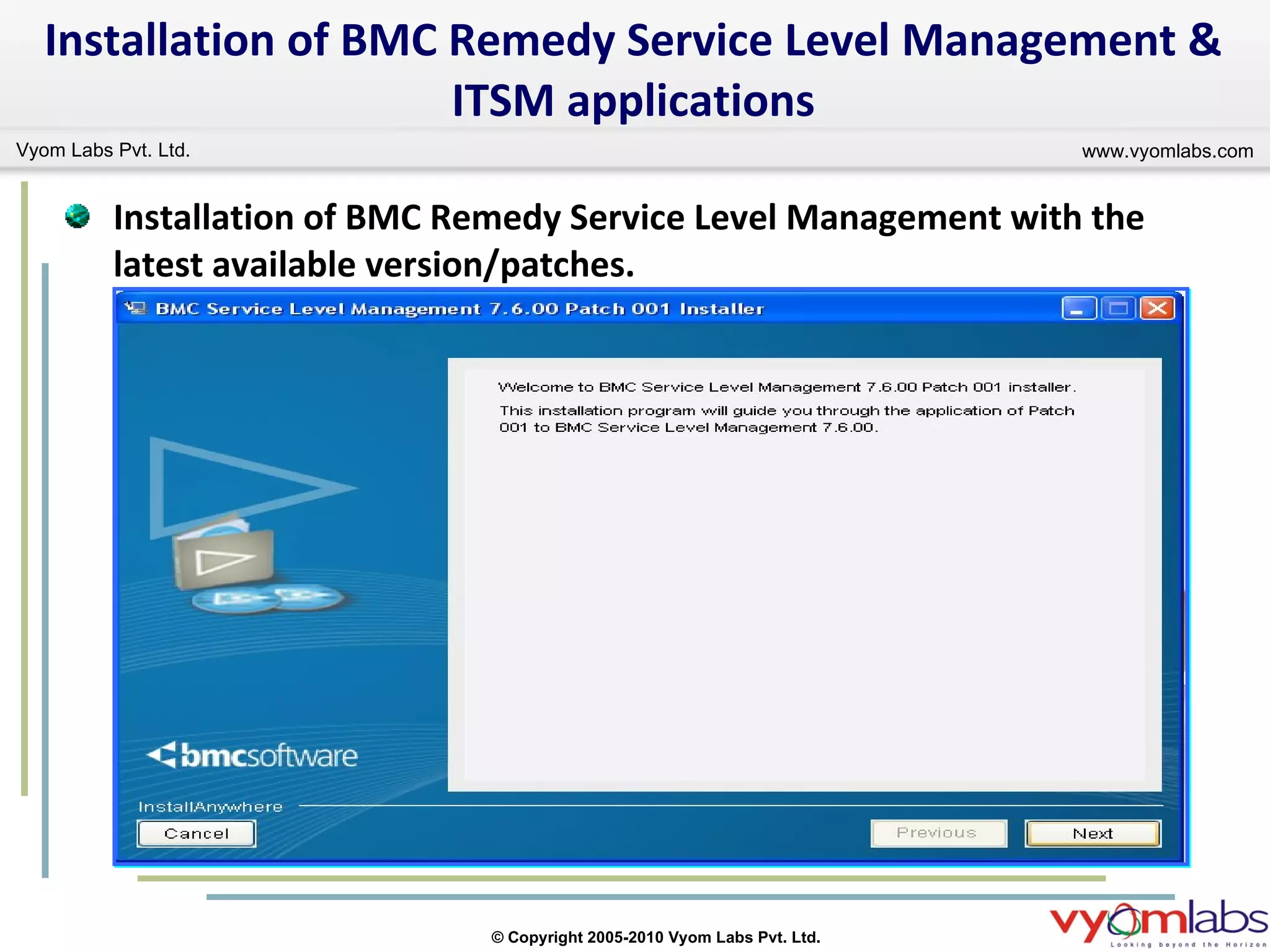
Installation of BMC Remedy Service Level Management & ITSM applications Installation of BMC Remedy Service Level Management with the latest available version/patches.
Identification of existing customization and compare with the new system to full fill the requirements with the out of the box solution. Analyzing the system dependences of existing customization and make sure the fulfillment of all the dependences. Existing customization migration and rebuild of new customization as per the requirement on the new server. Customization rebuild/migration.
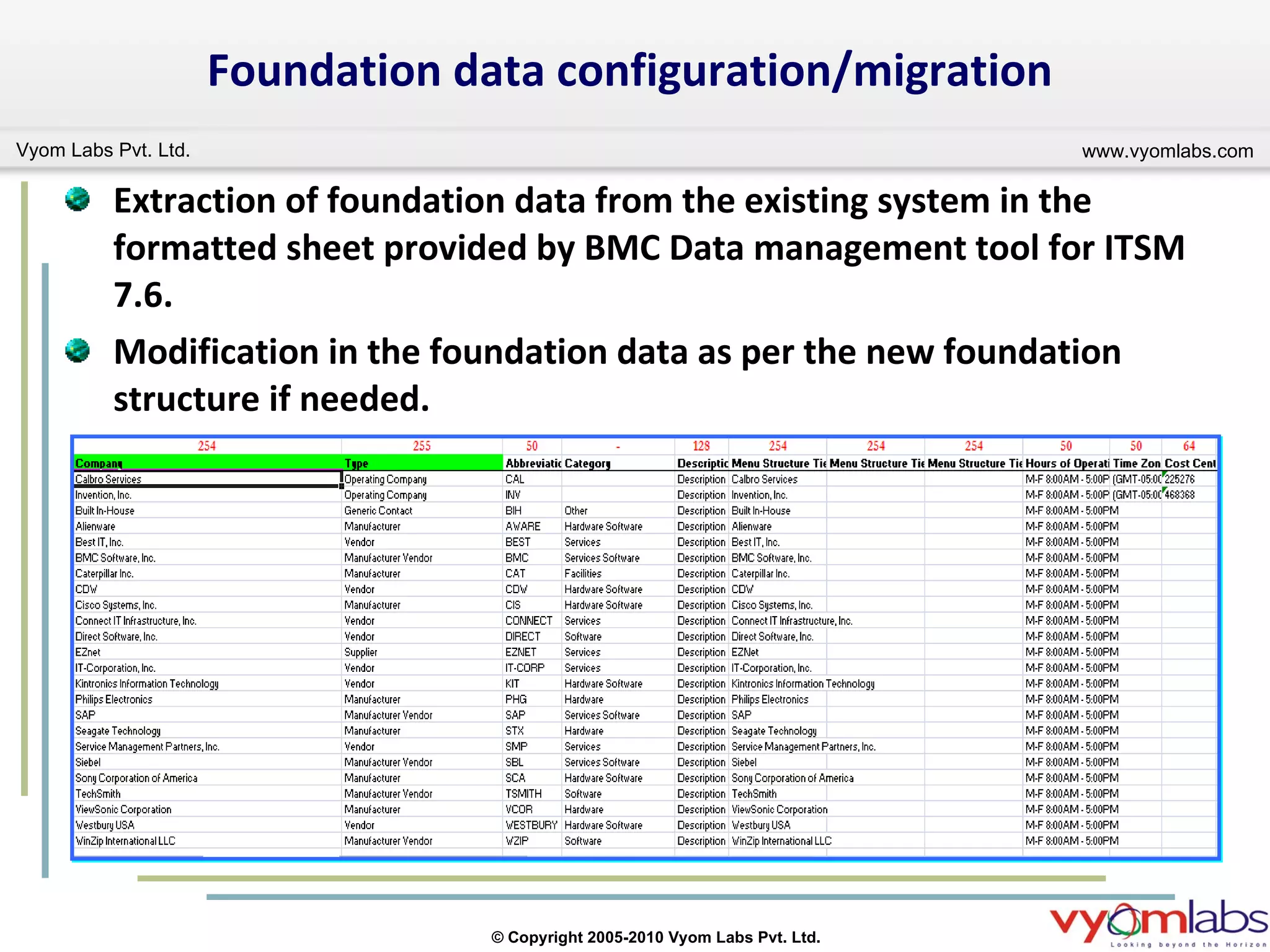
Foundation data configuration/migration Extraction of foundation data from the existing system in the formatted sheet provided by BMC Data management tool for ITSM 7.6. Modification in the foundation data as per the new foundation structure if needed.
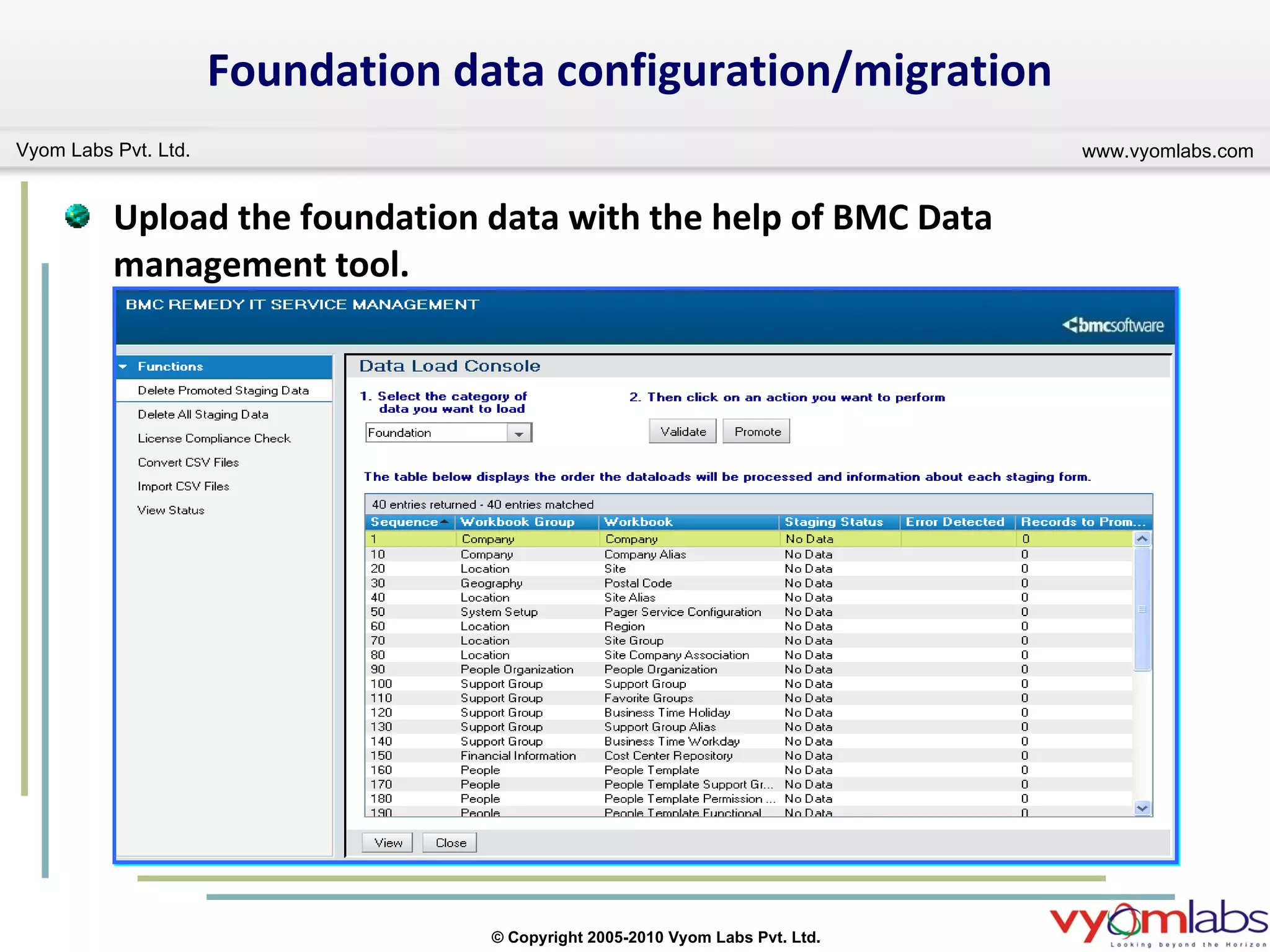
Foundation data configuration/migration Upload the foundation data with the help of BMC Data management tool.
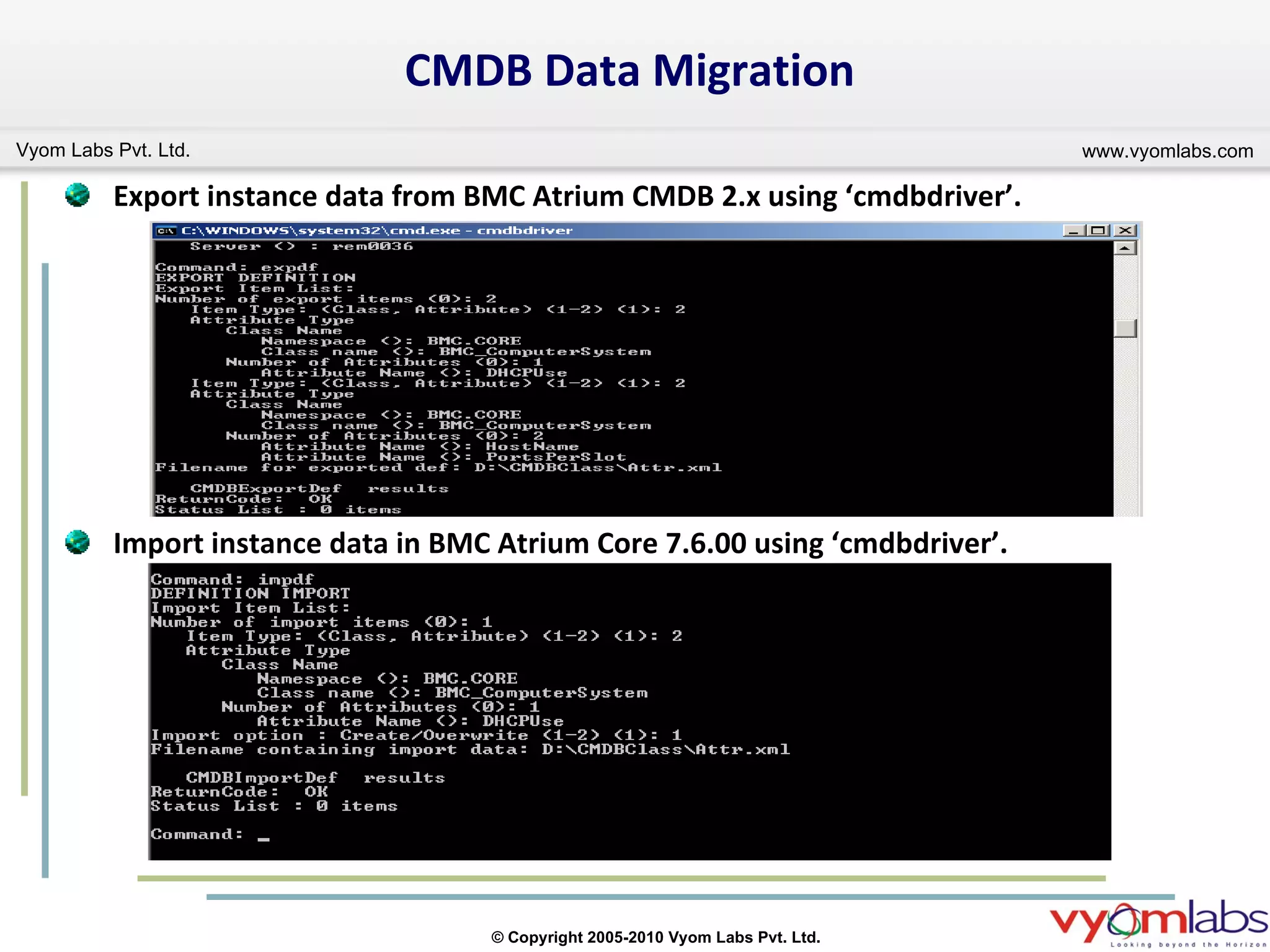
CMDB Data Migration Export instance data from BMC Atrium CMDB 2.x using ‘cmdbdriver’. Import instance data in BMC Atrium Core 7.6.00 using ‘cmdbdriver’.
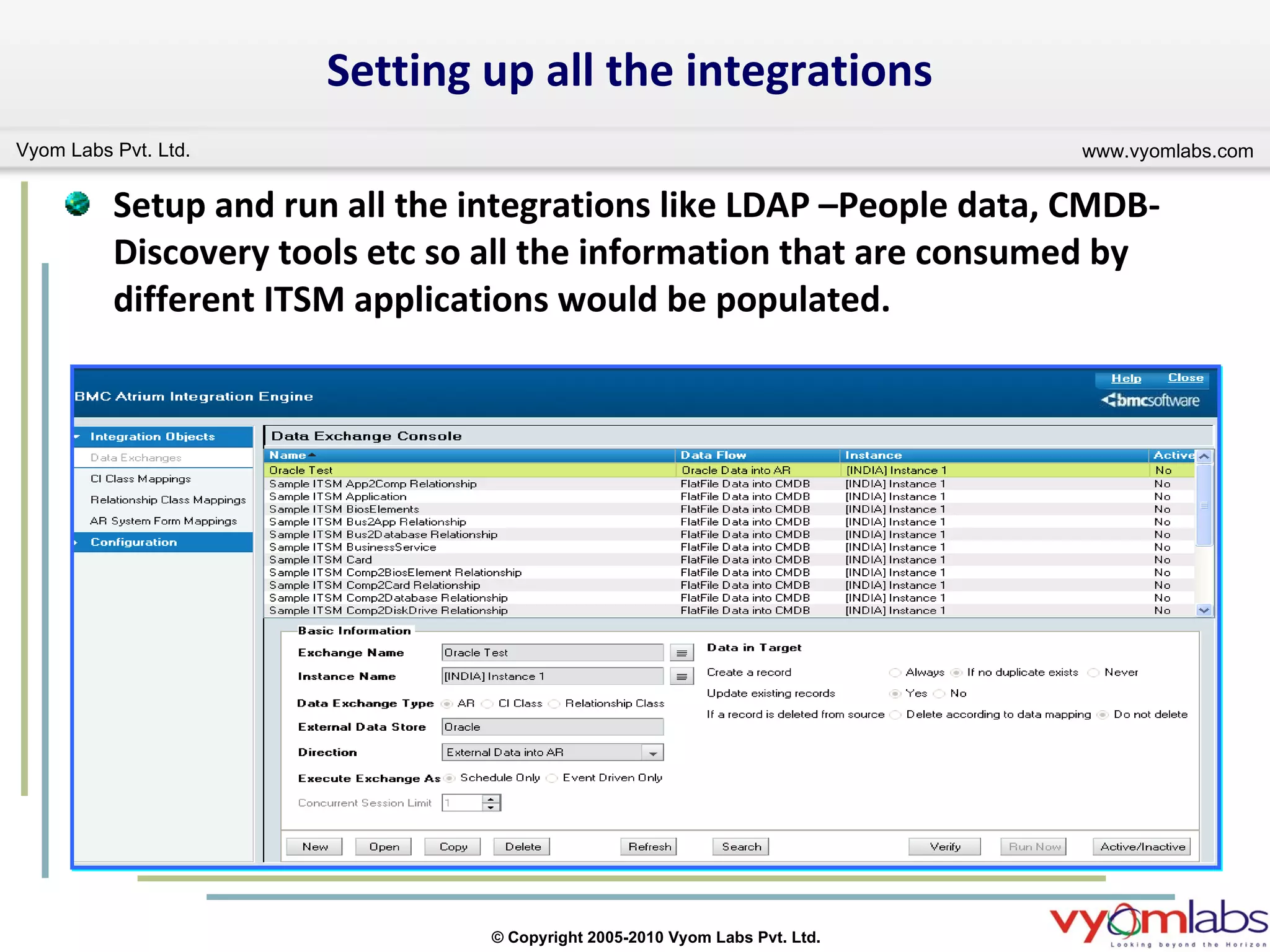
Setting up all the integrations Setup and run all the integrations like LDAP –People data, CMDB-Discovery tools etc so all the information that are consumed by different ITSM applications would be populated.
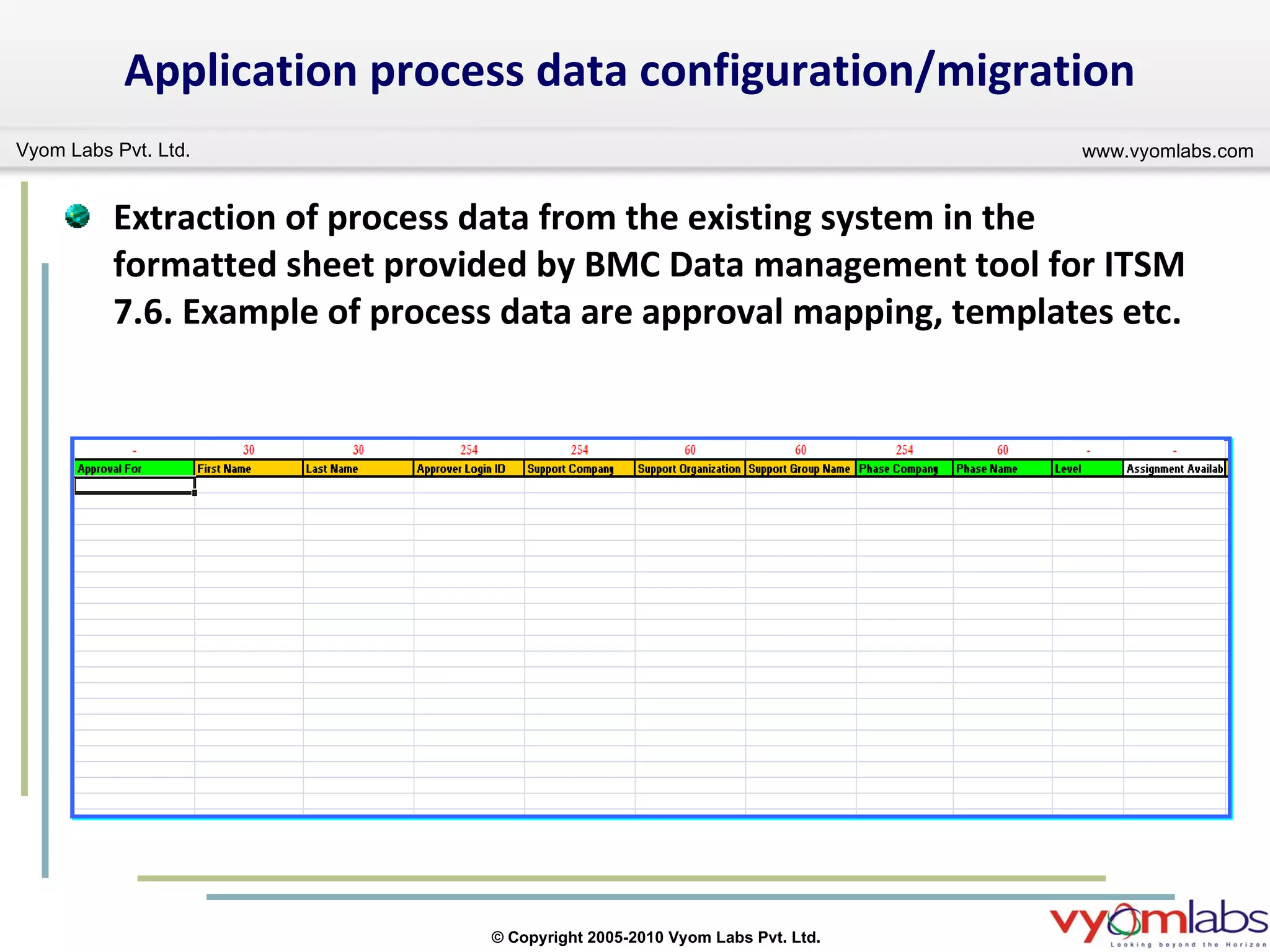
Application process data configuration/migration Extraction of process data from the existing system in the formatted sheet provided by BMC Data management tool for ITSM 7.6. Example of process data are approval mapping, templates etc.
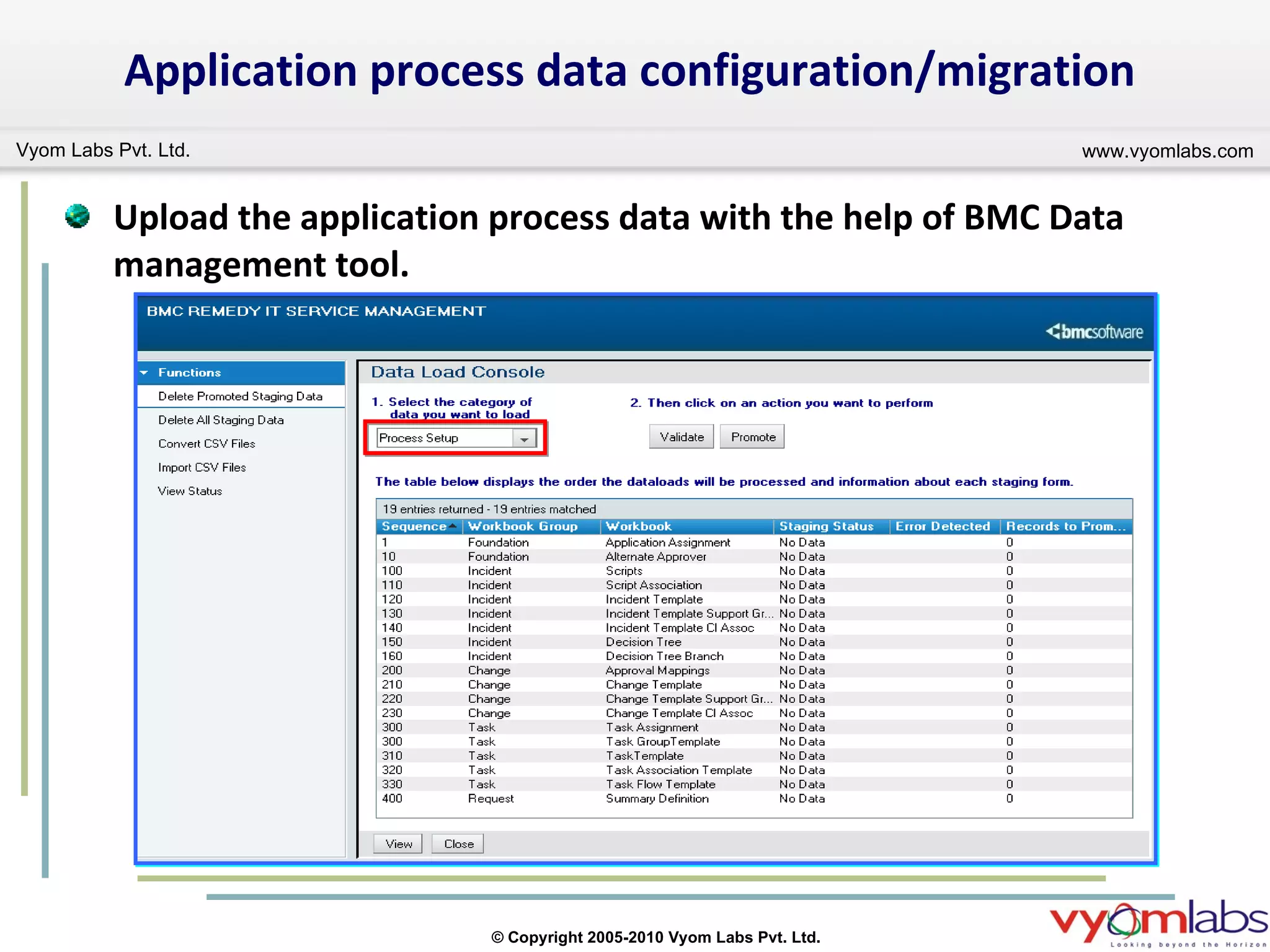
Upload the application process data with the help of BMC Data management tool. Application process data configuration/migration
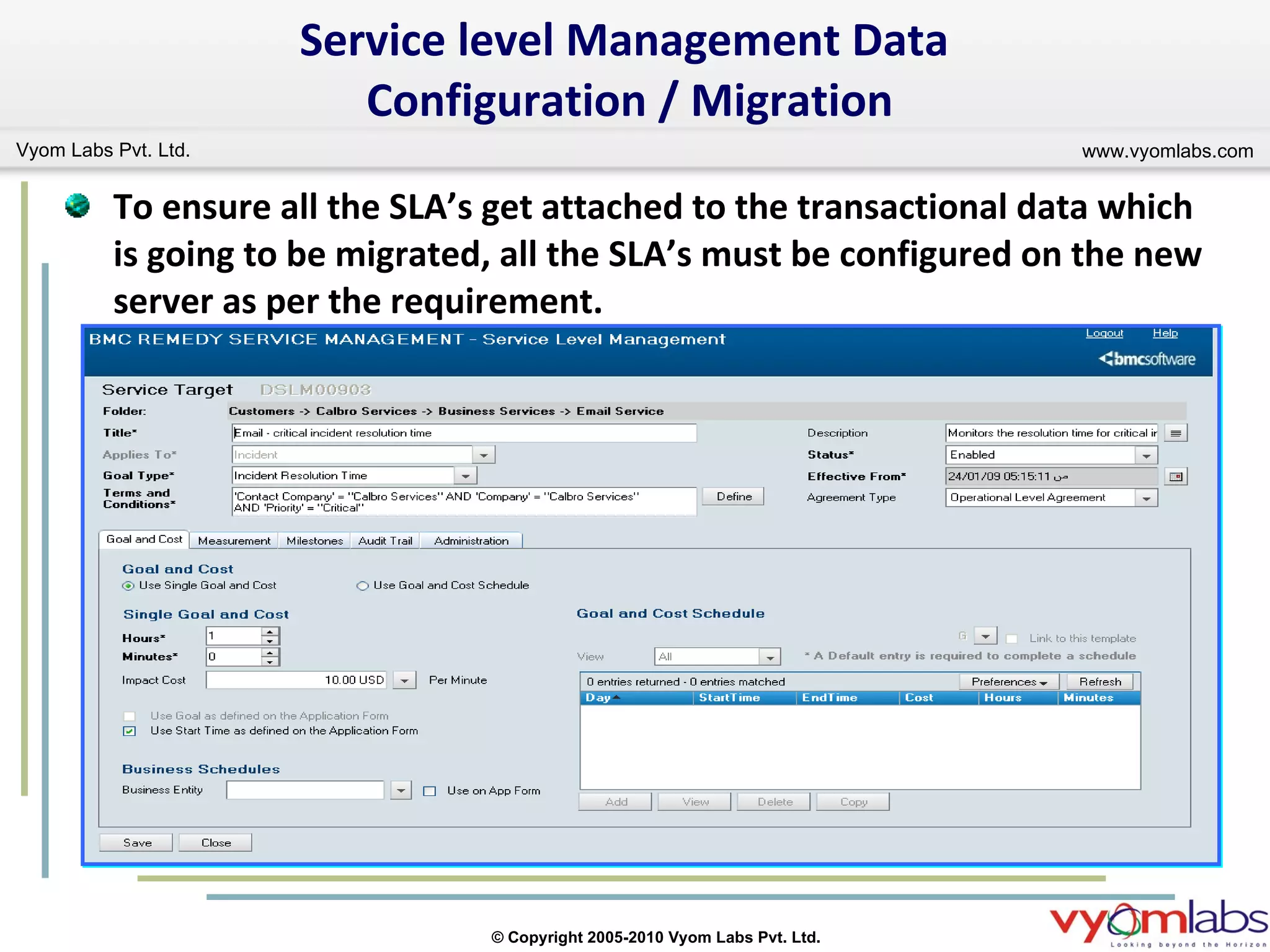
To ensure all the SLA’s get attached to the transactional data which is going to be migrated, all the SLA’s must be configured on the new server as per the requirement. Service level Management Data  Configuration / Migration
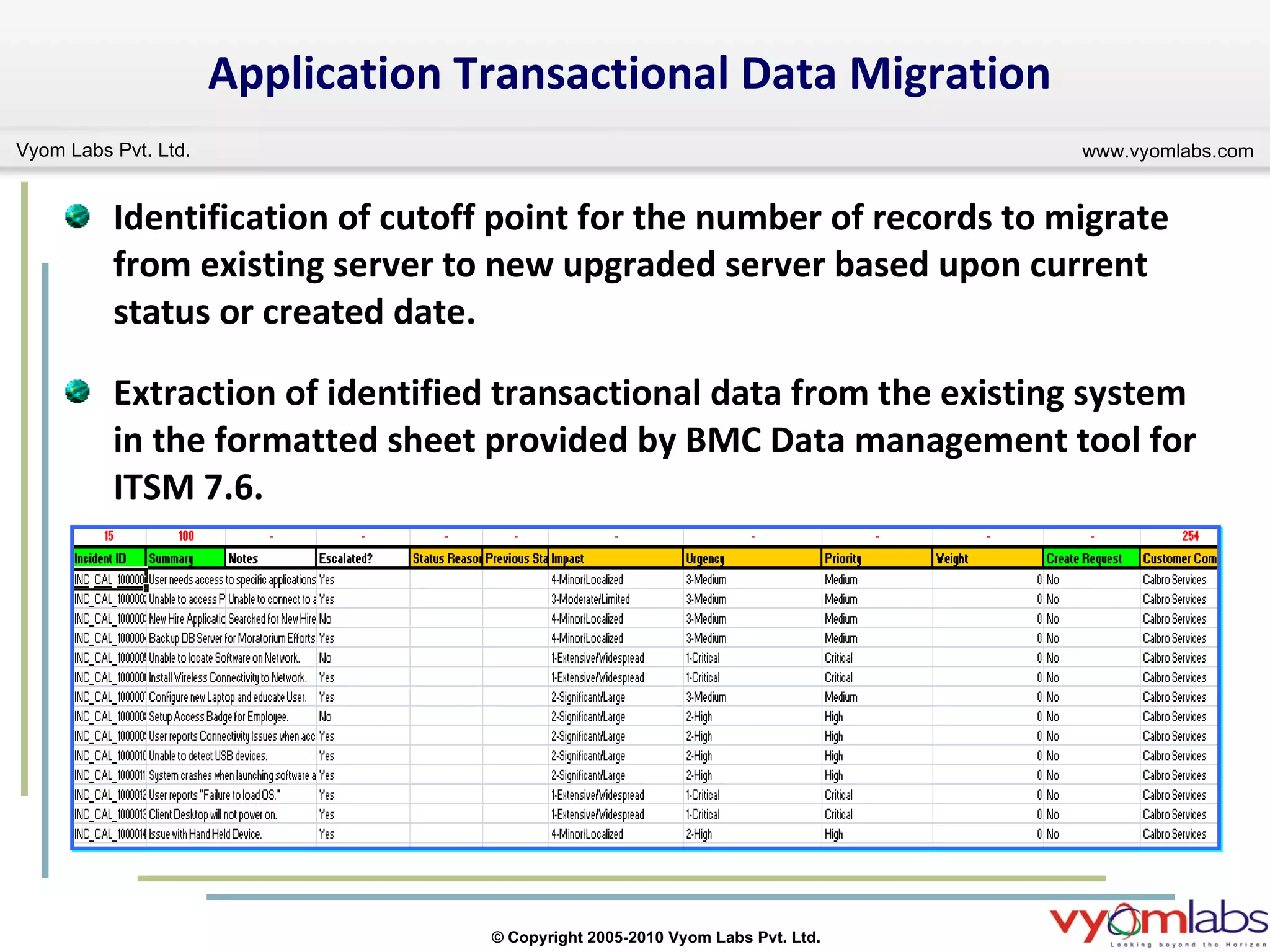
Identification of cutoff point for the number of records to migrate from existing server to new upgraded server based upon current status or created date. Extraction of identified transactional data from the existing system in the formatted sheet provided by BMC Data management tool for ITSM 7.6.  Application Transactional Data Migration
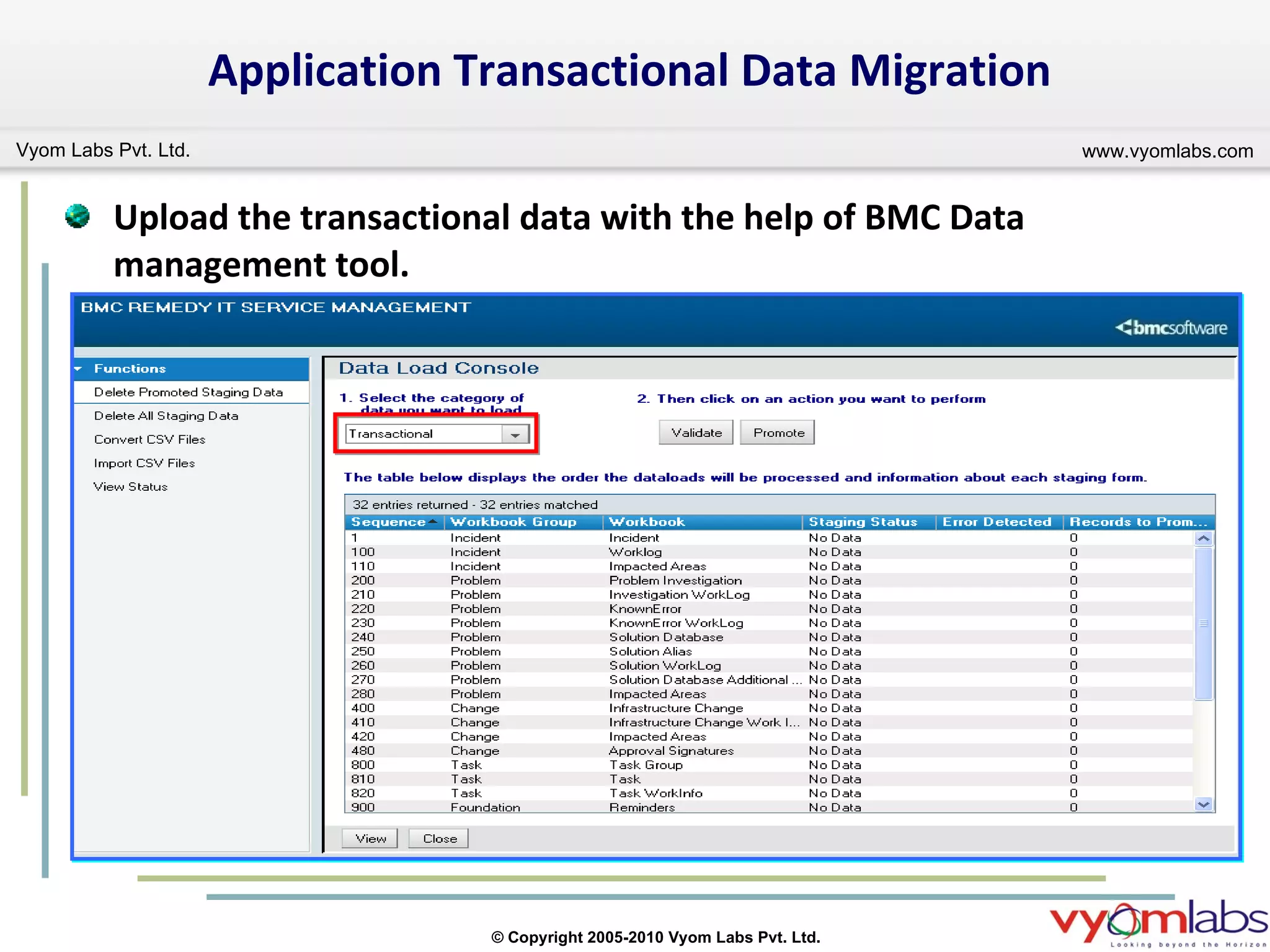
Application Transactional Data Migration Upload the transactional data with the help of BMC Data management tool.
Posts Upgrade Activity After all the type of data migration i.e. foundation, process and transactional the system is validated against any missing configuration and functionality. Completes the post upgrade activity like starting email engine services, changing of server pointing to new server etc.
Vyom Labs - BMC Remedy Services Remedy Environments BMC Remedy ARS,  BMC Remedy ITSM Applications (5.x, 6, 7.003, 7.5, 7.6), SRM Services Implementation, Upgrade,  Migration,  Customization, Integration and Support for BMC Remedy Applications  Model – Onsite, Offshore, Onsite + Offshore Experience Experience  of providing BMC Remedy services worldwide  (USA, Europe, Middle East, Africa, Asia Pacific) End to end implementation and upgrade projects for ITSM 7 Experience of working for many BMC Partners worldwide
Questions
Contact Us Email:   For Sales and Other Queries :  [email_address] For Tech Queries :  [email_address]   BSM Solutions & Services || ITIL Consulting & Training

Upgrade To BMC Remedy ITSM 7.6

  • 1.
    Upgrade To BMCITSM 7.6 Webinar Presents
  • 2.
    Disclaimer All othertrademarks, service marks and logos used in this webinar are the trademarks, service marks or logos of their respective owners.
  • 3.
    Agenda Introduction WhyUpgrade? Quick go-through What's New in ITSM 7.6 Upgrade to 7.6
  • 4.
    Introduction Based onBMC’s standard maintenance contracts, current version would no longer be supported by the vendor after December, 2010 . BMC has released Service Desk, Change Management, Service Level Management and Atrium 7.6.01 for general availability in November, 2009. The new Version 7.6 release of BMC Remedy ITSM Suite applications delivers a new and enhanced set of streamlined ITIL processes along with more interactive user interface. Existing BMC customers can take advantage of these new features, service improvements and productivity gains by upgrading their existing BMC Remedy ITSM Suite to the latest BMC Remedy ITSM Suite 7.6.
  • 5.
  • 6.
    To stay ona BMC supported version. For ITIL aligned process improvement. (ITIL V3 Compliance) To get the opportunity to review/ refine their existing process during the upgrade. To get faster system performance in term of AR Server and its application. To get advantage and reduced operational costs by implementing closed loop processes with other new BMC products. To support newer system elements such as database versions or OS versions. A customer may choose to upgrade for several reasons
  • 7.
    BMC Remedy ITService Management 7.6 what’s New? what’s New?
  • 8.
    BMC Remedy AR System 7.5 Performance DSO Improvements Developer Studio Version Control Historical user license usage Option of Logging to Form
  • 9.
  • 10.
  • 11.
  • 12.
    BMC Remedy Mid-Tier7.5 Flashboards in Flex Browser License Release Right-To-Left (RTL) Performance Web Reporting (macros)
  • 13.
  • 14.
  • 15.
  • 16.
    Changed “ Page”field -> “Panel” field “ Page Holder” -> “Panel Holder” Partial text QBE for dropdown list Web Look and Feel “ Web-style” dialogs (e.g. expand box). Nice visual transition effects. Missing required field highlighting (web). User Interface Enhancements New - UI Capabilities Panels, Panel Holders Cell-Based Tables Templates “ Fill” layout Tooltips Auto-Completion PNG / GIF support Tree Sorting Enhancement Changed Field Highlighting Buttons in tables New - Other Remove (clear) from Menu Enhanced Default Form View Selection WUT Preference Loading Performance Fix File System Browser
  • 17.
    BMC Remedy ApprovalServer Enhancements Approval Central updated with a professional look. Questions and comments that approvers have can now be related with the Approval request. An approval request can now be submitted with relevant in-context attachments / Notes / Comments. You can now specify, by mapping field values, what important information you want approvers to see before exercising authority. A logged in approver will now see: All approval requests assigned to him directly All requests for which he has been designated as an alternate. Decision can now be exercised on multiple requests concurrently.
  • 18.
    BMC Remedy ApprovalServer Enhancements Cont.. Who all will approve? Approver can add an ad-hoc approver in the current process. Displaying Full Name and Role ID of approvers. Approver can now reassign the request to others. Displays the history and preview of approvals in a flow-chart format.
  • 19.
  • 20.
  • 21.
    Common Data ModelConsole Class Manager Federation Manager Explorer Impact Simulator Normalisation Product Catalog Reconciliation AIE Service Catalog Atrium Core
  • 22.
    Atrium Explorer Goal: Provide next generation graphical editor to view and edit service models New graphical tool to view CIs and Relationships Better zooming and layout for large number of CIs Service Model creation and editing capabilities (Ability to edit class/relationship attributes from the topology view itself) Filtering capability to hide/show right details based on end user need Ability to see potentially impacted business services Ability to show multiple independent hierarchies on the same graph Ability to toggle between multiple topology views at the same time
  • 23.
  • 24.
  • 25.
    BMC Remedy ServiceDesk 7.6 Service Desk consoles and forms Updated design of consoles that takes advantage of the integration with new BMC Remedy AR System functionality. Best Practice view Improved version of the Incident Request form. Service field Relates business service configuration items (CIs) to the incident request at the time it is created. CI field Provides a place to indicate to which piece of infrastructure the incident request pertains. BMC SLM integration If BMC SLM is installed, the Incident Request form shows both overview and in depth information about the incident in relation to the applicable service targets.
  • 26.
    Service Desk WatchList Provides a separate area where can place items that particularly want to monitor. KIPs The KPI flashboards use graphs to show how well various business processes are performing against their key performance indicators (KPIs). Tight integration with the BMC Remedy Service Management Process Model (SMPM) The processes described in these guides are developed from the BMC Remedy Service SMPM, which is a companion product to BMC Remedy Incident Management and BMC Remedy Problem Management. Name of Problem Manager functional role changed To keep BMC Remedy Problem Management naming conventions consistent with IT Infrastructure Library® (ITIL®) best practices, the functional role of Problem Manager has been renamed to, “Problem Coordinator.” Problem Coordinator functional role now required To be assigned as a problem coordinator, the functional role of Problem Coordinator is required.
  • 27.
  • 28.
  • 29.
  • 30.
    Change Management ReleaseManagement New module that facilitates the successful distribution of both software and hardware releases while minimizing any business impact. Release Management makes sure that service level commitments are maintained and customer expectations are met. Activity New function integrated with Release Management that provides the capability to assign specific units of work (“activities”) to support staff but that do not require the complexity of a change request. Change Management consoles and forms Updated design of consoles that takes advantage of the integration with new BMC Remedy Action Request System (BMC Remedy AR System) functionality (for example, tooltips, navigation panes, collapsible details in tables, and so on).
  • 31.
    Change Management Cont… Change Calendar Provides users with functions that allow them to graphically manage change requests, release requests, activities and business events occurring in the organization. Tight integration with BMC Atrium CMDB BMC Remedy Change Management is tightly integrated with new functionality in BMC Atrium CMDB. You can create a new change request, based on a simulated impact analysis generated by the Atrium Impact Simulator tool. Ease of Use Improved user interface in BMC Remedy Change Management 7.6.00 lets management, administrators, users, and approvers perform regular tasks simply and efficiently. The process flow status area accelerates you through the change process from start to finish. It provides a visual mechanism to track the states of a change request, as prescribed by ITIL best practices.
  • 32.
    Change Management FieldsChanges in Change Assignee and Change Manager fields Change Assignee fields have been changed to Coordinator Group and Change Coordinator. Coordinator Group field Use the Coordinator Group field to select a support group. The support groups that appear in the menu each have at least one member with a Change Coordinator functional role. Change Coordinator field Use the Change Coordinator field to select a Change Coordinator for the change request. The people whose names appear on this menu belong to the support group selected in the Coordinator Group field and have a Change Coordinator functional role. Change Manager fields have been changed to Manager Group and Change Manager. Manager Group field Use the Manager Group field to select a manager group. The manager groups that appear in the menu each have at least one member with a Change Manager functional role. Change Manager field Use the Change Manager field to select a change manager for the change request. The people whose names appear on this menu belong to the manager group selected in the Manager Group field and have a Change Manager functional role.
  • 33.
    Release &Activity Management Console
  • 34.
    Release ManagementBest Practice View
  • 35.
  • 36.
    Infrastructure Change -Best Practice View
  • 37.
  • 38.
    BMC Remedy AssetManagement 7.6 Contract management The ability to create parent-child relationships within contracts has been expanded, so that you can create relationships between any contracts. This ability is especially applicable to complex enterprise contracts. The related contracts can include software licenses, Support contracts, and any other type of contract. Software license management Software Asset Management console License Engine, which connects CIs to software licenses and checks compliance of certificates Manage License Jobs console, from which you can manage license jobs that are processed by the License Engine Predefined license types, such as per instance licenses and site licenses The ability to create your own license types Generating license certificates for software CI. The facility to view the software usage.
  • 39.
    CI unavailability You can now record CI unavailability (outages) for the following additional CI types: Application Service Business Service Database LAN NT Domain WAN
  • 40.
  • 41.
  • 42.
    Service Level ManagementNew Data Sources New CI Outage Service Targets Improved UI Scheduled Service Target Builds BMC SLM now offers two methods to measure Configuration Item (CI) availability Measure the time an asset or service is available or unavailable based on defined qualifications Measure CI availability based on Asset Management Outage records Ability to select and relate Configuration Items (CIs) to Service Targets
  • 43.
    Two big improvementsService Target daily build schedule Reducing the need to rebuild Service Target to essential changes Terms and Conditions Reset goal Milestones and Actions Service Target status (enable/disable) Changes to the “Effective from” field
  • 44.
    SLM View OnHelp Desk Form
  • 45.
  • 46.
    Upgrade Scope This presentation give insight on upgrade process limited to the following modules. BMC Remedy AR Server BMC Atrium CMDB BMC Remedy Incident Management BMC Remedy Problem Management BMC Remedy Change Management BMC Remedy Asset Management BMC Remedy Service Level Management
  • 47.
    Upgrade Approaches’ Upgradeon same server Upgrade on new server
  • 48.
    Upgrade on sameserver This can be achieved by running the sequence of installers on the same server that need to upgrade. Advantages and Disadvantages: No need of another physical server for upgrade. Existing server would not be available to the users during whole upgrade process. High risk of losing the existing customization and data associated to the customization. High possibilities of issues related to conflicting functionality arise during and after upgrade.
  • 49.
    Upgrade on newserver This can be achieved by setup a new server with fresh install of AR Server and ITSM application with latest version/patches available. Advantages and Disadvantages: Need another physical server for upgrade. Existing server would be available to the user during whole upgrade process. Get opportunity to review the existing customization and required customizations can be migrated/ rebuilt as per the need. Fewer possibilities of issues related to conflicting functionality arise during and after upgrade.
  • 50.
    Recommend Approach VyomLabs recommends the second approach i.e. “Upgrade on new server” because of its less number of disadvantages as compare to the first approach.
  • 51.
    Upgrade steps Theupgrade process conation the following major activities: Installation of AR Server and ITSM applications. Customization rebuild/migration. Foundation data configuration/migration. CMDB data migration. Setting up all the integrations. Application process data configuration/migration. Service level management data configuration/migration. Application Transactional data migration. Posts upgrade steps.
  • 52.
    Installation of ARServer & ITSM applications Installation of AR Server with the latest available version/patches.
  • 53.
    Installation of BMCAtrium & ITSM applications Installation of BMC Atrium with the latest available version/patches.
  • 54.
    Installation of BMCRemedy & ITSM applications Installation of BMC Remedy ITSM with the latest available version/patches.
  • 55.
    Installation of BMCRemedy Service Level Management & ITSM applications Installation of BMC Remedy Service Level Management with the latest available version/patches.
  • 56.
    Identification of existingcustomization and compare with the new system to full fill the requirements with the out of the box solution. Analyzing the system dependences of existing customization and make sure the fulfillment of all the dependences. Existing customization migration and rebuild of new customization as per the requirement on the new server. Customization rebuild/migration.
  • 57.
    Foundation data configuration/migrationExtraction of foundation data from the existing system in the formatted sheet provided by BMC Data management tool for ITSM 7.6. Modification in the foundation data as per the new foundation structure if needed.
  • 58.
    Foundation data configuration/migrationUpload the foundation data with the help of BMC Data management tool.
  • 59.
    CMDB Data MigrationExport instance data from BMC Atrium CMDB 2.x using ‘cmdbdriver’. Import instance data in BMC Atrium Core 7.6.00 using ‘cmdbdriver’.
  • 60.
    Setting up allthe integrations Setup and run all the integrations like LDAP –People data, CMDB-Discovery tools etc so all the information that are consumed by different ITSM applications would be populated.
  • 61.
    Application process dataconfiguration/migration Extraction of process data from the existing system in the formatted sheet provided by BMC Data management tool for ITSM 7.6. Example of process data are approval mapping, templates etc.
  • 62.
    Upload the applicationprocess data with the help of BMC Data management tool. Application process data configuration/migration
  • 63.
    To ensure allthe SLA’s get attached to the transactional data which is going to be migrated, all the SLA’s must be configured on the new server as per the requirement. Service level Management Data Configuration / Migration
  • 64.
    Identification of cutoffpoint for the number of records to migrate from existing server to new upgraded server based upon current status or created date. Extraction of identified transactional data from the existing system in the formatted sheet provided by BMC Data management tool for ITSM 7.6. Application Transactional Data Migration
  • 65.
    Application Transactional DataMigration Upload the transactional data with the help of BMC Data management tool.
  • 66.
    Posts Upgrade ActivityAfter all the type of data migration i.e. foundation, process and transactional the system is validated against any missing configuration and functionality. Completes the post upgrade activity like starting email engine services, changing of server pointing to new server etc.
  • 67.
    Vyom Labs -BMC Remedy Services Remedy Environments BMC Remedy ARS, BMC Remedy ITSM Applications (5.x, 6, 7.003, 7.5, 7.6), SRM Services Implementation, Upgrade, Migration, Customization, Integration and Support for BMC Remedy Applications Model – Onsite, Offshore, Onsite + Offshore Experience Experience of providing BMC Remedy services worldwide (USA, Europe, Middle East, Africa, Asia Pacific) End to end implementation and upgrade projects for ITSM 7 Experience of working for many BMC Partners worldwide
  • 68.
  • 69.
    Contact Us Email: For Sales and Other Queries : [email_address] For Tech Queries : [email_address] BSM Solutions & Services || ITIL Consulting & Training