
#CollaborateCanada#CollaborateCanada
Managed vs
Unmanaged and
Solution Lifecycle
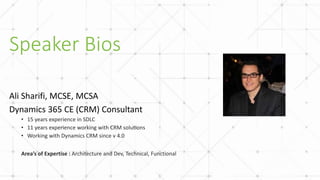
Ali Sharifi
Speaker Bios
Ali Sharifi, MCSE, MCSA
Dynamics 365 CE (CRM) Consultant
• 15 years experience in SDLC
• 11 years experience working with CRM solutions
• Working with Dynamics CRM since v 4.0
Area’s of Expertise : Architecture and Dev, Technical, Functional
#CollaborateCanada
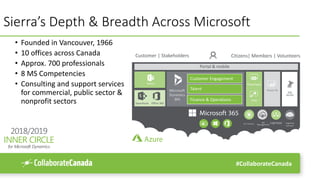
Sierra’s Depth & Breadth Across Microsoft
• Founded in Vancouver, 1966
• 10 offices across Canada
• Approx. 700 professionals
• 8 MS Competencies
• Consulting and support services
for commercial, public sector &
nonprofit sectors
Citizens| Members | Volunteers
SharePoint Office 365
Teams
Customer Engagement
Talent
Finance & Operations
PowerApps
Flow
Power BI
LogicApps Cognitive
Services
Portal & mobile
SQL
Server
Microsoft
Dynamics
365
IoT Central API
Management
Customer | Stakeholders
#CollaborateCanada
Session Agenda
• Solution Concept in Dynamics
• History lesson
• Unmanaged Solution
• Managed Solution
• Managed vs. Unmanaged : A Geeky holy war
• Solution Lifecycle
#CollaborateCanada
Solution Concept in Dynamics
#CollaborateCanada
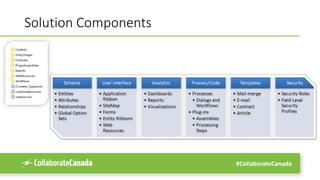
Solution Components
#CollaborateCanada
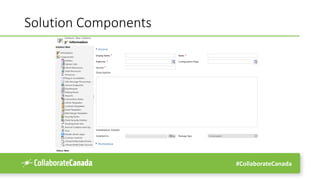
Solution Components
#CollaborateCanada
Solution Entity Model
Owned by businessunit
Owned by organization
Owned by systemuser
Key
Relationships:
One to One
One to Many
Many to Many
Business Owned
Organization Owned
User Owned
Not Owned
solution
configurationpageid
publisherid
solutionid [PK]
webresource
webresourceid [PK]
publisher
publisherid [PK]
solutioncomponent
solutionid
solutioncomponentid [PK]
dependencynode
basesolutionid
topsolutionid
dependencynodeid [PK]
userentityinstancedata
objectid
publisheraddress
parentid
dependency
dependentcomponentnodeid
requiredcomponentnodeid
dependencyid [PK]
#CollaborateCanada
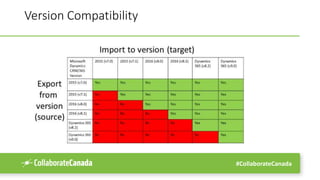
Version Compatibility
#CollaborateCanada
Solution Types
• Default
• Unmanaged
• Managed
#CollaborateCanada
History lesson
on solutions
#CollaborateCanada
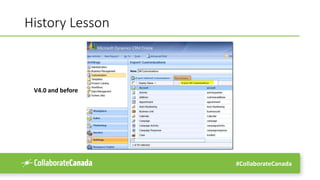
History Lesson
V4.0 and before
#CollaborateCanada
Version 2011 and 2013
• Solution was introduced in CRM 2011 (v5.0)
• Solution concept got revised on Version 2013 (v6.0)
• Added version to all solution aware component
• Better support for version compatibility between versions
• Added “Export as” feature
• Added more tooling and messages for ALM scenarios: solution packaging
• Established the path to market place (Microsoft app source)
#CollaborateCanada
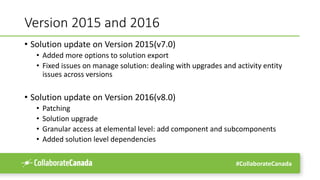
Version 2015 and 2016
• Solution update on Version 2015(v7.0)
• Added more options to solution export
• Fixed issues on manage solution: dealing with upgrades and activity entity
issues across versions
• Solution update on Version 2016(v8.0)
• Patching
• Solution upgrade
• Granular access at elemental level: add component and subcomponents
• Added solution level dependencies
#CollaborateCanada
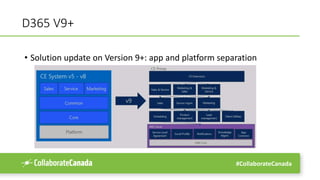
D365 V9+
• Solution update on Version 9+: app and platform separation
#CollaborateCanada
Unmanaged Solution
#CollaborateCanada
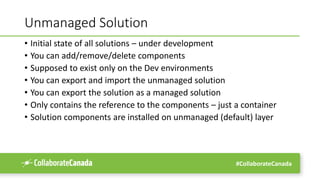
Unmanaged Solution
• Initial state of all solutions – under development
• You can add/remove/delete components
• Supposed to exist only on the Dev environments
• You can export and import the unmanaged solution
• You can export the solution as a managed solution
• Only contains the reference to the components – just a container
• Solution components are installed on unmanaged (default) layer
#CollaborateCanada
Managed Solution
#CollaborateCanada
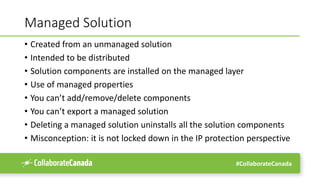
Managed Solution
• Created from an unmanaged solution
• Intended to be distributed
• Solution components are installed on the managed layer
• Use of managed properties
• You can’t add/remove/delete components
• You can’t export a managed solution
• Deleting a managed solution uninstalls all the solution components
• Misconception: it is not locked down in the IP protection perspective
#CollaborateCanada
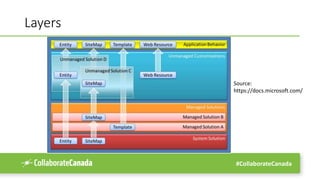
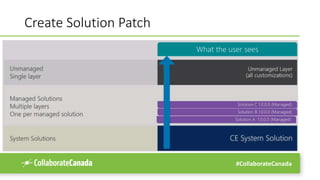
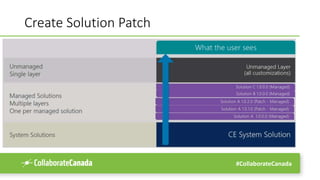
Layers
Source:
https://docs.microsoft.com/
#CollaborateCanada
Managed vs. Unmanaged :
A Geeky Holy War
#CollaborateCanada
Strategies to Organize Your Solutions
• No custom solutions: default solution
• Single solution
• Multiple independent solutions: managed/unmanaged/hybrid
• Multiple solutions with shared components
• Solution libraries
#CollaborateCanada
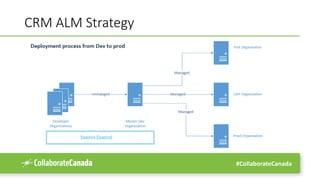
CRM ALM Strategy
#CollaborateCanada
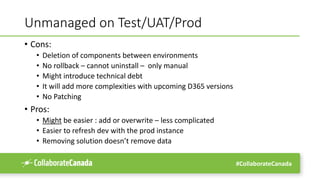
Unmanaged on Test/UAT/Prod
• Cons:
• Deletion of components between environments
• No rollback – cannot uninstall – only manual
• Might introduce technical debt
• It will add more complexities with upcoming D365 versions
• No Patching
• Pros:
• Might be easier : add or overwrite – less complicated
• Easier to refresh dev with the prod instance
• Removing solution doesn’t remove data
#CollaborateCanada
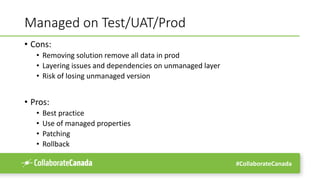
Managed on Test/UAT/Prod
• Cons:
• Removing solution remove all data in prod
• Layering issues and dependencies on unmanaged layer
• Risk of losing unmanaged version
• Pros:
• Best practice
• Use of managed properties
• Patching
• Rollback
#CollaborateCanada
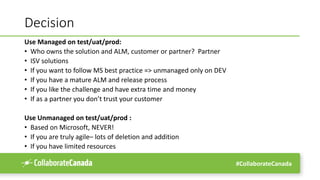
Decision
Use Managed on test/uat/prod:
• Who owns the solution and ALM, customer or partner? Partner
• ISV solutions
• If you want to follow MS best practice => unmanaged only on DEV
• If you have a mature ALM and release process
• If you like the challenge and have extra time and money
• If as a partner you don’t trust your customer
Use Unmanaged on test/uat/prod :
• Based on Microsoft, NEVER!
• If you are truly agile– lots of deletion and addition
• If you have limited resources
#CollaborateCanada
Solution Lifecycle
#CollaborateCanada
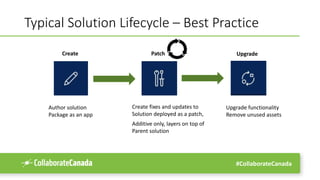
Typical Solution Lifecycle – Best Practice
Create Patch Upgrade
Author solution
Package as an app
Create fixes and updates to
Solution deployed as a patch,
Additive only, layers on top of
Parent solution
Upgrade functionality
Remove unused assets
#CollaborateCanada
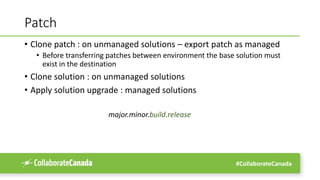
Patch
• Clone patch : on unmanaged solutions – export patch as managed
• Before transferring patches between environment the base solution must
exist in the destination
• Clone solution : on unmanaged solutions
• Apply solution upgrade : managed solutions
major.minor.build.release
#CollaborateCanada
Create Solution Patch
#CollaborateCanada
Create Solution Patch
#CollaborateCanada
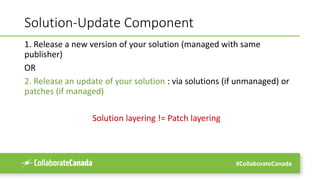
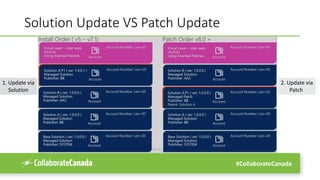
Solution-Update Component
1. Release a new version of your solution (managed with same
publisher)
OR
2. Release an update of your solution : via solutions (if unmanaged) or
patches (if managed)
Solution layering != Patch layering
#CollaborateCanada
Solution Update VS Patch Update
1. Update via
Solution
2. Update via
Patch
#CollaborateCanada
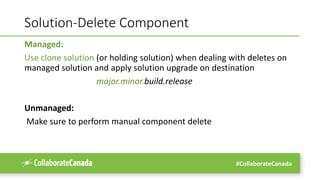
Solution-Delete Component
Managed:
Use clone solution (or holding solution) when dealing with deletes on
managed solution and apply solution upgrade on destination
major.minor.build.release
Unmanaged:
Make sure to perform manual component delete
#CollaborateCanada
Final notes
• Setup governance, proper ALM and roles so user don’t go and change
the prod directly
• Have a proper backup strategy – backup before any deployment
• Define the solution structure, a base solution for shared component is
a good idea
• Try to stick to best practices from MS whenever possible
#CollaborateCanada
D365 CE ALM
#CollaborateCanada
ALM Pieces
• Developer toolkit
• Configuration migration
• Package deployer
• Automated testing
• Source control : GIT or etc
• Azure DevOps or JIRA
#CollaborateCanada#CollaborateCanada
Thank You
For Attending
Ali Sharifi
AliSharifi@SierraSystems.com

Managed vs Unmanaged Solution- Dynamics 365 CE (CRM)

Editor's Notes

  • #40 AliSharifi@SierraSystems.com Reference : Docs.Microsoft.com