
BASIS FOR UNIVERSAL USABILITY 
• ACCESSIBILITY 
• USABILITY AND USER-CENTERED DESIGN 
• UNIVERSAL DESIGN
UNIVERSAL DESIGN PRINCIPLES 
1. EQUITABLE USE 
2. FLEXIBLE USE 
3. SIMPLE AND INTUITIVE USE 
4. PERCEPTIBLE INFORMATION
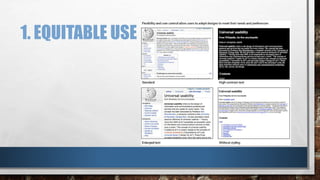
1. EQUITABLE USE
2. FLEXIBILITY IN USE 
“THE DESIGN ACCOMMODATES A WIDE RANGE OF INDIVIDUAL PREFERENCES AND ABILITIES. PROVIDE 
CHOICE IN METHODS OF USE.”
3. SIMPLE AND INTUITIVE USE 
“USE OF THE DESIGN IS EASY TO UNDERSTAND, REGARDLESS OF THE USER’S EXPERIENCE, KNOWLEDGE, 
LANGUAGE SKILLS, OR CURRENT CONCENTRATION LEVEL. ELIMINATE UNNECESSARY COMPLEXITY AND 
ARRANGE INFORMATION CONSISTENT WITH ITS IMPORTANCE.”
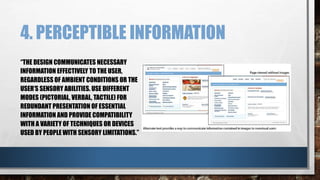
4. PERCEPTIBLE INFORMATION 
“THE DESIGN COMMUNICATES NECESSARY 
INFORMATION EFFECTIVELY TO THE USER, 
REGARDLESS OF AMBIENT CONDITIONS OR THE 
USER’S SENSORY ABILITIES. USE DIFFERENT 
MODES (PICTORIAL, VERBAL, TACTILE) FOR 
REDUNDANT PRESENTATION OF ESSENTIAL 
INFORMATION AND PROVIDE COMPATIBILITY 
WITH A VARIETY OF TECHNIQUES OR DEVICES 
USED BY PEOPLE WITH SENSORY LIMITATIONS.”
UNIVERSAL USABILITY GUIDELINES 
• MOVING BEYOND THE TYPICAL USER 
• SUPPORTING ADAPTATION 
• FLEXIBILITY 
• USER CONTROL 
• KEYBOARD FUNCTIONALITY 
• TEXT EQUIVALENTS
1. MOVING BEYOND TYPICAL USERS 
• THE FIRST STEP TOWARD THE GOAL OF UNIVERSAL USABILITY IS TO DISCARD THE NOTION THAT WE ARE 
DESIGNING FOR A “TYPICAL” USER. 
• UNIVERSAL USABILITY ACCOUNTS FOR USERS OF ALL AGES, EXPERIENCE LEVELS, AND PHYSICAL OR 
SENSORY LIMITATIONS.
2. SUPPORTING ADAPTATION 
• ON THE WEB, UNIVERSAL USABILITY IS ACHIEVED THROUGH ADAPTIVE DESIGN, WHERE DOCUMENTS 
TRANSFORM TO ACCOMMODATE DIFFERENT USER NEEDS AND CONTEXTS. ADAPTIVE DESIGN IS THE 
MEANS BY WHICH WE SUPPORT A WIDE RANGE OF TECHNOLOGIES AND DIVERSE USERS.
2.1: FLEXIBILITY 
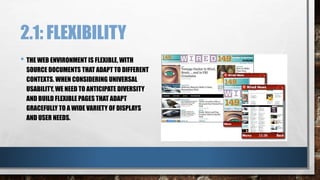
• THE WEB ENVIRONMENT IS FLEXIBLE, WITH 
SOURCE DOCUMENTS THAT ADAPT TO DIFFERENT 
CONTEXTS. WHEN CONSIDERING UNIVERSAL 
USABILITY, WE NEED TO ANTICIPATE DIVERSITY 
AND BUILD FLEXIBLE PAGES THAT ADAPT 
GRACEFULLY TO A WIDE VARIETY OF DISPLAYS 
AND USER NEEDS.
2.2: USER CONTROL 
• FLEXIBILITY PAIRED WITH USER CONTROL ALLOWS USERS TO TAKE CONTROL OF THEIR WEB EXPERIENCE 
AND SHAPE IT INTO A FORM THAT WORKS WITHIN THEIR USE CONTEXT.
2.3: KEYBOARD FUNCTIONALITY 
• MAKE ACTIONABLE ELEMENTS WORKABLE VIA THE KEYBOARD TO ENSURE THAT THE INTERACTIVITY OF 
THE WEB IS ACCESSIBLE TO THE BROADEST SPECTRUM OF USERS.
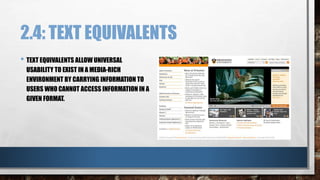
2.4: TEXT EQUIVALENTS 
• TEXT EQUIVALENTS ALLOW UNIVERSAL 
USABILITY TO EXIST IN A MEDIA-RICH 
ENVIRONMENT BY CARRYING INFORMATION TO 
USERS WHO CANNOT ACCESS INFORMATION IN A 
GIVEN FORMAT.
UNIVERSAL USABILITY IN THE DESIGN 
PROCESS 
• USER RESEARCH 
• SURVEYS 
• INTERVIEWS 
• FOCUS GROUPS 
• WEB ANALYTICS 
• FIELD STUDIES 
• DESIGN AND EVALUATION 
• PERSONAS 
• GOAL ANALYSIS 
• SCENARIOS 
• PROTOTYPES AND WIREFRAMES 
• USER TESTING
USER RESEARCH: SURVEYS 
• SURVEYS ARE HELPFUL FOR COLLECTING A LARGE AND BROAD RANGE OF RESPONSES ABOUT 
DEMOGRAPHICS AND GOALS. 
• WEB SITE SURVEYS TYPICALLY ASK INITIAL QUESTIONS TO HELP DEFINE THE USER: AGE, GENDER, 
AUDIENCE TYPE (CUSTOMER, POTENTIAL CUSTOMER, BUYER, SELLER). THEN THERE MIGHT BE QUESTIONS 
RELATED TO FREQUENCY OF USE: FIRST-TIME VISITOR, SOMETIMES VISITOR, FREQUENT VISITOR. 
• THE MEAT OF THE SURVEY IS LIKELY TO BE DETERMINING WHICH ELEMENTS OF THE SITE ARE MOST USED, 
ALONG WITH SOME ASSESSMENT OF THE EFFECTIVENESS AND ENJOYMENT DERIVED FROM USING THEM.
USER RESEARCH: INTERVIEWS 
• IN AN INTERVIEW, YOU INQUIRE INTO USER GOALS, INTERESTS, NEEDS, AND BEHAVIORS. ONE EFFECTIVE 
METHOD FOR UNDERSTANDING USER BEHAVIORS IS TO ASK USERS TO GIVE A VERBAL WALKTHROUGH 
THAT DESCRIBES THEIR TYPICAL INTERACTION AND TASK FLOW WHEN ACCOMPLISHING A GOAL.
USER RESEARCH: FOCUS GROUPS 
• WHEREAS THE INTERVIEW IS ALL ABOUT THE INDIVIDUAL, THE FOCUS GROUP IS ABOUT THE COLLECTIVE-A 
GROUP OF USERS WHO SHARE COMMON CONCERNS. 
• FOCUS GROUPS HAVE A NUMBER OF BENEFITS, NOT THE LEAST OF WHICH IS ECONOMY; IT’S AN 
OPPORTUNITY TO HEAR MANY DIFFERENT PERSPECTIVES AT ONCE. 
• THE COLLABORATIVE NATURE OF FOCUS GROUPS HELPS PEOPLE CONTRIBUTE INSIGHTS THAT THEY MAY 
NOT HAVE BEEN AWARE OF ON THEIR OWN.
USER RESEARCH: WEB ANALYTICS 
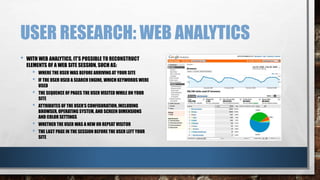
• WITH WEB ANALYTICS, IT’S POSSIBLE TO RECONSTRUCT 
ELEMENTS OF A WEB SITE SESSION, SUCH AS: 
• WHERE THE USER WAS BEFORE ARRIVING AT YOUR SITE 
• IF THE USER USED A SEARCH ENGINE, WHICH KEYWORDS WERE 
USED 
• THE SEQUENCE OF PAGES THE USER VISITED WHILE ON YOUR 
SITE 
• ATTRIBUTES OF THE USER’S CONFIGURATION, INCLUDING 
BROWSER, OPERATING SYSTEM, AND SCREEN DIMENSIONS 
AND COLOR SETTINGS 
• WHETHER THE USER WAS A NEW OR REPEAT VISITOR 
• THE LAST PAGE IN THE SESSION BEFORE THE USER LEFT YOUR 
SITE
USER RESEARCH: FIELD STUDIES 
IN A FIELD STUDY, YOU OBSERVE USERS WORKING WITH A SYSTEM, TYPICALLY IN THEIR OWN CONTEXT. FOR 
EXAMPLE, IN DESIGNING A LIBRARY CATALOG SYSTEM, OBSERVING LIBRARY PATRONS NAVIGATE THE 
LIBRARY IS AN EXCELLENT WAY TO UNDERSTAND HOW THEY WORK WITH ONLINE CATALOG SYSTEMS AND 
HOW SUCH SYSTEMS HELP OR HINDER THEM IN ACHIEVING THEIR GOALS.
DESIGN & EVAL: PERSONAS 
• PERSONAS ARE FICTIONAL NARRATIVES DESCRIBING PARTICULAR REPRESENTATIVE USERS AND SERVE 
AS A STAND-IN FOR REAL USERS DURING THE DESIGN PROCESS. 
• PERSONAS ARISE FROM THE RESEARCH PHASE AND ARE INFORMED BY SURVEYS, INTERVIEWS, FOCUS 
GROUPS, AND OTHER RESEARCH METHODS. 
• PERSONAS TYPICALLY INCLUDE A NAME, DEMOGRAPHIC INFORMATION, LEVEL OF EXPERTISE, AND 
PLATFORM DETAILS SUCH AS CONNECTION SPEED, OPERATING SYSTEM, ANDBROWSER SOFTWARE. 
• PERSONAS ALSO INCLUDE DETAILED INFORMATION ABOUT USER GOALS AND MOTIVATIONS.
DESIGN & EVAL.: GOAL ANALYSIS 
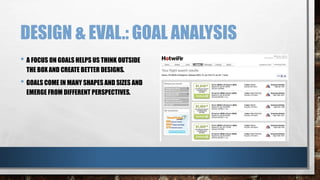
• A FOCUS ON GOALS HELPS US THINK OUTSIDE 
THE BOX AND CREATE BETTER DESIGNS. 
• GOALS COME IN MANY SHAPES AND SIZES AND 
EMERGE FROM DIFFERENT PERSPECTIVES.
DESIGN & EVAL.: SCENARIOS 
• SCENARIOS, OR USE CASES, ARE BRIEF NARRATIVES THAT TELL THE STORY OF A PARTICULAR USER’S 
PATH IN ACCOMPLISHING HIS OR HER GOALS.
DESIGN & EVAL.: 
PROTOTYPES/WIREFRAMES 
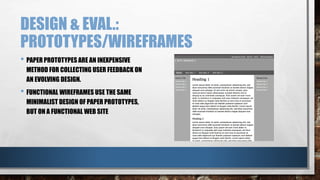
• PAPER PROTOTYPES ARE AN INEXPENSIVE 
METHOD FOR COLLECTING USER FEEDBACK ON 
AN EVOLVING DESIGN. 
• FUNCTIONAL WIREFRAMES USE THE SAME 
MINIMALIST DESIGN OF PAPER PROTOTYPES, 
BUT ON A FUNCTIONAL WEB SITE
DESIGN & EVAL.: USER TESTING 
• USER TESTING IS A CONTROLLED AND DIRECTED OBSERVATION OF USER BEHAVIORS WHEN WORKING 
WITH A DESIGN. 
• USER TESTING IS USED THROUGHOUT THE DESIGN PROCESS TO EVALUATE DIFFERENT DESIGN 
APPROACHES BY OBSERVING HOW WELL, OR HOW POORLY, THEY WORK IN HELPING USERS ACCOMPLISH 
TASKS. 
• USER TESTING IS USEFUL THROUGHOUT THE DESIGN PROCESS TO HELP IDENTIFY USABILITY PROBLEMS. 
• THE LESSONS LEARNED FROM USER TESTING CAN BE USED IN REFINING THE DESIGN AND IMPROVING ITS 
UNIVERSAL USABILITY.

Universal Usability

  • 2.
    BASIS FOR UNIVERSALUSABILITY • ACCESSIBILITY • USABILITY AND USER-CENTERED DESIGN • UNIVERSAL DESIGN
  • 3.
    UNIVERSAL DESIGN PRINCIPLES 1. EQUITABLE USE 2. FLEXIBLE USE 3. SIMPLE AND INTUITIVE USE 4. PERCEPTIBLE INFORMATION
  • 4.
  • 5.
    2. FLEXIBILITY INUSE “THE DESIGN ACCOMMODATES A WIDE RANGE OF INDIVIDUAL PREFERENCES AND ABILITIES. PROVIDE CHOICE IN METHODS OF USE.”
  • 6.
    3. SIMPLE ANDINTUITIVE USE “USE OF THE DESIGN IS EASY TO UNDERSTAND, REGARDLESS OF THE USER’S EXPERIENCE, KNOWLEDGE, LANGUAGE SKILLS, OR CURRENT CONCENTRATION LEVEL. ELIMINATE UNNECESSARY COMPLEXITY AND ARRANGE INFORMATION CONSISTENT WITH ITS IMPORTANCE.”
  • 7.
    4. PERCEPTIBLE INFORMATION “THE DESIGN COMMUNICATES NECESSARY INFORMATION EFFECTIVELY TO THE USER, REGARDLESS OF AMBIENT CONDITIONS OR THE USER’S SENSORY ABILITIES. USE DIFFERENT MODES (PICTORIAL, VERBAL, TACTILE) FOR REDUNDANT PRESENTATION OF ESSENTIAL INFORMATION AND PROVIDE COMPATIBILITY WITH A VARIETY OF TECHNIQUES OR DEVICES USED BY PEOPLE WITH SENSORY LIMITATIONS.”
  • 8.
    UNIVERSAL USABILITY GUIDELINES • MOVING BEYOND THE TYPICAL USER • SUPPORTING ADAPTATION • FLEXIBILITY • USER CONTROL • KEYBOARD FUNCTIONALITY • TEXT EQUIVALENTS
  • 9.
    1. MOVING BEYONDTYPICAL USERS • THE FIRST STEP TOWARD THE GOAL OF UNIVERSAL USABILITY IS TO DISCARD THE NOTION THAT WE ARE DESIGNING FOR A “TYPICAL” USER. • UNIVERSAL USABILITY ACCOUNTS FOR USERS OF ALL AGES, EXPERIENCE LEVELS, AND PHYSICAL OR SENSORY LIMITATIONS.
  • 10.
    2. SUPPORTING ADAPTATION • ON THE WEB, UNIVERSAL USABILITY IS ACHIEVED THROUGH ADAPTIVE DESIGN, WHERE DOCUMENTS TRANSFORM TO ACCOMMODATE DIFFERENT USER NEEDS AND CONTEXTS. ADAPTIVE DESIGN IS THE MEANS BY WHICH WE SUPPORT A WIDE RANGE OF TECHNOLOGIES AND DIVERSE USERS.
  • 11.
    2.1: FLEXIBILITY •THE WEB ENVIRONMENT IS FLEXIBLE, WITH SOURCE DOCUMENTS THAT ADAPT TO DIFFERENT CONTEXTS. WHEN CONSIDERING UNIVERSAL USABILITY, WE NEED TO ANTICIPATE DIVERSITY AND BUILD FLEXIBLE PAGES THAT ADAPT GRACEFULLY TO A WIDE VARIETY OF DISPLAYS AND USER NEEDS.
  • 12.
    2.2: USER CONTROL • FLEXIBILITY PAIRED WITH USER CONTROL ALLOWS USERS TO TAKE CONTROL OF THEIR WEB EXPERIENCE AND SHAPE IT INTO A FORM THAT WORKS WITHIN THEIR USE CONTEXT.
  • 13.
    2.3: KEYBOARD FUNCTIONALITY • MAKE ACTIONABLE ELEMENTS WORKABLE VIA THE KEYBOARD TO ENSURE THAT THE INTERACTIVITY OF THE WEB IS ACCESSIBLE TO THE BROADEST SPECTRUM OF USERS.
  • 14.
    2.4: TEXT EQUIVALENTS • TEXT EQUIVALENTS ALLOW UNIVERSAL USABILITY TO EXIST IN A MEDIA-RICH ENVIRONMENT BY CARRYING INFORMATION TO USERS WHO CANNOT ACCESS INFORMATION IN A GIVEN FORMAT.
  • 15.
    UNIVERSAL USABILITY INTHE DESIGN PROCESS • USER RESEARCH • SURVEYS • INTERVIEWS • FOCUS GROUPS • WEB ANALYTICS • FIELD STUDIES • DESIGN AND EVALUATION • PERSONAS • GOAL ANALYSIS • SCENARIOS • PROTOTYPES AND WIREFRAMES • USER TESTING
  • 16.
    USER RESEARCH: SURVEYS • SURVEYS ARE HELPFUL FOR COLLECTING A LARGE AND BROAD RANGE OF RESPONSES ABOUT DEMOGRAPHICS AND GOALS. • WEB SITE SURVEYS TYPICALLY ASK INITIAL QUESTIONS TO HELP DEFINE THE USER: AGE, GENDER, AUDIENCE TYPE (CUSTOMER, POTENTIAL CUSTOMER, BUYER, SELLER). THEN THERE MIGHT BE QUESTIONS RELATED TO FREQUENCY OF USE: FIRST-TIME VISITOR, SOMETIMES VISITOR, FREQUENT VISITOR. • THE MEAT OF THE SURVEY IS LIKELY TO BE DETERMINING WHICH ELEMENTS OF THE SITE ARE MOST USED, ALONG WITH SOME ASSESSMENT OF THE EFFECTIVENESS AND ENJOYMENT DERIVED FROM USING THEM.
  • 17.
    USER RESEARCH: INTERVIEWS • IN AN INTERVIEW, YOU INQUIRE INTO USER GOALS, INTERESTS, NEEDS, AND BEHAVIORS. ONE EFFECTIVE METHOD FOR UNDERSTANDING USER BEHAVIORS IS TO ASK USERS TO GIVE A VERBAL WALKTHROUGH THAT DESCRIBES THEIR TYPICAL INTERACTION AND TASK FLOW WHEN ACCOMPLISHING A GOAL.
  • 18.
    USER RESEARCH: FOCUSGROUPS • WHEREAS THE INTERVIEW IS ALL ABOUT THE INDIVIDUAL, THE FOCUS GROUP IS ABOUT THE COLLECTIVE-A GROUP OF USERS WHO SHARE COMMON CONCERNS. • FOCUS GROUPS HAVE A NUMBER OF BENEFITS, NOT THE LEAST OF WHICH IS ECONOMY; IT’S AN OPPORTUNITY TO HEAR MANY DIFFERENT PERSPECTIVES AT ONCE. • THE COLLABORATIVE NATURE OF FOCUS GROUPS HELPS PEOPLE CONTRIBUTE INSIGHTS THAT THEY MAY NOT HAVE BEEN AWARE OF ON THEIR OWN.
  • 19.
    USER RESEARCH: WEBANALYTICS • WITH WEB ANALYTICS, IT’S POSSIBLE TO RECONSTRUCT ELEMENTS OF A WEB SITE SESSION, SUCH AS: • WHERE THE USER WAS BEFORE ARRIVING AT YOUR SITE • IF THE USER USED A SEARCH ENGINE, WHICH KEYWORDS WERE USED • THE SEQUENCE OF PAGES THE USER VISITED WHILE ON YOUR SITE • ATTRIBUTES OF THE USER’S CONFIGURATION, INCLUDING BROWSER, OPERATING SYSTEM, AND SCREEN DIMENSIONS AND COLOR SETTINGS • WHETHER THE USER WAS A NEW OR REPEAT VISITOR • THE LAST PAGE IN THE SESSION BEFORE THE USER LEFT YOUR SITE
  • 20.
    USER RESEARCH: FIELDSTUDIES IN A FIELD STUDY, YOU OBSERVE USERS WORKING WITH A SYSTEM, TYPICALLY IN THEIR OWN CONTEXT. FOR EXAMPLE, IN DESIGNING A LIBRARY CATALOG SYSTEM, OBSERVING LIBRARY PATRONS NAVIGATE THE LIBRARY IS AN EXCELLENT WAY TO UNDERSTAND HOW THEY WORK WITH ONLINE CATALOG SYSTEMS AND HOW SUCH SYSTEMS HELP OR HINDER THEM IN ACHIEVING THEIR GOALS.
  • 21.
    DESIGN & EVAL:PERSONAS • PERSONAS ARE FICTIONAL NARRATIVES DESCRIBING PARTICULAR REPRESENTATIVE USERS AND SERVE AS A STAND-IN FOR REAL USERS DURING THE DESIGN PROCESS. • PERSONAS ARISE FROM THE RESEARCH PHASE AND ARE INFORMED BY SURVEYS, INTERVIEWS, FOCUS GROUPS, AND OTHER RESEARCH METHODS. • PERSONAS TYPICALLY INCLUDE A NAME, DEMOGRAPHIC INFORMATION, LEVEL OF EXPERTISE, AND PLATFORM DETAILS SUCH AS CONNECTION SPEED, OPERATING SYSTEM, ANDBROWSER SOFTWARE. • PERSONAS ALSO INCLUDE DETAILED INFORMATION ABOUT USER GOALS AND MOTIVATIONS.
  • 22.
    DESIGN & EVAL.:GOAL ANALYSIS • A FOCUS ON GOALS HELPS US THINK OUTSIDE THE BOX AND CREATE BETTER DESIGNS. • GOALS COME IN MANY SHAPES AND SIZES AND EMERGE FROM DIFFERENT PERSPECTIVES.
  • 23.
    DESIGN & EVAL.:SCENARIOS • SCENARIOS, OR USE CASES, ARE BRIEF NARRATIVES THAT TELL THE STORY OF A PARTICULAR USER’S PATH IN ACCOMPLISHING HIS OR HER GOALS.
  • 24.
    DESIGN & EVAL.: PROTOTYPES/WIREFRAMES • PAPER PROTOTYPES ARE AN INEXPENSIVE METHOD FOR COLLECTING USER FEEDBACK ON AN EVOLVING DESIGN. • FUNCTIONAL WIREFRAMES USE THE SAME MINIMALIST DESIGN OF PAPER PROTOTYPES, BUT ON A FUNCTIONAL WEB SITE
  • 25.
    DESIGN & EVAL.:USER TESTING • USER TESTING IS A CONTROLLED AND DIRECTED OBSERVATION OF USER BEHAVIORS WHEN WORKING WITH A DESIGN. • USER TESTING IS USED THROUGHOUT THE DESIGN PROCESS TO EVALUATE DIFFERENT DESIGN APPROACHES BY OBSERVING HOW WELL, OR HOW POORLY, THEY WORK IN HELPING USERS ACCOMPLISH TASKS. • USER TESTING IS USEFUL THROUGHOUT THE DESIGN PROCESS TO HELP IDENTIFY USABILITY PROBLEMS. • THE LESSONS LEARNED FROM USER TESTING CAN BE USED IN REFINING THE DESIGN AND IMPROVING ITS UNIVERSAL USABILITY.

Editor's Notes

  • #2 Usability is a measure of effectiveness. It describes how effective tools and information sources are in helping us accomplish tasks. The more usable the tool, the better we are able to achieve our goals. 
  • #3 Accessibility Web accessibility is a critical element of universal usability. The guidelines produced by Web accessibility initiative and other accessibility initiatives provide designers with techniques and specifications for how to create universally usable designs. They ensure that designers have the tools and technologies needed to create designs that work in different contexts. Usability and User-centered Design Usability is both a qualitative measure of the experience of using a tool and a phenomenon that can be measured and quantified as a concrete means to judge a design’s effectiveness. Quantitative usability metrics include how quickly we complete tasks and how many errors we make in the process. But usability can also be measured by qualitative measures, such as how much satisfaction we derive in using a tool. “Learnability” is another important measure: how quickly we learn to use a tool and how well we remember how to use it the next time. The most common method for achieving usability is user-centered design (ucd). ucd includes user-oriented methods such as task analysis, focus groups, and user testing to understand user needs and refine designs based on user feedback. Universal Design Universal design incorporates access requirements into a design, rather than providing alternate designs to meet specific needs, such as large print or Braille editions for vision-impaired readers. A common example of universal design in the built environment is ramped entryways, which can be used by everyone and eliminate the need for a separate, handicapped entrance.
  • #4 Universal design is informed by a set of principles and guidelines developed by the Center for Universal Design at North Carolina State University’s College of Design.
  • #5 “The design is useful and marketable to people with diverse abilities. Provide the same means of use for all users: identical whenever possible; equivalent when not.”
  • #6 The web is flexible by nature, and users have choice regarding platform, software, and settings. Users can choose to view web pages without images or in a variety of layouts and typefaces.
  • #7 Most web pages have low signal-to-noise ratios, with much of the page given over to organizational identity, advertising, and navigation. Simplicity and direct access to salient features and information is essential in an effective design strategy.
  • #8 Because text on web pages is machine-readable, it can be adapted to different contexts. For instance, text is accessible to people who can’t see because software can read text aloud. Web technologies include provisions for supplying equivalent text for nontext items, such as alt-text for images, captions for spoken audio, and audio descriptions for video files.
  • #10 Users also vary widely in their technical circumstances: in screen size, network speed, browser versions, and specialized software such as screen readers for the visually impaired. Each of us inhabits multiple points on the spectrum, points that are constantly shifting as our needs and contexts change. For example, virtually all adults over fifty have some form of mild to moderate visual impairment. And within that context our needs change as we move from viewing web pages from the back of an auditorium to sitting in front of a large desktop display monitor to walking down the street peering at a small mobile display. A broad user definition that includes the full range of user needs and contexts is the first step in producing universally usable designs.
  • #13 In many design fields, designers make choices that give shape to a thing, and these choices, particularly in a fixed environment, are bound to exclude some users. No one text size will be readable by all readers, but the book designer must make a decision about what size to set text, and that decision is likely to produce text that is too small for some readers. In the web environment, users have control over their environment. Users can manipulate browser settings to display text at a size that they find comfortable for reading.
  • #14 Another crucial component is interaction, in which users navigate and interact with links, forms, and other elements of the web interface. For universal usability, these actionable elements must be workable from the keyboard. Many users cannot use a mouse, and many devices do not support point-and-click interaction. For example, nonvisual users cannot see the screen, and many mobile devices only support keyboard navigation. Some users use software or other input devices that only work by activating keyboard commands. For these users, elements that can only be activated using a mouse are inaccessible.
  • #15 Text is universally accessible. (Whether text is universally comprehensible is another discussion!) Unlike images and media, text is readable by software and can be rendered in different formats and acted upon by software. When information is presented in a format other than text, such as visually using images or video or audibly using spoken audio, the information is potentially lost on users who cannot see or hear. Web technology anticipates format-related access issues and supplies methods for providing equivalent text. With equivalent text, the information contained in the media is also available as text, such as a text transcript or captions along with spoken audio.
  • #16 The first step in any web site design process is to gather information about users-who they are, what their goals are-and identify their requirements for working with the site. The research phase is normally the most time-consuming phase of any design project, but that imbalance is due in large part to the fact that the design and evaluation phase moves more rapidly because of the time spent on research. With good user research, the decisions that drive the design are based on a solid understanding of users’ goals and requirements and therefore are far more likely to hit the mark without many cycles of iteration. The next step in the design process is to apply what is learned in the research phase to creating designs that support the diversity of the target audience in accomplishing their goals. The design phase is an iterative one in which we conceptualize designs to create mockups, which we then evaluate and refine, often repeatedly, before arriving at a final design and finished web site.
  • #18  The key is to get the user talking and keep him or her talking. Ask clarifying questions, pursue important details, and periodically sum up the important elements of the conversation. Don’t be too quick to speak when the conversation lags; pause, and give the user the opportunity to continue the discussion thread. Also, don’t be too rigid in sticking to the script; digressions may lead to valuable insights.
  • #20 These and other site-specific metrics (the number of page requests helps determine which pages are most used; the number of distinct hosts helps determine how many site visitors there are) offer important insights into how users are working with your site, which is essential to any redesign process. Just bear in mind that, although web analytics appear to measure what is happening on your site, the reality is far more complicated. Many factors skew the data, such as browser caching, in which pages are stored locally on the client machine. When a user visits a cached page, that visit will not be logged in the server log file since the server was not asked for the page. Use web analytics, but don’t treat them as the last word on user behaviors. 
  • #21 Field studies are particularly helpful at the beginning of a project. For a redesign, observe users working with your current system to identify points of conflict between the design and user goals. For a new web site project, observe users working with a similar web site.
  • #22 For universal usability, personas should push the boundaries of the fictional “average user” to include a range of use contexts and user motivations. Personas should represent the full range of age groups, computer expertise, and access technologies, including mobile devices, the wide but short screens of typical laptop computers, and screen reader software for nonvisual access.
  • #23 Users have both personal and practical goals: being more productive, having fun, saving time and money. Institutional goals also play a part: increase revenue, recruit more and better employees, offer more services. With any web site project, goals should be the driving factor behind design decisions and the compass to steer by throughout the design process.
  • #24 To construct a scenario, we use personas representing our users and walk them through the various tasks necessary with the web site in order to accomplish their goals. In composing a scenario, we can play out different approaches to design and functionality and in the process identify possible problems with each approach.
  • #25 Functional wireframes use the same minimalist design of paper prototypes, but on a functional web site. They take more time to develop than paper prototypes but are well worth the effort, particularly for sites that are built on complex information architectures and for web applications that contain a high level of interaction. For a functional wireframe, several layers of the web site are established to model the site’s architecture, navigation, and functionality. For interactive sites, such as web applications, the wireframe should include a basic user interface in order to play out and test the flow of the application with users.
  • #26 A typical user testing session has a tester and a participant who represents the target audience. The user is assigned a set of tasks intended to put specific elements of a design to the test and reveal any shortcomings of the approach. During the session, the user is asked to think aloud so that the tester can understand the rationale behind his or her choices. The session normally ends with an open-ended interview in which the user is given the opportunity to discuss his or her experience with the system more broadly and provide insights and suggestions on how the system might be improved.