TEACHING AIDS
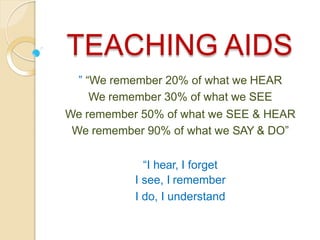
” “We remember 20% of what we HEAR
We remember 30% of what we SEE
We remember 50% of what we SEE & HEAR
We remember 90% of what we SAY & DO”
“I hear, I forget
I see, I remember
I do, I understand
TEACHING AIDS
Teaching aids are the tools that
teachers use them in the classroom
such as flash cards,maps,cassette
and blackboard.
A teaching aid is a tool used by
teachers to help learners improve
reading and other skills, illustrate or
reinforce a skill, fact, or idea, and
relieve anxiety, fears, or boredom,
since many teaching aids are like
games.
Categories of Teaching Aids
3 categories
1) Audio Aids
2) Visual Aid
3) Audio – VisualAid
A-V aid imply, “anything by means of
which learning process may be
encouraged or carried on through the
sense of hearing or the sense of
sight.”
CLASSIFICATION OF AUDIO VISUALAIDS
PROJECTED & NON PROJECTEDAIDS
NON PROJECTED
GRAP
HIC-
picture
,
charts,
maps,
graph
s,
puppe
ts,
flash
cards,
poster
DIPLAY
BOARDS-
BB, bulletin
board,
flannel
board,
magnetic
board,
specimens
3- DAIDS-
globes,
models,
objects,
field trip
AUDIO
AIDS- radio,
taperecorde
r,
language
laboratory
ACTIVITY
AIDS- CAI,
demonstrati
ons,
dramatics,
experiments
,
programme
d instruction
PROJECTED
SILENT-
slides,
film
strips,
OHP
SOUND-
films
EDGAR DALE’S
CLASSIFICATION OF AUDIO
VISUAL AIDS
NEED & IMPORTANCE
Clarity
Attention & interest
Best motivators
Use of maximum senses
Saving time & effort
Fixing and recalling the knowledge
Meeting the individual differences
Encouraging activities
Introductory variety
Development of scientific attitude
Direct experiences
Promotion of international understanding
PRINCIPLES OF SELECTION &
EFFECTIVENESS IN USE
PRINCIPLE OF SELECTION
1) Educational value
2) Realization of objectives
3) Pupil centeredness
4) Interest and motivation
5) Simplicity
6) Relevancy and suitability
7) Accuracy
8) Encouragement
9) Well preparedness
10) Avoiding too many aids
11) Means to an end
12) Integration
13) availability of resources- size of classroom, finance,
facilities, experienced teachers
PRINCIPLE OF USE
1) preparation- awareness, teacher's
preparation, students participation
2) Proper presentation- handling,
checking, timely presentation,
avoiding distraction
3) Protection and preservation
4) Action
5) Follow up
6) Evaluation
CHARTS
CHART
A chart is a useful way to present and
display information or instructions,
especially in a classroom or other
educational situation. It can range in size
from a large wall chart to a single piece of
paper.
Acc to Edgar Dale , “a chart is a visual
symbol summarising or comparing or
contrasting or performing other helpful
services in explaning subject matter”
TYPES OF CHARTS
Picture chart
Time chart
Table chart
Graphic chart
Flow chart
Tree chart
Pie chart
FLASH CARDS
FLASH CARDS
Flash cards are useful for drilling new
letters, words, and other information.
They are normally used in a
classroom, but can also be used more
informally.
A flash card is part of a set of cards on
which are written items to be studied.
They are “flashed” (shown quickly)
one by one to a learner to elicit a quick
response.
Flash cards are sets of cards printed with
information to be studied, such as
definitions
formulas
letters
multiplication tables
prefixes
words.
If there is an answer or solution to what
appears on the front of the card, it is
printed on the back so that the person
showing the cards can see if the
learner's answer is correct
FLIP CHARTS
FLIP CHARTS
Flip charts are useful in teaching situations
where you need to teach a number of people at a
time. They are used when books are unavailable,
scarce, or too expensive for individuals to have
their own copy when other media such as
overheads and slides are not available, and
where group learning is most culturally
appropriate.
A flip chart is a collection of large pages which
are bound together at the top. The pages are
“flipped” or brought up and to the back as they
are used.
A flip chart is bound together at the top in such a
way that the pages can be easily turned and lie
flat.
FLIP CARDS
FLANNEL BOARD
FLANNEL BOARD
It consists of a piece of flannel or
felt made from wool, stretched
tightly over a strong backing of
plywood. Pictures, cards and
similar material can be made
stick on it.
MODELS
MODEL
Models are replicas or copies of real
objects with suitable change in size,
complexity, timing, safety and cost
factors.
CLASSIFICATION-
1) Simplified
2) Scale
3) Working
4) Cross-sectional
5) Mock-ups
GLOBE
a globe is a spherical model of
earth
GRAPHS
GRAPHS
Flat pictures which employ dots, lines
or pictures to visualize numerical and
statistical data to show statistics or
relationships.
Graphs are by nature a summarizing
device.
Effective tools for comparisons and
contrast.
KINDS
Line
Bar
Circle
or pie
Pictorial
Flann
el
CARTOONS
CARTOONS
A cartoon is an interpretive picture,
usually a drawing, intended to convey
a message or point of view about
things, events or situation; may make
free use of exaggeration and
symbolism.
PUPPETS
SLIDES(
TRANSPARENCIES)
Any positive transparency mounted
individually for use in a projector or
viewing transmitted light.
MOBILE TECHNOLOGY
Internet and Wi Fi
Touch screen
Games and quizzes
Mobile applications
Any time & anywhere
The value of mobile
learning
It is important to bring new technology into the
classroom.
Devices used are more lightweight than books and
PCs.
Mobile learning can be used to diversify the types
of learning activities students (or a blended
learning approach).
Mobile learning supports the learning process
rather than being integral to it.
Mobile learning can be a useful add-on tool for
students with special needs. However, for SMS and
MMS this might be dependent on the students’
specific disabilities or difficulties involved.
Mobile learning can be used as a ‘hook’ to re-
engage disaffected youth.
Benefits
Relatively inexpensive opportunities,
as the cost of mobile devices are
significantly less than PCs and laptops
Multimedia content delivery and
creation options
Continuous and situated learning
support
Decrease in training costs
Potentially a more rewarding learning
experience
Technical challenges include
Connectivity and battery life
Screen size and key size
Meeting required bandwidth for
nonstop/fast streaming
Number of file/asset formats supported by
a specific device
Content security or copyright issue from
authoring group
Multiple standards, multiple screen sizes,
multiple operating systems
Limited memory
Risk of sudden obsolescence
Social and educational
challenges include
Accessibility and cost barriers for end users
How to assess learning outside the classroom
Content's security or pirating issues
Frequent changes in device
models/technologies/functionality etc.
Developing an appropriate theory of learning for the
mobile age
Design of technology to support a lifetime of learning
No restriction on learning timetable
Personal and private information and content
No demographic boundary
Disruption of students' personal and academic lives
Access to and use of the technology in developing
countries
Risk of distraction
INTERACTIVE WHITE
BOARD
an interactive whiteboard is a large
display that connects to a computer
and a projector
use of graphics and other visuals to
represent information
Uses
Running software that is loaded onto the connected PC,
such as a web browsers or other software used in the
classroom.
Capturing and saving notes written on a whiteboard to the
connected PC
Controlling the PC from the white board using click and
drag, markup which annotates a program or presentation
Using OCR software to translate cursive writing on a
graphics tablet into text
Using an Audience Response System so that presenters
can poll a classroom audience or conduct quizzes,
capturing feedback onto the whiteboard
Multimedia lessons and presentations including audio and
video
Collaborative problem solving
Showcasing student projects and presentations
Virtual field trips
Recorded lessons that can be used by substitute teachers

Unit 5. Teacher teaching aids.pptx

  • 1.
    TEACHING AIDS ” “Weremember 20% of what we HEAR We remember 30% of what we SEE We remember 50% of what we SEE & HEAR We remember 90% of what we SAY & DO” “I hear, I forget I see, I remember I do, I understand
  • 3.
    TEACHING AIDS Teaching aidsare the tools that teachers use them in the classroom such as flash cards,maps,cassette and blackboard. A teaching aid is a tool used by teachers to help learners improve reading and other skills, illustrate or reinforce a skill, fact, or idea, and relieve anxiety, fears, or boredom, since many teaching aids are like games.
  • 4.
    Categories of TeachingAids 3 categories 1) Audio Aids 2) Visual Aid 3) Audio – VisualAid A-V aid imply, “anything by means of which learning process may be encouraged or carried on through the sense of hearing or the sense of sight.”
  • 5.
    CLASSIFICATION OF AUDIOVISUALAIDS PROJECTED & NON PROJECTEDAIDS NON PROJECTED GRAP HIC- picture , charts, maps, graph s, puppe ts, flash cards, poster DIPLAY BOARDS- BB, bulletin board, flannel board, magnetic board, specimens 3- DAIDS- globes, models, objects, field trip AUDIO AIDS- radio, taperecorde r, language laboratory ACTIVITY AIDS- CAI, demonstrati ons, dramatics, experiments , programme d instruction PROJECTED SILENT- slides, film strips, OHP SOUND- films
  • 7.
  • 8.
    NEED & IMPORTANCE Clarity Attention& interest Best motivators Use of maximum senses Saving time & effort Fixing and recalling the knowledge Meeting the individual differences Encouraging activities Introductory variety Development of scientific attitude Direct experiences Promotion of international understanding
  • 9.
    PRINCIPLES OF SELECTION& EFFECTIVENESS IN USE PRINCIPLE OF SELECTION 1) Educational value 2) Realization of objectives 3) Pupil centeredness 4) Interest and motivation 5) Simplicity 6) Relevancy and suitability 7) Accuracy 8) Encouragement 9) Well preparedness 10) Avoiding too many aids 11) Means to an end 12) Integration 13) availability of resources- size of classroom, finance, facilities, experienced teachers
  • 10.
    PRINCIPLE OF USE 1)preparation- awareness, teacher's preparation, students participation 2) Proper presentation- handling, checking, timely presentation, avoiding distraction 3) Protection and preservation 4) Action 5) Follow up 6) Evaluation
  • 11.
  • 13.
    CHART A chart isa useful way to present and display information or instructions, especially in a classroom or other educational situation. It can range in size from a large wall chart to a single piece of paper. Acc to Edgar Dale , “a chart is a visual symbol summarising or comparing or contrasting or performing other helpful services in explaning subject matter”
  • 14.
    TYPES OF CHARTS Picturechart Time chart Table chart Graphic chart Flow chart Tree chart Pie chart
  • 15.
  • 17.
    FLASH CARDS Flash cardsare useful for drilling new letters, words, and other information. They are normally used in a classroom, but can also be used more informally. A flash card is part of a set of cards on which are written items to be studied. They are “flashed” (shown quickly) one by one to a learner to elicit a quick response.
  • 18.
    Flash cards aresets of cards printed with information to be studied, such as definitions formulas letters multiplication tables prefixes words. If there is an answer or solution to what appears on the front of the card, it is printed on the back so that the person showing the cards can see if the learner's answer is correct
  • 19.
  • 21.
    FLIP CHARTS Flip chartsare useful in teaching situations where you need to teach a number of people at a time. They are used when books are unavailable, scarce, or too expensive for individuals to have their own copy when other media such as overheads and slides are not available, and where group learning is most culturally appropriate. A flip chart is a collection of large pages which are bound together at the top. The pages are “flipped” or brought up and to the back as they are used. A flip chart is bound together at the top in such a way that the pages can be easily turned and lie flat.
  • 22.
  • 23.
  • 25.
    FLANNEL BOARD It consistsof a piece of flannel or felt made from wool, stretched tightly over a strong backing of plywood. Pictures, cards and similar material can be made stick on it.
  • 27.
  • 28.
    MODEL Models are replicasor copies of real objects with suitable change in size, complexity, timing, safety and cost factors. CLASSIFICATION- 1) Simplified 2) Scale 3) Working 4) Cross-sectional 5) Mock-ups
  • 31.
    GLOBE a globe isa spherical model of earth
  • 32.
  • 33.
    GRAPHS Flat pictures whichemploy dots, lines or pictures to visualize numerical and statistical data to show statistics or relationships. Graphs are by nature a summarizing device. Effective tools for comparisons and contrast.
  • 34.
  • 35.
  • 36.
    CARTOONS A cartoon isan interpretive picture, usually a drawing, intended to convey a message or point of view about things, events or situation; may make free use of exaggeration and symbolism.
  • 38.
  • 39.
    SLIDES( TRANSPARENCIES) Any positive transparencymounted individually for use in a projector or viewing transmitted light.
  • 41.
  • 42.
    Internet and WiFi Touch screen Games and quizzes Mobile applications Any time & anywhere
  • 43.
    The value ofmobile learning It is important to bring new technology into the classroom. Devices used are more lightweight than books and PCs. Mobile learning can be used to diversify the types of learning activities students (or a blended learning approach). Mobile learning supports the learning process rather than being integral to it. Mobile learning can be a useful add-on tool for students with special needs. However, for SMS and MMS this might be dependent on the students’ specific disabilities or difficulties involved. Mobile learning can be used as a ‘hook’ to re- engage disaffected youth.
  • 44.
    Benefits Relatively inexpensive opportunities, asthe cost of mobile devices are significantly less than PCs and laptops Multimedia content delivery and creation options Continuous and situated learning support Decrease in training costs Potentially a more rewarding learning experience
  • 45.
    Technical challenges include Connectivityand battery life Screen size and key size Meeting required bandwidth for nonstop/fast streaming Number of file/asset formats supported by a specific device Content security or copyright issue from authoring group Multiple standards, multiple screen sizes, multiple operating systems Limited memory Risk of sudden obsolescence
  • 46.
    Social and educational challengesinclude Accessibility and cost barriers for end users How to assess learning outside the classroom Content's security or pirating issues Frequent changes in device models/technologies/functionality etc. Developing an appropriate theory of learning for the mobile age Design of technology to support a lifetime of learning No restriction on learning timetable Personal and private information and content No demographic boundary Disruption of students' personal and academic lives Access to and use of the technology in developing countries Risk of distraction
  • 47.
  • 48.
    an interactive whiteboardis a large display that connects to a computer and a projector use of graphics and other visuals to represent information
  • 49.
    Uses Running software thatis loaded onto the connected PC, such as a web browsers or other software used in the classroom. Capturing and saving notes written on a whiteboard to the connected PC Controlling the PC from the white board using click and drag, markup which annotates a program or presentation Using OCR software to translate cursive writing on a graphics tablet into text Using an Audience Response System so that presenters can poll a classroom audience or conduct quizzes, capturing feedback onto the whiteboard Multimedia lessons and presentations including audio and video Collaborative problem solving Showcasing student projects and presentations Virtual field trips Recorded lessons that can be used by substitute teachers