DATABASE MANAGEMENT SYSTEMS

    MALLA REDDY ENGG. COLLEGE HYD

     II B. Tech CSE       II Semester

           UNIT-IV PPT SLIDES

Text Books: (1) DBMS by Raghu Ramakrishnan
            (2) DBMS by Sudarshan and Korth
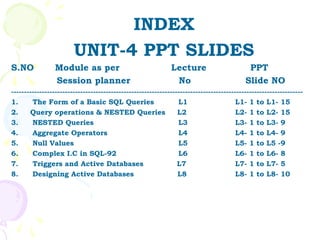
INDEX
                        UNIT-4 PPT SLIDES
S.NO             Module as per                                Lecture                       PPT
                 Session planner                               No                          Slide NO
------------------------------------------------------------------------------------------------------------------
1.      The Form of a Basic SQL Queries                          L1                     L1- 1 to L1- 15
2.     Query operations & NESTED Queries                         L2                     L2- 1 to L2- 15
3.      NESTED Queries                                           L3                     L3- 1 to L3- 9
4.      Aggregate Operators                                      L4                     L4- 1 to L4- 9
5.      Null Values                                              L5                     L5- 1 to L5 -9
6.      Complex I.C in SQL-92                                    L6                     L6- 1 to L6- 8
7.      Triggers and Active Databases                            L7                     L7- 1 to L7- 5
8.      Designing Active Databases                               L8                     L8- 1 to L8- 10
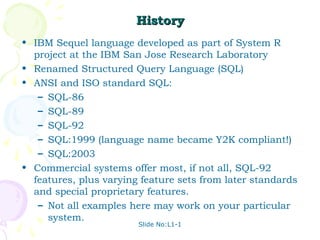
History
• IBM Sequel language developed as part of System R
  project at the IBM San Jose Research Laboratory
• Renamed Structured Query Language (SQL)
• ANSI and ISO standard SQL:
   – SQL-86
   – SQL-89
   – SQL-92
   – SQL:1999 (language name became Y2K compliant!)
   – SQL:2003
• Commercial systems offer most, if not all, SQL-92
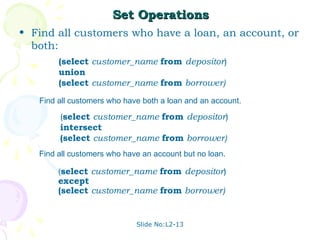
  features, plus varying feature sets from later standards
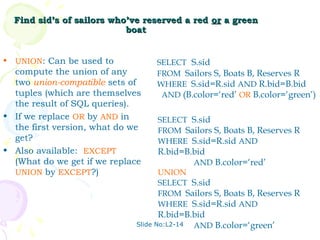
  and special proprietary features.
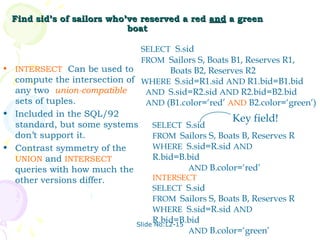
   – Not all examples here may work on your particular
     system.
                        Slide No:L1-1
Data Definition Language
Allows the specification of:
• The schema for each relation, including
  attribute types.
• Integrity constraints
• Authorization information for each relation.
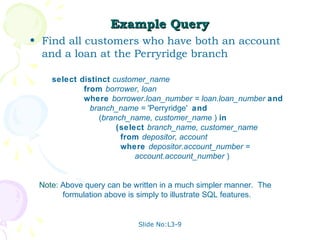
• Non-standard SQL extensions also allow
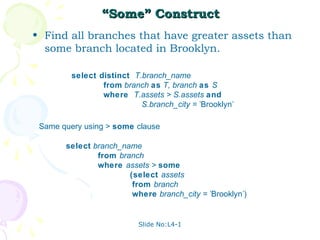
  specification of
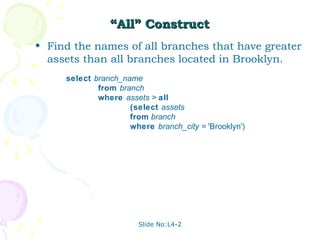
   – The set of indices to be maintained for
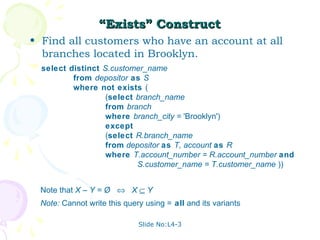
     each relations.
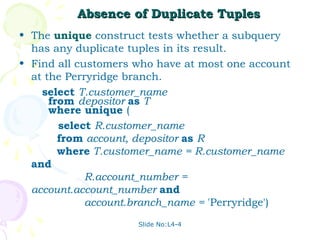
   – The physical storage structure of each
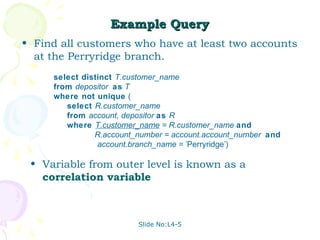
     relation on disk.


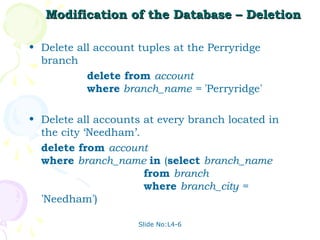
                               Slide No:L1-2
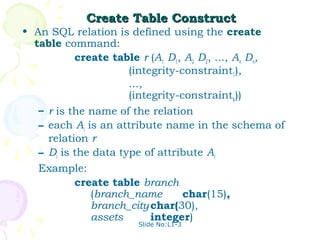
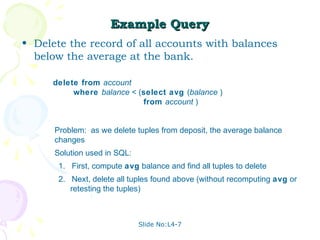
Create Table Construct
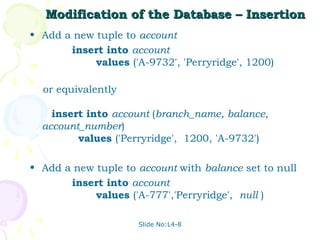
• An SQL relation is defined using the create
  table command:
           create table r (A1 D1, A2 D2, ..., An Dn,
                      (integrity-constraint1),
                      ...,
                      (integrity-constraintk))
   – r is the name of the relation
   – each Ai is an attribute name in the schema of
     relation r
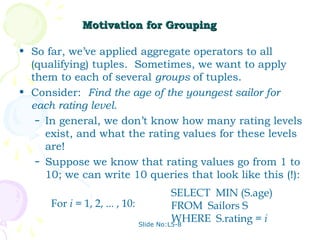
   – Di is the data type of attribute Ai
   Example:
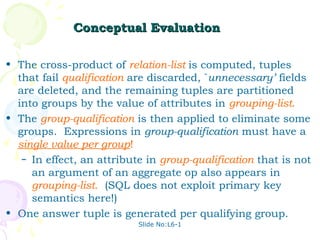
           create table branch
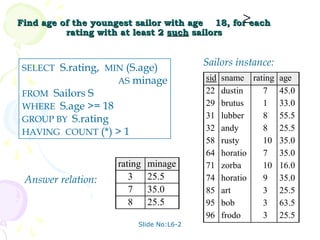
              (branch_name        char(15),
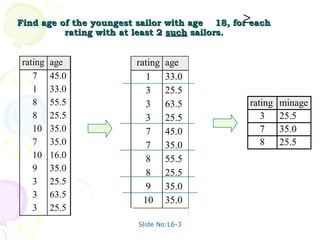
              branch_city char(30),
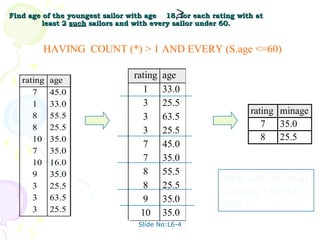
              assets       integer)
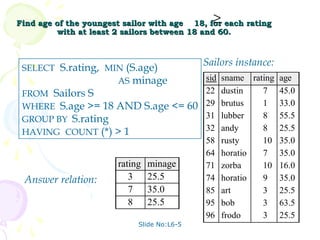
                       Slide No:L1-3
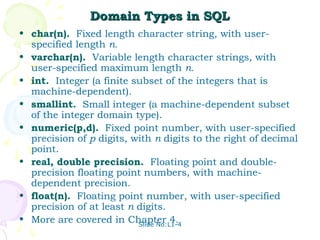
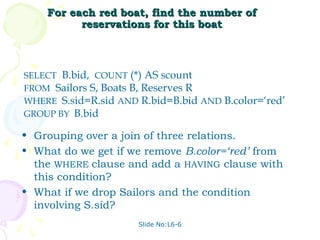
Domain Types in SQL
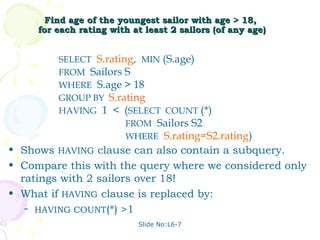
• char(n). Fixed length character string, with user-
  specified length n.
• varchar(n). Variable length character strings, with
  user-specified maximum length n.
• int. Integer (a finite subset of the integers that is
  machine-dependent).
• smallint. Small integer (a machine-dependent subset
  of the integer domain type).
• numeric(p,d). Fixed point number, with user-specified
  precision of p digits, with n digits to the right of decimal
  point.
• real, double precision. Floating point and double-
  precision floating point numbers, with machine-
  dependent precision.
• float(n). Floating point number, with user-specified
  precision of at least n digits.
• More are covered in Chapter 4.
                          Slide No:L1-4
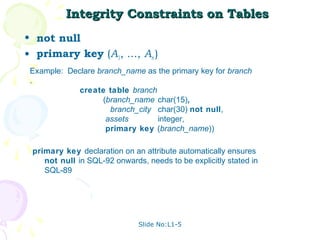
Integrity Constraints on Tables
• not null
• primary key (A1, ..., An )
 Example: Declare branch_name as the primary key for branch
 .
             create table branch
                    (branch_name char(15),
                      branch_city char(30) not null,
                     assets       integer,
                     primary key (branch_name))

 primary key declaration on an attribute automatically ensures
    not null in SQL-92 onwards, needs to be explicitly stated in
    SQL-89


                              Slide No:L1-5
Basic Insertion and Deletion of Tuples

• Newly created table is empty
• Add a new tuple to account
       insert into account
            values ('A-9732', 'Perryridge', 1200)

   – Insertion fails if any integrity constraint is
     violated
• Delete all tuples from account
        delete from account
  Note: Will see later how to delete selected tuples


                     Slide No:L1-6
Drop and Alter Table Constructs
• The drop table command deletes all information
  about the dropped relation from the database.
• The alter table command is used to add
  attributes to an existing relation:
                 alter table r add A D
   where A is the name of the attribute to be added
  to relation r and D is the domain of A.
   – All tuples in the relation are assigned null as
     the value for the new attribute.
• The alter table command can also be used to
  drop attributes of a relation:
                alter table r drop A
   where A is the name of an attribute of relation r
   – Dropping of attributes not supported by many
     databases
                      Slide No:L1-7
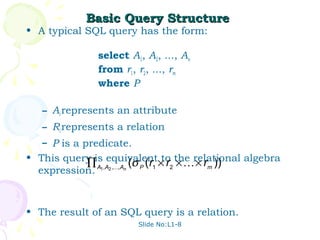
Basic Query Structure
• A typical SQL query has the form:

              select A1, A2, ..., An
              from r1, r2, ..., rm
              where P

   – Ai represents an attribute
   – Ri represents a relation
   – P is a predicate.
• This query is equivalent to the relational algebra
           ∏ A1,A2 ,,An (σ P (r1 × r2 ×  × rm ))
  expression.


• The result of an SQL query is a relation.
                         Slide No:L1-8
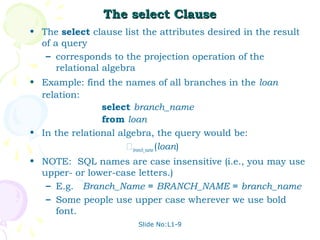
The select Clause
• The select clause list the attributes desired in the result
  of a query
   – corresponds to the projection operation of the
      relational algebra
• Example: find the names of all branches in the loan
  relation:
                select branch_name
                from loan
• In the relational algebra, the query would be:
                      branch_name (loan)
• NOTE: SQL names are case insensitive (i.e., you may use
  upper- or lower-case letters.)
   – E.g. Branch_Name ≡ BRANCH_NAME ≡ branch_name
   – Some people use upper case wherever we use bold
     font.
                        Slide No:L1-9
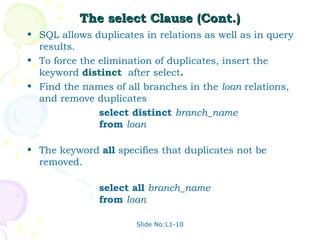
The select Clause (Cont.)
• SQL allows duplicates in relations as well as in query
  results.
• To force the elimination of duplicates, insert the
  keyword distinct after select.
• Find the names of all branches in the loan relations,
  and remove duplicates
               select distinct branch_name
               from loan

• The keyword all specifies that duplicates not be
  removed.

               select all branch_name
               from loan

                      Slide No:L1-10
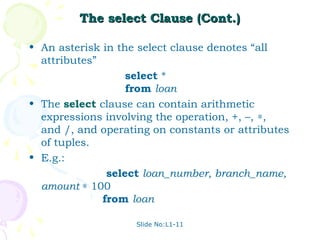
The select Clause (Cont.)

• An asterisk in the select clause denotes “all
  attributes”
                   select *
                   from loan
• The select clause can contain arithmetic
  expressions involving the operation, +, –, ∗,
  and /, and operating on constants or attributes
  of tuples.
• E.g.:
               select loan_number, branch_name,
  amount ∗ 100
              from loan

                    Slide No:L1-11
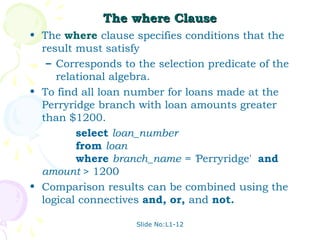
The where Clause
• The where clause specifies conditions that the
  result must satisfy
   – Corresponds to the selection predicate of the
     relational algebra.
• To find all loan number for loans made at the
  Perryridge branch with loan amounts greater
  than $1200.
         select loan_number
         from loan
         where branch_name = 'Perryridge' and
  amount > 1200
• Comparison results can be combined using the
  logical connectives and, or, and not.

                    Slide No:L1-12
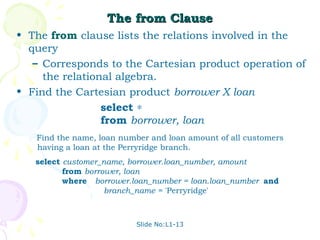
The from Clause
• The from clause lists the relations involved in the
  query
   – Corresponds to the Cartesian product operation of
     the relational algebra.
• Find the Cartesian product borrower X loan
                 select ∗
                 from borrower, loan
   Find the name, loan number and loan amount of all customers
   having a loan at the Perryridge branch.
   select customer_name, borrower.loan_number, amount
          from borrower, loan
          where borrower.loan_number = loan.loan_number and
                    branch_name = 'Perryridge'


                          Slide No:L1-13
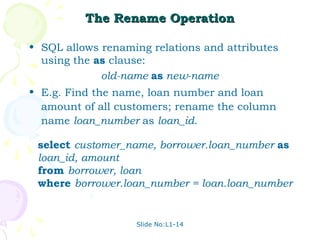
The Rename Operation

• SQL allows renaming relations and attributes
  using the as clause:
             old-name as new-name
• E.g. Find the name, loan number and loan
  amount of all customers; rename the column
  name loan_number as loan_id.

 select customer_name, borrower.loan_number as
 loan_id, amount
 from borrower, loan
 where borrower.loan_number = loan.loan_number


                   Slide No:L1-14
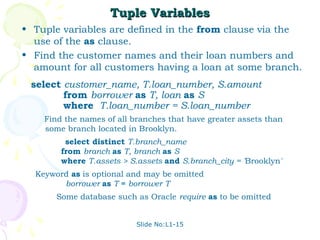
Tuple Variables
• Tuple variables are defined in the from clause via the
  use of the as clause.
• Find the customer names and their loan numbers and
  amount for all customers having a loan at some branch.
 select customer_name, T.loan_number, S.amount
        from borrower as T, loan as S
        where T.loan_number = S.loan_number
    Find the names of all branches that have greater assets than
    some branch located in Brooklyn.
         select distinct T.branch_name
        from branch as T, branch as S
        where T.assets > S.assets and S.branch_city = 'Brooklyn'
  Keyword as is optional and may be omitted
        borrower as T ≡ borrower T
       Some database such as Oracle require as to be omitted


                           Slide No:L1-15
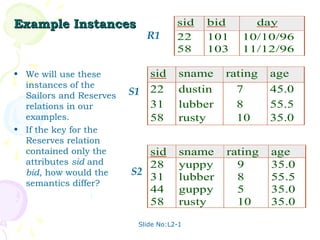
Example Instances                    sid   bid      day
                            R1       22    101    10/10/96
                                     58    103    11/12/96

• We will use these         sid       sname    rating   age
  instances of the
  Sailors and Reserves   S1 22        dustin     7      45.0
  relations in our          31        lubber     8      55.5
  examples.                 58        rusty      10     35.0
• If the key for the
  Reserves relation
  contained only the        sid       sname    rating   age
  attributes sid and        28        yuppy      9      35.0
  bid, how would the     S2 31        lubber     8      55.5
  semantics differ?
                            44        guppy      5      35.0
                            58        rusty      10     35.0

                          Slide No:L2-1
Basic SQL Query
                    SELECT     [DISTINCT] target-list
                    FROM       relation-list
                    WHERE      qualification
• relation-list A list of relation names (possibly with a
  range-variable after each name).
• target-list A list of attributes of relations in relation-list
• qualification Comparisons (Attr op const or Attr1 op
  Attr2, where op is one of <, >, = , ≤, ≥, ≠ )
  combined using AND, OR and NOT.
• DISTINCT is an optional keyword indicating that the
  answer should not contain duplicates. Default is that
  duplicates are not eliminated!

                             Slide No:L2-2
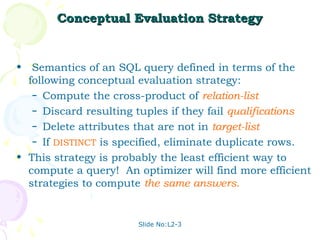
Conceptual Evaluation Strategy


• Semantics of an SQL query defined in terms of the
  following conceptual evaluation strategy:
   – Compute the cross-product of relation-list.
   – Discard resulting tuples if they fail qualifications.
   – Delete attributes that are not in target-list.
   – If DISTINCT is specified, eliminate duplicate rows.

• This strategy is probably the least efficient way to
  compute a query! An optimizer will find more efficient
  strategies to compute the same answers.


                        Slide No:L2-3
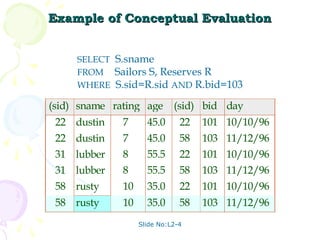
Example of Conceptual Evaluation


     SELECT S.sname
     FROM Sailors S, Reserves R
     WHERE S.sid=R.sid AND R.bid=103

(sid) sname rating age       (sid) bid day
 22 dustin    7      45.0      22   101 10/10/96
 22 dustin    7      45.0      58   103 11/12/96
 31 lubber    8      55.5      22   101 10/10/96
 31 lubber    8      55.5      58   103 11/12/96
 58 rusty     10     35.0      22   101 10/10/96
 58 rusty     10     35.0      58   103 11/12/96
                   Slide No:L2-4
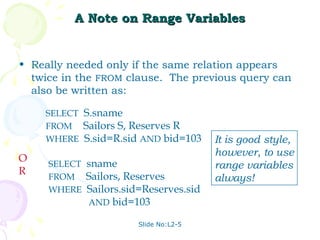
A Note on Range Variables


• Really needed only if the same relation appears
  twice in the FROM clause. The previous query can
  also be written as:

    SELECT S.sname
    FROM Sailors S, Reserves R
    WHERE S.sid=R.sid AND bid=103     It is good style,
                                      however, to use
O    SELECT sname                     range variables
R    FROM Sailors, Reserves           always!
     WHERE Sailors.sid=Reserves.sid
            AND bid=103

                      Slide No:L2-5
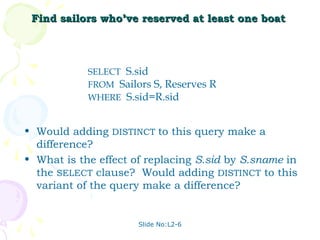
Find sailors who’ve reserved at least one boat


            SELECT S.sid
            FROM Sailors S, Reserves R
            WHERE S.sid=R.sid


• Would adding DISTINCT to this query make a
  difference?
• What is the effect of replacing S.sid by S.sname in
  the SELECT clause? Would adding DISTINCT to this
  variant of the query make a difference?


                      Slide No:L2-6
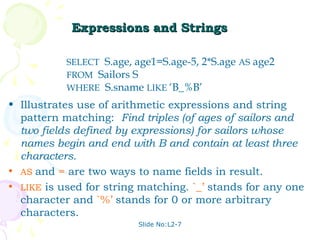
Expressions and Strings

           SELECT S.age, age1=S.age-5, 2*S.age AS age2
           FROM Sailors S
           WHERE S.sname LIKE ‘B_%B’
• Illustrates use of arithmetic expressions and string
  pattern matching: Find triples (of ages of sailors and
  two fields defined by expressions) for sailors whose
  names begin and end with B and contain at least three
  characters.
• AS and = are two ways to name fields in result.
• LIKE is used for string matching. `_’ stands for any one
  character and `%’ stands for 0 or more arbitrary
  characters.
                         Slide No:L2-7
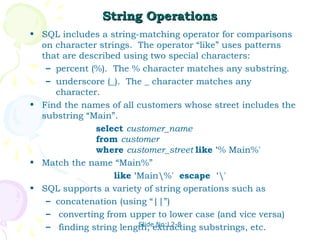
String Operations
• SQL includes a string-matching operator for comparisons
  on character strings. The operator “like” uses patterns
  that are described using two special characters:
   – percent (%). The % character matches any substring.
   – underscore (_). The _ character matches any
     character.
• Find the names of all customers whose street includes the
  substring “Main”.
              select customer_name
              from customer
              where customer_street like '% Main%'
• Match the name “Main%”
                   like 'Main%' escape ''
• SQL supports a variety of string operations such as
   – concatenation (using “||”)
   – converting from upper to lower case (and vice versa)
                         Slide No:L2-8
   – finding string length, extracting substrings, etc.
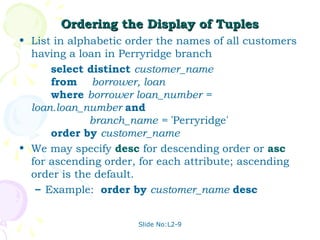
Ordering the Display of Tuples
• List in alphabetic order the names of all customers
  having a loan in Perryridge branch
      select distinct customer_name
      from borrower, loan
      where borrower loan_number =
  loan.loan_number and
              branch_name = 'Perryridge'
      order by customer_name
• We may specify desc for descending order or asc
  for ascending order, for each attribute; ascending
  order is the default.
   – Example: order by customer_name desc


                      Slide No:L2-9
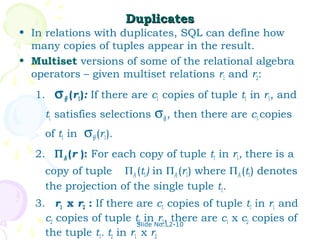
Duplicates
• In relations with duplicates, SQL can define how
  many copies of tuples appear in the result.
• Multiset versions of some of the relational algebra
  operators – given multiset relations r1 and r2:
   1.   σ θ (r1): If there are c1 copies of tuple t1 in r1, and
     t1 satisfies selections σθ,, then there are c1 copies
     of t1 in σθ (r1).
   2. Π A (r ): For each copy of tuple t1 in r1, there is a
     copy of tuple ΠA (t1) in ΠA (r1) where ΠA (t1) denotes
     the projection of the single tuple t1.
   3. r1 x r2 : If there are c1 copies of tuple t1 in r1 and
     c2 copies of tuple tSlide No:L2-10
                           2 in r2, there are c1 x c2 copies of
     the tuple t1. t2 in r1 x r2
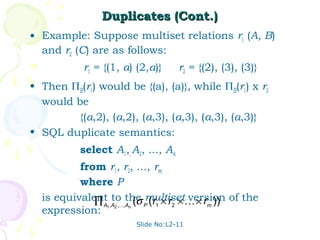
Duplicates (Cont.)
• Example: Suppose multiset relations r1 (A, B)
  and r2 (C) are as follows:
           r1 = {(1, a) (2,a)}      r2 = {(2), (3), (3)}
• Then ΠB(r1) would be {(a), (a)}, while ΠB(r1) x r2
  would be
         {(a,2), (a,2), (a,3), (a,3), (a,3), (a,3)}
• SQL duplicate semantics:
          select A1,, A2, ..., An
          from r1, r2, ..., rm
          where P
  is equivalent to the multiset × r )) of the
             ∏ A1,A2 ,,An (σ P (r1 × r2 × version
                                               m
  expression:
                       Slide No:L2-11
Set Operations
• The set operations union, intersect, and except
  operate on relations and correspond to the
  relational algebra operations ∪, ∩, −.
• Each of the above operations automatically
  eliminates duplicates; to retain all duplicates use
  the corresponding multiset versions union all,
  intersect all and except all.

  Suppose a tuple occurs m times in r and n times in
  s, then, it occurs:
   – m + n times in r union all s
   – min(m,n) times in r intersect all s
   – max(0, m – n) times in r except all s

                      Slide No:L2-12
Set Operations
• Find all customers who have a loan, an account, or
  both:
        (select customer_name from depositor)
        union
        (select customer_name from borrower)
   Find all customers who have both a loan and an account.

        (select customer_name from depositor)
        intersect
        (select customer_name from borrower)
   Find all customers who have an account but no loan.

        (select customer_name from depositor)
        except
        (select customer_name from borrower)


                             Slide No:L2-13
Find sid’s of sailors who’ve reserved a red or a green
                             boat


•   UNION: Can be used to            SELECT S.sid
  compute the union of any           FROM Sailors S, Boats B, Reserves R
  two union-compatible sets of       WHERE S.sid=R.sid AND R.bid=B.bid
  tuples (which are themselves        AND (B.color=‘red’ OR B.color=‘green’)
  the result of SQL queries).
• If we replace OR by AND in         SELECT S.sid
  the first version, what do we      FROM Sailors S, Boats B, Reserves R
  get?                               WHERE S.sid=R.sid AND
• Also available: EXCEPT             R.bid=B.bid
  (What do we get if we replace                 AND B.color=‘red’
  UNION by EXCEPT?)                  UNION
                                     SELECT S.sid
                                     FROM Sailors S, Boats B, Reserves R
                                     WHERE S.sid=R.sid AND
                                     R.bid=B.bid
                               Slide No:L2-14   AND B.color=‘green’
Find sid’s of sailors who’ve reserved a red and a green
                              boat

                                SELECT S.sid
                                FROM Sailors S, Boats B1, Reserves R1,
•   INTERSECT: Can be used to          Boats B2, Reserves R2
  compute the intersection of WHERE S.sid=R1.sid AND R1.bid=B1.bid
  any two union-compatible      AND S.sid=R2.sid AND R2.bid=B2.bid
  sets of tuples.               AND (B1.color=‘red’ AND B2.color=‘green’)
• Included in the SQL/92
                                                       Key field!
  standard, but some systems      SELECT S.sid
  don’t support it.               FROM Sailors S, Boats B, Reserves R
• Contrast symmetry of the        WHERE S.sid=R.sid AND
  UNION and INTERSECT             R.bid=B.bid
  queries with how much the                 AND B.color=‘red’
  other versions differ.          INTERSECT
                                  SELECT S.sid
                                  FROM Sailors S, Boats B, Reserves R
                                  WHERE S.sid=R.sid AND
                                  R.bid=B.bid
                             Slide No:L2-15
                                            AND B.color=‘green’
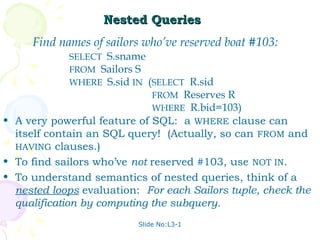
Nested Queries
     Find names of sailors who’ve reserved boat #103:
              SELECT S.sname
              FROM Sailors S
              WHERE S.sid IN (SELECT R.sid
                              FROM Reserves R
                              WHERE R.bid=103)
• A very powerful feature of SQL: a WHERE clause can
  itself contain an SQL query! (Actually, so can FROM and
  HAVING clauses.)
• To find sailors who’ve not reserved #103, use NOT IN.
• To understand semantics of nested queries, think of a
  nested loops evaluation: For each Sailors tuple, check the
  qualification by computing the subquery.
                          Slide No:L3-1
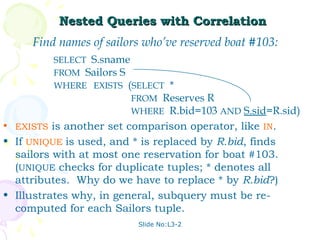
Nested Queries with Correlation
     Find names of sailors who’ve reserved boat #103:
         SELECT S.sname
         FROM Sailors S
         WHERE EXISTS (SELECT *
                        FROM Reserves R
                        WHERE R.bid=103 AND S.sid=R.sid)
• EXISTS is another set comparison operator, like IN.
• If UNIQUE is used, and * is replaced by R.bid, finds
  sailors with at most one reservation for boat #103.
  (UNIQUE checks for duplicate tuples; * denotes all
  attributes. Why do we have to replace * by R.bid?)
• Illustrates why, in general, subquery must be re-
  computed for each Sailors tuple.
                          Slide No:L3-2
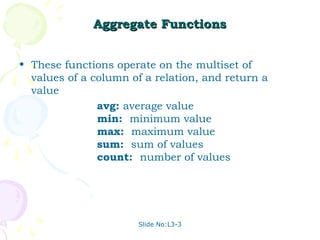
Aggregate Functions


• These functions operate on the multiset of
  values of a column of a relation, and return a
  value
               avg: average value
               min: minimum value
               max: maximum value
               sum: sum of values
               count: number of values


                       Slide No:L3-3
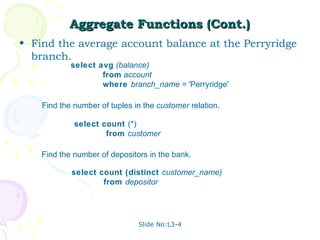
Aggregate Functions (Cont.)
• Find the average account balance at the Perryridge
  branch.
            select avg (balance)
                    from account
                    where branch_name = 'Perryridge'

    Find the number of tuples in the customer relation.

             select count (*)
                     from customer

    Find the number of depositors in the bank.

            select count (distinct customer_name)
                    from depositor


                               Slide No:L3-4
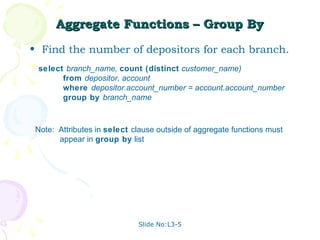
Aggregate Functions – Group By
• Find the number of depositors for each branch.
 select branch_name, count (distinct customer_name)
       from depositor, account
       where depositor.account_number = account.account_number
       group by branch_name


 Note: Attributes in select clause outside of aggregate functions must
       appear in group by list


                             Slide No:L3-5
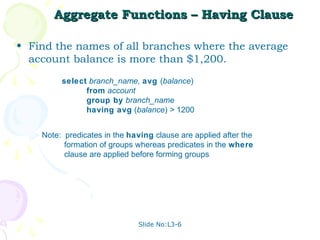
Aggregate Functions – Having Clause

• Find the names of all branches where the average
  account balance is more than $1,200.
         select branch_name, avg (balance)
               from account
               group by branch_name
               having avg (balance) > 1200


    Note: predicates in the having clause are applied after the
          formation of groups whereas predicates in the where
          clause are applied before forming groups


                              Slide No:L3-6
Nested Subqueries
• SQL provides a mechanism for the nesting of
  subqueries.
• A subquery is a select-from-where expression
  that is nested within another query.
• A common use of subqueries is to perform tests
  for set membership, set comparisons, and set
  cardinality.


                    Slide No:L3-7
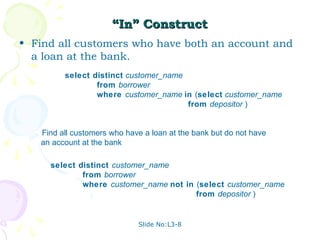
“In” Construct
• Find all customers who have both an account and
  a loan at the bank.
         select distinct customer_name
                 from borrower
                 where customer_name in (select customer_name
                                       from depositor )


   Find all customers who have a loan at the bank but do not have
   an account at the bank

     select distinct customer_name
             from borrower
             where customer_name not in (select customer_name
                                        from depositor )


                             Slide No:L3-8
Example Query
• Find all customers who have both an account
  and a loan at the Perryridge branch

    select distinct customer_name
            from borrower, loan
            where borrower.loan_number = loan.loan_number and
              branch_name = 'Perryridge' and
                (branch_name, customer_name ) in
                     (select branch_name, customer_name
                      from depositor, account
                      where depositor.account_number =
                          account.account_number )


 Note: Above query can be written in a much simpler manner. The
       formulation above is simply to illustrate SQL features.


                           Slide No:L3-9
“Some” Construct
• Find all branches that have greater assets than
  some branch located in Brooklyn.

         select distinct T.branch_name
                 from branch as T, branch as S
                 where T.assets > S.assets and
                           S.branch_city = 'Brooklyn'

 Same query using > some clause

       select branch_name
               from branch
               where assets > some
                       (select assets
                        from branch
                        where branch_city = 'Brooklyn')


                           Slide No:L4-1
“All” Construct
• Find the names of all branches that have greater
  assets than all branches located in Brooklyn.
     select branch_name
             from branch
             where assets > all
                     (select assets
                     from branch
                     where branch_city = 'Brooklyn')


                        Slide No:L4-2
“Exists” Construct
• Find all customers who have an account at all
  branches located in Brooklyn.
  select distinct S.customer_name
          from depositor as S
          where not exists (
                   (select branch_name
                   from branch
                   where branch_city = 'Brooklyn')
                   except
                   (select R.branch_name
                   from depositor as T, account as R
                   where T.account_number = R.account_number and
                           S.customer_name = T.customer_name ))


 Note that X – Y = Ø ⇔ X ⊆ Y
 Note: Cannot write this query using = all and its variants

                             Slide No:L4-3
Absence of Duplicate Tuples
• The unique construct tests whether a subquery
  has any duplicate tuples in its result.
• Find all customers who have at most one account
  at the Perryridge branch.
    select T.customer_name
      from depositor as T
      where unique (
        select R.customer_name
        from account, depositor as R
        where T.customer_name = R.customer_name
  and
             R.account_number =
  account.account_number and
             account.branch_name = 'Perryridge')
                     Slide No:L4-4
Example Query
• Find all customers who have at least two accounts
  at the Perryridge branch.
     select distinct T.customer_name
     from depositor as T
     where not unique (
        select R.customer_name
        from account, depositor as R
        where T.customer_name = R.customer_name and
               R.account_number = account.account_number and
                account.branch_name = 'Perryridge')

 • Variable from outer level is known as a
   correlation variable


                         Slide No:L4-5
Modification of the Database – Deletion

• Delete all account tuples at the Perryridge
  branch
           delete from account
           where branch_name = 'Perryridge'

• Delete all accounts at every branch located in
  the city ‘Needham’.
  delete from account
  where branch_name in (select branch_name
                      from branch
                      where branch_city =
  'Needham')

                     Slide No:L4-6
Example Query
• Delete the record of all accounts with balances
  below the average at the bank.

     delete from account
          where balance < (select avg (balance )
                           from account )


      Problem: as we delete tuples from deposit, the average balance
      changes
      Solution used in SQL:
       1. First, compute avg balance and find all tuples to delete
       2. Next, delete all tuples found above (without recomputing avg or
          retesting the tuples)


                              Slide No:L4-7
Modification of the Database – Insertion
• Add a new tuple to account
       insert into account
            values ('A-9732', 'Perryridge', 1200)

  or equivalently

    insert into account (branch_name, balance,
  account_number)
         values ('Perryridge', 1200, 'A-9732')

• Add a new tuple to account with balance set to null
       insert into account
            values ('A-777','Perryridge', null )

                     Slide No:L4-8
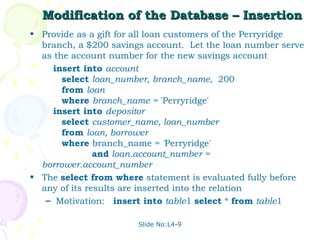
Modification of the Database – Insertion
• Provide as a gift for all loan customers of the Perryridge
  branch, a $200 savings account. Let the loan number serve
  as the account number for the new savings account
     insert into account
       select loan_number, branch_name, 200
       from loan
       where branch_name = 'Perryridge'
     insert into depositor
       select customer_name, loan_number
       from loan, borrower
       where branch_name = 'Perryridge'
               and loan.account_number =
  borrower.account_number
• The select from where statement is evaluated fully before
  any of its results are inserted into the relation
   – Motivation: insert into table1 select * from table1

                       Slide No:L4-9
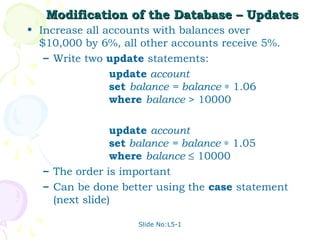
Modification of the Database – Updates
• Increase all accounts with balances over
  $10,000 by 6%, all other accounts receive 5%.
   – Write two update statements:
                update account
                set balance = balance ∗ 1.06
                where balance > 10000

                update account
                set balance = balance ∗ 1.05
                where balance ≤ 10000
  – The order is important
  – Can be done better using the case statement
    (next slide)

                    Slide No:L5-1
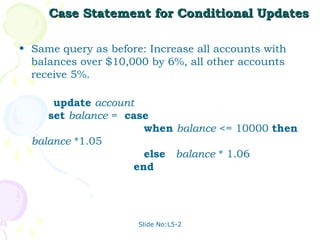
Case Statement for Conditional Updates

• Same query as before: Increase all accounts with
  balances over $10,000 by 6%, all other accounts
  receive 5%.

      update account
     set balance = case
                      when balance <= 10000 then
  balance *1.05
                      else balance * 1.06
                    end


                      Slide No:L5-2
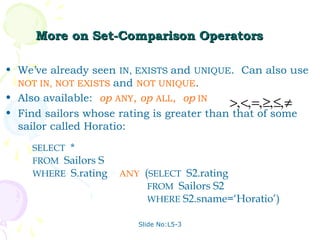
More on Set-Comparison Operators

• We’ve already seen IN, EXISTS and UNIQUE. Can also use
  NOT IN, NOT EXISTS and NOT UNIQUE.
• Also available: op ANY, op ALL, op IN
                                           >, <, =, ≥,≤, ≠
• Find sailors whose rating is greater than that of some
  sailor called Horatio:
     SELECT *
     FROM Sailors S
     WHERE S.rating > ANY (SELECT S2.rating
                           FROM Sailors S2
                           WHERE S2.sname=‘Horatio’)

                         Slide No:L5-3
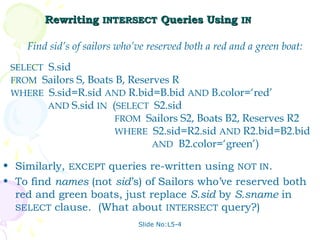
Rewriting INTERSECT Queries Using IN

    Find sid’s of sailors who’ve reserved both a red and a green boat:
 SELECT S.sid
 FROM Sailors S, Boats B, Reserves R
 WHERE S.sid=R.sid AND R.bid=B.bid AND B.color=‘red’
        AND S.sid IN (SELECT S2.sid
                       FROM Sailors S2, Boats B2, Reserves R2
                       WHERE S2.sid=R2.sid AND R2.bid=B2.bid
                               AND B2.color=‘green’)

• Similarly, EXCEPT queries re-written using NOT IN.
• To find names (not sid’s) of Sailors who’ve reserved both
  red and green boats, just replace S.sid by S.sname in
  SELECT clause. (What about INTERSECT query?)
                              Slide No:L5-4
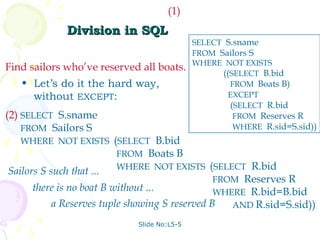
(1)
             Division in SQL
                                            SELECT S.sname
                                            FROM Sailors S
                                            WHERE NOT EXISTS
Find sailors who’ve reserved all boats.
                                                  ((SELECT B.bid
   • Let’s do it the hard way,                      FROM Boats B)
     without EXCEPT:                               EXCEPT
                                                    (SELECT R.bid
(2) SELECT S.sname                                   FROM Reserves R
    FROM Sailors S                                   WHERE R.sid=S.sid))
   WHERE NOT EXISTS (SELECT B.bid
                          FROM Boats B
                          WHERE NOT EXISTS (SELECT R.bid
Sailors S such that ...
                                                FROM Reserves R
      there is no boat B without ...            WHERE R.bid=B.bid
           a Reserves tuple showing S reserved B   AND R.sid=S.sid))

                            Slide No:L5-5
COUNT (*)
  Aggregate Operators              COUNT ( [DISTINCT] A)
                                   SUM ( [DISTINCT] A)
                                   AVG ( [DISTINCT] A)
 • Significant extension of
                                   MAX (A)
   relational algebra.
                                   MIN (A)

SELECT COUNT (*)                              single column
FROM Sailors S       SELECT S.sname
                     FROM Sailors S
SELECT AVG (S.age)
                     WHERE S.rating= (SELECT MAX(S2.rating)
FROM Sailors S
                                      FROM Sailors S2)
WHERE S.rating=10

SELECT COUNT (DISTINCT S.rating)     SELECT AVG ( DISTINCT S.age)
FROM Sailors S                       FROM Sailors S
WHERE S.sname=‘Bob’                  WHERE S.rating=10
                          Slide No:L5-6
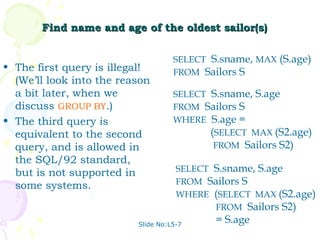
Find name and age of the oldest sailor(s)

                                    SELECT S.sname, MAX (S.age)
• The first query is illegal!       FROM Sailors S
  (We’ll look into the reason
  a bit later, when we              SELECT S.sname, S.age
  discuss GROUP BY.)                FROM Sailors S
• The third query is                WHERE S.age =
  equivalent to the second                 (SELECT MAX (S2.age)
  query, and is allowed in                  FROM Sailors S2)
  the SQL/92 standard,
  but is not supported in            SELECT S.sname, S.age
  some systems.                      FROM Sailors S
                                     WHERE (SELECT MAX (S2.age)
                                            FROM Sailors S2)
                          Slide No:L5-7
                                            = S.age
Motivation for Grouping

• So far, we’ve applied aggregate operators to all
  (qualifying) tuples. Sometimes, we want to apply
  them to each of several groups of tuples.
• Consider: Find the age of the youngest sailor for
  each rating level.
   – In general, we don’t know how many rating levels
     exist, and what the rating values for these levels
     are!
   – Suppose we know that rating values go from 1 to
     10; we can write 10 queries that look like this (!):
                                        SELECT MIN (S.age)
      For i = 1, 2, ... , 10:           FROM Sailors S
                                        WHERE S.rating = i
                              Slide No:L5-8
Queries With GROUP BY and HAVING

               SELECT     [DISTINCT] target-list
               FROM       relation-list
               WHERE      qualification
               GROUP BY   grouping-list
               HAVING     group-qualification

• The target-list contains (i) attribute names (ii) terms with
  aggregate operations (e.g., MIN (S.age)).
   – The attribute list (i) must be a subset of grouping-list.
     Intuitively, each answer tuple corresponds to a group,
     and these attributes must have a single value per
     group. (A group is a set of tuples that have the same
     value for all attributes in grouping-list.)
                           Slide No:L5-9
Conceptual Evaluation

• The cross-product of relation-list is computed, tuples
  that fail qualification are discarded, `unnecessary’ fields
  are deleted, and the remaining tuples are partitioned
  into groups by the value of attributes in grouping-list.
• The group-qualification is then applied to eliminate some
  groups. Expressions in group-qualification must have a
  single value per group!
   – In effect, an attribute in group-qualification that is not
     an argument of an aggregate op also appears in
     grouping-list. (SQL does not exploit primary key
     semantics here!)
• One answer tuple is generated per qualifying group.
                           Slide No:L6-1
≥
Find age of the youngest sailor with age 18, for each
          rating with at least 2 such sailors


                                          Sailors instance:
 SELECT S.rating, MIN (S.age)
                    AS minage             sid   sname rating age
 FROM Sailors S                           22    dustin   7 45.0
 WHERE S.age >= 18                        29    brutus   1 33.0
 GROUP BY S.rating                        31    lubber   8 55.5
 HAVING COUNT (*) > 1                     32    andy     8 25.5
                                          58    rusty    10 35.0
                                          64    horatio  7 35.0
                     rating   minage      71    zorba    10 16.0
 Answer relation:       3     25.5        74    horatio  9 35.0
                        7     35.0        85    art      3 25.5
                        8     25.5        95    bob      3 63.5
                                          96    frodo    3 25.5
                          Slide No:L6-2
≥
Find age of the youngest sailor with age 18, for each
          rating with at least 2 such sailors.


 rating   age           rating   age
    7     45.0             1     33.0
    1     33.0             3     25.5
    8     55.5             3     63.5           rating   minage
    8     25.5             3     25.5              3     25.5
    10    35.0             7     45.0              7     35.0
    7     35.0             7     35.0              8     25.5
    10    16.0             8     55.5
    9     35.0             8     25.5
    3     25.5
                           9     35.0
    3     63.5
                          10     35.0
    3     25.5
                         Slide No:L6-3
≥
Find age of the youngest sailor with age 18, for each rating with at
         least 2 such sailors and with every sailor under 60.


         HAVING COUNT (*) > 1 AND EVERY (S.age <=60)

   rating   age
                                 rating   age
      7     45.0                   1      33.0
      1     33.0                   3      25.5
                                                                rating minage
      8     55.5                   3      63.5
      8     25.5                                                   7 35.0
                                   3      25.5
      10    35.0                                                   8 25.5
                                   7      45.0
      7     35.0
      10    16.0
                                   7      35.0
      9     35.0                   8      55.5
                                                        What is the result of
      3     25.5                   8      25.5
                                                        changing EVERY to
      3     63.5                   9      35.0
      3     25.5
                                                        ANY?
                                   10     35.0
                                  Slide No:L6-4
≥
Find age of the youngest sailor with age 18, for each rating
         with at least 2 sailors between 18 and 60.


                                            Sailors instance:
 SELECT S.rating, MIN (S.age)
                    AS minage               sid   sname rating age
 FROM Sailors S                             22    dustin   7 45.0
 WHERE S.age >= 18 AND S.age <= 60          29    brutus   1 33.0
 GROUP BY S.rating                          31    lubber   8 55.5
 HAVING COUNT (*) > 1                       32    andy     8 25.5
                                            58    rusty    10 35.0
                                            64    horatio  7 35.0
                       rating   minage      71    zorba    10 16.0
 Answer relation:         3     25.5        74    horatio  9 35.0
                          7     35.0        85    art      3 25.5
                          8     25.5        95    bob      3 63.5
                                            96    frodo    3 25.5
                            Slide No:L6-5
For each red boat, find the number of
          reservations for this boat


SELECT B.bid, COUNT (*) AS scount
FROM Sailors S, Boats B, Reserves R
WHERE S.sid=R.sid AND R.bid=B.bid AND B.color=‘red’
GROUP BY B.bid

• Grouping over a join of three relations.
• What do we get if we remove B.color=‘red’ from
  the WHERE clause and add a HAVING clause with
  this condition?
• What if we drop Sailors and the condition
  involving S.sid?
                      Slide No:L6-6
Find age of the youngest sailor with age > 18,
     for each rating with at least 2 sailors (of any age)


         SELECT S.rating, MIN (S.age)
         FROM Sailors S
         WHERE S.age > 18
         GROUP BY S.rating
         HAVING 1 < (SELECT COUNT (*)
                       FROM Sailors S2
                       WHERE S.rating=S2.rating)
• Shows HAVING clause can also contain a subquery.
• Compare this with the query where we considered only
  ratings with 2 sailors over 18!
• What if HAVING clause is replaced by:
   – HAVING COUNT(*) >1

                           Slide No:L6-7
Find those ratings for which the average age is the
                minimum over all ratings


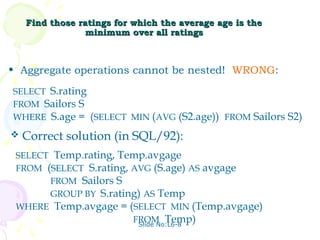
• Aggregate operations cannot be nested! WRONG:

SELECT S.rating
FROM Sailors S
WHERE S.age = (SELECT MIN (AVG (S2.age)) FROM Sailors S2)
   Correct solution (in SQL/92):
 SELECT Temp.rating, Temp.avgage
 FROM (SELECT S.rating, AVG (S.age) AS avgage
       FROM Sailors S
       GROUP BY S.rating) AS Temp
 WHERE Temp.avgage = (SELECT MIN (Temp.avgage)
                        FROM Temp)
                         Slide No:L6-8
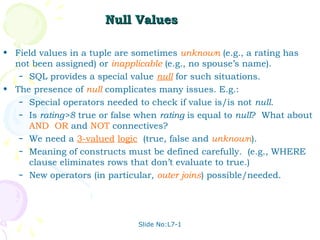
Null Values

• Field values in a tuple are sometimes unknown (e.g., a rating has
  not been assigned) or inapplicable (e.g., no spouse’s name).
   – SQL provides a special value null for such situations.

• The presence of null complicates many issues. E.g.:
   – Special operators needed to check if value is/is not null.
   – Is rating>8 true or false when rating is equal to null? What about
     AND, OR and NOT connectives?
   – We need a 3-valued logic (true, false and unknown).
   – Meaning of constructs must be defined carefully. (e.g., WHERE
     clause eliminates rows that don’t evaluate to true.)
   – New operators (in particular, outer joins) possible/needed.


                               Slide No:L7-1
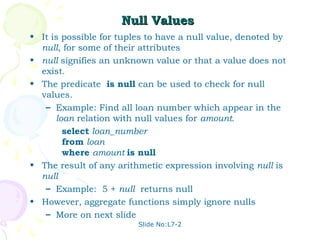
Null Values
• It is possible for tuples to have a null value, denoted by
  null, for some of their attributes
• null signifies an unknown value or that a value does not
  exist.
• The predicate is null can be used to check for null
  values.
   – Example: Find all loan number which appear in the
      loan relation with null values for amount.
        select loan_number
        from loan
        where amount is null
• The result of any arithmetic expression involving null is
  null
   – Example: 5 + null returns null
• However, aggregate functions simply ignore nulls
   – More on next slide
                         Slide No:L7-2
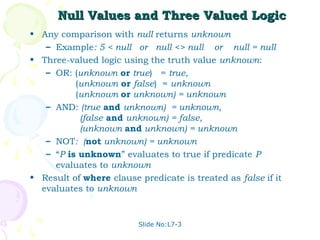
Null Values and Three Valued Logic
• Any comparison with null returns unknown
   – Example: 5 < null or null <> null or null = null
• Three-valued logic using the truth value unknown:
   – OR: (unknown or true) = true,
          (unknown or false) = unknown
          (unknown or unknown) = unknown
   – AND: (true and unknown) = unknown,
           (false and unknown) = false,
           (unknown and unknown) = unknown
   – NOT: (not unknown) = unknown
   – “P is unknown” evaluates to true if predicate P
     evaluates to unknown
• Result of where clause predicate is treated as false if it
  evaluates to unknown


                         Slide No:L7-3
Null Values and Aggregates
• Total all loan amounts
              select sum (amount )
              from loan
   – Above statement ignores null amounts
   – Result is null if there is no non-null
     amount
• All aggregate operations except count(*)
  ignore tuples with null values on the
  aggregated attributes.


                    Slide No:L7-4
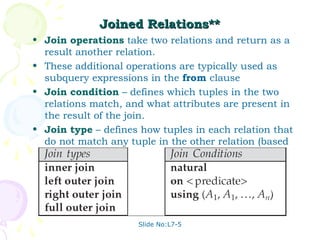
Joined Relations**
• Join operations take two relations and return as a
  result another relation.
• These additional operations are typically used as
  subquery expressions in the from clause
• Join condition – defines which tuples in the two
  relations match, and what attributes are present in
  the result of the join.
• Join type – defines how tuples in each relation that
  do not match any tuple in the other relation (based
  on the join condition) are treated.


                     Slide No:L7-5
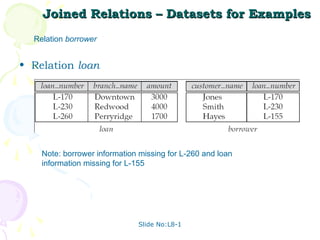
Joined Relations – Datasets for Examples
  Relation borrower


• Relation loan


    Note: borrower information missing for L-260 and loan
    information missing for L-155


                              Slide No:L8-1
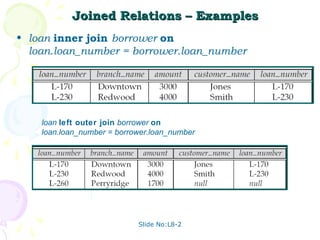
Joined Relations – Examples
• loan inner join borrower on
  loan.loan_number = borrower.loan_number


    loan left outer join borrower on
    loan.loan_number = borrower.loan_number


                            Slide No:L8-2
Joined Relations – Examples
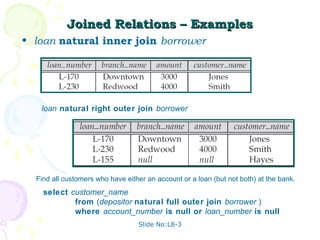
• loan natural inner join borrower


   loan natural right outer join borrower


  Find all customers who have either an account or a loan (but not both) at the bank.
    select customer_name
            from (depositor natural full outer join borrower )
            where account_number is null or loan_number is null
                                  Slide No:L8-3
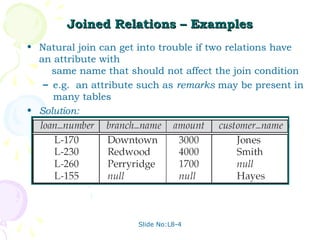
Joined Relations – Examples
• Natural join can get into trouble if two relations have
  an attribute with
     same name that should not affect the join condition
   – e.g. an attribute such as remarks may be present in
     many tables
• Solution:
   – loan full outer join borrower using (loan_number)


                      Slide No:L8-4
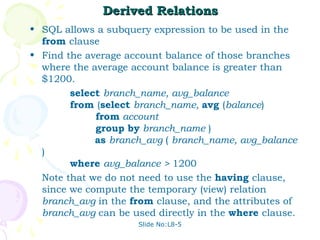
Derived Relations
• SQL allows a subquery expression to be used in the
  from clause
• Find the average account balance of those branches
  where the average account balance is greater than
  $1200.
        select branch_name, avg_balance
        from (select branch_name, avg (balance)
             from account
             group by branch_name )
             as branch_avg ( branch_name, avg_balance
  )
        where avg_balance > 1200
  Note that we do not need to use the having clause,
  since we compute the temporary (view) relation
  branch_avg in the from clause, and the attributes of
  branch_avg can be used directly in the where clause.
                     Slide No:L8-5
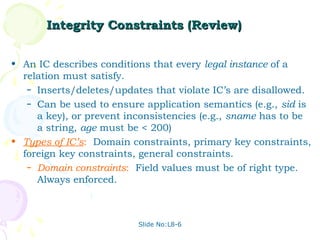
Integrity Constraints (Review)


• An IC describes conditions that every legal instance of a
  relation must satisfy.
   – Inserts/deletes/updates that violate IC’s are disallowed.
   – Can be used to ensure application semantics (e.g., sid is
     a key), or prevent inconsistencies (e.g., sname has to be
     a string, age must be < 200)
• Types of IC’s: Domain constraints, primary key constraints,
  foreign key constraints, general constraints.
   – Domain constraints: Field values must be of right type.
     Always enforced.


                          Slide No:L8-6
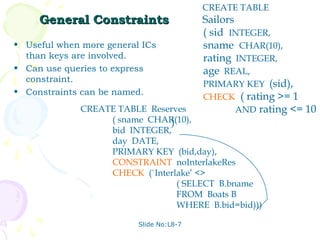
CREATE TABLE
     General Constraints                  Sailors
                                          ( sid INTEGER,
• Useful when more general ICs            sname CHAR(10),
  than keys are involved.                 rating INTEGER,
• Can use queries to express              age REAL,
  constraint.
                                          PRIMARY KEY (sid),
• Constraints can be named.
                                          CHECK ( rating >= 1
              CREATE TABLE Reserves               AND rating <= 10
                   ( sname CHAR(10),
                               )
                   bid INTEGER,
                   day DATE,
                   PRIMARY KEY (bid,day),
                   CONSTRAINT noInterlakeRes
                   CHECK (`Interlake’ <>
                                 ( SELECT B.bname
                                 FROM Boats B
                                 WHERE B.bid=bid)))

                          Slide No:L8-7
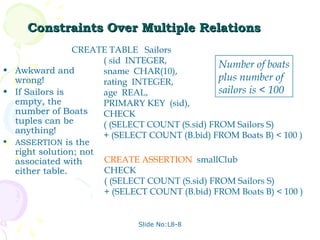
Constraints Over Multiple Relations
                CREATE TABLE Sailors
                      ( sid INTEGER,            Number of boats
• Awkward and         sname CHAR(10),
  wrong!              rating INTEGER,           plus number of
• If Sailors is       age REAL,                 sailors is < 100
  empty, the          PRIMARY KEY (sid),
  number of Boats     CHECK
  tuples can be       ( (SELECT COUNT (S.sid) FROM Sailors S)
  anything!
                      + (SELECT COUNT (B.bid) FROM Boats B) < 100 )
• ASSERTION is the
  right solution; not
  associated with     CREATE ASSERTION smallClub
  either table.       CHECK
                      ( (SELECT COUNT (S.sid) FROM Sailors S)
                      + (SELECT COUNT (B.bid) FROM Boats B) < 100 )


                              Slide No:L8-8
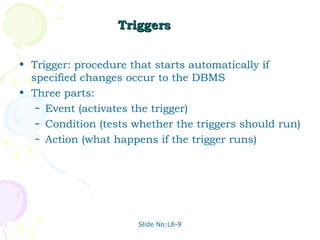
Triggers


• Trigger: procedure that starts automatically if
  specified changes occur to the DBMS
• Three parts:
   – Event (activates the trigger)
   – Condition (tests whether the triggers should run)
   – Action (what happens if the trigger runs)


                      Slide No:L8-9
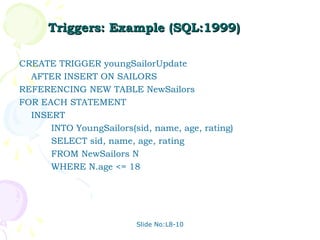
Triggers: Example (SQL:1999)

CREATE TRIGGER youngSailorUpdate
  AFTER INSERT ON SAILORS
REFERENCING NEW TABLE NewSailors
FOR EACH STATEMENT
  INSERT
      INTO YoungSailors(sid, name, age, rating)
      SELECT sid, name, age, rating
      FROM NewSailors N
      WHERE N.age <= 18


                         Slide No:L8-10

Unit 04 dbms

  • 1.
    DATABASE MANAGEMENT SYSTEMS MALLA REDDY ENGG. COLLEGE HYD II B. Tech CSE II Semester UNIT-IV PPT SLIDES Text Books: (1) DBMS by Raghu Ramakrishnan (2) DBMS by Sudarshan and Korth
  • 2.
    INDEX UNIT-4 PPT SLIDES S.NO Module as per Lecture PPT Session planner No Slide NO ------------------------------------------------------------------------------------------------------------------ 1. The Form of a Basic SQL Queries L1 L1- 1 to L1- 15 2. Query operations & NESTED Queries L2 L2- 1 to L2- 15 3. NESTED Queries L3 L3- 1 to L3- 9 4. Aggregate Operators L4 L4- 1 to L4- 9 5. Null Values L5 L5- 1 to L5 -9 6. Complex I.C in SQL-92 L6 L6- 1 to L6- 8 7. Triggers and Active Databases L7 L7- 1 to L7- 5 8. Designing Active Databases L8 L8- 1 to L8- 10
  • 3.
    History • IBM Sequellanguage developed as part of System R project at the IBM San Jose Research Laboratory • Renamed Structured Query Language (SQL) • ANSI and ISO standard SQL: – SQL-86 – SQL-89 – SQL-92 – SQL:1999 (language name became Y2K compliant!) – SQL:2003 • Commercial systems offer most, if not all, SQL-92 features, plus varying feature sets from later standards and special proprietary features. – Not all examples here may work on your particular system. Slide No:L1-1
  • 4.
    Data Definition Language Allowsthe specification of: • The schema for each relation, including attribute types. • Integrity constraints • Authorization information for each relation. • Non-standard SQL extensions also allow specification of – The set of indices to be maintained for each relations. – The physical storage structure of each relation on disk. Slide No:L1-2
  • 5.
    Create Table Construct •An SQL relation is defined using the create table command: create table r (A1 D1, A2 D2, ..., An Dn, (integrity-constraint1), ..., (integrity-constraintk)) – r is the name of the relation – each Ai is an attribute name in the schema of relation r – Di is the data type of attribute Ai Example: create table branch (branch_name char(15), branch_city char(30), assets integer) Slide No:L1-3
  • 6.
    Domain Types inSQL • char(n). Fixed length character string, with user- specified length n. • varchar(n). Variable length character strings, with user-specified maximum length n. • int. Integer (a finite subset of the integers that is machine-dependent). • smallint. Small integer (a machine-dependent subset of the integer domain type). • numeric(p,d). Fixed point number, with user-specified precision of p digits, with n digits to the right of decimal point. • real, double precision. Floating point and double- precision floating point numbers, with machine- dependent precision. • float(n). Floating point number, with user-specified precision of at least n digits. • More are covered in Chapter 4. Slide No:L1-4
  • 7.
    Integrity Constraints onTables • not null • primary key (A1, ..., An ) Example: Declare branch_name as the primary key for branch . create table branch (branch_name char(15), branch_city char(30) not null, assets integer, primary key (branch_name)) primary key declaration on an attribute automatically ensures not null in SQL-92 onwards, needs to be explicitly stated in SQL-89 Slide No:L1-5
  • 8.
    Basic Insertion andDeletion of Tuples • Newly created table is empty • Add a new tuple to account insert into account values ('A-9732', 'Perryridge', 1200) – Insertion fails if any integrity constraint is violated • Delete all tuples from account delete from account Note: Will see later how to delete selected tuples Slide No:L1-6
  • 9.
    Drop and AlterTable Constructs • The drop table command deletes all information about the dropped relation from the database. • The alter table command is used to add attributes to an existing relation: alter table r add A D where A is the name of the attribute to be added to relation r and D is the domain of A. – All tuples in the relation are assigned null as the value for the new attribute. • The alter table command can also be used to drop attributes of a relation: alter table r drop A where A is the name of an attribute of relation r – Dropping of attributes not supported by many databases Slide No:L1-7
  • 10.
    Basic Query Structure •A typical SQL query has the form: select A1, A2, ..., An from r1, r2, ..., rm where P – Ai represents an attribute – Ri represents a relation – P is a predicate. • This query is equivalent to the relational algebra ∏ A1,A2 ,,An (σ P (r1 × r2 ×  × rm )) expression. • The result of an SQL query is a relation. Slide No:L1-8
  • 11.
    The select Clause •The select clause list the attributes desired in the result of a query – corresponds to the projection operation of the relational algebra • Example: find the names of all branches in the loan relation: select branch_name from loan • In the relational algebra, the query would be: branch_name (loan) • NOTE: SQL names are case insensitive (i.e., you may use upper- or lower-case letters.) – E.g. Branch_Name ≡ BRANCH_NAME ≡ branch_name – Some people use upper case wherever we use bold font. Slide No:L1-9
  • 12.
    The select Clause(Cont.) • SQL allows duplicates in relations as well as in query results. • To force the elimination of duplicates, insert the keyword distinct after select. • Find the names of all branches in the loan relations, and remove duplicates select distinct branch_name from loan • The keyword all specifies that duplicates not be removed. select all branch_name from loan Slide No:L1-10
  • 13.
    The select Clause(Cont.) • An asterisk in the select clause denotes “all attributes” select * from loan • The select clause can contain arithmetic expressions involving the operation, +, –, ∗, and /, and operating on constants or attributes of tuples. • E.g.: select loan_number, branch_name, amount ∗ 100 from loan Slide No:L1-11
  • 14.
    The where Clause •The where clause specifies conditions that the result must satisfy – Corresponds to the selection predicate of the relational algebra. • To find all loan number for loans made at the Perryridge branch with loan amounts greater than $1200. select loan_number from loan where branch_name = 'Perryridge' and amount > 1200 • Comparison results can be combined using the logical connectives and, or, and not. Slide No:L1-12
  • 15.
    The from Clause •The from clause lists the relations involved in the query – Corresponds to the Cartesian product operation of the relational algebra. • Find the Cartesian product borrower X loan select ∗ from borrower, loan Find the name, loan number and loan amount of all customers having a loan at the Perryridge branch. select customer_name, borrower.loan_number, amount from borrower, loan where borrower.loan_number = loan.loan_number and branch_name = 'Perryridge' Slide No:L1-13
  • 16.
    The Rename Operation •SQL allows renaming relations and attributes using the as clause: old-name as new-name • E.g. Find the name, loan number and loan amount of all customers; rename the column name loan_number as loan_id. select customer_name, borrower.loan_number as loan_id, amount from borrower, loan where borrower.loan_number = loan.loan_number Slide No:L1-14
  • 17.
    Tuple Variables • Tuplevariables are defined in the from clause via the use of the as clause. • Find the customer names and their loan numbers and amount for all customers having a loan at some branch. select customer_name, T.loan_number, S.amount from borrower as T, loan as S where T.loan_number = S.loan_number Find the names of all branches that have greater assets than some branch located in Brooklyn. select distinct T.branch_name from branch as T, branch as S where T.assets > S.assets and S.branch_city = 'Brooklyn' Keyword as is optional and may be omitted borrower as T ≡ borrower T Some database such as Oracle require as to be omitted Slide No:L1-15
  • 18.
    Example Instances sid bid day R1 22 101 10/10/96 58 103 11/12/96 • We will use these sid sname rating age instances of the Sailors and Reserves S1 22 dustin 7 45.0 relations in our 31 lubber 8 55.5 examples. 58 rusty 10 35.0 • If the key for the Reserves relation contained only the sid sname rating age attributes sid and 28 yuppy 9 35.0 bid, how would the S2 31 lubber 8 55.5 semantics differ? 44 guppy 5 35.0 58 rusty 10 35.0 Slide No:L2-1
  • 19.
    Basic SQL Query SELECT [DISTINCT] target-list FROM relation-list WHERE qualification • relation-list A list of relation names (possibly with a range-variable after each name). • target-list A list of attributes of relations in relation-list • qualification Comparisons (Attr op const or Attr1 op Attr2, where op is one of <, >, = , ≤, ≥, ≠ ) combined using AND, OR and NOT. • DISTINCT is an optional keyword indicating that the answer should not contain duplicates. Default is that duplicates are not eliminated! Slide No:L2-2
  • 20.
    Conceptual Evaluation Strategy •Semantics of an SQL query defined in terms of the following conceptual evaluation strategy: – Compute the cross-product of relation-list. – Discard resulting tuples if they fail qualifications. – Delete attributes that are not in target-list. – If DISTINCT is specified, eliminate duplicate rows. • This strategy is probably the least efficient way to compute a query! An optimizer will find more efficient strategies to compute the same answers. Slide No:L2-3
  • 21.
    Example of ConceptualEvaluation SELECT S.sname FROM Sailors S, Reserves R WHERE S.sid=R.sid AND R.bid=103 (sid) sname rating age (sid) bid day 22 dustin 7 45.0 22 101 10/10/96 22 dustin 7 45.0 58 103 11/12/96 31 lubber 8 55.5 22 101 10/10/96 31 lubber 8 55.5 58 103 11/12/96 58 rusty 10 35.0 22 101 10/10/96 58 rusty 10 35.0 58 103 11/12/96 Slide No:L2-4
  • 22.
    A Note onRange Variables • Really needed only if the same relation appears twice in the FROM clause. The previous query can also be written as: SELECT S.sname FROM Sailors S, Reserves R WHERE S.sid=R.sid AND bid=103 It is good style, however, to use O SELECT sname range variables R FROM Sailors, Reserves always! WHERE Sailors.sid=Reserves.sid AND bid=103 Slide No:L2-5
  • 23.
    Find sailors who’vereserved at least one boat SELECT S.sid FROM Sailors S, Reserves R WHERE S.sid=R.sid • Would adding DISTINCT to this query make a difference? • What is the effect of replacing S.sid by S.sname in the SELECT clause? Would adding DISTINCT to this variant of the query make a difference? Slide No:L2-6
  • 24.
    Expressions and Strings SELECT S.age, age1=S.age-5, 2*S.age AS age2 FROM Sailors S WHERE S.sname LIKE ‘B_%B’ • Illustrates use of arithmetic expressions and string pattern matching: Find triples (of ages of sailors and two fields defined by expressions) for sailors whose names begin and end with B and contain at least three characters. • AS and = are two ways to name fields in result. • LIKE is used for string matching. `_’ stands for any one character and `%’ stands for 0 or more arbitrary characters. Slide No:L2-7
  • 25.
    String Operations • SQLincludes a string-matching operator for comparisons on character strings. The operator “like” uses patterns that are described using two special characters: – percent (%). The % character matches any substring. – underscore (_). The _ character matches any character. • Find the names of all customers whose street includes the substring “Main”. select customer_name from customer where customer_street like '% Main%' • Match the name “Main%” like 'Main%' escape '' • SQL supports a variety of string operations such as – concatenation (using “||”) – converting from upper to lower case (and vice versa) Slide No:L2-8 – finding string length, extracting substrings, etc.
  • 26.
    Ordering the Displayof Tuples • List in alphabetic order the names of all customers having a loan in Perryridge branch select distinct customer_name from borrower, loan where borrower loan_number = loan.loan_number and branch_name = 'Perryridge' order by customer_name • We may specify desc for descending order or asc for ascending order, for each attribute; ascending order is the default. – Example: order by customer_name desc Slide No:L2-9
  • 27.
    Duplicates • In relationswith duplicates, SQL can define how many copies of tuples appear in the result. • Multiset versions of some of the relational algebra operators – given multiset relations r1 and r2: 1. σ θ (r1): If there are c1 copies of tuple t1 in r1, and t1 satisfies selections σθ,, then there are c1 copies of t1 in σθ (r1). 2. Π A (r ): For each copy of tuple t1 in r1, there is a copy of tuple ΠA (t1) in ΠA (r1) where ΠA (t1) denotes the projection of the single tuple t1. 3. r1 x r2 : If there are c1 copies of tuple t1 in r1 and c2 copies of tuple tSlide No:L2-10 2 in r2, there are c1 x c2 copies of the tuple t1. t2 in r1 x r2
  • 28.
    Duplicates (Cont.) • Example:Suppose multiset relations r1 (A, B) and r2 (C) are as follows: r1 = {(1, a) (2,a)} r2 = {(2), (3), (3)} • Then ΠB(r1) would be {(a), (a)}, while ΠB(r1) x r2 would be {(a,2), (a,2), (a,3), (a,3), (a,3), (a,3)} • SQL duplicate semantics: select A1,, A2, ..., An from r1, r2, ..., rm where P is equivalent to the multiset × r )) of the ∏ A1,A2 ,,An (σ P (r1 × r2 × version m expression: Slide No:L2-11
  • 29.
    Set Operations • Theset operations union, intersect, and except operate on relations and correspond to the relational algebra operations ∪, ∩, −. • Each of the above operations automatically eliminates duplicates; to retain all duplicates use the corresponding multiset versions union all, intersect all and except all. Suppose a tuple occurs m times in r and n times in s, then, it occurs: – m + n times in r union all s – min(m,n) times in r intersect all s – max(0, m – n) times in r except all s Slide No:L2-12
  • 30.
    Set Operations • Findall customers who have a loan, an account, or both: (select customer_name from depositor) union (select customer_name from borrower) Find all customers who have both a loan and an account. (select customer_name from depositor) intersect (select customer_name from borrower) Find all customers who have an account but no loan. (select customer_name from depositor) except (select customer_name from borrower) Slide No:L2-13
  • 31.
    Find sid’s ofsailors who’ve reserved a red or a green boat • UNION: Can be used to SELECT S.sid compute the union of any FROM Sailors S, Boats B, Reserves R two union-compatible sets of WHERE S.sid=R.sid AND R.bid=B.bid tuples (which are themselves AND (B.color=‘red’ OR B.color=‘green’) the result of SQL queries). • If we replace OR by AND in SELECT S.sid the first version, what do we FROM Sailors S, Boats B, Reserves R get? WHERE S.sid=R.sid AND • Also available: EXCEPT R.bid=B.bid (What do we get if we replace AND B.color=‘red’ UNION by EXCEPT?) UNION SELECT S.sid FROM Sailors S, Boats B, Reserves R WHERE S.sid=R.sid AND R.bid=B.bid Slide No:L2-14 AND B.color=‘green’
  • 32.
    Find sid’s ofsailors who’ve reserved a red and a green boat SELECT S.sid FROM Sailors S, Boats B1, Reserves R1, • INTERSECT: Can be used to Boats B2, Reserves R2 compute the intersection of WHERE S.sid=R1.sid AND R1.bid=B1.bid any two union-compatible AND S.sid=R2.sid AND R2.bid=B2.bid sets of tuples. AND (B1.color=‘red’ AND B2.color=‘green’) • Included in the SQL/92 Key field! standard, but some systems SELECT S.sid don’t support it. FROM Sailors S, Boats B, Reserves R • Contrast symmetry of the WHERE S.sid=R.sid AND UNION and INTERSECT R.bid=B.bid queries with how much the AND B.color=‘red’ other versions differ. INTERSECT SELECT S.sid FROM Sailors S, Boats B, Reserves R WHERE S.sid=R.sid AND R.bid=B.bid Slide No:L2-15 AND B.color=‘green’
  • 33.
    Nested Queries Find names of sailors who’ve reserved boat #103: SELECT S.sname FROM Sailors S WHERE S.sid IN (SELECT R.sid FROM Reserves R WHERE R.bid=103) • A very powerful feature of SQL: a WHERE clause can itself contain an SQL query! (Actually, so can FROM and HAVING clauses.) • To find sailors who’ve not reserved #103, use NOT IN. • To understand semantics of nested queries, think of a nested loops evaluation: For each Sailors tuple, check the qualification by computing the subquery. Slide No:L3-1
  • 34.
    Nested Queries withCorrelation Find names of sailors who’ve reserved boat #103: SELECT S.sname FROM Sailors S WHERE EXISTS (SELECT * FROM Reserves R WHERE R.bid=103 AND S.sid=R.sid) • EXISTS is another set comparison operator, like IN. • If UNIQUE is used, and * is replaced by R.bid, finds sailors with at most one reservation for boat #103. (UNIQUE checks for duplicate tuples; * denotes all attributes. Why do we have to replace * by R.bid?) • Illustrates why, in general, subquery must be re- computed for each Sailors tuple. Slide No:L3-2
  • 35.
    Aggregate Functions • Thesefunctions operate on the multiset of values of a column of a relation, and return a value avg: average value min: minimum value max: maximum value sum: sum of values count: number of values Slide No:L3-3
  • 36.
    Aggregate Functions (Cont.) •Find the average account balance at the Perryridge branch. select avg (balance) from account where branch_name = 'Perryridge' Find the number of tuples in the customer relation. select count (*) from customer Find the number of depositors in the bank. select count (distinct customer_name) from depositor Slide No:L3-4
  • 37.
    Aggregate Functions –Group By • Find the number of depositors for each branch. select branch_name, count (distinct customer_name) from depositor, account where depositor.account_number = account.account_number group by branch_name Note: Attributes in select clause outside of aggregate functions must appear in group by list Slide No:L3-5
  • 38.
    Aggregate Functions –Having Clause • Find the names of all branches where the average account balance is more than $1,200. select branch_name, avg (balance) from account group by branch_name having avg (balance) > 1200 Note: predicates in the having clause are applied after the formation of groups whereas predicates in the where clause are applied before forming groups Slide No:L3-6
  • 39.
    Nested Subqueries • SQLprovides a mechanism for the nesting of subqueries. • A subquery is a select-from-where expression that is nested within another query. • A common use of subqueries is to perform tests for set membership, set comparisons, and set cardinality. Slide No:L3-7
  • 40.
    “In” Construct • Findall customers who have both an account and a loan at the bank. select distinct customer_name from borrower where customer_name in (select customer_name from depositor ) Find all customers who have a loan at the bank but do not have an account at the bank select distinct customer_name from borrower where customer_name not in (select customer_name from depositor ) Slide No:L3-8
  • 41.
    Example Query • Findall customers who have both an account and a loan at the Perryridge branch select distinct customer_name from borrower, loan where borrower.loan_number = loan.loan_number and branch_name = 'Perryridge' and (branch_name, customer_name ) in (select branch_name, customer_name from depositor, account where depositor.account_number = account.account_number ) Note: Above query can be written in a much simpler manner. The formulation above is simply to illustrate SQL features. Slide No:L3-9
  • 42.
    “Some” Construct • Findall branches that have greater assets than some branch located in Brooklyn. select distinct T.branch_name from branch as T, branch as S where T.assets > S.assets and S.branch_city = 'Brooklyn' Same query using > some clause select branch_name from branch where assets > some (select assets from branch where branch_city = 'Brooklyn') Slide No:L4-1
  • 43.
    “All” Construct • Findthe names of all branches that have greater assets than all branches located in Brooklyn. select branch_name from branch where assets > all (select assets from branch where branch_city = 'Brooklyn') Slide No:L4-2
  • 44.
    “Exists” Construct • Findall customers who have an account at all branches located in Brooklyn. select distinct S.customer_name from depositor as S where not exists ( (select branch_name from branch where branch_city = 'Brooklyn') except (select R.branch_name from depositor as T, account as R where T.account_number = R.account_number and S.customer_name = T.customer_name )) Note that X – Y = Ø ⇔ X ⊆ Y Note: Cannot write this query using = all and its variants Slide No:L4-3
  • 45.
    Absence of DuplicateTuples • The unique construct tests whether a subquery has any duplicate tuples in its result. • Find all customers who have at most one account at the Perryridge branch. select T.customer_name from depositor as T where unique ( select R.customer_name from account, depositor as R where T.customer_name = R.customer_name and R.account_number = account.account_number and account.branch_name = 'Perryridge') Slide No:L4-4
  • 46.
    Example Query • Findall customers who have at least two accounts at the Perryridge branch. select distinct T.customer_name from depositor as T where not unique ( select R.customer_name from account, depositor as R where T.customer_name = R.customer_name and R.account_number = account.account_number and account.branch_name = 'Perryridge') • Variable from outer level is known as a correlation variable Slide No:L4-5
  • 47.
    Modification of theDatabase – Deletion • Delete all account tuples at the Perryridge branch delete from account where branch_name = 'Perryridge' • Delete all accounts at every branch located in the city ‘Needham’. delete from account where branch_name in (select branch_name from branch where branch_city = 'Needham') Slide No:L4-6
  • 48.
    Example Query • Deletethe record of all accounts with balances below the average at the bank. delete from account where balance < (select avg (balance ) from account ) Problem: as we delete tuples from deposit, the average balance changes Solution used in SQL: 1. First, compute avg balance and find all tuples to delete 2. Next, delete all tuples found above (without recomputing avg or retesting the tuples) Slide No:L4-7
  • 49.
    Modification of theDatabase – Insertion • Add a new tuple to account insert into account values ('A-9732', 'Perryridge', 1200) or equivalently insert into account (branch_name, balance, account_number) values ('Perryridge', 1200, 'A-9732') • Add a new tuple to account with balance set to null insert into account values ('A-777','Perryridge', null ) Slide No:L4-8
  • 50.
    Modification of theDatabase – Insertion • Provide as a gift for all loan customers of the Perryridge branch, a $200 savings account. Let the loan number serve as the account number for the new savings account insert into account select loan_number, branch_name, 200 from loan where branch_name = 'Perryridge' insert into depositor select customer_name, loan_number from loan, borrower where branch_name = 'Perryridge' and loan.account_number = borrower.account_number • The select from where statement is evaluated fully before any of its results are inserted into the relation – Motivation: insert into table1 select * from table1 Slide No:L4-9
  • 51.
    Modification of theDatabase – Updates • Increase all accounts with balances over $10,000 by 6%, all other accounts receive 5%. – Write two update statements: update account set balance = balance ∗ 1.06 where balance > 10000 update account set balance = balance ∗ 1.05 where balance ≤ 10000 – The order is important – Can be done better using the case statement (next slide) Slide No:L5-1
  • 52.
    Case Statement forConditional Updates • Same query as before: Increase all accounts with balances over $10,000 by 6%, all other accounts receive 5%. update account set balance = case when balance <= 10000 then balance *1.05 else balance * 1.06 end Slide No:L5-2
  • 53.
    More on Set-ComparisonOperators • We’ve already seen IN, EXISTS and UNIQUE. Can also use NOT IN, NOT EXISTS and NOT UNIQUE. • Also available: op ANY, op ALL, op IN >, <, =, ≥,≤, ≠ • Find sailors whose rating is greater than that of some sailor called Horatio: SELECT * FROM Sailors S WHERE S.rating > ANY (SELECT S2.rating FROM Sailors S2 WHERE S2.sname=‘Horatio’) Slide No:L5-3
  • 54.
    Rewriting INTERSECT QueriesUsing IN Find sid’s of sailors who’ve reserved both a red and a green boat: SELECT S.sid FROM Sailors S, Boats B, Reserves R WHERE S.sid=R.sid AND R.bid=B.bid AND B.color=‘red’ AND S.sid IN (SELECT S2.sid FROM Sailors S2, Boats B2, Reserves R2 WHERE S2.sid=R2.sid AND R2.bid=B2.bid AND B2.color=‘green’) • Similarly, EXCEPT queries re-written using NOT IN. • To find names (not sid’s) of Sailors who’ve reserved both red and green boats, just replace S.sid by S.sname in SELECT clause. (What about INTERSECT query?) Slide No:L5-4
  • 55.
    (1) Division in SQL SELECT S.sname FROM Sailors S WHERE NOT EXISTS Find sailors who’ve reserved all boats. ((SELECT B.bid • Let’s do it the hard way, FROM Boats B) without EXCEPT: EXCEPT (SELECT R.bid (2) SELECT S.sname FROM Reserves R FROM Sailors S WHERE R.sid=S.sid)) WHERE NOT EXISTS (SELECT B.bid FROM Boats B WHERE NOT EXISTS (SELECT R.bid Sailors S such that ... FROM Reserves R there is no boat B without ... WHERE R.bid=B.bid a Reserves tuple showing S reserved B AND R.sid=S.sid)) Slide No:L5-5
  • 56.
    COUNT (*) Aggregate Operators COUNT ( [DISTINCT] A) SUM ( [DISTINCT] A) AVG ( [DISTINCT] A) • Significant extension of MAX (A) relational algebra. MIN (A) SELECT COUNT (*) single column FROM Sailors S SELECT S.sname FROM Sailors S SELECT AVG (S.age) WHERE S.rating= (SELECT MAX(S2.rating) FROM Sailors S FROM Sailors S2) WHERE S.rating=10 SELECT COUNT (DISTINCT S.rating) SELECT AVG ( DISTINCT S.age) FROM Sailors S FROM Sailors S WHERE S.sname=‘Bob’ WHERE S.rating=10 Slide No:L5-6
  • 57.
    Find name andage of the oldest sailor(s) SELECT S.sname, MAX (S.age) • The first query is illegal! FROM Sailors S (We’ll look into the reason a bit later, when we SELECT S.sname, S.age discuss GROUP BY.) FROM Sailors S • The third query is WHERE S.age = equivalent to the second (SELECT MAX (S2.age) query, and is allowed in FROM Sailors S2) the SQL/92 standard, but is not supported in SELECT S.sname, S.age some systems. FROM Sailors S WHERE (SELECT MAX (S2.age) FROM Sailors S2) Slide No:L5-7 = S.age
  • 58.
    Motivation for Grouping •So far, we’ve applied aggregate operators to all (qualifying) tuples. Sometimes, we want to apply them to each of several groups of tuples. • Consider: Find the age of the youngest sailor for each rating level. – In general, we don’t know how many rating levels exist, and what the rating values for these levels are! – Suppose we know that rating values go from 1 to 10; we can write 10 queries that look like this (!): SELECT MIN (S.age) For i = 1, 2, ... , 10: FROM Sailors S WHERE S.rating = i Slide No:L5-8
  • 59.
    Queries With GROUPBY and HAVING SELECT [DISTINCT] target-list FROM relation-list WHERE qualification GROUP BY grouping-list HAVING group-qualification • The target-list contains (i) attribute names (ii) terms with aggregate operations (e.g., MIN (S.age)). – The attribute list (i) must be a subset of grouping-list. Intuitively, each answer tuple corresponds to a group, and these attributes must have a single value per group. (A group is a set of tuples that have the same value for all attributes in grouping-list.) Slide No:L5-9
  • 60.
    Conceptual Evaluation • Thecross-product of relation-list is computed, tuples that fail qualification are discarded, `unnecessary’ fields are deleted, and the remaining tuples are partitioned into groups by the value of attributes in grouping-list. • The group-qualification is then applied to eliminate some groups. Expressions in group-qualification must have a single value per group! – In effect, an attribute in group-qualification that is not an argument of an aggregate op also appears in grouping-list. (SQL does not exploit primary key semantics here!) • One answer tuple is generated per qualifying group. Slide No:L6-1
  • 61.
    ≥ Find age ofthe youngest sailor with age 18, for each rating with at least 2 such sailors Sailors instance: SELECT S.rating, MIN (S.age) AS minage sid sname rating age FROM Sailors S 22 dustin 7 45.0 WHERE S.age >= 18 29 brutus 1 33.0 GROUP BY S.rating 31 lubber 8 55.5 HAVING COUNT (*) > 1 32 andy 8 25.5 58 rusty 10 35.0 64 horatio 7 35.0 rating minage 71 zorba 10 16.0 Answer relation: 3 25.5 74 horatio 9 35.0 7 35.0 85 art 3 25.5 8 25.5 95 bob 3 63.5 96 frodo 3 25.5 Slide No:L6-2
  • 62.
    ≥ Find age ofthe youngest sailor with age 18, for each rating with at least 2 such sailors. rating age rating age 7 45.0 1 33.0 1 33.0 3 25.5 8 55.5 3 63.5 rating minage 8 25.5 3 25.5 3 25.5 10 35.0 7 45.0 7 35.0 7 35.0 7 35.0 8 25.5 10 16.0 8 55.5 9 35.0 8 25.5 3 25.5 9 35.0 3 63.5 10 35.0 3 25.5 Slide No:L6-3
  • 63.
    ≥ Find age ofthe youngest sailor with age 18, for each rating with at least 2 such sailors and with every sailor under 60. HAVING COUNT (*) > 1 AND EVERY (S.age <=60) rating age rating age 7 45.0 1 33.0 1 33.0 3 25.5 rating minage 8 55.5 3 63.5 8 25.5 7 35.0 3 25.5 10 35.0 8 25.5 7 45.0 7 35.0 10 16.0 7 35.0 9 35.0 8 55.5 What is the result of 3 25.5 8 25.5 changing EVERY to 3 63.5 9 35.0 3 25.5 ANY? 10 35.0 Slide No:L6-4
  • 64.
    ≥ Find age ofthe youngest sailor with age 18, for each rating with at least 2 sailors between 18 and 60. Sailors instance: SELECT S.rating, MIN (S.age) AS minage sid sname rating age FROM Sailors S 22 dustin 7 45.0 WHERE S.age >= 18 AND S.age <= 60 29 brutus 1 33.0 GROUP BY S.rating 31 lubber 8 55.5 HAVING COUNT (*) > 1 32 andy 8 25.5 58 rusty 10 35.0 64 horatio 7 35.0 rating minage 71 zorba 10 16.0 Answer relation: 3 25.5 74 horatio 9 35.0 7 35.0 85 art 3 25.5 8 25.5 95 bob 3 63.5 96 frodo 3 25.5 Slide No:L6-5
  • 65.
    For each redboat, find the number of reservations for this boat SELECT B.bid, COUNT (*) AS scount FROM Sailors S, Boats B, Reserves R WHERE S.sid=R.sid AND R.bid=B.bid AND B.color=‘red’ GROUP BY B.bid • Grouping over a join of three relations. • What do we get if we remove B.color=‘red’ from the WHERE clause and add a HAVING clause with this condition? • What if we drop Sailors and the condition involving S.sid? Slide No:L6-6
  • 66.
    Find age ofthe youngest sailor with age > 18, for each rating with at least 2 sailors (of any age) SELECT S.rating, MIN (S.age) FROM Sailors S WHERE S.age > 18 GROUP BY S.rating HAVING 1 < (SELECT COUNT (*) FROM Sailors S2 WHERE S.rating=S2.rating) • Shows HAVING clause can also contain a subquery. • Compare this with the query where we considered only ratings with 2 sailors over 18! • What if HAVING clause is replaced by: – HAVING COUNT(*) >1 Slide No:L6-7
  • 67.
    Find those ratingsfor which the average age is the minimum over all ratings • Aggregate operations cannot be nested! WRONG: SELECT S.rating FROM Sailors S WHERE S.age = (SELECT MIN (AVG (S2.age)) FROM Sailors S2)  Correct solution (in SQL/92): SELECT Temp.rating, Temp.avgage FROM (SELECT S.rating, AVG (S.age) AS avgage FROM Sailors S GROUP BY S.rating) AS Temp WHERE Temp.avgage = (SELECT MIN (Temp.avgage) FROM Temp) Slide No:L6-8
  • 68.
    Null Values • Fieldvalues in a tuple are sometimes unknown (e.g., a rating has not been assigned) or inapplicable (e.g., no spouse’s name). – SQL provides a special value null for such situations. • The presence of null complicates many issues. E.g.: – Special operators needed to check if value is/is not null. – Is rating>8 true or false when rating is equal to null? What about AND, OR and NOT connectives? – We need a 3-valued logic (true, false and unknown). – Meaning of constructs must be defined carefully. (e.g., WHERE clause eliminates rows that don’t evaluate to true.) – New operators (in particular, outer joins) possible/needed. Slide No:L7-1
  • 69.
    Null Values • Itis possible for tuples to have a null value, denoted by null, for some of their attributes • null signifies an unknown value or that a value does not exist. • The predicate is null can be used to check for null values. – Example: Find all loan number which appear in the loan relation with null values for amount. select loan_number from loan where amount is null • The result of any arithmetic expression involving null is null – Example: 5 + null returns null • However, aggregate functions simply ignore nulls – More on next slide Slide No:L7-2
  • 70.
    Null Values andThree Valued Logic • Any comparison with null returns unknown – Example: 5 < null or null <> null or null = null • Three-valued logic using the truth value unknown: – OR: (unknown or true) = true, (unknown or false) = unknown (unknown or unknown) = unknown – AND: (true and unknown) = unknown, (false and unknown) = false, (unknown and unknown) = unknown – NOT: (not unknown) = unknown – “P is unknown” evaluates to true if predicate P evaluates to unknown • Result of where clause predicate is treated as false if it evaluates to unknown Slide No:L7-3
  • 71.
    Null Values andAggregates • Total all loan amounts select sum (amount ) from loan – Above statement ignores null amounts – Result is null if there is no non-null amount • All aggregate operations except count(*) ignore tuples with null values on the aggregated attributes. Slide No:L7-4
  • 72.
    Joined Relations** • Joinoperations take two relations and return as a result another relation. • These additional operations are typically used as subquery expressions in the from clause • Join condition – defines which tuples in the two relations match, and what attributes are present in the result of the join. • Join type – defines how tuples in each relation that do not match any tuple in the other relation (based on the join condition) are treated. Slide No:L7-5
  • 73.
    Joined Relations –Datasets for Examples Relation borrower • Relation loan Note: borrower information missing for L-260 and loan information missing for L-155 Slide No:L8-1
  • 74.
    Joined Relations –Examples • loan inner join borrower on loan.loan_number = borrower.loan_number loan left outer join borrower on loan.loan_number = borrower.loan_number Slide No:L8-2
  • 75.
    Joined Relations –Examples • loan natural inner join borrower loan natural right outer join borrower Find all customers who have either an account or a loan (but not both) at the bank. select customer_name from (depositor natural full outer join borrower ) where account_number is null or loan_number is null Slide No:L8-3
  • 76.
    Joined Relations –Examples • Natural join can get into trouble if two relations have an attribute with same name that should not affect the join condition – e.g. an attribute such as remarks may be present in many tables • Solution: – loan full outer join borrower using (loan_number) Slide No:L8-4
  • 77.
    Derived Relations • SQLallows a subquery expression to be used in the from clause • Find the average account balance of those branches where the average account balance is greater than $1200. select branch_name, avg_balance from (select branch_name, avg (balance) from account group by branch_name ) as branch_avg ( branch_name, avg_balance ) where avg_balance > 1200 Note that we do not need to use the having clause, since we compute the temporary (view) relation branch_avg in the from clause, and the attributes of branch_avg can be used directly in the where clause. Slide No:L8-5
  • 78.
    Integrity Constraints (Review) •An IC describes conditions that every legal instance of a relation must satisfy. – Inserts/deletes/updates that violate IC’s are disallowed. – Can be used to ensure application semantics (e.g., sid is a key), or prevent inconsistencies (e.g., sname has to be a string, age must be < 200) • Types of IC’s: Domain constraints, primary key constraints, foreign key constraints, general constraints. – Domain constraints: Field values must be of right type. Always enforced. Slide No:L8-6
  • 79.
    CREATE TABLE General Constraints Sailors ( sid INTEGER, • Useful when more general ICs sname CHAR(10), than keys are involved. rating INTEGER, • Can use queries to express age REAL, constraint. PRIMARY KEY (sid), • Constraints can be named. CHECK ( rating >= 1 CREATE TABLE Reserves AND rating <= 10 ( sname CHAR(10), ) bid INTEGER, day DATE, PRIMARY KEY (bid,day), CONSTRAINT noInterlakeRes CHECK (`Interlake’ <> ( SELECT B.bname FROM Boats B WHERE B.bid=bid))) Slide No:L8-7
  • 80.
    Constraints Over MultipleRelations CREATE TABLE Sailors ( sid INTEGER, Number of boats • Awkward and sname CHAR(10), wrong! rating INTEGER, plus number of • If Sailors is age REAL, sailors is < 100 empty, the PRIMARY KEY (sid), number of Boats CHECK tuples can be ( (SELECT COUNT (S.sid) FROM Sailors S) anything! + (SELECT COUNT (B.bid) FROM Boats B) < 100 ) • ASSERTION is the right solution; not associated with CREATE ASSERTION smallClub either table. CHECK ( (SELECT COUNT (S.sid) FROM Sailors S) + (SELECT COUNT (B.bid) FROM Boats B) < 100 ) Slide No:L8-8
  • 81.
    Triggers • Trigger: procedurethat starts automatically if specified changes occur to the DBMS • Three parts: – Event (activates the trigger) – Condition (tests whether the triggers should run) – Action (what happens if the trigger runs) Slide No:L8-9
  • 82.
    Triggers: Example (SQL:1999) CREATETRIGGER youngSailorUpdate AFTER INSERT ON SAILORS REFERENCING NEW TABLE NewSailors FOR EACH STATEMENT INSERT INTO YoungSailors(sid, name, age, rating) SELECT sid, name, age, rating FROM NewSailors N WHERE N.age <= 18 Slide No:L8-10

Editor's Notes