Understanding LDAP
Agenda
 Goals
 The LDAP Model
 Core LDAP APIs
 Making sense of LDAP Errors
 Resources
 Review
Goals
 What is LDAP?
 Why LDAP?
 What are the Core LDAP APIs?
 How do I make sense of LDAP errors?
 How do we make LDAP work for us?
Non - Goals
 Netscape Directory
 Netscape SDK
 Name Resolution Techniques
 Schema Management
 How to program a LDAP Client
The LDAP Model
What’s a Directory Service
 A way to find things in a distributed
environment
 Directories have two main parts:
 Database
 Schema -> Describes the Data
 Distributed
 Protocols
 Access the data
 Manipulate the data
Directory Services vs Databases
 Both have much in common
 They allow access to stored data
 A Directory Service  Database
 Directories are designed to be
read-mostly
 Does not do well with very
frequent updates (90 : 10 Rule)
 Non-Transactional
 Typically Distributed in Nature
What is LDAP?
 A Directory Service Protocol
 LDAPv2 – RFC 1777  March 1995
 LDAPv3 – RFC 2251  December 1997
 LDAP excels in 4 areas:
 Features
 Standards – IETF standard
 Implementation
 APIs
LDAP simplifies X.500
 90% of the functionality, 10% of the cost!
 Transport
 LDAP runs directly over IP:
Either TCP or UDP
 Functionality
 Simplifies X.500 functionality by eliminating
low use features
 Data Representation
 LDAP uses simple string formats
 Encoding
 LDAP uses a simplified encoding rules
LDAP Models
 Information
 Describes the structure of information
 Naming
 How information is organized and
referenced
 Functional
 What can be done with the information
 Security
 How information is protected
Information Model
 Derived from X.500
 ISO/CCITT (ITU) Set of Specifications that
are used to Create Enterprise Level
Directories
 Directory Information Tree – DIT
 Access is provided by one or more
LDAP Servers
 Comprised of Entries
 DSA – Directory Server Agent
Informational Model
What is a Schema?
 Template / Blueprint for the DIT
 Classes
 Abstract – Templates for Structural Classes
 Structural – Can have instances in the DSA
 Auxiliary – Like an include file for attributes
 88 – Defined before the 1993 X.500 standard
 Attributes
 Types of information that an object can hold.
 Syntaxes
 Determine the data type for an attribute
Information Model
 Entry (container or leaf)
 Derived from a structural class
 MSFT refers to Entries as Objects
 Attributes that the entry contains
(Often called properties by MSFT)
 Containers and Leaves have attributes
 GUID – 128 bit Global Unique Identifier
 OID – Object Identifier
 Type - Syntax
 Value – Single or Multi
Information Model
 GUID – 128 bit Global Unique Identifier
 Unique in time and space
 OID – Object Identifier
 Identifies a Class or Attribute
 1.2.840 - USA
 1.2.840.113556 – MSFT OID
 1.2.840.113556.1 – MSFT DS
 1.2.840.113556.1.5 – NTDS Classes
 Type – Syntax
 RFC 2252 – LDAPv3 Attribute Syntax Definitions
 Defined with an OID
 Examples – DN, Binary, Numeric String, UTC Time
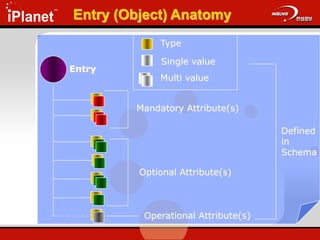
Entry (Object) Anatomy
Entry
Mandatory Attribute(s)
Optional Attribute(s)
Operational Attribute(s)
Defined
in
Schema
Multi value
Single value
Type
Naming Model
 Unique within its container
 <rdn> :== <rdncomp> | <rdncomp> <rdnsep>
<rdn>
 <rdnsep> :== ‘+’
 <rdncomp> :== <attr> ‘=‘ <value>
 <attr> :== an LDAP attribute type (cn, dc, …)
 <value> :== an LDAP attribute value
 Examples
 cn=dant
 dc=microsoft
 ou=ntdev
Relative Distinguished Name (RDN)
Naming Model
 RFC 1779 A String Representation of
Distinguished Names
 <dn> :== <rdn> | <rdn> <dnsep> <dn>
 <dnsep> :== ‘,’ | ‘:’
 Entries are arranged within the DIT
based on their DN
 Example
 cn=dant,ou=ntdev,dc=microsoft,dc=com
Distinguished Name (DN)
Functional Model
1. Authentication: Open, Bind, Unbind
2. Interrogation: Search / Compare
3. Update: Add, Delete, Modify, Modify
RDN
9 Operations in 3 Areas
Functional Model
Authentication
 Open
 Opens a connection to a DSA
 Bind
 Authenticates a client to the DSA
 Method of authentication – LDAPv3
 Unbind
 Terminates a client/server session
Functional Model Interrogation
 Search
 Select entries from the DIT
 Returns specified attributes for each
Entry
 Parameters
 Base Object
 Scope
 Search Filter
 Attributes
 Compare
 Determine if an Entry contains a given
attribute with a specific value
 Boolean Response
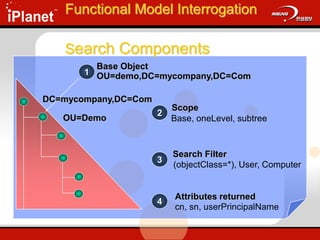
1
Base Object
OU=demo,DC=mycompany,DC=Com
DC=mycompany,DC=Com
OU=Demo
2
Scope
Base, oneLevel, subtree
3
Search Filter
(objectClass=*), User, Computer
4
Attributes returned
cn, sn, userPrincipalName
Functional Model Interrogation
Search Components
Functional Model Interrogation
 DN that defines the starting point of a
search
 A node in the DIT
 Examples:
 dc=mydomain,dc=com
 ou=demo,dc=mydomain,dc=com
Search – Base Object
Functional Model Interrogation
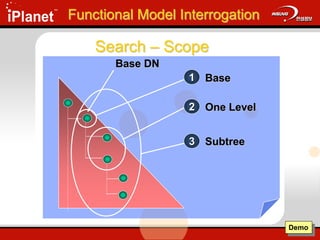
Base DN
Base
1
One Level
2
Subtree
3
Demo
Search – Scope
Functional Model Interrogation
 Equality
 <attr>=<value>
 (sn=Dan)
 Approximate
 <attr>~=<value>
 (sn~=Dann)
 Substring
 <attr>=[<leading>] * [<any>] * [<trailing>]
 (sn=Da*)
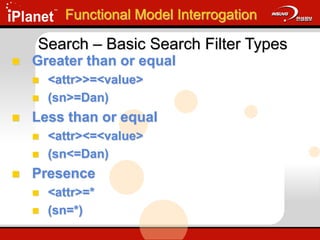
Search – Basic Search Filter Types
 Greater than or equal
 <attr>>=<value>
 (sn>=Dan)
 Less than or equal
 <attr><=<value>
 (sn<=Dan)
 Presence
 <attr>=*
 (sn=*)
Functional Model Interrogation
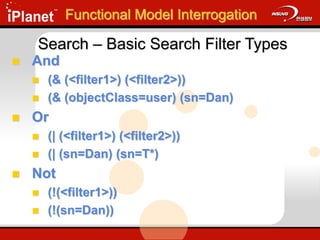
Search – Basic Search Filter Types
 And
 (& (<filter1>) (<filter2>))
 (& (objectClass=user) (sn=Dan)
 Or
 (| (<filter1>) (<filter2>))
 (| (sn=Dan) (sn=T*)
 Not
 (!(<filter1>))
 (!(sn=Dan))
Functional Model Interrogation
Search – Basic Search Filter Types
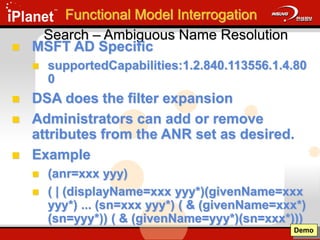
Search – Ambiguous Name Resolution
 MSFT AD Specific
 supportedCapabilities:1.2.840.113556.1.4.80
0
 DSA does the filter expansion
 Administrators can add or remove
attributes from the ANR set as desired.
 Example
 (anr=xxx yyy)
 ( | (displayName=xxx yyy*)(givenName=xxx
yyy*) ... (sn=xxx yyy*) ( & (givenName=xxx*)
(sn=yyy*)) ( & (givenName=yyy*)(sn=xxx*)))
Demo
Functional Model Interrogation
Search – Extensible Search Filter
 LDAPv3 only
 Allows for the creation of new matching rules
 <attr> [“:dn”] [“:” matchingrule] “:=“ <value>
 <attr> Attribute Name
 : matchingrule
 Rule for comparison
 LDAP_MATCHING_RULE_BIT_AND
"1.2.840.113556.1.4.803“
 := <value>
 Value for comparison
Functional Model Interrogation
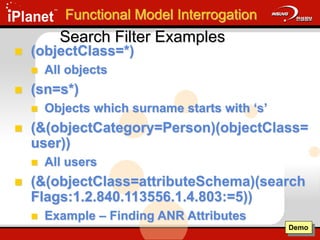
Search Filter Examples
 (objectClass=*)
 All objects
 (sn=s*)
 Objects which surname starts with ‘s’
 (&(objectCategory=Person)(objectClass=
user))
 All users
 (&(objectClass=attributeSchema)(search
Flags:1.2.840.113556.1.4.803:=5))
 Example – Finding ANR Attributes
Demo
Functional Model Interrogation
Search Filter Defined – RFC 2254
filter = "(" filtercomp ")"
filtercomp = and / or / not / item
and = "&" filterlist
or = "|" filterlist
not = "!" filter
filterlist = 1*filter
item = simple / present / substring / extensible
simple = attr filtertype value
filtertype = equal / approx / greater / less
equal = "="
approx = "~="
greater = ">="
less = "<="
present = attr "=*"
substring = attr "=" [initial] any [final]
initial = value
any = "*" *(value "*")
final = value
extensible = attr [":dn"] [":" matchingrule] ":=" value
/ [":dn"] ":" matchingrule ":=" value
attr = AttributeDescription from Section 4.1.5 of [1]
matchingrule = MatchingRuleId from Section 4.1.9 of [1]
value = AttributeValue from Section 4.1.6 of [1]
Functional Model Interrogation
Search – Attributes
 List of attributes to be returned by the
DSA
 Examples
 *
 All attributes
 Ldap-Display-Names
 Cn, Sn, UserPrincipalName,
objectClass
 OID of the Attribute
 1.1 No attributes will be returned
 2.5.4.3 will return the CN
Functional Model Interrogation
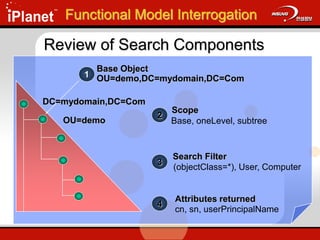
1
Base Object
OU=demo,DC=mydomain,DC=Com
DC=mydomain,DC=Com
OU=demo
2
Scope
Base, oneLevel, subtree
3
Search Filter
(objectClass=*), User, Computer
4
Attributes returned
cn, sn, userPrincipalName
Review of Search Components
Functional Model Interrogation
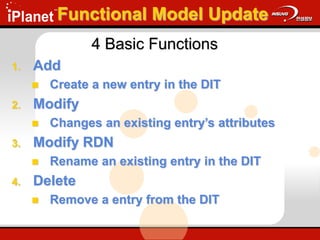
Functional Model Update
1. Add
 Create a new entry in the DIT
2. Modify
 Changes an existing entry’s attributes
3. Modify RDN
 Rename an existing entry in the DIT
4. Delete
 Remove a entry from the DIT
4 Basic Functions
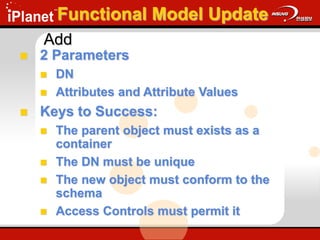
Add
 2 Parameters
 DN
 Attributes and Attribute Values
 Keys to Success:
 The parent object must exists as a
container
 The DN must be unique
 The new object must conform to the
schema
 Access Controls must permit it
Functional Model Update
Modify
 2 Parameters
 DN of the object to be modified
 Set of modifications to be applied
 New attribute values
 Changed attribute values
 Deleted attribute values
 Keys to Success:
 Object must exists
 All attribute modifications must succeed
 Resulting entry must obey the schema in effect
 Access Permission must permit it the changes
Functional Model Update
Modify RDN
 4 Parameters
 DN of the object to be modified
 New RDN of the object
 DN of the new parent (Optional)
 Delete-old-rdn flag
 Keys to Success:
 Object must exists
 New DN must be unique
 Access Permission must permit it
Functional Model Update
Delete
 Single Parameter
 DN of the object
 Keys to Success:
 Object must exists
 Object can not have children
 Access Permission must permit it to be
deleted
Functional Model Update
Security Model
 Negotiate an authentication
mechanism
 Access Control Lists
 Entries
 Attributes
 Signing and Sealing LDAP
 Encryption via the Kerberos Session Key
LDAP Concepts
 Port Numbers
 Synchronous vs Asynchronous
 Import / Export Tools
 LDAPv3
 RootDSE
 Administrative Query Policies
 Referrals Vs Chaining
 Controls
Port Numbers
 LDAP
 389
 LDAP SSL
 636
Synchronous vs Asynchronous
 Synchronous
 API calls are blocked until all the results are
returned from a given call.
 ldap_call_s()
 Asynchronous
 Multiple API calls can be made
simultaneously.
 Message ID:
 Identifies which request belongs with
which response
 Unique for a given session
Demo
Import / Export Tools
 Bulk Import / Export Tools
 LDIFDE
 CSVDE
 ADSI
 Vbscript
 Perl Script
Demo
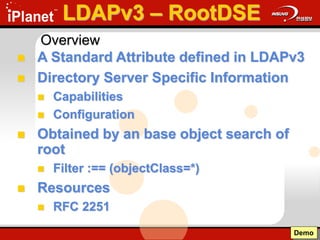
LDAPv3 – RootDSE
 A Standard Attribute defined in LDAPv3
 Directory Server Specific Information
 Capabilities
 Configuration
 Obtained by an base object search of
root
 Filter :== (objectClass=*)
 Resources
 RFC 2251
Demo
Overview
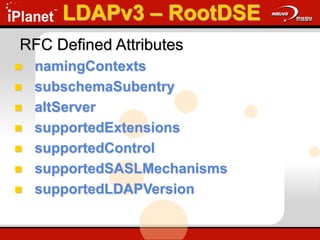
RFC Defined Attributes
 namingContexts
 subschemaSubentry
 altServer
 supportedExtensions
 supportedControl
 supportedSASLMechanisms
 supportedLDAPVersion
LDAPv3 – RootDSE
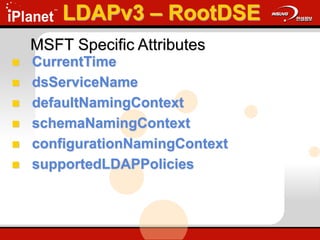
MSFT Specific Attributes
 CurrentTime
 dsServiceName
 defaultNamingContext
 schemaNamingContext
 configurationNamingContext
 supportedLDAPPolicies
LDAPv3 – RootDSE
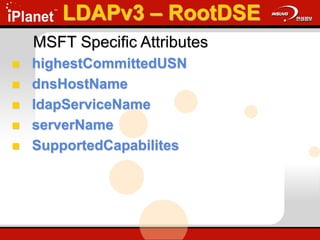
MSFT Specific Attributes
 highestCommittedUSN
 dnsHostName
 ldapServiceName
 serverName
 SupportedCapabilites
LDAPv3 – RootDSE
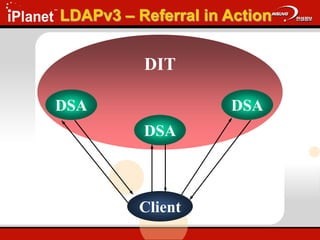
LDAPv3 – Referral in Action
DIT
DSA
DSA
DSA
Client
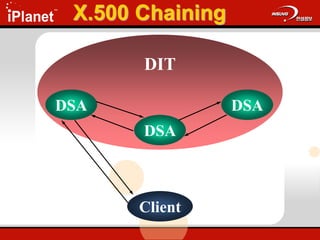
X.500 Chaining
DIT
DSA
DSA
DSA
Client
LDAPv3 – Referrals
 DSA manages Directory hierarchy
Information referred to as ‘Knowledge’
 DSA tells the client where in the name
space an object may be located
 Microsoft DSA Knowledge is derived
from the following:
 Configuration Naming Context
 DNS Namespace
”Knowledge”
”Knowledge References”
1. Subordinate Reference –
Knowledge of a partition below the
DSA
2. Cross Reference –
Knowledge of a partition stored in a
Cross Reference object
3. Superior Reference –
Knowledge referral when the DSA
knows nothing about the search base.
LDAPv3 – Referrals
”Cross Reference”
 Derived from CrossRef Class
 2 Required Attributes:
 nCname – Distinguished name of the directory
partition that is referenced
 dNSRoot – DNS domain name of the DSA for a
given partition
 Created in 2 ways:
 Internal – by the system
 External – by administrators to refer to objects
outside of the forest.
LDAPv3 – Referrals
LDAPv3 - Controls
 A method to extend LDAP functionality
 Sever or Client based
 Described via an OID
LDAPv3 – Controls
 Tree Delete
 Allows a client to delete an entire subtree
 Directory Synchronization Control
 Allows a client to request changes from a directory
since the last Directory Synchronization Control
was run.
 Notification
 Provides notification for changes made to
an object
 Cross Domain Move
 Used with the LDAP ModifyDN request, this
allows an object to be moved across NT
domains.
 draft-armijo-nt5-ldap-crossdomain-00.txt
 Show Deleted
 Allows the client to request deleted objects
be returned with an LDAP searchRequest
 draft-armijo-nt5-ldap-showdeleted-00.txt
 Security Descriptor Flag
 Sets ACEs on Objects in directory
LDAPv3 – Controls
 Verify Distinguished Name
 Enumerate which DSA can verify a DN exists
 No Referrals
 Tells the DSA not to generate referrals
 Server Search Options
 Allows client to pass search options to the DSA
 0x1 no referrals generated
 0x2 search all NCs subordinate to search base
LDAPv3 – Controls
 Paged Results Control
 Allows client to retrieve information in
small pieces
 Server Sort Control
 Sent by the client to the DSA to specify a
sort order of the attributes
 Attribute Range Option
 Reads a multi-value attribute as a single
attribute
LDAPv3 – Controls
Core LDAP APIs
Core LDAP APIs
 Strategy
 Core LDAP APIs
 RFCs
 Making sense of LDAP errors
 Tools of the Trade
 MSDN
 Netmon2
 LDP
 Schema
Strategy for Core LDAP APIs
 Build a Demo Environment
 OU=Demo
 Demo.vbs
 Core LDAP APIs
 Overview of each API – RFC
 Call an API – LDP.exe
 Network Trace – Netmon2
Core LDAP APIs
 Authentication
 ldap_open()
 ldap_bind_s()
 ldap_unbind_s()
 Interrogation
 ldap_search_s()
 ldap_compare_s()
 Update DSA
 ldap_modify_s()
 ldap_add_s()
 ldap_modrdn_s()
 ldap_delete_s()
ldap_open()
 Creates and initializes a connection
block to the DSA
 ldap_open(
PCHAR HostName,
ULONG PortNumber );
 Destination port will enumerate the
role of the DSA: DC or Global Catalog.
 TCP: Destination Port = 0x0185 = 389
decimal = DC
ldap_bind_s()
 Authenticates a client to the LDAP server.
 ldap_bind_s(
LDAP *ld,
PCHAR dn,
PCHAR cred,
ULONG method );
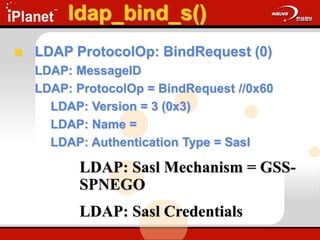
ldap_bind_s()
 LDAP ProtocolOp: BindRequest (0)
LDAP: MessageID
LDAP: ProtocolOp = BindRequest //0x60
LDAP: Version = 3 (0x3)
LDAP: Name =
LDAP: Authentication Type = Sasl
LDAP: Sasl Mechanism = GSS-
SPNEGO
LDAP: Sasl Credentials
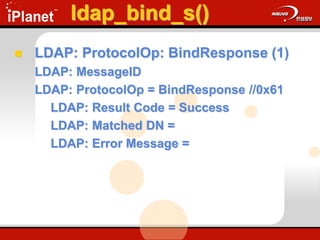
ldap_bind_s()
 LDAP: ProtocolOp: BindResponse (1)
LDAP: MessageID
LDAP: ProtocolOp = BindResponse //0x61
LDAP: Result Code = Success
LDAP: Matched DN =
LDAP: Error Message =
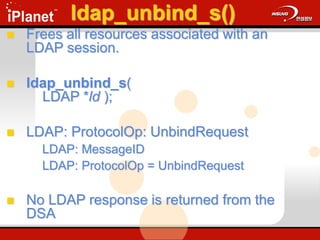
ldap_unbind_s()
 Frees all resources associated with an
LDAP session.
 ldap_unbind_s(
LDAP *ld );
 LDAP: ProtocolOp: UnbindRequest
LDAP: MessageID
LDAP: ProtocolOp = UnbindRequest
 No LDAP response is returned from the
DSA
ldap_search_s()
 Searches the DIT and returns a
requested set of attributes for each entry
matched
 ldap_search_s(
LDAP *ld,
PCHAR base,
ULONG scope,
PCHAR filter,
PCHAR attrs[ ],
ULONG attrsonly );
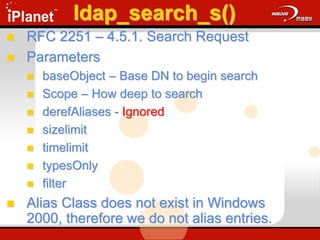
ldap_search_s()
 RFC 2251 – 4.5.1. Search Request
 Parameters
 baseObject – Base DN to begin search
 Scope – How deep to search
 derefAliases - Ignored
 sizelimit
 timelimit
 typesOnly
 filter
 Alias Class does not exist in Windows
2000, therefore we do not alias entries.
ldap_search_s()
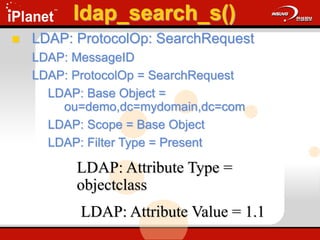
 LDAP: ProtocolOp: SearchRequest
LDAP: MessageID
LDAP: ProtocolOp = SearchRequest
LDAP: Base Object =
ou=demo,dc=mydomain,dc=com
LDAP: Scope = Base Object
LDAP: Filter Type = Present
LDAP: Attribute Type =
objectclass
LDAP: Attribute Value = 1.1
ldap_search_s()
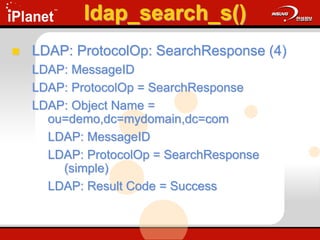
 LDAP: ProtocolOp: SearchResponse (4)
LDAP: MessageID
LDAP: ProtocolOp = SearchResponse
LDAP: Object Name =
ou=demo,dc=mydomain,dc=com
LDAP: MessageID
LDAP: ProtocolOp = SearchResponse
(simple)
LDAP: Result Code = Success
ldap_compare_s()
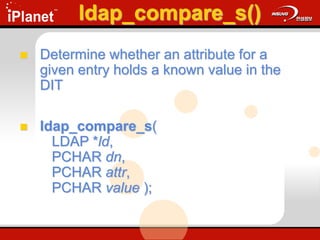
 Determine whether an attribute for a
given entry holds a known value in the
DIT
 ldap_compare_s(
LDAP *ld,
PCHAR dn,
PCHAR attr,
PCHAR value );
ldap_compare_s()
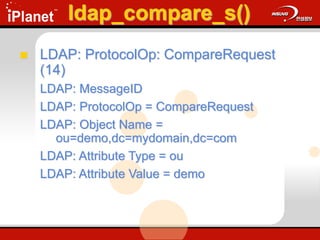
 LDAP: ProtocolOp: CompareRequest
(14)
LDAP: MessageID
LDAP: ProtocolOp = CompareRequest
LDAP: Object Name =
ou=demo,dc=mydomain,dc=com
LDAP: Attribute Type = ou
LDAP: Attribute Value = demo
ldap_compare_s()
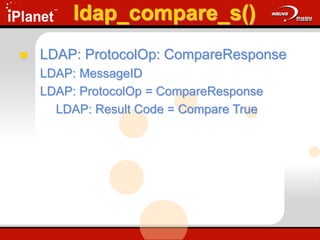
 LDAP: ProtocolOp: CompareResponse
LDAP: MessageID
LDAP: ProtocolOp = CompareResponse
LDAP: Result Code = Compare True
ldap_add_s()
 Adds an entry to the DIT
 ldap_add_s(
LDAP *ld,
PCHAR dn,
LDAPMod *attrs[ ] );
 Update.cap: Frame 30 & 31
ldap_add_s()
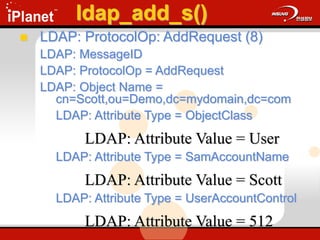
 LDAP: ProtocolOp: AddRequest (8)
LDAP: MessageID
LDAP: ProtocolOp = AddRequest
LDAP: Object Name =
cn=Scott,ou=Demo,dc=mydomain,dc=com
LDAP: Attribute Type = ObjectClass
LDAP: Attribute Value = User
LDAP: Attribute Type = SamAccountName
LDAP: Attribute Value = Scott
LDAP: Attribute Type = UserAccountControl
LDAP: Attribute Value = 512
ldap_add_s()
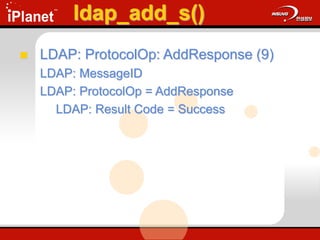
 LDAP: ProtocolOp: AddResponse (9)
LDAP: MessageID
LDAP: ProtocolOp = AddResponse
LDAP: Result Code = Success
ldap_modify_s()
 Changes an existing entry in the DIT
 ldap_modify_s(
LDAP *ld,
PCHAR dn,
LDAPModA *mods[] );
 Update.cap: Frames 36 - 49
ldap_modify_s()
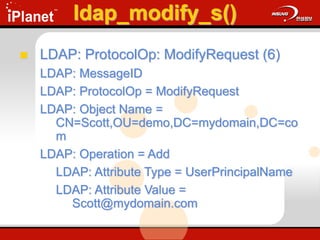
 LDAP: ProtocolOp: ModifyRequest (6)
LDAP: MessageID
LDAP: ProtocolOp = ModifyRequest
LDAP: Object Name =
CN=Scott,OU=demo,DC=mydomain,DC=co
m
LDAP: Operation = Add
LDAP: Attribute Type = UserPrincipalName
LDAP: Attribute Value =
Scott@mydomain.com
ldap_modify_s()
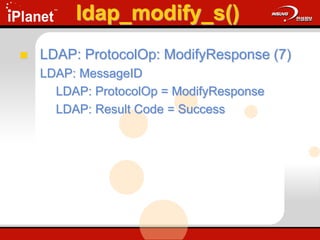
 LDAP: ProtocolOp: ModifyResponse (7)
LDAP: MessageID
LDAP: ProtocolOp = ModifyResponse
LDAP: Result Code = Success
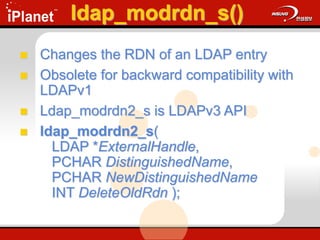
ldap_modrdn_s()
 Changes the RDN of an LDAP entry
 Obsolete for backward compatibility with
LDAPv1
 Ldap_modrdn2_s is LDAPv3 API
 ldap_modrdn2_s(
LDAP *ExternalHandle,
PCHAR DistinguishedName,
PCHAR NewDistinguishedName
INT DeleteOldRdn );
ldap_modrdn_s()
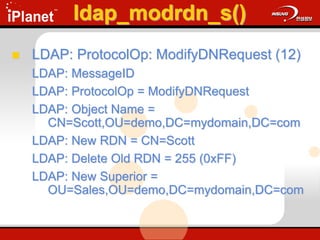
 LDAP: ProtocolOp: ModifyDNRequest (12)
LDAP: MessageID
LDAP: ProtocolOp = ModifyDNRequest
LDAP: Object Name =
CN=Scott,OU=demo,DC=mydomain,DC=com
LDAP: New RDN = CN=Scott
LDAP: Delete Old RDN = 255 (0xFF)
LDAP: New Superior =
OU=Sales,OU=demo,DC=mydomain,DC=com
ldap_modrdn_s()
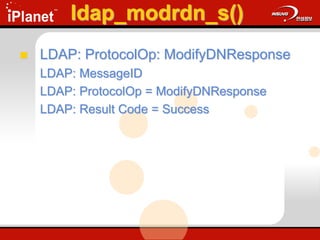
 LDAP: ProtocolOp: ModifyDNResponse
LDAP: MessageID
LDAP: ProtocolOp = ModifyDNResponse
LDAP: Result Code = Success
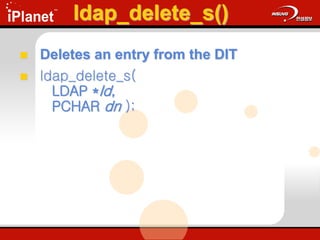
ldap_delete_s()
 Deletes an entry from the DIT
 ldap_delete_s(
LDAP *ld,
PCHAR dn );
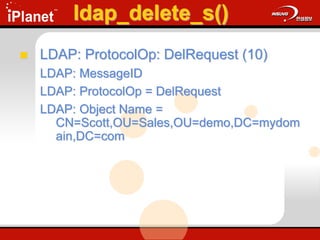
ldap_delete_s()
 LDAP: ProtocolOp: DelRequest (10)
LDAP: MessageID
LDAP: ProtocolOp = DelRequest
LDAP: Object Name =
CN=Scott,OU=Sales,OU=demo,DC=mydom
ain,DC=com
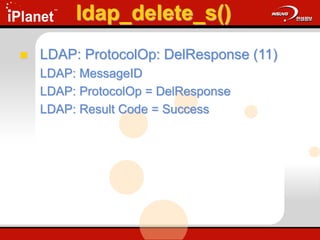
ldap_delete_s()
 LDAP: ProtocolOp: DelResponse (11)
LDAP: MessageID
LDAP: ProtocolOp = DelResponse
LDAP: Result Code = Success
Making Sense of LDAP
Errors
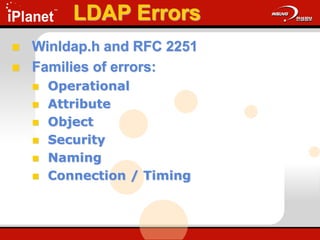
LDAP Errors
 Winldap.h and RFC 2251
 Families of errors:
 Operational
 Attribute
 Object
 Security
 Naming
 Connection / Timing
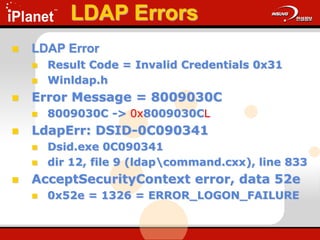
LDAP Errors
 LDAP Error
 Result Code = Invalid Credentials 0x31
 Winldap.h
 Error Message = 8009030C
 8009030C -> 0x8009030CL
 LdapErr: DSID-0C090341
 Dsid.exe 0C090341
 dir 12, file 9 (ldapcommand.cxx), line 833
 AcceptSecurityContext error, data 52e
 0x52e = 1326 = ERROR_LOGON_FAILURE
Resources
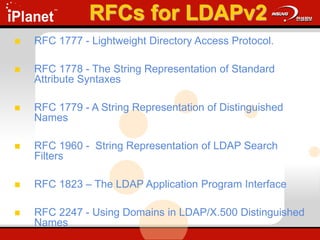
RFCs for LDAPv2
 RFC 1777 - Lightweight Directory Access Protocol.
 RFC 1778 - The String Representation of Standard
Attribute Syntaxes
 RFC 1779 - A String Representation of Distinguished
Names
 RFC 1960 - String Representation of LDAP Search
Filters
 RFC 1823 – The LDAP Application Program Interface
 RFC 2247 - Using Domains in LDAP/X.500 Distinguished
Names
RFCs for LDAPv3
 RFC 2251 - Lightweight Directory Access Protocol (v3).
 RFC 2252 - Lightweight Directory Access Protocol (v3):
Attribute Syntax Definitions
 RFC 2253 - Lightweight Directory Access Protocol (v3):
UTF-8 String Representation of Distinguished Names
 RFC 2254 - The String Representation of LDAP Search
Filters.
 RFC 2255 - The LDAP URL Format.
 RFC 2256 - A Summary of the X.500(96) User Schema
for use with LDAPv3
Review
What we covered!
 The LDAP Model
 Core LDAP APIs
 Making Sense of LDAP Errors
Review
 What is LDAP?
 RFC compliant Directory Access Protocol
 Why use LDAP?
 Access & Modify Attributes in the AD
 What are the LDAP Models?
1. Information
2. Naming
3. Functional
4. Security
Review
 Authentication
 ldap_open()
 ldap_bind_s()
 ldap_unbind_s()
 Interrogation
 ldap_search_s()
 ldap_compare_s()
 Update DSA
 ldap_modify_s()
 ldap_add_s()
 ldap_modrdn_s()
 ldap_delete_s()
Core LDAP APIs
Review
 How do we make LDAP work for us?
 Microsoft LDAP APIs
 Active Directory
 ADSI
 OLEDB / ADO
 Netscape SDK (C, JAVA)
Microsoft AD does not Support
 Alias Entries
 Pointer from one entry to another
 Not defined in the schema
 Aliases require administrative effort
 Implemented GUIDS to find unique
objects
 Approximate Search filter
 ~ is not equal to a Soundex
 Chaining
 X.500 Concept

UnderstandingLDAP.ppt

  • 1.
  • 2.
    Agenda  Goals  TheLDAP Model  Core LDAP APIs  Making sense of LDAP Errors  Resources  Review
  • 3.
    Goals  What isLDAP?  Why LDAP?  What are the Core LDAP APIs?  How do I make sense of LDAP errors?  How do we make LDAP work for us?
  • 4.
    Non - Goals Netscape Directory  Netscape SDK  Name Resolution Techniques  Schema Management  How to program a LDAP Client
  • 5.
  • 6.
    What’s a DirectoryService  A way to find things in a distributed environment  Directories have two main parts:  Database  Schema -> Describes the Data  Distributed  Protocols  Access the data  Manipulate the data
  • 7.
    Directory Services vsDatabases  Both have much in common  They allow access to stored data  A Directory Service  Database  Directories are designed to be read-mostly  Does not do well with very frequent updates (90 : 10 Rule)  Non-Transactional  Typically Distributed in Nature
  • 8.
    What is LDAP? A Directory Service Protocol  LDAPv2 – RFC 1777  March 1995  LDAPv3 – RFC 2251  December 1997  LDAP excels in 4 areas:  Features  Standards – IETF standard  Implementation  APIs
  • 9.
    LDAP simplifies X.500 90% of the functionality, 10% of the cost!  Transport  LDAP runs directly over IP: Either TCP or UDP  Functionality  Simplifies X.500 functionality by eliminating low use features  Data Representation  LDAP uses simple string formats  Encoding  LDAP uses a simplified encoding rules
  • 10.
    LDAP Models  Information Describes the structure of information  Naming  How information is organized and referenced  Functional  What can be done with the information  Security  How information is protected
  • 11.
    Information Model  Derivedfrom X.500  ISO/CCITT (ITU) Set of Specifications that are used to Create Enterprise Level Directories  Directory Information Tree – DIT  Access is provided by one or more LDAP Servers  Comprised of Entries  DSA – Directory Server Agent
  • 12.
    Informational Model What isa Schema?  Template / Blueprint for the DIT  Classes  Abstract – Templates for Structural Classes  Structural – Can have instances in the DSA  Auxiliary – Like an include file for attributes  88 – Defined before the 1993 X.500 standard  Attributes  Types of information that an object can hold.  Syntaxes  Determine the data type for an attribute
  • 13.
    Information Model  Entry(container or leaf)  Derived from a structural class  MSFT refers to Entries as Objects  Attributes that the entry contains (Often called properties by MSFT)  Containers and Leaves have attributes  GUID – 128 bit Global Unique Identifier  OID – Object Identifier  Type - Syntax  Value – Single or Multi
  • 14.
    Information Model  GUID– 128 bit Global Unique Identifier  Unique in time and space  OID – Object Identifier  Identifies a Class or Attribute  1.2.840 - USA  1.2.840.113556 – MSFT OID  1.2.840.113556.1 – MSFT DS  1.2.840.113556.1.5 – NTDS Classes  Type – Syntax  RFC 2252 – LDAPv3 Attribute Syntax Definitions  Defined with an OID  Examples – DN, Binary, Numeric String, UTC Time
  • 15.
    Entry (Object) Anatomy Entry MandatoryAttribute(s) Optional Attribute(s) Operational Attribute(s) Defined in Schema Multi value Single value Type
  • 16.
    Naming Model  Uniquewithin its container  <rdn> :== <rdncomp> | <rdncomp> <rdnsep> <rdn>  <rdnsep> :== ‘+’  <rdncomp> :== <attr> ‘=‘ <value>  <attr> :== an LDAP attribute type (cn, dc, …)  <value> :== an LDAP attribute value  Examples  cn=dant  dc=microsoft  ou=ntdev Relative Distinguished Name (RDN)
  • 17.
    Naming Model  RFC1779 A String Representation of Distinguished Names  <dn> :== <rdn> | <rdn> <dnsep> <dn>  <dnsep> :== ‘,’ | ‘:’  Entries are arranged within the DIT based on their DN  Example  cn=dant,ou=ntdev,dc=microsoft,dc=com Distinguished Name (DN)
  • 18.
    Functional Model 1. Authentication:Open, Bind, Unbind 2. Interrogation: Search / Compare 3. Update: Add, Delete, Modify, Modify RDN 9 Operations in 3 Areas
  • 19.
    Functional Model Authentication  Open Opens a connection to a DSA  Bind  Authenticates a client to the DSA  Method of authentication – LDAPv3  Unbind  Terminates a client/server session
  • 20.
    Functional Model Interrogation Search  Select entries from the DIT  Returns specified attributes for each Entry  Parameters  Base Object  Scope  Search Filter  Attributes  Compare  Determine if an Entry contains a given attribute with a specific value  Boolean Response
  • 21.
    1 Base Object OU=demo,DC=mycompany,DC=Com DC=mycompany,DC=Com OU=Demo 2 Scope Base, oneLevel,subtree 3 Search Filter (objectClass=*), User, Computer 4 Attributes returned cn, sn, userPrincipalName Functional Model Interrogation Search Components
  • 22.
    Functional Model Interrogation DN that defines the starting point of a search  A node in the DIT  Examples:  dc=mydomain,dc=com  ou=demo,dc=mydomain,dc=com Search – Base Object
  • 23.
    Functional Model Interrogation BaseDN Base 1 One Level 2 Subtree 3 Demo Search – Scope
  • 24.
    Functional Model Interrogation Equality  <attr>=<value>  (sn=Dan)  Approximate  <attr>~=<value>  (sn~=Dann)  Substring  <attr>=[<leading>] * [<any>] * [<trailing>]  (sn=Da*) Search – Basic Search Filter Types
  • 25.
     Greater thanor equal  <attr>>=<value>  (sn>=Dan)  Less than or equal  <attr><=<value>  (sn<=Dan)  Presence  <attr>=*  (sn=*) Functional Model Interrogation Search – Basic Search Filter Types
  • 26.
     And  (&(<filter1>) (<filter2>))  (& (objectClass=user) (sn=Dan)  Or  (| (<filter1>) (<filter2>))  (| (sn=Dan) (sn=T*)  Not  (!(<filter1>))  (!(sn=Dan)) Functional Model Interrogation Search – Basic Search Filter Types
  • 27.
    Search – AmbiguousName Resolution  MSFT AD Specific  supportedCapabilities:1.2.840.113556.1.4.80 0  DSA does the filter expansion  Administrators can add or remove attributes from the ANR set as desired.  Example  (anr=xxx yyy)  ( | (displayName=xxx yyy*)(givenName=xxx yyy*) ... (sn=xxx yyy*) ( & (givenName=xxx*) (sn=yyy*)) ( & (givenName=yyy*)(sn=xxx*))) Demo Functional Model Interrogation
  • 28.
    Search – ExtensibleSearch Filter  LDAPv3 only  Allows for the creation of new matching rules  <attr> [“:dn”] [“:” matchingrule] “:=“ <value>  <attr> Attribute Name  : matchingrule  Rule for comparison  LDAP_MATCHING_RULE_BIT_AND "1.2.840.113556.1.4.803“  := <value>  Value for comparison Functional Model Interrogation
  • 29.
    Search Filter Examples (objectClass=*)  All objects  (sn=s*)  Objects which surname starts with ‘s’  (&(objectCategory=Person)(objectClass= user))  All users  (&(objectClass=attributeSchema)(search Flags:1.2.840.113556.1.4.803:=5))  Example – Finding ANR Attributes Demo Functional Model Interrogation
  • 30.
    Search Filter Defined– RFC 2254 filter = "(" filtercomp ")" filtercomp = and / or / not / item and = "&" filterlist or = "|" filterlist not = "!" filter filterlist = 1*filter item = simple / present / substring / extensible simple = attr filtertype value filtertype = equal / approx / greater / less equal = "=" approx = "~=" greater = ">=" less = "<=" present = attr "=*" substring = attr "=" [initial] any [final] initial = value any = "*" *(value "*") final = value extensible = attr [":dn"] [":" matchingrule] ":=" value / [":dn"] ":" matchingrule ":=" value attr = AttributeDescription from Section 4.1.5 of [1] matchingrule = MatchingRuleId from Section 4.1.9 of [1] value = AttributeValue from Section 4.1.6 of [1] Functional Model Interrogation
  • 31.
    Search – Attributes List of attributes to be returned by the DSA  Examples  *  All attributes  Ldap-Display-Names  Cn, Sn, UserPrincipalName, objectClass  OID of the Attribute  1.1 No attributes will be returned  2.5.4.3 will return the CN Functional Model Interrogation
  • 32.
    1 Base Object OU=demo,DC=mydomain,DC=Com DC=mydomain,DC=Com OU=demo 2 Scope Base, oneLevel,subtree 3 Search Filter (objectClass=*), User, Computer 4 Attributes returned cn, sn, userPrincipalName Review of Search Components Functional Model Interrogation
  • 33.
    Functional Model Update 1.Add  Create a new entry in the DIT 2. Modify  Changes an existing entry’s attributes 3. Modify RDN  Rename an existing entry in the DIT 4. Delete  Remove a entry from the DIT 4 Basic Functions
  • 34.
    Add  2 Parameters DN  Attributes and Attribute Values  Keys to Success:  The parent object must exists as a container  The DN must be unique  The new object must conform to the schema  Access Controls must permit it Functional Model Update
  • 35.
    Modify  2 Parameters DN of the object to be modified  Set of modifications to be applied  New attribute values  Changed attribute values  Deleted attribute values  Keys to Success:  Object must exists  All attribute modifications must succeed  Resulting entry must obey the schema in effect  Access Permission must permit it the changes Functional Model Update
  • 36.
    Modify RDN  4Parameters  DN of the object to be modified  New RDN of the object  DN of the new parent (Optional)  Delete-old-rdn flag  Keys to Success:  Object must exists  New DN must be unique  Access Permission must permit it Functional Model Update
  • 37.
    Delete  Single Parameter DN of the object  Keys to Success:  Object must exists  Object can not have children  Access Permission must permit it to be deleted Functional Model Update
  • 38.
    Security Model  Negotiatean authentication mechanism  Access Control Lists  Entries  Attributes  Signing and Sealing LDAP  Encryption via the Kerberos Session Key
  • 39.
    LDAP Concepts  PortNumbers  Synchronous vs Asynchronous  Import / Export Tools  LDAPv3  RootDSE  Administrative Query Policies  Referrals Vs Chaining  Controls
  • 40.
    Port Numbers  LDAP 389  LDAP SSL  636
  • 41.
    Synchronous vs Asynchronous Synchronous  API calls are blocked until all the results are returned from a given call.  ldap_call_s()  Asynchronous  Multiple API calls can be made simultaneously.  Message ID:  Identifies which request belongs with which response  Unique for a given session Demo
  • 42.
    Import / ExportTools  Bulk Import / Export Tools  LDIFDE  CSVDE  ADSI  Vbscript  Perl Script Demo
  • 43.
    LDAPv3 – RootDSE A Standard Attribute defined in LDAPv3  Directory Server Specific Information  Capabilities  Configuration  Obtained by an base object search of root  Filter :== (objectClass=*)  Resources  RFC 2251 Demo Overview
  • 44.
    RFC Defined Attributes namingContexts  subschemaSubentry  altServer  supportedExtensions  supportedControl  supportedSASLMechanisms  supportedLDAPVersion LDAPv3 – RootDSE
  • 45.
    MSFT Specific Attributes CurrentTime  dsServiceName  defaultNamingContext  schemaNamingContext  configurationNamingContext  supportedLDAPPolicies LDAPv3 – RootDSE
  • 46.
    MSFT Specific Attributes highestCommittedUSN  dnsHostName  ldapServiceName  serverName  SupportedCapabilites LDAPv3 – RootDSE
  • 47.
    LDAPv3 – Referralin Action DIT DSA DSA DSA Client
  • 48.
  • 49.
    LDAPv3 – Referrals DSA manages Directory hierarchy Information referred to as ‘Knowledge’  DSA tells the client where in the name space an object may be located  Microsoft DSA Knowledge is derived from the following:  Configuration Naming Context  DNS Namespace ”Knowledge”
  • 50.
    ”Knowledge References” 1. SubordinateReference – Knowledge of a partition below the DSA 2. Cross Reference – Knowledge of a partition stored in a Cross Reference object 3. Superior Reference – Knowledge referral when the DSA knows nothing about the search base. LDAPv3 – Referrals
  • 51.
    ”Cross Reference”  Derivedfrom CrossRef Class  2 Required Attributes:  nCname – Distinguished name of the directory partition that is referenced  dNSRoot – DNS domain name of the DSA for a given partition  Created in 2 ways:  Internal – by the system  External – by administrators to refer to objects outside of the forest. LDAPv3 – Referrals
  • 52.
    LDAPv3 - Controls A method to extend LDAP functionality  Sever or Client based  Described via an OID
  • 53.
    LDAPv3 – Controls Tree Delete  Allows a client to delete an entire subtree  Directory Synchronization Control  Allows a client to request changes from a directory since the last Directory Synchronization Control was run.  Notification  Provides notification for changes made to an object
  • 54.
     Cross DomainMove  Used with the LDAP ModifyDN request, this allows an object to be moved across NT domains.  draft-armijo-nt5-ldap-crossdomain-00.txt  Show Deleted  Allows the client to request deleted objects be returned with an LDAP searchRequest  draft-armijo-nt5-ldap-showdeleted-00.txt  Security Descriptor Flag  Sets ACEs on Objects in directory LDAPv3 – Controls
  • 55.
     Verify DistinguishedName  Enumerate which DSA can verify a DN exists  No Referrals  Tells the DSA not to generate referrals  Server Search Options  Allows client to pass search options to the DSA  0x1 no referrals generated  0x2 search all NCs subordinate to search base LDAPv3 – Controls
  • 56.
     Paged ResultsControl  Allows client to retrieve information in small pieces  Server Sort Control  Sent by the client to the DSA to specify a sort order of the attributes  Attribute Range Option  Reads a multi-value attribute as a single attribute LDAPv3 – Controls
  • 57.
  • 58.
    Core LDAP APIs Strategy  Core LDAP APIs  RFCs  Making sense of LDAP errors  Tools of the Trade  MSDN  Netmon2  LDP  Schema
  • 59.
    Strategy for CoreLDAP APIs  Build a Demo Environment  OU=Demo  Demo.vbs  Core LDAP APIs  Overview of each API – RFC  Call an API – LDP.exe  Network Trace – Netmon2
  • 60.
    Core LDAP APIs Authentication  ldap_open()  ldap_bind_s()  ldap_unbind_s()  Interrogation  ldap_search_s()  ldap_compare_s()  Update DSA  ldap_modify_s()  ldap_add_s()  ldap_modrdn_s()  ldap_delete_s()
  • 61.
    ldap_open()  Creates andinitializes a connection block to the DSA  ldap_open( PCHAR HostName, ULONG PortNumber );  Destination port will enumerate the role of the DSA: DC or Global Catalog.  TCP: Destination Port = 0x0185 = 389 decimal = DC
  • 62.
    ldap_bind_s()  Authenticates aclient to the LDAP server.  ldap_bind_s( LDAP *ld, PCHAR dn, PCHAR cred, ULONG method );
  • 63.
    ldap_bind_s()  LDAP ProtocolOp:BindRequest (0) LDAP: MessageID LDAP: ProtocolOp = BindRequest //0x60 LDAP: Version = 3 (0x3) LDAP: Name = LDAP: Authentication Type = Sasl LDAP: Sasl Mechanism = GSS- SPNEGO LDAP: Sasl Credentials
  • 64.
    ldap_bind_s()  LDAP: ProtocolOp:BindResponse (1) LDAP: MessageID LDAP: ProtocolOp = BindResponse //0x61 LDAP: Result Code = Success LDAP: Matched DN = LDAP: Error Message =
  • 65.
    ldap_unbind_s()  Frees allresources associated with an LDAP session.  ldap_unbind_s( LDAP *ld );  LDAP: ProtocolOp: UnbindRequest LDAP: MessageID LDAP: ProtocolOp = UnbindRequest  No LDAP response is returned from the DSA
  • 66.
    ldap_search_s()  Searches theDIT and returns a requested set of attributes for each entry matched  ldap_search_s( LDAP *ld, PCHAR base, ULONG scope, PCHAR filter, PCHAR attrs[ ], ULONG attrsonly );
  • 67.
    ldap_search_s()  RFC 2251– 4.5.1. Search Request  Parameters  baseObject – Base DN to begin search  Scope – How deep to search  derefAliases - Ignored  sizelimit  timelimit  typesOnly  filter  Alias Class does not exist in Windows 2000, therefore we do not alias entries.
  • 68.
    ldap_search_s()  LDAP: ProtocolOp:SearchRequest LDAP: MessageID LDAP: ProtocolOp = SearchRequest LDAP: Base Object = ou=demo,dc=mydomain,dc=com LDAP: Scope = Base Object LDAP: Filter Type = Present LDAP: Attribute Type = objectclass LDAP: Attribute Value = 1.1
  • 69.
    ldap_search_s()  LDAP: ProtocolOp:SearchResponse (4) LDAP: MessageID LDAP: ProtocolOp = SearchResponse LDAP: Object Name = ou=demo,dc=mydomain,dc=com LDAP: MessageID LDAP: ProtocolOp = SearchResponse (simple) LDAP: Result Code = Success
  • 70.
    ldap_compare_s()  Determine whetheran attribute for a given entry holds a known value in the DIT  ldap_compare_s( LDAP *ld, PCHAR dn, PCHAR attr, PCHAR value );
  • 71.
    ldap_compare_s()  LDAP: ProtocolOp:CompareRequest (14) LDAP: MessageID LDAP: ProtocolOp = CompareRequest LDAP: Object Name = ou=demo,dc=mydomain,dc=com LDAP: Attribute Type = ou LDAP: Attribute Value = demo
  • 72.
    ldap_compare_s()  LDAP: ProtocolOp:CompareResponse LDAP: MessageID LDAP: ProtocolOp = CompareResponse LDAP: Result Code = Compare True
  • 73.
    ldap_add_s()  Adds anentry to the DIT  ldap_add_s( LDAP *ld, PCHAR dn, LDAPMod *attrs[ ] );  Update.cap: Frame 30 & 31
  • 74.
    ldap_add_s()  LDAP: ProtocolOp:AddRequest (8) LDAP: MessageID LDAP: ProtocolOp = AddRequest LDAP: Object Name = cn=Scott,ou=Demo,dc=mydomain,dc=com LDAP: Attribute Type = ObjectClass LDAP: Attribute Value = User LDAP: Attribute Type = SamAccountName LDAP: Attribute Value = Scott LDAP: Attribute Type = UserAccountControl LDAP: Attribute Value = 512
  • 75.
    ldap_add_s()  LDAP: ProtocolOp:AddResponse (9) LDAP: MessageID LDAP: ProtocolOp = AddResponse LDAP: Result Code = Success
  • 76.
    ldap_modify_s()  Changes anexisting entry in the DIT  ldap_modify_s( LDAP *ld, PCHAR dn, LDAPModA *mods[] );  Update.cap: Frames 36 - 49
  • 77.
    ldap_modify_s()  LDAP: ProtocolOp:ModifyRequest (6) LDAP: MessageID LDAP: ProtocolOp = ModifyRequest LDAP: Object Name = CN=Scott,OU=demo,DC=mydomain,DC=co m LDAP: Operation = Add LDAP: Attribute Type = UserPrincipalName LDAP: Attribute Value = Scott@mydomain.com
  • 78.
    ldap_modify_s()  LDAP: ProtocolOp:ModifyResponse (7) LDAP: MessageID LDAP: ProtocolOp = ModifyResponse LDAP: Result Code = Success
  • 79.
    ldap_modrdn_s()  Changes theRDN of an LDAP entry  Obsolete for backward compatibility with LDAPv1  Ldap_modrdn2_s is LDAPv3 API  ldap_modrdn2_s( LDAP *ExternalHandle, PCHAR DistinguishedName, PCHAR NewDistinguishedName INT DeleteOldRdn );
  • 80.
    ldap_modrdn_s()  LDAP: ProtocolOp:ModifyDNRequest (12) LDAP: MessageID LDAP: ProtocolOp = ModifyDNRequest LDAP: Object Name = CN=Scott,OU=demo,DC=mydomain,DC=com LDAP: New RDN = CN=Scott LDAP: Delete Old RDN = 255 (0xFF) LDAP: New Superior = OU=Sales,OU=demo,DC=mydomain,DC=com
  • 81.
    ldap_modrdn_s()  LDAP: ProtocolOp:ModifyDNResponse LDAP: MessageID LDAP: ProtocolOp = ModifyDNResponse LDAP: Result Code = Success
  • 82.
    ldap_delete_s()  Deletes anentry from the DIT  ldap_delete_s( LDAP *ld, PCHAR dn );
  • 83.
    ldap_delete_s()  LDAP: ProtocolOp:DelRequest (10) LDAP: MessageID LDAP: ProtocolOp = DelRequest LDAP: Object Name = CN=Scott,OU=Sales,OU=demo,DC=mydom ain,DC=com
  • 84.
    ldap_delete_s()  LDAP: ProtocolOp:DelResponse (11) LDAP: MessageID LDAP: ProtocolOp = DelResponse LDAP: Result Code = Success
  • 85.
    Making Sense ofLDAP Errors
  • 86.
    LDAP Errors  Winldap.hand RFC 2251  Families of errors:  Operational  Attribute  Object  Security  Naming  Connection / Timing
  • 87.
    LDAP Errors  LDAPError  Result Code = Invalid Credentials 0x31  Winldap.h  Error Message = 8009030C  8009030C -> 0x8009030CL  LdapErr: DSID-0C090341  Dsid.exe 0C090341  dir 12, file 9 (ldapcommand.cxx), line 833  AcceptSecurityContext error, data 52e  0x52e = 1326 = ERROR_LOGON_FAILURE
  • 88.
  • 89.
    RFCs for LDAPv2 RFC 1777 - Lightweight Directory Access Protocol.  RFC 1778 - The String Representation of Standard Attribute Syntaxes  RFC 1779 - A String Representation of Distinguished Names  RFC 1960 - String Representation of LDAP Search Filters  RFC 1823 – The LDAP Application Program Interface  RFC 2247 - Using Domains in LDAP/X.500 Distinguished Names
  • 90.
    RFCs for LDAPv3 RFC 2251 - Lightweight Directory Access Protocol (v3).  RFC 2252 - Lightweight Directory Access Protocol (v3): Attribute Syntax Definitions  RFC 2253 - Lightweight Directory Access Protocol (v3): UTF-8 String Representation of Distinguished Names  RFC 2254 - The String Representation of LDAP Search Filters.  RFC 2255 - The LDAP URL Format.  RFC 2256 - A Summary of the X.500(96) User Schema for use with LDAPv3
  • 91.
  • 92.
    What we covered! The LDAP Model  Core LDAP APIs  Making Sense of LDAP Errors
  • 93.
    Review  What isLDAP?  RFC compliant Directory Access Protocol  Why use LDAP?  Access & Modify Attributes in the AD  What are the LDAP Models? 1. Information 2. Naming 3. Functional 4. Security
  • 94.
    Review  Authentication  ldap_open() ldap_bind_s()  ldap_unbind_s()  Interrogation  ldap_search_s()  ldap_compare_s()  Update DSA  ldap_modify_s()  ldap_add_s()  ldap_modrdn_s()  ldap_delete_s() Core LDAP APIs
  • 95.
    Review  How dowe make LDAP work for us?  Microsoft LDAP APIs  Active Directory  ADSI  OLEDB / ADO  Netscape SDK (C, JAVA)
  • 96.
    Microsoft AD doesnot Support  Alias Entries  Pointer from one entry to another  Not defined in the schema  Aliases require administrative effort  Implemented GUIDS to find unique objects  Approximate Search filter  ~ is not equal to a Soundex  Chaining  X.500 Concept