T Y P E S O F
M E M O RY, R A M ,
R O M A N D
S T O R A G E
B Y : E N G A B D I K A N I G U U S H A A
M E M O R Y T Y P E S
• There are two major categories of memory:
• long-term memory
• short-term memory.
L O N G T E R M M E M O R Y
• Long-term memory is our brain’s system for storing, managing,
and retrieving information.
S H O R T T E R M M E M O R Y
• Closely related to “working” memory, short-term memory
is the very short time that you keep something in mind
before either dismissing it or transferring it to long-term
memory.
R O M ( R E A D O N L Y M E M O R Y )
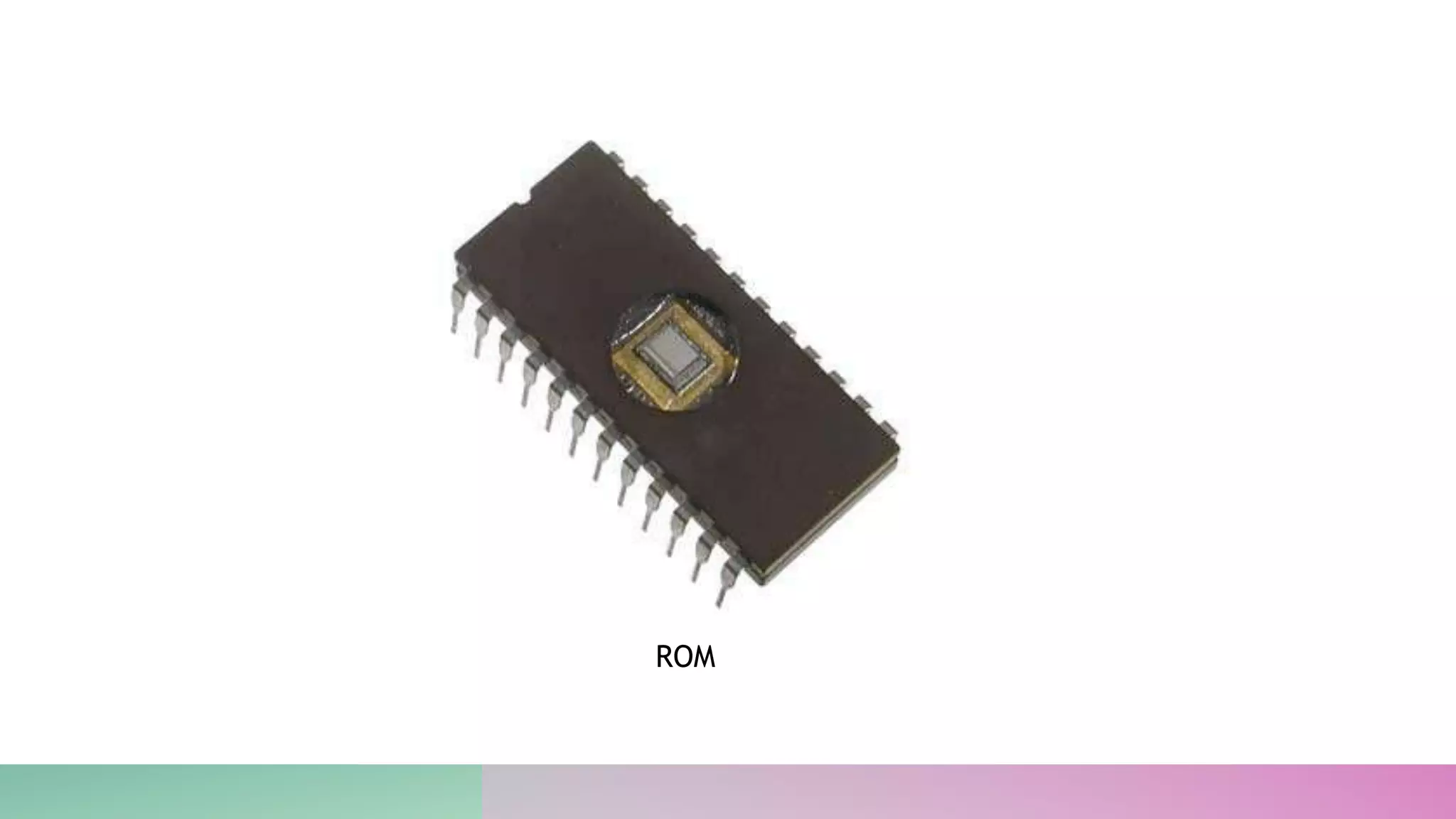
• ROM stands for Read Only Memory. The memory from which we
can only read but cannot write on it.
• This type of memory is non-volatile. The information is stored
permanently in such memories during manufacture.
C O N T …
• A ROM stores such instructions that are required to start a computer.
• This operation is referred to as bootstrap.
• ROM chips are not only used in the computer but also in other electronic
items like washing machine and microwave oven.
ROM
T Y P E S O F R O M S
• MROM (Masked ROM)
• PROM (Programmable Read Only Memory)
• EPROM (Erasable and Programmable Read Only Memory)
• EEPROM (Electrically Erasable and Programmable Read Only
Memory)
A D V A N T A G E S O F R O M
 Non-volatile in nature
 Cannot be accidentally changed
 Cheaper than RAMs
 Easy to test
R A M ( R A N D O M A C C E S S M E M O R Y )
• RAM (Random Access Memory) primarily serves as the operating
system or CPU for quick access to data that is constantly used to
run a program in a computing device. Simply put, for every
running program on your computer, it requires a certain amount of
data to run them. This data is temporarily stored in the RAM
modules, and processed by the processor of the computer – also
called the CPU (Central Processing Unit)
RAM
S T O R A G E D E V I C E
• Storage devices are the computer hardware used to remember/store data.
• There are many types of storage devices.
• Hard Disk Drive (HDD)
• Random Access Memory (RAM)
• CD, DVD and Blu-Ray Discs
• DVD-RAM
• ROM
• USB Flash Memory
E N D

Types of Memory, ram, rom and storage

  • 1.
    T Y PE S O F M E M O RY, R A M , R O M A N D S T O R A G E B Y : E N G A B D I K A N I G U U S H A A
  • 2.
    M E MO R Y T Y P E S • There are two major categories of memory: • long-term memory • short-term memory.
  • 3.
    L O NG T E R M M E M O R Y • Long-term memory is our brain’s system for storing, managing, and retrieving information.
  • 4.
    S H OR T T E R M M E M O R Y • Closely related to “working” memory, short-term memory is the very short time that you keep something in mind before either dismissing it or transferring it to long-term memory.
  • 5.
    R O M( R E A D O N L Y M E M O R Y ) • ROM stands for Read Only Memory. The memory from which we can only read but cannot write on it. • This type of memory is non-volatile. The information is stored permanently in such memories during manufacture.
  • 6.
    C O NT … • A ROM stores such instructions that are required to start a computer. • This operation is referred to as bootstrap. • ROM chips are not only used in the computer but also in other electronic items like washing machine and microwave oven.
  • 7.
  • 8.
    T Y PE S O F R O M S • MROM (Masked ROM) • PROM (Programmable Read Only Memory) • EPROM (Erasable and Programmable Read Only Memory) • EEPROM (Electrically Erasable and Programmable Read Only Memory)
  • 9.
    A D VA N T A G E S O F R O M  Non-volatile in nature  Cannot be accidentally changed  Cheaper than RAMs  Easy to test
  • 10.
    R A M( R A N D O M A C C E S S M E M O R Y ) • RAM (Random Access Memory) primarily serves as the operating system or CPU for quick access to data that is constantly used to run a program in a computing device. Simply put, for every running program on your computer, it requires a certain amount of data to run them. This data is temporarily stored in the RAM modules, and processed by the processor of the computer – also called the CPU (Central Processing Unit)
  • 11.
  • 12.
    S T OR A G E D E V I C E • Storage devices are the computer hardware used to remember/store data. • There are many types of storage devices. • Hard Disk Drive (HDD) • Random Access Memory (RAM) • CD, DVD and Blu-Ray Discs • DVD-RAM • ROM • USB Flash Memory
  • 13.