
This is a modified, updated rendition in translation of the presentation of Caterina Polinco (http://www.slideshare.net/catepol/twitter-nella-didattica)
What is TWITTER? http://viralms.com/images/happy-birthday-twitter.png It ’ s free It ’ s a Social network/Microblogging service Users can create share, Launched in July 2006
What can TWITTERERs do? http://viralms.com/images/happy-birthday-twitter.png engage in synchronous & asynchronous CMC engage in individual & community language use  belong to the classroom & beyond
Why use Twitter? http://viralms.com/images/happy-birthday-twitter.png What are your goals?
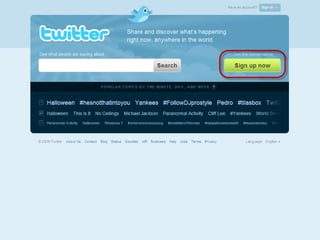
ACTIVITY 1 Create your account on  www.twitter.com Send a tweet
 
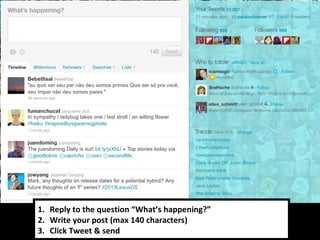
Reply to the question  “ What ’ s happening? ” Write your post (max 140 characters) Click Tweet & send
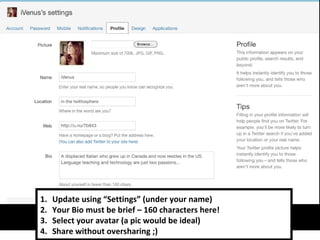
ACTIVITY 2 Personalize your profile http://www.twitter.com/settings/profile
Update using  “ Settings ”  (under your name) Your Bio must be brief – 160 characters here! Select your avatar (a pic would be ideal) Share without oversharing ;)
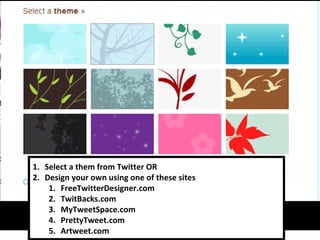
Select a them from Twitter OR Design your own using one of these sites FreeTwitterDesigner.com TwitBacks.com MyTweetSpace.com PrettyTweet.com Artweet.com
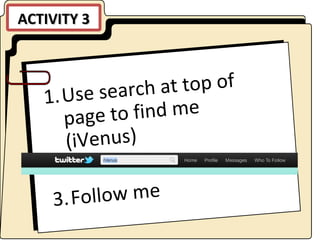
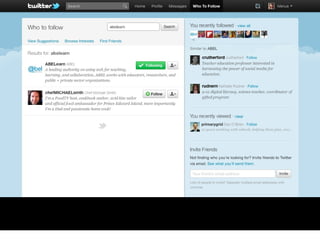
ACTIVITY 3 Use search at top of page to find me (iVenus) Follow me
 
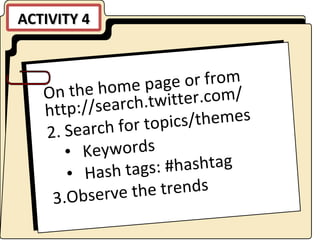
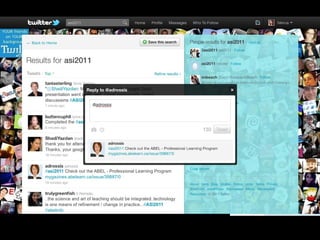
ACTIVITY 4 On the home page or from http://search.twitter.com/ Search for topics/themes Keywords Hash tags: #hashtag Observe the trends
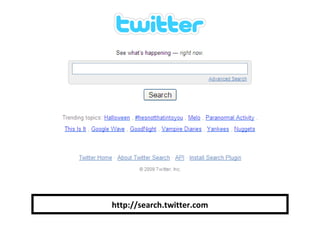
http://search.twitter.com
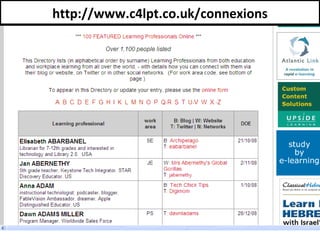
http://www.c4lpt.co.uk/connexions
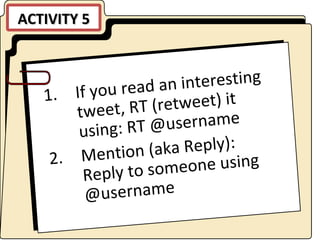
ACTIVITY 5 If you read an interesting tweet, RT (retweet) it using: RT @username Mention (aka Reply): Reply to someone using @username
 
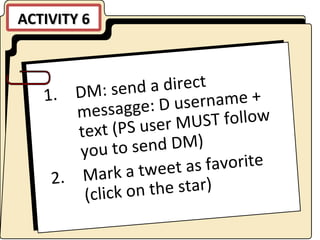
ACTIVITY 6 DM: send a direct messagge: D username + text (PS user MUST follow you to send DM) Mark a tweet as favorite (click on the star)
ACTIVITY 7 Create a list for a PLN (personal learning network)
 
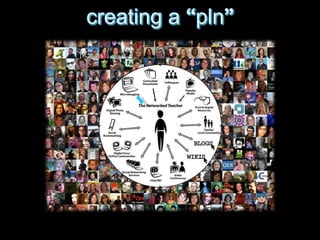
pedagogical & pragmatic stance  knowledge exchange, curating, wayfinding, crowdsourcing, collaboration, problem solving personal learning network/environment (PLN/PLE)
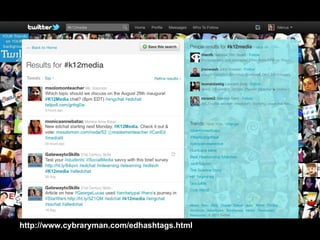
http://www.cybraryman.com/edhashtags.html
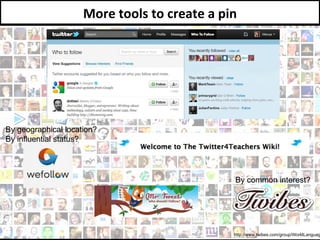
http://www.twibes.com/group/WorldLanguages More tools to create a pin By geographical location? By influential status? By common interest?
Ideas? http://www.flickr.com/photos/victoriapeckham/164175205 USING TWITTER WITH STUDENTS?
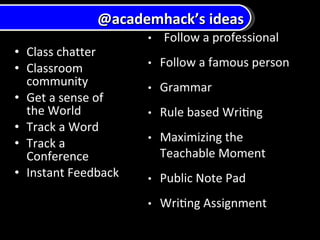
Class chatter Classroom community Get a sense of the World Track a Word Track a Conference Instant Feedback @academhack ’ s ideas
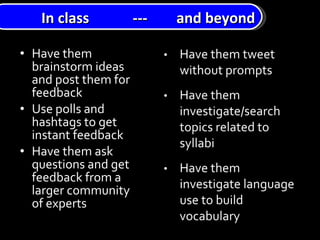
Have them brainstorm ideas and post them for feedback Use polls and hashtags to get instant feedback Have them ask questions and get feedback from a larger community of experts In class  ---  and beyond
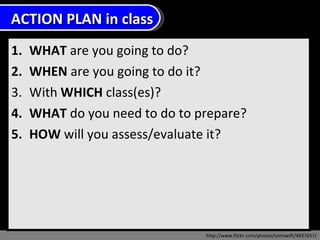
WHAT  are you going to do?  WHEN  are you going to do it? With  WHICH  class(es)? WHAT  do you need to do to prepare?  HOW  will you assess/evaluate it?  http://www.flickr.com/photos/tomswift/4837657/ ACTION PLAN in class

Twitter for Teaching and Learning

  • 1.
    This is amodified, updated rendition in translation of the presentation of Caterina Polinco (http://www.slideshare.net/catepol/twitter-nella-didattica)
  • 2.
    What is TWITTER?http://viralms.com/images/happy-birthday-twitter.png It ’ s free It ’ s a Social network/Microblogging service Users can create share, Launched in July 2006
  • 3.
    What can TWITTERERsdo? http://viralms.com/images/happy-birthday-twitter.png engage in synchronous & asynchronous CMC engage in individual & community language use belong to the classroom & beyond
  • 4.
    Why use Twitter?http://viralms.com/images/happy-birthday-twitter.png What are your goals?
  • 5.
    ACTIVITY 1 Createyour account on www.twitter.com Send a tweet
  • 6.
  • 7.
    Reply to thequestion “ What ’ s happening? ” Write your post (max 140 characters) Click Tweet & send
  • 8.
    ACTIVITY 2 Personalizeyour profile http://www.twitter.com/settings/profile
  • 9.
    Update using “ Settings ” (under your name) Your Bio must be brief – 160 characters here! Select your avatar (a pic would be ideal) Share without oversharing ;)
  • 10.
    Select a themfrom Twitter OR Design your own using one of these sites FreeTwitterDesigner.com TwitBacks.com MyTweetSpace.com PrettyTweet.com Artweet.com
  • 11.
    ACTIVITY 3 Usesearch at top of page to find me (iVenus) Follow me
  • 12.
  • 13.
    ACTIVITY 4 Onthe home page or from http://search.twitter.com/ Search for topics/themes Keywords Hash tags: #hashtag Observe the trends
  • 14.
  • 15.
  • 16.
    ACTIVITY 5 Ifyou read an interesting tweet, RT (retweet) it using: RT @username Mention (aka Reply): Reply to someone using @username
  • 17.
  • 18.
    ACTIVITY 6 DM:send a direct messagge: D username + text (PS user MUST follow you to send DM) Mark a tweet as favorite (click on the star)
  • 19.
    ACTIVITY 7 Createa list for a PLN (personal learning network)
  • 20.
  • 21.
    pedagogical & pragmaticstance knowledge exchange, curating, wayfinding, crowdsourcing, collaboration, problem solving personal learning network/environment (PLN/PLE)
  • 22.
  • 23.
    http://www.twibes.com/group/WorldLanguages More toolsto create a pin By geographical location? By influential status? By common interest?
  • 24.
  • 25.
    Class chatter Classroomcommunity Get a sense of the World Track a Word Track a Conference Instant Feedback @academhack ’ s ideas
  • 26.
    Have them brainstormideas and post them for feedback Use polls and hashtags to get instant feedback Have them ask questions and get feedback from a larger community of experts In class --- and beyond
  • 27.
    WHAT areyou going to do? WHEN are you going to do it? With WHICH class(es)? WHAT do you need to do to prepare? HOW will you assess/evaluate it? http://www.flickr.com/photos/tomswift/4837657/ ACTION PLAN in class

Editor's Notes

  • #21 Alec Couros, professor of information and communication technologies, at the University of Regina talks to us about openness and connectedness
  • #22 Alec Couros, professor of information and communication technologies, at the University of Regina talks to us about openness and connectedness
  • #23 Alec Couros, professor of information and communication technologies, at the University of Regina talks to us about openness and connectedness
  • #26 AcademHack www.outsidethetext.com/home/2008/twitter-for-academia/
  • #27 Do not let the technology drive the pedagogy…let the pedagogy lead you to Twitter