PRESENTATION ON HTML
FOCUS OF THIS TUTORIAL
• WHAT IS HTML
• HOW TO LISTS ON HTML
WHAT IS HTML
HTML is the standard mark-up language for creating web pages and web applications.Web browsers receive
HTML documents from a web server or from local storage and render them into multimedia web pages. HTML
describes the structure of a web page semantically and originally included cues for the appearance of the
document.
• HTML is the standard mark-up language for creating Web pages.
• HTML stands for Hyper Text Mark-up Language
• HTML describes the structure of Web pages using mark-up
• HTML elements are the building blocks of HTML pages
• HTML elements are represented by tags
• HTML tags label pieces of content such as "heading", "paragraph", "table", and so on
• Browsers do not display the HTML tags, but use them to render the content of the page
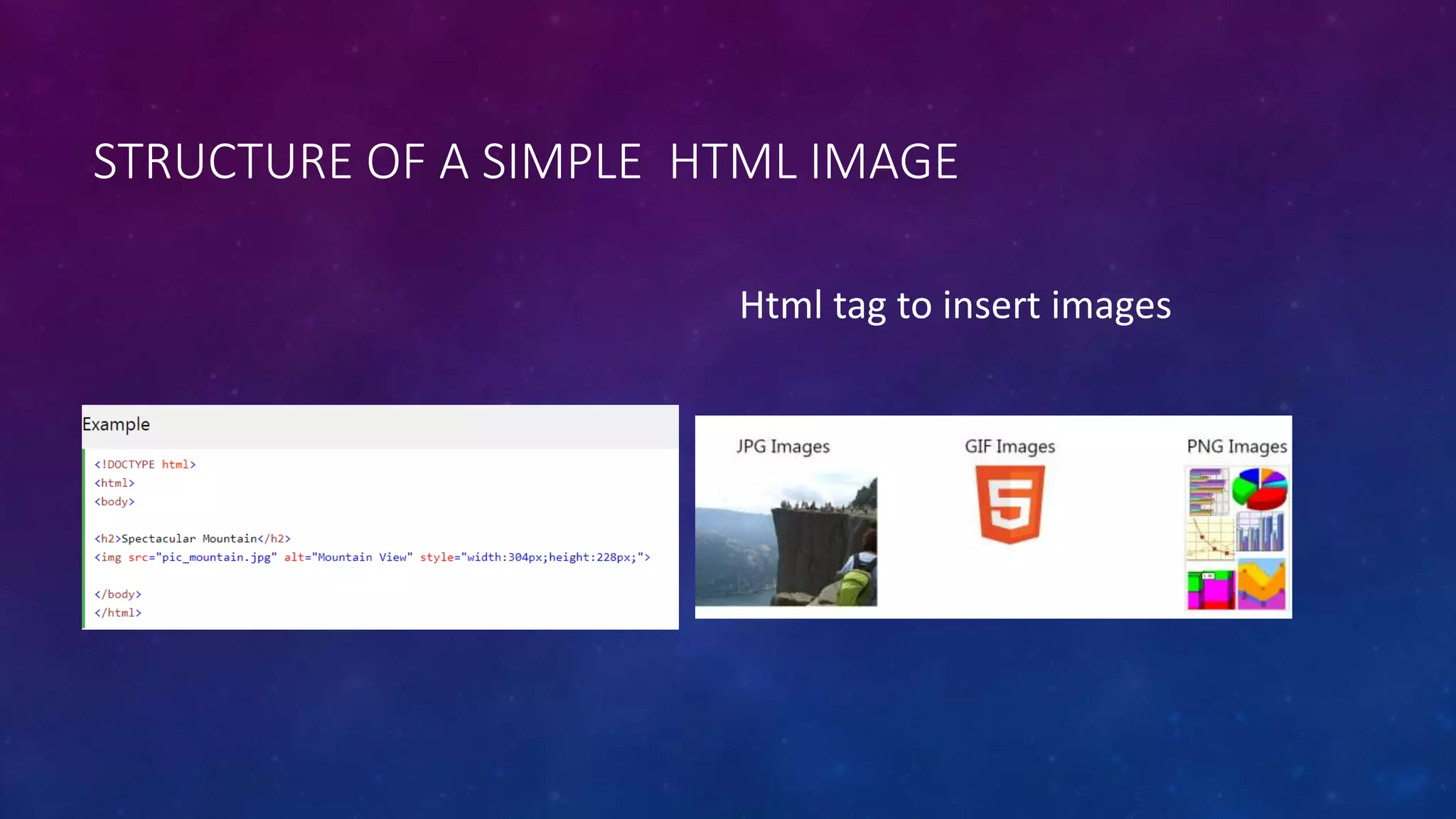
STRUCTURE OF A SIMPLE HTML IMAGE
Html tag to insert images
HTML LISTS
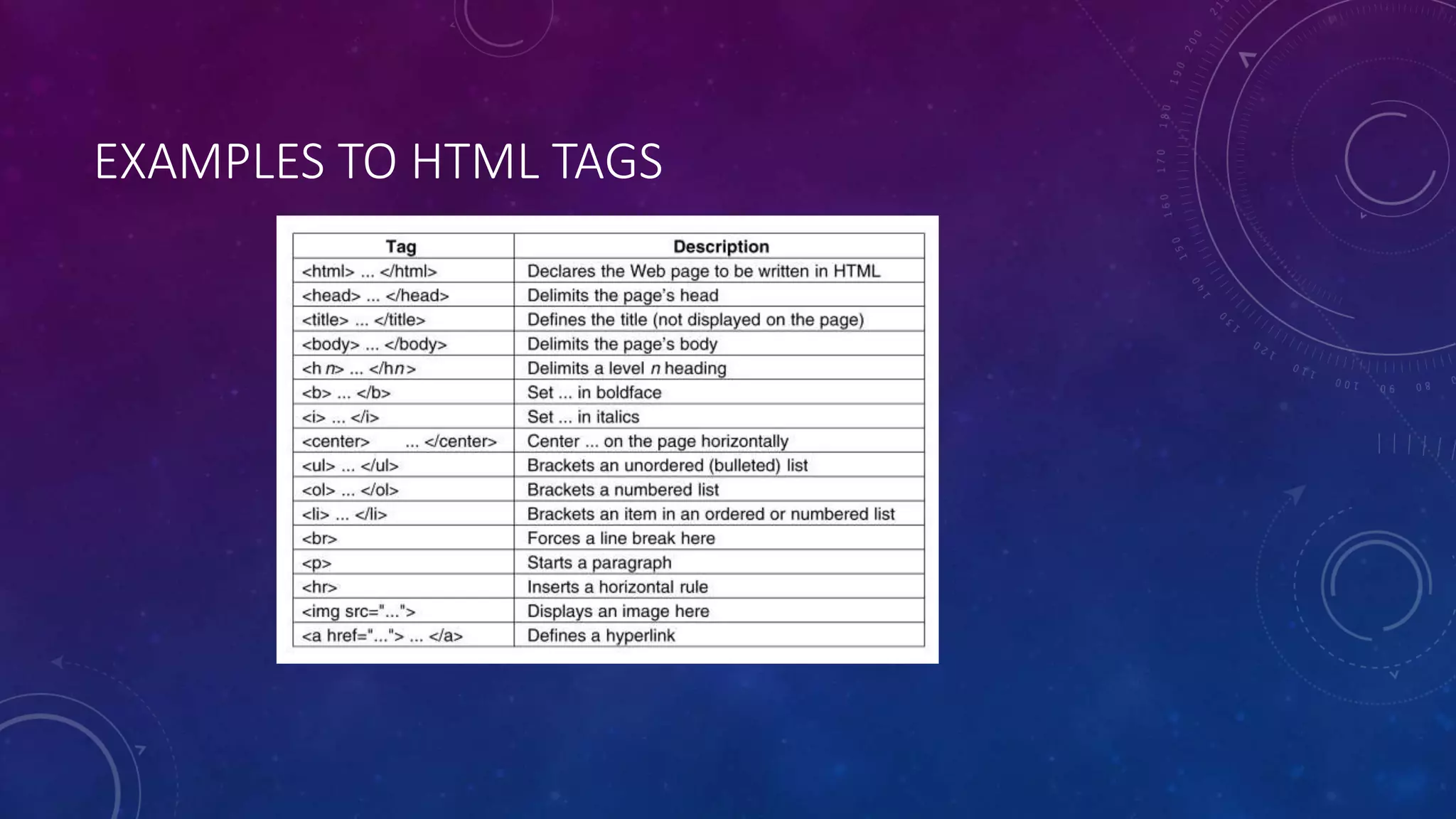
• HTML tags normally come in pairs like <p> and </p>
• The first tag in a pair is the start tag, the second tag is the end tag
• The end tag is written like the start tag, but with a forward slash inserted before the tag name
EXAMPLES TO HTML TAGS
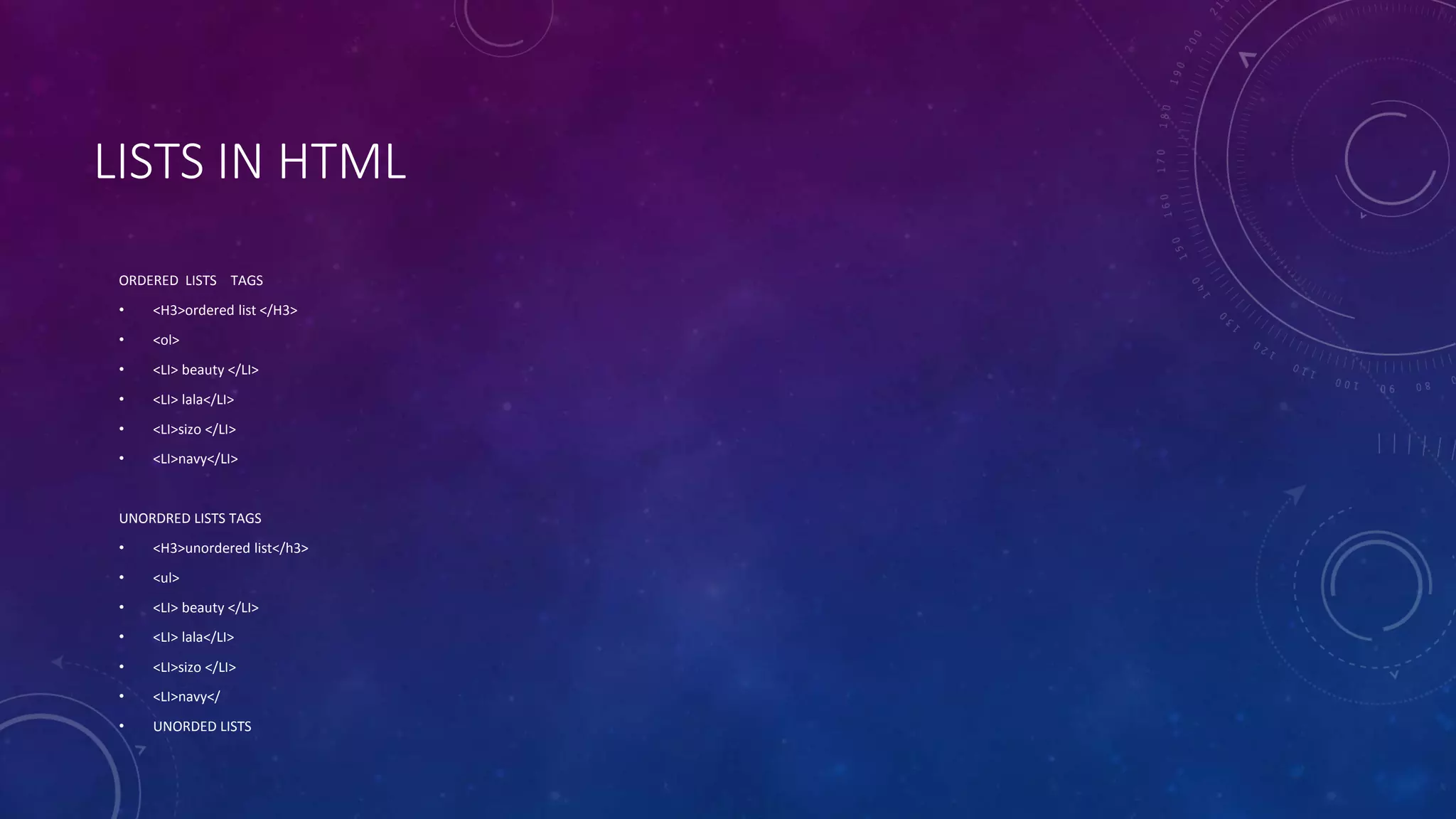
LISTS IN HTML
ORDERED LISTS TAGS
• <H3>ordered list </H3>
• <ol>
• <LI> beauty </LI>
• <LI> lala</LI>
• <LI>sizo </LI>
• <LI>navy</LI>
UNORDRED LISTS TAGS
• <H3>unordered list</h3>
• <ul>
• <LI> beauty </LI>
• <LI> lala</LI>
• <LI>sizo </LI>
• <LI>navy</
• UNORDED LISTS
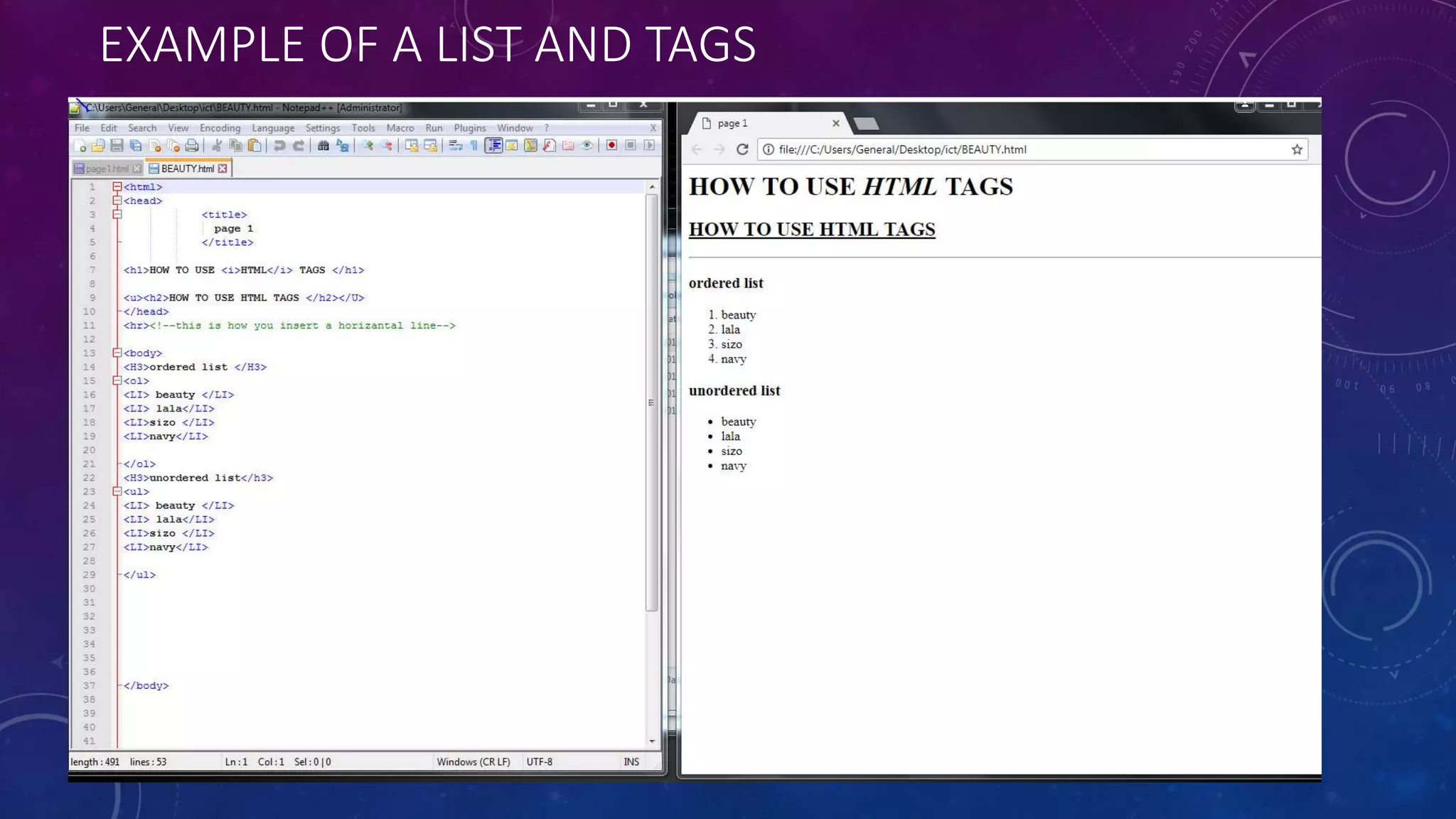
EXAMPLE OF A LIST AND TAGS
HTML LINKS
LINKS ON HTML TUTORIALS
https://www.w3schools.com/html/html_intro.asp
Videos on html .
https://www.youtube.com/watch?v=bWPMSSsVdPk
https://www.lynda.com/Web-Development-tutorials/HTML-CSS/170427/196178-4.html

Tutorial on html

  • 1.
    PRESENTATION ON HTML FOCUSOF THIS TUTORIAL • WHAT IS HTML • HOW TO LISTS ON HTML
  • 2.
    WHAT IS HTML HTMLis the standard mark-up language for creating web pages and web applications.Web browsers receive HTML documents from a web server or from local storage and render them into multimedia web pages. HTML describes the structure of a web page semantically and originally included cues for the appearance of the document. • HTML is the standard mark-up language for creating Web pages. • HTML stands for Hyper Text Mark-up Language • HTML describes the structure of Web pages using mark-up • HTML elements are the building blocks of HTML pages • HTML elements are represented by tags • HTML tags label pieces of content such as "heading", "paragraph", "table", and so on • Browsers do not display the HTML tags, but use them to render the content of the page
  • 3.
    STRUCTURE OF ASIMPLE HTML IMAGE Html tag to insert images
  • 4.
    HTML LISTS • HTMLtags normally come in pairs like <p> and </p> • The first tag in a pair is the start tag, the second tag is the end tag • The end tag is written like the start tag, but with a forward slash inserted before the tag name
  • 5.
  • 6.
    LISTS IN HTML ORDEREDLISTS TAGS • <H3>ordered list </H3> • <ol> • <LI> beauty </LI> • <LI> lala</LI> • <LI>sizo </LI> • <LI>navy</LI> UNORDRED LISTS TAGS • <H3>unordered list</h3> • <ul> • <LI> beauty </LI> • <LI> lala</LI> • <LI>sizo </LI> • <LI>navy</ • UNORDED LISTS
  • 7.
    EXAMPLE OF ALIST AND TAGS
  • 8.
    HTML LINKS LINKS ONHTML TUTORIALS https://www.w3schools.com/html/html_intro.asp Videos on html . https://www.youtube.com/watch?v=bWPMSSsVdPk https://www.lynda.com/Web-Development-tutorials/HTML-CSS/170427/196178-4.html