Introduction to HTML
HyperText Markup Language
What is HTML?
What is HTML?
 Hypertext Markup Language
What is HTML?
Hypertext Markup Language
 Hypertext:
 Allows for non-linear linking to other
documents
What is HTML?
Hypertext Markup Language
 Hypertext:
 Allows for non-linear linking to other
documents
 Markup Language:
 Content to be displayed is “marked up” or
tagged to tell the browser how to display
it.
HTML
 are the main code used for creating and
designing web pages.
 is written in the form of HTML elements consisting
of tags enclosed in angle brackets (like: <html> ).
 Elements or tags
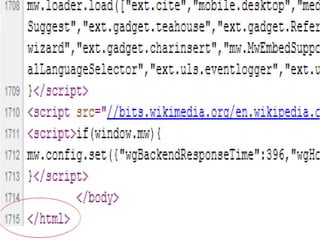
<html></html>
 Attributes that modify an element
HTML
 HTML allows images and objects to be
embedded and can be used to
create interactive forms.
 It provides a means to create structured
documents by denoting structural semantics for
text such as headings, paragraphs, lists, links,
quotes and other items.
Elements
 Elements are the fundamental building
blocks of HTML.
 They are the tags that tell the browser
what the enclosed text is.
<title>My first HTML page</title>
The title element tells the browser that
this is the title of the page.
 Elements must be terminated
HTML
The pur pose of a web br owser i s t o r ead
HTML document s and compose t hem i nt o
vi si bl e or audi bl e web pages. The
br owser does not di spl ay t he HTML t ags,
but uses t he t ags t o i nt er pr et t he
cont ent of t he page.
Elements
General format of an element:
<startTag>Target content</endTag>
HTML is NOT case sensitive…
HTML Skeleton
<html>
<head>
<title>My first HTML Page!</title>
</head>
<body>
I Love HTML!
</body>
</html>
What do we need? | How to Save?
 Notepad
 To save:
File > Save As > .txt and .html
HTML Sample
<html>
<head>
<title>My first HTML Page!</title>
</head>
<body>
I Love HTML! Hypertext Markup Language!
</body>
</html>
Activity Time:
1. Open a Notepad
2. Using the basic html tags and
elements, input the paragraph below
and save as:
HTMLDoc1.html
Filename: HTMLDoc1.html
Title: My First HTML Document
Body:
My name is Juan Dela Cruz and my
hobbies are playing online games,
surfing the net, read travelling books
and hang-out with my friends.
Assignment:
Follow-up:
1. Give the other elements and attributes in
html.
References:
Book: World Wide Web Development III, pages 46-48
Website: www.w3schools.com
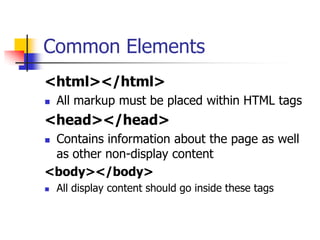
Common Elements
<html></html>
 All markup must be placed within HTML tags
<head></head>
 Contains information about the page as well
as other non-display content
<body></body>
 All display content should go inside these tags
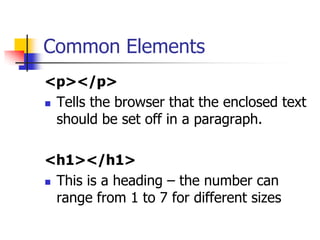
Common Elements
<p></p>
 Tells the browser that the enclosed text
should be set off in a paragraph.
<h1></h1>
 This is a heading – the number can
range from 1 to 7 for different sizes
Text Display Elements
<b></b> or <strong></strong>
 Bolds the tagged text
<em></em> or <i></i>
 Italicizes the tagged text
<pre></pre>
 Preserves white space and breaks and
stands for “preformatted”
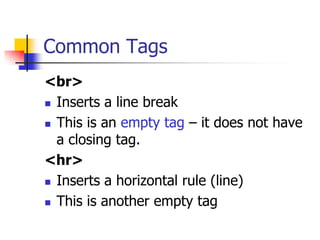
Common Tags
<br>
 Inserts a line break
 This is an empty tag – it does not have
a closing tag.
<hr>
 Inserts a horizontal rule (line)
 This is another empty tag
HTML Comments
An HTML Comment which is NOT
displayed in the page is done like this:
<!-- This is a comment -->
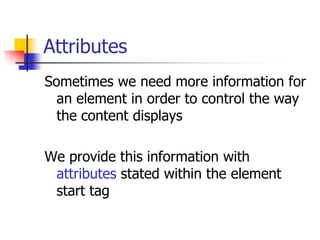
Attributes
Sometimes we need more information for
an element in order to control the way
the content displays
We provide this information with
attributes stated within the element
start tag
Attributes
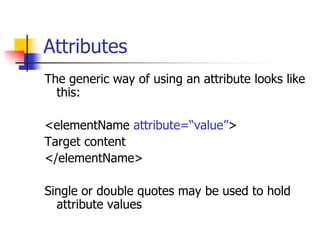
The generic way of using an attribute looks like
this:
<elementName attribute=“value”>
Target content
</elementName>
Single or double quotes may be used to hold
attribute values
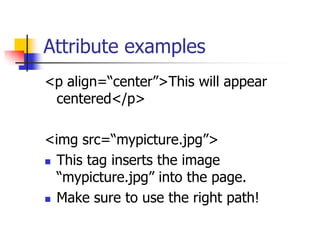
Attribute examples
<p align=“center”>This will appear
centered</p>
<img src=“mypicture.jpg”>
 This tag inserts the image
“mypicture.jpg” into the page.
 Make sure to use the right path!
Hyperlinks
Hyperlinks are created using the <a> tag,
which stands for “anchor”. The format
looks like this:
<a href=“uri_to_document”>Content to
click on for the link</a>
The uri can also be a mailto: link
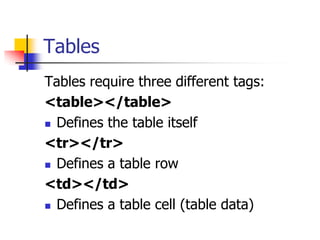
Tables
Tables require three different tags:
<table></table>
 Defines the table itself
<tr></tr>
 Defines a table row
<td></td>
 Defines a table cell (table data)
Tables
Example table:
<table>
<tr><td>Column One, row one</td>
<td>Column Two, row one</td>
</tr>
<tr><td>Column One, row two</td>
<td>Column Two, row two</td>
</tr>
</table>
Lists
Two main types:
 Unordered list
 <ul></ul>
 Ordered List
 <ol></ol>
 List items are indicated by <li></li>
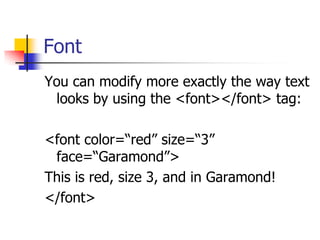
Font
You can modify more exactly the way text
looks by using the <font></font> tag:
<font color=“red” size=“3”
face=“Garamond”>
This is red, size 3, and in Garamond!
</font>
Entities
Some content characters may not show
up properly if simply placed inside tags.
How would you mark up the following:
Is 3<4 ?
Entities
In order to display these characters, we
use entities to represent them:
Character: Entity:
< &lt;
> &gt;
& &amp;
[space] &nbsp;

Intro to html

  • 4.
  • 5.
  • 6.
    What is HTML? Hypertext Markup Language
  • 7.
    What is HTML? HypertextMarkup Language  Hypertext:  Allows for non-linear linking to other documents
  • 8.
    What is HTML? HypertextMarkup Language  Hypertext:  Allows for non-linear linking to other documents  Markup Language:  Content to be displayed is “marked up” or tagged to tell the browser how to display it.
  • 9.
    HTML  are themain code used for creating and designing web pages.  is written in the form of HTML elements consisting of tags enclosed in angle brackets (like: <html> ).  Elements or tags <html></html>  Attributes that modify an element
  • 10.
    HTML  HTML allowsimages and objects to be embedded and can be used to create interactive forms.  It provides a means to create structured documents by denoting structural semantics for text such as headings, paragraphs, lists, links, quotes and other items.
  • 11.
    Elements  Elements arethe fundamental building blocks of HTML.  They are the tags that tell the browser what the enclosed text is. <title>My first HTML page</title> The title element tells the browser that this is the title of the page.  Elements must be terminated
  • 12.
    HTML The pur poseof a web br owser i s t o r ead HTML document s and compose t hem i nt o vi si bl e or audi bl e web pages. The br owser does not di spl ay t he HTML t ags, but uses t he t ags t o i nt er pr et t he cont ent of t he page.
  • 13.
    Elements General format ofan element: <startTag>Target content</endTag> HTML is NOT case sensitive…
  • 14.
    HTML Skeleton <html> <head> <title>My firstHTML Page!</title> </head> <body> I Love HTML! </body> </html>
  • 15.
    What do weneed? | How to Save?  Notepad  To save: File > Save As > .txt and .html
  • 16.
    HTML Sample <html> <head> <title>My firstHTML Page!</title> </head> <body> I Love HTML! Hypertext Markup Language! </body> </html>
  • 17.
    Activity Time: 1. Opena Notepad 2. Using the basic html tags and elements, input the paragraph below and save as: HTMLDoc1.html
  • 18.
    Filename: HTMLDoc1.html Title: MyFirst HTML Document Body: My name is Juan Dela Cruz and my hobbies are playing online games, surfing the net, read travelling books and hang-out with my friends.
  • 19.
    Assignment: Follow-up: 1. Give theother elements and attributes in html. References: Book: World Wide Web Development III, pages 46-48 Website: www.w3schools.com
  • 21.
    Common Elements <html></html>  Allmarkup must be placed within HTML tags <head></head>  Contains information about the page as well as other non-display content <body></body>  All display content should go inside these tags
  • 22.
    Common Elements <p></p>  Tellsthe browser that the enclosed text should be set off in a paragraph. <h1></h1>  This is a heading – the number can range from 1 to 7 for different sizes
  • 23.
    Text Display Elements <b></b>or <strong></strong>  Bolds the tagged text <em></em> or <i></i>  Italicizes the tagged text <pre></pre>  Preserves white space and breaks and stands for “preformatted”
  • 24.
    Common Tags <br>  Insertsa line break  This is an empty tag – it does not have a closing tag. <hr>  Inserts a horizontal rule (line)  This is another empty tag
  • 25.
    HTML Comments An HTMLComment which is NOT displayed in the page is done like this: <!-- This is a comment -->
  • 26.
    Attributes Sometimes we needmore information for an element in order to control the way the content displays We provide this information with attributes stated within the element start tag
  • 27.
    Attributes The generic wayof using an attribute looks like this: <elementName attribute=“value”> Target content </elementName> Single or double quotes may be used to hold attribute values
  • 28.
    Attribute examples <p align=“center”>Thiswill appear centered</p> <img src=“mypicture.jpg”>  This tag inserts the image “mypicture.jpg” into the page.  Make sure to use the right path!
  • 29.
    Hyperlinks Hyperlinks are createdusing the <a> tag, which stands for “anchor”. The format looks like this: <a href=“uri_to_document”>Content to click on for the link</a> The uri can also be a mailto: link
  • 30.
    Tables Tables require threedifferent tags: <table></table>  Defines the table itself <tr></tr>  Defines a table row <td></td>  Defines a table cell (table data)
  • 31.
    Tables Example table: <table> <tr><td>Column One,row one</td> <td>Column Two, row one</td> </tr> <tr><td>Column One, row two</td> <td>Column Two, row two</td> </tr> </table>
  • 32.
    Lists Two main types: Unordered list  <ul></ul>  Ordered List  <ol></ol>  List items are indicated by <li></li>
  • 33.
    Font You can modifymore exactly the way text looks by using the <font></font> tag: <font color=“red” size=“3” face=“Garamond”> This is red, size 3, and in Garamond! </font>
  • 34.
    Entities Some content charactersmay not show up properly if simply placed inside tags. How would you mark up the following: Is 3<4 ?
  • 35.
    Entities In order todisplay these characters, we use entities to represent them: Character: Entity: < &lt; > &gt; & &amp; [space] &nbsp;