What is HTML?
• HTML stands for Hyper Text Markup Language
• A markup language is a set of markup tags
• HTML documents are described by HTML tags
• Each HTML tag describes different document content
A Small HTML Document
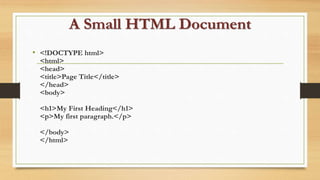
• <!DOCTYPE html>
<html>
<head>
<title>Page Title</title>
</head>
<body>
<h1>My First Heading</h1>
<p>My first paragraph.</p>
</body>
</html>
Example Explained
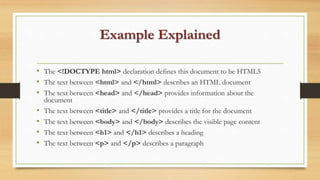
• The <!DOCTYPE html> declaration defines this document to be HTML5
• The text between <html> and </html> describes an HTML document
• The text between <head> and </head> provides information about the
document
• The text between <title> and </title> provides a title for the document
• The text between <body> and </body> describes the visible page content
• The text between <h1> and </h1> describes a heading
• The text between <p> and </p> describes a paragraph
HTML Tags
• HTML tags are keywords (tag names) surrounded by angle brackets:
• <tagname>content goes here...</tagname>
• HTML tags normally come in pairs like <p> and </p>
• The first tag in a pair is the start tag, the second tag is the end tag
• The end tag is written like the start tag, but with a forward slash inserted
before the tag name
• The start tag is also called the opening tag, and the end tag the closing tag.
Web Browsers
• The purpose of a web browser (Chrome, IE, Firefox,
Safari) is to read HTML documents and display
them.
• The browser does not display the HTML tags, but
uses them to determine how to display the
document:
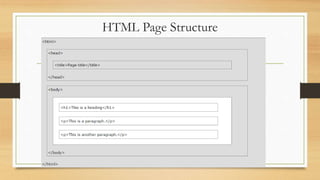
HTML Page Structure
HTML Documents
• The HTML document itself begins with <html> and ends
with </html>.
• The visible / root part of the HTML document is
between <body> and </body>.
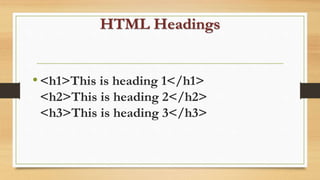
HTML Headings
•<h1>This is heading 1</h1>
<h2>This is heading 2</h2>
<h3>This is heading 3</h3>
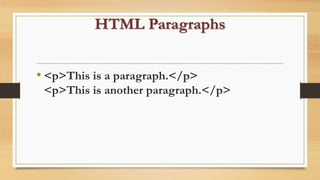
HTML Paragraphs
• <p>This is a paragraph.</p>
<p>This is another paragraph.</p>
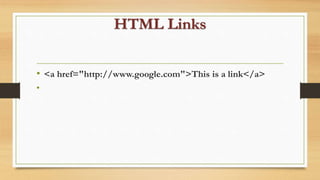
HTML Links
• <a href="http://www.google.com">This is a link</a>
•
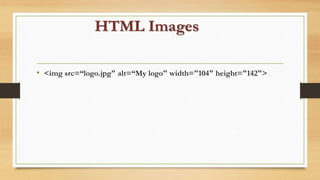
HTML Images
• <img src=“logo.jpg" alt=“My logo" width="104" height="142">
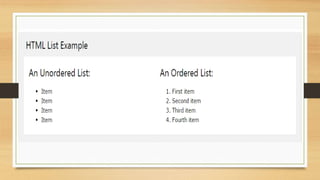
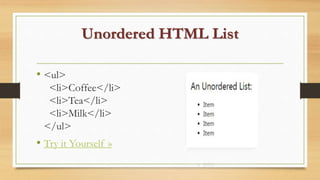
Unordered HTML List
• <ul>
<li>Coffee</li>
<li>Tea</li>
<li>Milk</li>
</ul>
• Try it Yourself »
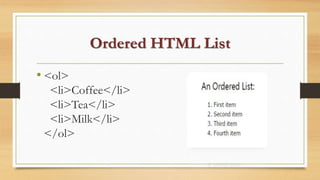
Ordered HTML List
• <ol>
<li>Coffee</li>
<li>Tea</li>
<li>Milk</li>
</ol>

Html

  • 1.
    What is HTML? •HTML stands for Hyper Text Markup Language • A markup language is a set of markup tags • HTML documents are described by HTML tags • Each HTML tag describes different document content
  • 2.
    A Small HTMLDocument • <!DOCTYPE html> <html> <head> <title>Page Title</title> </head> <body> <h1>My First Heading</h1> <p>My first paragraph.</p> </body> </html>
  • 3.
    Example Explained • The<!DOCTYPE html> declaration defines this document to be HTML5 • The text between <html> and </html> describes an HTML document • The text between <head> and </head> provides information about the document • The text between <title> and </title> provides a title for the document • The text between <body> and </body> describes the visible page content • The text between <h1> and </h1> describes a heading • The text between <p> and </p> describes a paragraph
  • 4.
    HTML Tags • HTMLtags are keywords (tag names) surrounded by angle brackets: • <tagname>content goes here...</tagname> • HTML tags normally come in pairs like <p> and </p> • The first tag in a pair is the start tag, the second tag is the end tag • The end tag is written like the start tag, but with a forward slash inserted before the tag name • The start tag is also called the opening tag, and the end tag the closing tag.
  • 5.
    Web Browsers • Thepurpose of a web browser (Chrome, IE, Firefox, Safari) is to read HTML documents and display them. • The browser does not display the HTML tags, but uses them to determine how to display the document:
  • 6.
  • 7.
    HTML Documents • TheHTML document itself begins with <html> and ends with </html>. • The visible / root part of the HTML document is between <body> and </body>.
  • 8.
    HTML Headings •<h1>This isheading 1</h1> <h2>This is heading 2</h2> <h3>This is heading 3</h3>
  • 9.
    HTML Paragraphs • <p>Thisis a paragraph.</p> <p>This is another paragraph.</p>
  • 10.
    HTML Links • <ahref="http://www.google.com">This is a link</a> •
  • 11.
    HTML Images • <imgsrc=“logo.jpg" alt=“My logo" width="104" height="142">
  • 13.
    Unordered HTML List •<ul> <li>Coffee</li> <li>Tea</li> <li>Milk</li> </ul> • Try it Yourself »
  • 14.
    Ordered HTML List •<ol> <li>Coffee</li> <li>Tea</li> <li>Milk</li> </ol>