Introduction to HTML
A Brief Overview of the Basics
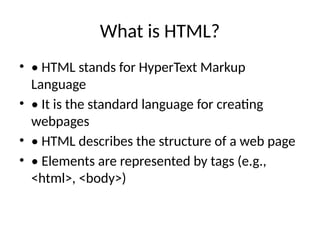
What is HTML?
• • HTML stands for HyperText Markup
Language
• • It is the standard language for creating
webpages
• • HTML describes the structure of a web page
• • Elements are represented by tags (e.g.,
<html>, <body>)
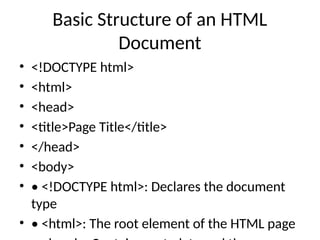
Basic Structure of an HTML
Document
• <!DOCTYPE html>
• <html>
• <head>
• <title>Page Title</title>
• </head>
• <body>
• • <!DOCTYPE html>: Declares the document
type
• • <html>: The root element of the HTML page
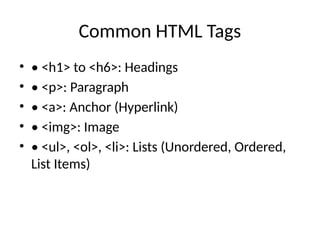
Common HTML Tags
• • <h1> to <h6>: Headings
• • <p>: Paragraph
• • <a>: Anchor (Hyperlink)
• • <img>: Image
• • <ul>, <ol>, <li>: Lists (Unordered, Ordered,
List Items)
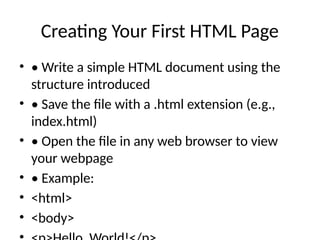
Creating Your First HTML Page
• • Write a simple HTML document using the
structure introduced
• • Save the file with a .html extension (e.g.,
index.html)
• • Open the file in any web browser to view
your webpage
• • Example:
• <html>
• <body>

Introduction_to_HTML_Summary.pptx tutorial

  • 1.
    Introduction to HTML ABrief Overview of the Basics
  • 2.
    What is HTML? •• HTML stands for HyperText Markup Language • • It is the standard language for creating webpages • • HTML describes the structure of a web page • • Elements are represented by tags (e.g., <html>, <body>)
  • 3.
    Basic Structure ofan HTML Document • <!DOCTYPE html> • <html> • <head> • <title>Page Title</title> • </head> • <body> • • <!DOCTYPE html>: Declares the document type • • <html>: The root element of the HTML page
  • 4.
    Common HTML Tags •• <h1> to <h6>: Headings • • <p>: Paragraph • • <a>: Anchor (Hyperlink) • • <img>: Image • • <ul>, <ol>, <li>: Lists (Unordered, Ordered, List Items)
  • 5.
    Creating Your FirstHTML Page • • Write a simple HTML document using the structure introduced • • Save the file with a .html extension (e.g., index.html) • • Open the file in any web browser to view your webpage • • Example: • <html> • <body>