NEAR EAST UNIVERSITY

NAME: BURAK
SURNAME: DURAN
STUDENT NUMBER: 20112074
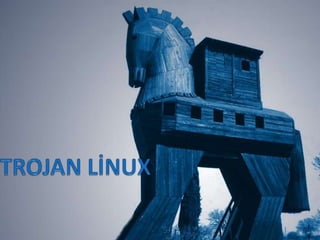
SUBJECT: TROJAN LINUX

                           1
CONTENT

•Troy What İs Linux?
•Basic Features
•Linux Trojan Targets
•Trojan Linux Versions
•Installing Linux on the Trojan


                                  3
Troy What is Linux?
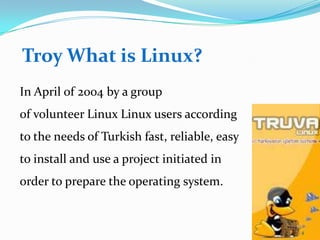
In April of 2004 by a group
of volunteer Linux Linux users according
to the needs of Turkish fast, reliable, easy
to install and use a project initiated in
order to prepare the operating system.


                                               4
Basic Features
• Stable and fast

• Reliable,

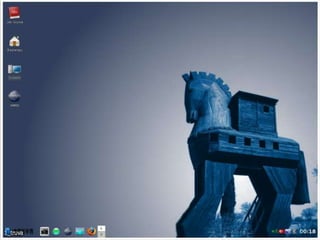
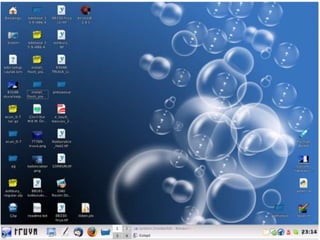
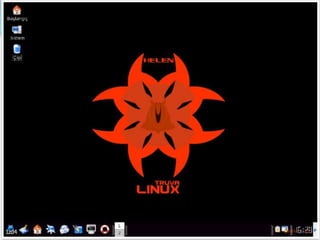
• The graphical environment


                              5
6
7
8
Linux Trojan Targets

• Leveraging the power of open
source fast, reliable, robust build an operating
system.


                                                   9
Linux Trojan Targets

• Designed according to the needs of
Turkish users, open to development to create a
distribution that follows the technological
developments.


                                                 10
Linux Trojan Targets
• Easy to install, user-friendly, wide range
of problems with device drivers
that support the creation of a desktop system is
planned.

• 100% of users will experience problems with
the objective to minimize Turkish.

                                                   11
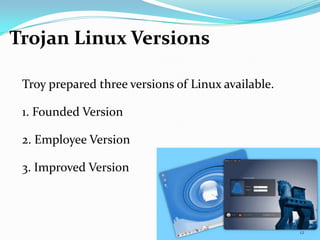
Trojan Linux Versions

 Troy prepared three versions of Linux available.

 1. Founded Version

 2. Employee Version

 3. Improved Version


                                                    12
1. Founded Version

• Trojans can be installed on the hard disk version of
Linux.

• The standard uses the Desktop Environment.

• Established version, desktop users will need multi-
media, internet and system tools.


                                                         13
Founded Version History
• Trojan Linux Beta - November 2, 2005

• Trojan Linux 1.0 RC1 - January 11, 2006

• Trojan Linux 1.0 RC2 - May 21, 2006

• Trojan Linux 1.0 - November 7, 2006

• Trojan Linux 2.0 Beta6 - January 21, 2008

• Trojan Linux 2.0 RC1 - March 24, 2008
                                              14
System Requirements (Minimum)


• Pentium 4 or higher processor
• 512 Mb ram
• 4 Gb of free disk space (minimum)


                                      15
2. Employee Version
•Trojan running Linux from the CD version.

• The disc does not require installation.

•Distributed with KDE ( K Development
Environment ) or Gnome Desktop
Environment.


                                             16
Employee Version History

• Trojan Linux Gnome Live CD 1.0 - January 15, 2007


                                                      17
System Requirements (Minimum)


• Pentium III or higher processor

• 256 Mb ram


                                    18
3. Improved Version
• Linux can be installed on the hard disk version
of the Trojan and is still being developed.

• The standard uses the KDE ( K Development
Environment ) desktop environment.

• The developed version daily, weekly or
monthly basis, can be published.
                                                    19
3. Improved Version
• Trial version has to be careful because it
is setup and use.


                                               20
System Requirements (Minimum)


• Pentium 4 or higher processor
• 512 Mb ram
• 4 Gb of free disk space (minimum)


                                      21
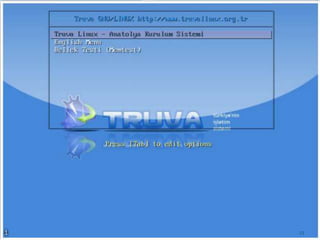
Installing Linux on the Trojan

The installation is very simple. Installation is similar
to other operating systems.
Setup CD Linux installation starts by installing the
Trojan.


                                                       22
23
24
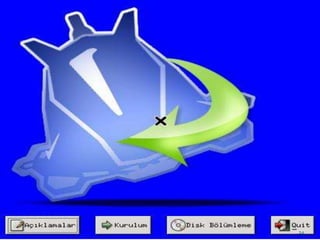
Installation:
•Comments in this area, please read about by
clicking Anatolya Installation System.Before the
option to allocate disk partitioning setup is
required.


                                                   25
Installation:
•
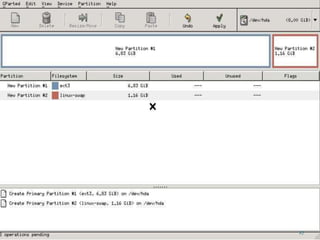
•Divide by Gparted program reformat ntfs file
system features end of the disk, but you stilldo
not neglect to take the backup.


                                                   26
27
Installation:
After setting the option
to Install Gparted program can shut down the disk
space. The installation disk partitions are
examined, and then asks you to do what the
Linuxsection of the installation. Select the portion
of the installation disk, and continue to do.


                                                       28
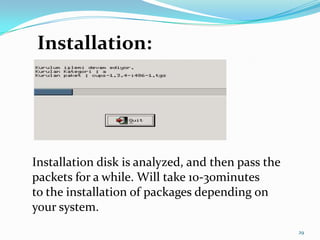
Installation:


Installation disk is analyzed, and then pass the
packets for a while. Will take 10-30minutes
to the installation of packages depending on
your system.
                                                   29
REFERENCE
1. http://www.truvalinux.org.tr/
2. http://tr.wikipedia.org/wiki/Truva_Linux


                                              30

Trojan linux

  • 1.
    NEAR EAST UNIVERSITY NAME:BURAK SURNAME: DURAN STUDENT NUMBER: 20112074 SUBJECT: TROJAN LINUX 1
  • 3.
    CONTENT •Troy What İsLinux? •Basic Features •Linux Trojan Targets •Trojan Linux Versions •Installing Linux on the Trojan 3
  • 4.
    Troy What isLinux? In April of 2004 by a group of volunteer Linux Linux users according to the needs of Turkish fast, reliable, easy to install and use a project initiated in order to prepare the operating system. 4
  • 5.
    Basic Features • Stableand fast • Reliable, • The graphical environment 5
  • 6.
  • 7.
  • 8.
  • 9.
    Linux Trojan Targets •Leveraging the power of open source fast, reliable, robust build an operating system. 9
  • 10.
    Linux Trojan Targets •Designed according to the needs of Turkish users, open to development to create a distribution that follows the technological developments. 10
  • 11.
    Linux Trojan Targets •Easy to install, user-friendly, wide range of problems with device drivers that support the creation of a desktop system is planned. • 100% of users will experience problems with the objective to minimize Turkish. 11
  • 12.
    Trojan Linux Versions Troy prepared three versions of Linux available. 1. Founded Version 2. Employee Version 3. Improved Version 12
  • 13.
    1. Founded Version •Trojans can be installed on the hard disk version of Linux. • The standard uses the Desktop Environment. • Established version, desktop users will need multi- media, internet and system tools. 13
  • 14.
    Founded Version History •Trojan Linux Beta - November 2, 2005 • Trojan Linux 1.0 RC1 - January 11, 2006 • Trojan Linux 1.0 RC2 - May 21, 2006 • Trojan Linux 1.0 - November 7, 2006 • Trojan Linux 2.0 Beta6 - January 21, 2008 • Trojan Linux 2.0 RC1 - March 24, 2008 14
  • 15.
    System Requirements (Minimum) •Pentium 4 or higher processor • 512 Mb ram • 4 Gb of free disk space (minimum) 15
  • 16.
    2. Employee Version •Trojanrunning Linux from the CD version. • The disc does not require installation. •Distributed with KDE ( K Development Environment ) or Gnome Desktop Environment. 16
  • 17.
    Employee Version History •Trojan Linux Gnome Live CD 1.0 - January 15, 2007 17
  • 18.
    System Requirements (Minimum) •Pentium III or higher processor • 256 Mb ram 18
  • 19.
    3. Improved Version •Linux can be installed on the hard disk version of the Trojan and is still being developed. • The standard uses the KDE ( K Development Environment ) desktop environment. • The developed version daily, weekly or monthly basis, can be published. 19
  • 20.
    3. Improved Version •Trial version has to be careful because it is setup and use. 20
  • 21.
    System Requirements (Minimum) •Pentium 4 or higher processor • 512 Mb ram • 4 Gb of free disk space (minimum) 21
  • 22.
    Installing Linux onthe Trojan The installation is very simple. Installation is similar to other operating systems. Setup CD Linux installation starts by installing the Trojan. 22
  • 23.
  • 24.
  • 25.
    Installation: •Comments in thisarea, please read about by clicking Anatolya Installation System.Before the option to allocate disk partitioning setup is required. 25
  • 26.
    Installation: • •Divide by Gpartedprogram reformat ntfs file system features end of the disk, but you stilldo not neglect to take the backup. 26
  • 27.
  • 28.
    Installation: After setting theoption to Install Gparted program can shut down the disk space. The installation disk partitions are examined, and then asks you to do what the Linuxsection of the installation. Select the portion of the installation disk, and continue to do. 28
  • 29.
    Installation: Installation disk isanalyzed, and then pass the packets for a while. Will take 10-30minutes to the installation of packages depending on your system. 29
  • 30.