Introduction to
     Linux
           By: Ravi Prakash Giri
               CSE 2nd Year
 Shri Mata Vaishno Devi University,Jammu
What we will cover ?
   Introduction
   What is Linux?
   Linux Distribution
   Linux vs. Windows
   Process of Installing
    Linux
    Basic Commands
   Working example
   Summary
What is Linux ?
   UNIX-like operating system

   Comprised
      System utilities
      Libraries
      From GNU Project
      Sometimes called GNU Linux


   Supported by: IBM, Sun, Novell, Microsoft,…
LINUX History
   The UNIX operating system was born in the late 1960s. It
    originally began as a one man project led by Ken Thompson of
    Bell Labs, and has since grown to become the most widely used
    operating system.
   In the time since UNIX was first developed, it has gone through
    many different generations and even mutations.
       Some differ substantially from the original version, like Berkeley Software
        Distribution (BSD) or Linux.
       Others, still contain major portions that are based on the original source
        code.
   An interesting and rather up-to-date timeline of these variations
    of UNIX can be found at
    http://www.levenez.com/unix/history.html.
Before Linux
 In 80’s, Microsoft’s DOS was the dominated OS
  for PC
 Apple MAC was better, but expensive
 UNIX was much better, but much, much more
  expensive. Only for minicomputer for commercial
  applications
 People was looking for a UNIX based system,
  which is cheaper and can run on PC
 Both DOS, MAC and UNIX were proprietary, i.e.,
  the source code of their kernel is protected
 No modification is possible without paying high
  license fees
Beginning of Linux
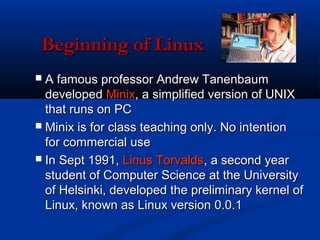
 A famous professor Andrew Tanenbaum
  developed Minix, a simplified version of UNIX
  that runs on PC
 Minix is for class teaching only. No intention
  for commercial use
 In Sept 1991, Linus Torvalds, a second year
  student of Computer Science at the University
  of Helsinki, developed the preliminary kernel of
  Linux, known as Linux version 0.0.1
Linux distribution
Red Hat Linux : One of the original Linux distribution.
The commercial, nonfree version is Red Hat Enterprise Linux, which is aimed at big
   companies using Linux servers and desktops in a big way.
Free version: Fedora Project.

Debian GNU/Linux : A free software distribution. Popular for use on servers.
  However, Debian is not what many would consider a distribution for beginners,
  as it's not designed with ease of use in mind.

SuSE Linux : SuSE was recently purchased by Novell. This distribution is primarily
   available for pay because it contains many commercial programs, although there's
   a stripped-down free version that you can download.

Mandrake Linux : Mandrake is perhaps strongest on the desktop. Originally based
  off of Red Hat Linux.

Gentoo Linux : Gentoo is a specialty distribution meant for programmers.
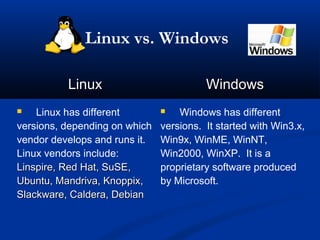
Linux vs. Windows

          Linux                          Windows
   Linux has different           Windows has different
versions, depending on which   versions. It started with Win3.x,
vendor develops and runs it.   Win9x, WinME, WinNT,
Linux vendors include:         Win2000, WinXP. It is a
Linspire, Red Hat, SuSE,       proprietary software produced
Ubuntu, Mandriva, Knoppix,     by Microsoft.
Slackware, Caldera, Debian
Linux vs. Windows
           Linux                       Windows
              Cost                           Cost
 Linux is cheap or free to    Windows is expensive to run.

run. It can be downloaded     The price to purchase a full
from various Linux vendors.   version of Windows XP
                              Professional is about USD400.
Linux may run off a server   Only one copy of Windows
so numerous computers may     may be used on a computer.
have access to the program.   Activation with Microsoft is
                              needed.
Linux vs. Windows

           Linux                           Windows
               Cost                             Cost
 Linux is an open source          Windows is a proprietary

software. Source codes are        closed source software. Codes
freely distributed to the public, are not released to the public.
of which programmers had
reviewed to improve
performance, eliminate bugs
and strengthen security.
Linux vs. Windows

           Linux                          Windows
         OS Stability                       OS Stability
 When properly                   It is known to crash easily,

configured, Linux will run       and be infected by bugs and
until the hardware fails or if   viruses.
the system is shut down.
 Linux claims that it may
continuously run up to more
than a year without freezing
or shutting down.
It is not as prone to bugs
and viruses as most are
Methods of Installation
  Traditional booting from DVD/CD
 Using third party software

 i.e. making bootable USB
 drive
For making your USB
  bootable,refer to the article at

http://www.resolutiondesproblem
        es.blogspot.com
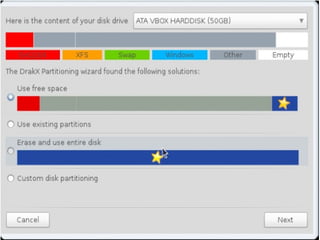
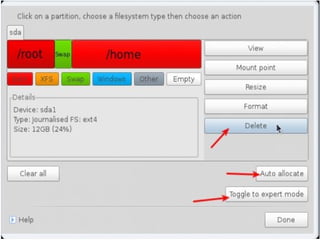
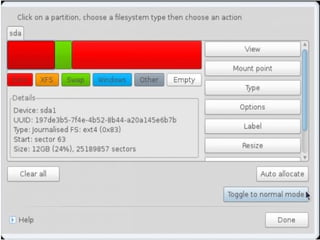
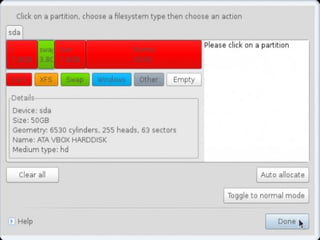
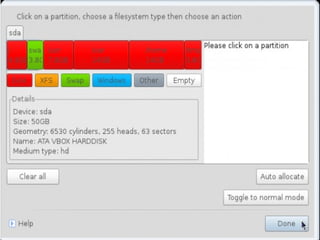
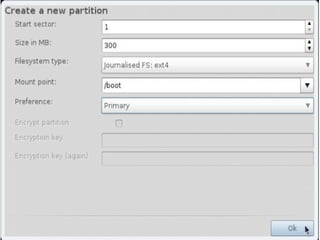
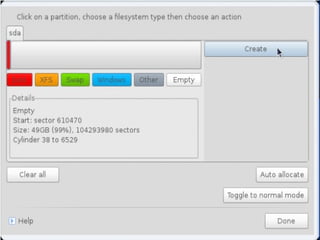
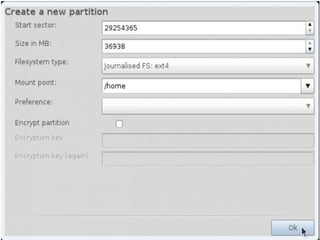
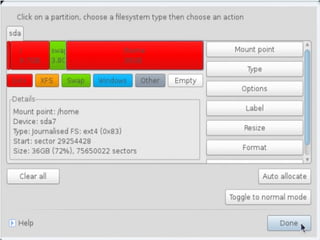
Partition Fields
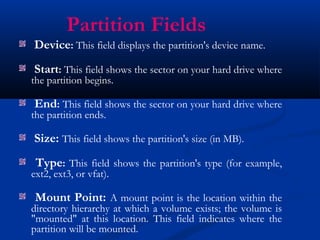
Device: This field displays the partition's device name.
Start: This field shows the sector on your hard drive where
the partition begins.

End: This field shows the sector on your hard drive where
the partition ends.

Size: This field shows the partition's size (in MB).
 Type: This field shows the partition's type (for example,
ext2, ext3, or vfat).

 Mount Point: A mount point is the location within the
directory hierarchy at which a volume exists; the volume is
"mounted" at this location. This field indicates where the
partition will be mounted.
Linux Installation


                   Filesystem Types

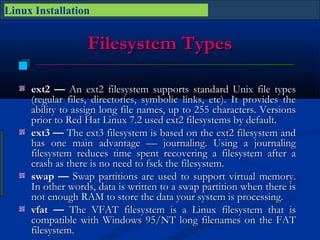
     ext2 — An ext2 filesystem supports standard Unix file types
     (regular files, directories, symbolic links, etc). It provides the
     ability to assign long file names, up to 255 characters. Versions
     prior to Red Hat Linux 7.2 used ext2 filesystems by default.
     ext3 — The ext3 filesystem is based on the ext2 filesystem and
     has one main advantage — journaling. Using a journaling
     filesystem reduces time spent recovering a filesystem after a
     crash as there is no need to fsck the filesystem.
     swap — Swap partitions are used to support virtual memory.
     In other words, data is written to a swap partition when there is
     not enough RAM to store the data your system is processing.
     vfat — The VFAT filesystem is a Linux filesystem that is
     compatible with Windows 95/NT long filenames on the FAT
     filesystem.
Linux Installation

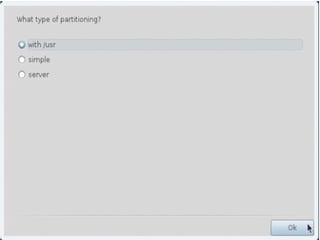
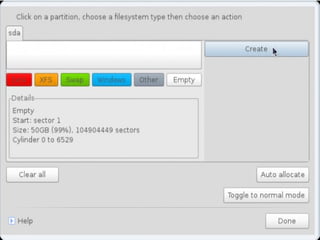
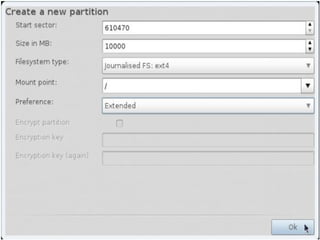
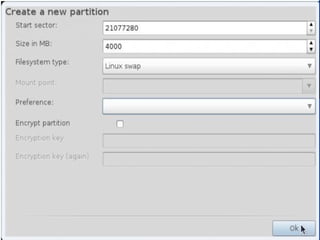
 Recommended Partitioning Scheme
         Unless you have a reason for doing otherwise, it is
     recommended that you create the following partitions:
     /boot partition – contains kernel images            and grub
     configuration and commands
     / partition
     /home partition 
     Any other partition based on application (e.g /usr/local for
     squid)
     swap partition — swap partitions are used to support virtual
     memory. In other words, data is written to a swap partition
     when there is not enough RAM to store the data your system is
     processing. The size of your swap partition should be equal to
     twice your computer's RAM.
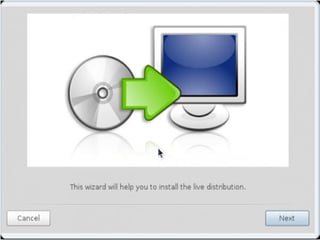
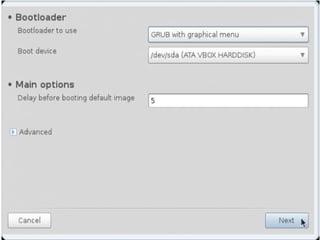
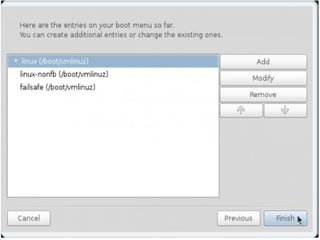
MANDRIVA INSTALLATION
Universal USB Installer
   This tool is widely used to make USB bootable
    for various operating systems or applications.
   Once you made your USB bootable,you are
    ready to use it for installing Linux.
Basic Linux
Commands
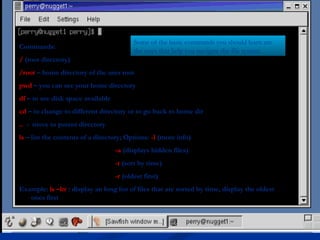
Some of the basic commands you should learn are
Commands:
                                          the ones that help you navigate the file system.
/ (root directory)
/root – home directory of the user root
pwd – you can see your home directory
df – to see disk space available
cd – to change to different directory or to go back to home dir
.. - move to parent directory
ls – list the contents of a directory; Options: -l (more info)
                                   -a (displays hidden files)
                                   -t (sort by time)
                                   -r (oldest first)
Example: ls –ltr : display an long list of files that are sorted by time, display the oldest
   ones first
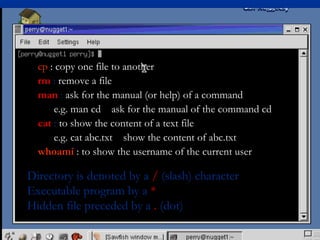
cp : copy one file to another
  rm : remove a file
  man : ask for the manual (or help) of a command
      e.g. man cd ask for the manual of the command cd
  cat : to show the content of a text file
      e.g. cat abc.txt show the content of abc.txt
  whoami : to show the username of the current user

Directory is denoted by a / (slash) character
Executable program by a *
Hidden file preceded by a . (dot)
Working Example
Phishing Social Networking
           Sites
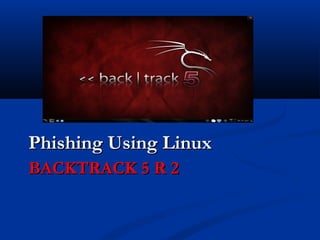
Phishing Using Linux
BACKTRACK 5 R 2
End of Presentation
      Thankyou!

Intro to linux

  • 1.
    Introduction to Linux By: Ravi Prakash Giri CSE 2nd Year Shri Mata Vaishno Devi University,Jammu
  • 2.
    What we willcover ?  Introduction  What is Linux?  Linux Distribution  Linux vs. Windows  Process of Installing Linux  Basic Commands  Working example  Summary
  • 3.
    What is Linux?  UNIX-like operating system  Comprised  System utilities  Libraries  From GNU Project  Sometimes called GNU Linux  Supported by: IBM, Sun, Novell, Microsoft,…
  • 4.
    LINUX History  The UNIX operating system was born in the late 1960s. It originally began as a one man project led by Ken Thompson of Bell Labs, and has since grown to become the most widely used operating system.  In the time since UNIX was first developed, it has gone through many different generations and even mutations.  Some differ substantially from the original version, like Berkeley Software Distribution (BSD) or Linux.  Others, still contain major portions that are based on the original source code.  An interesting and rather up-to-date timeline of these variations of UNIX can be found at http://www.levenez.com/unix/history.html.
  • 5.
    Before Linux  In80’s, Microsoft’s DOS was the dominated OS for PC  Apple MAC was better, but expensive  UNIX was much better, but much, much more expensive. Only for minicomputer for commercial applications  People was looking for a UNIX based system, which is cheaper and can run on PC  Both DOS, MAC and UNIX were proprietary, i.e., the source code of their kernel is protected  No modification is possible without paying high license fees
  • 6.
    Beginning of Linux A famous professor Andrew Tanenbaum developed Minix, a simplified version of UNIX that runs on PC  Minix is for class teaching only. No intention for commercial use  In Sept 1991, Linus Torvalds, a second year student of Computer Science at the University of Helsinki, developed the preliminary kernel of Linux, known as Linux version 0.0.1
  • 7.
    Linux distribution Red HatLinux : One of the original Linux distribution. The commercial, nonfree version is Red Hat Enterprise Linux, which is aimed at big companies using Linux servers and desktops in a big way. Free version: Fedora Project. Debian GNU/Linux : A free software distribution. Popular for use on servers. However, Debian is not what many would consider a distribution for beginners, as it's not designed with ease of use in mind. SuSE Linux : SuSE was recently purchased by Novell. This distribution is primarily available for pay because it contains many commercial programs, although there's a stripped-down free version that you can download. Mandrake Linux : Mandrake is perhaps strongest on the desktop. Originally based off of Red Hat Linux. Gentoo Linux : Gentoo is a specialty distribution meant for programmers.
  • 8.
    Linux vs. Windows Linux Windows  Linux has different  Windows has different versions, depending on which versions. It started with Win3.x, vendor develops and runs it. Win9x, WinME, WinNT, Linux vendors include: Win2000, WinXP. It is a Linspire, Red Hat, SuSE, proprietary software produced Ubuntu, Mandriva, Knoppix, by Microsoft. Slackware, Caldera, Debian
  • 9.
    Linux vs. Windows Linux Windows Cost Cost  Linux is cheap or free to  Windows is expensive to run. run. It can be downloaded The price to purchase a full from various Linux vendors. version of Windows XP Professional is about USD400. Linux may run off a server Only one copy of Windows so numerous computers may may be used on a computer. have access to the program. Activation with Microsoft is needed.
  • 10.
    Linux vs. Windows Linux Windows Cost Cost  Linux is an open source  Windows is a proprietary software. Source codes are closed source software. Codes freely distributed to the public, are not released to the public. of which programmers had reviewed to improve performance, eliminate bugs and strengthen security.
  • 11.
    Linux vs. Windows Linux Windows OS Stability OS Stability  When properly  It is known to crash easily, configured, Linux will run and be infected by bugs and until the hardware fails or if viruses. the system is shut down.  Linux claims that it may continuously run up to more than a year without freezing or shutting down. It is not as prone to bugs and viruses as most are
  • 12.
    Methods of Installation  Traditional booting from DVD/CD  Using third party software i.e. making bootable USB drive
  • 13.
    For making yourUSB bootable,refer to the article at http://www.resolutiondesproblem es.blogspot.com
  • 14.
    Partition Fields Device: Thisfield displays the partition's device name. Start: This field shows the sector on your hard drive where the partition begins. End: This field shows the sector on your hard drive where the partition ends. Size: This field shows the partition's size (in MB). Type: This field shows the partition's type (for example, ext2, ext3, or vfat). Mount Point: A mount point is the location within the directory hierarchy at which a volume exists; the volume is "mounted" at this location. This field indicates where the partition will be mounted.
  • 15.
    Linux Installation Filesystem Types ext2 — An ext2 filesystem supports standard Unix file types (regular files, directories, symbolic links, etc). It provides the ability to assign long file names, up to 255 characters. Versions prior to Red Hat Linux 7.2 used ext2 filesystems by default. ext3 — The ext3 filesystem is based on the ext2 filesystem and has one main advantage — journaling. Using a journaling filesystem reduces time spent recovering a filesystem after a crash as there is no need to fsck the filesystem. swap — Swap partitions are used to support virtual memory. In other words, data is written to a swap partition when there is not enough RAM to store the data your system is processing. vfat — The VFAT filesystem is a Linux filesystem that is compatible with Windows 95/NT long filenames on the FAT filesystem.
  • 16.
    Linux Installation RecommendedPartitioning Scheme Unless you have a reason for doing otherwise, it is recommended that you create the following partitions: /boot partition – contains kernel images and grub configuration and commands / partition /home partition  Any other partition based on application (e.g /usr/local for squid) swap partition — swap partitions are used to support virtual memory. In other words, data is written to a swap partition when there is not enough RAM to store the data your system is processing. The size of your swap partition should be equal to twice your computer's RAM.
  • 17.
  • 18.
    Universal USB Installer  This tool is widely used to make USB bootable for various operating systems or applications.  Once you made your USB bootable,you are ready to use it for installing Linux.
  • 36.
  • 37.
    Some of thebasic commands you should learn are Commands: the ones that help you navigate the file system. / (root directory) /root – home directory of the user root pwd – you can see your home directory df – to see disk space available cd – to change to different directory or to go back to home dir .. - move to parent directory ls – list the contents of a directory; Options: -l (more info) -a (displays hidden files) -t (sort by time) -r (oldest first) Example: ls –ltr : display an long list of files that are sorted by time, display the oldest ones first
  • 38.
    cp : copyone file to another rm : remove a file man : ask for the manual (or help) of a command e.g. man cd ask for the manual of the command cd cat : to show the content of a text file e.g. cat abc.txt show the content of abc.txt whoami : to show the username of the current user Directory is denoted by a / (slash) character Executable program by a * Hidden file preceded by a . (dot)
  • 39.
  • 40.
  • 41.